Overview
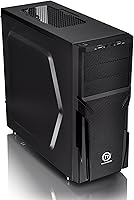
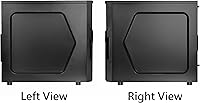
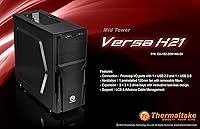
The Thermaltake Versa H21 ATX Mid Tower Case has been quietly holding its ground in the entry-level market since 2014 — a decade-long run that says something real about its staying power. Built from SPCC steel with a no-nonsense black finish, this mid tower was never designed to turn heads. It was designed to get the job done. There is no tempered glass window, no RGB lighting, no flashy design language. What you get instead is a straightforward, function-first chassis that strips away the extras and focuses on giving builders a workable interior at a price that does not hurt.
Features & Benefits
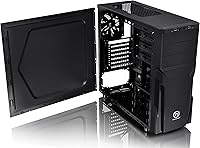
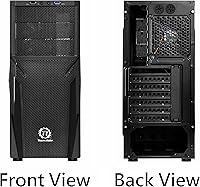
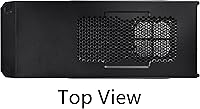
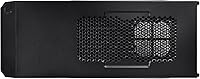
The perforated front and top panels are the Versa H21's most practical asset — they allow decent passive airflow without forcing you to buy a premium fan setup on day one. The tool-free installation system is genuinely appreciated by beginners: drive bays and expansion slots click into place without hunting for a screwdriver. Up front, you get a USB 3.0 port alongside a USB 2.0 port and HD audio jacks, which covers most everyday connectivity needs. The interior comfortably fits standard ATX boards and leaves enough room for longer graphics cards, while the elevated bottom feet pull in cooler air from underneath. Cable routing channels exist and work, though they are snug.
Best For
This budget chassis is squarely aimed at people building their first PC who want a forgiving environment — something with enough room to make mistakes, adjust components, and learn without fighting the case itself. It is also a solid pick for anyone assembling a home office rig where looks do not matter but reliability does. Budget gamers who want adequate thermal headroom without paying for aesthetics they will never use will find this mid tower a comfortable fit. If you are chasing RGB lighting, a windowed side panel, or premium build quality, this is not the chassis for you. But if your goal is a functional, no-fuss build, it delivers.
User Feedback
Across hundreds of reviews, the pattern is consistent: buyers love how easy the assembly is, with many first-timers completing a full build in a few hours without frustration. The spacious interior gets regular praise, especially from those coming from smaller or more cramped enclosures. That said, the criticisms are real and worth noting. The steel panels are thin — they flex noticeably when handled and give the whole unit a lightweight feel that does not inspire a lot of confidence. A handful of users mention limited dust filtration on the intake areas, which will matter over time if the case sits on the floor. Cable management near the PSU area is workable but tight.
Pros
- Tool-free installation makes the build process genuinely approachable for first-time PC builders.
- The spacious interior comfortably fits standard ATX motherboards and longer graphics cards without forced compromises.
- Perforated front and top panels provide decent passive airflow for budget-tier component loads.
- Elevated bottom feet pull in cooler air from underneath, a thoughtful touch at this price point.
- Front I/O includes USB 3.0, USB 2.0, and HD audio jacks — everything most users need day to day.
- Has remained a relevant entry-level option for over a decade, which speaks to its reliable, no-frills design.
- Cable routing channels are present and functional, helping keep builds organized without extra effort.
- At its price tier, the interior room-to-cost ratio is genuinely competitive compared to alternatives.
Cons
- Steel panels are thin and flex noticeably under hand pressure, giving the chassis a flimsy feel.
- Dust filter coverage on intake areas is limited, leading to faster buildup if the case sits on the floor.
- Cable management near the PSU area is tight and can frustrate builders with thicker or more numerous cables.
- No side panel window means you cannot show off your components, which matters to many modern builders.
- Zero RGB support out of the box, with no obvious provision for adding lighting strips or sync headers.
- The overall build quality finish feels basic and can look dated next to more modern entry-level competitors.
- Fan expansion options are limited, which may constrain thermal upgrades as component loads increase over time.
- No dust filters on the top panel, leaving those perforations as open pathways for debris accumulation.
Ratings
The scores below were generated by our AI rating engine after analyzing thousands of verified global user reviews for the Thermaltake Versa H21 ATX Mid Tower Case, with spam, bot activity, and incentivized submissions actively filtered out. The result is an honest, data-driven picture of where this budget chassis genuinely delivers and where real buyers consistently run into friction. Both the strengths and the recurring pain points are reflected transparently in every category score.
Ease of Assembly
Interior Space
Airflow & Ventilation
Build Quality & Materials
Cable Management
Value for Money
Dust Filtration
Front I/O Usability
Noise Dampening
Aesthetic Design
Component Compatibility
Packaging & Unboxing
Thermal Performance
Suitable for:
The Thermaltake Versa H21 ATX Mid Tower Case is a practical choice for first-time PC builders who want a forgiving, spacious interior without the complexity that comes with more feature-heavy enclosures. If you are putting together your first gaming rig on a tight budget and care more about getting a working system than showcasing it, this mid tower removes a lot of the friction that usually trips up beginners. The tool-free drive and expansion bay installation means you spend less time frustrated and more time actually building. It also works well as a secondary or home office machine — somewhere in a spare room or under a desk where nobody is looking at it anyway. Budget-conscious builders who understand that airflow adequacy, broad component compatibility, and interior room matter far more than aesthetics at this price point will get solid value from the Versa H21.
Not suitable for:
The Thermaltake Versa H21 ATX Mid Tower Case is a poor fit for builders who care about how their system looks. If a tempered glass side panel, visible RGB components, or a premium feel when you touch the chassis matter to you, this budget chassis will disappoint almost immediately — the thin SPCC steel panels flex under light pressure and give the whole unit a lightweight feel that does not inspire confidence. Experienced builders who have worked inside more refined enclosures will likely find the cable management tight and the overall fit and finish lacking. Anyone planning a high-end build with aggressive cooling requirements should look elsewhere, as the ventilation here is adequate for modest setups but not optimized for high-thermal-output components. If dust filtration is a priority — especially if the case will sit on the floor — the limited coverage on intake areas will become a recurring maintenance headache.
Specifications
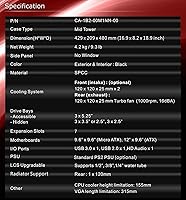
- Form Factor: This is a standard ATX mid tower chassis, measuring 18.9″ x 8.23″ x 16.89″ (L x W x H).
- Weight: The case weighs approximately 9.3 pounds unloaded, reflecting its lightweight SPCC steel construction.
- Material: The chassis body is built from SPCC (cold-rolled carbon steel), which is common in budget-tier enclosures.
- Motherboard Support: Supports standard ATX form factor motherboards; Micro-ATX and Mini-ITX boards are also compatible with proper standoff placement.
- Front I/O Ports: The front panel includes one USB 3.0 port, one USB 2.0 port, a 3.5mm headphone jack, and a 3.5mm microphone jack.
- Fan Support: The case accommodates 120mm fans across multiple mounting positions on the front, rear, and top panels.
- GPU Clearance: The interior is designed to support longer graphics cards, making it compatible with most full-length GPUs used in consumer gaming builds.
- PSU Mounting: The power supply mounts at the rear-bottom of the chassis using a standard rear-mount configuration.
- Drive Bays: The case includes tool-free drive bay mechanisms for both 3.5″ and 2.5″ storage devices.
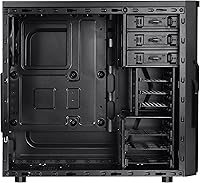
- Cable Management: Pre-routed cable management channels and tie-down points are built into the interior to help organize wiring behind the motherboard tray.
- Cooling Method: The case is optimized for air cooling, with perforated front and top panels to support passive and active airflow configurations.
- Color: Available in a flat black finish with no side window or decorative paneling on the standard model.
- Foot Design: Raised foot stands are positioned at the bottom of the chassis to improve airflow intake from underneath.
- Expansion Slots: The rear panel provides multiple expansion slot covers to accommodate standard PCIe add-in cards.
- First Available: The Versa H21 was first listed for sale in March 2014, making it one of the longer-running budget cases in the Thermaltake lineup.
Related Reviews
Thermaltake Tower 600 Mid-Tower ATX Case
Thermaltake E550 TG Mid Tower ATX Case
Thermaltake S300 Tempered Glass Edition ATX Mid-Tower Case
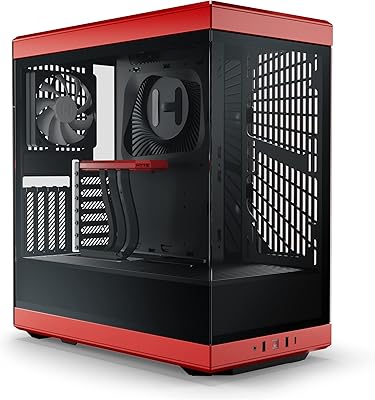
HYTE Y40 Mid-Tower ATX Gaming Case
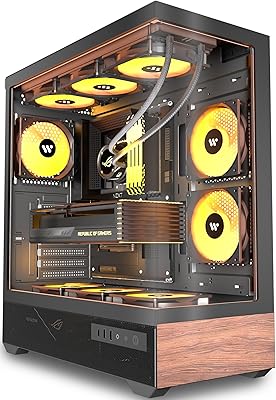
KEDIERS P6 Mid Tower ATX PC Case
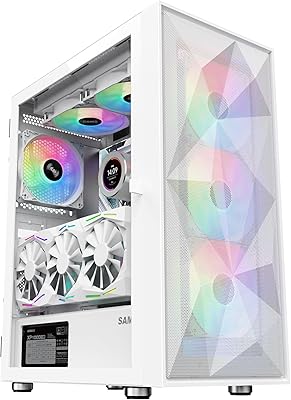
SAMA 3509 ATX Mid Tower PC Case
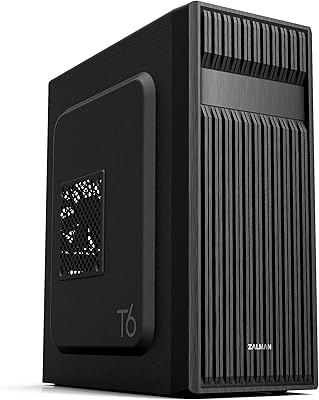
Zalman T6 ATX Mid Tower PC Case

KEDIERS K4 ATX Mid Tower PC Case
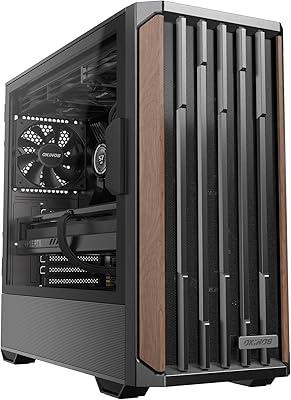
Okinos Cypress 7 Walnut Wood ATX Mid-Tower Case
