Overview

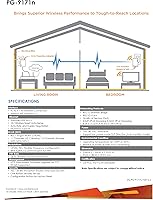
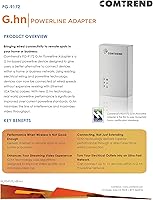
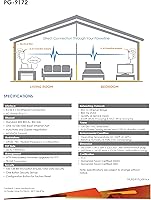
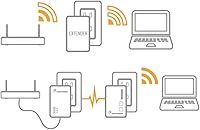
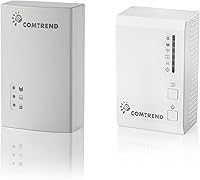
The Comtrend PG-9171n PG-9172 Powerline Adapter Kit takes a fundamentally different approach to fixing dead zones than a Wi-Fi extender does — instead of repeating a weakened wireless signal, it sends your internet connection through the electrical wiring already inside your walls. The kit ships with two distinct units: the PG-9171n sits near your router, while the PG-9172 goes in the room where you need coverage and provides a Gigabit Ethernet port for a direct wired connection. Having been on the market since 2016, the product has a track record worth noting. That said, one honest caveat upfront: home wiring quality matters enormously here — older or noisy circuits can significantly limit real-world performance.
Features & Benefits

What sets this powerline kit apart from older HomePlug AV2 adapters is its use of the G.hn standard, which handles electrical interference more gracefully and tends to deliver more consistent throughput across mixed circuit layouts. The theoretical ceiling is 1.2 Gbps, but expect real-world speeds well below that — treat it as a ceiling, not a guarantee. The remote unit at the destination end offers both a wired port and a built-in Wi-Fi access point, so wireless devices nearby can connect too. Setup requires no software — just plug both units in, pair them, and you are running. You can also expand the network to support up to 16 adapters without any rewiring, which makes future growth easy.

Best For

This wired-over-electrical solution is a strong fit for gamers and streamers who need stable, low-latency connections in rooms far from the router. It also works well for renters or anyone who cannot drill holes and run Ethernet cable through walls — this kit delivers most of the benefits of a wired connection without the renovation. Small offices needing to push internet access to a back room or upstairs workspace will appreciate the expandability. One practical tip: the PG-9172 carries the Gigabit Ethernet port, so if you are connecting a desktop or device that can take full advantage of faster speeds, place the PG-9172 at the destination end of the network, not near the router.

User Feedback

The Comtrend G.hn adapter pair holds a 4-out-of-5-star average across roughly 249 buyers — a solid score that reflects genuine satisfaction tempered by a real limitation. The most consistent praise is about quick, hassle-free setup and noticeably steadier connections compared to Wi-Fi extenders, especially for video streaming. The recurring complaint, though, is that speeds are highly dependent on your home's electrical circuits; buyers in older buildings sometimes report results far below expectations. A handful of owners also mention that the adapters are physically bulky, occasionally blocking a neighboring outlet. On the durability front, the feedback is encouraging — many buyers report units running reliably for years with no issues.

Pros

  • Setup takes under five minutes with no software, apps, or technical knowledge required.
  • Delivers noticeably more stable connections than a Wi-Fi extender repeating a weakened signal.
  • The G.hn standard handles electrical interference better than older HomePlug AV2 adapters.
  • The remote unit includes a Gigabit Ethernet port, giving bandwidth-hungry devices the faster connection.
  • Built-in Wi-Fi access point lets wireless devices connect without adding extra hardware.
  • Supports expansion to up to 16 adapters on one network, making it easy to grow over time.
  • Long market presence since 2016 with many buyers reporting units running reliably for years.
  • Ideal for gamers and streamers who need low-latency connections without drilling through walls.
  • Works through existing electrical wiring — no renovation, no cable runs, no landlord permission needed.

Cons

  • Real-world speeds vary enormously based on home wiring age and circuit layout — results are unpredictable.
  • The bulky form factor frequently blocks the second outlet on a standard duplex wall socket.
  • Neither adapter includes a pass-through outlet to reclaim the blocked socket.
  • The base unit is capped at Fast Ethernet (100 Mbps), creating a bottleneck on the router side.
  • No companion app or signal indicator makes diagnosing poor performance a frustrating trial-and-error process.
  • Homes on older or multi-phase electrical circuits may see little to no improvement over existing Wi-Fi.
  • The built-in Wi-Fi is underpowered for large rooms or heavy multi-device wireless use.
  • Expanding the network locks you into Comtrend G.hn adapters specifically — other brands are not compatible.
  • Units run noticeably warm during extended use, which may concern buyers planning always-on deployments.

Ratings

The Comtrend PG-9171n PG-9172 Powerline Adapter Kit was evaluated by our AI system after processing verified buyer reviews from global marketplaces, with spam, bot-generated, and incentivized submissions actively filtered out. The scores below reflect the honest consensus of real-world users — including both the standout strengths and the friction points that affect day-to-day satisfaction. Nothing has been softened to make the product look better than it is.
Setup & Installation
88%
Most buyers had both adapters up and running within five minutes — plug them in, pair them, done. No software disc, no account creation, no confusing app. For non-technical users setting up a home office or a streaming room, this plug-and-play experience was frequently called out as a genuine relief.
A small number of users found that pairing did not happen automatically and required pressing the sync button manually, which is not obvious without reading the quick-start guide. The documentation included in the box is minimal, and a few buyers wished for clearer printed instructions.
Connection Stability
79%
21%
In homes with reasonably modern wiring, the connection holds rock-steady compared to a Wi-Fi extender. Streamers and remote workers in rooms far from the router reported far fewer buffering events and dropped calls, which is ultimately why most people buy a product like this in the first place.
Stability is genuinely inconsistent across different homes. Users in apartments or older houses with aging circuit panels sometimes reported frequent dropouts or speeds that barely improved over their existing Wi-Fi. The electrical environment in your specific home is the single biggest variable the product cannot control.
Real-World Throughput
67%
33%
Users in newer construction with clean electrical circuits reported throughput comfortably sufficient for 4K streaming, video calls, and online gaming simultaneously. The G.hn standard does handle interference better than older HomePlug AV2 adapters, which translates to more headroom on busy home networks.
The 1.2 Gbps rating is a theoretical ceiling under ideal lab conditions — real throughput typically lands well below that, often in the 200 to 400 Mbps range depending on circuit quality and distance. Buyers who expected near-gigabit speeds in practice were frequently disappointed, and several left critical reviews purely because of misaligned expectations around this number.
Gaming & Low-Latency Performance
76%
24%
Gamers who switched from a Wi-Fi extender to this powerline kit consistently noted lower ping variability and a more predictable connection during online matches. For titles where a spike in latency costs you a round, the wired-style path through the electrical system makes a real practical difference.
Latency improvements over Wi-Fi are real but not dramatic for everyone. Users on circuits that cross different phases of their home electrical panel — common in larger houses — saw higher and less consistent latency, sometimes making the advantage over a good mesh Wi-Fi system marginal.
Wi-Fi Access Point Quality
62%
38%
The built-in Wi-Fi feature on the remote unit is a genuine convenience for rooms where you want to connect a phone, tablet, or smart TV wirelessly without running additional hardware. For light browsing and standard-definition streaming on secondary devices, it gets the job done.
The Wi-Fi component is clearly secondary to the wired connection — range is limited, and throughput over the wireless side is noticeably weaker than what a dedicated access point or modern mesh node would deliver. Users expecting strong wireless coverage throughout a large room were often let down by this aspect specifically.
Port Configuration & Flexibility
71%
29%
Having a Gigabit Ethernet port on the remote unit (PG-9172) is the right design call — that is where your bandwidth-hungry device lives, so giving it the faster port makes sense. The kit handles desktops, laptops, smart TVs, and game consoles without any compatibility headaches.
The base unit (PG-9171n) is capped at Fast Ethernet, which tops out at 100 Mbps on the wired side near the router. If your router has a Gigabit port and you are hoping to maximize throughput end-to-end, that asymmetry is a real bottleneck. Several buyers discovered this distinction only after setup.
Network Expandability
83%
Supporting up to 16 adapters on a single G.hn network is a meaningful advantage for small offices or larger homes where coverage needs to grow over time. Buying additional adapters later is straightforward, and the network does not require reconfiguration when you add new units.
Expansion requires purchasing additional Comtrend G.hn adapters specifically — you cannot mix and match with other brands or older HomePlug AV2 units. For buyers who already own adapters from another ecosystem, that is an added cost that narrows the appeal of expanding this particular setup.
Build Quality & Durability
81%
19%
The fact that this product has been on sale since 2016 and still holds a solid rating is a reasonable signal of long-term reliability. Multiple buyers mentioned units running without a single issue for three, four, or five years — an unusually positive durability track record for consumer networking hardware at this price tier.
The plastic housing feels functional rather than premium, and the adapters run noticeably warm during extended use. A handful of long-term users did report units failing after a few years, though it is difficult to separate normal wear from electrical surge damage, which is a common culprit for powerline adapter failure.
Physical Design & Outlet Impact
58%
42%
The adapters are self-contained — no external power bricks or cables required at the wall. For a clean installation, you just push each unit into a socket and walk away, which keeps the setup tidy in living rooms and office environments.
At 5.5 x 5.6 x 3.5 inches, these are bulky adapters that frequently block the second outlet on a standard duplex wall socket. This was one of the most consistently noted frustrations in buyer feedback, particularly in rooms where outlet access is already limited. Neither unit includes a pass-through socket to reclaim the blocked outlet.
Compatibility with Home Wiring
54%
46%
The G.hn standard is more tolerant of electrical noise than older powerline technologies, which gives it a better chance of performing consistently in homes with mixed appliances and shared circuits. Users in post-2000 construction generally reported satisfying results.
This is the product's most significant real-world variable. Homes with older wiring, multi-phase electrical panels, or circuits shared with high-interference appliances like refrigerators or HVAC systems can see dramatically degraded performance. There is no reliable way to know how your home will respond before you try it, and returns due to poor wiring compatibility are common.
Value for Money
73%
27%
For buyers whose homes respond well to powerline networking, the price represents solid value relative to the alternative of drilling walls or paying for a premium mesh Wi-Fi system. Getting both wired Ethernet and a Wi-Fi access point from a single adapter pair adds tangible utility.
For buyers who experience poor performance due to wiring issues, the price feels like a loss — and the inconsistency in results across different homes makes it a harder purchase to recommend unconditionally. At this price point, some shoppers may find a budget mesh Wi-Fi kit delivers more predictable results.
Ease of Troubleshooting
55%
45%
Basic connectivity issues can often be resolved by simply re-pairing the adapters or trying different outlet combinations around the home. Many users who initially struggled found that moving the base unit to a different socket made a noticeable difference without any technical expertise.
When performance is poor, diagnosing the cause is genuinely difficult for average users. There is no companion app, no signal strength indicator, and no detailed feedback about what the adapters are doing. Buyers dealing with slow speeds are largely left to trial and error, which is frustrating given the troubleshooting guidance is sparse.
Streaming & Media Use
78%
22%
For the primary use case of stabilizing a streaming setup in a bedroom or living room far from the router, this wired-over-electrical solution delivers consistent results in most homes. Users who had previously dealt with mid-show buffering on 4K content reported that problem largely disappearing after installation.
Households running multiple simultaneous high-bandwidth streams — say, two 4K TVs and an active video call at the same time — may bump into the practical throughput limits, especially if the electrical circuit quality is average rather than ideal. Single-device streaming scenarios fare considerably better.

Suitable for:

The Comtrend PG-9171n PG-9172 Powerline Adapter Kit is a practical choice for anyone who needs a stable, wired-style internet connection in a room where running physical Ethernet cable is not realistic. Renters who cannot drill into walls, homeowners in multi-story houses where Wi-Fi signal weakens on upper floors, and small office setups needing reliable connectivity in a back room will all find real value here. Gamers and streamers who have been tolerating buffering or lag because their router is two rooms away will notice a meaningful improvement in connection consistency. The built-in Wi-Fi access point on the remote unit is a genuine bonus for households that want to cover both wired devices like a desktop or game console and wireless devices like phones or tablets from a single kit. If your home was built within the last two decades and your electrical wiring is in reasonable condition, this powerline kit has a strong chance of delivering exactly what it promises.
Not suitable for:

The Comtrend PG-9171n PG-9172 Powerline Adapter Kit is a risky purchase for anyone living in an older home with aging electrical wiring, multi-phase circuit panels, or heavy appliance interference on shared circuits — these conditions can drastically reduce real-world throughput and create the kind of inconsistent performance that leads to returns. Buyers expecting close to 1.2 Gbps in practice should look elsewhere; that figure is a theoretical ceiling under ideal conditions, and real speeds are typically a fraction of it. If your priority is blanket wireless coverage across a large area, a dedicated mesh Wi-Fi system will serve you better than the limited Wi-Fi component included here. Power users who need symmetrical Gigabit speeds at both ends of the network will be frustrated by the Fast Ethernet cap on the base unit. And if you are already tight on wall outlets, the bulky adapter footprint — which frequently blocks an adjacent socket — may cause more inconvenience than the connectivity improvement is worth.
Specifications

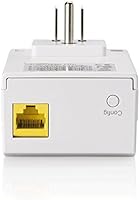
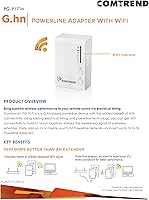
  • Powerline Standard: Both adapters use the G.hn powerline standard, which offers improved interference resistance and more consistent throughput compared to older HomePlug AV2 technology.
  • Theoretical Speed: The kit is rated at a maximum theoretical data transfer rate of 1.2 Gbps, though real-world performance will vary significantly depending on home wiring conditions.
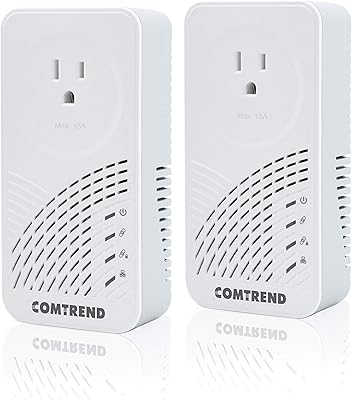
  • Kit Contents: The package includes two units: the PG-9171n (base adapter, connects near the router) and the PG-9172 (remote adapter, placed in the room where coverage is needed).
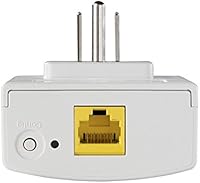
  • Ethernet — Base: The PG-9171n features a Fast Ethernet port, which supports wired speeds of up to 100 Mbps on the router-side connection.
  • Ethernet — Remote: The PG-9172 features a Gigabit Ethernet port, supporting wired speeds of up to 1 Gbps for the device connected at the destination end.
  • Wi-Fi Capability: The remote unit (PG-9172) includes a built-in Wi-Fi access point, allowing nearby wireless devices to connect without additional hardware.
  • Network Capacity: The G.hn network created by this kit supports expansion to a maximum of 16 compatible G.hn powerline adapters on a single network.
  • Data Protocols: Supported data link protocols include standard Ethernet, Fast Ethernet, and Gigabit Ethernet across the two units.
  • Compatible Devices: The kit is compatible with desktops, laptops, smart TVs, game consoles, and any device with a standard RJ-45 Ethernet port.
  • Setup Method: The adapters use a plug-and-play pairing process that requires no software installation or app download for basic network setup.
  • Dimensions: Each adapter measures approximately 5.5 x 5.6 x 3.5 inches, which is large enough to potentially block an adjacent outlet on a standard wall socket.
  • Kit Weight: The combined weight of both adapters in the kit is 15.5 oz, making each individual unit roughly 7 to 8 oz.
  • Pass-Through Outlet: Neither the PG-9171n nor the PG-9172 includes a pass-through power outlet, so any outlet they occupy is fully consumed.
  • Manufacturer: The kit is designed and manufactured by Comtrend, a company with a long-standing background in certified powerline and broadband networking solutions.
  • Market Availability: This product has been commercially available since September 2016, giving it a multi-year track record that buyers can evaluate through long-term ownership reviews.
  • Expandability: Additional adapters can be added to the network later, but expansion is limited to Comtrend G.hn-compatible units — other brands or protocols are not cross-compatible.
  • Wiring Dependency: Performance is directly tied to the quality, age, and layout of the home's existing electrical wiring, with newer single-phase circuits yielding the best results.

Related Reviews
Comtrend PG-9182PT G.hn Powerline Adapter Kit
86%
96%
Setup & Installation
89%
Performance & Speed
87%
Reliability
85%
Build Quality
92%
Ease of Use
More
NETGEAR Powerline Adapter Kit PLP2000-100PAS
74%
91%
Ease of Setup
67%
Real-World Speed Performance
78%
Network Reliability & Stability
74%
Build Quality & Durability
88%
Pass-Through Outlet Design
More
Actiontec PWR514K01 Powerline Network Adapter Kit
73%
91%
Ease of Setup
88%
Multi-Device Connectivity
57%
Real-World Throughput
74%
Connection Stability
69%
Value for Money
More
Netgear XETB1001 Powerline Network Adapter Kit
68%
88%
Ease of Setup
51%
Real-World Speed
67%
Connection Stability
58%
Value for Money
74%
Compatibility
More
Netgear XAVB5001 Powerline Network Adapter Kit
70%
88%
Ease of Setup
51%
Real-World Speed Performance
73%
Connection Stability
58%
Electrical Outlet Compatibility
67%
Value for Money
More
Zyxel PLA5456 AV2000 Powerline Adapter Kit
74%
91%
Ease of Setup
67%
Real-World Throughput
74%
Network Stability
61%
Hardware Reliability
88%
Port Configuration
More
NETGEAR Powerline AV+ 200 Adapter Kit XAVB2501
82%
86%
Performance
92%
Ease of Setup
82%
Connectivity Reliability
78%
Speed Stability
88%
Value for Money
More
ZyXEL PLA5206 Powerline Adapter Kit
64%
84%
Ease of Setup
58%
Real-World Network Speed
63%
Reliability & Connection Stability
51%
Compatibility with Home Wiring
61%
Value for Money
More
D-Link DHP-601AV Powerline Adapter Starter Kit
85%
88%
Performance for Gaming
92%
Ease of Setup
85%
Speed and Reliability
90%
Value for Money
87%
Compatibility with Devices
More
Actiontec PWR511K01 500Mbps Powerline Network Adapter Kit
67%
88%
Ease of Setup
61%
Real-World Speed Performance
74%
Connection Stability
53%
Build Quality & Durability
67%
Value for Money
More

FAQ

No software or app is required for a basic setup. You plug the PG-9171n into an outlet near your router and connect it with an Ethernet cable, then plug the PG-9172 into an outlet in the room where you need internet. Press the pair button on each unit and they should link up within a couple of minutes.

The PG-9171n is the base unit and goes near your router — you connect it to the router with a short Ethernet cable. The PG-9172 is the remote unit and goes in the room where you want coverage; it has the Gigabit Ethernet port for your device and the built-in Wi-Fi access point. Mixing them up is a common mistake, so it is worth double-checking before you plug in.

They might, but older wiring is the biggest risk factor with powerline adapters in general. Homes built before the 1980s, or any property with aluminum wiring, multi-phase panels, or heavy appliance interference on shared circuits, can see significantly reduced speeds or unstable connections. If you live in an older home, it is worth buying from a retailer with a good return policy so you can test it in your specific setup before committing.

The 1.2 Gbps figure on the box is a theoretical maximum under ideal lab conditions — you will not reach that in a real home. In practice, users with decent modern wiring typically see somewhere between 150 and 400 Mbps, which is more than enough for 4K streaming, video calls, and online gaming. In less favorable wiring conditions, speeds can drop considerably lower.

Yes, the PG-9172 includes a built-in Wi-Fi access point for exactly that purpose. It works fine for everyday wireless tasks like browsing, video calls, and streaming on secondary devices. That said, the Wi-Fi performance is modest compared to a dedicated access point, so if you need strong wireless coverage across a large room, you may want to supplement it.

Quite possibly, yes. These are fairly large adapters, and multiple buyers have noted that they cover the adjacent outlet on a standard duplex wall socket. Neither unit has a built-in pass-through outlet to reclaim that space. If your outlet location is tight, it is worth planning for this before installation.

Yes, the network supports up to 16 G.hn adapters, so you can expand room by room over time. The important caveat is that any additional adapters need to be compatible Comtrend G.hn units — you cannot mix this system with HomePlug AV2 adapters or adapters from other brands.

For most home and small-office use cases, yes. The G.hn standard it uses is still relevant and outperforms older HomePlug AV2 hardware in interference tolerance. The product has gathered a consistent track record of long-term reliability from buyers who have owned it for several years. Where it shows its age is in the Wi-Fi component, which is basic by today's standards. If you primarily need stable wired connectivity rather than strong Wi-Fi coverage, the age of the product is largely a non-issue.

Re-pairing is straightforward and does not require any software. You simply press the pair button on each adapter in sequence, and they re-establish their connection within a minute or two. Most users who have experienced dropouts report that a quick re-pair resolves the issue, though frequent dropouts may signal a wiring compatibility problem worth investigating.

They do run noticeably warm during extended operation, which is typical for powerline adapters that are always on. Under normal home use this is not a safety concern, but it is something to be aware of if you plan to use them in an enclosed space or near flammable materials. A small number of long-term owners have mentioned unit failure after several years, though it is hard to separate natural wear from electrical surge damage without more context.