


Overview
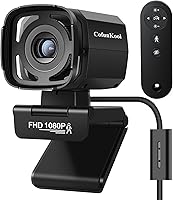
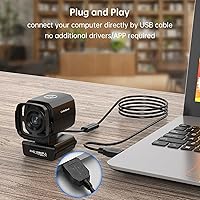
The CofunKool DS08 Auto Tracking Webcam sits in a crowded budget category but carves out a clear identity with one feature most competitors skip: a motorized head that physically rotates to follow you. That distinction matters more than it sounds. Software-based tracking quietly degrades image quality by digitally zooming and cropping. This auto-tracking webcam does none of that — the lens moves, your resolution stays intact. At just under three inches wide, it fits easily on top of a monitor without feeling intrusive. Plug-and-play USB setup means no driver headaches across Windows, Mac, Linux, or Android. For a brand that launched in 2023, landing in the top 800 webcams on Amazon is a meaningful signal.
Features & Benefits
The headline feature is the physical pan mechanism — the camera rotates up to 350 degrees to track movement rather than cropping the frame digitally, preserving the full 1080p picture at all times. A 73-degree field of view keeps the shot focused without pulling in excessive background clutter. The built-in WDR technology helps manage tricky lighting — backlit windows, mixed indoor sources — though it won't work miracles in genuinely dark rooms. The mechanical privacy shutter is a practical touch: flip it closed by hand or via the remote. That included remote also handles pan range and brightness adjustments without interrupting your desk setup mid-call, which turns out to be more useful than it first appears.
Best For
This pan-and-follow camera is a solid pick for remote workers and teachers who tend to move during calls — standing to reference a whiteboard, pacing while presenting, or simply not wanting to stay perfectly still for an hour. Home office users who value privacy without sticking tape over the lens will appreciate the built-in shutter. Budget-conscious streamers get basic auto-framing without needing OBS plugins or extra software. It also works well for anyone hopping between operating systems since there is nothing to install. If you regularly adjust your camera angle mid-meeting and hate breaking your flow to do it, the remote control alone makes this worth a serious look.
User Feedback
Buyers who rely on the DS08 regularly tend to praise the tracking responsiveness — panning feels smooth rather than jerky under normal movement. That said, fast lateral motion can occasionally outpace the motor, leaving a brief lag before the camera catches up. The dual microphones draw mixed reactions: they clearly outperform a built-in laptop mic, but anyone expecting broadcast-quality audio will be let down. Low-light performance is similarly honest — better than average, not exceptional. A few users note the remote feels plasticky and its effective range can be inconsistent. Overall, the dominant sentiment is strong value for money, especially from buyers who prioritized tracking and accepted modest audio as a reasonable trade-off.
Pros
- The motorized pan tracking physically rotates the camera head, preserving full 1080p resolution rather than degrading it with a digital crop.
- Setup is genuinely plug-and-play — no drivers, no software, no configuration headaches across Windows, Mac, Linux, or Android.
- The built-in mechanical privacy shutter is a practical, reliable alternative to lens covers or tape.
- An included remote lets you adjust pan, brightness, and the shutter without interrupting your call or touching the camera.
- WDR helps the DS08 handle backlit windows and mixed lighting better than most webcams in its price range.
- The 73-degree field of view keeps framing snug on the subject, reducing distracting background clutter.
- The dual stereo microphones noticeably outperform typical laptop mics for everyday video calls.
- The compact footprint means it sits unobtrusively on a monitor or desk without dominating the workspace.
- Strong value perception among buyers who need auto-tracking functionality without a premium price commitment.
Cons
- The built-in microphones are not suitable for professional audio recording, podcasting, or music applications.
- Fast or sudden movements can briefly outpace the pan motor, causing a noticeable tracking lag before it catches up.
- Low-light performance is improved over basic laptop cameras but will disappoint users without any supplemental lighting.
- The remote control feels plasticky and inexpensive relative to the rest of the package, which undermines confidence in its longevity.
- Remote control range has been reported as inconsistent by some buyers, limiting its reliability in larger rooms.
- CofunKool is a relatively young brand with limited long-term reliability data compared to established webcam manufacturers.
- No tilt adjustment in the auto-tracking — the camera only pans horizontally, so vertical movement is not compensated for.
- The 73-degree field of view, while practical for solo use, may feel restrictive for users wanting to frame two or more people.
Ratings
The scores below reflect our AI-driven analysis of verified global buyer reviews for the CofunKool DS08 Auto Tracking Webcam, with spam, bot-generated, and incentivized feedback actively filtered out before any scoring was applied. Each category captures both what real users genuinely praised and where they ran into frustrations, giving you an honest picture of how this pan-and-follow camera performs across different real-world scenarios.
Auto-Tracking Performance
Video Quality
Low-Light Performance
Microphone Quality
Privacy Shutter
Remote Control
Setup & Compatibility
Build Quality
Value for Money
Pan Range & Flexibility
Software Independence
Tracking Accuracy
Ease of Positioning
Suitable for:
The CofunKool DS08 Auto Tracking Webcam is a strong fit for remote workers, educators, and presenters who naturally move during video calls and are tired of constantly re-centering themselves on camera. Teachers who walk to a whiteboard, trainers who demonstrate exercises, or managers who stand while leading virtual meetings will get genuine daily value from the motorized pan tracking. Home office users who share a desk with family members or flatmates will also appreciate the mechanical privacy shutter — it is far more reliable than a sticky note over the lens. Budget-conscious streamers who want basic auto-framing without wrestling with software plugins or spending significantly more on a premium webcam will find the DS08 hits a practical sweet spot. The driver-free USB setup makes it equally useful for people who switch between operating systems or simply do not want to spend time on configuration.
Not suitable for:
If pristine audio quality is a priority, the CofunKool DS08 Auto Tracking Webcam is not the right tool — the built-in microphones are a step above a laptop's integrated audio, but they fall well short of what a dedicated USB condenser microphone delivers, and professional podcasters or musicians should look elsewhere entirely. Users who work in genuinely dark rooms without supplemental lighting will also find the camera's limitations frustrating; it handles mixed and backlit environments reasonably well, but it was not engineered for low-light specialization. Anyone who moves very quickly or erratically during calls may occasionally notice a slight lag in the pan tracking catching up, which can be distracting in fast-paced, high-energy sessions. The remote control, while a thoughtful inclusion, has been noted by some buyers to feel lightweight in build quality, and its effective range is not always consistent — if reliable remote operation is critical to your workflow, that is worth factoring in. Finally, buyers seeking a webcam for high-stakes professional production, broadcast streaming, or detailed visual work where color accuracy and sharpness are non-negotiable should invest in a higher-tier option.
Specifications
- Brand: Manufactured by CofunKool under model designation DS08.
- Resolution: Captures video at 1080p Full HD for clear, detailed image quality during calls and recordings.
- Image Sensor: Uses a CMOS sensor with an aperture of f/2.7 to gather light and produce the video signal.
- Field of View: Offers a 73-degree horizontal field of view, keeping the frame focused on the subject with minimal background intrusion.
- Tracking Type: Features physical AI-powered pan tracking via a motorized rotating head, not a software-based digital crop.
- Pan Range: The motorized head rotates up to 350 degrees horizontally to follow subject movement across the room.
- Privacy Shutter: Includes a built-in mechanical shutter lever that physically covers the lens and can be operated by hand or via the remote.
- Microphones: Equipped with dual built-in stereo microphones featuring noise reduction for clearer voice pickup during calls.
- Remote Control: Ships with a dedicated remote for adjusting pan position, image brightness, and privacy shutter without touching the camera.
- Connectivity: Connects via USB and operates as a plug-and-play device requiring no additional drivers or proprietary software.
- Compatibility: Compatible with Windows, Mac OS, Linux, and Android operating systems out of the box.
- Dynamic Range: Wide Dynamic Range (WDR) technology helps balance exposure in scenes with mixed or backlit lighting conditions.
- Dimensions: Measures 2.99 x 1.97 x 3.11 inches, making it compact enough to sit on a monitor edge or desk without taking up significant space.
- Weight: Weighs 12.3 ounces, giving it enough stability on a flat surface while remaining easy to reposition.
- Color: Available in a single Black finish.
- Video Format: Records and streams video in MP4 format with AAC audio encoding.
- Storage Support: Supports Micro SD flash memory for local storage, though primary use is as a live streaming and conferencing camera.
- Date Available: First made available for purchase in August 2023.
Related Reviews
FoMaKo FMK20SDI Gen 3 PTZ Camera
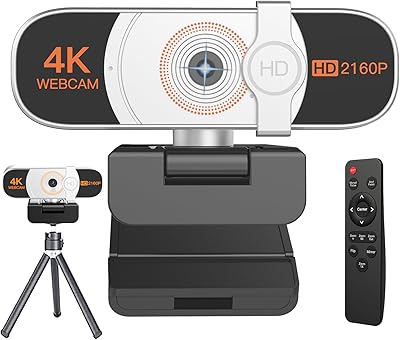
Nolansend 4K Webcam with Auto-Zoom and Remote Control
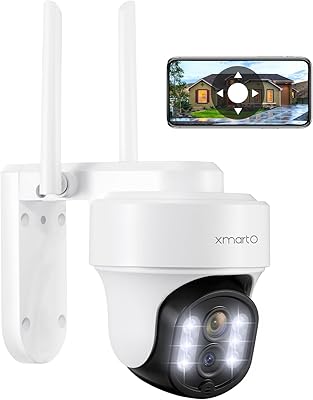
xmartO DY3034 PTZ Outdoor Security Camera

HuddleCamHD HC-WEBCAM-94

Combess XIAOJINGLING 4K Webcam

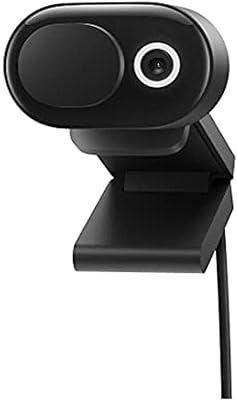
Microsoft Modern Webcam
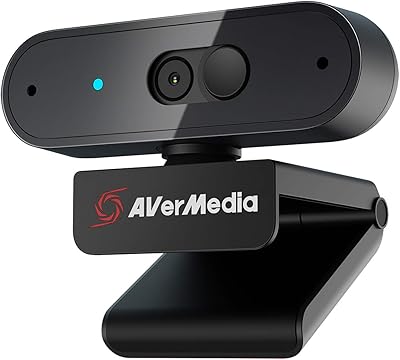
AVerMedia PW310P 1080p Webcam

ZIQIAN 1080P USB-C Webcam