Overview

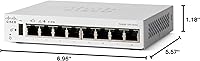
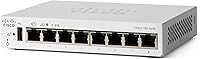
The Cisco Catalyst C1200-8T-D 8-Port Gigabit Smart Switch occupies a genuinely useful middle ground — it gives small business owners real network management features without demanding a full-time IT person to run them. Compact enough to sit on a reception desk without drawing attention, the fanless design means there is no hum or whir to annoy anyone nearby. That matters more than people expect in quiet retail shops or small offices. The lifetime hardware warranty is the kind of assurance you rarely see at this price tier, and coming from Cisco, the brand credibility alone sets it apart from the generic unmanaged boxes crowding the budget end of the market.
Features & Benefits

Each of the eight RJ45 ports delivers full gigabit throughput, which in practice means large file transfers, simultaneous video calls, and busy point-of-sale systems all stay responsive without competing for bandwidth. Managing the switch requires no command-line knowledge — the Cisco Business mobile app and local web interface walk you through VLANs, QoS, and port settings with actual step-by-step guidance. On the security side, 802.1X port authentication means only authorized devices can connect, and access control lists let you block specific traffic before it touches your servers. There are no recurring license fees either, a meaningful contrast to competitors that charge annually for features that should simply be standard.

Best For

This Cisco smart switch makes the most sense for small offices and retail shops running eight or fewer wired devices — think a dental practice, boutique, or creative studio where reliable connectivity matters but a dedicated network engineer is not in the budget. It is also a natural fit for anyone already running Cisco Business Dashboard or other Catalyst hardware, since everything ties together without friction. If you manage a recording space or a client-facing reception area, the silent fanless operation is genuinely appreciated. It is also the right step up for anyone outgrowing a basic unmanaged switch who wants VLAN segmentation or traffic prioritization without buying into a full enterprise stack.

User Feedback

Across its ratings, the C1200-8T-D earns consistent praise for easy initial setup and build quality that feels solid rather than plasticky. Buyers frequently highlight the mobile app as a genuine convenience, and stable uninterrupted connections come up repeatedly in real-world contexts like small offices and home labs. The criticisms are worth knowing going in, though: several reviewers flag the external power brick as bulky and inconvenient compared to switches with internal power supplies, and a few buyers on growing networks wish there were simply more ports. Compared to TP-Link or Netgear options in the same range, most reviewers feel the Cisco warranty terms and long-term reliability justify paying a bit more.

Pros

  • Lifetime hardware warranty provides long-term peace of mind rarely found at this price tier.
  • Completely silent fanless operation makes it a natural fit for client-facing or noise-sensitive spaces.
  • Full gigabit throughput on all eight ports handles simultaneous POS, VoIP, and file transfer workloads without slowdown.
  • No subscription or recurring license fees — you pay once and the management features are yours permanently.
  • The Cisco Business mobile app makes VLAN and QoS setup accessible to non-IT business owners.
  • 802.1X port authentication stops unauthorized devices from connecting simply by plugging into an open port.
  • Compact footprint fits unobtrusively on a crowded desk, inside a media cabinet, or on a small shelf.
  • Energy Efficient Ethernet actively reduces power draw on idle ports, lowering electricity costs over time.
  • One year of included Cisco technical support gives non-technical buyers a real safety net during initial deployment.
  • Solid chassis build quality holds up well in always-on commercial environments over multi-year use.

Cons

  • The external power brick is bulky and creates cable clutter in tidy or space-constrained installations.
  • Eight ports is a hard ceiling — there is no uplink or expansion slot to grow without replacing the unit entirely.
  • No PoE support means IP cameras, access points, and VoIP phones all need separate power sources.
  • 802.1X port security requires a RADIUS server to function, which most small business owners are not equipped to set up.
  • The mobile app lacks real-time traffic monitoring, making active network troubleshooting harder than it should be.
  • App pairing can be unreliable on certain Android versions, forcing users onto the browser-based interface instead.
  • The white exterior shows scuffs and marks more visibly than darker-colored competing units.
  • After the first year, Cisco's paid support options are expensive relative to what rival brands include as standard.
  • Buyers outside the Cisco ecosystem gain little from the Business Dashboard integration that justifies part of the cost.
  • Documentation assumes more baseline networking knowledge than the target non-IT audience typically brings to the table.

Ratings

The Cisco Catalyst C1200-8T-D 8-Port Gigabit Smart Switch has been scored by our AI engine after systematically analyzing verified buyer reviews from multiple global markets, with spam, bot-generated, and incentivized feedback actively filtered out. The scores below reflect the honest consensus of real small business owners, IT-adjacent professionals, and home lab users who put this compact managed switch to work daily. Both the genuine strengths and the frustrations that keep it from a perfect score are transparently represented here.
Ease of Setup
88%
Most buyers report getting all eight ports operational within 15 to 20 minutes using the Cisco Business mobile app, even without any prior networking experience. The step-by-step guided configuration is genuinely approachable, which matters a lot for a dentist office manager or boutique owner who just needs things to work.
A small but consistent group of users found the initial app pairing temperamental on certain Android versions, requiring a browser-based fallback instead. The experience is not always as frictionless as the marketing suggests, particularly for users on older smartphones.
Build Quality
84%
The chassis feels solid and purposeful rather than hollow or cheap, with a finish that holds up in busy desktop environments like retail counters or reception desks. Several long-term buyers note that units running continuously for over a year show no signs of port degradation or housing wear.
The white plastic exterior scuffs more visibly than a dark-colored unit would, which bothers buyers who keep it in client-facing spaces. A few reviewers also noted the external power adapter feels less premium than the switch body itself, creating a slight mismatch in perceived quality.
Network Performance
91%
Full gigabit throughput on all eight ports holds up reliably under simultaneous load — users running POS terminals, VoIP handsets, and file servers on the same switch report no noticeable bottlenecks. Latency figures cited by more technical reviewers are consistently low and stable over extended uptime.
This is an access-layer switch, not a routing device, so buyers expecting any WAN or inter-VLAN routing capability will be disappointed. A handful of advanced users also noted the lack of link aggregation (LAG) support limits bandwidth scaling for NAS-heavy setups.
Management Interface
79%
21%
The web UI is well-organized by managed switch standards, and the mobile app covers the most common tasks — port status, VLAN assignment, and QoS settings — without burying options in nested menus. For non-IT staff who occasionally need to check on the network, it is genuinely usable.
Power users coming from Ubiquiti or even TP-Link's Omada platform find the dashboard less polished and feature-rich by comparison. The mobile app also lacks real-time traffic graphs, which means diagnosing a slow network still requires logging into the web interface on a computer.
Security Features
83%
802.1X port authentication effectively stops unauthorized laptops or rogue devices from joining the network simply by plugging in — a real practical benefit for shared office spaces or co-working environments. ACL support lets network-aware owners block specific device types or traffic categories without needing a separate firewall appliance.
Configuring 802.1X properly requires a RADIUS server, which adds complexity that most small business owners are not set up for and the documentation does not adequately address. Without that infrastructure, the port security features are largely inaccessible to the audience this switch is marketed toward.
Value for Money
77%
23%
No recurring license fees and a lifetime hardware warranty represent meaningful long-term savings compared to subscription-locked competitors like certain Netgear Insight-managed models. For buyers who plan to run the same network setup for five or more years, the total cost of ownership calculation favors this switch clearly.
The upfront price sits noticeably above comparable 8-port options from TP-Link's Omada line, which offer similar smart-managed features at a lower entry cost. Buyers who do not need the Cisco brand assurance or lifetime warranty may find it harder to justify the price gap.
Noise Level
96%
Completely silent operation is the norm — no fan means zero audible noise under any load condition, which buyers in recording studios, therapy offices, and quiet co-working spaces specifically called out as a deciding factor. Even in a silent room overnight, there is simply nothing to hear.
There is essentially nothing to criticize here from a noise perspective. The only caveat is that fanless designs rely entirely on passive cooling, so placing the unit in a poorly ventilated cabinet or stacking it under heat-generating equipment is not advised for long-term reliability.
Port Count & Scalability
58%
42%
Eight gigabit ports are sufficient for small setups — a five-person office, a single retail floor, or a home lab with a NAS and a few workstations — and the physical footprint stays very compact as a result. Buyers who mapped out their port needs in advance report no issues.
Growing businesses frequently hit the ceiling faster than expected, and there is no built-in uplink or SFP slot to daisy-chain a second switch cleanly. Several reviewers noted they outgrew this unit within 18 months and wished they had bought a 16-port model from the start.
Power Supply Design
52%
48%
The included external power adapter works reliably and the USB-C cable adds a modern touch that some buyers appreciated for cable management flexibility. In fixed desktop installations where the adapter can be tucked out of sight, most buyers forget it is there.
The external brick is a recurring complaint, particularly in cramped server closets or cable-managed desks where an internal PSU would be far cleaner. Several buyers specifically contrasted it unfavorably with TP-Link and Netgear units at similar price points that keep power internal.
Energy Efficiency
86%
802.3az Energy Efficient Ethernet actively reduces power draw on idle or low-traffic ports, which adds up meaningfully in always-on office environments. A few technically inclined buyers measured their power consumption and noted the unit draws notably less than older switches of comparable port density.
Without PoE support, the switch cannot power IP cameras, access points, or VoIP phones directly — meaning additional power injectors or a separate PoE switch are needed in many real-world small business setups. This is a design choice, not a flaw, but it limits the overall energy system efficiency for mixed device environments.
Software Ecosystem Integration
74%
26%
For businesses already invested in Cisco Business Dashboard or running other Catalyst-series hardware, integration is natural and the unified management view saves real time. The ability to monitor multiple sites from one dashboard is a genuine operational benefit for small MSPs managing several client locations.
Outside the Cisco ecosystem, the dashboard advantage largely disappears. Buyers running mixed-brand networks report that the Cisco Business app does not integrate with third-party platforms, making it a less compelling choice if the rest of the infrastructure is from a different vendor.
Documentation & Support
71%
29%
The included 1-year technical support access is a genuine differentiator — being able to call Cisco support for configuration help is something budget switch brands simply do not offer. The online knowledge base is extensive and well-maintained for common setup scenarios.
After the first year, paid support options are expensive relative to what competing brands include by default. Several users also noted that Cisco's documentation assumes more baseline networking knowledge than the target audience of non-IT business owners typically has, creating a gap between the product's positioning and its support materials.
Physical Footprint
89%
At under 7 inches long and barely an inch tall, this compact managed switch fits unobtrusively on a cluttered desk, inside a media cabinet, or on a small wall-mount shelf. Buyers in tight spaces — a salon, a food truck office setup, a hotel front desk — specifically praised how little real estate it demands.
The desktop-only mounting hardware limits flexibility for buyers who want a clean rack or wall installation without sourcing third-party brackets separately. It is a minor inconvenience rather than a serious problem, but it adds a small friction for anyone building a tidy structured wiring setup.

Suitable for:

The Cisco Catalyst C1200-8T-D 8-Port Gigabit Smart Switch is built for small business owners and operators who need more than a dumb plug-and-forget switch but have no interest in hiring network engineers or paying for enterprise licensing. Think the owner of a five-person accounting firm, a boutique retail shop with a few POS terminals and a back-office computer, or a dental practice that wants to keep patient-facing and administrative traffic on separate VLANs without calling in a consultant. Recording studios, therapy offices, and client reception areas benefit particularly from the fanless design — complete silence is something you cannot get from fan-cooled alternatives. It also makes strong sense for anyone already running Cisco Business Dashboard across multiple locations, since the management integration works naturally and saves meaningful time. Home lab enthusiasts stepping up from an unmanaged switch will find the web UI approachable enough to learn VLAN tagging and QoS prioritization without needing to master a command line.
Not suitable for:

The Cisco Catalyst C1200-8T-D 8-Port Gigabit Smart Switch is the wrong tool for businesses on a growth trajectory that will need more than eight wired ports within the next year or two — there is no SFP uplink slot for clean daisy-chaining, and buying a second unit to expand feels inelegant at this price point. Anyone who needs to power IP cameras, wireless access points, or VoIP desk phones directly from the switch will need a PoE model instead, since this one provides no Power over Ethernet whatsoever. Buyers on a tight budget should seriously evaluate TP-Link Omada or Netgear's entry-level smart switches, which offer broadly similar management features at a lower upfront cost and with internal power supplies. Advanced network administrators looking for link aggregation, dynamic routing, or deep traffic analytics will find the feature set too limited and the management dashboard too basic for serious infrastructure work. If your entire network stack is non-Cisco, the ecosystem integration advantages largely evaporate, making the price premium harder to justify on hardware alone.
Specifications

  • Port Count: The switch provides 8 ports, each supporting 10/100/1000 Mbps (Gigabit) Ethernet via standard RJ45 connectors.
  • Data Transfer Rate: All ports operate at up to 1000 Mbps (1 Gbps) full duplex, delivering true gigabit throughput to every connected device.
  • Dimensions: The unit measures 6.96″ long by 5.57″ wide by 1.18″ tall, making it genuinely compact for desktop or shelf placement.
  • Weight: The switch weighs 0.85 kg (1.87 lbs), light enough to reposition easily without tools or assistance.
  • Power Supply: Power is delivered via an included external adapter rather than an internal PSU; a USB Type-C cable is also included in the box.
  • Cooling System: The chassis uses passive fanless cooling with no moving parts, resulting in completely silent operation under all normal load conditions.
  • Energy Standard: The switch is compliant with IEEE 802.3az Energy Efficient Ethernet, which reduces power consumption on ports that are idle or carrying low traffic.
  • Port Security: IEEE 802.1X port-based authentication is supported, requiring devices to authenticate before gaining network access.
  • Access Control: Access control lists (ACLs) and built-in denial-of-service (DoS) attack prevention are included to filter unauthorized traffic at the port level.
  • Management Options: The switch is manageable via the Cisco Business mobile app, a local browser-based web interface, and the Cisco Business Dashboard for multi-site oversight.
  • Licensing Model: No subscription, cloud license, or recurring software fee is required to access any management or security feature on this switch.
  • Warranty: Cisco provides a limited lifetime hardware warranty covering manufacturing defects for the life of the product under normal use conditions.
  • Technical Support: One year of complimentary Cisco technical support is included with purchase, covering configuration assistance and troubleshooting.
  • Operating Temperature: The switch is rated for operation in environments up to 40 degrees Celsius, suitable for standard office and retail conditions.
  • Interface Type: All network connections use the RJ45 interface standard; there are no SFP, fiber, or uplink expansion slots on this model.
  • Form Factor: Designed as a desktop unit, the switch ships with mounting hardware but does not natively support standard rack-unit (1U) rack installation without third-party adapters.
  • Color & Housing: The enclosure is white with a plastic housing; no specific case material grade is listed by the manufacturer.
  • Manufacturer: This switch is designed and manufactured by Cisco Systems, a globally recognized enterprise networking company headquartered in San Jose, California.
  • Model Number: The official Cisco item model number is C1200-8T-D, which identifies it as part of the Catalyst 1200 series desktop switch family.
  • Availability Date: This model was first made available for purchase on September 14, 2023, and represents a current-generation entry in the Catalyst 1200 lineup.

Related Reviews
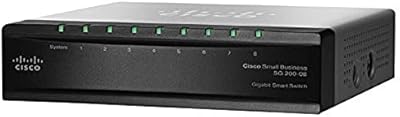
Cisco SG200-08 8-Port Gigabit Smart Switch
79%
83%
Ease of Setup
91%
Network Performance
62%
Management Interface
58%
Build Quality
97%
Noise Level
More
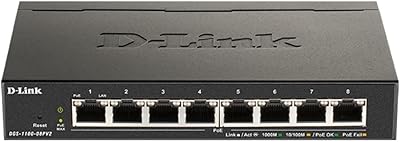
D-Link DGS-1100-08PV2 PoE+ Switch
81%
72%
PoE Power Delivery
86%
Ease of Setup
67%
Management Interface
83%
Build Quality
97%
Noise Level
More
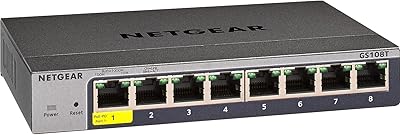
TP-Link T1500G-8T 8-Port Gigabit Switch
85%
88%
Performance
91%
Ease of Setup
90%
PoE Functionality
89%
Reliability
85%
Security Features
More
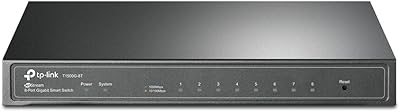
NETGEAR GS108Tv3 8-Port Gigabit Smart Switch
79%
83%
Ease of Setup
91%
Network Feature Depth
74%
NETGEAR Insight App
67%
Build Quality
96%
Silent Operation
More
D-Link DGS-108 8-Port Gigabit Ethernet Switch
86%
93%
Build Quality
96%
Noise Level
97%
Ease of Setup
91%
Network Performance
82%
Port Count & Flexibility
More
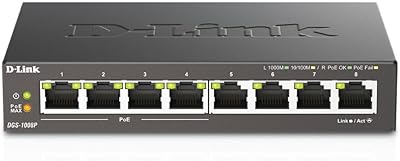
D-Link DGS-1008P 8-Port Gigabit PoE Switch
83%
96%
Ease of Setup
83%
PoE Reliability
88%
Build Quality
97%
Noise Level
67%
Thermal Management
More
D-Link DGS-1100-24V2 24-Port Gigabit Smart Managed Switch
86%
88%
Performance
90%
Reliability
92%
Ease of Setup
89%
Energy Efficiency
91%
Quiet Operation
More
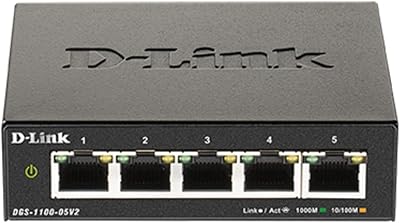
D-Link DGS-1100-05V2 5-Port Gigabit Smart Managed Switch
85%
91%
Value for Money
92%
Ease of Setup
88%
Performance & Reliability
89%
Energy Efficiency
93%
Quiet Operation
More
TP-Link TL-SG2008 8-Port Gigabit Managed Switch
79%
74%
Ease of Setup
81%
SDN & Cloud Management
93%
Port Performance & Throughput
88%
VLAN & Network Segmentation
86%
Security Features
More
D-Link DGS-1100-16V2 16-Port Gigabit Ethernet Switch
80%
83%
Ease of Setup
67%
VLAN Configuration
84%
Build Quality
91%
Fanless Performance
76%
QoS Effectiveness
More

FAQ

Not really. The Cisco Business mobile app walks you through the initial configuration with guided steps, and most users report having everything running within 20 minutes. If you hit a wall, the included one-year technical support means you can call Cisco directly for help — something budget brands simply do not offer.

Yes, VLAN configuration is supported and accessible through both the mobile app and the web interface. You can segment traffic — for example, keeping guest Wi-Fi devices on a separate VLAN from your POS or file server — without needing command-line knowledge.

No, this model does not support Power over Ethernet (PoE), so it cannot supply power to cameras, access points, or VoIP phones through the network cable. You would need a separate PoE injector or a different PoE-capable switch for those devices.

None at all. Every management and security feature — including VLAN support, QoS, the mobile app, and the web interface — is fully accessible with no subscription or licensing cost. You pay once for the hardware and that is it.

There is no fan. This compact managed switch uses passive fanless cooling, so it operates in complete silence regardless of how busy your network is. That makes it a particularly good fit for quiet environments like reception areas, studios, or home offices.

An unmanaged switch just connects devices with no control over how traffic flows. This Cisco smart switch lets you create VLANs, prioritize traffic with QoS, block unauthorized devices using port security, and monitor the network — all without needing a dedicated IT person. For a growing small business, that level of control is worth the price difference.

It works fine as a standard gigabit switch alongside equipment from any brand. The Cisco Business Dashboard integration is the one feature that works best when the rest of your gear is also Cisco. If your router or access points are from Ubiquiti, TP-Link, or another vendor, you can still use the local web interface and mobile app without any issues.

The limited lifetime hardware warranty covers manufacturing defects for the life of the product, so Cisco will replace or repair a defective unit regardless of when the fault occurs. Note that the complimentary technical support only covers the first year; after that, support incidents require a separate service contract.

Not directly out of the box — it is designed as a desktop unit and the included hardware reflects that. Some buyers source inexpensive third-party rack-mount brackets that fit this chassis, but if a clean 1U rack installation is important to you, you may want to consider a rack-form-factor switch instead.

Quite well for its size. All eight ports operate at full gigabit speed simultaneously, and the QoS settings let you prioritize latency-sensitive traffic like video calls over background transfers. Users running five to eight active workstations alongside a NAS and a printer report no noticeable slowdowns in everyday use.

Where to Buy