Overview

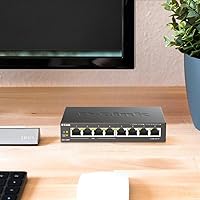
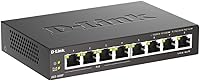
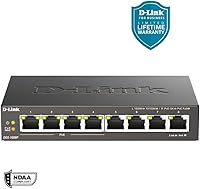
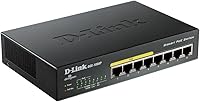
The D-Link DGS-1008P 8-Port Gigabit PoE Switch has been a quiet workhorse in the home and small office networking space since 2011 — and that longevity says something real about its reliability. This compact gigabit switch sits in the middle of D-Link's DGS-1008 family, offering a practical balance between port count and PoE capability without demanding any networking knowledge to get running. The metal chassis feels noticeably more substantial than what you typically find at this price point, and the desktop form factor keeps things tidy on a shelf or under a monitor. Plug it in, connect your devices, and you're done — no software, no login screens, no configuration.

Features & Benefits

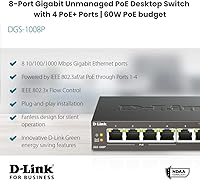
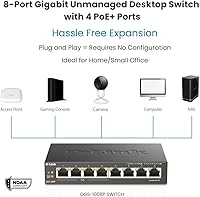
The DGS-1008P's four PoE-enabled ports follow the IEEE 802.3af standard, each capable of delivering up to 15.4W to a connected device — think IP cameras, access points, or VoIP handsets. All eight ports push full Gigabit speeds, which means you're not sacrificing bandwidth on the non-PoE side either. The fanless passive cooling is genuinely one of this switch's strongest practical advantages; it runs in complete silence, making it appropriate for a living room setup or a quiet workspace where fan noise would be noticeable. The metal body helps manage heat passively, and at just 2 pounds with a footprint smaller than a hardback book, it tucks away almost anywhere.

Best For

This compact gigabit switch is a natural pick for anyone running a small number of PoE devices — a couple of security cameras, a wireless access point, maybe a VoIP phone — without wanting to deal with power injectors or a PoE-capable router. It works especially well in small home office settings where silence matters and cabinet space is limited. That said, be realistic about the 52W shared budget: if you plan on maxing out all four PoE ports with power-hungry devices simultaneously, you will bump into limits quickly. For lighter loads — one or two cameras plus an access point — it handles the job without complaint and requires zero prior networking experience to set up.

User Feedback

Buyers have rated this D-Link PoE switch highly across a substantial pool of reviews, and the praise centers on two things: reliable everyday performance and the absence of any setup friction — people appreciate that it simply works. The critical notes are worth knowing upfront: several users flag that the unit runs noticeably warm during sustained PoE operation, which is not dangerous but worth considering if airflow around the device is restricted. A smaller group points out that the shared power budget limits flexibility when multiple demanding devices run simultaneously. Neither issue is a dealbreaker, but together they suggest this switch rewards thoughtful placement and realistic load planning more than it forgives neglect.

Pros

  • Completely silent operation makes it ideal for living rooms, bedrooms, or quiet shared workspaces.
  • Plug-and-play setup means most users are fully running within minutes of unboxing.
  • Metal enclosure feels noticeably more durable than plastic-bodied competitors at a similar price.
  • All eight ports deliver full Gigabit speeds, not just the PoE-enabled ones.
  • Four PoE ports handle IP cameras, VoIP phones, and access points without needing separate power injectors.
  • Compact footprint tucks easily onto a desk shelf or media cabinet without dominating the space.
  • A track record stretching back to 2011 gives this switch a credibility that newer, unproven models lack.
  • No software installation, account creation, or network expertise required to get up and running.
  • Lightweight at 2 pounds, making it easy to reposition or mount without any fuss.

Cons

  • The 52W shared PoE budget gets tight quickly if multiple high-draw devices run simultaneously.
  • No managed features whatsoever — VLANs, QoS, and port monitoring are entirely off the table.
  • The unit runs noticeably warm under sustained PoE load, which matters in enclosed or poorly ventilated spaces.
  • Only four of the eight ports support PoE, which may force awkward cable routing in some setups.
  • IEEE 802.3af only — devices requiring the higher-power 802.3at (PoE+) standard are not supported.
  • No wall-mount bracket or rack ears included, limiting tidy installation options in more structured environments.
  • Not a practical choice if your device count or PoE requirements are likely to grow in the near term.
  • No link activity indicators beyond basic port LEDs, which makes troubleshooting connectivity issues harder.

Ratings

The scores below were generated by AI after analyzing verified buyer reviews worldwide for the D-Link DGS-1008P 8-Port Gigabit PoE Switch, with spam, incentivized, and bot-flagged submissions actively filtered out before scoring. Ratings reflect the full picture — where this compact gigabit switch genuinely impresses and where real users have run into friction. Both consistent praise and recurring frustrations are weighted transparently into every category.

Ease of Setup
96%
Buyers across all skill levels — from complete networking beginners to experienced IT professionals setting up a quick secondary switch — consistently describe setup as taking under five minutes. There is nothing to configure: connect power, plug in your devices, and it works. This is the single most praised aspect of the DGS-1008P.
A very small number of users expected some form of status dashboard or setup wizard and felt the complete absence of any interface was disorienting at first. For buyers coming from managed switches, the lack of feedback beyond port LEDs can take some getting used to.
PoE Reliability
83%
For light PoE loads — a camera or two, a single access point — the DGS-1008P delivers consistent, stable power without dropping connections or requiring restarts. Users running basic home surveillance setups report months of uninterrupted operation, which builds trust quickly in a set-and-forget deployment.
The 52W shared budget becomes a real-world constraint when users try to run three or four PoE devices at once, particularly if any of them are higher-draw access points. Several buyers reported that one device would fail to initialize properly because the pool was already stretched, which caused confusion before they understood the shared budget model.
Build Quality
88%
The metal enclosure is frequently called out as a positive surprise for the price tier — it gives the switch a solidity that plastic-bodied alternatives cannot match. Users who have owned the unit for several years note that it shows no signs of degradation, warping, or port looseness even after continuous operation.
The finish can show fingerprints and light scratches over time, which matters if the switch lives on a visible desk. A few buyers also noted the rubber feet are not particularly grippy on polished surfaces, causing the unit to slide slightly when cables are tugged.
Noise Level
97%
Fanless passive cooling means this switch produces absolutely zero acoustic output under any operating condition. Buyers who specifically placed it in living rooms, home theaters, bedrooms, or open-plan offices cite silence as a decisive reason they chose this unit over cheaper alternatives that buzz or hum.
The only real trade-off of fanless design is thermal: the chassis absorbs and radiates heat instead of expelling it. This is not a noise complaint, but it is the direct consequence of the silent operation that a small number of users overlooked when choosing a ventilation spot.
Thermal Management
67%
33%
Under normal light-to-moderate PoE loads, the metal body handles heat dissipation adequately and the switch maintains stable performance. Users running one or two PoE devices in open desk environments generally report no thermal concerns after extended continuous use.
Under sustained full PoE load, multiple buyers describe the chassis becoming noticeably warm — not dangerous, but warmer than expected for a small desktop unit. Users who placed the switch inside enclosed AV cabinets or media consoles experienced more pronounced heat buildup, and a few reported instability that resolved once ventilation improved.
Gigabit Performance
91%
All eight ports consistently deliver full Gigabit throughput in real-world use, which buyers appreciate especially when transferring large files between NAS devices or streaming high-bitrate content across the network. There are virtually no complaints about speed inconsistency or bandwidth throttling on any port.
As an unmanaged switch, there is no way to prioritize bandwidth for specific devices or monitor per-port utilization. In households with many simultaneous heavy users, there is no mechanism to manage contention — a minor issue for most, but worth noting for more demanding home setups.
Value for Money
82%
18%
Given the metal build, silent operation, and Gigabit speeds across all ports, most buyers feel the DGS-1008P justifies its price comfortably — especially when compared to cheaper plastic-bodied switches that cost only marginally less. The long production history also reassures buyers that support and parts availability are unlikely to disappear suddenly.
A subset of buyers feel the PoE budget is limiting relative to cost — pointing out that slightly pricier alternatives offer PoE+ support or a larger wattage pool. If your use case ever expands beyond light PoE loads, the value equation shifts and the switch may need replacing sooner than expected.
PoE Device Compatibility
74%
26%
Standard 802.3af PoE devices — conventional IP cameras, older VoIP phones, and first-generation access points — work reliably without any compatibility issues. Users who match their devices to the supported standard report zero pairing problems from day one.
Modern PoE+ devices (802.3at) and high-power devices like PTZ cameras or newer tri-band access points are not reliably supported. Some buyers discovered this limitation only after purchase when a newer access point powered up in reduced-capability mode or failed to initialize entirely.
Port Count & Layout
78%
22%
Eight ports is a practical count for small home networks, covering a router uplink, a NAS, a few computers, and still leaving PoE ports for cameras or an access point. The physical layout spaces ports evenly, and there is no awkward staggering that forces bulky connectors to block adjacent ports.
Having PoE limited to only the first four ports means cable routing sometimes needs to be planned around which devices need power delivery. Users who need five or more PoE connections will hit a hard ceiling immediately and require a second switch or an upgrade.
Long-term Reliability
89%
The DGS-1008P's track record since 2011 is one of its strongest implicit selling points. Numerous reviewers specifically mention owning the switch for three, four, or even five years without a single failure, which is meaningful for hardware running continuously in always-on home networks.
A small number of long-term users report that port LEDs can become unreliable indicators over many years of use, occasionally showing incorrect link status. This does not affect actual connectivity but makes physical troubleshooting slightly harder in older units.
Physical Footprint
92%
At 7.5 × 4.75 × 1.5 inches and 2 pounds, the switch genuinely disappears in most setups — behind a monitor, on a media shelf, or tucked beside a router. Buyers with cluttered desks consistently appreciate how little space it demands compared to similarly capable alternatives.
The slim profile means there is limited surface area for heat dissipation relative to larger switches, which connects back to the thermal concerns under heavy PoE load. There are also no rack-mount options included, limiting tidy installation in more structured environments.
Indicator Visibility
71%
29%
Port activity LEDs are clear enough for basic status checks — confirming a device is connected and active at a glance. For most plug-and-play users, this is all the feedback they ever need from the switch.
There is no dedicated PoE status indicator per port, so users cannot easily confirm at a glance whether power is actively being delivered to a connected device. Troubleshooting a PoE device that fails to power on requires process-of-elimination testing rather than reading a clear indicator.
Packaging & Accessories
76%
24%
The box includes everything needed for immediate deployment: the switch, power adapter, rubber feet, mounting hardware, and a quick install guide. Buyers appreciate not having to source a separate power adapter or hunt for mounting screws.
The quick install guide is minimal by design, which suits plug-and-play users but leaves buyers who encounter issues — like PoE devices not powering on — without much structured guidance. A brief troubleshooting reference would improve the unboxing experience for less experienced network users.

Suitable for:

The D-Link DGS-1008P 8-Port Gigabit PoE Switch is a strong fit for home users and small office setups where the priority is simplicity, silence, and just enough PoE capability to handle a handful of devices. If you're running two or three IP cameras alongside a wireless access point — and you'd rather not deal with individual power injectors or a managed switch's configuration interface — this is exactly the kind of hardware that removes friction from your setup. Remote workers and home office users who need a quiet, under-desk Gigabit switch will appreciate that it never makes a sound, thanks to fully passive cooling. It also suits network beginners well: there are no VLANs to configure, no firmware portals to navigate, and no special cabling required. Anyone upgrading from a basic non-PoE switch who wants to add camera or access point support without rewiring their desk will find the transition straightforward.

Not suitable for:

The D-Link DGS-1008P 8-Port Gigabit PoE Switch is the wrong choice if your PoE device count or power demands are growing beyond a light residential setup. The 52W shared budget across four ports sounds workable on paper, but once you start stacking higher-draw access points or PTZ cameras that push toward their individual 15.4W limits, you can exhaust that pool faster than expected. Anyone who needs traffic prioritization, VLANs, port mirroring, link aggregation, or any form of remote management should look at a managed switch instead — the DGS-1008P offers none of that by design. Businesses with more than a few PoE endpoints, or environments where the switch will live in a poorly ventilated enclosure, should also think twice given that the unit runs noticeably warm under sustained load. If your needs are likely to scale within the next year or two, investing in a higher-capacity switch upfront is the more practical path.

Specifications

  • Model Number: This switch is identified by D-Link's model designation DGS-1008P.
  • Total Ports: The switch provides 8 RJ45 ports, all supporting 10/100/1000 Mbps Gigabit speeds.
  • PoE Ports: Ports 1 through 4 are PoE-enabled; the remaining four ports carry data only.
  • PoE Standard: PoE delivery follows the IEEE 802.3af standard, with a maximum of 15.4W available per PoE port.
  • PoE Budget: The total shared PoE power budget across all four active PoE ports is 52W.
  • Data Rate: Each port operates at up to 1 Gbps (1,000 Mbps) full-duplex data transfer rate.
  • Dimensions: The unit measures 7.5 × 4.75 × 1.5 inches, making it suitable for desktop or shelf placement.
  • Weight: The switch weighs 2 pounds, keeping it light enough to reposition or relocate without tools.
  • Enclosure: The outer shell is constructed from metal, which aids passive heat dissipation and adds structural durability.
  • Cooling Method: Cooling is entirely passive with no internal fan, resulting in completely silent operation under all loads.
  • Management Type: This is an unmanaged switch with no software interface, web portal, or CLI — it requires no configuration.
  • Input Voltage: The switch operates on 54V DC supplied via the included power adapter.
  • Interface Type: All eight ports use standard RJ45 connectors compatible with Cat5e, Cat6, and Cat6a Ethernet cables.
  • Form Factor: Designed as a desktop unit, the switch ships with rubber feet for stable placement on flat surfaces.
  • Color: The unit is finished in matte black, consistent across the full DGS-1008 product family.
  • In the Box: Package contents include the switch, a power cord, power adapter, rubber feet, mounting anchors, screws, and a quick install guide.
  • Manufacturer: Designed and sold by D-Link Systems, Inc., a networking hardware brand with broad consumer and SMB presence.
  • Market Entry: This model first became available in February 2011, giving it a long, well-documented performance track record.

Related Reviews
D-Link DGS-1100-08PV2 PoE+ Switch
81%
72%
PoE Power Delivery
86%
Ease of Setup
67%
Management Interface
83%
Build Quality
97%
Noise Level
More
D-Link DGS-108 8-Port Gigabit Ethernet Switch
86%
93%
Build Quality
96%
Noise Level
97%
Ease of Setup
91%
Network Performance
82%
Port Count & Flexibility
More
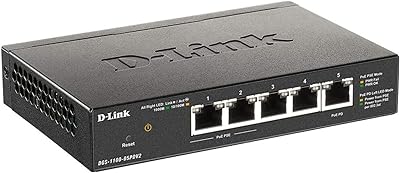
D-Link DGS-1100-05PDV2 5-Port Gigabit PoE Managed Switch
82%
92%
Value for Money
88%
Ease of Setup
90%
Quiet Operation
85%
PoE Functionality
87%
Energy Efficiency
More
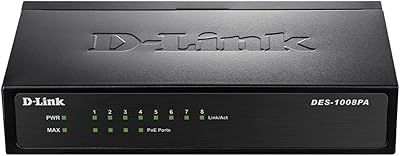
D-Link DES-1008PA 8-Port PoE Fast Ethernet Switch
82%
94%
Ease of Setup
88%
PoE Port Reliability
91%
Build Quality & Durability
58%
Network Speed & Throughput
97%
Noise Level
More
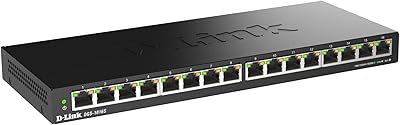
D-Link DGS-1016S 16-Port Gigabit Ethernet Switch
82%
88%
Build Quality
96%
Ease of Setup
91%
Port Count & Connectivity
97%
Noise Level
89%
Network Performance & Throughput
More
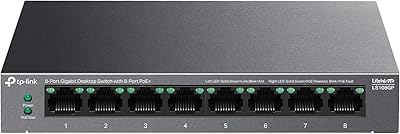
TP-Link LS108GP
TP-Link LS108GP
81%
96%
Ease of Setup
62%
PoE Power Budget
78%
Extend Mode Performance
93%
Silent Operation
84%
Build Quality
More
D-Link DGS-1005G 5-Port Gigabit Ethernet Switch
77%
94%
Ease of Setup
58%
Reliability & Longevity
87%
Network Performance
97%
Noise Level
76%
Value for Money
More
TP-Link TL-SG1008MP 8-Port PoE+ Gigabit Switch
81%
96%
Ease of Setup
93%
PoE Coverage
91%
Build Quality
89%
Value for Money
88%
Reliability & Uptime
More
TP-Link TL-SG108PE
TP-Link TL-SG108PE
84%
88%
Build Quality
83%
PoE Performance
91%
Ease of Setup
79%
Management Interface
87%
Value for Money
More
D-Link DGS-1100-16V2 16-Port Gigabit Ethernet Switch
80%
83%
Ease of Setup
67%
VLAN Configuration
84%
Build Quality
91%
Fanless Performance
76%
QoS Effectiveness
More

FAQ

No, there is nothing to configure at all. Plug the power adapter in, connect your devices with standard Ethernet cables, and the switch handles everything automatically. There is no web interface, no app, and no account to create.

Not reliably. The DGS-1008P supports IEEE 802.3af only, which caps each port at 15.4W. Many modern Wi-Fi 6 and Wi-Fi 6E access points require 802.3at (PoE+) at up to 30W. Using an 802.3at device on this switch may result in the device running in a reduced power mode or failing to start altogether.

It depends on how much power each device actually draws. The switch has a shared 52W pool across all four PoE ports. Four devices drawing around 10W each would total 40W and be fine, but if you approach or exceed 52W combined, some devices may not receive adequate power. Check the actual wattage of your specific devices before assuming all four can run simultaneously at full draw.

Yes, completely. The D-Link DGS-1008P 8-Port Gigabit PoE Switch uses passive cooling with no internal fan, so it produces zero noise during operation. It is one of the better choices available for shared living spaces or quiet home offices precisely for this reason.

The switch does get warm to the touch under sustained PoE load — that is normal for a fanless metal design, since the chassis itself acts as the heat sink. As long as there is reasonable airflow around it and it is not sealed inside a tight cabinet, this is not a safety concern. Avoid stacking objects directly on top of it or enclosing it in a box with no ventilation.

Standard Cat5e or Cat6 cables work perfectly fine. PoE runs power and data over the same copper pairs already present in ordinary Ethernet cables, so no special cabling is needed. If your existing cables are already run through walls, you can use them as-is.

No. This is an unmanaged switch, which means it has no VLAN support, no QoS settings, no port mirroring, and no traffic management features of any kind. If you need any of those capabilities, you will need to look at a managed switch instead.

Most standard HD IP cameras draw between 3W and 7W via PoE. At that consumption level, you could comfortably run all four PoE ports simultaneously without approaching the 52W budget ceiling. Higher-resolution or PTZ cameras with onboard heaters can draw closer to 12–15W, so with those you would want to verify total draw before connecting more than two or three.

D-Link covers this switch with a limited lifetime warranty, which is a meaningful reassurance for hardware you intend to run continuously. The model has also been on the market since early 2011, which is an unusually long production run for networking hardware and reflects consistent demand and stability.

It is designed as a desktop unit. The included accessories are rubber feet for flat surface placement, plus anchors and screws for basic surface mounting if needed. It does not include rack ears or a dedicated wall-mount bracket, so it is not suited for formal rack installation without third-party hardware.

Where to Buy