Overview

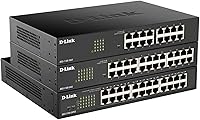
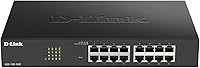
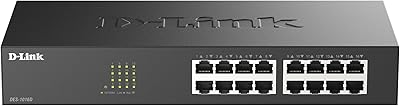
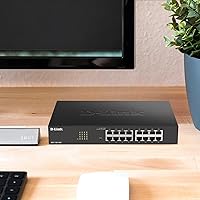
The D-Link DGS-1100-16V2 16-Port Gigabit Ethernet Switch sits in a practical middle ground — it gives small and medium-sized businesses real managed networking features without demanding the budget or complexity of enterprise hardware. Released in 2020, it belongs to D-Link's Easy Smart lineup, which means meaningful control over your network without needing a dedicated network engineer on staff. The fanless metal chassis is compact enough for a desktop corner but ships with rack-mount ears for cabinet use. For many SMBs still running unmanaged switches, this represents a sensible, low-friction step up into managed territory.
Features & Benefits

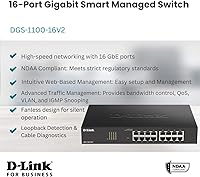
All 16 ports run at full gigabit speeds simultaneously, which matters when you have a mix of workstations, IP cameras, and VoIP phones competing for bandwidth. The QoS traffic prioritization ensures voice calls and camera feeds don't get starved when the rest of the network is busy — no constant manual intervention needed once configured. VLAN support lets you slice the network into isolated segments, whether that's separating guest traffic or keeping surveillance cameras off the main LAN. D-Link Green technology trims power consumption port by port based on actual link conditions, and the Network Assistant Utility handles setup through a web interface rather than a command line.

Best For

This 16-port managed switch is a natural fit for small offices, clinics, libraries, or any workspace where running a noisy fan around the clock simply isn't acceptable. If your network combines VoIP phones and IP cameras alongside regular workstations, the built-in traffic management features genuinely earn their keep. IT generalists and small managed service providers will appreciate that the web GUI doesn't require deep CLI knowledge to get useful results. The included rack-mount ears mean it adapts to your setup rather than the other way around — desktop or cabinet, it works either way. Just don't expect it to replace a full enterprise-class switch in a high-complexity environment.

User Feedback

The DGS-1100-16V2 holds a 4.4-star rating across a focused but credible set of reviews, and the recurring themes are telling. Buyers consistently highlight ease of initial setup as a standout — getting it online takes minutes compared to more complex managed alternatives. The silent operation earns genuine appreciation from office deployments where background noise matters. On the other side, a handful of users found VLAN configuration less intuitive than expected, particularly those without prior managed-switch experience. Build quality earns solid marks; the metal housing feels durable in both rack and desktop use. The criticism is specific rather than fundamental, which says something positive about the overall package.

Pros

  • All 16 ports run at full gigabit speeds simultaneously — no bandwidth sharing or bottlenecks across connected devices.
  • The fanless design means zero fan noise and one less mechanical component that can fail over years of continuous use.
  • QoS configuration visibly improves VoIP call quality when phones and workstations share the same switch.
  • VLAN support lets you isolate guest traffic, security cameras, or sensitive systems without buying additional hardware.
  • The D-Link Network Assistant Utility makes initial setup accessible even for IT generalists with limited managed-switch experience.
  • Ships with rack-mount ears, giving you genuine flexibility to deploy it on a desk or inside a network cabinet.
  • D-Link Green technology trims power draw per port based on actual link conditions, which adds up over time in always-on environments.
  • The metal chassis feels solid and holds up well in both rack and desktop deployments according to buyer reports.
  • Sits at a competitive price point for a web-managed gigabit switch with VLAN and QoS in the same package.
  • Compact footprint — at under 2 inches tall — makes it easy to fit into tight rack spaces or cluttered server closets.

Cons

  • No PoE on any port, so powering access points or IP phones directly from this switch is not an option.
  • VLAN configuration can feel unintuitive for buyers without prior experience on managed switches.
  • No Layer 3 routing capabilities, which limits usefulness as a network grows in complexity.
  • The web GUI, while functional, lacks the polish and feature depth of competing managed switches at a similar price.
  • No 10-gigabit uplink ports, so high-throughput server connections or future-proofing for faster backbone links isn't possible here.
  • The review pool, while positive, is relatively small — less feedback to draw on compared to more widely adopted competitors.
  • No fiber or SFP slot options for environments that require longer cable runs or fiber-based uplinks.
  • Management is limited to the web GUI and D-Link utility — no SNMP v3 or advanced monitoring features for enterprise-style oversight.
  • Rack-mount ears are included but feel lightweight; heavy-handed installation in a busy rack could stress the mounting points over time.

Ratings

The scores below reflect our AI-driven analysis of verified buyer reviews for the D-Link DGS-1100-16V2 16-Port Gigabit Ethernet Switch, sourced globally and filtered to remove incentivized, bot-generated, and low-quality feedback. Each category has been scored independently to surface what real users genuinely praised — and where they ran into friction. Both sides of the experience are represented honestly, so you can make a confident, eyes-open buying decision.

Ease of Setup
83%
Most buyers report getting this 16-port managed switch online within minutes using the D-Link Network Assistant Utility, which auto-discovers the device on the local network and walks through basic configuration graphically. For IT generalists who dread managed switch setup, this is a genuine relief compared to alternatives that drop you straight into a CLI.
The initial simplicity starts to fade once you move beyond basic connectivity — configuring VLANs or setting up QoS rules requires a clearer understanding of networking concepts than the utility provides guidance for. A few buyers noted that the documentation bundled in the box is too thin to bridge that gap.
VLAN Configuration
67%
33%
The 802.1Q VLAN implementation works reliably once properly configured, and users who successfully set it up report clean traffic isolation between guest networks, IP cameras, and internal workstations. For a mid-range Easy Smart switch, the VLAN feature set is competitive and functionally sound.
Networking beginners consistently flag VLAN setup as confusing, with the web GUI providing limited contextual help when something is misconfigured. The learning curve here is steeper than the overall product positioning implies, and troubleshooting a broken VLAN config without CLI access can be frustrating.
Build Quality
84%
The all-metal enclosure feels noticeably more substantial than plastic-bodied competitors in the same price range, and buyers running the DGS-1100-16V2 in rack environments report the chassis holds up without flexing or showing wear after extended use. The included rubber feet also do a solid job keeping the unit stable on a flat desk.
The rack-mount ears feel lighter than the chassis itself, and a handful of users flagged concern about long-term stress on the mounting points in busy, cable-heavy racks. It's a minor issue, but worth noting if you're planning a permanent rack installation with heavy cabling.
Fanless Performance
91%
In noise-sensitive environments like libraries, clinics, and open-plan offices, the complete absence of fan noise is a practical advantage that buyers genuinely notice and appreciate. Beyond acoustics, the fanless design also eliminates one of the most common long-term failure points in networking hardware, contributing to the switch's reliability over years of continuous operation.
Passive cooling works well under normal SMB loads, but buyers pushing the switch hard in warmer equipment rooms have occasionally noted the chassis running warm to the touch. This hasn't translated into reported failures, but ensuring adequate airflow around the unit is still a sensible precaution.
QoS Effectiveness
76%
24%
Users running VoIP systems alongside regular office traffic report a clear improvement in call quality once QoS is active — dropped syllables and choppy audio during peak file-transfer periods become notably less common. For small offices managing a mix of bandwidth-hungry and latency-sensitive devices, this feature delivers real, audible results.
QoS on this switch is not a fully automated set-and-forget system — it requires some upfront configuration to define which traffic types get priority, and the interface does not make that process especially intuitive. Users who configure it incorrectly may see little to no improvement and assume the feature doesn't work.
Value for Money
81%
19%
For a web-managed gigabit switch with VLAN, QoS, and a metal chassis at this price point, the DGS-1100-16V2 sits in a strong position relative to comparable alternatives from other brands. Buyers frequently cite the feature-to-price ratio as one of the main reasons they chose it over simpler unmanaged options.
The value proposition depends heavily on actually using the managed features — buyers who only need basic switching would be overpaying compared to a simple unmanaged alternative. The lack of PoE also means buyers with powered devices must budget separately for injectors, which erodes the overall cost advantage.
Web GUI Usability
69%
31%
The web interface is functional and browser-accessible without any special software, which makes remote management from within the local network convenient. Navigation is logical enough for routine tasks like checking port status or applying basic QoS settings.
The interface feels dated compared to more modern managed switch GUIs, and the lack of inline help text or tooltips for advanced settings means users often need to consult external documentation. The overall design prioritizes function over clarity, which can slow down less experienced administrators.
Port Density & Throughput
88%
All 16 gigabit ports operate independently at full speed without shared bandwidth constraints, which is exactly what you need when connecting a mix of workstations, servers, cameras, and phones simultaneously. In real-world office deployments, buyers report no throughput degradation even under sustained multi-device load.
Sixteen ports covers most small office scenarios comfortably, but there is no uplink aggregation or stacking capability to scale beyond that without adding a second switch and a manual connection between them. Growing networks may find themselves at capacity sooner than expected.
Energy Efficiency
78%
22%
D-Link Green technology actively reduces power draw on ports with shorter cable runs or inactive links, which adds up meaningfully in always-on deployments running 24/7. Buyers who track energy costs in small server rooms or office closets note the difference compared to older switches without this feature.
The energy savings are real but incremental rather than dramatic — this is not a switch that will make a significant dent in a facility's power bill on its own. The feature works transparently in the background, but it's rarely a primary purchase driver for most buyers.
Mounting Flexibility
82%
18%
Shipping with both rubber feet and rack-mount ears in the same box is a practical convenience that most competitors at this price tier don't bother with. Buyers appreciate not having to source rack hardware separately, and the 1U-compatible sizing fits neatly into standard equipment cabinets.
The rack-mount ears feel somewhat lightweight relative to the chassis, and users installing the switch in a heavily cabled rack environment have raised minor concerns about long-term mounting stress. The hardware gets the job done, but it does not inspire the same confidence as the main enclosure.
Documentation & Support
61%
39%
The quick install guide is adequate for basic physical setup and getting the switch recognized on the network for the first time. D-Link's online knowledge base provides supplementary documentation for buyers willing to dig for it.
The printed documentation is thin — it covers physical installation but stops well short of explaining managed features in any practical depth. Users configuring VLANs or QoS for the first time frequently report turning to third-party forums and YouTube tutorials because the official resources do not fill the gap.
Long-Term Reliability
86%
The combination of a fanless design and a metal chassis points to solid long-term durability, and buyers who have run the switch continuously for two or more years report no hardware failures or port degradation. Passive cooling systems simply have fewer components that wear out over time.
The review pool is still relatively modest in size, which limits how confidently long-term reliability claims can be made from user data alone. Early adopters are approaching the four-to-five year mark, but widespread multi-year feedback is still building.
Compatibility
87%
The switch works with any device that has a standard RJ45 Ethernet port and is entirely agnostic to operating system, brand, or device type — Windows machines, Macs, Linux servers, IP cameras, and VoIP phones all connect without any configuration changes. Plug-in compatibility is effectively universal.
The D-Link Network Assistant Utility has historically been more Windows-friendly, which means Mac-based administrators are pushed toward the web GUI for management tasks. It works, but it's a friction point that Windows-centric shops will never notice while Mac-first environments will.
Noise Level
93%
Buyers consistently confirm that the switch produces zero audible noise under all operating conditions — there are simply no moving parts to generate sound. In shared workspaces, reading rooms, or clinical environments, this is one of the few networking devices you can place in an occupied room without any acoustic compromise.
Noise level is effectively a non-issue with this switch, and the only caveat is a theoretical one — without active cooling, buyers should be mindful of placing the unit in enclosed or poorly ventilated spaces where ambient heat could accumulate during extended operation.

Suitable for:

The D-Link DGS-1100-16V2 16-Port Gigabit Ethernet Switch is purpose-built for small and medium-sized businesses that have outgrown basic unmanaged switches but don't need — or want to pay for — full enterprise-grade infrastructure. It's a strong fit for office managers or IT generalists who need to segment traffic between departments, isolate guest Wi-Fi access points, or keep IP surveillance cameras on their own VLAN without calling in a network specialist. Medical clinics, law offices, libraries, and similar environments benefit especially from the fanless chassis, since silent, always-on operation is a practical necessity rather than a nice-to-have. Small MSPs building out client sites on controlled budgets will also appreciate that the web-based management interface gets the job done without requiring command-line fluency. If your network carries a mix of VoIP phones, IP cameras, and standard workstations, the built-in QoS makes a real, day-to-day difference in call quality and camera reliability.
Not suitable for:

The D-Link DGS-1100-16V2 16-Port Gigabit Ethernet Switch is not the right choice for network engineers or IT teams who need advanced Layer 3 routing, dynamic routing protocols, or granular CLI-based control — this is an Easy Smart switch, and its management depth reflects that positioning honestly. Businesses expecting to scale rapidly beyond 16 devices without adding another switch should plan carefully, as there is no uplink aggregation or stacking capability to speak of. Home users who simply want to plug in more devices and forget about it will likely find even the basic web interface more than they need or want. Similarly, anyone requiring PoE to power access points or IP phones directly from the switch will need to look elsewhere, as this model provides no Power over Ethernet on any port. If your environment demands 10-gigabit uplinks or fiber connectivity, this switch doesn't offer those options either.
Specifications

  • Port Count: The switch provides 16 x 10/100/1000BASE-T RJ45 ports, each capable of full gigabit throughput independently.
  • Management Type: Managed via the Easy Smart web GUI and the D-Link Network Assistant Utility — no command-line interface required for standard configuration.
  • VLAN Support: Supports 802.1Q VLAN tagging, allowing network segmentation into isolated logical groups for security or traffic management purposes.
  • QoS: Quality of Service prioritization is built in, enabling the switch to favor latency-sensitive traffic such as VoIP and IP camera streams automatically.
  • Cooling System: Entirely fanless — passive cooling only — which eliminates operational noise and removes a common long-term mechanical failure point.
  • Energy Efficiency: D-Link Green technology adjusts power output per port dynamically based on detected cable length and link status to reduce unnecessary consumption.
  • Chassis Material: The enclosure is constructed from metal, contributing to durability in both desktop and rack-mounted deployment scenarios.
  • Mounting Options: Ships with two rack-mount ears and eight screws, making it compatible with standard 19″ network racks in addition to flat desktop placement.
  • Dimensions: The unit measures 11 x 7 x 1.75 inches, fitting neatly into a 1U rack slot or sitting flat on a desk without occupying excessive space.
  • Weight: At 2.6 pounds, the switch is lightweight enough for easy repositioning or single-person rack installation.
  • Data Transfer Rate: Maximum data transfer rate per port is 1000 Mbps (1 Gbps), with non-blocking switching architecture across all 16 ports simultaneously.
  • Interface Type: All 16 ports use the RJ45 connector standard, compatible with standard Cat5e, Cat6, and Cat6a Ethernet cabling.
  • PoE Support: This model does not support Power over Ethernet on any port; powered devices such as IP phones or access points require a separate PoE injector or switch.
  • Switching Layer: Operates at Layer 2, providing MAC-address-based switching, VLAN support, and QoS without Layer 3 routing capabilities.
  • Release Date: The DGS-1100-16V2 was first made available in April 2020 as the second revision of D-Link's 16-port Easy Smart gigabit switch.
  • Manufacturer: Designed and sold by D-Link Systems, Inc., a networking hardware brand with a broad presence in the SMB and consumer networking markets.
  • Box Contents: The package includes the switch unit, a quick install guide, two rack-mount ears with eight screws, a US power cord, a power cord retainer, and four rubber feet.
  • Market Rank: Holds a Best Sellers Rank of approximately #493 in the Computer Networking Switches category on Amazon at time of review.

Related Reviews

D-Link DGS-1016S 16-Port Gigabit Ethernet Switch
82%
88%
Build Quality
96%
Ease of Setup
91%
Port Count & Connectivity
97%
Noise Level
89%
Network Performance & Throughput
More
D-Link DGS-108 8-Port Gigabit Ethernet Switch
88%
92%
Performance and Speed
95%
Ease of Setup
88%
Build Quality
90%
Energy Efficiency
93%
Noise Level
More
D-Link DGS-1005G 5-Port Gigabit Ethernet Switch
77%
94%
Ease of Setup
58%
Reliability & Longevity
87%
Network Performance
97%
Noise Level
76%
Value for Money
More
D-Link DGS-1100-05V2 5-Port Gigabit Smart Managed Switch
85%
91%
Value for Money
92%
Ease of Setup
88%
Performance & Reliability
89%
Energy Efficiency
93%
Quiet Operation
More
D-Link DGS-1100-24V2 24-Port Gigabit Smart Managed Switch
86%
88%
Performance
90%
Reliability
92%
Ease of Setup
89%
Energy Efficiency
91%
Quiet Operation
More
D-Link DGS-1100-05PDV2 5-Port Gigabit PoE Managed Switch
82%
92%
Value for Money
88%
Ease of Setup
90%
Quiet Operation
85%
PoE Functionality
87%
Energy Efficiency
More
D-Link DGS-1100-08PV2 8-Port Gigabit Smart Managed PoE+ Switch
87%
85%
Performance & Reliability
88%
PoE Power Delivery
90%
Ease of Setup
91%
Fanless Design & Noise Levels
87%
Value for Money
More
D-Link DGS-1100-08V2 Ethernet Switch
86%
93%
Ease of Setup
88%
Reliability
91%
Fanless Operation
89%
Energy Efficiency
87%
Mounting Flexibility
More
D-Link DES-1016D 16-Port Fast Ethernet Switch
78%
96%
Ease of Setup
88%
Build Quality
97%
Noise Level
84%
Port Count & Layout
61%
Network Speed
More
D-Link DGS-1008P 8-Port Gigabit PoE Switch
84%
94%
Ease of Setup
71%
Power Delivery
88%
Quiet Operation
83%
Build Quality
90%
Energy Efficiency
More

FAQ

For basic use — just plugging in devices and getting them talking — no special knowledge is needed at all. The D-Link Network Assistant Utility walks you through the initial configuration with a graphical interface. That said, if you want to configure VLANs or fine-tune QoS rules, some familiarity with managed switch concepts will save you a lot of frustration. It's more approachable than a full enterprise switch, but it's not quite plug-and-play if you want the advanced features.

No — the DGS-1100-16V2 does not support Power over Ethernet on any of its ports. If you need to power VoIP phones, access points, or IP cameras directly through the network cable, you'll need a separate PoE injector for each device, or you'll need to look at a PoE-capable switch model instead.

It's genuinely silent. There are no fans at all in this unit — it uses passive cooling only. In a quiet office or library environment, you will not hear it running under any normal load. That also means there's no fan to wear out or fail over time, which is a real reliability benefit for always-on deployments.

The D-Link DGS-1100-16V2 16-Port Gigabit Ethernet Switch supports up to 32 active 802.1Q VLANs simultaneously with VLAN IDs ranging from 1 to 4094. For most small business environments — separating guest traffic, cameras, and staff devices — that's more than enough headroom.
Yes, in almost every case. This switch connects to your existing router or gateway via any of its 16 RJ45 ports and distributes the connection to your other devices. It doesn't replace your router or modem — it simply expands the number of wired devices your network can accommodate.

Yes. The package includes two rack-mount ears and screws sized for a standard 19″ equipment rack, and the unit fits in a 1U space. If you'd rather keep it on a desk, the four included rubber feet prevent it from sliding around. You're not locked into either option.

The switch itself is platform-agnostic — any device with an Ethernet port will connect to it without issues. The D-Link Network Assistant Utility, used for initial setup and management, has historically been Windows-focused, so Mac users may prefer managing the switch directly through its web-based interface instead, which works in any browser.

In practical terms, QoS tells the switch to prioritize certain types of traffic — like voice calls or video feeds — over less time-sensitive data like file downloads or backups. Without it, a large file transfer happening in the background can make a VoIP call sound choppy. Once QoS is configured, the switch handles that balancing act automatically without you having to intervene every time.

By default, the management interface is accessible from within your local network. Remote access from outside your network is possible but requires additional router configuration — port forwarding or a VPN — and is generally not recommended without proper security measures in place. For most SMB deployments, local management is sufficient.

For pure plug-and-play device connectivity, an unmanaged switch gets the job done and often costs less. The real advantage of this 16-port managed switch kicks in when you need control over your traffic — isolating devices with VLANs, prioritizing VoIP calls with QoS, or monitoring what's happening on your network. If you don't need any of that, a simpler unmanaged switch might be the more practical choice. But if your network carries a mix of device types with different bandwidth demands, the management features here pay off quickly.

Where to Buy