
Overview

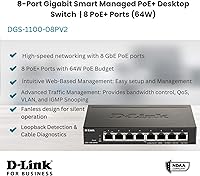
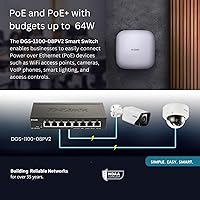
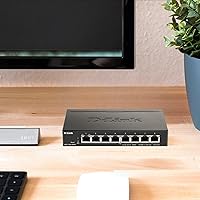
The D-Link DGS-1100-08PV2 PoE+ Switch is a compact, metal-bodied managed switch that hits a practical sweet spot for small offices and prosumer home networks needing centralized power delivery without rack-mount complexity. It sits flat on a desk or mounts on a wall and runs completely silent — no fan, no hum. The 64W total PoE budget is the number that matters most here: realistically, you're powering two or three IP cameras alongside a VoIP phone, not eight power-hungry devices simultaneously. For buyers in government-adjacent roles, NDAA and TAA compliance comes built in, which removes a real procurement headache without requiring a premium enterprise purchase.

Features & Benefits

Every port on this 8-port PoE+ switch supports 802.3at at up to 30W — but keep the shared 64W ceiling in mind before finalizing your layout. The web-based management interface is where this switch earns its keep for non-engineers: configuring 802.1Q VLANs, tuning QoS, and setting bandwidth controls all happen through a browser with no command-line knowledge required. IGMP Snooping keeps multicast traffic lean in camera-heavy installs. On the reliability side, PD Alive automatically reboots unresponsive powered devices, Loopback Detection shuts down problem ports before they cascade, and built-in Cable Diagnostics can surface wiring faults without pulling out a separate tester. A lifetime warranty after registration rounds things out.

Best For

This D-Link managed switch is a natural fit for small offices or home setups that need to power VoIP phones, IP cameras, or wireless access points from a single, tidy box. IT administrators who want managed switch features without memorizing CLI syntax will find the browser-based controls genuinely accessible. It is also worth calling out for anyone working in sectors where NDAA compliance matters — federal contractors, educational institutions, or municipal networks often have procurement requirements that rule out non-compliant hardware, and the DGS-1100-08PV2 clears that bar cleanly. Its fanless design also makes it a strong candidate for noise-sensitive spaces: a reception desk, a closet adjacent to an open office, or a home studio.

User Feedback

With around 57 ratings and a 4.2-star average, the sample size here is modest — take the trends as directional, not definitive. That said, consistent positives are hard to ignore: buyers repeatedly praise ease of setup and silent operation, particularly those coming from louder unmanaged switches. The web interface draws favorable comparisons to more complex competitors among users without deep networking backgrounds. Where things get nuanced is the PoE budget — several reviewers mention discovering mid-deployment that 64W does not stretch across eight simultaneously active devices, which catches people off guard. A handful also note that the management UI feels visually dated next to newer cloud-managed alternatives. Long-term reliability reports skew positive.

Pros

  • All 8 ports deliver PoE+ power, removing the need for separate power adapters on supported devices.
  • Completely fanless operation keeps noise out of quiet offices and shared workspaces.
  • The web-based management interface is genuinely accessible for users without CLI experience.
  • VLAN segmentation and QoS controls add meaningful network organization at a mid-range price.
  • PD Alive automatically reboots unresponsive powered devices, reducing manual intervention.
  • Built-in Cable Diagnostics helps troubleshoot wiring issues without extra tools.
  • NDAA and TAA compliance satisfies government and enterprise-adjacent procurement requirements.
  • Lifetime warranty after registration provides solid long-term purchase confidence.
  • Compact metal build feels durable and sits unobtrusively on a desk or mounts on a wall.
  • Loopback Detection shuts down problem ports automatically before damage spreads across the network.

Cons

  • The 64W total PoE budget is easy to exhaust — running more than three or four active PoE devices simultaneously requires careful planning.
  • The management interface looks visually dated compared to cloud-managed competitors at similar price points.
  • No cloud management option means remote configuration requires VPN or local network access.
  • Only 57 ratings at time of review — long-term reliability data is thinner than more established models.
  • No SFP uplink port limits fiber connectivity options for users who need one.
  • Advanced security features like 802.1X port authentication are absent, which may matter for stricter IT environments.
  • Registration is required to activate the lifetime warranty — easy to forget and potentially costly if overlooked.
  • The 8-port count leaves little room to grow; adding even one extra device may require a second switch.

Ratings

Our AI scoring engine analyzed verified buyer reviews for the D-Link DGS-1100-08PV2 PoE+ Switch from across multiple global markets, actively filtering out incentivized, bot-generated, and duplicate submissions to surface what real network administrators and small business owners actually experienced. The scores below reflect both the genuine strengths that earned this switch its loyal following and the recurring frustrations that kept it from a perfect reception. Nothing has been smoothed over — if buyers ran into a wall, that shows up here.

PoE Power Delivery
72%
28%
For typical small office loads — a couple of IP cameras, a VoIP phone, and a wireless access point — the PoE+ implementation works reliably and without fuss. Buyers running modest, mixed device lists report consistent power delivery with no dropped connections or instability.
The 64W shared budget catches a significant number of buyers off guard, particularly those who assumed each port could run at full 30W independently. Anyone trying to power six or more moderately demanding devices simultaneously will hit the ceiling fast and need to prioritize ports carefully.
Ease of Setup
86%
Non-engineers consistently call out the initial setup as one of the smoothest they have experienced in this product category. Plugging in, locating the switch on the network, and getting into the web interface typically takes under ten minutes even for first-timers.
A small but vocal group of buyers ran into IP addressing hiccups when the switch defaulted to a range that conflicted with their existing router subnet, requiring a manual reconfiguration step that is not well-documented out of the box.
Management Interface
67%
33%
The browser-based GUI covers the core managed switch features — VLANs, QoS, IGMP Snooping, bandwidth controls — in a layout that is organized well enough for someone without enterprise networking experience to navigate without a manual.
Compared to the polished dashboards offered by cloud-managed rivals, the interface feels stuck in an earlier decade. Several longer-term users flagged that the UI lacks responsiveness on modern browsers and offers no mobile-friendly view, which is a noticeable gap in 2024.
Build Quality
83%
The all-metal chassis feels noticeably more substantial than plastic-bodied switches in the same price range. Buyers who mount this in a closet or tuck it under a desk appreciate that it does not flex, rattle, or run warm to the touch under typical loads.
The port labeling print is fine but can be difficult to read in low-light cable closets. A few buyers also noted that the rubber feet, while included, do not grip particularly well on smooth surfaces if cables apply lateral tension.
Noise Level
97%
Completely silent operation is the single most praised physical characteristic across reviews. Home office users, reception desk installers, and studio environments all call this out as a genuine quality-of-life advantage over fan-cooled alternatives they replaced.
Passive cooling means the metal chassis can get noticeably warm in poorly ventilated spaces under sustained heavy PoE load. It is not dangerous, but buyers in tight enclosures should ensure some airflow around the unit.
VLAN & Segmentation
78%
22%
For a switch at this price point, 802.1Q VLAN support is a genuine differentiator. Small IT shops use it to separate guest Wi-Fi traffic, isolate camera networks, and keep IoT devices off the main LAN — all without needing a more expensive managed switch.
The VLAN configuration workflow, while functional, is not intuitive enough to complete without referencing external guides for less experienced users. There is no built-in configuration wizard, and error feedback in the UI is minimal when something is misconfigured.
Reliability & Uptime
81%
19%
Longer-term owners — those who have run the DGS-1100-08PV2 for a year or more — generally report stable, unattended operation with no unexpected reboots or port failures. The PD Alive watchdog feature adds an extra layer of protection for remotely deployed camera setups.
The review pool is still relatively small, so multi-year reliability data is thinner than for more established switch models. A handful of outlier reports mention occasional web interface lockups requiring a physical power cycle to restore management access.
Value for Money
79%
21%
For buyers who actually need managed features — VLANs, QoS, diagnostics tools, and NDAA compliance — this 8-port PoE+ switch delivers a compelling package at a mid-range price that would cost meaningfully more from Cisco or Netgear with equivalent compliance credentials.
Buyers who discover after purchase that the 64W PoE budget does not match their device count often feel the value proposition evaporates. If an unmanaged PoE switch with a higher wattage budget would have sufficed, the managed features here represent cost rather than benefit.
QoS Performance
74%
26%
In VoIP-heavy office setups, buyers report that enabling QoS noticeably reduces call quality issues during periods of high data activity. Prioritizing voice traffic through the web interface is straightforward enough that non-specialists can configure it in a single session.
QoS on this switch operates at a relatively basic level — it lacks the granular per-application or DSCP-remarking capabilities found on more advanced managed switches, which limits its usefulness in more complex traffic environments.
Diagnostic Tools
82%
18%
The built-in Cable Diagnostics tool has saved multiple buyers a significant amount of troubleshooting time by identifying faulty runs or miswired connections without pulling out a separate cable tester. PD Alive's automatic reboot function is equally appreciated in camera deployments.
The diagnostics suite, while useful, is fairly basic — it surfaces fault presence and approximate distance to fault but does not provide the richer reporting that dedicated cable testers offer. Power users doing complex installations may still want a standalone tool.
Compliance & Certifications
88%
NDAA and TAA compliance is not a marketing afterthought here — government contractors and municipal IT buyers specifically called out this switch as one of the few affordable options that clears their procurement requirements without requiring a sole-source justification.
For private sector buyers with no compliance requirements, these certifications add no functional benefit. There is a possibility that part of the price reflects compliance engineering costs that standard small business buyers are effectively subsidizing without gaining value from.
Physical Footprint
91%
At under 7 inches wide and barely over an inch tall, this 8-port PoE+ switch fits in spaces where nothing else does — velcro-mounted behind a monitor, tucked into a shallow wall cabinet, or sitting flat under a reception desk phone. Included mounting hardware makes wall installation genuinely simple.
The compact size comes with a compact port count. If your device list grows beyond 8 nodes, you are immediately shopping for a second switch or a larger replacement, with no room to scale within this unit.
Warranty & Support
76%
24%
A lifetime warranty is a strong commitment for a switch at this price point, and buyers who have needed to use D-Link support generally describe the process as straightforward once a product is registered. The warranty coverage itself is broad and covers hardware defects without excessive fine print.
Registration is required to activate the lifetime coverage, and D-Link does not make this prominently clear at purchase. Several buyers who missed the registration step discovered the warranty gap only when they needed to make a claim, which is a frustrating and avoidable situation.

Suitable for:

The D-Link DGS-1100-08PV2 PoE+ Switch is built for small offices, retail spaces, and home network enthusiasts who need to power a modest collection of PoE devices — think a couple of IP cameras, a VoIP phone, and a wireless access point — without investing in a full rack-mount setup. IT generalists and network-curious non-engineers will find the browser-based management approachable enough to configure VLANs and QoS policies without touching a command line. The fanless metal chassis makes it a practical choice for noise-sensitive environments like reception areas, home offices, or server closets adjacent to open workspaces. Organizations operating under NDAA or TAA procurement requirements will also appreciate that this switch clears those compliance hurdles at a price point that does not demand a capital expenditure approval.

Not suitable for:

Anyone expecting to run eight power-hungry PoE+ devices at full draw simultaneously should look elsewhere — the 64W shared budget is a hard ceiling, and spreading it evenly across all ports simply is not possible. The D-Link DGS-1100-08PV2 PoE+ Switch is also not the right tool for environments that have outgrown basic web-based management and require advanced features like RADIUS authentication, dynamic routing protocols, or granular per-port security policies found in enterprise-grade platforms. Larger deployments needing more than eight ports will obviously need a different solution, and buyers who prefer modern cloud-managed dashboards with mobile apps may find the local web interface feels behind the times. If your PoE device list regularly changes and you need real-time visibility without logging into a local GUI, a cloud-managed alternative will serve you better.

Specifications

  • Port Count: The switch provides 8 Gigabit Ethernet ports, all of which support PoE+ power delivery simultaneously.
  • PoE Standard: All 8 ports comply with IEEE 802.3at (PoE+), supporting powered devices that draw up to 30W per port.
  • PoE Budget: Total shared PoE power budget across all ports is 64W, which must be distributed among all actively powered devices.
  • Data Rate: Each port operates at up to 1000 Mbps (1 Gigabit per second) for full-speed network throughput.
  • Form Factor: The unit uses a compact desktop design with a fanless, passively cooled metal chassis suitable for wall mounting or flat surface placement.
  • Dimensions: The switch measures 6.75 x 4 x 1.1 inches, making it small enough to sit unobtrusively on a desk or inside a shallow wall cabinet.
  • Weight: The unit weighs 12.8 ounces, light enough for easy wall mounting without heavy-duty anchoring hardware.
  • Case Material: The outer enclosure is constructed from metal, providing passive heat dissipation and a more durable build than plastic alternatives.
  • Management: Network configuration is handled through a local web-based graphical interface accessible via any modern browser on the same network.
  • VLAN Support: The switch supports 802.1Q tagged VLANs for logical traffic segmentation between devices on the same physical network.
  • Traffic Controls: QoS prioritization, IGMP Snooping, and per-port Bandwidth Control are available to optimize traffic flow and reduce unnecessary multicast overhead.
  • Diagnostics: Built-in tools include Cable Diagnostics for wiring fault detection, PD Alive for automatic reboot of unresponsive powered devices, and Loopback Detection for loop prevention.
  • Compliance: The switch meets both NDAA (National Defense Authorization Act) and TAA (Trade Agreements Act) requirements for use in government and federally funded deployments.
  • Warranty: D-Link offers a lifetime warranty on this switch, which is activated by completing product registration on the D-Link website after purchase.
  • Power Input: The switch draws power from an included AC/DC power adapter rated at 1 amp and operates at up to 64W maximum total power.
  • In the Box: Package includes the switch unit, an AC/DC power adapter with power cord, two drywall anchors, two screws, and four rubber feet for desktop use.

Related Reviews
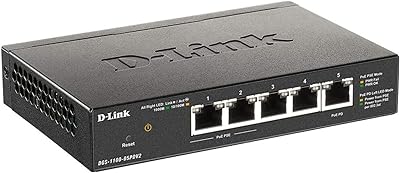
D-Link DGS-1100-05PDV2 5-Port Gigabit PoE Managed Switch
82%
92%
Value for Money
88%
Ease of Setup
90%
Quiet Operation
85%
PoE Functionality
87%
Energy Efficiency
More
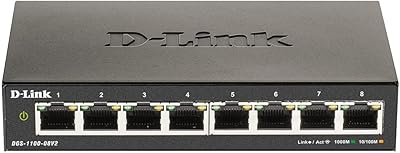
D-Link DGS-1100-08V2 8-Port Gigabit Smart Switch
80%
91%
Value for Money
88%
Build Quality
84%
Setup & Installation
93%
Network Performance
62%
Management Interface
More
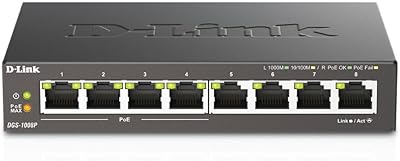
D-Link DGS-1008P 8-Port Gigabit PoE Switch
83%
96%
Ease of Setup
83%
PoE Reliability
88%
Build Quality
97%
Noise Level
67%
Thermal Management
More
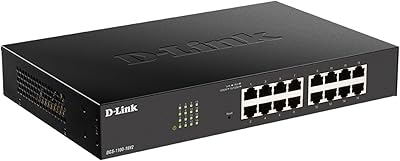
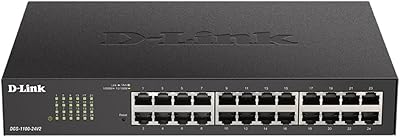
D-Link DGS-1100-16V2 16-Port Gigabit Ethernet Switch
80%
83%
Ease of Setup
67%
VLAN Configuration
84%
Build Quality
91%
Fanless Performance
76%
QoS Effectiveness
More
D-Link DGS-1100-24V2 24-Port Gigabit Smart Managed Switch
86%
88%
Performance
90%
Reliability
92%
Ease of Setup
89%
Energy Efficiency
91%
Quiet Operation
More
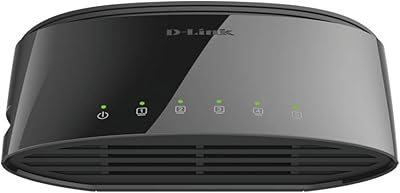
D-Link DGS-1100-05V2 5-Port Gigabit Smart Managed Switch
85%
91%
Value for Money
92%
Ease of Setup
88%
Performance & Reliability
89%
Energy Efficiency
93%
Quiet Operation
More
D-Link DGS-108 8-Port Gigabit Ethernet Switch
86%
93%
Build Quality
96%
Noise Level
97%
Ease of Setup
91%
Network Performance
82%
Port Count & Flexibility
More
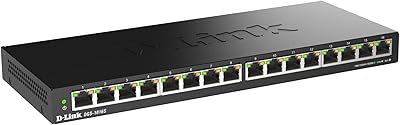
D-Link DGS-1005G 5-Port Gigabit Ethernet Switch
77%
94%
Ease of Setup
58%
Reliability & Longevity
87%
Network Performance
97%
Noise Level
76%
Value for Money
More
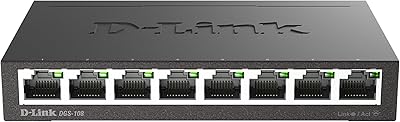
D-Link DGS-1016S 16-Port Gigabit Ethernet Switch
82%
88%
Build Quality
96%
Ease of Setup
91%
Port Count & Connectivity
97%
Noise Level
89%
Network Performance & Throughput
More
D-Link DGS-1210-10 10-Port Gigabit Smart Managed Switch
88%
88%
Performance & Speed
91%
Build Quality
85%
Ease of Setup
94%
Fanless Design (Noise Level)
90%
Security Features
More

FAQ

No — and this is the most important thing to understand before buying. The 64W total PoE budget is shared across all ports, so if you do the math, 8 devices at 30W each would require 240W. In practice, most PoE cameras draw 5–12W and VoIP phones draw around 3–6W, so a typical real-world mix of 4 to 6 devices is well within budget. Just add up your devices' actual power draws before committing to a layout.

No additional software is required. The management interface runs entirely through a web browser — just connect to the switch on your local network, type in its IP address, and log in. Chrome, Firefox, and Edge all work fine. There is no cloud account, no app to install, and no command-line knowledge needed.

Yes, absolutely. Any of the 8 ports can be used with standard non-PoE network devices like desktop computers, NAS drives, or media players. The switch only delivers power when it detects a PoE-capable device on the other end, so there is no risk of accidentally frying a regular network adapter.

Completely silent. This 8-port PoE+ switch has no fan at all — it dissipates heat passively through its metal casing. You can place it on a desk right next to you or in a quiet reception area without any noise concern whatsoever.

NDAA compliance means the switch does not contain components from certain banned foreign manufacturers — a requirement for purchases made by or for U.S. government agencies and many federally funded organizations. If you are a government contractor, work in a public school district, or have a procurement policy that specifies NDAA-compliant hardware, this matters. For a standard home office or private business, it is a nice trust signal but not a deciding factor.

Yes, and this is one of the more practical reasons to choose a managed switch over an unmanaged one. The DGS-1100-08PV2 supports 802.1Q VLANs, so you can assign camera ports to one VLAN and workstation ports to another, keeping that traffic logically isolated. The setup is done through the web interface and does not require any command-line configuration.

The PD Alive feature handles exactly this. You can configure it to periodically ping your powered devices and automatically cut and restore power to any port where a device stops responding — essentially a remote reboot without you needing to physically unplug anything. It is a small feature that saves a lot of unnecessary trips to a wiring closet.

It works with any device that follows the IEEE 802.3at PoE+ standard, regardless of brand. Ubiquiti access points, Axis cameras, Cisco VoIP phones — all compatible. D-Link does not lock this switch to its own ecosystem.

You need to register the product on D-Link's website after purchase to activate the lifetime coverage — it is not automatic. Keep your order confirmation handy, as you will need proof of purchase during the registration process. Once registered, D-Link's lifetime warranty covers hardware defects for as long as you own the unit.

Not directly — the web interface is only accessible on the local network by default. To manage it remotely, you would need to set up a VPN into your network first and then access the management page through that tunnel. There is no built-in cloud management or remote access portal, which is a genuine limitation compared to some cloud-managed competitors.

Where to Buy