Overview

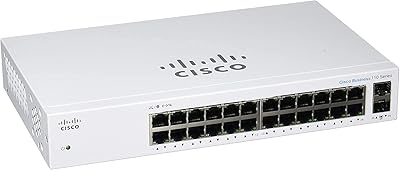
The Cisco Catalyst C1200-24T-4G 24-Port Smart Switch occupies a practical middle ground — capable enough to give small businesses real network control, yet approachable enough that you don't need a dedicated IT person to run it. What makes this Cisco smart switch stand out isn't just the hardware; it's the no subscription required model that competing brands quietly avoid. You pay once and manage your network indefinitely, no annual fees attached. Add a limited lifetime hardware warranty and complimentary first-year technical support, and the long-term value proposition becomes hard to dismiss. The fanless design also means it won't hum annoyingly in a quiet reception area or open office.
Features & Benefits

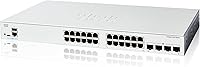
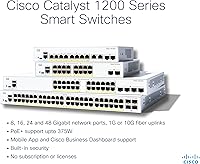
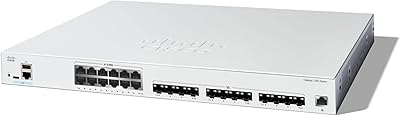
The C1200-24T-4G ships with 24 full Gigabit Ethernet ports and four 1GE SFP uplink slots — those SFP ports let you connect fiber runs between buildings or hand off directly to an ISP without a separate media converter. Setup is handled through the Cisco Business mobile app or a local web interface, and both are genuinely straightforward compared to enterprise gear. On the security side, you get IEEE 802.1X port-based access control, DoS attack prevention, and ACLs — protection that would have required pricier hardware a decade ago. A USB Type-C console port gives IT-savvy users direct local access, and Energy Efficient Ethernet quietly trims power consumption when traffic is light.

Best For

This 24-port Catalyst switch makes the most sense for small offices, retail stores, or multi-room setups that have outgrown a basic unmanaged switch but don't justify a full enterprise deployment. If you're running IP cameras, VoIP phones, or multiple wireless access points, the ability to configure VLANs means you can isolate traffic properly instead of letting everything share one flat network. The SFP uplinks are genuinely useful for businesses spread across separate buildings who need a fiber backbone connection. And if you're comparing this to cheaper alternatives from Netgear or TP-Link, the lifetime warranty is a real differentiator — especially if this hardware is expected to run for five or more years.

User Feedback

Across roughly 135 reviews, the C1200-24T-4G holds a 4.4-star average — respectable, though not a massive sample size. Buyers consistently praise the intuitive web interface and how quickly VoIP and camera setups come together once VLANs are configured. Performance-wise, complaints are rare. Where some users hit friction is during initial configuration: the mobile app works well once connected, but a handful of reviewers mention that first-time network setup can feel confusing without any prior switch experience. The warranty is mentioned positively in several reviews, often cited as the deciding factor over comparable Netgear or TP-Link options. There are no widespread hardware failure reports, which for a business networking device matters more than almost anything else.

Pros

  • No subscription or license fees — ever — which is a genuine rarity at this price point.
  • Limited lifetime hardware warranty significantly outlasts the one-to-three-year coverage common among competitors.
  • All 24 ports run at full Gigabit speed, handling VoIP, camera streams, and office traffic simultaneously without slowdown.
  • Four SFP uplink ports add real flexibility for fiber runs between buildings or direct ISP connections.
  • Completely fanless operation makes this 24-port Catalyst switch practical for open offices, reception areas, and retail floors.
  • IEEE 802.1X port security and ACL support deliver enterprise-grade access control without enterprise-grade complexity.
  • The Cisco Business mobile app simplifies initial setup for non-technical owners more than most competing management tools.
  • Energy Efficient Ethernet quietly reduces power consumption on idle ports throughout the workday.
  • Compatible with the Cisco Business Dashboard for centralized multi-site network management.
  • Rack-mount hardware is included in the box, saving an extra purchase for standard 1U installations.

Cons

  • SFP transceivers are sold separately, adding unexpected cost to deployments that need fiber uplinks.
  • The mobile app has a noted history of disconnecting mid-setup and can fail to detect the switch on first launch.
  • Technical support is only complimentary for the first year — paid assistance is required after that period.
  • No PoE support means cameras, VoIP phones, and access points all need separate power sources.
  • VLAN configuration in the web interface is confusing enough that first-timers frequently misconfigure tagged and untagged ports.
  • The plastic chassis raises durability questions for installations in warm, poorly ventilated utility rooms.
  • Advanced security features like 802.1X require a RADIUS server infrastructure that most small businesses do not have.
  • The web management interface looks and feels dated compared to newer platforms from Netgear or Ubiquiti.
  • No Layer 3 routing capability limits usefulness as networks grow and inter-VLAN routing becomes necessary.
  • Thin included documentation assumes baseline networking knowledge that many small business buyers simply do not have.

Ratings

The Cisco Catalyst C1200-24T-4G 24-Port Smart Switch earns its place as one of the more sensible networking investments for small businesses — and the scores below reflect exactly that, warts and all. Our AI has analyzed verified global buyer reviews, actively filtering out incentivized, bot-generated, and spam submissions, to surface what real installers, IT generalists, and small business owners actually experience day to day. Both the genuine strengths and the recurring frustrations are represented here without sugarcoating.
Ease of Setup
78%
22%
For buyers coming from a purely unmanaged switch background, the Cisco Business mobile app is a genuine step forward — it walks you through port configuration and VLAN creation with on-screen prompts that most competitors simply do not offer. Reviewers running small retail or office deployments consistently report getting the switch online and passing traffic within 30 to 45 minutes.
That said, first-time managed switch users frequently hit a wall when the app loses connection mid-setup or when VLAN concepts require a level of networking knowledge the app assumes you already have. Non-technical buyers in particular mention needing to consult external guides before feeling confident the configuration was actually correct.
Build Quality
84%
The plastic enclosure feels more solid than the price point suggests, and the rack-mount hardware included in the box is a practical touch that saves buyers an additional purchase. Port connectors feel secure under repeated cable insertions, which matters in environments like server closets where cables get swapped occasionally.
It is plastic, not metal, which creates some hesitation for buyers used to Cisco's higher-tier gear. A few reviewers note the chassis feels lighter than expected, and those installing in warmer utility rooms have questioned long-term heat tolerance near the upper 40°C operating limit.
Network Performance
91%
Throughput on all 24 Gigabit ports is consistent and reliable — reviewers running simultaneous VoIP calls, IP camera streams, and regular office traffic report zero noticeable degradation. The switch handles mixed traffic loads cleanly, which is the primary job it needs to do, and it does it without complaint.
There are no reported widespread throughput failures, but a small number of users mention occasional port negotiation issues with older 100Mbps devices, requiring manual speed setting through the web interface. This is a minor edge case but worth noting for environments with legacy hardware.
Management Interface
76%
24%
The local web interface is logically laid out and noticeably more approachable than traditional Cisco IOS-based gear. Reviewers who manage the switch remotely through the Cisco Business Dashboard appreciate the centralized view, especially when overseeing multiple locations from a single pane.
The mobile app has received criticism for occasional disconnects and sluggish response during certain configuration steps, and a handful of users report the app failing to detect the switch on initial launch. The web interface, while functional, looks dated and lacks the polish of newer competitors from Netgear or Ubiquiti.
Security Features
88%
IEEE 802.1X port-based access control, ACLs, and DoS prevention are not features you typically find this well-implemented at the SMB price tier. For a small business handling customer Wi-Fi, POS systems, or IP cameras on the same physical network, the ability to enforce port-level identity verification is a meaningful security upgrade over an unmanaged switch.
Configuring 802.1X properly requires either a RADIUS server or a solid understanding of authentication infrastructure — neither of which a typical small business has on hand. Buyers who expected plug-and-play security were disappointed to find the advanced features require significant prerequisite knowledge to actually activate.
Value for Money
83%
The no-subscription model is a real differentiator at this tier. Unlike some competitors that charge annual fees for management features or cloud access, the C1200-24T-4G gives you full functionality out of the box for the life of the device. Over a three-to-five year ownership window, that adds up to meaningful savings.
The upfront cost is higher than comparable port-count switches from TP-Link or Netgear, and buyers who do not need the security features or SFP uplinks may feel they are paying for capabilities they will never use. The value equation is strong for the right buyer but less compelling for pure plug-and-play use cases.
Warranty and Support
89%
The limited lifetime hardware warranty is a standout at this price point — most competitors in the same bracket offer one to three years at best. Multiple reviewers explicitly cite the warranty as the deciding factor when choosing this over a similarly-priced Netgear or TP-Link option, treating it as risk insurance for a mission-critical business device.
The complimentary technical support covers only the first year, after which paid support is required for phone or chat assistance. Some buyers assumed lifetime warranty meant lifetime support, and discovered the distinction only after their first year elapsed — leading to frustration when troubleshooting more complex issues.
Fanless Operation and Noise
93%
Completely silent in normal operation, which makes this switch a practical choice for front-desk areas, small conference rooms, or open-plan offices where fan noise from networking gear would be noticeable. Reviewers who previously dealt with fan-equipped switches specifically call out the silence as a quality-of-life improvement.
The fanless design does introduce a passive thermal management trade-off. In enclosed cabinets or poorly ventilated utility spaces, a handful of users report the chassis running warm after extended use, and Cisco recommends leaving airflow clearance that is not always feasible in tight installations.
SFP Uplink Flexibility
86%
Four dedicated 1GE SFP ports give installers real options for fiber runs between buildings, ISP handoff connections, or uplinks to a core router without consuming any of the 24 copper ports. Reviewers working on multi-building small campus deployments specifically highlight these ports as a deciding feature over copper-only competitors.
SFP transceivers are sold separately, which catches some buyers off guard. Budget-conscious buyers also note that Cisco-compatible third-party SFPs occasionally require testing before confirmed compatibility, and Cisco's own branded transceivers add noticeable cost to the total deployment.
Energy Efficiency
81%
19%
IEEE 802.3az Energy Efficient Ethernet automatically reduces power on idle or low-activity ports, which compounds into meaningful electricity savings across a full business day. For small businesses running 24/7 operations, this is a quiet but real operational cost benefit compared to older or budget switches with no power management.
Measured power savings are modest in practice and unlikely to be the primary purchase driver for most buyers. Some reviewers note the feature is not configurable or visible in the management interface, making it hard to verify whether it is actively functioning as expected.
VLAN and Traffic Segmentation
79%
21%
VLAN support is solid and covers the most common small business segmentation needs — separating guest Wi-Fi from internal traffic, isolating IP cameras, or creating a dedicated VoIP VLAN to prioritize call quality. Reviewers running multi-purpose networks consistently praise this capability as the primary reason to choose a smart switch over an unmanaged one.
The VLAN configuration workflow in the web interface can be confusing, particularly when assigning tagged versus untagged ports. First-time managed switch users report spending significant time troubleshooting misconfigured VLANs, and the mobile app offers limited help at this level of detail.
Physical Installation
87%
Rack-mount hardware is included in the box, and the switch drops into a standard 1U slot without issue. At under 9 pounds, it is easy to handle solo during installation, and the port layout — with all RJ-45 ports front-facing — makes cable management straightforward in organized server or network closets.
The power port and USB Type-C console port are rear-facing on this model, which can create cable routing challenges in tight rack configurations. A few reviewers also note the mounting brackets feel slightly flimsy compared to the chassis itself, though no structural failures have been widely reported.
Compatibility with Existing Devices
82%
18%
Works reliably with the full range of common small business devices — IP cameras, VoIP handsets, wireless access points, NAS units, and standard workstations. Reviewers deploying mixed-vendor environments report no meaningful interoperability issues in day-to-day use, which is exactly what you need from infrastructure hardware.
A small number of users report auto-negotiation hiccups with very old 10/100 Mbps endpoints, occasionally requiring manual port-speed overrides through the web interface. This is not a widespread problem but is worth considering if the network includes legacy equipment that cannot be replaced in the near term.
Documentation and Learning Resources
67%
33%
Cisco provides a reasonable set of online documentation and video guides for the Catalyst 1200 series, and the Cisco Business community forums offer peer-sourced answers to common configuration questions. For buyers willing to invest time in self-education, the resources are there.
The included quick-start documentation is thin and assumes more baseline networking knowledge than many small business buyers actually have. Several reviewers specifically called out the lack of a practical, scenario-based setup guide — something that walks through a typical small office configuration from start to finish rather than just listing features.

Suitable for:

The Cisco Catalyst C1200-24T-4G 24-Port Smart Switch is the right call for small business owners who have grown past the limitations of a basic unmanaged switch but are not ready — or resourced — for full enterprise networking gear. If your office runs a mix of IP cameras, VoIP phones, and wireless access points all sharing the same physical network, the ability to configure VLANs and enforce port-level access control is not a luxury; it genuinely keeps those systems running cleanly and securely without constant firefighting. The four SFP uplink ports are a practical bonus for businesses spread across more than one building, where a fiber backbone connection would otherwise require additional hardware. IT-conscious owners who manage their own infrastructure will appreciate the Cisco Business Dashboard for multi-site visibility, and the no-subscription model means the management features you get on day one are the same ones you will have five years from now — at no extra cost. Buyers who plan to hold onto networking hardware for the long term will also find the lifetime warranty genuinely compelling compared to the one-to-three-year coverage that most competitors offer at this price tier.
Not suitable for:

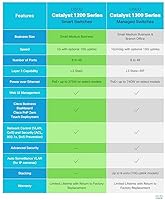
The Cisco Catalyst C1200-24T-4G 24-Port Smart Switch is not the right fit for buyers who simply need to plug in devices and walk away. If your networking needs amount to connecting a handful of workstations and a shared printer, an unmanaged switch will do that job for a fraction of the cost without requiring any configuration knowledge whatsoever. Equally, buyers with no prior experience with managed switches — and no appetite for self-education — may find the initial setup frustrating enough to regret the purchase, particularly when VLAN configuration or 802.1X setup is involved. The mobile app helps, but it is not a substitute for basic networking literacy when things do not go according to plan. Power users or larger organizations who need Layer 3 routing, advanced QoS policies, or PoE to power cameras and phones directly from the switch will also find this model limiting, as it is a Layer 2 smart switch without Power over Ethernet support. Finally, buyers on a tight hardware budget comparing pure port-count value will find cheaper alternatives from TP-Link or Netgear that handle basic switching just fine if Cisco's security features and warranty are not priorities.

Specifications

  • RJ-45 Ports: 24 auto-sensing 10/100/1000 Mbps Gigabit Ethernet ports for connecting wired devices such as computers, IP cameras, VoIP phones, and access points.
  • SFP Uplinks: 4 x 1GE SFP slots support fiber or copper SFP transceivers for uplinks to a core router, ISP handoff, or cross-building fiber runs.
  • Switching Layer: Layer 2 smart switch with support for VLANs, QoS, ACLs, and port-based security — no Layer 3 routing capability.
  • Console Port: USB Type-C console port provides direct local CLI access for advanced configuration and troubleshooting without a network connection.
  • Security: Supports IEEE 802.1X port-based network access control, access control lists (ACLs), and denial-of-service (DoS) attack prevention.
  • Energy Standard: Compliant with IEEE 802.3az Energy Efficient Ethernet, which reduces power consumption on ports with low or idle traffic automatically.
  • Cooling: Fanless passive cooling design produces no audible noise during operation, making it suitable for open office and customer-facing environments.
  • Management: Manageable via the Cisco Business mobile app, a local web browser interface, and the cloud-based Cisco Business Dashboard for multi-site oversight.
  • Subscription: No recurring subscription, license fee, or cloud account is required to access or retain any management or security feature on this switch.
  • Warranty: Limited lifetime hardware warranty is included with the switch, covering hardware defects for the life of the product under Cisco's standard terms.
  • Tech Support: Complimentary telephone and online technical support is provided for the first year from the date of purchase; paid support options are available beyond that.
  • Dimensions: The switch measures 17.5″ x 9.45″ x 1.73″ (L x W x H), fitting a standard 1U rack-mount slot with included mounting hardware.
  • Weight: The unit weighs 8.93 pounds, light enough for solo rack installation without additional lifting assistance.
  • Input Voltage: Operates at 48V DC input; a compatible power cord or adapter is included in the box.
  • Temperature Range: Rated for operating environments up to 40 degrees Celsius, suitable for typical office conditions with adequate ventilation.
  • In the Box: Package includes the switch unit, power cord or adapter, USB Type-C cable, and rack-mounting hardware.
  • Compatible Devices: Designed to work with IP cameras, VoIP phones, wireless access points, NAS devices, and standard network-attached workstations.
  • Model Number: Official Cisco model designation is C1200-24T-4G, part of the Catalyst 1200 series of smart switches for small businesses.

Related Reviews
Cisco CBS220-24P-4G Smart Switch
87%
89%
Ease of Setup
92%
Reliability
87%
PoE Power Efficiency
90%
Network Speed/Performance
85%
Security Features
More
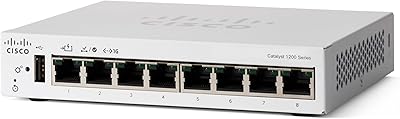
Cisco Catalyst C1200-8T-D 8-Port Gigabit Smart Switch
79%
88%
Ease of Setup
84%
Build Quality
91%
Network Performance
79%
Management Interface
83%
Security Features
More
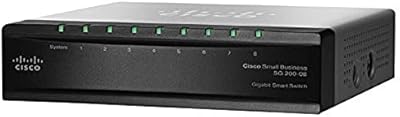
Cisco SG200-08 8-port Gigabit Smart Switch
84%
92%
Ease of Setup
89%
Value for Money
87%
Performance for Small Networks
84%
Power over Ethernet (PoE) Capability
93%
Quiet Operation (Fanless Design)
More
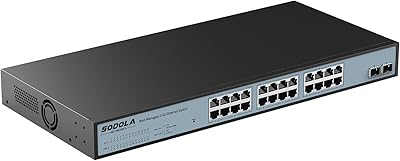
Sodola 24-Port 2.5G Managed Network Switch
80%
91%
Network Performance
88%
Build Quality
63%
Setup Experience
76%
Web Management Interface
89%
Value for Money
More
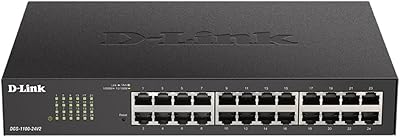
D-Link DGS-1100-24V2 24-Port Gigabit Smart Managed Switch
86%
88%
Performance
90%
Reliability
92%
Ease of Setup
89%
Energy Efficiency
91%
Quiet Operation
More
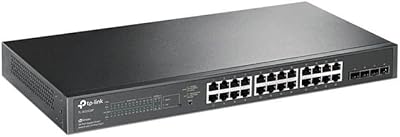
TP-Link TL-SG2428P Jetstream 24-Port Gigabit Smart Managed PoE Switch
84%
89%
Value for Money
70%
Ease of Setup
93%
PoE+ Performance
85%
Security Features
92%
Network Management (Omada SDN)
More
Cisco CBS110-24T Unmanaged Network Switch
84%
96%
Ease of Setup
88%
Build Quality
91%
Port Performance
97%
Noise Level
78%
Value for Money
More
Cisco Catalyst C1300-24XTS Managed Network Switch
78%
91%
Port Performance
78%
Value for Money
74%
Ease of Setup
88%
Build Quality
93%
Security Features
More
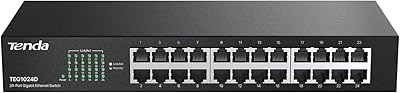
Tenda TEG1024D 24-Port Gigabit Switch
85%
91%
Setup & Installation
88%
Build Quality
85%
Performance & Speed
93%
Noise Level
87%
Durability
More
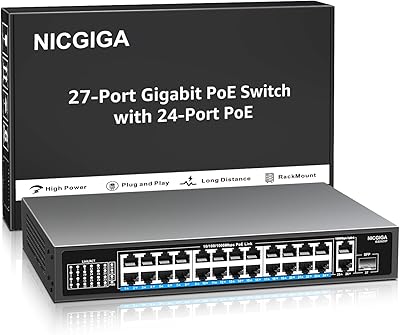
NICGIGA GS2421P 24-Port PoE+ Gigabit Switch
77%
91%
Value for Money
93%
Ease of Setup
78%
PoE Performance
84%
Build Quality
62%
Thermal Management
More

FAQ

No — the Cisco Catalyst C1200-24T-4G 24-Port Smart Switch includes full management functionality with no ongoing fees. The mobile app, local web interface, and Cisco Business Dashboard access are all included at no extra cost for the life of the device, which is a genuine differentiator compared to some competitors that gate features behind annual subscriptions.

It does not. The C1200-24T-4G is a non-PoE model, meaning connected devices like IP cameras, VoIP handsets, and wireless access points will need their own power sources. If you need Power over Ethernet, look at the Cisco Catalyst 1200 PoE variants, such as the C1200-24P-4G, which are designed specifically for that use case.

It is manageable, but expect a learning curve if this is your first time working with VLANs or port security. The Cisco Business mobile app walks you through the basics with step-by-step prompts, and the web interface is more approachable than traditional Cisco gear. That said, concepts like tagged and untagged VLAN ports will require some self-study if you want to get them right — there are good community guides and Cisco documentation online that help fill the gaps the included documentation leaves.

The four SFP slots let you connect fiber or long-distance copper runs using small form-factor pluggable transceivers — handy if you need to link this switch to another building, connect directly to a fiber ISP handoff, or uplink to a core router with a dedicated port. If your entire network is in one room or building and you are connecting via standard Ethernet cables, you probably will not use them. Keep in mind that the SFP transceivers themselves are sold separately.

This specific model is completely fanless, so it produces no audible noise whatsoever during normal operation. That makes it a practical choice for front-desk areas, small conference rooms, or open-plan offices where the hum of networking equipment would be noticeable. Just make sure there is reasonable airflow around the unit if you are installing it in a closed cabinet, since passive cooling relies on ambient air circulation.

Many third-party SFP transceivers work with the C1200-24T-4G, but compatibility is not guaranteed across all vendors. Cisco-branded transceivers are the safe and supported choice, though they do add cost to the deployment. If you go with a third-party option, check the vendor's compatibility list or community forums first — most reputable transceiver brands publish which Cisco models they have been tested with.

Cisco's limited lifetime hardware warranty covers defects in materials and workmanship for the life of the product under their standard terms. It does not cover damage from misuse, accidents, or unauthorized modifications. It is worth noting that warranty coverage and technical support are separate — complimentary phone and online support is only included for the first year, and you would need to move to a paid support plan for assisted troubleshooting after that.

Yes — the Cisco Business Dashboard lets you manage multiple compatible Cisco Business devices, including this switch, from a centralized cloud interface. It is useful for small businesses with more than one physical location who want network visibility without logging into each device individually. The Dashboard itself does not require an additional hardware purchase, though you do need a Cisco account to use it.

At this port count and price tier, this 24-port Catalyst switch generally holds its own against comparable Netgear ProSAFE and TP-Link TL-SG3428 offerings in terms of features. Where it stands apart is the lifetime hardware warranty — most Netgear and TP-Link smart switches in this range carry only a limited one-to-three-year warranty. Buyers who plan to keep the hardware running for many years tend to weigh that difference heavily, while those focused purely on upfront cost often lean toward the cheaper alternatives.

Yes, it fits a standard 1U rack slot and Cisco includes the mounting brackets in the box, so you will not need to buy them separately. At just under 9 pounds, it is straightforward to install solo. One practical note: the power input and USB console port are on the rear of the unit, so factor in cable routing before you finalize your rack layout.