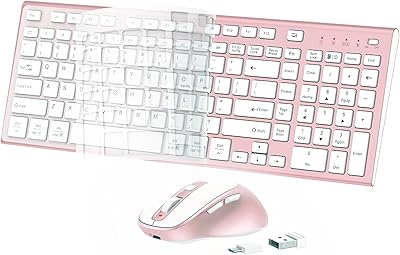
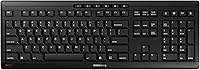
Cherry Stream JK-8550US-2 Wireless Keyboard

Overview
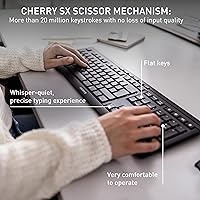
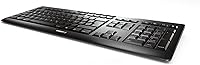
The Cherry Stream JK-8550US-2 Wireless Keyboard builds on a typing pedigree that goes back decades, and you can feel that lineage the moment your fingers land on the keys. This is a full-size board with a number pad, designed around Cherry's SX scissor-switch mechanism rather than the membrane or low-profile switches that dominate budget options. It's not trying to dazzle with RGB lighting or programmable macros; instead, it leans into a quieter, more deliberate kind of usefulness. Priced in the mid-range, this wireless keyboard reads as an upgrade pick for people who spend hours typing daily and care more about how each keystroke feels than about flashy extras. It arrived in 2022 as the wireless sibling to Cherry's wired Stream series, carrying over the same core feel.
Features & Benefits
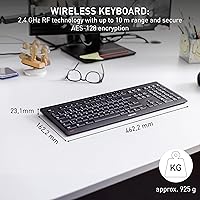
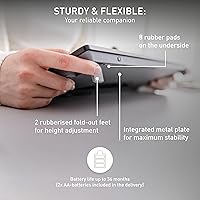
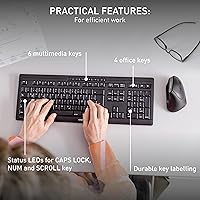
Spend a week with the Cherry Stream keyboard and the scissor switches start to feel like the whole point. Each key has a short, well-defined travel that gives feedback without clatter, which is exactly why it works so well on calls or in a shared office. The full QWERTY layout includes a proper number pad, so spreadsheet work and data entry don't require reaching for a separate accessory. Pairing happens through a small 2.4GHz USB receiver protected by AES-128 encryption; USB-C compatibility refers to device support, not charging, since the board runs on AA batteries. Status LEDs for Caps Lock, Num Lock, and Scroll Lock sit along the top edge, and the whole thing folds down slim enough to tuck into a bag without complaint.
Best For
This office keyboard makes the most sense for people whose work involves a lot of typing around other people, whether that's a houseful of family members during work hours or a desk surrounded by coworkers. Remote employees who are constantly hopping on video calls will appreciate not having to worry about clacking keys interrupting a meeting. Anyone handling accounting, bookkeeping, or finance work will get real use out of the dedicated number pad, since switching between a separate numeric input device gets old fast. It's also a solid match for Windows PC and laptop owners who want something that works the moment it's plugged in, with no setup beyond pairing the receiver. Gamers and anyone wanting customizable lighting or macro keys should look elsewhere, since this keyboard keeps its focus narrow and deliberate.
User Feedback
Feedback on this wireless keyboard has been largely positive, with an average rating that lands around 4.5 out of 5 across more than a hundred reviews. Most of that praise centers on the typing experience itself — owners describe the keystrokes as consistent and satisfying even after months of daily use, which lines up with Cherry's reputation for quality switches. The most common complaint, and a fair one, is the absence of any backlighting, which makes it a poor choice for anyone who types in dim rooms or works late without a desk lamp. Battery life draws mixed but generally accepting reactions; running on AA cells means no charging cable to manage, though it also means buying replacements eventually rather than topping up overnight. Overall, the consensus leans toward a dependable daily driver rather than a feature-packed showpiece.
Pros
- The scissor-switch mechanism delivers a tactile, consistent keystroke that holds up well over months of daily use.
- Quiet key noise makes this wireless keyboard ideal for video calls and shared office spaces.
- A full-size layout with a dedicated number pad speeds up spreadsheet work and data entry.
- AES-128 encryption on the 2.4GHz connection adds real security without any complicated setup.
- Plug-and-play USB receiver pairing means no drivers or software installation required.
- Status LEDs for Caps Lock, Num Lock, and Scroll Lock make key states easy to check at a glance.
- AA battery power means no charging cables to manage or forget.
- The slim, foldable profile makes it easy to pack or store on a crowded desk.
- Strong user ratings, averaging 4.5 out of 5, reflect consistent satisfaction with build quality.
Cons
- No backlighting means the keys are hard to see in dim rooms or at night.
- Running on AA batteries means buying replacements over time instead of simply recharging overnight.
- The full-size layout with a number pad takes up more desk space than compact options.
- There's no companion software or app for remapping keys or adjusting settings.
- Gamers looking for low-latency wireless response or macro support won't find it here.
- The design is fairly plain, without RGB lighting or customizable aesthetics.
- Some buyers may find the price steep compared to basic membrane keyboards.
- There's no USB-C charging port, despite USB-C appearing in the connectivity specs.
Ratings
Our ratings for the Cherry Stream JK-8550US-2 Wireless Keyboard are generated by AI after analyzing verified user reviews from around the world, with spam, bot activity, and incentivized feedback filtered out before scoring. Each category below reflects what real owners actually experience day to day, including both the strengths people rave about and the pain points they wish were different. Nothing here is rounded up to look better than the evidence supports.
Typing Feel & Key Feedback
Build Quality
Noise Level
Wireless Connectivity & Range
Battery Life
Number Pad & Layout
Ergonomics & Comfort
Backlighting
Portability & Design
Security & Encryption
Plug-and-Play Setup
Value for Money
Status Indicator Usability
Aesthetic Design
Suitable for:
The Cherry Stream JK-8550US-2 Wireless Keyboard is a smart pick for anyone whose workday revolves around heavy, sustained typing rather than gaming or flashy extras. Remote employees who spend hours on video calls will appreciate how little noise it makes, since quiet keys mean nobody on the other end notices the clatter. People working in shared offices or open-plan setups benefit for the same reason, especially when a coworker nearby is also on the phone. Anyone in accounting, bookkeeping, or other data-heavy roles will get genuine use out of the full number pad instead of juggling a separate numeric keypad. It also suits Windows PC and laptop owners who want a true plug-and-play setup with no drivers or companion software to install. For buyers who simply want a dependable, full-size keyboard that feels good under the fingers day after day, this is a solid, low-drama choice.
Not suitable for:
The Cherry Stream JK-8550US-2 Wireless Keyboard isn't built for gamers who want low-latency wireless performance, RGB lighting, or programmable macro keys. Anyone who types in dim rooms or works late without a desk lamp will likely be frustrated by the lack of backlighting, since the keys are completely unlit. Buyers hoping for a rechargeable battery should also look elsewhere, as this model runs on two AA batteries rather than a built-in cell. People who want a compact, travel-friendly layout won't find that here either, since the number pad adds noticeable length to the board. Those focused purely on minimalism or ultra-thin aesthetics may find the design more functional than stylish. Overall, it's a poor match for buyers chasing cutting-edge features rather than a straightforward, reliable typing experience.
Specifications
- Brand: Made by Cherry, a German company best known for mechanical and scissor-switch keyboard manufacturing.
- Model Number: This keyboard carries the model number JK-8550US-2.
- Switch Type: Uses Cherry's SX scissor-switch mechanism for a tactile, low-travel keystroke.
- Layout: Features a full-size QWERTY layout with a dedicated number pad on the right side.
- Connectivity: Connects wirelessly through a 2.4GHz USB receiver that plugs into any open USB-A port.
- Encryption: Wireless signal transmission is secured with AES-128 encryption.
- Dimensions: Measures approximately 18.2 inches long, 6.53 inches wide, and 1.34 inches tall.
- Weight: Weighs approximately 2.04 pounds.
- Power Source: Runs on two AA batteries, which are included in the box.
- Status Indicators: Includes LED indicators for Caps Lock, Num Lock, and Scroll Lock.
- Color: Available in a single black colorway.
- Compatible Devices: Built and marketed for use with Windows PCs and laptops.
- Design: Has a slim, foldable, ergonomically angled profile suited for desk or travel use.
- Backlighting: Does not include any key backlighting.
- Average Rating: Holds an average customer rating of 4.5 out of 5 stars from 138 reviews.
- Release Date: Was first made available in March 2022.
- Setup: Requires no software installation, since pairing happens automatically once the USB receiver is connected.
Related Reviews
Cherry Stream Desktop
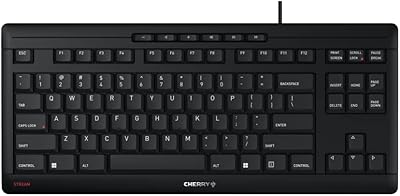
Cherry Stream TKL Wired Keyboard
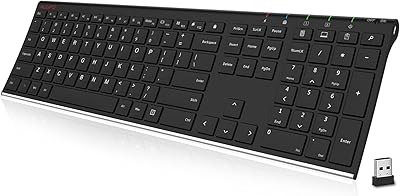
ALLIFE 2.4G Wireless Keyboard
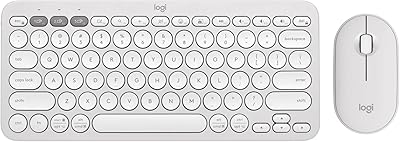
Logitech Pebble 2 Combo Wireless Keyboard Mouse
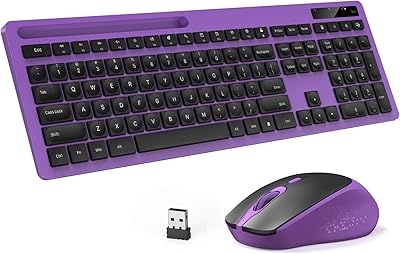
Vivefox MKTBA Wireless Keyboard and Mouse Combo
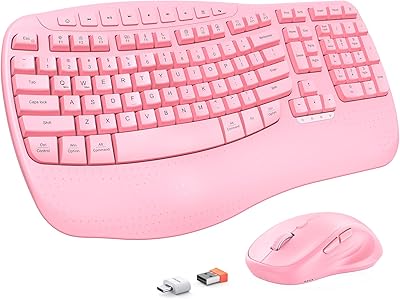
MEETION Director-D-2 Ergonomic Wireless Keyboard Mouse Combo
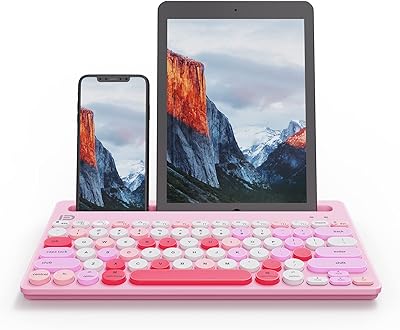
HUO JI Multi-Device Wireless Keyboard

Arteck HW192 Wireless Keyboard and Mouse Combo

Stream 2 Sea SPF 45 Every Day Tint Mineral Sunscreen 2.5oz