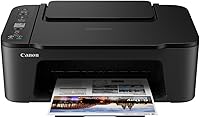
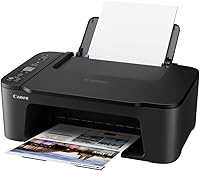
Canon PIXMA TS3720 Wireless All-in-One Printer
Overview
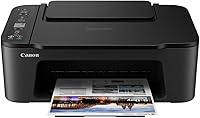
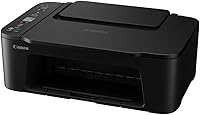
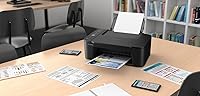
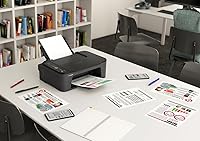
The Canon PIXMA TS3720 Wireless All-in-One Printer sits at the affordable end of Canon's PIXMA lineup, built for households and small home offices that need a reliable, no-fuss machine without a big investment. It handles printing, copying, and scanning in a compact body that won't dominate a desk. Setup is genuinely quick — most people are up and running within minutes of opening the box. The hybrid ink system, pairing pigment-based black with dye-based color, is a thoughtful touch at this price tier, delivering sharper text alongside reasonably vivid color output. Wi-Fi is on board, with USB as a dependable fallback.
Features & Benefits
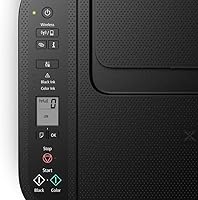
This Canon all-in-one packs a solid amount of utility into a small frame. The 60-sheet rear tray means you are not constantly reloading paper for everyday tasks, and the flatbed scanner handles standard documents without any fuss. Print speeds clock in at 7.7 pages per minute for black-and-white jobs, though color printing slows to around 4 pages per minute — workable for occasional use, less ideal if you regularly churn through large color reports. The 1.5-inch LCD screen lets you adjust basic settings and kick off copies without touching a computer. Borderless photo printing up to 8.5 by 11 inches rounds out a capable feature set for the price.
Best For
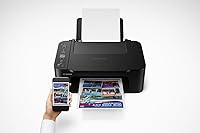
The PIXMA TS3720 makes the most sense for light home printing — students printing essays, parents handling school forms, or remote workers managing occasional document needs. If your household sends a few dozen pages to the printer each week, this machine handles it without complaint. It also works well for anyone wanting easy mobile printing from a phone or tablet, since the wireless setup is refreshingly painless. What it is not built for is heavy-duty use. If you print large volumes daily, need automatic double-sided output, or want a dedicated photo printer, you will likely outgrow it quickly. It is a compact, capable option for modest everyday needs.
User Feedback
Owners of this home inkjet printer consistently highlight how straightforward the setup is — even less tech-savvy users report having it running within minutes, and the compact footprint draws praise from those with limited desk space. Where feedback turns critical is around ink. The included starter cartridges carry low page yields, and replacement ink costs add up faster than some buyers anticipate, making total ownership cost worth factoring in before purchasing. Connectivity earns mostly positive marks, though a handful of users note occasional Wi-Fi dropout depending on router distance. The small LCD screen divides opinion — functional but basic. Long-term durability appears solid for light users, though heavier print demands accelerate wear.
Pros
- Wireless setup takes most users under 15 minutes straight out of the box.
- The compact footprint fits comfortably on small desks, shelves, or cramped apartment workspaces.
- Black text printing is crisp and sharp thanks to the pigment-based ink in the hybrid system.
- Mobile printing from phones and tablets works reliably without needing extra software for most devices.
- The PIXMA TS3720 handles print, copy, and flatbed scan without requiring separate machines.
- Borderless photo printing up to 8.5 by 11 inches covers casual snapshot and project needs.
- USB fallback ensures you can still print even when the Wi-Fi is acting up.
- Energy Star certification keeps idle power consumption low for an always-on home device.
- Replacement cartridges are easy to find in most retail stores and online, with no hunting required.
- For light users, this Canon all-in-one delivers solid everyday utility at a very accessible entry price.
Cons
- Starter cartridges included in the box have very low page yields and run out faster than expected.
- Ongoing ink costs add up quickly for anyone printing more than occasionally, raising the real cost of ownership.
- Color print speed at around 4 pages per minute feels sluggish when working through multi-page color jobs.
- No automatic duplex printing means manually flipping every page for double-sided documents.
- The 1.5-inch LCD screen is too small and limited to be genuinely useful beyond the most basic operations.
- Wi-Fi connection can drop after router reboots and does not always reconnect automatically.
- The single 60-sheet paper tray requires more frequent reloading compared to printers with dual trays.
- Photo output shows visible banding in gradients and lacks fine detail in shadowed areas.
- No automatic document feeder makes scanning or copying multi-page originals a slow, manual process.
- The plastic build feels lightweight and less durable under heavier or longer-term daily use.
Ratings
The Canon PIXMA TS3720 Wireless All-in-One Printer has been evaluated by our AI rating system after processing thousands of verified global buyer reviews, with spam, bot activity, and incentivized feedback actively filtered out. The scores below reflect an honest cross-section of real-world experiences — including where this compact home inkjet genuinely delivers and where it falls short of expectations.
Ease of Setup
Print Quality – Documents
Print Quality – Photos
Ink Cost & Cartridge Yield
Wireless Connectivity
Print Speed
Scanning Performance
Build Quality & Durability
Compact Footprint
Mobile Printing Experience
LCD Screen & Controls
Paper Handling
Value for Money
Software & App Ecosystem
Suitable for:
The Canon PIXMA TS3720 Wireless All-in-One Printer is a practical fit for anyone who needs a reliable, low-maintenance machine for everyday home tasks without overcomplicating the setup or the budget. Students are an obvious match — printing essays, scanning handouts, and copying forms covers the bulk of what this printer does well. Parents managing school paperwork, remote workers handling occasional documents, and renters in small apartments who need print, copy, and scan capability without dedicating much desk space will all find it hits the right balance. The wireless functionality genuinely works for households where printing from a phone or laptop is the primary use case, removing the need to transfer files or connect cables every time. If your print volume stays light to moderate — think a few dozen pages a week rather than hundreds — this home inkjet printer comfortably handles the workload without breaking a sweat.
Not suitable for:
The Canon PIXMA TS3720 Wireless All-in-One Printer is not the right call for buyers who print heavily, need professional-quality photo output, or rely on automatic double-sided printing. There is no duplex function, meaning every two-sided document requires manually flipping pages — a genuine time drain for anyone printing reports or presentations regularly. Serious photo hobbyists will quickly notice the color depth and gradient handling fall short of what a dedicated photo printer delivers, making it a poor investment if photo quality is a priority. Small businesses or home offices with high daily print volumes will burn through ink cartridges at a pace that makes the running cost surprisingly steep over time. If your workflow depends on scanning multiple pages in one go, the lack of an automatic document feeder will slow you down considerably. For anyone in those scenarios, spending more upfront on a better-equipped model makes far more financial sense in the long run.
Specifications
- Print Functions: This all-in-one supports printing, flatbed copying, and flatbed scanning from a single compact unit.
- Connectivity: The printer connects via 802.11 b/g/n Wi-Fi for wireless printing and includes a USB 2.0 port as a wired alternative.
- Print Speed: Monochrome print speed reaches approximately 7.7 pages per minute, while color output runs at roughly 4 pages per minute.
- Ink System: A hybrid two-cartridge system uses pigment-based black ink for sharp text and dye-based color ink for vivid photo output.
- Max Print Size: Standard print jobs support up to 8.5 x 11 inches, with legal-size media supported up to 8.5 x 14 inches.
- Borderless Printing: Borderless photo printing is supported on compatible media up to 8.5 x 11 inches in size.
- Paper Capacity: The rear paper tray holds up to 60 sheets of standard plain paper, reducing how often you need to reload during typical home use.
- Duplex Printing: Automatic two-sided printing is not supported; all print jobs are single-sided (simplex) only.
- Display: A 1.5-inch segmented LCD screen provides basic status information and allows simple on-device control for copying and settings.
- Scanner Type: The flatbed scanner handles documents and photos placed face-down on the glass platen, with no automatic document feeder included.
- Dimensions: The printer measures 17″ deep by 13″ wide by 5.7″ tall, making it compact enough for small desks and limited workspaces.
- Weight: The unit weighs 8.7 pounds, making it easy to reposition or move between rooms without difficulty.
- Memory: Onboard memory is 64 MB, which is sufficient for handling standard home print and copy jobs.
- Included Components: The box includes two starter ink cartridges (black and color), though these are low-yield versions intended for initial setup rather than extended use.
- Supported Media: Compatible print media includes plain paper, glossy photo paper, envelopes, and various specialty inkjet papers up to legal size.
- Energy Certification: The printer carries Energy Star certification, meaning it meets energy efficiency standards and consumes minimal power during standby mode.
- Mobile Printing: Mobile printing is supported via the Canon PRINT Inkjet app, Apple AirPrint, and Google Cloud Print-compatible workflows on iOS and Android devices.
- Warranty: Canon provides a limited warranty covering manufacturer defects; buyers should verify current warranty terms directly with Canon for their region.
Related Reviews
Canon PIXMA TS9520 Wireless All-in-One Printer
Canon PIXMA TR160 Portable Inkjet Printer
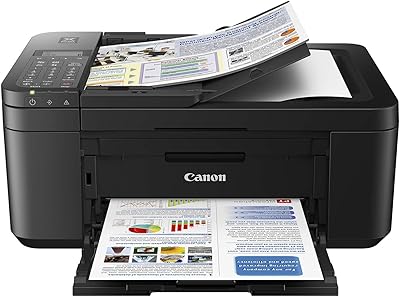
Canon PIXMA TR4527 All-in-One Inkjet Printer
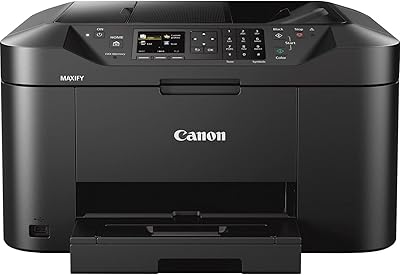
Canon MAXIFY MB2120 All-in-One Inkjet Printer
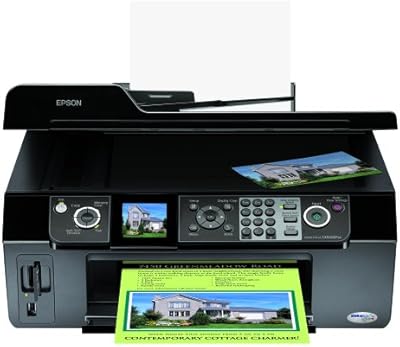
Epson Stylus CX9400Fax All-in-One Printer
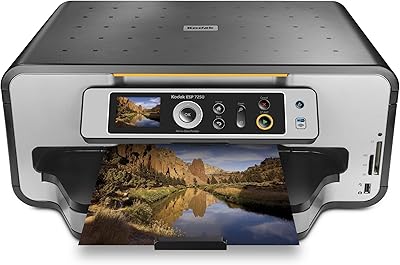
Kodak ESP 7250 All-in-One Inkjet Printer
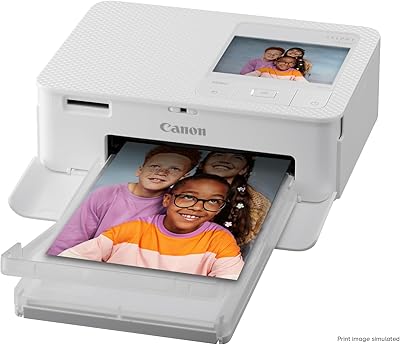
Canon SELPHY CP1500 Compact Photo Printer
Canon SELPHY CP510 Compact Photo Printer
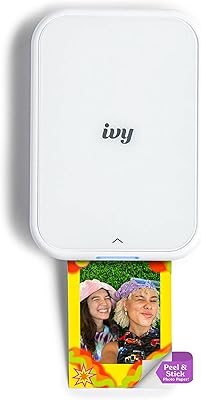
Canon IVY 2 Mini Photo Printer