Overview

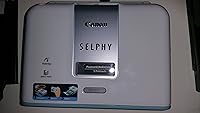
The Canon SELPHY CP510 Compact Photo Printer arrived in 2005 as part of Canon's dedicated home photo printing lineup, representing an era when connecting your camera directly to a printer was the norm. At just 3 pounds, it was built to sit on a desk or tuck away without taking over a room. This is a dedicated photo printer, not a general-purpose office machine, and that narrow focus shapes everything about it. Its dye-sublimation technology distinguishes it from inkjet alternatives by producing smoother, continuous-tone prints. That said, its 2.7-star average on Amazon tells a complicated story that any serious buyer deserves to understand before committing.
Features & Benefits

The core appeal of this dye-sub printer lies in the print process itself. Rather than spraying ink droplets like a typical inkjet, it applies cyan, magenta, yellow, and black in separate thermal passes, blending them into smooth photos at 300 x 300 dpi with 24-bit color depth — which means no visible dot patterns at close range. It connects directly to compatible cameras via USB Type-A, so a computer is not strictly required. Print speed runs about 58 seconds per 4x6 photo, which is unhurried by any measure. The single paper tray handles 4x6-inch sheets, but Canon is explicit: overfilling stresses the gears, and buyers have learned that lesson the hard way.

Best For

This compact photo printer makes the most sense for a narrow but real audience. Casual photographers who want physical prints without a pharmacy run, scrapbookers who regularly work with small 4x6 batches, and households wanting a photo printer that stays out of the way of their main office setup will find the workflow manageable. What it is not built for is high-volume or wireless use. There is no Wi-Fi, no practical Bluetooth, and no app — just a USB cable and a camera or PC. If those constraints fit your habits and you are printing in modest quantities, the output quality can still hold its own for everyday casual snapshots.

User Feedback

Buyer opinions on the SELPHY CP510 are genuinely divided, and the low average rating reflects real, recurring issues rather than isolated complaints. Reviewers who used it lightly and carefully report print quality that rivals a drugstore photo lab for everyday shots — that part of the pitch holds up. But long-term reliability is a consistent sore spot: paper feed problems, gear wear, and mechanical failures after moderate use appear throughout negative reviews. Finding compatible ink and paper kits is also increasingly difficult for a 2005 model. If you are weighing this against a newer SELPHY, the newer options offer wireless connectivity and far better parts availability — factors worth taking seriously.

Pros

  • Dye-sublimation output produces smooth, continuous-tone 4x6 photos without inkjet dot patterns.
  • Prints directly from a compatible camera via USB — no computer required for basic use.
  • At 3 pounds with a compact footprint, the SELPHY CP510 stores easily without claiming counter space.
  • 24-bit color depth delivers natural-looking skin tones and reasonably vibrant color for casual snapshots.
  • Simple setup with minimal configuration makes it accessible for non-technical users.
  • Dedicated photo printing means it does not compete with or interrupt an existing office printer.
  • Output quality that casual users describe as comparable to local drugstore photo prints.
  • Onboard 64 MB memory allows basic print processing without a host PC connected.

Cons

  • Gear durability is a documented weak point — overfilling the paper tray even slightly can cause permanent mechanical damage.
  • Compatible ink and paper kits are increasingly scarce and expensive for a nearly 20-year-old model.
  • No wireless connectivity of any kind; smartphones and tablets cannot print to this device.
  • At roughly 58 seconds per photo, printing even a modest batch becomes a slow, drawn-out process.
  • Long-term reliability reviews are troubling, with paper feed failures appearing across many independent buyer accounts.
  • Buying a used unit carries real risk — there is no way to know how close the internal gears are to failure.
  • No duplex printing, no scanning, and no functions beyond basic photo output limit its versatility sharply.
  • Sourcing replacement parts or service for a discontinued-era device is effectively not a realistic option.

Ratings

Our scores for the Canon SELPHY CP510 Compact Photo Printer are generated by AI after analyzing verified buyer reviews from across the globe, with spam, bot submissions, and incentivized feedback actively filtered out. The result is a balanced picture that reflects both what this aging dye-sub printer does well and the real frustrations that have accumulated over nearly two decades of buyer experience. Strengths in print quality and compactness are weighed honestly against persistent durability concerns and the practical limitations of a USB-only, legacy device.
Print Quality
74%
26%
For casual 4x6 snapshots, the dye-sublimation output genuinely holds up — skin tones look smooth, colors are reasonably vibrant, and there is none of the grainy dot pattern you get from budget inkjet printers. Buyers who used it carefully for scrapbooking or family photo albums were often pleasantly surprised by results that matched or beat their local drugstore prints.
At 300 x 300 dpi, the resolution is modest compared to what modern photo printers deliver, and fine detail in landscapes or busy compositions can look slightly soft. It is not a printer for anyone who cares about technical precision or large-format quality — the 4x6 ceiling is real.
Build Quality & Durability
38%
62%
The chassis feels reasonably solid for a compact consumer device of its era, and the footprint is genuinely small enough to stow in a cabinet between uses. Buyers who treated it gently and printed in small batches report it holding together adequately over a few years of light use.
Gear durability is the single biggest complaint across reviews, and it is not a minor one. Paper feed failures and mechanical breakdowns after moderate use appear repeatedly, and Canon itself warns against overfilling the tray — a design sensitivity that real-world users frequently trigger by accident, sometimes permanently damaging the mechanism.
Reliability Over Time
34%
66%
When it works consistently, the SELPHY CP510 can handle occasional small print jobs without issue for users who treat it carefully and follow tray-loading guidelines precisely. A subset of buyers report years of light-duty use without major incidents.
The pattern of mechanical failures in long-term reviews is too consistent to dismiss. Paper feed problems, gear wear, and complete print failures are the dominant story in negative feedback, and for a printer that was already not cheap at launch, that track record is hard to ignore when evaluating used or discounted units today.
Ease of Use
71%
29%
Plugging a compatible camera directly into the USB port and printing without touching a computer is genuinely straightforward, and the process requires almost no technical setup. For non-technical users who just want photos out of their camera and onto paper quickly, the workflow is refreshingly direct.
The USB-only connection means there is zero flexibility for modern workflows — no wireless, no phone printing, no cloud integration of any kind. Users accustomed to contemporary printers will find the setup limiting, and the paper tray loading requires care that is easy to get wrong.
Print Speed
47%
53%
For printing a single postcard photo or a small handful of 4x6 shots at a time, the roughly 58-second-per-print pace is tolerable. Buyers who used it for occasional one-off prints rather than batch sessions rarely listed speed as a significant frustration in their day-to-day experience.
Print 10 photos and you are waiting close to 10 minutes. By any current standard — and even by the standards of comparable printers when it launched — the speed is slow, and it compounds quickly when crafters or scrapbookers need larger batches in a session.
Connectivity & Compatibility
41%
59%
Direct USB camera connectivity was a genuine convenience feature in 2005, and it still works cleanly for owners of older point-and-shoot cameras or DSLRs with standard USB output. No driver installation is required for basic camera-direct printing.
There is no Wi-Fi, no Bluetooth worth relying on, no app, and no smartphone compatibility — full stop. In a world where most users expect to print from a phone, this printer is categorically cut off from modern devices and workflows, which is a serious practical limitation.
Consumables Availability
29%
71%
At the time of its release, the dedicated SELPHY ink and paper kits were readily available through Canon and major retailers, and the print costs were reasonably predictable for occasional home use.
Finding compatible ink and paper kits for a 2005 model is increasingly difficult and increasingly expensive. Buyers picking up a used unit today are taking on real supply risk — third-party alternatives are limited, and running out of compatible media can effectively end the printer's useful life.
Value for Money
44%
56%
If sourced at a deep discount and paired with a verified supply of consumables, the SELPHY CP510 can still deliver decent print quality for very light, occasional use cases — making it defensible as a low-cost entry into dye-sub photo printing for someone who understands its limitations.
At or near its original price, it is a poor value against what the current SELPHY lineup offers. Even used, the combination of reliability concerns, consumables scarcity, and USB-only connectivity makes it hard to recommend without significant reservations.
Portability & Footprint
78%
22%
At 3 pounds and with compact dimensions, this is one of the few areas where the printer earns consistent praise. It fits on a small shelf, tucks into a closet without effort, and is light enough to move between rooms without annoyance — a genuinely practical form factor for home use.
Despite the compact size, it is not really a printer you would take on the road given the USB-cable-only setup and the fragility concerns. Calling it portable in a travel sense overstates things; it is better described as compact for home storage.
Paper Handling
36%
64%
When loaded correctly with the right quantity of paper, the tray functions as intended and feeds sheets through the dye-sub process cleanly. Users who followed the loading guidelines precisely reported few issues in early ownership.
The tray's sensitivity to overfilling is a structural weakness that buyers keep rediscovering. A slightly overfilled tray stresses the internal gears, and since it is easy to load one or two sheets too many without realizing it, mechanical damage from this issue is a recurring theme across negative reviews.
Color Accuracy
67%
33%
The four-pass dye-sublimation process — cyan, magenta, yellow, and black applied in sequence — produces colors that blend naturally and avoid the oversaturated look common in cheaper thermal printers. For family portraits and everyday scenes, the palette looks close to what buyers saw on their camera screens.
Color accuracy is not calibrated to professional standards, and users who compared output against high-resolution reference prints noticed some variance in shadow detail and highlight rendering. It is a consumer-grade result, not a fine-art output.
Setup & Initial Configuration
69%
31%
Out of the box, the initial setup is minimal — load the media, connect the USB cable, and the printer is ready to go. There are no complex driver installations required for basic camera-direct printing, which most buyers appreciated on first use.
Getting the most out of it with a PC requires a bit more effort, and the documentation for some configurations is sparse. Buyers who wanted to print from specific software reported occasional compatibility questions that were not clearly addressed in the included materials.
Noise Level
61%
39%
Dye-sublimation printers are generally quieter than inkjet mechanisms, and the SELPHY CP510 is no exception. The printing process produces a low, steady hum rather than the loud clacking of some inkjet alternatives, which buyers using it in shared living spaces appreciated.
It is not silent, and the multiple passes required for each print mean the noise continues for the full minute-per-photo cycle. In a quiet room, the mechanical sounds of the print process are clearly audible throughout.
Design & Aesthetics
66%
34%
The clean white casing and straightforward rectangular form factor have aged reasonably well for a 2005 device. It does not look out of place on a home desk or shelf, and its simplicity means it blends into a room rather than demanding attention.
The exterior plastics show their age in some units, and the overall design language reflects a product from twenty years ago. There are no modern touches — no LED accents, no minimal industrial styling — and the physical controls are basic at best.

Suitable for:

The Canon SELPHY CP510 Compact Photo Printer is a reasonable fit for a specific and fairly narrow group of buyers. If you own an older point-and-shoot or DSLR camera with a standard USB output and want to print 4x6 photos directly without sitting down at a computer, the workflow here is genuinely simple and low-friction. Scrapbookers and crafters who work in small batches — say, a handful of prints per session rather than dozens — will find the dye-sublimation output smooth and drugstore-competitive for everyday snapshots. Households that want a physically separate, dedicated photo printer that stays out of the way and does one job are also a natural fit, provided they go in with realistic expectations about speed and supply availability. The best-case buyer is someone sourcing this unit at a meaningful discount, with a confirmed stock of compatible ink and paper kits already in hand.
Not suitable for:

Anyone expecting a modern, wireless-capable photo printer should look elsewhere — the Canon SELPHY CP510 Compact Photo Printer has no Wi-Fi, no practical Bluetooth, and no ability to print from a smartphone or tablet under any normal workflow. Its 2.7-star average on Amazon is not a statistical anomaly; recurring mechanical failures, gear wear from paper tray overfilling, and paper feed problems are documented consistently enough that reliability-sensitive buyers should take the signal seriously. If you need to print more than a small batch at a time, the roughly one-minute-per-photo pace will test your patience quickly. Finding compatible ink and paper kits is also increasingly difficult for a device introduced in 2005, which means anyone without a guaranteed supply chain is taking on real operational risk. Users who want to connect a phone, use a printing app, or integrate with any modern device ecosystem will find this printer simply cannot participate.

Specifications

  • Print Technology: Uses dye-sublimation thermal printing, applying cyan, magenta, yellow, and black in separate passes to produce smooth, continuous-tone photo output.
  • Print Resolution: Maximum resolution of 300 x 300 dpi with 24-bit color depth for consistent color rendering across supported media.
  • Print Speed: Prints a single 4x6-inch photo in approximately 58 seconds, or eight mini labels in approximately 31 seconds.
  • Max Media Size: Supports media up to 4x6 inches, including postcard-size photo paper and mini label sheets.
  • Connectivity: Connects via USB Type-A only; compatible with digital cameras and PCs — no wireless, Wi-Fi, or Bluetooth printing supported.
  • Ink Colors: Uses a four-color dye-based ink system consisting of cyan, magenta, yellow, and black.
  • Onboard Memory: Equipped with 64 MB of internal memory to allow basic image processing without requiring an active host PC connection.
  • Paper Tray: Single input tray with a one-sheet capacity; Canon explicitly warns against overfilling due to stress on internal gears.
  • Duplex Printing: Does not support duplex (double-sided) printing; output is simplex only.
  • Dimensions: Measures 2.48″ deep by 7.01″ wide by 7.01″ high, making it compact enough for a small desk or shelf.
  • Weight: Weighs 3 pounds, making it light enough to move between rooms without difficulty.
  • Compatible Devices: Designed for use with compatible digital cameras via direct USB connection, and with PCs running supported operating systems.
  • Color Output: Produces color prints only; monochrome output is not a primary use case, with a maximum monochrome speed of 0.5 ppm.
  • USB Ports: Equipped with 2 USB ports total to support both camera-direct and PC-connected printing workflows.
  • Warranty: Includes a one-year full manufacturer warranty from Canon covering defects in materials and workmanship.
  • Release Date: Originally released in August 2005 as part of Canon's SELPHY compact photo printer lineup.
  • Manufacturer: Designed and manufactured by Canon, a Japanese multinational imaging and optical products company.
  • Model Number: Canon item model number is 0326B001, with ASIN B000AZ2BAW on Amazon.

Related Reviews
Canon SELPHY CP1500 Compact Photo Printer
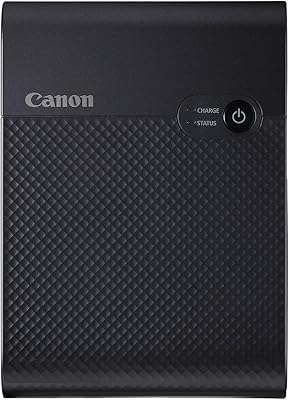
76%
88%
Print Quality
91%
Portability & Size
86%
Ease of Setup & Use
84%
Smartphone Connectivity
71%
Value for Money
More
Canon SELPHY Square QX10 Portable Photo Printer
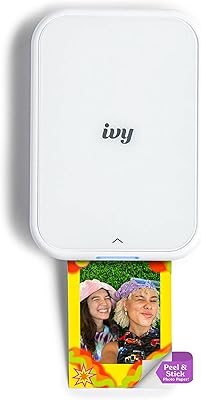
83%
91%
Print Quality
89%
Ease of Use
93%
Portability
78%
Print Speed
84%
Battery Life
More
Canon IVY 2 Mini Photo Printer
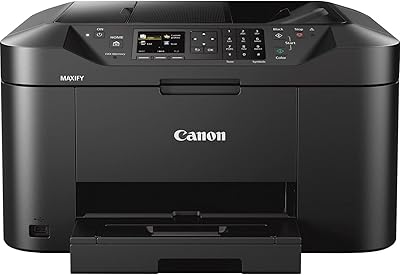
76%
93%
Portability & Form Factor
67%
Print Quality
91%
Ease of Setup & Use
74%
App Experience
82%
ZINK Ink-Free Technology
More
Canon MAXIFY MB2120 All-in-One Inkjet Printer
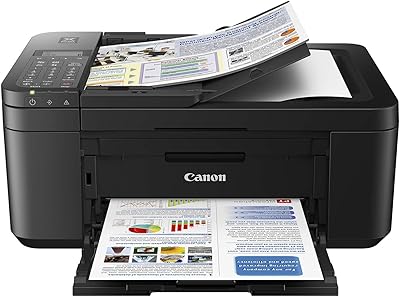
72%
88%
Text Print Quality
83%
Wireless Setup & Connectivity
54%
Print Speed
51%
Ink Cost & Efficiency
79%
Scan Quality
More
Canon PIXMA TR4527 All-in-One Inkjet Printer
71%
82%
Print Quality
44%
Ink Efficiency & Cost
86%
Wireless Setup & Connectivity
79%
Automatic Duplex Printing
74%
Scan Quality
More
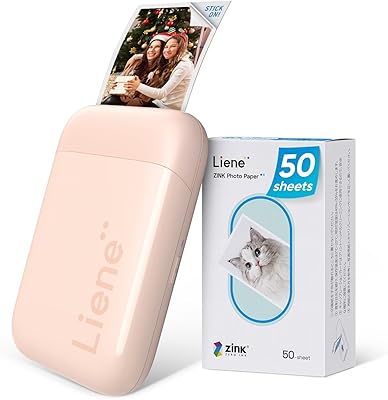
Liene ZPP110 2x3 Portable Instant Photo Printer
77%
74%
Print Quality
93%
Portability & Size
88%
Ease of Setup & Use
79%
Adhesive Paper Quality
71%
Battery Life
More
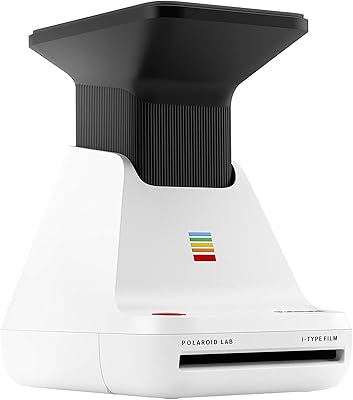
Polaroid Lab Instant Photo Printer
72%
73%
Print Quality & Character
88%
Ease of Setup & Use
66%
App Experience
41%
Film Cost & Ongoing Value
53%
Device Compatibility
More
HP Sprocket Studio Photo Printer
83%
91%
Print Quality
89%
Ease of Use
58%
Bluetooth Connectivity
85%
Portability
87%
App Integration (HP Sprocket)
More
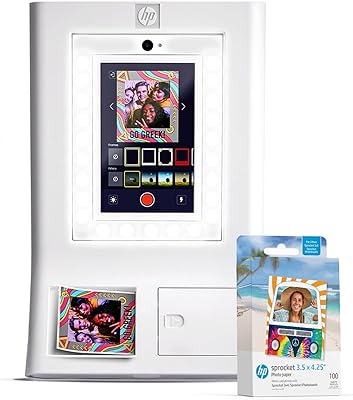
HP Sprocket Photo Booth Instant Photo Printer
71%
91%
Ease of Setup
68%
Print Quality
83%
Portability & Design
52%
Paper Tray & Reload Experience
57%
Print Speed
More
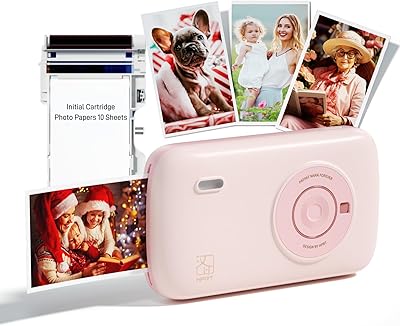
HPRT CP2100 Portable Mini Photo Printer
73%
84%
Print Quality
79%
Color Accuracy
88%
Print Durability
91%
Portability
67%
App Experience
More

FAQ

No, unfortunately not. The SELPHY CP510 is a USB-only device with no Wi-Fi or functional wireless connection, so smartphones cannot communicate with it under any normal workflow. To print from a phone, you would need to transfer your photos to a PC first and print from there via USB.

This dye-sub printer requires Canon-specific SELPHY ink and paper kits — you cannot use generic photo paper or standard inkjet cartridges. Finding compatible supplies has become genuinely difficult since this is a 2005 model, and availability varies significantly. Before buying the printer, it is worth confirming you can source the right kits, because running out of compatible media can effectively put the printer out of commission.

Very careful, honestly. Canon itself flags this in the product documentation — overfilling the paper tray puts stress on the internal gears, and multiple buyers have reported mechanical failures traced back to loading even a few sheets too many. Load only what you need for the current session and resist the temptation to top it up.

For casual 4x6 snapshots, the dye-sublimation output is genuinely solid — smooth color gradients, decent skin tones, and no inkjet dot patterns. Buyers who used it carefully often described results as comparable to drugstore photo prints, which is a reasonable benchmark for this type of printer. It is not a professional-grade device, but for everyday family photos and scrapbooking, the quality holds up.

The print quality gets praise, but long-term reliability is where things fall apart. Paper feed failures, gear wear, and mechanical breakdowns after moderate use are the most common complaints, and they appear consistently enough across reviews to be taken seriously. The 2.7-star average reflects real frustrations from buyers who encountered mechanical issues, often after relatively light use.

It depends on the camera. The Canon SELPHY CP510 Compact Photo Printer connects to cameras via USB Type-A using the PictBridge standard, which was common in mid-2000s digital cameras. Some modern DSLRs still support PictBridge over USB, but many newer mirrorless cameras have moved away from this standard or changed their USB implementation. Check your specific camera model's PictBridge compatibility before assuming it will work.

For printing one or two photos at a time, the roughly 58-second-per-print pace is manageable — you start a print, do something else, and come back to it. If you need to print 15 or 20 photos in a sitting, you are looking at well over 15 minutes of waiting, which most people find frustrating. It is genuinely fine for occasional small batches, but poor for anything resembling bulk printing.

The printer is listed as not discontinued by the manufacturer, but it is a 2005 product and realistically operates as a legacy device. Formal service through Canon is unlikely to be a practical option for most buyers, and third-party repair shops that specialize in this type of compact photo printer are rare. If something goes wrong mechanically, replacement is often more realistic than repair.

Yes, the printer supports mini label sheets in addition to standard 4x6 photo paper, and it can print eight mini labels in about 31 seconds — actually faster than a single full photo. This makes it a reasonable option for crafters or anyone who needs small adhesive label-style prints, as long as you are using the correct Canon-compatible label media.

This is the key question, and the honest answer leans toward a newer model for most buyers. Current SELPHY printers offer wireless printing from phones, better consumables availability, and — based on more recent reviews — improved reliability. The CP510 only makes sense used if the price is substantially lower and you have confirmed access to compatible ink and paper kits. If those two conditions are not both met, a newer model is almost certainly the smarter long-term buy.

Where to Buy