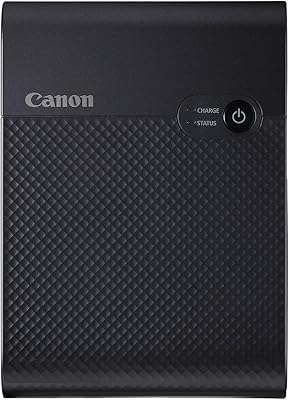
Canon PIXMA TR4527 All-in-One Inkjet Printer
Overview
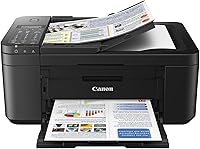
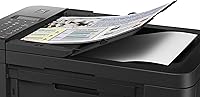
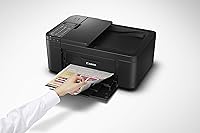
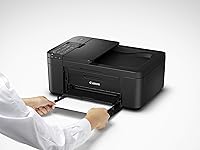
The Canon PIXMA TR4527 All-in-One Inkjet Printer is one of those quietly reliable machines that has stuck around since 2018 for good reason — it does what most home office users actually need without overcomplicating things. This Canon all-in-one sits in the mid-range tier, offering print, scan, copy, and fax in a compact, desk-friendly body that won't crowd a small workspace. It's not trying to compete with high-volume office workhorses or dedicated photo printers. What it delivers is solid, everyday versatility for households and small businesses that want one device to handle it all without a steep learning curve.
Features & Benefits
The TR4527 covers the core bases well. Wireless connectivity via 802.11b/g/n means you can print from laptops, phones, or even ask Alexa to handle it hands-free — a genuinely useful touch for a busy setup. Automatic duplex printing is a standout at this level; two-sided documents print without manual flipping, saving paper and time. Color resolution hits 4800 x 1200 dpi, producing sharp text and respectable everyday photo output. The flatbed scanner performs reliably at 600 x 1200 dpi, and the built-in fax, while increasingly old-school, is a real differentiator for anyone still navigating paper-based workflows.
Best For
This inkjet printer is a natural fit for home office workers who want to ditch the clutter of separate devices. Students will appreciate the scanner for digitizing notes and forms, while small business owners who still send the occasional fax won't need a dedicated machine. The single-tray design limits flexibility for mixed media, but for standard letter-size printing it handles daily volume without complaint. If you print moderately — think weekly, not daily-by-the-ream — the TR4527 covers the full range of tasks without demanding too much in return. Alexa integration is a minor convenience that genuinely saves steps when your hands are full.
User Feedback
Owners of this Canon all-in-one consistently praise how quickly it gets up and running — wireless setup is described as painless, and print quality for everyday documents draws few complaints. Where feedback sharpens is around ink cartridge costs, a familiar frustration with inkjet printers at this tier. Color print speed at 4.4 ppm is slower than some competitors, and a handful of users wish the paper tray held more than 100 sheets. That said, fax setup earns unexpectedly positive marks, and durability feedback over multi-year use is largely solid. Not perfect, but most buyers feel it earns its keep.
Pros
- Prints, scans, copies, and faxes from one compact device — no juggling multiple machines.
- Wireless setup via the Canon PRINT app takes minutes, even for non-technical users.
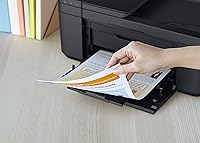
- Automatic duplex printing handles two-sided documents without any manual intervention.
- Alexa voice control lets you kick off print jobs completely hands-free.
- Compact body fits comfortably on small desks and tight home office setups.
- Built-in fax is a genuine rarity at this price point and useful for small businesses.
- Scan quality at 600 x 1200 dpi handles everyday documents, forms, and receipts cleanly.
- Reliable day-to-day performance with minimal warm-up delays coming out of sleep mode.
- Compatible with laptops, PCs, and smartphones across major platforms.
- Automatic duplexing noticeably reduces paper consumption for regular document printing.
Cons
- Standard ink cartridges deplete faster than most users expect, driving up ongoing costs.
- Color print speed at 4.4 ppm feels slow when printing multi-page color documents regularly.
- A single 100-sheet paper tray means frequent refills for anyone with moderate daily volume.
- Switching between paper types — plain stock and photo paper — requires manual tray swapping every time.
- Desktop drivers feel outdated and have caused compatibility issues after macOS system updates.
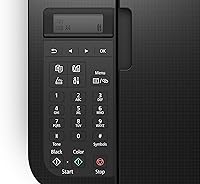
- The small, non-backlit LCD display is difficult to read in low-light environments.
- Standby mode reportedly consumes ink during automatic head-cleaning cycles, wasting cartridge life.
- Wi-Fi connectivity can drop intermittently, requiring reconnection on some router configurations.
- The control panel button layout is cramped, leading to occasional mis-presses during navigation.
- Long-term ink costs can erode the value proposition significantly for moderate-to-heavy users.
Ratings
The Canon PIXMA TR4527 All-in-One Inkjet Printer has been evaluated using AI-driven analysis of thousands of verified global user reviews, with spam, incentivized, and bot-generated feedback actively filtered out to ensure accuracy. Scores reflect the honest reality of owning and using this inkjet printer day-to-day — including both where it earns genuine praise and where real buyers run into frustration. Nothing has been softened or inflated.
Print Quality
Ink Efficiency & Cost
Wireless Setup & Connectivity
Automatic Duplex Printing
Scan Quality
Fax Functionality
Print Speed
Paper Handling
Build Quality & Durability
Compact Footprint
Software & App Experience
Voice Control Integration
Value for Money
Ease of Use
Suitable for:
The Canon PIXMA TR4527 All-in-One Inkjet Printer is a practical fit for home office workers, students, and small business owners who need a single device to handle printing, scanning, copying, and the occasional fax without dedicating significant desk space or budget to multiple machines. If your print volume is moderate — a few dozen pages a week rather than hundreds — the ink costs stay manageable and the hardware delivers consistent, reliable results. Freelancers working from home will appreciate the wireless flexibility and Alexa voice control, both of which reduce friction during busy workdays. Small businesses that still depend on faxing for contracts, medical forms, or legal documents will find having it built in genuinely useful rather than a novelty. Students in particular get strong value here, using the flatbed scanner for digitizing class materials and the duplex printing to cut paper use on longer assignments. Anyone living in a compact apartment or working from a small desk setup will find the footprint refreshingly unobtrusive.
Not suitable for:
The Canon PIXMA TR4527 All-in-One Inkjet Printer is not the right call for high-volume print environments where speed and per-page cost are critical factors. At 4.4 pages per minute for color output, anyone regularly printing large batches of color documents will find the process genuinely time-consuming and the ink costs punishing over months of heavy use. Professional photographers or designers who need accurate color reproduction and archival-quality photo prints should look at dedicated photo printers — this machine produces acceptable everyday color output, but it cannot compete with specialized hardware on image fidelity. Offices that need to handle multiple paper sizes simultaneously, or that rely on large-capacity trays to minimize refill interruptions, will quickly find the single 100-sheet tray limiting. Buyers who prioritize a modern, intuitive software experience may also be disappointed — the desktop drivers and bundled software feel dated compared to newer competing platforms. If total cost of ownership over two or more years is a primary concern, the ongoing cartridge expenses deserve serious consideration before committing.
Specifications
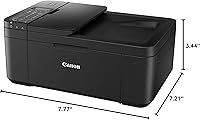
- Dimensions: The printer measures 3.44″ deep, 7.77″ wide, and 7.21″ tall, making it one of the more compact all-in-one options in its class.
- Weight: At 16.37 pounds, it is light enough to reposition on a desk but substantial enough to stay stable during print and scan operations.
- Print Functions: Supports four core functions: printing, scanning, copying, and faxing, all managed from a single compact unit.
- Connectivity: Connects via USB and 802.11b/g/n Wi-Fi, with additional support for Amazon Alexa and Vera voice control platforms.
- Print Resolution: Delivers a maximum color and black-and-white print resolution of 4800 x 1200 dpi for sharp, detailed document output.
- Scan Resolution: The flatbed scanner operates at a maximum resolution of 600 x 1200 dpi, suitable for documents, forms, and standard photos.
- Black Print Speed: Prints black-and-white documents at up to 8.8 pages per minute under standard conditions.
- Color Print Speed: Prints color documents at up to 4.4 pages per minute, which is on the slower side for this printer category.
- Duplex Printing: Supports automatic two-sided (duplex) printing for letter-size plain paper without requiring manual page flipping.
- Paper Capacity: The single input tray holds a maximum of 100 sheets of standard plain paper at one time.
- Supported Media: Primarily designed for letter-size paper (8.5 x 11 inches), with maximum media support up to 11 x 17 inches.
- Ink Type: Uses Canon inkjet cartridges available in standard and XL capacities; ink colors include black and tri-color.
- Copy Speed: Produces black-and-white copies at a maximum rate of 4.4 images per minute.
- Copy Resolution: Maximum copy resolution is 600 x 1200 dpi for both color and black-and-white copying.
- Memory: Equipped with 64 MB of onboard memory to manage print queue and processing tasks.
- Power Consumption: Rated at 14 watts during operation, making it an energy-efficient choice for light daily use.
- Compatible Devices: Works with laptops, desktop PCs, and smartphones running compatible iOS and Android operating systems.
- Warranty: Covered by Canon's limited warranty; buyers should confirm current warranty terms directly with Canon at time of purchase.
- Scanner Type: Features a flatbed photo scanner capable of handling documents, portable media, and standard-size photographs.
- Release Date: First made available in August 2018 and remains an active, non-discontinued model in Canon's PIXMA lineup.
Related Reviews
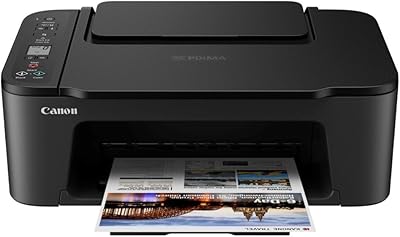
Canon PIXMA TS3720 Wireless All-in-One Printer
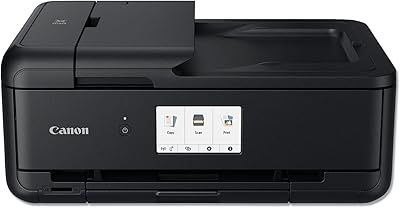
Canon PIXMA TS9520 Wireless All-in-One Printer
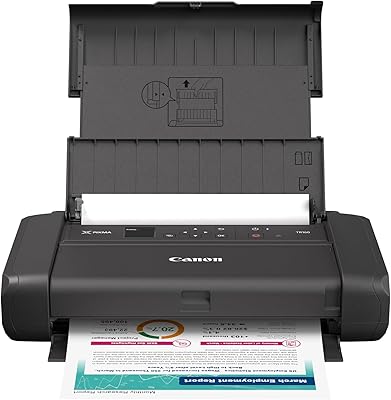
Canon PIXMA TR160 Portable Inkjet Printer
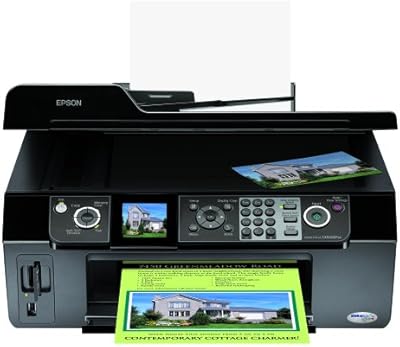
Epson Stylus CX9400Fax All-in-One Printer
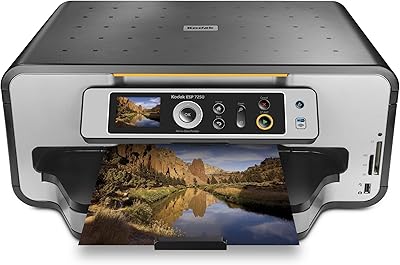
Kodak ESP 7250 All-in-One Inkjet Printer

Canon IVY 2 Mini Photo Printer
Canon SELPHY CP510 Compact Photo Printer
Canon SELPHY CP1500 Compact Photo Printer
Canon MAXIFY MB2120 All-in-One Inkjet Printer