Overview

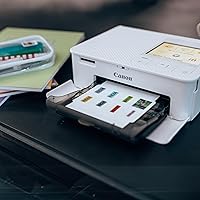
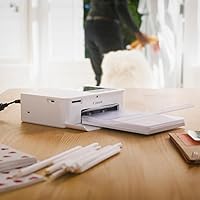
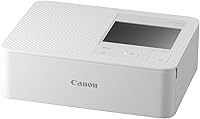
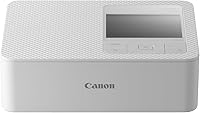
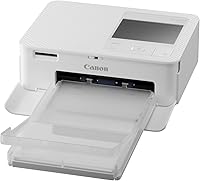
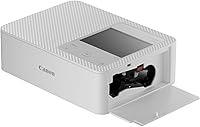
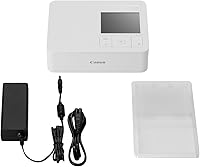
The Canon SELPHY CP1500 Compact Photo Printer is a portable dye-sublimation printer built for anyone who wants real, physical photos without lugging around heavy equipment. It measures just 5.2″ deep by 7.2″ wide and barely over 2 inches tall, so it tucks into a bag without complaint. This compact photo printer sits comfortably in the mid-range segment — not a toy, but not a professional workhorse either. Prints are rated to last up to 100 years when stored properly, which is a genuine draw for memory-keepers. Worth noting upfront: the optional battery that enables truly untethered printing is sold separately.
Features & Benefits

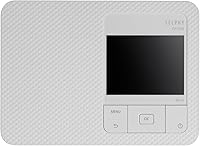
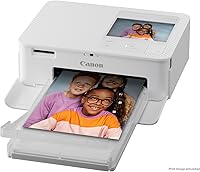
What makes the SELPHY CP1500 genuinely useful is how much flexibility it packs into a small shell. The dye-sublimation process lays color down in layers, producing prints that come out dry and water-resistant the moment they leave the machine — no waiting, no smudging. Connectivity covers Wi-Fi, USB, and memory card slots, so you can print from a smartphone, a DSLR, a laptop, or a flash drive. The built-in 3.5-inch LCD lets you preview shots, crop, and apply basic filters right on the device. Print sizes range from full 4x6 postcards down to passport-style squares. At 300x300 dpi, results are sharp enough for postcard use, though not for fine-art enlargements.

Best For

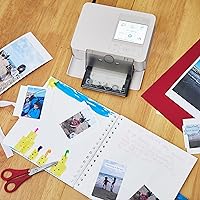
This portable printer hits its stride with a specific kind of user. Travelers who want to hand out photo souvenirs, parents capturing school events and holidays, and crafters building scrapbooks will all get real mileage here. It is also a natural choice for anyone who regularly sends handmade photo postcards or greeting cards — the multiple size formats make that surprisingly easy. Smartphone users will appreciate printing directly from their camera roll via the SELPHY app. If you need to print larger than 4x6 or want professional-grade sharpness for framed art, this compact photo printer is the wrong tool — but for everyday personal prints, it delivers exactly what it promises.

User Feedback

With over 2,000 ratings averaging 4.5 stars, the SELPHY CP1500 clearly connects with buyers. People consistently praise the color accuracy and the ease of printing straight from a phone — the wireless setup gets particular mentions for being straightforward rather than fiddly. Where buyers push back is on running costs: the proprietary ink-and-paper cartridge packs add up, and it is worth factoring that into your budget upfront. Print speed is slow at roughly one page per minute, so patience helps. A handful of buyers were also surprised to find the battery sold separately — it is not included in the box. For occasional personal printing, though, the satisfaction rate is hard to argue with.

Pros

  • Dye-sublimation prints come out instantly dry and water-resistant — no smearing, no waiting.
  • The compact body fits easily into a travel bag, making it one of the more genuinely portable options in its class.
  • Wi-Fi, USB, and memory card connectivity means you can print from almost any device you already own.
  • Prints carry a longevity claim of up to 100 years when stored properly, which matters for milestone memories.
  • The SELPHY app makes wireless printing from a smartphone straightforward, even for less tech-savvy users.
  • Multiple print size formats, including passport-style squares, add real flexibility for crafters and card-makers.
  • The built-in 3.5-inch display lets you preview and crop photos without needing a phone or laptop nearby.
  • Color accuracy earns consistent praise from real buyers, with vibrant output that holds up well at postcard size.
  • The 4.5-star average across more than 2,000 verified ratings reflects broad, sustained satisfaction from everyday users.

Cons

  • Proprietary ink-and-paper cartridge packs are the only option — no third-party alternatives exist to reduce running costs.
  • The optional battery for wire-free printing is sold separately, a detail that catches many buyers off guard post-purchase.
  • Print speed of roughly one page per minute makes batch printing sessions slow and genuinely tedious.
  • The SELPHY app has a noticeably lower rating than the hardware itself, with reported crashes and connectivity bugs on newer devices.
  • Maximum output is capped at 4x6 inches with no workaround, ruling out larger prints for framing or display.
  • The exterior plastic scuffs easily and attracts fingerprints, which becomes visible quickly with regular handling.
  • Cartridge packs are rarely stocked in physical retail stores, making last-minute replenishment difficult without advance planning.
  • Wi-Fi pairing can be unreliable when switching networks or reconnecting after a period of inactivity.
  • The 300x300 dpi resolution is sufficient for postcards but produces noticeably soft results when viewed up close.
  • No Bluetooth support is a minor but recurring complaint from buyers who expect it as a standard feature on modern wireless devices.

Ratings

The Canon SELPHY CP1500 Compact Photo Printer has been scored by our AI system after analyzing thousands of verified global buyer reviews, with spam, bot activity, and incentivized feedback actively filtered out. Scores reflect honest consensus — where this portable printer genuinely shines and where real users have run into friction. Both the strengths and the sticking points are represented without sugarcoating.
Print Quality
88%
For postcard-sized prints, the dye-sublimation output consistently impresses casual users. Colors come out vivid and well-balanced, and the laminated finish gives prints a polished, store-bought feel that buyers say holds up surprisingly well over time.
At 300x300 dpi, the resolution is appropriate for 4x6 keepsakes but falls short for anyone expecting fine detail in portraits or landscape shots. A few users printing at smaller sizes noticed slight color banding under close inspection.
Portability & Size
91%
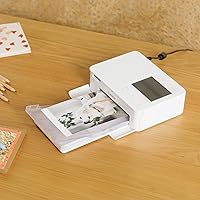
The compact footprint — roughly the size of a hardcover novel — makes this portable printer genuinely easy to pack for vacations, family gatherings, and craft fairs. At 3.48 pounds, it sits in a bag without weighing the trip down.
While the body is small, users often note that carrying spare ink-and-paper cartridge packs adds noticeable bulk and requires planning ahead. The power adapter also adds to the carry load when the optional battery is not in tow.
Ease of Setup & Use
86%
Most buyers report being up and printing within minutes of unboxing. The SELPHY app connection process is described as intuitive even for less tech-savvy users, and the on-device LCD makes it possible to print without a phone or computer at all.
A small but vocal group of users encountered Wi-Fi pairing hiccups, particularly when switching between networks or reconnecting after some time away. First-time setup on older Android devices drew occasional complaints about app stability.
Smartphone Connectivity
84%
Printing directly from a camera roll via the SELPHY app is the use case this printer was clearly built around, and for most users it works exactly as advertised. iOS and Android users alike praise the wireless experience for casual, on-the-spot printing.
The app itself has received mixed reviews on both platforms, with some users reporting that it occasionally requires a restart to maintain a stable connection. Functionality is solid for basic printing but lacks the depth power users might expect.
Value for Money
71%
29%
The upfront price is reasonable for a mid-range dye-sublimation printer with this feature set. Buyers who print occasionally — a few dozen photos a month — tend to feel the purchase is justified given the output quality and convenience.
The recurring cost of proprietary ink-and-paper combo cartridges is the single most common complaint across reviews. Each pack covers a limited number of prints, and the per-photo cost adds up quickly for frequent users, making long-term ownership more expensive than it first appears.
Print Speed
62%
38%
For a single print or two, the roughly one-minute-per-page speed is entirely acceptable, especially given that prints emerge completely dry and ready to handle. Users printing holiday cards one at a time rarely mention speed as a concern.
Anyone printing more than a handful of photos in one sitting will find the pace genuinely slow. Several buyers mention abandoning batch printing sessions out of frustration, and the printer offers no meaningful way to queue or speed up output.
Build Quality & Durability
78%
22%
The plastic housing feels more solid than the price bracket might suggest, and the cassette slot mechanism draws consistent praise for feeling well-engineered. Most long-term owners report no mechanical failures after regular use over many months.
The exterior plastic scuffs and picks up fingerprints easily, which bothers users who store it on a desk or carry it frequently. A handful of owners reported paper feed issues after extended use, though this appears to be a minority experience.
Connectivity Options
83%
Having Wi-Fi, USB, and memory card slots in one compact body is genuinely useful. Users who travel with a camera can pull photos directly from an SD card, while others appreciate being able to connect a flash drive without needing a phone or laptop nearby.
There is no Bluetooth support, which surprises some buyers who expect it as standard on a modern wireless device. USB connectivity is limited to USB 2.0, which is functionally fine but feels dated compared to competing products at a similar price.
Display & On-Device Editing
74%
26%
The 3.5-inch LCD is a genuine quality-of-life addition that lets users browse, crop, and apply basic filters without touching a phone. For quick edits like converting a photo to black and white before printing, it handles the job well.
The display resolution and touch response are noticeably behind what users are used to on smartphones, making precise cropping a bit fiddly. Filter options are limited to a small set, so anyone wanting meaningful editing should stick to a dedicated app.
Print Longevity
82%
18%
The up-to-100-year longevity claim resonates with buyers who are printing meaningful memories — family milestones, travel keepsakes, or handmade gifts. The laminated dye-sub finish does provide tangible resistance to fading, moisture, and everyday handling.
The longevity claim applies to prints stored under ideal archival conditions, a detail that gets lost in the marketing. Prints left in direct sunlight or humid environments show degradation far faster, and a few users discovered this the hard way.
Paper & Ink Availability
67%
33%
Canon-branded cartridge packs are widely available through major online retailers, and buyers in most regions report no difficulty sourcing replacements. The combined ink-and-paper format does simplify the reorder process compared to managing separate consumables.
The proprietary cartridge format means there are no third-party alternatives to bring costs down. Stock shortages, though infrequent, have caught some users off guard mid-project, and the packs are not sold at most brick-and-mortar electronics stores.
Battery & Power Options
59%
41%
When paired with the optional battery pack, this compact photo printer becomes a genuinely untethered device — a real advantage at outdoor events, weddings, or markets where power outlets are not available.
The battery pack is a separate purchase that a notable number of buyers only discover is missing after unboxing. Without it, the printer requires a wall outlet, which significantly limits the portability that is central to its appeal. The battery cost adds meaningfully to the total outlay.
App Experience
69%
31%
The SELPHY app covers the core use case well: selecting photos, making minor adjustments, and sending a print job wirelessly. For users who just want to print quickly from their phone, it gets the job done without a steep learning curve.
App store ratings for the SELPHY app are noticeably lower than the hardware ratings, reflecting buggy update cycles and occasional crashes. Users on newer iOS and Android versions have reported compatibility issues that required waiting for app patches to resolve.
Print Size Versatility
76%
24%
Support for multiple formats — from standard 4x6 postcards down to passport-style squares — gives this portable printer more flexibility than most competitors in its size class. Crafters in particular appreciate the variety without needing a separate device.
The maximum output is capped at 4x6 inches, which is a hard limit. Users who occasionally want a larger print for framing or display will need a separate printer entirely, as there is no workaround for the physical size constraint.

Suitable for:

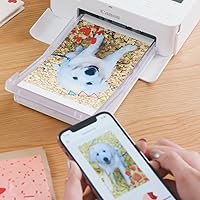
The Canon SELPHY CP1500 Compact Photo Printer is a strong match for anyone whose photo printing needs revolve around convenience, portability, and postcard-sized output rather than volume or professional quality. Travelers who want to hand out physical prints at the end of a trip, parents who love turning holiday snapshots into keepsakes, and crafters who regularly need small-format prints for scrapbooks or handmade cards will all find it fits naturally into their routine. It is especially well-suited to smartphone-first users — if your camera roll is your photo library and you want a simple way to turn those shots into tangible prints without sitting down at a computer, this portable printer handles that workflow with minimal friction. The multiple size options, from standard 4x6 postcards down to passport-style squares, add genuine versatility for anyone who makes personalized gifts or mails physical photo cards throughout the year. For occasional home use where print runs are small and the priority is ease over speed, the SELPHY CP1500 delivers a satisfying experience that justifies the investment.
Not suitable for:

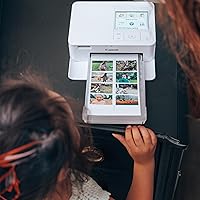
The Canon SELPHY CP1500 Compact Photo Printer is not the right choice for buyers who need to print in volume, require prints larger than 4x6 inches, or expect professional-grade sharpness for framed or exhibition work. At roughly one page per minute and with a maximum resolution of 300x300 dpi, this compact photo printer simply is not engineered for high-throughput sessions or detail-critical output — expecting either will lead to frustration. Budget-conscious buyers should also think carefully before purchasing: the proprietary ink-and-paper cartridge packs are a recurring cost with no third-party alternatives, and the per-print expense adds up quickly if you print frequently. Anyone hoping for a truly untethered experience should know upfront that the battery enabling wireless, outlet-free printing is a separate purchase not included in the box. Users who do most of their editing on a desktop and prefer printing from a full-featured driver interface may also find the app-centric workflow limiting compared to a conventional inkjet setup.
Specifications

  • Print Technology: Uses dye-sublimation (dye-sub) printing, which layers CMYK dyes onto paper and seals them with a protective laminate coating in a single pass.
  • Max Print Size: The largest supported output is 4x6 inches (postcard size); no larger format is available on this device.
  • Print Resolution: Color and monochrome resolution is 300x300 dpi, appropriate for postcard-quality output at supported print sizes.
  • Print Speed: Produces approximately one color print per minute, or roughly 1.5 pages per minute for black-and-white output.
  • Supported Sizes: Prints in four formats: 4x6 inches, 3.5x4.7 inches, 2.1x3.4 inches, and 2.1x2.1 inches (passport-style square).
  • Display: Features a built-in 3.5-inch LCD screen for previewing, cropping, and applying filter effects directly on the device.
  • Connectivity: Supports Wi-Fi, USB 2.0, and memory card input, allowing connection to smartphones, cameras, computers, and USB flash drives.
  • Compatible Devices: Works with Android and iOS smartphones via the SELPHY app, as well as cameras, PCs, memory cards, and USB flash drives.
  • Ink Type: Uses proprietary Canon CMYK dye-sublimation cassettes sold as combined ink-and-paper packs specific to this printer family.
  • Dimensions: The unit measures 5.2″ deep by 7.2″ wide by 2.3″ tall, giving it a compact footprint comparable to a small hardcover book.
  • Weight: The printer weighs 3.48 pounds (approximately 1.58 kg) without paper or accessories installed.
  • Internal Memory: Equipped with 64 MB of onboard memory for storing image data during print processing.
  • Input Capacity: Accepts one sheet at a time via the paper cassette; batch printing is supported but fed sequentially.
  • Duplex Printing: Simplex (single-sided) printing only; two-sided output is not supported on this device.
  • Control Method: Can be operated via the built-in LCD and physical buttons, or wirelessly through the Canon SELPHY app on Android or iOS.
  • Photo Longevity: Canon rates finished prints to last up to 100 years when stored under proper archival conditions away from direct light and moisture.
  • Power Source: Ships with a compact power adapter and AC cable; an optional rechargeable battery pack enables cord-free printing and is sold separately.
  • Included Contents: Box includes the printer, a postcard-size paper cassette, a trial standard paper pack, a trial ink cassette, a compact power adapter, and an AC cable.
  • Warranty: Covered by Canon USA's limited warranty; specific terms and duration are outlined in the documentation included in the box.
  • Model Number: The official Canon item model number is 5540C002, and the ASIN for this listing is B0BF65S5J5.

Related Reviews
Canon SELPHY CP510 Compact Photo Printer
54%
74%
Print Quality
38%
Build Quality & Durability
34%
Reliability Over Time
71%
Ease of Use
47%
Print Speed
More
Canon SELPHY Square QX10 Portable Photo Printer
83%
91%
Print Quality
89%
Ease of Use
93%
Portability
78%
Print Speed
84%
Battery Life
More
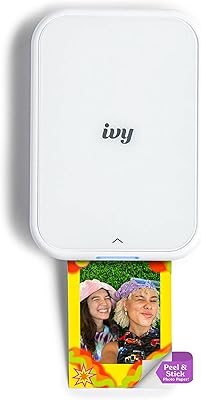
Canon IVY 2 Mini Photo Printer
76%
93%
Portability & Form Factor
67%
Print Quality
91%
Ease of Setup & Use
74%
App Experience
82%
ZINK Ink-Free Technology
More
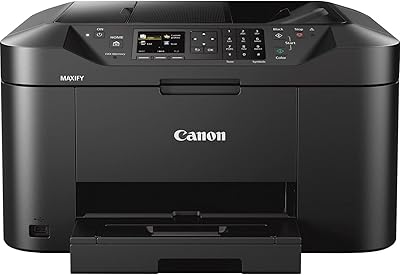
Canon MAXIFY MB2120 All-in-One Inkjet Printer
72%
88%
Text Print Quality
83%
Wireless Setup & Connectivity
54%
Print Speed
51%
Ink Cost & Efficiency
79%
Scan Quality
More
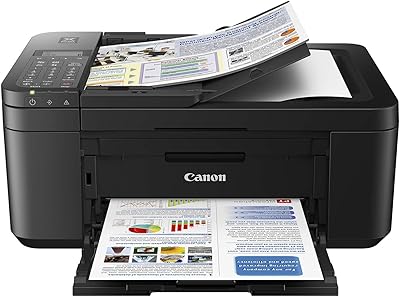
Canon PIXMA TR4527 All-in-One Inkjet Printer
71%
82%
Print Quality
44%
Ink Efficiency & Cost
86%
Wireless Setup & Connectivity
79%
Automatic Duplex Printing
74%
Scan Quality
More
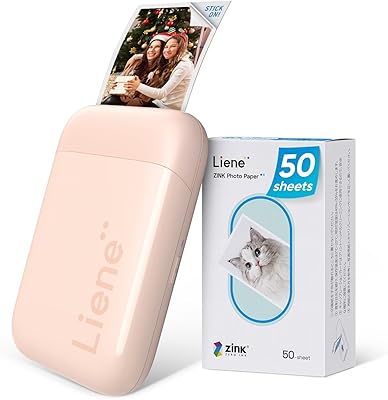
Liene ZPP110 2x3 Portable Instant Photo Printer
77%
74%
Print Quality
93%
Portability & Size
88%
Ease of Setup & Use
79%
Adhesive Paper Quality
71%
Battery Life
More
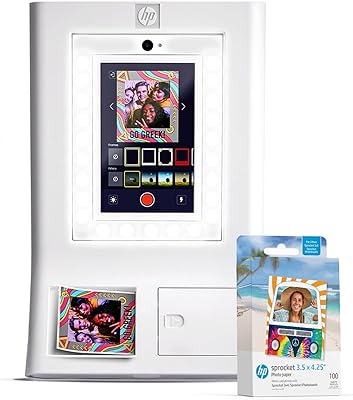
HP Sprocket Photo Booth Instant Photo Printer
71%
91%
Ease of Setup
68%
Print Quality
83%
Portability & Design
52%
Paper Tray & Reload Experience
57%
Print Speed
More
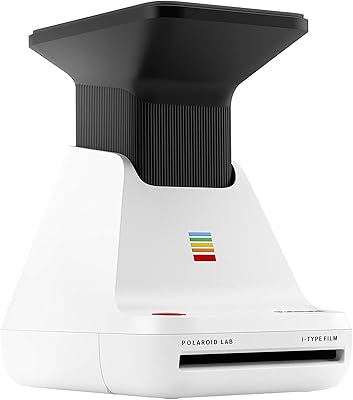
Polaroid Lab Instant Photo Printer
72%
73%
Print Quality & Character
88%
Ease of Setup & Use
66%
App Experience
41%
Film Cost & Ongoing Value
53%
Device Compatibility
More
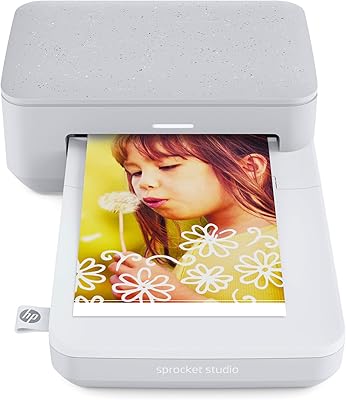
HP Sprocket Studio Photo Printer
83%
91%
Print Quality
89%
Ease of Use
58%
Bluetooth Connectivity
85%
Portability
87%
App Integration (HP Sprocket)
More
HPRT CP2100 Portable Mini Photo Printer
73%
84%
Print Quality
79%
Color Accuracy
88%
Print Durability
91%
Portability
67%
App Experience
More

FAQ

You can print entirely from your phone using the free Canon SELPHY app, available for both Android and iOS. Just connect via Wi-Fi, select your photo, and send it to print — no computer required. The built-in LCD screen also lets you print directly from a memory card or USB drive without any other device at all.

The battery pack is sold separately and is not included with the Canon SELPHY CP1500 Compact Photo Printer. This surprises a fair number of buyers, so it is worth adding it to your order at the same time if you plan to print away from a power outlet. Without it, you will need the included AC adapter and a nearby socket.

The consumables are Canon-branded ink-and-paper combo packs, and there are no third-party alternatives available for this printer. A standard pack covers a set number of 4x6 prints, and the per-photo cost is higher than inkjet printing at scale. If you print occasionally, the cost is manageable — but if you plan to print dozens of photos regularly, it is worth factoring the ongoing cartridge cost into your budget before buying.

Yes — the SELPHY CP1500 supports a 2.1x2.1-inch square format and a 2.1x3.4-inch format that are commonly used for passport and ID photos. The SELPHY app also includes layout options that help you arrange multiple small images on a single sheet. Keep in mind that official acceptance of printed passport photos can vary by country and issuing authority, so confirm local requirements before relying on this for official documents.

Dye-sublimation prints are significantly more water-resistant than standard inkjet output. The laminate coating applied during printing creates a protective layer that resists moisture and light surface splashes. They are not fully submersible, but everyday handling, humidity, and minor spills are unlikely to cause damage.

Expect roughly one minute per 4x6 print from the time you send the job to when the photo comes out. This is normal for dye-sublimation technology and not a fault of this specific model. If you are printing a small batch of five or ten photos in one sitting, plan for a few minutes of wait time between each one.

The SELPHY app is available for both iOS and Android, so iPhone users can print wirelessly without any issues. Most iOS users report a smooth connection experience, though a small number have noted occasional app-related hiccups after major iOS updates. Keeping the app updated generally resolves these.

For postcard-sized prints, the output is genuinely impressive for a home device. Colors are vibrant and the laminated finish gives a polished look that feels closer to a lab print than typical inkjet output. That said, the 300x300 dpi resolution means very fine details — like facial pores in a portrait or intricate textures — will appear softer than what a professional lab at higher resolution would produce. For sharing memories, gifts, and keepsakes, most people are very happy with the results.

Most users find the setup straightforward — open the SELPHY app, follow the on-screen pairing steps, and you are usually printing within a few minutes. The process is designed with casual users in mind. Where some people run into trouble is when switching between home and work networks, or after a router reset, which can occasionally require re-pairing the printer.

Yes, this portable printer accepts SD and compatible memory cards directly, and the built-in 3.5-inch LCD lets you browse, select, and print images without needing a phone or computer involved at all. It is a handy feature for photographers who shoot on a dedicated camera and want to skip the transfer step entirely.

Where to Buy