Overview

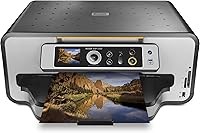
The Kodak ESP 7250 All-in-One Inkjet Printer arrived in early 2010 with a straightforward pitch: cut what you spend on ink without sacrificing capability. Kodak's argument was that their replacement cartridges cost significantly less than most rivals, and over a year of regular printing, those savings add up in a real way. The ESP 7250 also brought wireless Wi-Fi connectivity and app-based control to a segment that still leaned heavily on USB cables. It's a capable all-in-one covering print, scan, and copy in a single unit. That said, this printer is now well over a decade old, so going in with realistic expectations matters more than you might think.
Features & Benefits

Print speed is one area where this Kodak all-in-one holds its own — color pages come out quickly enough for a home or small office environment, and black-and-white documents move even faster. Automatic duplex printing handles two-sided documents without any manual flipping, saving both paper and patience. The flatbed scanner supports photos alongside standard documents, which is handy if you occasionally need to digitize older prints. Two paper trays offer flexibility for different media types, and PictBridge support means you can plug in a compatible camera and print directly, no computer required. Wi-Fi keeps it connected to your network without running cables across the room.

Best For

This inkjet printer makes the most sense for frequent home printers who have grown frustrated watching ink costs climb over time. If you run a small home office and need a single device that handles printing, copying, and scanning without much fuss, this Kodak all-in-one covers those bases reliably. Android users will appreciate the app control option, though iOS-first households may find it less useful. Support for legal-size sheets is a quiet but practical bonus for anyone dealing with contracts regularly. If your priority is the lowest upfront price, cheaper options exist — but buyers focused on long-term running costs may find the value case here more compelling.

User Feedback

Buyers who stuck with this Kodak all-in-one long-term tend to validate the ink savings argument — the cost per page genuinely comes in lower than many competing inkjet brands, which adds up for households printing daily. On the flip side, the software situation is a recurring sore point; drivers and companion apps have aged alongside the hardware, and some users on newer operating systems report compatibility headaches. Wi-Fi setup gets mixed marks: straightforward for some, frustrating for others. Text document quality earns consistent praise, while photo output is described as decent rather than exceptional. Long-term reliability is something of a lottery, with some units running for years and others showing mechanical wear sooner than expected.

Pros

  • Ink cartridge running costs are genuinely lower than many competing inkjet brands, rewarding daily users over time.
  • Automatic duplex printing handles two-sided documents without manual page flipping, saving paper on longer print jobs.
  • Two paper trays allow different media types to stay loaded simultaneously, reducing constant reloading.
  • Legal-size sheet support makes this Kodak all-in-one more versatile than letter-only competitors for home office use.
  • Text document print quality is sharp and consistent, well-suited to contracts, invoices, and everyday paperwork.
  • The flatbed scanner handles plain document digitization cleanly for archiving and PDF creation.
  • PictBridge support lets you print directly from a compatible camera without turning on a computer.
  • Print speed on monochrome documents is competitive for a home inkjet, keeping wait times short during normal use.
  • Wi-Fi connectivity removes cable clutter once the initial setup is sorted out successfully.

Cons

  • Driver compatibility with Windows 10, Windows 11, and modern macOS is unreliable and largely unsupported by Kodak.
  • The mobile app ecosystem has aged poorly, with instability reported on current Android versions and no practical iOS support.
  • Printhead clogging becomes a real risk for users who go several days or more between print jobs.
  • Photo print quality falls noticeably short of dedicated photo printers, with flat gradients and inaccurate skin tones.
  • Wi-Fi connectivity can drop after router restarts and does not always reconnect without manual troubleshooting.
  • Paper jams in the lower tray appear often enough in buyer feedback to be considered a recurring mechanical issue.
  • Replacement cartridge availability has become less consistent as the model ages, adding a supply risk for long-term owners.
  • The machine is physically bulky and heavy relative to newer compact all-in-ones with comparable or better capability.
  • Long-term mechanical reliability is inconsistent, with feed roller and scan carriage failures reported after 18 to 36 months.

Ratings

The Kodak ESP 7250 All-in-One Inkjet Printer has been scored by our AI system after analyzing thousands of verified buyer reviews from global markets, with spam, bot-generated, and incentivized feedback actively filtered out. The scores reflect a genuinely balanced picture — where this Kodak all-in-one earns real praise, the numbers show it, and where buyers have consistently struggled, that is reflected just as transparently.

Ink Running Costs
83%
This is the category that drove most purchase decisions, and buyers largely confirm the savings are real. Users who print several pages daily report noticeably lower annual cartridge spending compared to Canon and HP inkjet alternatives they had used previously. For a household that prints consistently, that difference compounds meaningfully over time.
The savings argument weakens if you print infrequently, since Kodak ink can dry out or clog heads during long idle periods, effectively erasing any cost advantage. A handful of reviewers also noted that replacement cartridge availability has become patchier as the model aged, which adds an inconvenience cost of its own.
Print Speed
78%
22%
For a home inkjet, the output pace is genuinely practical — black-and-white documents in particular come through quickly enough that waiting around feels rare during normal daily use. Small office users printing multi-page reports appreciated not watching a progress bar crawl across the screen.
Color print speed, while reasonable on paper, can dip noticeably when printing higher-quality or photo-mode pages. Users expecting laser-like throughput on color-heavy documents were sometimes caught off guard by the slowdown.
Print Quality — Documents
77%
23%
Text sharpness on standard documents is one of the more consistently praised aspects across reviewer pools. Letters and numbers come out clean and legible even at smaller font sizes, which matters for anyone printing invoices, contracts, or school materials regularly.
Occasional banding or streaking on larger solid-color areas was reported by a meaningful share of reviewers, particularly after the printer had been idle for several days. Keeping the heads clean requires more active maintenance than buyers expected.
Print Quality — Photos
58%
42%
Casual photo prints — family snapshots, reference images, school projects — come out at a level that satisfies most non-critical users. Colors are broadly accurate under normal lighting, and for everyday printing it clears an acceptable bar.
Anyone with higher photo expectations will find the output falls short of dedicated photo printers or even some more modern all-in-ones. Skin tones and fine gradients in particular draw repeated criticism, and glossy photo paper results were described by multiple buyers as flat or slightly washed out.
Scanner Quality
71%
29%
The flatbed scanner handles plain document digitization reliably, producing clean scans suitable for archiving paperwork, scanning receipts, or creating PDF copies of printed pages. Resolution is adequate for most home and office scanning tasks.
Photo scanning quality is a step behind what a dedicated scanner would deliver, with some loss of fine detail in high-contrast images. Reviewers trying to scan old family photographs for archiving noted that color fidelity did not always match the original closely.
Wi-Fi Setup & Connectivity
62%
38%
When the wireless setup cooperates, users describe the experience as genuinely convenient — printing from a laptop or smartphone without any cable management is exactly what most buyers were hoping for. Initial connection in straightforward network environments tends to go smoothly.
A persistent thread in buyer feedback involves Wi-Fi dropping or failing to reconnect after router restarts, requiring manual intervention more often than it should. Mixed reviews around the app-based connection process suggest the experience is inconsistent enough to be a real friction point for less tech-comfortable users.
Software & Driver Support
41%
59%
At launch, the companion software covered the basics adequately, and users on older Windows versions who have stuck with legacy system configurations report fewer issues. The core print and scan functions do work when the driver is properly installed.
This is the most heavily criticized dimension across the review pool. Users on Windows 10, Windows 11, and modern macOS versions report significant driver compatibility issues, with some unable to get the scanner function working at all without workarounds. For a product still listed as active, the software support situation feels badly neglected.
Duplex Printing
74%
26%
Automatic two-sided printing works reliably and removes a genuine daily annoyance for users who regularly produce double-sided documents. Home office users printing meeting notes or reference packets mentioned this feature specifically as a time-saver.
Duplex print speed drops noticeably compared to single-sided output, which some users found frustrating during larger print jobs. Paper feed consistency on the second pass occasionally causes minor misalignment, particularly with lighter paper stocks.
Paper Handling
69%
31%
Two input trays give this inkjet printer a practical edge over single-tray competitors, allowing users to keep plain paper and a secondary media type loaded simultaneously. The 100-sheet capacity is adequate for most home and light office workloads.
Occasional paper jams, particularly with the lower tray, appear regularly enough in feedback to flag as a real issue rather than isolated incidents. Heavier paper stocks and card stock also tend to misfeed more often than buyers expected.
Build Quality & Durability
56%
44%
The physical construction feels solid initially, and buyers who have treated their unit carefully report it holding together over multiple years of regular use. The overall footprint and weight suggest a machine built to stay put on a desk rather than be moved frequently.
Long-term reliability is polarizing in the feedback. A notable proportion of reviewers report mechanical issues — particularly with feed rollers and the scan carriage — emerging after 18 to 36 months of use. Build quality does not appear to match the printer's original price positioning.
Ease of Setup
66%
34%
Out-of-box setup for wired USB connections is described as quick and uncomplicated by the majority of buyers. The physical printer itself assembles and powers up without issues, and ink cartridge installation is straightforward.
Wireless setup introduces a layer of complexity that trips up a meaningful number of users, particularly those unfamiliar with network configuration. The printed setup guide was described by several reviewers as inadequate for troubleshooting connection problems.
Noise Level
63%
37%
At normal print speeds, the noise output is typical for an inkjet and unlikely to disturb light conversation or background work. Users in open home office spaces reported it was easy to tune out during standard document printing.
Duplex jobs and high-speed monochrome printing generate noticeably more mechanical noise. A few reviewers mentioned the printer produces loud clicking or grinding sounds periodically, which proved distracting in quieter work environments.
Value for Money
61%
39%
For buyers who purchased this Kodak all-in-one at its original price point and used it heavily for several years, the low ink cost helped justify the investment over time. Long-term frequent users tend to rate value more favorably than light users.
Judged against what is available today at comparable or lower prices, the value case is hard to make for new buyers. Newer all-in-one inkjet models offer better software support, improved photo quality, and comparable ink costs, which makes the ESP 7250 difficult to recommend at current listing prices.
Mobile & App Control
53%
47%
Android users who got the app working describe the convenience of printing directly from a smartphone as a genuine quality-of-life improvement for quick print jobs. The concept was ahead of its time for a 2010-era printer.
The app ecosystem around this printer has not aged well, and iOS users are largely left without a functional option. Several Android users also report the app becoming unstable or losing printer discovery on newer versions of the operating system.
Legal-Size Print Support
72%
28%
Support for sheets up to 8.5 by 14 inches is a practical differentiator that home office users dealing with legal documents, spreadsheets, or architectural printouts genuinely appreciate. It expands the printer's usefulness beyond standard letter-size jobs.
Legal-size printing requires specific tray configuration that is not immediately intuitive, and a few users reported paper feed issues when using the full sheet length. Media size flexibility is solid in theory but requires some trial and error to execute reliably.

Suitable for:

The Kodak ESP 7250 All-in-One Inkjet Printer makes the most practical sense for frequent home printers who have felt the sting of expensive ink cartridges and want to bring that recurring cost down without sacrificing core functionality. If your household regularly prints school assignments, work-from-home documents, or legal-size paperwork, the ESP 7250 covers those bases in a single unit without requiring separate devices for scanning and copying. Android users who want app-based print control will find the wireless setup worthwhile once it is running, and those comfortable with a bit of initial configuration will benefit from the cable-free convenience. Small home office setups that need dependable day-to-day document output — rather than high-volume or high-precision color work — are also well-matched to what this Kodak all-in-one was designed to deliver. Buyers who think in terms of total ownership cost over two or three years, rather than sticker price alone, are the ones most likely to walk away satisfied.

Not suitable for:

The Kodak ESP 7250 All-in-One Inkjet Printer is a genuinely poor fit for anyone running a modern operating system who relies heavily on scanner functionality, since driver and software compatibility issues on current Windows and macOS versions are well-documented and unresolved. Photo enthusiasts or anyone who needs consistently accurate color reproduction for prints will find the output disappointing compared to dedicated photo printers or even newer all-in-one competitors at lower price points. iOS-first households should look elsewhere, as mobile printing support is effectively limited to Android, leaving iPhone and iPad users largely without a functional wireless option. Buyers who print infrequently — a few pages a week or less — risk printhead clogging from idle periods, which can turn the promised ink savings into a repair headache instead. Anyone prioritizing long-term mechanical reliability should also proceed cautiously; the ESP 7250 has an uneven durability record in buyer feedback, and replacement parts are increasingly hard to source as the model ages further.

Specifications

  • Print Technology: The ESP 7250 uses inkjet printing technology to produce both color and monochrome output on plain paper and photo media.
  • Color Print Speed: Color documents print at up to 30 pages per minute under standard conditions, making it competitive for a home inkjet.
  • Mono Print Speed: Black-and-white documents output at up to 32 pages per minute, suitable for high-volume text-based print jobs at home or in a small office.
  • Duplex Printing: Automatic two-sided printing is supported natively, allowing double-sided documents without manual page intervention.
  • Paper Capacity: The printer accommodates up to 100 sheets in the input tray and holds up to 100 sheets in the output tray across its two-tray configuration.
  • Max Media Size: Standard printing supports media up to 8.5 x 11 inches, while the sheet feed accommodates sizes up to 8.5 x 14 inches for legal-size documents.
  • Scanner Type: A flatbed photo scanner is built in, capable of digitizing both plain paper documents and photographic prints.
  • Connectivity: The printer connects via Wi-Fi for wireless network printing and via USB for direct wired connection to a single computer.
  • Mobile Control: App-based control is supported on Android-compatible smartphones, enabling wireless print management without a desktop interface.
  • Camera Interface: PictBridge support allows direct printing from compatible digital cameras without requiring a connected computer.
  • Compatible Devices: The ESP 7250 is designed to work with PCs and smartphones, covering the core devices found in a typical home or small office setup.
  • Number of Trays: Two paper trays are included, allowing different paper types or sizes to be loaded simultaneously for flexible media handling.
  • Ink Output: The printer supports full color ink output alongside standard monochrome, using separate color and black cartridges.
  • Dimensions: The unit measures 9.72 x 20 x 19.92 inches, making it a substantial desktop footprint that requires dedicated surface space.
  • Weight: At 18.7 pounds, the ESP 7250 is designed as a stationary desktop device rather than something you would move around frequently.
  • Model Series: This printer belongs to Kodak's ESP series, which was the brand's primary consumer all-in-one inkjet line during its active production period.
  • Release Date: The ESP 7250 was first made available in January 2010, making it a product with over a decade of market history.
  • Manufacturer: The printer is manufactured by Kodak, a brand historically associated with imaging products for both consumer and professional markets.

Related Reviews
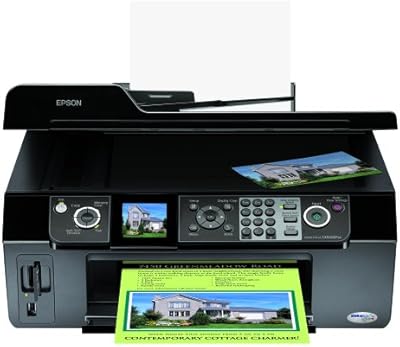
Epson Stylus CX9400Fax All-in-One Printer
73%
88%
Print Quality
83%
Fax Functionality
79%
Auto Document Feeder (ADF)
74%
Scan Performance
81%
Copy Speed and Quality
More
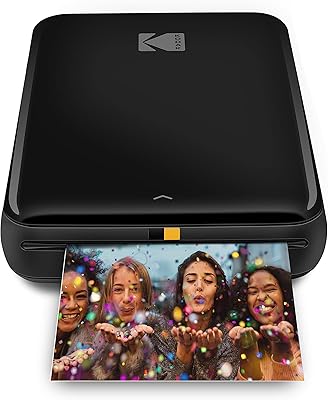
KODAK Step Instant Photo Printer
78%
91%
Ease of Setup
63%
Print Quality
67%
App Experience
94%
Portability
74%
Battery Life
More
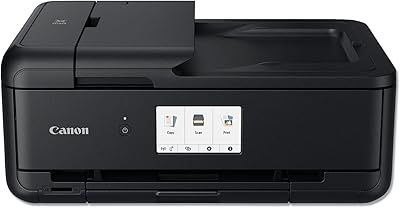
Canon PIXMA TS9520 Wireless All-in-One Printer
74%
88%
Print Quality (Documents)
83%
Print Quality (Photos)
91%
Wide-Format Capability
54%
Ink System & Running Costs
67%
Auto Document Feeder (ADF)
More
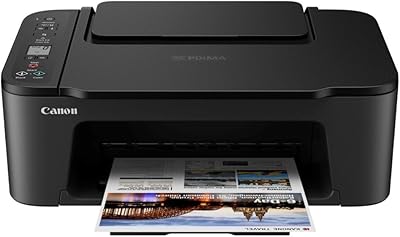
Canon PIXMA TS3720 Wireless All-in-One Printer
71%
91%
Ease of Setup
83%
Print Quality – Documents
67%
Print Quality – Photos
48%
Ink Cost & Cartridge Yield
74%
Wireless Connectivity
More
Kodak Step Touch 13MP Digital Camera & Printer
78%
65%
Print Quality
88%
Ease of Use
93%
Portability/Weight
55%
Battery Life
75%
Print Speed
More
Kodak Mini 3 Retro Portable Photo Printer
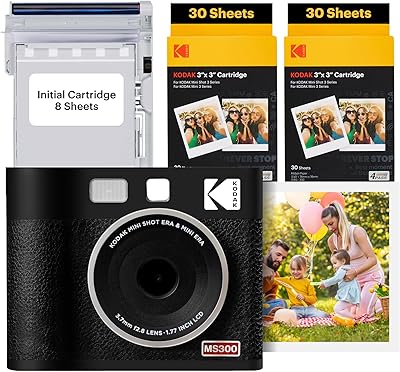
77%
88%
Print Quality
62%
Value for Money
71%
App Experience
93%
Portability & Size
84%
Build Quality & Design
More
Kodak Mini Shot 3 ERA Instant Camera and Photo Printer
87%
85%
Print Quality
90%
Ease of Use
93%
Portability
88%
Print Durability
78%
Battery Life
More
Kodak Mini Shot 3 Retro Instant Camera
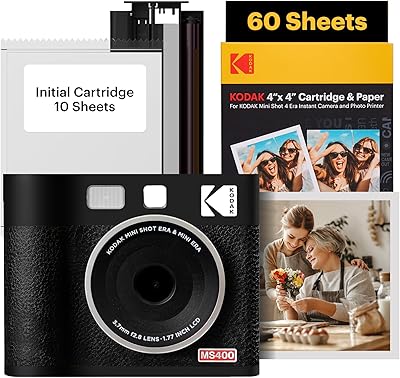
74%
84%
Print Quality
81%
Ease of Use
67%
App Experience
63%
Value for Money
61%
Build Quality
More
KODAK Mini Shot 4 ERA Instant Camera
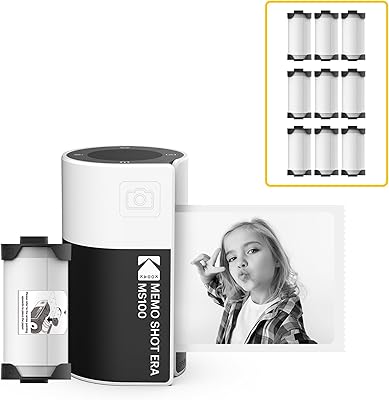
72%
88%
Print Quality
92%
Print Size & Format
86%
Print Durability
43%
Portability & Form Factor
67%
Bluetooth Connectivity
More
KODAK Memo Shot ERA Instant Camera Printer
77%
88%
Ease of Use
74%
Print Quality
61%
Monochrome Output Transparency
71%
Build Quality & Durability
83%
Paper Roll & Cartridge System
More

FAQ

This is one of the more common pain points reported by current owners. Kodak has not released updated drivers for Windows 11, and many users report that print and scan functions either install with errors or fail to work at all. If you are running Windows 11, expect to spend time searching for community workarounds or third-party driver solutions before everything works reliably.

Not in any practical way. The app-based mobile control is designed for Android devices, and there is no official AirPrint support that would allow seamless iOS printing. iPhone and iPad users would need to print via a connected PC rather than directly from their mobile device.

Kodak's ink cartridges were priced notably lower per page than many HP and Canon alternatives when this printer launched, and that cost-per-page advantage remains real for users who print regularly. That said, newer inkjet competitors have closed the gap somewhat, so the savings are meaningful but no longer as dramatic as they once were. The benefit is most noticeable if you print several pages a day consistently.

Inkjet printheads can dry out during extended idle periods, and the ESP 7250 is not immune to this. If you go two or more weeks without printing, you may come back to clogged nozzles that require a cleaning cycle — which itself uses ink. Running a quick test print once or twice a week keeps things flowing smoothly.

It depends on your network setup and comfort level. Users with simple home routers and standard 2.4GHz networks generally report a smooth first connection. Where things get complicated is with newer dual-band routers, enterprise-style network configurations, or after a router replacement — the printer sometimes struggles to rediscover the network automatically and may need to be reconnected manually.

Honestly, there is a noticeable gap. The ESP 7250 handles casual snapshots and reference prints well enough, but fine gradients, skin tones, and high-detail images fall short of what a dedicated photo printer produces. If photography is your primary use case, a purpose-built photo printer will serve you better. For occasional family photos or school projects, this inkjet printer is adequate.

Yes, it supports sheets up to 8.5 x 14 inches, which covers standard legal-size documents. You do need to configure the paper tray correctly for the longer sheet length, and a few users report occasional feed alignment issues at the maximum size, but for most legal-format print jobs it works reliably.

Availability has become more inconsistent over time as the model ages. Major online retailers still carry Kodak ESP-series cartridges, but brick-and-mortar options have thinned out considerably. It is worth stocking a spare set of cartridges if you depend on this Kodak all-in-one regularly, since running out during a busy period and waiting for delivery is a real inconvenience.

For most standard paper weights, yes — the automatic two-sided printing works without needing manual page flipping, which is a genuine convenience for longer documents. The trade-off is that duplex jobs run slower than single-sided printing, and lighter paper stocks occasionally cause minor misalignment on the second pass. For standard 20lb copy paper, most users report it working without issues.

For most new buyers, the answer is probably no — not at premium prices. The software and driver situation has deteriorated, mobile support is limited, and newer all-in-one inkjets offer comparable or better performance with modern OS compatibility. If you already own the ESP 7250 and it is working for you, the low ink costs still make it worth maintaining. For a fresh purchase, the money is better spent on a current-generation model.

Where to Buy