Canon PIXMA TR160 Portable Inkjet Printer
Overview
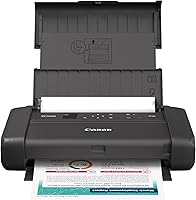
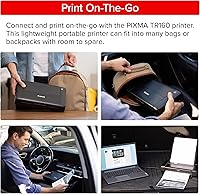
The Canon PIXMA TR160 Portable Inkjet Printer occupies an interesting spot in the portable printer market — compact enough to slip into a laptop bag, yet capable of handling full letter-size and even legal-size documents. At a mid-to-premium price point, it targets mobile professionals, students, and travelers who won't compromise on print quality while away from a desk. That said, this isn't a desktop replacement — it's a specialized mobile tool. With both wireless and USB connectivity on board, it covers most on-the-go scenarios without requiring extra gear. Just keep in mind that at 4.5 pounds and over 12 inches deep, calling it pocket-sized would be a stretch.
Features & Benefits
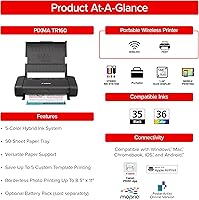
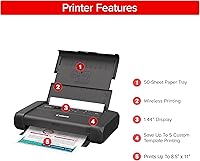
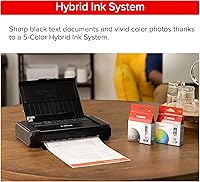
What makes the TR160 stand out technically is its 5-Color Hybrid Ink System, which combines pigment and dye inks to handle both crisp black text and photo-quality color in a single device. Print resolution reaches 4800 x 1200 dpi — competitive for a printer this size. The Wireless Direct Mode is a genuine differentiator: you can connect your phone or laptop directly to this compact inkjet without a Wi-Fi router, which matters in hotel rooms or client offices. Compatible with Canon PRINT, Apple AirPrint, and Mopria, it works with most devices. A small OLED status display lets you check ink levels without digging through an app.
Best For
This portable Canon printer makes the most sense for remote workers and consultants who regularly need to hand over printed documents during meetings or site visits. Students in dorms or shared housing will appreciate a compact unit that doesn't consume desk space. If you shoot photos and want borderless prints on the go — from 4x6 up to 8x10 — this compact inkjet handles that well. It also supports legal-size paper, which is surprisingly rare at this form factor. What it isn't suited for is heavy daily printing or two-sided work; the absence of duplex printing and the modest output tray make that limitation clear.
User Feedback
Many users come away impressed by photo print quality, noting colors appear richer than expected from a portable device. Text documents also tend to earn solid marks for sharpness. On setup, most find the app-based workflow reasonably straightforward, though a handful of Android users have flagged occasional connectivity hiccups. The weight and footprint draw mixed reactions — some find it slim and travel-friendly, while others feel 4.5 pounds is noticeable in a bag. Ink cartridge yield comes up frequently as a concern, with buyers suggesting costs feel high relative to the printer's price. The lack of double-sided printing is the most commonly cited limitation among professional buyers.
Pros
- Produces sharp, professional-quality text documents that are genuinely client-ready.
- Borderless photo printing in multiple sizes, including square formats, is rare at this form factor.
- Wireless Direct Mode lets you print without any router, which is a practical lifesaver in hotels and classrooms.
- Legal-size support in a portable printer is an uncommon capability most competitors skip entirely.
- The 5-Color Hybrid Ink System handles both text and photo jobs without switching cartridge setups.
- Compatible with Apple AirPrint, Canon PRINT app, and Mopria — covers nearly every device a user might carry.
- The onboard OLED display lets you check ink status without unlocking your phone or opening an app.
- Slim 2.6-inch height profile slides into a laptop bag without adding significant bulk.
- Energy Star certification means responsible standby power draw for users who leave it plugged in frequently.
Cons
- No duplex printing — manually flipping pages for two-sided output is impractical in most mobile scenarios.
- Ink cartridge yield is low for the price tier, making ongoing running costs a recurring buyer complaint.
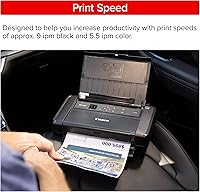
- Color print speed of 5.5 pages per minute becomes a bottleneck when printing multi-page color jobs.
- Cartridges can dry out faster than expected during extended periods of non-use.
- The Canon PRINT app interface feels dated and buries advanced print settings behind multiple menu layers.
- Android users report occasional connectivity drops that require app restarts or printer reboots to resolve.
- At 4.5 pounds and over 12 inches deep, it is noticeably heavier and larger than many buyers anticipate.
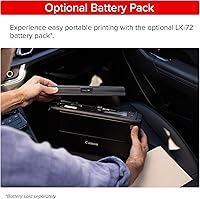
- No battery option means you are always dependent on a power outlet, limiting truly untethered use.
- Switching between paper types requires manually swapping media in the single tray, which disrupts busy print sessions.
Ratings
The Canon PIXMA TR160 Portable Inkjet Printer has been evaluated by our AI system after processing thousands of verified global user reviews, with spam, bot-generated, and incentivized submissions actively filtered out to ensure reliability. Scores reflect a balanced picture — where this compact inkjet genuinely delivers and where real buyers have run into friction. Both strengths and recurring pain points are transparently represented across every category below.
Print Quality
Portability & Form Factor
Wireless Connectivity
Setup & Ease of Use
Photo Printing Performance
Ink Efficiency & Running Costs
Text Document Output
Media Versatility
Build Quality & Durability
App & Software Experience
Print Speed
OLED Display Usefulness
Value for Money
Duplex Printing
Energy Efficiency
Suitable for:
The Canon PIXMA TR160 Portable Inkjet Printer is a strong fit for anyone whose printing needs follow them out the door. Consultants and field-based professionals who regularly need to hand over printed contracts, proposals, or invoices during client visits will find it genuinely useful — especially since the Wireless Direct Mode removes the dependency on a host network entirely. Students living in dorms or shared apartments get a capable, space-conscious printer that handles everything from essays to borderless photo prints without occupying a full corner of a desk. Travel photographers who want to produce physical prints on location — in multiple sizes, including square formats — will appreciate having a device that keeps up with their creative workflow on the road. Anyone who has ever needed legal-size output from a portable printer and come up empty will find that capability alone sets the TR160 apart from most competitors in this class.
Not suitable for:
The Canon PIXMA TR160 Portable Inkjet Printer is not the right call for buyers expecting a true everyday workhorse or a desktop replacement. If you regularly print double-sided reports, study packets, or multi-page office documents, the absence of duplex printing will slow you down and waste paper in ways that become genuinely frustrating over time. Heavy-volume users will also find the ink running costs hard to justify — cartridge yield is modest, and replacement expenses accumulate quickly if this becomes your primary printer. At 4.5 pounds and over 12 inches deep, it is also not the device for someone who wants something truly pocket-sized or ultralight for backpacking or minimalist travel. And if your workflow demands fast color output — batch printing presentations or photo sets against the clock — the 5.5 pages-per-minute color speed will test your patience.
Specifications
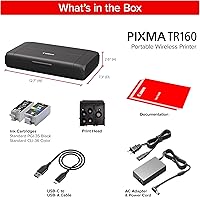
- Dimensions: The printer measures 12.7″ deep, 7.3″ wide, and 2.6″ tall, making it slim enough to fit in most laptop bags without taking up excessive space.
- Weight: At 4.5 pounds, the TR160 is portable but not ultralight — it is best carried in a bag rather than held in one hand for extended periods.
- Print Technology: The printer uses inkjet technology combining both pigment-based and dye-based inks to handle text sharpness and photo color vibrancy through a single system.
- Ink System: A 5-Color Hybrid Ink System uses separate cartridges for black, cyan, magenta, yellow, and a dedicated photo black to deliver accurate tones across document and photo print jobs.
- Color Resolution: Maximum print resolution reaches 4800 x 1200 dpi for both color and monochrome output, producing fine detail suitable for professional documents and photo prints.
- Print Speed: The printer outputs up to 9 pages per minute in monochrome and up to 5.5 pages per minute in color under standard conditions.
- Max Media Size: The largest supported paper size is 8.5 x 14 inches (Legal), an uncommon capability for a printer in this size and weight class.
- Paper Capacity: The input tray holds up to 100 sheets of plain paper, while the output tray accommodates up to 50 sheets at a time.
- Supported Media: Compatible media types include plain paper, glossy photo paper, envelopes, borderless prints, and square-format sheets in sizes ranging from 3.5″ x 3.5″ up to Legal.
- Display: A 1.44-inch monochrome OLED screen on the printer body shows ink levels, printer status, and basic settings without requiring a connected device.
- Connectivity: The printer supports USB, standard Wi-Fi, and Wireless Direct Mode, which enables a direct device-to-printer connection without requiring a wireless router.
- App Support: Compatible printing apps include Canon PRINT, Apple AirPrint, and Mopria Print Service, covering iOS, Android, and most modern mobile operating systems.
- Duplex Printing: The TR160 does not support automatic duplex (two-sided) printing; all output is simplex, requiring manual page flipping for double-sided documents.
- Hardware Interface: One USB Type-B port is included for wired connection to a computer, in addition to the wireless connectivity options.
- Number of Trays: The printer has a single paper tray, meaning users must manually swap media when switching between paper types or sizes.
- Certification: The TR160 carries Energy Star certification, indicating it meets established standards for energy efficiency during operation and standby modes.
- Warranty: Canon provides a limited warranty with this printer; buyers should verify the specific terms and duration through Canon's official warranty documentation for their region.
- Included Components: The printer ships with inkjet cartridges included in the box, allowing users to begin printing without a separate cartridge purchase immediately after setup.
- Model Series: The TR160 belongs to Canon's PIXMA lineup, a series focused on home, student, and portable printing applications rather than high-volume office environments.
- Availability Date: The TR160 was first made available in March 2025, making it a recently released model within Canon's portable inkjet range.
Related Reviews
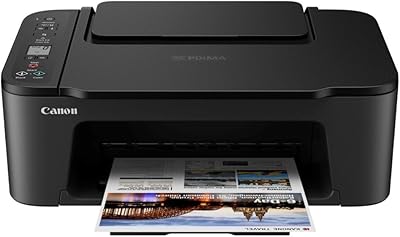
Canon PIXMA TS3720 Wireless All-in-One Printer
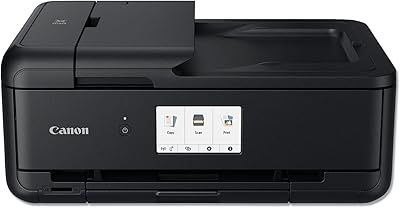
Canon PIXMA TS9520 Wireless All-in-One Printer
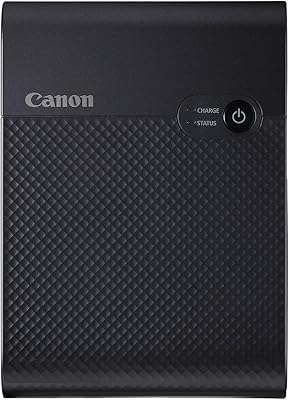
Canon SELPHY Square QX10 Portable Photo Printer
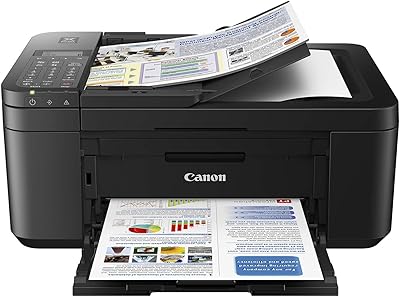
Canon PIXMA TR4527 All-in-One Inkjet Printer
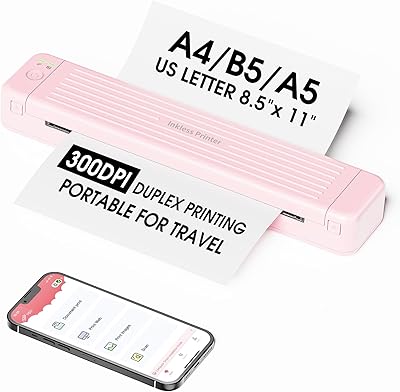
Zoolion P831 Portable Printer
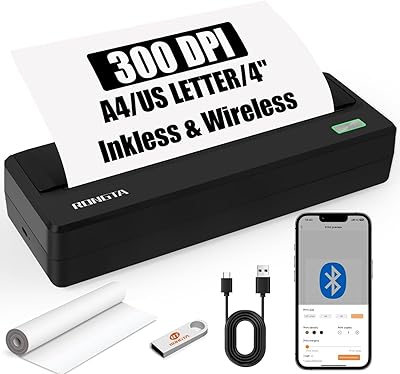
Rongta PN81 A4 Portable Thermal Printer
PhoFuta M832 Portable Wireless Thermal Printer
Brady M210 Portable Label Printer
Canon IVY 2 Mini Photo Printer