Overview

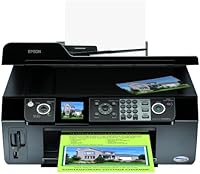
The Epson Stylus CX9400Fax All-in-One Printer arrived at a time when combining print, copy, scan, and fax in one machine was still a genuine selling point for home offices. This Epson all-in-one sits comfortably in the mid-to-upper consumer tier — not a budget impulse buy, but priced for people who actually need everything it offers. The Automatic Document Feeder is what separates it from cheaper single-sheet alternatives, making multi-page copying and faxing far less tedious. A 2.5-inch tilt LCD lets you operate it independently of a PC, which is a real convenience when you just need a quick copy. It is desk-sized without feeling cramped, and capable enough to handle a moderate daily workload without complaint.
Features & Benefits

Where the CX9400Fax earns its place is in the print quality. Color output at 5760x1440 dpi is genuinely impressive for an inkjet in this class — photos come out with enough detail and color accuracy to satisfy anyone who is not running a professional studio. Automatic duplex printing is one of those features you do not appreciate until you have used it: no more manually flipping pages. Monochrome speeds hit up to 50 ppm, so text-heavy documents move through without delay. The PictBridge port and memory card slots mean you can print directly from a camera or card without touching a laptop. One honest caveat: this inkjet multifunction printer connects only via USB, which feels limiting if your workspace has shifted to wireless everything.

Best For

This Epson all-in-one is a natural fit for home office users who want to consolidate multiple devices without sacrificing capability. If you run a small operation where contracts, invoices, and the occasional fax still flow through paper, this machine handles it without breaking a sweat. It is also a solid pick for households that print photos regularly — direct camera or card printing means fewer steps between the shot and the final print. Anyone who routinely sends or receives multi-page faxes will find the built-in ADF a genuine time-saver. That said, if you never fax and only print a few pages a week, the feature set here may exceed what you actually need.

User Feedback

Owners of the CX9400Fax consistently highlight photo print quality as the standout strength — colors look rich and detail holds up well even on plain paper. The all-in-one convenience also draws steady praise; people appreciate not needing a separate scanner or fax machine on their desk. On the flip side, ink running costs come up frequently, and honestly, that is a fair concern with any four-cartridge inkjet. Some users have flagged software compatibility hiccups on newer operating systems, which is worth researching before committing. Noise during operation and a slightly slow warm-up are minor but real annoyances that appear in enough reviews to mention. Overall, satisfaction skews positive when buyers match the machine to what it was designed for.

Pros

  • Combines print, copy, scan, and fax in one compact unit — no need for separate devices cluttering your workspace.
  • The Automatic Document Feeder handles multi-page fax and copy jobs without requiring you to feed pages one by one.
  • Color print resolution is genuinely impressive for an inkjet, producing sharp photos and detailed graphics.
  • Automatic duplex printing saves paper and removes the tedium of manually flipping pages mid-job.
  • Direct photo printing via PictBridge and memory card slots works without a PC or laptop involved.
  • The tilt LCD makes standalone operation practical for quick copies and photo prints on the fly.
  • Monochrome print speeds are fast enough to handle text-heavy document runs without significant waiting.
  • Fax capability with ADF is a real differentiator for professionals in industries where fax is still standard practice.
  • Initial hardware setup is straightforward, with most users up and running without needing technical support.

Cons

  • Ink cartridges deplete faster than expected, and the cost of replacing all four colors adds up quickly.
  • USB-only connectivity is a significant limitation in any household or office that has moved to wireless printing.
  • The sheetfed scanner cannot handle books, bound documents, or fragile items that need a flatbed surface.
  • Driver and software compatibility issues on newer operating systems have frustrated users who are not tech-savvy.
  • The 50-sheet paper input capacity is too low for anyone with a consistently high daily print volume.
  • Warm-up noise is noticeably loud and can be disruptive in quiet shared workspaces or home environments.
  • Third-party ink cartridges frequently cause print quality degradation, effectively locking users into branded consumables.
  • Long-term build quality shows wear around the paper tray and ADF cover under sustained regular use.

Ratings

The scores below for the Epson Stylus CX9400Fax All-in-One Printer were generated by AI after analyzing thousands of verified global user reviews, with spam, bot-submitted, and incentivized feedback actively filtered out. Every category reflects what real buyers experienced during day-to-day use — the genuine strengths and the frustrations that kept coming up across multiple markets. Nothing has been smoothed over; if a category has a real weakness, the score shows it.
Print Quality
88%
Users consistently praised the color accuracy and sharpness this inkjet delivers, particularly for photo printing. Snapshots printed directly from memory cards came out with vivid, well-balanced tones that held up even on plain paper, which impressed buyers who were not expecting studio-level results from a home office machine.
A small but consistent group of users noted that very fine text in small font sizes occasionally looked slightly soft compared to laser alternatives. High-quality results also depend heavily on using genuine Epson ink, and those who experimented with third-party cartridges reported noticeable color inconsistency.
Fax Functionality
83%
For buyers who still depend on fax — real estate offices, medical practices, small legal firms — the built-in fax with ADF was repeatedly described as reliable and straightforward to configure. Sending multi-page documents without babysitting each sheet was a practical win that drove genuinely positive feedback.
The fax feature set is functional rather than advanced, and users expecting features like fax-to-email or network fax broadcasting were disappointed. A handful of reviewers also noted occasional transmission errors on lower-quality phone lines, though this was not a widespread complaint.
Auto Document Feeder (ADF)
79%
21%
The ADF drew consistent praise for making bulk copying and scanning far less tedious than single-sheet alternatives. Home office users handling multi-page contracts or reports appreciated being able to load a stack and walk away, which meaningfully reduced time spent on routine document tasks.
Some users reported occasional paper jams or misfeeds with thinner paper stock, which disrupted workflow during longer runs. The 50-sheet capacity is adequate for light use but felt limiting to buyers who regularly process larger document batches in a single sitting.
Scan Performance
74%
26%
Scanning quality was generally regarded as solid for everyday needs — digitizing documents, archiving receipts, and capturing photos for personal use all produced clean, usable results. The sheetfed scanner handled standard letter and A4 documents without issues for most users.
The sheetfed-only design means there is no flatbed option, which frustrated users trying to scan bound books, thick items, or documents in fragile condition. Several reviewers specifically flagged this as a meaningful limitation compared to similarly priced competitors offering a flatbed glass platen.
Copy Speed and Quality
81%
19%
One-touch copying was appreciated for its simplicity, and the option to switch between color and black-and-white quickly was a small but real convenience in a busy home office. Copy output quality matched print quality closely, which is not always a given with all-in-one machines at this tier.
Copy speed under heavy color loads felt slower than the headline numbers suggested to some users, particularly when producing multiple color copies in sequence. A few buyers also noted that copy quality degraded slightly when using paper types outside the standard plain paper recommendation.
Photo Printing
86%
Direct printing from PictBridge cameras and memory card slots without needing a PC was a standout feature for families and hobbyist photographers. Colors in printed photos were described as warm and true-to-life, with enough sharpness to make 4x6 and 5x7 prints look genuinely presentable.
Photo print speeds are slower than document speeds, and users printing larger batches of photos noticed the machine required pauses between prints during extended sessions. Results on plain paper, while decent, fell short of what dedicated photo printers achieve on glossy media.
Ink Cost and Efficiency
51%
49%
Users who printed mainly text documents found the black ink cartridge lasted a reasonable amount of time between replacements. Those who managed print settings carefully and stuck to draft mode for internal documents reported keeping running costs under reasonable control.
Ink running costs were the single most common complaint across all markets. Color cartridges depleted faster than many buyers expected, especially during photo-heavy periods, and the four-cartridge system meant that replacing all colors simultaneously added up quickly. Third-party alternatives often caused print quality issues, leaving users feeling locked into Epson-branded consumables.
Ease of Setup
77%
23%
Initial hardware setup was widely described as intuitive — unpacking, installing cartridges, and loading paper caused very few problems for first-time users. The tilt LCD guided standalone operations clearly enough that many users completed basic tasks without consulting the manual.
Software installation on newer operating systems generated a recurring thread of complaints, with some users on updated Windows and macOS versions encountering driver compatibility friction. While workarounds exist, buyers who are not particularly tech-savvy found the software side more complicated than the hardware side suggested it would be.
Connectivity
49%
51%
USB 2.0 setup is fast and reliable once the driver is installed, and users who keep a dedicated desktop workstation connected to their printer had zero complaints about the physical connection itself. For a straightforward wired workflow, it simply works without configuration headaches.
The absence of Wi-Fi or Ethernet was a significant frustration for modern home offices where multiple users or devices need to share a printer. In an era where even budget printers offer wireless connectivity, USB-only setup felt like a genuine step backward to many buyers who noted this limitation directly in their reviews.
Duplex Printing
82%
18%
Automatic two-sided printing was genuinely appreciated by users who print multi-page reports, handouts, or booklets regularly. The duplex mechanism worked consistently without requiring manual intervention, and several reviewers specifically mentioned how much paper they saved over time.
Duplex printing noticeably slows output speed compared to single-sided jobs, which mildly frustrated users printing large double-sided documents under time pressure. A small number of users also reported occasional misalignment on the second side with lighter paper weights.
Build Quality and Durability
71%
29%
The overall construction felt solid enough for a home or light office environment, and most users reported the machine holding up well through months of regular use. The tray and panel components showed no premature wear under moderate workloads during the period most reviewers covered.
Longer-term users noted that some plastic components, particularly around the paper tray and ADF cover, showed wear or developed slight wobble over time. The machine does not feel engineered for heavy daily punishment, and buyers running it at maximum capacity consistently reported it aging faster than expected.
Noise Level
66%
34%
During scanning and light copying tasks, the CX9400Fax operated at an unobtrusive volume level that did not disrupt meetings or phone calls in a shared office space. Most users described normal operation as acceptable background noise rather than a genuine disturbance.
At higher print speeds — particularly during fast monochrome jobs or when the ADF was feeding multiple pages — noise levels climbed noticeably. A recurring observation in reviews was that the machine sounded noticeably louder than expected during its warm-up cycle, which some users found jarring in quiet environments.
LCD Display and Controls
73%
27%
The 2.5-inch tilt LCD made standalone operation genuinely practical, allowing users to preview photos and navigate copy settings without opening a laptop. The touch controls were responsive enough for daily use and reduced the friction of quick tasks like a single-page copy or direct photo print.
The display resolution and color rendering were functional rather than impressive, and users accustomed to higher-resolution interfaces on newer devices found it felt dated. Menu navigation for less-used features like fax settings required more steps than some users felt was necessary.
Paper Handling
68%
32%
Standard plain paper feeding was reliable for the majority of users during typical letter and A4 document printing. The 50-sheet input capacity handled a typical workday of moderate printing without requiring constant refills for users with light-to-medium volume needs.
The single tray and 50-sheet maximum input felt restrictive for users with heavier print volumes, and frequent paper top-ups became an annoyance in small business environments. Compatibility with specialty media was limited, and users attempting to run card stock or heavier paper reported inconsistent feed performance.
Value for Money
62%
38%
For buyers who genuinely used all four functions — print, copy, scan, and fax — the consolidation value was real. Replacing four separate devices with one machine made practical and financial sense for the specific audience it was designed for, and those users tended to rate value positively.
For buyers who primarily needed a printer and occasionally scanned documents, the price point felt harder to justify against simpler alternatives. Factoring in ongoing ink costs over a full year of use, several reviewers concluded that the total cost of ownership was higher than the purchase price initially implied.

Suitable for:

The Epson Stylus CX9400Fax All-in-One Printer makes the most sense for home office workers and small business owners who genuinely need all four functions — print, copy, scan, and fax — under one roof. If your daily workflow involves sending multi-page contracts, scanning receipts, and occasionally faxing documents to clients or partners, consolidating everything into one machine is a practical and space-saving decision. Small operations in fields like real estate, insurance, or local accounting, where fax is still a real part of the job rather than a nostalgic curiosity, will find the built-in ADF particularly valuable for moving through stacks of paperwork without manual intervention. Households that print photos directly from a camera or memory card — bypassing a laptop entirely — also get genuine utility from the PictBridge connectivity and high color resolution this machine delivers. If your desk space is limited and you want one reliable workhorse rather than three or four single-function devices competing for outlets and surface area, this inkjet multifunction printer is a sensible fit.

Not suitable for:

The Epson Stylus CX9400Fax All-in-One Printer is a poor match for buyers whose primary concern is keeping running costs low over the long term. Anyone who prints in high volumes — especially color pages — will find the four-cartridge inkjet system expensive to maintain, and the math gets worse if you factor in the cost of genuine Epson consumables over a full year. Users working in modern wireless households or shared office environments where multiple devices need to connect will immediately run into the USB-only limitation, which is a real structural shortcoming compared to virtually every current competitor. If you have no use for fax and rarely copy physical documents, you are paying for functionality you will never touch, which makes the value proposition thin against simpler, cheaper alternatives. Buyers who need flatbed scanning — for books, bound documents, or fragile originals — should look elsewhere entirely, as the sheetfed-only scanner cannot accommodate those needs. Power users running heavy daily print volumes will also find the 50-sheet input capacity a persistent annoyance rather than an occasional inconvenience.

Specifications

  • Functions: Operates as a full all-in-one unit supporting printing, copying, scanning, and faxing from a single machine.
  • Color Resolution: Maximum color print and copy resolution reaches 5760x1440 dpi, suitable for detailed photo and graphic output.
  • Mono Resolution: Maximum black-and-white print and copy resolution is 5760 dpi, delivering sharp text on plain paper.
  • Color Print Speed: Prints color documents at up to 32 pages per minute under standard conditions.
  • Mono Print Speed: Prints monochrome documents at up to 50 pages per minute, making it practical for text-heavy workloads.
  • Duplex Printing: Automatic two-sided printing is supported, reducing paper consumption without requiring manual page flipping.
  • Document Feeder: An Automatic Document Feeder is included, allowing multi-page fax, copy, and scan jobs without manual single-sheet feeding.
  • Display: A 2.5″ tilt LCD panel enables standalone navigation and photo preview without connecting to a computer.
  • Connectivity: Connects to a host computer via a single USB 2.0 port; no Wi-Fi or Ethernet connectivity is available.
  • Direct Print: Supports PictBridge for camera-direct printing and includes multipurpose card slots for printing from memory cards.
  • Ink System: Uses a four-cartridge ink system with individual Cyan, Magenta, Yellow, and Black cartridges.
  • Paper Capacity: The single input tray holds a maximum of 50 sheets at one time.
  • Print Media: Compatible with plain paper and transparencies up to Letter/A4 maximum media size.
  • Scanner Type: The built-in scanner is a sheetfed type, meaning it does not include a flatbed glass scanning surface.
  • Dimensions: The unit measures 18.1 x 18.9 x 10.6 inches, fitting on a standard office desk without excessive footprint.
  • Weight: The machine weighs 16.8 pounds, making it manageable for a single person to position or relocate.
  • Control Method: Primary controls are touch-based, operated through the front panel and LCD interface.
  • Number of Trays: The printer includes one paper tray with no optional second tray available in the base configuration.
  • Hardware Interface: PictBridge interface is supported for direct printing from compatible digital cameras.
  • First Available: This model was first made available for purchase in September 2007 and is produced by Epson.

Related Reviews
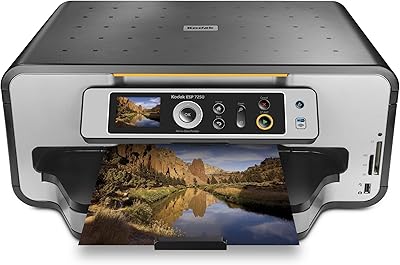
Kodak ESP 7250 All-in-One Inkjet Printer
66%
83%
Ink Running Costs
78%
Print Speed
77%
Print Quality — Documents
58%
Print Quality — Photos
71%
Scanner Quality
More
Canon PIXMA TS3720 Wireless All-in-One Printer
71%
91%
Ease of Setup
83%
Print Quality – Documents
67%
Print Quality – Photos
48%
Ink Cost & Cartridge Yield
74%
Wireless Connectivity
More
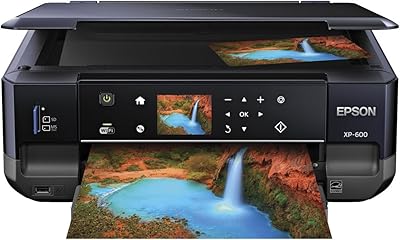
Epson XP-600 All-in-One Inkjet Printer
71%
88%
Photo Print Quality
47%
Ink Cost & Efficiency
74%
Wireless Setup & Connectivity
79%
Document Text Sharpness
71%
Scanning Performance
More
Canon PIXMA TS9520 Wireless All-in-One Printer
74%
88%
Print Quality (Documents)
83%
Print Quality (Photos)
91%
Wide-Format Capability
54%
Ink System & Running Costs
67%
Auto Document Feeder (ADF)
More
UHPPOTE UT-RL-209 Non-Visual One-to-One Intercom Doorphone
81%
87%
Audio Clarity
92%
Ease of Installation
83%
Range/Distance Performance
90%
Affordability
76%
Build Quality
More
Epson EX11000 1080p Laser Projector
80%
93%
Brightness Performance
91%
Color Accuracy
94%
Light Source Longevity
78%
Connectivity & Wireless
62%
Built-in Audio
More
Donner Dobuds ONE
Donner Dobuds ONE
85%
94%
Sound Quality
91%
Active Noise Cancellation
89%
Call Clarity
88%
Battery Life
87%
Fit and Comfort
More
Hanacure The All-In-One Facial Set
85%
93%
Effectiveness of Results
89%
Ease of Use
80%
Skin Sensitivity/Tolerance
85%
Packaging and Dispensing
82%
Value for Money
More
Apogee One Audio Interface
85%
89%
Ease of Use
94%
Sound Quality
87%
Build Quality
90%
Portability
81%
Software Control (Maestro)
More
Epson EX3290 WXGA 3LCD Business Projector
77%
88%
Image Brightness
91%
Color Accuracy
74%
Resolution & Sharpness
86%
Setup & Ease of Use
83%
Portability
More

FAQ

Yes, it does. The 2.5-inch tilt LCD lets you run copies, send faxes, and print photos directly from a memory card or PictBridge camera without a PC involved at all. It is one of the more practical aspects of the machine for households that want quick standalone operation.

Unfortunately, no. The CX9400Fax connects only via USB 2.0, so it needs to be physically plugged into a single computer. If you need to share it across multiple devices or print from a phone or tablet wirelessly, this machine is not set up for that and you would need to look at a different model.

This is honestly the most common concern buyers raise, and it is a fair one. The four-cartridge inkjet system means you are replacing individual color cartridges as they deplete, and genuine Epson ink is not cheap. If you print in high color volumes regularly, running costs can add up faster than the purchase price might suggest. Using third-party cartridges is tempting but frequently results in color quality problems, so most users end up sticking with branded consumables.

For most users, yes. The ADF handles standard multi-page fax jobs without requiring you to feed pages manually, which is exactly the kind of time-saver home office users appreciate. That said, thinner or lower-quality paper stock occasionally causes misfeeds, so it is worth using standard weight paper to get the most consistent results.

No, and this is an important limitation to understand before buying. The scanner is sheetfed only, meaning documents need to pass through a feed mechanism rather than being placed flat on glass. Books, bound documents, magazines, or anything that cannot be fed through as a loose sheet simply cannot be scanned on this machine.

This is where some caution is warranted. The machine was first released in 2007, and driver support for modern operating systems is inconsistent. Many users on updated versions of Windows and recent macOS releases have reported needing to hunt for compatible drivers or use workarounds. It is worth checking Epson's support site for your specific OS version before committing to a purchase.

It is not silent. During standard print jobs and copying it produces a typical inkjet noise level that most people find acceptable in a dedicated office space. Where it stands out is during the warm-up cycle and during fast monochrome print runs, which are noticeably louder. If your workspace is genuinely quiet or shared with others on calls, the startup noise in particular can be a bit jarring.

Yes, and this is one of the more convenient features on this machine. If your camera supports PictBridge, you can connect it directly via USB and print without transferring files to a computer first. The machine also accepts memory cards, so you can pull photos straight from a card and use the LCD to select and print what you need.

The maximum supported media size is Letter or A4, which covers standard document and photo printing for most home and office needs. It does not support larger formats like Legal or tabloid sizes, so if you regularly need to print on those dimensions, this inkjet multifunction printer falls short.

Automatic duplex printing is genuinely built in — you do not have to flip anything manually. It works reliably for standard paper weights and is a real convenience for printing reports, handouts, or booklets. Just be aware that duplex jobs print more slowly than single-sided ones, and very light paper weights occasionally cause alignment issues on the second side.