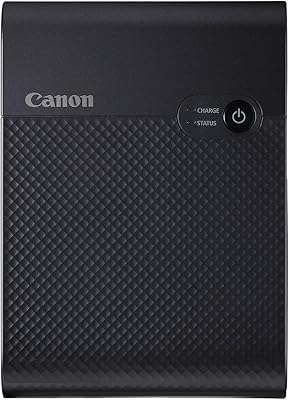
Canon MAXIFY MB2120 All-in-One Inkjet Printer
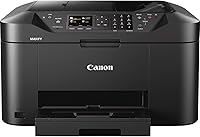
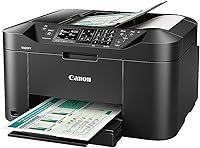
Overview
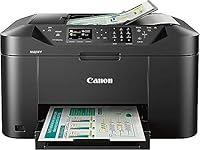
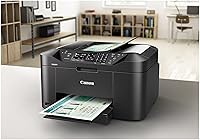
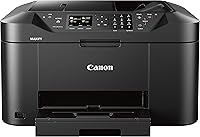
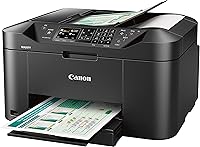
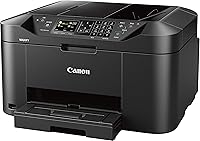
The Canon MAXIFY MB2120 All-in-One Inkjet Printer sits squarely in Canon's business-focused MAXIFY line — a series built for home offices and small businesses, not casual home users. Unlike the consumer-oriented PIXMA range, MAXIFY printers are engineered for higher workloads, and this model's 20,000-page monthly duty cycle reflects that positioning clearly. Yes, it launched in 2016, but the core value proposition hasn't aged badly: you get a genuine business-grade all-in-one at an entry-level price. For remote workers who need reliable daily printing without committing to a laser printer, that trade-off still makes real sense today.
Features & Benefits
The MAXIFY MB2120's DRHD pigment-based inks are worth paying attention to — printed text resists both highlighters and smudging, which actually matters when you're annotating contracts or passing documents to clients. Wi-Fi and the Canon PRINT app handle mobile printing capably, while an Ethernet port offers a stable wired connection for shared office use. Automatic duplex printing and a 250-sheet input tray reduce interruptions during longer runs. The scanner reaches 4800x1200 dpi in color, plenty for document work. Fax is included too — not exciting, but still essential in certain industries where digital alternatives aren't always accepted.
Best For
This Canon home office printer makes the most sense for remote workers and freelancers printing text-heavy documents regularly — invoices, reports, contracts — rather than photos or graphics. If your office still faxes occasionally, the built-in capability saves you from buying a separate device. Legal-size media support up to 8.5x14 inches is a quiet but practical edge over many rivals in this price range. Users wanting both wireless convenience and the option to hardwire into a shared network will appreciate having both. It's less suitable for anyone expecting fast throughput or who primarily needs high-quality photo output.
User Feedback
Across verified buyers, this all-in-one inkjet holds a respectable 3.8 out of 5 stars. Most praise centers on sharp text output and how painless the wireless setup is compared to competing Brother and HP models. The recurring complaints? Ongoing ink costs and print speeds that feel sluggish for anyone accustomed to laser printers. Notably, some one-star reviews appear tied to older firmware or early setup friction rather than fundamental hardware failures — worth factoring in before dismissing them at face value. Long-term reliability leans positive for moderate-use households, though heavier workloads tend to surface more mixed experiences over time.
Pros
- DRHD pigment ink produces sharp, smudge-resistant text that holds up to highlighting and handling.
- Built-in fax eliminates the need for a separate device in offices that still rely on it.
- Ethernet port provides a stable wired network connection alongside Wi-Fi — a rare combination at this price.
- Automatic duplex printing reduces paper consumption without any manual flipping.
- Legal-size media support up to 8.5x14 inches covers a gap many competing printers ignore.
- Mobile printing via AirPrint and the Canon PRINT app works reliably across both iOS and Android.
- A 20,000-page monthly duty cycle is well above what most consumer inkjets can handle.
- The 250-sheet input tray cuts down on constant paper refilling during moderate print runs.
- Wireless setup is straightforward for most users and can be completed without a computer.
- Upfront cost delivers a genuinely complete feature set — print, scan, copy, and fax in one unit.
Cons
- Print speeds are slow enough to disrupt workflow during larger or time-sensitive print jobs.
- Ink cartridge costs accumulate quickly, especially for users mixing color printing into daily tasks.
- Only one paper tray means manually swapping media types whenever you switch paper sizes.
- Desktop software feels dated and has caused compatibility issues following macOS updates.
- Printhead clogging can develop during periods of infrequent use, wasting ink on cleaning cycles.
- Wi-Fi connectivity is limited to 2.4GHz, which creates pairing issues with some modern dual-band routers.
- The unit is large and heavy, demanding meaningful desk real estate in already crowded home offices.
- Color graphics and photo output quality are noticeably underwhelming compared to the strong text performance.
- Cloud and internet fax are not supported — only traditional analog fax via a physical phone line.
- Long-term software support has been inconsistent, raising questions about usability after future OS updates.
Ratings
The Canon MAXIFY MB2120 All-in-One Inkjet Printer earns a nuanced scorecard built from thousands of verified buyer reviews worldwide, with our AI filtering out incentivized, bot-generated, and outlier feedback to surface what real home office users actually experience. Scores reflect both the genuine strengths that keep this printer competitive years after its launch and the persistent pain points that consistently surface across long-term owners. Nothing is glossed over — where buyers struggle, the scores show it.
Text Print Quality
Wireless Setup & Connectivity
Print Speed
Ink Cost & Efficiency
Scan Quality
Copy Performance
Fax Functionality
Paper Handling
Mobile Printing Experience
Build Quality & Durability
Software & Driver Experience
Value for Money
Ease of Use
Noise Level
Long-Term Reliability
Suitable for:
The Canon MAXIFY MB2120 All-in-One Inkjet Printer is a practical fit for remote workers, freelancers, and small home office operators who need a capable, multi-function workhorse without paying laser printer prices upfront. If your daily printing revolves around text-heavy documents — contracts, invoices, reports — the DRHD ink system delivers sharp, durable output that holds up well to handling and annotation. Users who occasionally need to send or receive faxes will appreciate having that capability built in rather than bolted on as an afterthought. The combination of Wi-Fi, Ethernet, and mobile app support makes it versatile enough for households where multiple people or devices share one printer. Anyone who regularly prints on legal-size paper will find the 8.5x14 inch media support genuinely useful, since many competitors at this price skip that entirely. If your monthly print volumes are moderate and your priority is reliable text output over speed or photo quality, this all-in-one inkjet delivers solid value for the investment.
Not suitable for:
The Canon MAXIFY MB2120 All-in-One Inkjet Printer is a poor match for anyone who prints at high daily volumes and needs results fast — the print speed is genuinely slow, and it will become a source of real frustration in busier workflows. Photo enthusiasts or anyone who regularly needs to print graphics, marketing materials, or color-rich documents should look elsewhere; this is a business inkjet engineered for text, not a photo printer. Buyers sensitive to ongoing running costs should do the math carefully before committing, because ink replacement expenses can erode the upfront savings over 12 to 18 months of regular use, especially if color cartridges cycle through quickly. If your office has already moved entirely away from fax and you rely on cloud-based scanning workflows with modern software integration, the aging software ecosystem here may feel like a step backward. Those working on macOS who have experienced driver headaches with older Canon printers should proceed with caution, as long-term software support has been inconsistent. Finally, anyone with limited desk space will need to measure carefully — this unit is bulkier and heavier than it might appear in product photos.
Specifications
- Print Technology: The MAXIFY MB2120 uses inkjet printing with Canon's DRHD (Dual Resistant High Density) pigment-based inks, engineered for smudge and highlighter resistance on plain paper.
- Functions: This unit handles four core tasks: printing, scanning, copying, and faxing, making it a complete all-in-one solution for home office document workflows.
- Connectivity: The printer connects via Wi-Fi (2.4GHz), Ethernet, and USB, supporting both wired and wireless network sharing across multiple devices simultaneously.
- Mobile Printing: Mobile printing is supported through the Canon PRINT app on Android and iOS, as well as Apple AirPrint for direct printing from Apple devices without additional software.
- Print Speed: Rated print speeds are approximately 1 ppm for both color and monochrome in standard quality modes, with real-world business document speeds varying by file complexity.
- Duty Cycle: The monthly duty cycle is rated at 20,000 pages, significantly higher than consumer inkjet printers and suitable for sustained moderate-volume home office use.
- Input Capacity: The single paper tray holds up to 250 sheets of standard plain paper, with an output tray capacity also rated at 250 sheets.
- Duplex Printing: Automatic two-sided (duplex) printing is built in, allowing double-sided documents to be produced without any manual paper flipping.
- Scan Resolution: The flatbed and sheetfed scanner supports a maximum optical resolution of 4800x1200 dpi in color, with a 24-bit color depth suitable for document and basic photo scanning.
- Max Media Size: The largest supported media size is 8.5x14 inches (legal), with additional supported sizes including 8.5x11 inches, 5x7 inches, 4x6 inches, and 8x10 inches.
- Fax: Analog fax functionality is included, requiring a standard telephone line connection; internet or cloud-based fax is not natively supported.
- Display: A touch-sensitive LCD control panel is built into the front of the unit, allowing direct operation of all functions without a connected computer.
- Memory: The printer is equipped with 64 MB of onboard memory for managing print queues and multi-page document processing.
- Dimensions: The unit measures 18.1″ deep by 18.3″ wide by 10.3″ tall, requiring a dedicated footprint of roughly 1.5 square feet on a desk or shelf.
- Weight: The MAXIFY MB2120 weighs 23.2 pounds, making it a substantial unit that is best positioned once and left in place rather than moved frequently.
- Ink System: Four individual ink tanks are included in the box — black, cyan, magenta, and yellow — with high-yield XL cartridge options available separately for lower per-page costs.
- Ink Colors: The standard ink set covers black plus three color channels (CMY), using pigment-based black ink and dye-based color inks optimized for document output.
- Warranty: Canon includes a full one-year limited warranty with 100% US-based customer service and technical support available by phone.
- Power Interface: The printer includes a standard power cord and is compatible with standard household AC power; no external power adapter is required.
- Release Date: The MAXIFY MB2120 was first made available in July 2016 and remains in active sale as of this writing, with Canon confirming it has not been discontinued.
Related Reviews
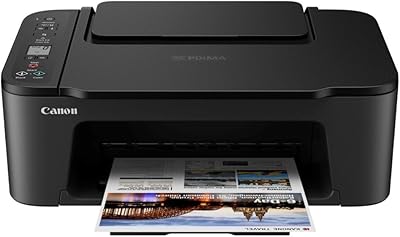
Canon PIXMA TS3720 Wireless All-in-One Printer
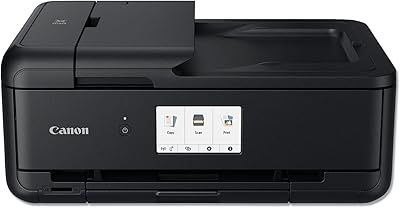
Canon PIXMA TS9520 Wireless All-in-One Printer
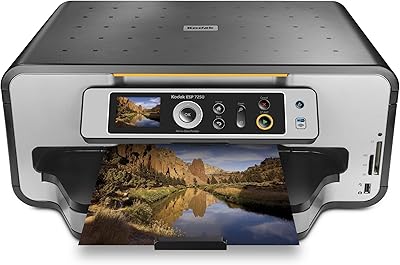
Kodak ESP 7250 All-in-One Inkjet Printer
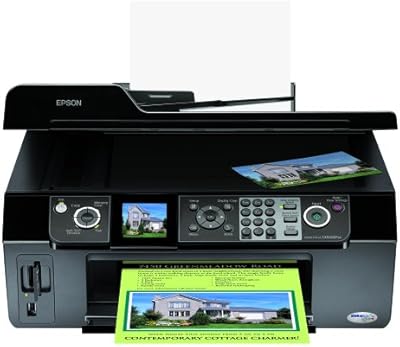
Epson Stylus CX9400Fax All-in-One Printer
Canon SELPHY CP510 Compact Photo Printer
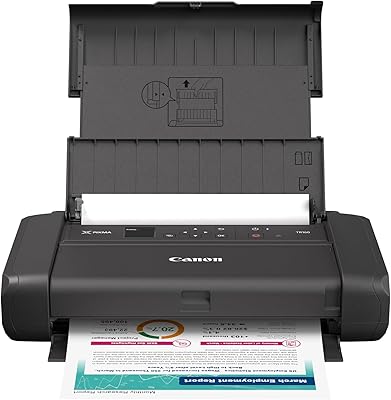
Canon PIXMA TR160 Portable Inkjet Printer
Canon IVY 2 Mini Photo Printer
Canon SELPHY CP1500 Compact Photo Printer
Canon PIXMA TR4527 All-in-One Inkjet Printer