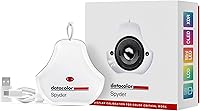
Datacolor Spyder 2024 Monitor Calibrator
Overview
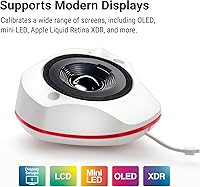
The Datacolor Spyder 2024 Monitor Calibrator is Datacolor's latest entry-to-mid-range answer to a problem every visual professional eventually faces: you can't trust what you're seeing if your display isn't calibrated. If you've ever printed a photo only to find it looks nothing like what you saw on screen, you already know why this matters. What makes this iteration stand out is its broadened display support — OLED, mini-LED, and Apple Liquid Retina XDR screens are all now covered, which wasn't always the case with earlier Spyder generations. An ambient light sensor is a genuinely practical hardware addition that helps account for changing room conditions. That said, this is a tool built for solo creators on a single monitor, not a full studio rig.
Features & Benefits
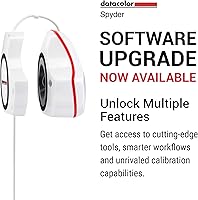
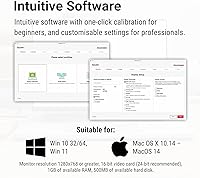
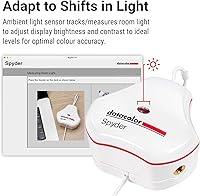
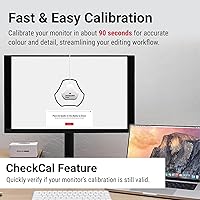
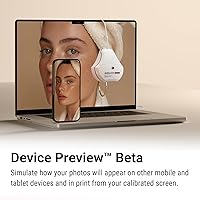
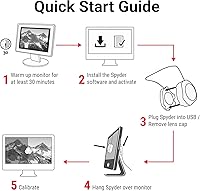
The 90-second calibration cycle is probably the first thing most users will appreciate — hang the puck on your screen, run the software, and you're done before your coffee cools. Both a preset mode and customizable settings are available, so whether you're a first-timer or a photographer who wants precise gamma and white point control, there's a workable path. The ambient light sensor goes beyond gimmick territory; it can automatically apply different calibration profiles depending on how bright your room is at any given time. One feature worth watching with cautious optimism is DevicePreview Beta, which simulates how images might appear on other devices — a useful idea, but the Beta label is real and means it isn't production-ready. Softproofing is included; printer profiling is not.
Best For
This color calibration tool hits its stride with freelance photographers and retouchers doing most of their work on a single display who want confidence that what they see is actually accurate. Graphic designers running newer OLED or mini-LED laptops will find the compatibility genuinely useful — these panel types have historically been tricky to calibrate properly. It's also a strong entry point for content creators who've been putting off calibration because it seemed complicated; the preset mode removes most of that friction. The variable lighting adaptation is particularly handy if you work near windows or in spaces where ambient light shifts throughout the day. Where this calibrator falls short is for video colorists needing projector profiling or anyone managing a demanding multi-display studio setup.
User Feedback
With a 4.1-star average across 347 ratings, the Spyder 2024 earns a respectable but not unanimous reception. Buyers consistently highlight fast, painless setup and a visible improvement in color accuracy, especially on OLED panels. The ambient light sensor draws specific praise for being a practical feature people actually use day-to-day rather than ignore after the first session. Criticism clusters around two areas: the DevicePreview function's Beta status leaves some professionals hesitant to rely on it, and those coming from higher-tier Datacolor models flag the absence of display matching and printer profiling as real omissions. For the target audience, the feedback picture is fair — genuinely useful for most solo creators, but not without notable trade-offs for advanced users.
Pros
- Calibration takes roughly 90 seconds, making it easy to stay on top of regular recalibration without disrupting your workflow.
- Broad display compatibility covers OLED, mini-LED, LCD, and Apple Liquid Retina XDR screens — genuinely useful for modern laptop and desktop setups.
- The ambient light sensor automatically adjusts or prompts recalibration as room lighting changes throughout the day.
- Both preset and customizable calibration modes cater to beginners and experienced users without compromise.
- Softproofing is included in the software, adding practical value for photographers proofing images for different output targets.
- Lightweight at under 5 oz and compact enough to pack easily for on-location shoots or studio-hopping.
- Rated 4.1 stars across nearly 350 real-world buyers, with consistent praise for setup speed and OLED color improvement.
- Works across both desktop and laptop configurations, so it travels with you if your editing setup changes.
- 11 adjustable brightness settings give meaningful control over display luminance for varied working environments.
Cons
- Printer profiling is entirely absent, which is a real gap for photographers or designers with print-focused workflows.
- DevicePreview remains a Beta feature and is not reliable enough for professional or client-critical use yet.
- No display matching support makes it unsuitable for studios that need multiple monitors to look identical.
- Advanced calibration settings and capture color correction are missing compared to higher-tier models in the same brand lineup.
- Users upgrading from a previous-generation Spyder may find the feature jump less dramatic than the price suggests.
- The software does not support projector calibration, ruling it out for video colorists or presentation-heavy professionals.
- Single-display focus means it is not a scalable solution if your setup is likely to grow to two or more monitors.
- DevicePreview Beta limitations mean the tool cannot fully replace sending test files to clients or checking on a second device.
Ratings
The scores below reflect an AI-driven analysis of verified global user reviews for the Datacolor Spyder 2024 Monitor Calibrator, with spam, incentivized feedback, and bot activity actively filtered out to surface what real buyers actually experienced. Across photographers, designers, and content creators, this calibrator earned consistent praise in several areas while drawing pointed criticism in others — and both sides are represented transparently here.
Calibration Accuracy
Ease of Setup
Display Compatibility
Ambient Light Sensor
Software Experience
DevicePreview Feature
Build Quality
Value for Money
Portability
Softproofing
Setup Speed
Multi-Display Support
Learning Curve
Suitable for:
The Datacolor Spyder 2024 Monitor Calibrator is a genuinely smart pick for freelance photographers, retouchers, and graphic designers who do most of their work on a single display and need to trust what they see on screen. If you've recently upgraded to an OLED or mini-LED monitor — the kind that looks stunning out of the box but can drift noticeably from accurate color — this calibrator is one of the more practical tools available to bring it in line. Content creators who are moving away from uncalibrated workflows for the first time will find the preset mode approachable without feeling condescending, while more experienced users can dig into the customizable settings when they want finer control. The ambient light sensor is a real-world differentiator for anyone working near windows or in rooms where lighting shifts throughout the day, automatically adapting calibration profiles rather than forcing you to remember to recalibrate manually. At its core, this is a reliable, well-rounded tool for solo visual professionals who want color confidence without a steep learning curve.
Not suitable for:
If your workflow depends on print-accurate color, you'll want to look elsewhere — the Datacolor Spyder 2024 Monitor Calibrator does not support printer profiling, which is a firm limitation for prepress work or fine art printing. Video colorists who need projector calibration or professionals managing multiple displays in a matched studio environment will also find this calibrator falls short; display matching is simply not part of what it offers. The DevicePreview feature, which simulates how images appear on other screens, is still in Beta and should not be treated as a reliable tool for critical client deliverables just yet. Users who require advanced capture color correction or expect the feature depth of higher-tier Datacolor hardware will likely feel constrained by the missing options here. In short, this is a focused solo-creator tool, and anyone whose daily work demands more comprehensive color management infrastructure should budget up accordingly.
Specifications
- Model Number: The unit carries the official model designation SP2024, released by Datacolor in late 2024.
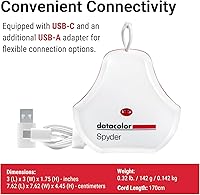
- Dimensions: The puck measures 4.76″ x 4.76″ x 0.5″, making it compact enough to store in a laptop bag without taking up meaningful space.
- Weight: At 5 oz, this calibrator is light enough to carry daily without adding noticeable bulk to a travel kit.
- Material: The housing is constructed from Polyethylene Terephthalate (PET) with a glossy finish and a matte screen-contact surface.
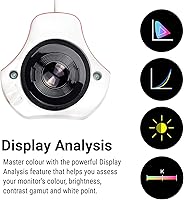
- Display Support: Compatible with OLED, mini-LED, standard LCD, and Apple Liquid Retina XDR panels on both desktop and laptop configurations.
- Max Luminance: The device can measure and calibrate displays with peak luminance up to approximately 750 cd/m², covering most consumer and prosumer monitors.
- Brightness Settings: The software provides 11 discrete brightness setting levels to match your display output to your working environment.
- Calibration Time: A standard calibration cycle completes in approximately 90 seconds using the preset mode; custom calibration may take slightly longer depending on settings chosen.
- Ambient Light Sensor: An integrated ambient light sensor continuously monitors room illumination and can prompt or automatically trigger recalibration when lighting conditions shift.
- DevicePreview: DevicePreview is a Beta-stage software feature that simulates how images may appear on other devices when viewed from your calibrated screen.
- Softproofing: Softproofing is included in the Spyder software, allowing users to preview how images will render under different color output conditions.
- Printer Profiling: Printer profiling is not supported by this model; users who require ICC printer profile creation will need a higher-tier Datacolor device.
- Display Matching: Multi-display matching is not a supported feature, limiting this tool to single-display calibration workflows or independently calibrated multiple displays.
- Displays Supported: The unit can be used across a single primary display or rotated between multiple connected displays, though it does not synchronize them as a matched set.
- Compatible Devices: Works with both desktop monitors and laptop screens across Windows and macOS environments.
- Advanced Calibration: While basic and intermediate customization is available, advanced capture color correction and studio-grade calibration settings are not included in the software package.
- User Rating: The product holds a 4.1 out of 5 star average rating based on 347 verified customer ratings at time of publication.
- Market Rank: It ranks at number 3 in the Photographic Light Meter Color Calibration Charts category on Amazon.
Related Reviews
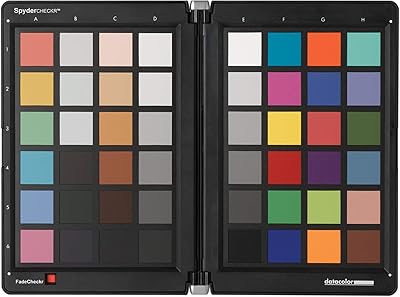
Datacolor Spyder Checkr Color Calibration Tool
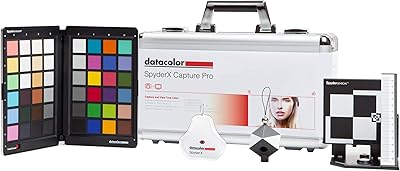
Datacolor Spyder X Capture Pro Color Kit
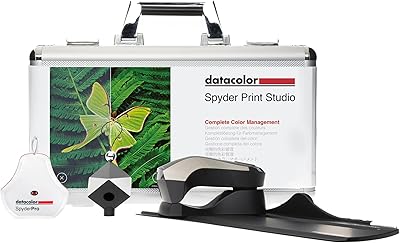
Datacolor Spyder Print Studio Color Management Kit
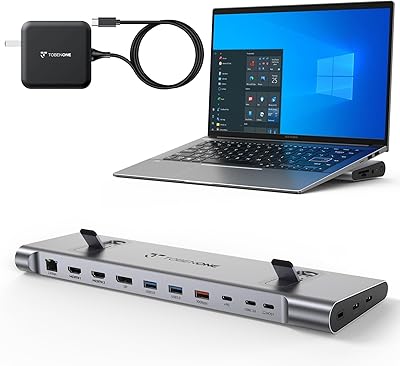
TobenONE UDS041W USB-C Triple Monitor Docking Station
Brocel GarageDoorBuddy Monitor
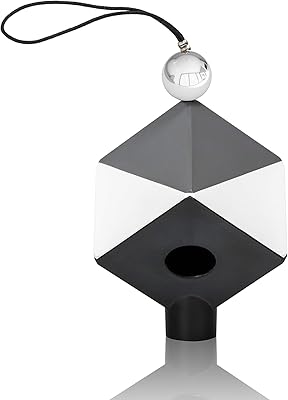
Datacolor SpyderCube 3D Color Calibration Tool
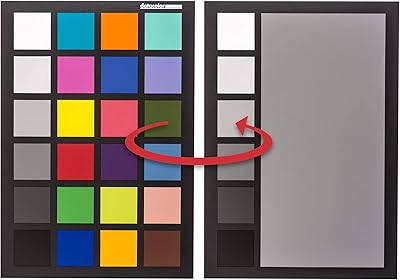
Datacolor SpyderCHECKR 24 Color Calibration Chart
Roku Ultra 2024
CCA CS16 16BA In-Ear Monitors