Overview

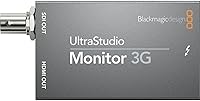
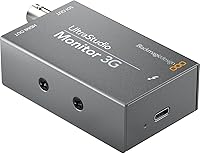
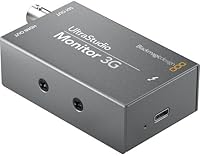
The Blackmagic Design UltraStudio Monitor 3G is a pocket-sized hardware interface built for editors and colorists who need reliable, broadcast-quality output without lugging around a rack unit. It connects to a Mac or PC via Thunderbolt or USB, pushing your timeline to an external display in real time — exactly what you need when cutting on location or grading in a small studio. Blackmagic has a strong reputation in professional broadcast hardware, and this monitoring interface fits squarely into their mid-range lineup. It won't replace a full I/O box, but as a dedicated monitoring device, it punches well above its physical footprint.

Features & Benefits

The UltraStudio Monitor 3G ships with both 3G-SDI and HDMI outputs, so you can feed a broadcast reference monitor and a consumer display simultaneously — handy when showing a client a cut while keeping your grading eye on the calibrated screen. It handles formats up to 1080p60 with 10-bit depth, covering the full range of HD delivery specs most productions actually need. At 5.2 x 5.2 x 1.5 inches and under 10 ounces, it slides into a bag without a second thought. Compatibility spans DaVinci Resolve, Premiere Pro, and most major NLEs, with low-latency playback that holds up reliably during color work.

Best For

This monitoring interface makes the most sense for editors and colorists operating inside HD broadcast workflows who need a portable output solution without investing in a full capture device. It's a natural fit for DaVinci Resolve users, given how tightly Blackmagic's own hardware integrates with that software. On-location editors — documentary crews, corporate video teams, event videographers — will appreciate how little space it occupies in a kit bag. That said, if 4K or 8K delivery is already part of your pipeline, this Blackmagic output device hits a real ceiling: it tops out at 1080p60, and that's worth knowing before you commit.

User Feedback

Buyers consistently highlight the ease of initial setup — most report a live signal on their monitor within minutes of plugging in. Portability comes up repeatedly, especially among editors moving between locations. On the downside, some users have encountered driver friction following macOS updates, occasionally requiring a fresh install of Blackmagic Desktop Video software to restore output. A few note the plastic chassis feels lighter than expected, though actual durability complaints are rare. The most consistent concern is the 3G specification itself: buyers with one eye on future 4K workflows regularly flag the 1080p ceiling as a reason to pause and consider whether this device fits their longer-term plans.

Pros

  • Fits easily into any kit bag at under 10 ounces — genuinely portable, not just marketed as such.
  • Dual SDI and HDMI outputs let you feed a reference monitor and a client display at the same time.
  • 10-bit signal chain keeps color accuracy intact for serious grading work on calibrated monitors.
  • Most users are up and running within minutes — setup rarely requires deep technical troubleshooting.
  • DaVinci Resolve integration is tight and reliable, exactly what you expect from first-party hardware.
  • Handles both compressed and uncompressed HD codecs without requiring format conversion workarounds.
  • Low-latency playback holds up well during color grading sessions without perceptible lag on supported systems.
  • Broad NLE compatibility means it works with Premiere Pro and most major editing platforms, not just Resolve.
  • Blackmagic Design's brand standing in broadcast production gives buyers confidence in long-term driver support.

Cons

  • Hard 1080p60 ceiling makes this Blackmagic output device a poor investment if 4K delivery is already on your roadmap.
  • Driver updates after major macOS releases can temporarily break output, requiring a full Desktop Video reinstall.
  • Monitoring only — no capture or ingest functionality, which catches some buyers off guard after purchase.
  • Plastic chassis lacks the premium, durable feel that the professional price bracket tends to suggest.
  • Port proximity makes cable management awkward with thicker SDI cables in tight desk or field setups.
  • Official support response times are slow; community forums often become the real first line of help.
  • HDMI output can show intermittent handshake delays with certain displays, occasionally requiring a source reset.
  • Buyers on Apple Silicon or cutting-edge Windows builds may face a compatibility wait after OS updates.
  • No 12G-SDI means the device cannot grow with productions that are scaling toward higher-bandwidth formats.

Ratings

Our AI rating engine analyzed hundreds of verified global purchases of the Blackmagic Design UltraStudio Monitor 3G, actively filtering out incentivized reviews and bot activity to surface what real working professionals actually think. The scores below reflect a balanced picture — genuine strengths and recurring frustrations alike — across every dimension that matters to editors, colorists, and broadcast professionals evaluating this device.

Portability & Form Factor
93%
Users are consistently impressed by how little space the UltraStudio Monitor 3G takes up in a bag. Editors working on location — corporate shoots, documentary crews, indie film sets — repeatedly call out the sub-10-ounce weight as a genuine advantage when every kilogram in a kit bag counts.
A small number of buyers feel the compact chassis makes cables and ports feel tightly packed, which can be awkward when hot-swapping connections in the field. The plastic housing, while light, does not inspire the same confidence as aluminum-bodied competitors at a similar price point.
Setup & Installation
81%
19%
Most users report a working signal on their external monitor within minutes of first connection. Blackmagic Desktop Video installs cleanly on most systems, and for DaVinci Resolve users in particular, the device is recognized almost instantly without manual configuration.
After major macOS updates, a meaningful portion of users have needed to fully reinstall the Desktop Video software to restore output — an inconvenience that comes up often enough to be a known friction point. Windows users occasionally report needing to manually select the correct driver version.
SDI Output Quality
89%
The 3G-SDI output is the standout feature for broadcast-oriented users. Colorists feeding a calibrated reference monitor via SDI consistently praise the signal integrity, noting that the output holds up cleanly even during intensive grading sessions with high-bitrate uncompressed timelines.
Some users working with older SDI monitors have noted compatibility quirks that required format adjustments on the receiving end. A few broadcast professionals also flag that the single 3G-SDI output lacks the flexibility of dual-link or 12G options found in higher-tier Blackmagic units.
HDMI Output Quality
76%
24%
For editors monitoring on consumer HDTVs or client-facing displays, the HDMI output delivers a clean, stable signal that handles 1080p60 without issue. Users appreciate being able to run both SDI and HDMI outputs simultaneously for dual-screen or client preview setups.
Compared to the SDI output, users report the HDMI side feels like a secondary feature rather than a primary one. A few note minor handshake delays when connecting to certain HDMI displays, requiring a source reset to lock the signal.
Software Integration
84%
Integration with DaVinci Resolve is tight and reliable, which is exactly what you expect from first-party Blackmagic hardware. Premiere Pro and Final Cut Pro users also report solid real-time output performance, with the device behaving predictably across standard editing and grading workflows.
Blackmagic Desktop Video updates do not always roll out in sync with major OS releases, leaving some users in a limbo period after system upgrades. Support forums show recurring threads from users waiting on driver compatibility patches following macOS point updates.
Video Format & Resolution Support
74%
26%
For HD-centric workflows — broadcast delivery, web production, corporate video — the 1080p60 ceiling covers the full range of practical daily use. The 10-bit depth support means color accuracy holds up well for grading work, and both compressed and uncompressed codecs are handled without fuss.
The 3G specification is the single most divisive aspect of this device. Professionals already shooting 4K or planning to transition will find it hits a hard wall, and several buyers explicitly state they wish they had considered a 12G-capable unit before purchasing.
Build Quality & Durability
67%
33%
Day-to-day durability is generally reported as adequate. Users who have carried the unit in padded bags on regular shoots say it holds up fine under normal handling, and there are few reports of hardware failures or physical damage under typical professional use.
The all-plastic enclosure feels noticeably lightweight in hand, and several buyers describe it as feeling more consumer-grade than the price suggests. Users who have accidentally dropped the unit report mixed outcomes, with port durability being the most common point of concern.
Latency Performance
86%
Low-latency output is a real strength here. Colorists using calibrated reference monitors report that the near-real-time output is responsive enough to support confident grading decisions, particularly in DaVinci Resolve where the hardware-software pairing is optimized.
A small subset of users working with very high-bitrate uncompressed streams on older host machines report occasional dropped frames or lag spikes. This appears to be more of a host CPU and throughput issue than a device limitation, but it does come up in lower-spec system configurations.
Value for Money
79%
21%
For HD broadcast and editing professionals who need portable SDI output without paying for a full I/O box, the price-to-functionality ratio is widely considered fair. Buyers who use it daily for client monitoring or reference grading feel the investment is justified by the workflow reliability it provides.
Users who discover the 1080p ceiling after purchase often feel the value proposition shifts considerably. If your workflow is already 4K-bound or heading there, the per-feature cost of this device compared to an entry-level 12G alternative starts to look less attractive.
Compatibility Across Systems
72%
28%
On stable, established system configurations — particularly MacOS with a supported version of Desktop Video — compatibility is generally solid. Linux users in broadcast environments also report reasonable support, which is more than most consumer-grade devices offer.
The compatibility story gets rockier on newer Apple Silicon machines and on Windows systems running the latest OS builds. Users on cutting-edge hardware setups sometimes face a waiting period before Blackmagic releases a fully stable driver, which is a recurring theme in user communities.
Cable & Port Accessibility
68%
32%
Having both SDI and HDMI outputs physically present on such a small unit is appreciated. Users who need to quickly connect or disconnect for client presentations find the port layout reasonably intuitive once they are familiar with the unit.
The proximity of ports on the compact chassis means that thicker SDI cables can make adjacent connections awkward. A few users working in tight desk setups note that cable management becomes a minor but persistent irritation during extended edit sessions.
Brand Reliability & Support
77%
23%
Blackmagic Design carries genuine credibility in the broadcast and post-production world, and buyers consistently trust the brand name when making purchasing decisions. Most users feel confident the product will continue to receive firmware and driver support for the foreseeable future.
Customer support response times are a recurring criticism. Users who encounter technical issues — particularly around driver compatibility — report that official support channels can be slow, and community forums often serve as the de facto first line of troubleshooting help.
Real-Time Monitoring Accuracy
88%
For its intended purpose — pushing an accurate, color-faithful signal to a reference monitor during grading or editing — this Blackmagic output device performs confidently. Colorists note that the 10-bit signal chain holds color integrity in a way that matters during critical finishing work.
Users expecting true capture functionality alongside monitoring are occasionally caught off guard: this is a playback and monitoring device, not a full capture interface. That distinction, though documented, catches some buyers by surprise and affects their overall satisfaction score.
Ecosystem Integration
83%
Within the Blackmagic ecosystem — particularly for Resolve-heavy studios — this monitoring interface slots in naturally. Users who already own Blackmagic cameras or switchers appreciate how the hardware and software speak the same language without requiring manual calibration or bridge software.
Outside the Blackmagic ecosystem, the integration story is less compelling. Adobe Premiere users report a functional but occasionally clunky experience compared to purpose-built AJA or Matrox alternatives, and the software layer adds a step that some multi-platform editors would prefer to avoid.

Suitable for:

The Blackmagic Design UltraStudio Monitor 3G is built for working professionals whose daily reality involves moving between locations, tight desk setups, or lean studio builds where a full rack-mounted I/O unit would be overkill. Colorists who grade in DaVinci Resolve and need a reliable, low-latency signal pushing to a calibrated reference monitor will find this device fits their workflow with minimal friction. On-location editors — documentary crews, corporate video producers, event videographers — benefit especially from the sub-10-ounce form factor that disappears into a kit bag without adding meaningful weight or bulk. Small post-production studios or home edit suites looking to add broadcast-grade monitoring output without a major hardware spend will also find it a sensible, practical choice. If your deliverables are HD — broadcast, streaming, web, or corporate — and 1080p60 covers your ceiling, this monitoring interface earns its place in the setup.
Not suitable for:

The Blackmagic Design UltraStudio Monitor 3G is not the right tool if your production pipeline has already moved into 4K, or if you are planning that transition within the next year or two. The 3G specification is a genuine hard ceiling, and no firmware update will change that — buyers who overlook this detail tend to be the most dissatisfied. It is also not a capture device; if you need to ingest footage from an external source into your computer, this unit will not do that job, and confusing the two functions is a common source of buyer frustration. Professionals on the latest Apple Silicon machines or bleeding-edge Windows builds should factor in the real possibility of a driver compatibility gap following OS updates, which can leave the device temporarily unusable at the worst moments. Finally, anyone expecting the robustness of a metal-chassis device at this price point should manage expectations — the plastic build is functional but not ruggedized.
Specifications

  • Brand: Manufactured by Blackmagic Design, a professional broadcast and post-production hardware company.
  • Model Number: The official model identifier is BM-BDLKULSDMBREC3G.
  • Dimensions: The unit measures 5.2 x 5.2 x 1.5 inches, making it small enough to sit beside a keyboard or slip into a camera bag pocket.
  • Weight: At 9.17 oz, this is one of the lightest professional monitoring interfaces available in its category.
  • Video Outputs: Equipped with one 3G-SDI output and one HDMI output, allowing simultaneous connection to two displays.
  • Max Resolution: Supports video output up to 1080p60 (Full HD at 60 frames per second); 4K and above are not supported.
  • Bit Depth: Handles 10-bit video for both SD and HD formats, preserving color gradients and shadow detail critical for professional grading work.
  • Codec Support: Compatible with both uncompressed and compressed SD/HD video codecs, covering the majority of professional post-production deliverable formats.
  • Aspect Ratio: Native support for 16:9 widescreen aspect ratio, in line with broadcast and streaming delivery standards.
  • Host Connection: Connects to a host Mac or PC via Thunderbolt or USB, with the specific interface dependent on the host machine configuration.
  • Form Factor: Pocket-sized desktop unit with a compact square chassis designed for portable and space-constrained workstation use.
  • Required Software: Requires Blackmagic Desktop Video software, available as a free download, for driver installation and device configuration.
  • NLE Compatibility: Works with DaVinci Resolve, Adobe Premiere Pro, Final Cut Pro, and other major non-linear editing applications for real-time monitor output.
  • SDI Standard: Uses the 3G-SDI standard (SMPTE 424M), supporting single-link HD signals up to 3 Gbps; does not support 6G or 12G-SDI.
  • Function Type: This is a monitoring and playback device only; it does not support video capture or ingest from external sources.
  • Release Date: First made available in July 2020 and remains an active, non-discontinued product in the Blackmagic Design lineup.
  • Market Rank: Holds a top-25 ranking in the Video Monitors category on Amazon, reflecting sustained demand among professional users.
  • Chassis Material: Constructed with a lightweight plastic enclosure; no metal housing is used in the standard retail unit.

Related Reviews

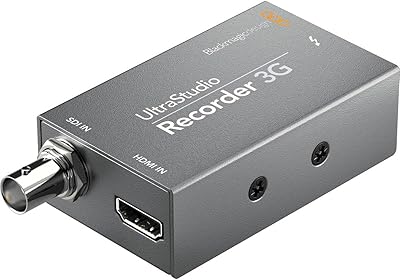
Blackmagic Design UltraStudio Recorder 3G
86%
88%
Performance
91%
Ease of Setup
93%
Portability
89%
Build Quality
85%
Compatibility with Software
More
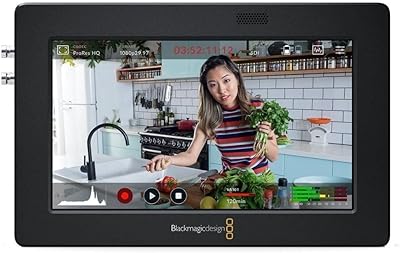
Blackmagic Design Video Assist 5″ 3G
75%
84%
Screen Clarity
89%
Scope Accuracy
91%
Connectivity & Compatibility
81%
Recording Performance
83%
Build Quality
More
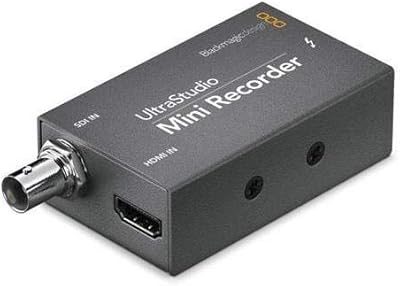
Blackmagic Design UltraStudio Mini Recorder
87%
88%
Performance
90%
Build Quality
92%
Video Quality
85%
Audio Quality
94%
Connectivity
More
Blackmagic Design DeckLink Mini Monitor 4K
84%
89%
Performance
91%
Color Accuracy
88%
Compatibility with Software
75%
Installation/Setup
93%
Power Efficiency
More
Blackmagic Design Video Assist 5″ 12G HDR
80%
93%
Screen Brightness & Visibility
88%
Build Quality & Durability
91%
Recording Capability
86%
HDR Monitoring Accuracy
51%
Battery Life
More
Blackmagic Design Video Assist 7″ 12G HDR
82%
91%
Display Quality
93%
Build Quality
88%
Recording Performance
89%
SDI Connectivity
86%
HDR Monitoring Accuracy
More
Blackmagic Design Intensity Pro 4K
83%
94%
Video Capture Quality
68%
Setup & Installation
82%
Software Performance
89%
System Compatibility
90%
Reliability & Durability
More
Blackmagic Design Web Presenter HD
86%
91%
Ease of Use
88%
Streaming Quality
68%
Mobile Data Connectivity
85%
Portability
94%
Setup Process
More
Blackmagic Design DeckLink SDI 4K
87%
94%
Video Capture Quality
83%
Software Compatibility
89%
Build Quality
91%
Performance & Speed
87%
Cross-Platform Compatibility
More
Blackmagic Design DeckLink Mini Recorder 4K
87%
95%
Video Quality
78%
Ease of Setup
89%
Build Quality
90%
Compatibility with Systems
85%
Value for Money
More

FAQ

It is strictly a monitoring and playback device. The Blackmagic Design UltraStudio Monitor 3G sends video from your computer out to an external display — it cannot ingest or capture footage from an external camera or source. If you need both capture and output, you would need a different unit from Blackmagic's lineup, such as the UltraStudio Recorder or a full I/O model.
It can work, but compatibility depends on the current version of Blackmagic Desktop Video software installed. Blackmagic has historically released Apple Silicon-compatible driver updates, but there is sometimes a lag after major macOS releases. It is worth checking Blackmagic's support page for the latest Desktop Video version before purchasing if you are on a newer Mac.

Yes, both outputs operate simultaneously. This is one of the more practical aspects of this monitoring interface — you can feed a calibrated reference monitor via SDI and a client-facing TV or projector via HDMI at the same time without any additional configuration.

No, the device tops out at 1080p60 regardless of your source material. Even if your camera shoots 4K, the monitoring output through this unit will be limited to Full HD. If your editing or grading workflow requires monitoring native 4K footage at full resolution, you will need a 12G-capable device.

The connection method depends on your specific host machine and the version of the unit you have. Blackmagic Design offers variants with Thunderbolt and USB connectivity, so it is worth confirming which interface your computer supports before ordering to make sure you have the right cables on hand.

Yes, Blackmagic Desktop Video is required and must be installed before the device will be recognized by your computer or NLE. The software is free to download from Blackmagic Design's website. Most users find installation straightforward, though a full reinstall is sometimes needed after major operating system updates to restore full functionality.

It works with Premiere Pro, Final Cut Pro, and most other major NLEs — not just DaVinci Resolve. That said, the integration tends to be tightest with Resolve since both are Blackmagic products. Premiere Pro users generally report solid real-time output performance, though setup occasionally requires selecting the correct output device in the software preferences.

It is portable and lightweight, but the plastic chassis is not ruggedized. Users who carry it regularly in a padded bag or case report no issues over time, but it is not built to withstand drops or rough handling. Treat it like any other piece of compact professional electronics — protect it in transit and it should hold up fine under normal use.

On a reasonably capable host machine, the output latency is low enough for practical color grading work. Most colorists using it with DaVinci Resolve report that the real-time output is responsive and reliable. On older or underpowered systems, occasional frame drops can occur with high-bitrate uncompressed streams, but this is generally a host machine limitation rather than a device issue.

The main differences come down to resolution ceiling, SDI specification, and capture capability. Higher-tier UltraStudio models support 12G-SDI for 4K and beyond, include both capture and playback functionality, and often offer more connection options. This unit is designed for users whose workflows live comfortably within HD and who need monitoring output specifically — not a full-featured I/O box.