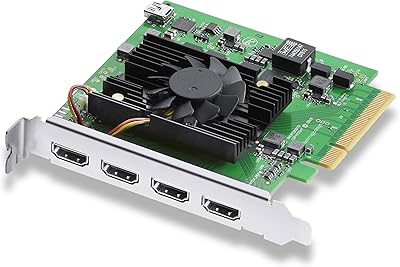
Overview

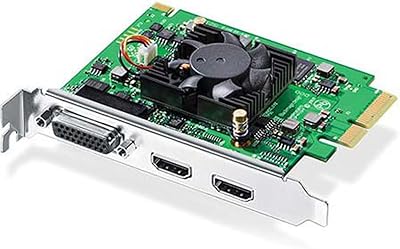
The Blackmagic Design DeckLink Mini Monitor 4K is a PCIe playback card designed for high-quality video output with impressive color precision. Offering support for both Ultra HD and 4K DCI formats up to 30p, it caters to users who demand crisp, accurate video for professional editing and monitoring. This video output solution integrates seamlessly with industry-standard software like DaVinci Resolve and Adobe Premiere Pro, making it a reliable choice for video production environments. Whether for simple playback or detailed monitoring, this card delivers a solid performance for a variety of media workflows.
Features & Benefits

This playback card features both 6G-SDI and HDMI 2.0a connectors, providing users with flexible options for connecting to a range of displays. It supports a wide array of video formats, including AVC-Intra, Apple ProRes, and uncompressed files, ensuring compatibility across various media types. The card operates with low power consumption (just 4 watts) and is compatible with multiple operating systems, including Windows, Linux, and macOS. With its compact design, it fits seamlessly into any modern video production setup without compromising performance or energy efficiency.

Best For

This video output solution is ideal for professional video editors, post-production teams, and broadcast environments. Its ability to handle both 4K and Ultra HD video formats makes it perfect for high-definition video monitoring and playback tasks. Users looking for a card that supports a range of codecs and offers robust connectivity will find this product highly suitable. Additionally, those needing to integrate with industry-leading software like DaVinci Resolve and Adobe Premiere Pro will appreciate the seamless compatibility that this playback card offers.

User Feedback

The Blackmagic Design DeckLink Mini Monitor 4K has received positive reviews, with users rating it 4.3 out of 5 stars. Many appreciate the crisp, accurate color it provides for video monitoring, especially for projects requiring precise visual details. However, some users have reported issues with setup complexity and compatibility with older systems, which may require additional configuration. Despite this, its overall performance in delivering high-quality video output for professional workflows remains a significant plus for those in video production.
Pros

  • Offers excellent 10-bit color precision for professional-grade video monitoring.
  • Supports both Ultra HD and 4K DCI formats, ideal for high-quality content production.
  • Works seamlessly with industry-standard software like DaVinci Resolve and Adobe Premiere Pro.
  • Compact design with low power consumption (4 Watts), making it suitable for space-constrained environments.
  • Equipped with versatile connectivity options, including 6G-SDI and HDMI 2.0a ports.
  • Highly appreciated for its accurate color output during video editing and monitoring.

Cons

  • Some users report setup complexity, particularly with older systems or hardware configurations.
  • Not a budget-friendly option for casual users or hobbyists who don’t need 4K video output.
  • The installation process can be time-consuming, especially for those unfamiliar with professional-grade hardware.
  • Occasionally, compatibility issues arise with certain software or legacy systems.
  • May not be ideal for users looking for a quick plug-and-play solution.
  • A few users mention that it may not work as well with certain older graphics cards.

Ratings

After analyzing verified user reviews from multiple global platforms and languages, we present the aggregated ratings for the Blackmagic Design DeckLink Mini Monitor 4K. This analysis filters out spam, bot-generated, and incentivized reviews, ensuring that only authentic feedback from genuine users influences the results. Both the strengths and pain points of this product are reflected in the following ratings, based on comprehensive user experiences across diverse sources and regions.

Performance
89%
Many users have praised the playback card for its excellent performance in rendering high-quality video output. The 10-bit color precision and 4K support ensure that video editors can work with detailed, accurate visuals, making it a trusted tool in professional settings.
Some users reported occasional lag or frame drops during intensive tasks, particularly with complex video files or older hardware. This has led to some frustration when trying to run heavy workflows, especially on less powerful systems.
Color Accuracy
91%
The card's color accuracy stands out, with many buyers noting that it provides crisp, true-to-life colors for video monitoring. Professionals working in video production and post-production have highlighted this as one of the card's strongest features, offering precise color grading.
A few users mentioned that the color calibration process could be more straightforward, especially when working with specific monitors or settings. There were occasional reports of needing to adjust settings manually for optimal results, which could be time-consuming.
Compatibility with Software
88%
Buyers have appreciated the broad software compatibility, especially with industry-leading programs like DaVinci Resolve and Adobe Premiere Pro. This ensures smooth integration into established post-production workflows, reducing the need for additional configuration or troubleshooting.
Some users encountered minor compatibility issues with older versions of the software or specific operating systems. While most recent versions work flawlessly, users running outdated software setups sometimes faced challenges with integration.
Installation/Setup
75%
25%
Many users found the initial installation process relatively straightforward, with clear instructions provided by the manufacturer. Once set up, the card integrates seamlessly into most systems, with minimal setup required for regular use.
However, several buyers mentioned that the card's setup can be complex, particularly for those with older hardware or non-standard configurations. Some reported difficulties in installing the necessary drivers, leading to frustration and additional troubleshooting time.
Power Efficiency
93%
This device's low power consumption of just 4 watts makes it an energy-efficient solution for long editing sessions. Users appreciate that they can rely on it for extended periods without putting additional strain on their systems, making it an eco-friendly option.
Despite its low power draw, a small number of users felt that it could still generate more heat than expected during heavy usage. This wasn’t a major issue for most, but a few users with tight airflow setups reported noticing some temperature concerns.
Connectivity Options
85%
The combination of 6G-SDI and HDMI 2.0a connectors gives users flexible display options, making this product ideal for both professional broadcast environments and casual setups. The versatility of the connections ensures easy integration into various workflows.
A few buyers pointed out that while the connectors are useful, they would have liked to see more options for connecting to certain niche devices. Some users mentioned the lack of DisplayPort connectivity as a potential limitation in some scenarios.
Build Quality
82%
18%
Users generally found the build quality to be solid and well-constructed, with a professional feel. The compact design and durability made it a reliable choice for video editors who need a sturdy tool for daily use in demanding environments.
There were some reports of users experiencing physical wear on the connectors after prolonged use, particularly with the SDI port. While not widespread, this could be a concern for users who heavily depend on these ports for constant connectivity.
Software/Driver Stability
80%
20%
Most users experienced smooth driver installation and reliable performance with major operating systems like Windows, macOS, and Linux. The software's stability allows professionals to use it without frequent crashes or interruptions during video editing tasks.
However, there were occasional reports of instability when using specific versions of the driver, with some users encountering glitches or crashes. These issues were more frequent on older systems, which may require frequent updates for optimal functionality.
Price/Value for Money
92%
Given the features and professional-level performance, most users feel that this video output solution offers excellent value for money. It strikes a balance between cost and quality, delivering impressive results at a relatively affordable price for professional-grade equipment.
While many felt the price was justified, some budget-conscious buyers thought the cost could be a bit high compared to other options with similar capabilities. For occasional users or hobbyists, the price may seem steep, especially without the need for advanced features.
Support and Documentation
77%
23%
Users noted that Blackmagic Design provides decent customer support when needed, with responsive teams ready to assist with technical inquiries. The available documentation also helps guide users through the basic setup and installation processes.
On the downside, some buyers mentioned that the documentation could be more comprehensive, particularly when troubleshooting advanced issues. A few users felt that support could be quicker, with response times sometimes being longer than expected.
Video Output Quality
90%
The video output quality, particularly in 4K and Ultra HD formats, was a standout feature for many users. Whether for high-end editing or live broadcast applications, the card consistently delivered stunning clarity and precise color rendering.
While the video quality is generally excellent, some users with specific monitor setups mentioned that getting the most accurate output required extra calibration. This was more of a minor inconvenience than a deal-breaker, but it was still noted by a few users.
User Experience with Older Systems
60%
40%
For users with modern systems, the product performed as expected, with minimal setup and seamless integration. It was particularly appreciated by those upgrading from older, less capable video output devices.
However, several buyers with older systems struggled to get the playback card to work properly. Compatibility issues, including driver support and system requirements, were common pain points, making this less suitable for those with outdated hardware.

Suitable for:

The Blackmagic Design DeckLink Mini Monitor 4K is an excellent choice for professional video editors, post-production teams, and broadcast applications. Users who require high-quality video output with 10-bit color precision, particularly those working with Ultra HD and 4K content, will benefit from its performance. This playback card is ideal for seamless integration with industry-leading software like DaVinci Resolve and Adobe Premiere Pro, making it an essential tool for those in video production or editing. Its compact design and low power consumption also make it suitable for studio environments where space and energy efficiency are priorities.
Not suitable for:

This device may not be the best fit for users with older systems or hardware configurations, as some have experienced compatibility issues during setup. It may also prove excessive for casual users or hobbyists who do not require professional-grade video output. Those on tight budgets or working with limited systems might find the price and the complexity of installation too burdensome. Additionally, users seeking a simple, plug-and-play experience may struggle with the setup process, especially if they do not have the latest software versions or hardware.

Specifications

  • Interface: Uses a PCIe interface for high-speed data transfer and integration with desktop systems.
  • Color Precision: Supports 10-bit color precision for accurate color reproduction in professional video workflows.
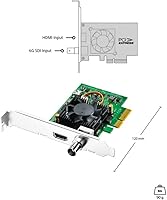
  • Video Outputs: Includes 1x 6G-SDI and 1x HDMI 2.0a connectors for flexible video output options.
  • Resolution Support: Supports Ultra HD and 4K DCI formats up to 30p for high-quality video output.
  • Codec Support: Compatible with a variety of codecs including AVC-Intra, Apple ProRes, and uncompressed formats.
  • Power Consumption: Operates with low power consumption, drawing only 4 Watts during use.
  • Operating System Compatibility: Works with Windows, Linux, and macOS operating systems for cross-platform compatibility.
  • Dimensions: Measures 6 x 6 x 6 inches, providing a compact form factor for integration into systems.
  • Weight: Weighs 5.6 ounces, making it lightweight and easy to handle during installation.
  • Software Compatibility: Fully compatible with professional video software like DaVinci Resolve and Adobe Premiere Pro.
  • Display Integration: Supports multiple display configurations through its 6G-SDI and HDMI connectors.
  • Post-Production Workflow: Designed for professional video monitoring in post-production environments, enhancing the editing process.
  • Video Formats: Supports a range of video formats, including uncompressed video and high-definition Apple ProRes.
  • Low Latency: Offers low-latency playback, ensuring smooth video output for real-time applications.
  • Driver Support: Drivers and software are available for download on Blackmagic Design's official website.
  • Fanless Design: The card features a fanless design, ensuring quiet operation during use.
  • Video Monitoring: Provides crisp, accurate color output, ideal for professional video monitoring setups.
  • Temperature Range: Operates within a typical operating temperature range of 0°C to 40°C (32°F to 104°F).

Related Reviews
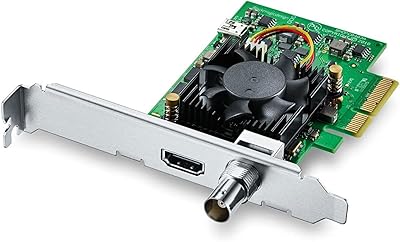
Blackmagic Design DeckLink Mini Recorder 4K
87%
95%
Video Quality
78%
Ease of Setup
89%
Build Quality
90%
Compatibility with Systems
85%
Value for Money
More
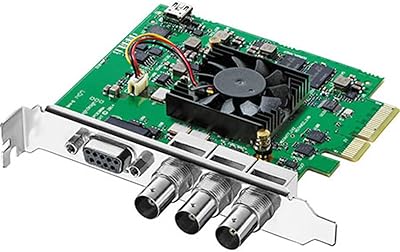
Blackmagic Design DeckLink SDI 4K
87%
94%
Video Capture Quality
83%
Software Compatibility
89%
Build Quality
91%
Performance & Speed
87%
Cross-Platform Compatibility
More
Blackmagic Design UltraStudio Mini Recorder
87%
88%
Performance
90%
Build Quality
92%
Video Quality
85%
Audio Quality
94%
Connectivity
More
Blackmagic Design Intensity Pro 4K
83%
94%
Video Capture Quality
68%
Setup & Installation
82%
Software Performance
89%
System Compatibility
90%
Reliability & Durability
More
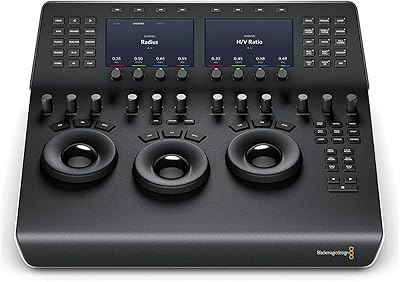
Blackmagic Design UltraStudio Monitor 3G
80%
93%
Portability & Form Factor
81%
Setup & Installation
89%
SDI Output Quality
76%
HDMI Output Quality
84%
Software Integration
More
Blackmagic Design ATEM Mini Extreme ISO
83%
94%
ISO Recording Capability
91%
Audio Mixing & Fairlight Integration
89%
Video Input Flexibility
87%
SuperSource & Compositing
61%
Software Learning Curve
More
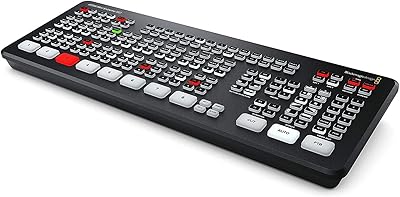
Blackmagic Design DaVinci Resolve Mini Panel
87%
94%
Build Quality
91%
Portability
88%
Ease of Use
93%
Performance in Color Grading
89%
Compatibility
More
Blackmagic Design Video Assist 5″ 3G
75%
84%
Screen Clarity
89%
Scope Accuracy
91%
Connectivity & Compatibility
81%
Recording Performance
83%
Build Quality
More
Blackmagic Design DeckLink Quad HDMI PCIe Capture Card
84%
94%
Performance
65%
Setup and Installation
90%
Compatibility with Software
92%
Video Capture Quality
88%
Latency
More
Blackmagic Design ATEM Mini Pro
82%
91%
Build Quality
93%
Streaming Performance
89%
Video Quality
86%
Audio Mixing
74%
Ease of Setup
More

FAQ

This device is a PCIe playback card that provides 10-bit color precision video output, making it ideal for high-quality video monitoring in professional post-production and broadcast environments. It supports Ultra HD and 4K DCI formats up to 30p.

Installation involves inserting the playback card into a PCIe slot on your computer. After installation, you'll need to install the appropriate drivers and software from Blackmagic Design’s website. The card is compatible with multiple operating systems including Windows, macOS, and Linux.

Yes, this video output solution is fully compatible with industry-leading software like DaVinci Resolve, Adobe Premiere Pro, and other professional video editing applications. It works seamlessly for high-quality playback and monitoring.

The Blackmagic Design DeckLink Mini Monitor 4K supports a wide range of video formats, including AVC-Intra, Apple ProRes, and uncompressed video formats. This allows for flexible workflow options across various video production projects.

The 10-bit color precision ensures that video output is crisp and accurate, which is particularly important for color grading and fine details in professional video editing. This high level of precision helps avoid color banding and provides smoother transitions during editing.

This playback card features both a 6G-SDI connector and an HDMI 2.0a port, offering flexible display integration. This allows users to connect to various monitors and broadcast equipment, ensuring compatibility with both professional and consumer-level gear.

Yes, the Blackmagic Design DeckLink Mini Monitor 4K is designed to have a low power consumption of only 4 Watts, making it energy-efficient without compromising performance.

While the card is compatible with various systems, some users have reported setup issues when using it with older hardware. It's recommended to ensure your system meets the minimum specifications to avoid compatibility issues.

This device is aimed at professionals and may not be ideal for beginners who are unfamiliar with video editing hardware. While it delivers excellent performance, users may need some technical knowledge to handle installation and setup properly.

The Blackmagic Design DeckLink Mini Monitor 4K is best for professional video editors, post-production teams, and users working on broadcast video monitoring. It’s also suitable for individuals or studios that need a reliable and flexible video output solution for high-quality 4K playback.