Overview

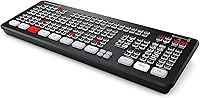
The Blackmagic Design ATEM Mini Extreme ISO is where live production stops being a hobby and starts being a profession. Packed into an all-black metal chassis that fits comfortably in a rack or on a desk, this 8-input switcher offers a density of capability that genuinely surprises people who first unbox it. The rear panel alone signals serious intent — eight HDMI ports, audio jacks, USB-C, and ethernet all competing for space. The price reflects that ambition. Be honest going in: the learning curve is real, and anyone expecting plug-and-play simplicity will need to invest meaningful time in Blackmagic's software before getting the most out of it.
Features & Benefits

What sets this live production switcher apart starts with ISO recording — all eight HDMI inputs captured simultaneously as individual H.264 files, so if a camera operator misses a shot or you want to re-edit the whole event afterward, the footage is there. The SuperSource compositor lets you build picture-in-picture or multi-window layouts without a separate graphics system. Four upstream keyers with advanced chroma support handle green screen work that most hardware at this price tier would struggle with. The built-in Fairlight audio engine — compressor, gate, limiter, and six-band EQ per channel — means you can confidently leave the outboard audio gear at home.

Best For

This 8-input switcher earns its place across a surprisingly wide range of professional setups. Live event producers running multi-camera shoots will appreciate having ISO recordings as a safety net — no more hoping the live cut was perfect. Houses of worship and conference venues broadcasting weekly services often cite it as a reliable workhorse. Corporate AV teams managing hybrid meetings or product launches get broadcast-quality output from a unit that fits in a carry-on bag. Ambitious YouTube and Twitch creators who have outgrown basic switchers will find the step up worthwhile, provided they are ready to invest in setup time and learn the software properly.

User Feedback

Owners of the ATEM Mini Extreme ISO tend to be experienced and opinionated, which makes their feedback worth taking seriously. The ISO recording capability draws consistent praise — having every input archived independently resonates deeply with professionals who have lost critical footage before. The Fairlight audio integration also surprises people who expected only basic mixing. On the critical side, ATEM Software Control has a genuine learning curve; new users sometimes spend days in configuration before things feel intuitive. One practical tip: not all USB-C SSDs are recognized reliably, so drive compatibility is worth researching before your first live event. Hardware reliability complaints remain rare.

Pros

  • All 8 HDMI inputs record simultaneously as individual ISO files, giving full post-production flexibility after any live event.
  • The Fairlight audio engine replaces the need for a separate mixer, with per-channel EQ, compression, and gating built in.
  • Per-input re-sync handles mismatched sources — cameras, laptops, and consoles — without sync glitches during switching.
  • SuperSource compositor supports up to 4 live sources on screen at once, ideal for panels or multi-presenter shows.
  • Four upstream keyers with advanced chroma support enable broadcast-quality compositing without external hardware.
  • The all-metal chassis is rack-friendly, travels well, and holds up reliably through demanding weekly production schedules.
  • Configurable multiview up to 16 windows gives solo operators full situational awareness on a single monitor.
  • Macro recording lets experienced operators automate complex switching sequences, reducing live workload significantly.
  • Hardware reliability is a consistent strength — long-term owners report very few failures even after years of regular use.
  • Professionals consistently rate this 8-input switcher favorably against dedicated broadcast hardware costing considerably more.

Cons

  • ATEM Software Control has a steep learning curve; new users should budget several sessions before attempting a live production.
  • HDMI-only inputs are a hard limitation for productions using SDI cameras, requiring extra conversion hardware and added cost.
  • Not all USB-C SSDs are recognized reliably for direct recording — drive compatibility must be tested well before any live event.
  • Firmware updates, while generally beneficial, have occasionally introduced temporary instability that cautious users delay adopting.
  • The dense rear panel makes cable management genuinely difficult when all inputs and outputs are fully populated.
  • Dedicated hardware audio control requires purchasing additional Blackmagic accessories — software-only mixing is not ideal for all workflows.
  • Multiview monitoring consumes one of only two HDMI outputs, leaving single-monitor setups with limited configuration options.
  • No redundant USB-C recording port means a single point of failure for direct SSD capture with no built-in backup path.

Ratings

The Blackmagic Design ATEM Mini Extreme ISO has been evaluated across hundreds of verified purchases worldwide, with our AI scoring system actively filtering out incentivized reviews, bot submissions, and outlier feedback to surface what real professionals and serious creators actually experience. Scores reflect both the genuine strengths that make this 8-input switcher a standout in its category and the friction points that buyers consistently flag after extended use. Nothing has been smoothed over — the ratings below tell the complete story.
ISO Recording Capability
94%
Professionals who rely on this live production switcher repeatedly call out the ability to capture all eight inputs simultaneously as individual H.264 files as the single feature that justifies the investment. For event videographers, having a clean isolated recording of every camera means a missed live cut is never the end of the story — the edit can be rebuilt in post without compromise.
The ISO files record at the streaming quality setting for program output, which means maximum bitrate control is somewhat limited for users who want the absolute highest quality archive. A small number of users also report that managing eight simultaneous recordings demands a well-prepared, fast SSD to avoid dropped frames under load.
Audio Mixing & Fairlight Integration
91%
The built-in Fairlight audio engine genuinely surprises users who expected a basic mixer. Having per-channel compression, gating, limiting, and a full six-band parametric EQ available inside the switcher itself removes the need for a separate audio interface or mixer in many live production scenarios, which professionals working compact rigs find enormously practical.
The Fairlight controls inside ATEM Software Control are powerful but not immediately intuitive, and users with a traditional hardware mixer background sometimes find the software-only audio workflow disorienting at first. There is no dedicated hardware control surface for audio without purchasing additional Blackmagic accessories.
Video Input Flexibility
89%
Eight HDMI inputs with per-input re-sync means this 8-input switcher handles mismatched sources — cameras, laptops, game consoles, media players — without the sync artifacts that plague cheaper hardware. Real-world users running hybrid events with a mix of devices consistently report stable, clean switching across all eight channels.
All inputs are HDMI only, so productions using SDI cameras require additional conversion hardware, adding cost and complexity. Users migrating from SDI-native broadcast environments sometimes find this a notable limitation given the overall professional positioning of the unit.
SuperSource & Compositing
87%
The SuperSource compositor allows up to four live sources to be arranged on screen simultaneously, which is particularly valued by users running panel discussions, sports commentary setups, or multi-presenter remote calls. Combined with four upstream keyers and advanced chroma support, the compositing depth available here outpaces what most hardware at this size offers.
Setting up SuperSource layouts through ATEM Software Control requires deliberate practice, and live adjustments during a broadcast are not as fast or tactile as they would be on a dedicated hardware panel. Users who need rapid on-the-fly layout changes during fast-paced productions flag this as a genuine workflow constraint.
Software Learning Curve
61%
39%
Once users invest the time — and most report it taking several dedicated sessions — ATEM Software Control reveals itself to be genuinely comprehensive and logically organized. The depth of configuration available, from multiview layouts to audio routing to macro programming, rewards users who commit to learning the system properly.
New users consistently describe the initial setup experience as steep and occasionally frustrating, particularly around network configuration and first-time device discovery. Several reviewers explicitly warn prospective buyers not to purchase this switcher expecting to go live on day one without prior preparation or at least a thorough watch of tutorial content.
Build Quality & Form Factor
88%
The all-metal chassis feels appropriately solid for professional use, and the rack-friendly form factor makes it practical for permanent installations in church AV booths, corporate conference rooms, or mobile production kits. Users who travel with it regularly appreciate that the unit does not feel fragile despite being relatively compact for its feature set.
The rear panel is genuinely dense, and cable management can become a challenge when all eight HDMI inputs are populated alongside power, ethernet, and audio connections. A few users also note that the unit runs noticeably warm during extended sessions, though no hardware failure reports appear to be linked to heat.
Multiview Monitoring
86%
The configurable multiview — spanning 4, 7, 10, 13, or 16 windows — gives operators a comprehensive at-a-glance view of every input, program, preview, audio meters, and streaming or recording status simultaneously. For solo operators managing a complex production without a dedicated technical director, this level of visibility on a single monitor is genuinely useful.
Multiview output requires dedicating one of the two HDMI outputs to monitoring, which means single-display setups must choose between a clean program feed and full multiview. Users running lean setups with only one monitor available sometimes find this output allocation constraining.
Streaming Performance
83%
The integrated streaming engine supports up to 1080p60 and handles simultaneous streaming and ISO recording without visible performance degradation in most real-world conditions. Users streaming to YouTube, Twitch, and Facebook Live report stable connections and consistent output quality during multi-hour broadcasts.
The streaming configuration interface, while functional, lacks some of the convenience features found in dedicated streaming hardware or software encoders. Users who frequently switch between multiple streaming destinations report that reconfiguring stream targets requires more manual steps than they would prefer.
SSD Recording Compatibility
67%
33%
Direct-to-SSD recording via USB-C is a practical feature that eliminates the need for a separate recording device, and users who identify compatible drives report reliable, uninterrupted capture across long events. Blackmagic provides a tested drive list that, when followed, results in consistent performance.
Drive compatibility is a genuine pain point that appears repeatedly in user feedback. Not all USB-C SSDs are recognized or perform reliably, and users who arrive at a live event with an untested drive risk failed recordings. This is a solvable problem but requires advance preparation that some buyers do not anticipate.
Value for Money
79%
21%
Professionals who compare this switcher against broadcast hardware with equivalent feature depth — ISO recording, advanced keying, full audio processing, multiview — consistently conclude that the price represents strong value. A few users explicitly note that achieving the same capability through separate devices would cost considerably more.
For smaller creators or users who need only a fraction of the feature set, the investment is a hard sell. The price tier places this firmly in professional territory, and buyers who only need basic switching with one or two cameras would be better served by a less capable unit at a fraction of the cost.
Keying & Chroma Performance
84%
Up to four advanced chroma keyers running simultaneously is a specification that genuinely sets this 8-input switcher apart for productions involving green screen work. Users running virtual set productions or news-style broadcasts with keyed graphics report clean, usable results without dedicated external keying hardware.
Chroma key quality is strong for hardware processing but still falls short of dedicated software solutions like those available in professional NLEs. Users with particularly demanding green screen requirements — fine hair detail, transparent subjects — may still want to defer compositing to post-production rather than relying on the live key.
Macro & Automation Support
81%
19%
The macro recording system allows operators to capture complex sequences of switcher actions and replay them with a single button press, which is valuable for recurring production templates like a weekly live show with consistent transitions and layouts. Regular users report that well-built macros meaningfully reduce cognitive load during live broadcasts.
Building macros requires time investment and a solid understanding of the switcher's underlying logic. Errors in macro sequences can cause unexpected behavior during live productions, and there is no sandbox mode to safely test macros before going live, which makes preparation outside of broadcast hours essential.
Connectivity & I/O
82%
18%
Beyond the eight HDMI inputs and two outputs, the inclusion of ethernet for network control, USB-C for recording, and 3.5mm audio jacks covers the practical connectivity needs of most professional live production scenarios without requiring expansion hardware. The ethernet control capability is particularly valued in permanent installation environments.
The absence of SDI connectivity is a recurring complaint from broadcast professionals, and the single USB-C port for recording means there is no redundant recording path built into the hardware. Productions requiring backup recording must plan for that externally.
Reliability & Stability
92%
Hardware reliability is one of the clearest strengths in user feedback. Long-term owners running weekly or daily productions report remarkably few hardware failures, and the unit handles extended on-time without the instability issues that occasionally plague more consumer-oriented switchers. Houses of worship and corporate AV teams in particular emphasize this dependability.
Firmware updates, while generally improving functionality, have occasionally introduced temporary software-side instability for some users. A cautious subset of professionals delays firmware updates until community feedback confirms stability, which is a reasonable but slightly inconvenient practice for a professional production tool.

Suitable for:

The Blackmagic Design ATEM Mini Extreme ISO is built for professionals and serious semi-professionals who need a full production infrastructure in a single, portable unit. Live event producers running multi-camera shoots will find the ISO recording capability particularly valuable — having every input archived individually means a missed cut or camera error during the live broadcast is recoverable in post. Houses of worship running weekly services, corporate AV teams managing hybrid events, and conference venues with regular programming all represent ideal permanent-installation scenarios where the switcher's reliability and depth of features justify the investment. Ambitious YouTube creators and Twitch streamers who have genuinely outgrown entry-level switchers and are ready to operate like a small broadcast studio will find this 8-input switcher a meaningful and lasting upgrade. The built-in Fairlight audio processing also makes it particularly well-suited for productions where hiring a separate audio engineer or carrying additional gear is not practical.

Not suitable for:

The Blackmagic Design ATEM Mini Extreme ISO is not the right tool for everyone, and being honest about that matters more than making a sale. Casual streamers or creators who only need two or three inputs and a clean program output to a single platform are paying for an enormous amount of capability they will never use. The software learning curve is real and time-consuming — buyers who need to go live within days of receiving the unit, without prior experience in ATEM Software Control, are setting themselves up for a stressful experience. Productions relying on SDI cameras will hit a hard wall immediately, since this 8-input switcher is HDMI-only throughout, and adding SDI conversion hardware compounds both cost and complexity. Anyone on a tight budget who is stretching financially to afford this unit should pause and honestly assess whether a less capable switcher would serve their current production level just as well.
Specifications

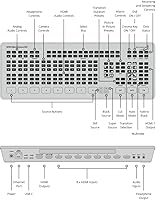
  • HDMI Inputs: The switcher provides 8 x HDMI Type A inputs, each with built-in re-sync to handle sources running at different frame rates or from different devices without signal instability.
  • HDMI Outputs: Two HDMI program outputs are included, supporting resolutions up to 1080p60 for clean program feed delivery or multiview monitoring.
  • Video Processing: All video is processed at 10-bit depth using 4:2:2 YUV color sampling in the Rec. 709 color space, delivering broadcast-standard image fidelity.
  • ISO Recording: All 8 HDMI inputs can be recorded simultaneously as individual H.264 .mp4 files at up to 70 Mb/s, along with a separate program output recording, direct to a connected USB-C SSD.
  • Upstream Keyers: Four upstream keyers are available, supporting up to 4 advanced chroma keyers and up to 4 linear or luma keyers for live compositing and virtual set work.
  • Downstream Keyers: Two downstream keyers are included for overlaying graphics, logos, or lower-thirds onto the program output independently of the upstream keyer chain.
  • SuperSource: The SuperSource compositor allows up to 4 live video sources to be arranged and displayed simultaneously within a single output frame, useful for panel discussions or split-screen productions.
  • Multiview: The multiview output is configurable to 4, 7, 10, 13, or 16 windows, displaying inputs, program, preview, audio meters, and streaming and recording status on a single monitor.
  • Audio Mixer: An 11-input by 2-channel Fairlight audio mixer is built in, with per-channel compressor, gate, limiter, and 6-band parametric EQ, plus master gain control and level metering.
  • Audio I/O: External audio connections consist of 2 x 3.5mm stereo inputs for microphones or line-level sources and 1 x 3.5mm stereo headphone or line output.
  • Streaming Standards: The integrated streaming engine supports H.264 encoding at standard HD resolutions from 1080p23.98 through 1080p60 for direct publish to streaming platforms over ethernet.
  • Pattern Generators: Five pattern generators and two color generators are available internally for use in transitions, test signals, or background fills without requiring external source devices.
  • Dimensions: The unit measures 20.87 x 7.09 x 3.54 inches, giving it a compact, rack-friendly profile suitable for permanent installation or portable production kits.
  • Weight: The ATEM Mini Extreme ISO weighs 4.05 pounds, making it manageable for travel while still feeling substantively built for professional use.
  • Recording Interface: A single USB-C port handles direct SSD recording; Blackmagic publishes a tested drive compatibility list that should be consulted before selecting a recording drive.
  • Control Software: The unit is configured and operated via ATEM Software Control, a free application for macOS and Windows that handles switching, audio, keying, macros, and streaming settings.
  • Network Control: An ethernet port enables network-based control via ATEM Software Control, making the switcher suitable for permanent AV installations where remote operation is required.
  • Input Video Standards: Supported input standards include 720p50 through 720p60, 1080i50 through 1080i60, and progressive formats from 1080p23.98 through 1080p60 across all eight HDMI inputs.

Related Reviews

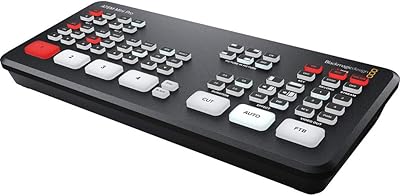
Blackmagic Design ATEM Mini Pro
82%
91%
Build Quality
93%
Streaming Performance
89%
Video Quality
86%
Audio Mixing
74%
Ease of Setup
More
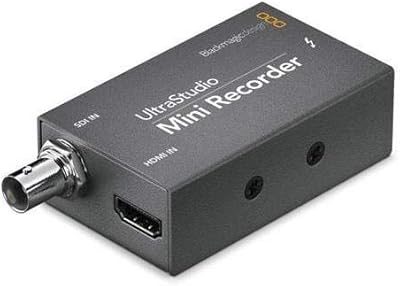
Blackmagic Design UltraStudio Mini Recorder
87%
88%
Performance
90%
Build Quality
92%
Video Quality
85%
Audio Quality
94%
Connectivity
More
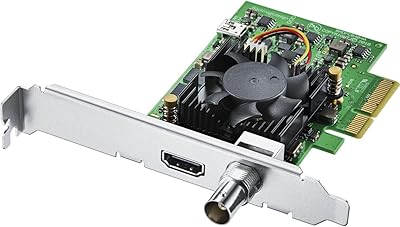
Blackmagic Design DeckLink Mini Recorder 4K
87%
95%
Video Quality
78%
Ease of Setup
89%
Build Quality
90%
Compatibility with Systems
85%
Value for Money
More
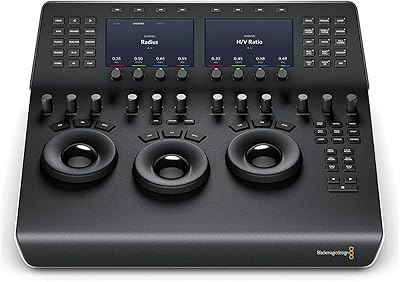
Blackmagic Design DaVinci Resolve Mini Panel
87%
94%
Build Quality
91%
Portability
88%
Ease of Use
93%
Performance in Color Grading
89%
Compatibility
More
Blackmagic Design DeckLink Mini Monitor 4K
84%
89%
Performance
91%
Color Accuracy
88%
Compatibility with Software
75%
Installation/Setup
93%
Power Efficiency
More
Blackmagic Design UltraStudio Monitor 3G
80%
93%
Portability & Form Factor
81%
Setup & Installation
89%
SDI Output Quality
76%
HDMI Output Quality
84%
Software Integration
More
Blackmagic Design UltraStudio Recorder 3G
86%
88%
Performance
91%
Ease of Setup
93%
Portability
89%
Build Quality
85%
Compatibility with Software
More
Blackmagic Design DeckLink SDI 4K
87%
94%
Video Capture Quality
83%
Software Compatibility
89%
Build Quality
91%
Performance & Speed
87%
Cross-Platform Compatibility
More
Blackmagic Design Web Presenter HD
86%
91%
Ease of Use
88%
Streaming Quality
68%
Mobile Data Connectivity
85%
Portability
94%
Setup Process
More
Blackmagic Design Intensity Pro 4K
83%
94%
Video Capture Quality
68%
Setup & Installation
82%
Software Performance
89%
System Compatibility
90%
Reliability & Durability
More

FAQ

You need a proper SSD, not a standard flash drive. Flash drives simply cannot sustain the write speeds required for ISO recording across multiple inputs simultaneously. Blackmagic maintains a list of tested compatible drives on their website, and checking it before your first event is genuinely worth the few minutes it takes.

No, the Blackmagic Design ATEM Mini Extreme ISO only accepts HDMI inputs. If your cameras output SDI, you will need separate SDI-to-HDMI converters for each camera, which adds cost and extra hardware to your setup. For SDI-native workflows, Blackmagic's own ATEM production switcher range may be a better fit.
Most users report needing at least several dedicated practice sessions before feeling comfortable in a live scenario. If you already have experience with other production switchers or broadcast software, the adjustment period is shorter. Plan to spend real time with it before your first actual broadcast — running a full rehearsal on your intended setup is strongly recommended.

Yes, streaming and ISO recording run simultaneously without issue under normal conditions. The key requirement is having a fast enough SSD connected via USB-C to sustain the combined write load. As long as your drive meets the speed requirements, there is no need to choose between streaming and recording.

Software control via ATEM Software Control on a laptop or desktop is fully capable and many professionals use it exclusively. That said, Blackmagic does offer optional hardware panels if you prefer physical buttons and faders, particularly for audio. For most users starting out, the software-only approach works well.

ISO recordings to your SSD continue independently of the stream connection, so a stream dropout does not affect your local recordings. Each input is captured directly to disk regardless of what the streaming engine is doing, which is one of the reasons this 8-input switcher is trusted for events where the archive footage matters as much as the live output.

You can operate with a single monitor, but you will need to decide whether to use that output for multiview monitoring or as a clean program feed — you cannot do both on one screen simultaneously since each function occupies one of the two HDMI outputs. Most operators prefer a second monitor specifically for multiview when running complex productions.

It is genuinely designed for live use and functions in real time with no perceptible latency under normal operating conditions. The per-channel EQ, compression, and gating are all adjustable during a broadcast through ATEM Software Control. Users with a hardware mixer background sometimes need an adjustment period to work comfortably in a software-only audio environment.

SuperSource supports up to four live video sources arranged on screen at the same time within a single output window. You can resize and reposition each source, making it practical for panel discussions, multi-presenter remote calls, or sports-style split-screen layouts during a live production.

Yes, once configured, this live production switcher can operate standalone without a computer attached — the settings are stored on the device itself. The computer running ATEM Software Control is needed for configuration and for live software-based control, but if you are using hardware panel control or have set up macros in advance, the unit functions independently.