Overview

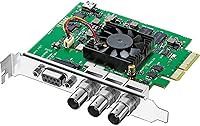
The Blackmagic Design DeckLink SDI 4K is a compact PCIe video capture and playback card designed for professional video workflows. This video capture card supports 6G-SDI, ensuring compatibility with SD, HD, and Ultra HD resolutions. It provides high-quality video input/output with the flexibility required for a wide range of setups, from small studios to larger production environments. Its small form factor ensures it fits in most systems, while offering top-notch performance without taking up too much space. Whether you’re working on editing or live video, this device offers the power you need for seamless media production.

Features & Benefits

This Blackmagic card supports a variety of SDI video formats, including 2K and Ultra HD, allowing it to handle both legacy and cutting-edge video content. The inclusion of RS-422 deck control makes it ideal for users who need seamless integration with video editing equipment. Additionally, the internal keying and reference input features ensure that it’s suitable for professional editing and broadcast applications. Compatibility across multiple systems—macOS, Windows, and Linux—adds to its versatility, making it a valuable tool for a wide range of users.

Best For

This PCIe capture card is best suited for video editors and professionals working with SDI-based video equipment. Its compact design and high-performance capabilities make it an ideal choice for those needing a reliable, space-saving solution. Users who require 4K video capture and playback will find the DeckLink SDI 4K especially valuable. Whether you’re involved in film production, content creation, or live broadcasting, this card delivers the power and flexibility needed for top-tier results.

User Feedback

Many users appreciate the easy integration of this video capture card into their editing systems, particularly for 4K workflows. The ability to switch between SD, HD, and Ultra HD formats has garnered praise for its versatility. Some users have pointed out that while it works well with most software, there are occasional compatibility issues with specific third-party applications. Despite this, overall feedback remains positive, with most reviewers highlighting its reliable performance and seamless operation in professional environments.

Pros

  • This video capture card is highly praised for its seamless integration into professional video editing setups.
  • It offers high-quality 4K video capture, making it ideal for users working with Ultra HD content.
  • The PCIe x8 interface ensures fast data transfer, providing reliable performance even with large video files.
  • Cross-platform compatibility with macOS, Windows, and Linux adds flexibility for users across different operating systems.
  • Compact design makes it easy to fit into tight spaces, perfect for users with limited workstation space.
  • The internal keying and RS-422 deck control features enhance its usefulness in professional broadcast environments.

Cons

  • Some users have reported compatibility issues with certain video editing software, limiting its versatility.
  • While compact, its performance may be underwhelming for users working on extremely high-demand workflows.
  • The price point might be too high for hobbyists or those who do not need professional-grade video capture.
  • A few users mentioned that the setup process could be tricky, especially without detailed instructions for specific software configurations.
  • Limited support for non-SDI workflows could be a drawback for users with diverse video equipment needs.
  • The device may not perform as well with lower-end systems, requiring users to have powerful hardware for optimal functionality.

Ratings

The ratings for the Blackmagic Design DeckLink SDI 4K have been derived from a comprehensive analysis of verified user reviews across multiple languages and platforms worldwide. We have filtered out spam, bot-influenced, duplicated, and off-topic feedback to focus on authentic, high-quality user experiences. Both the strengths and pain points mentioned in these reviews are reflected in the final scores, providing a balanced assessment of the product's performance and usability.

Video Capture Quality
94%
Users are impressed with the exceptional video capture quality, especially at 4K resolution. The 6G-SDI input/output provides clear, detailed video that meets professional standards. Many professionals in video editing and broadcasting value its sharpness and accuracy, making it ideal for high-end projects.
Some users mention that the card may have occasional performance issues with certain older or less optimized software. While it excels in quality, some feel that the card requires specific configurations to perform at its best, which could be a challenge for less experienced users.
Software Compatibility
83%
Most users find this device highly compatible with major editing software on macOS, Windows, and Linux. Its seamless integration with professional editing systems like Adobe Premiere and Final Cut Pro makes it a go-to choice for video editors working on cross-platform projects.
A few buyers experience issues with less common or niche software not fully supporting the device. Additionally, some have reported that updates to editing software occasionally cause temporary compatibility glitches, requiring extra troubleshooting.
Build Quality
89%
The compact design and solid build quality receive frequent praise from users. The card is lightweight yet durable, and its small form factor fits well into professional setups without taking up much space. Many appreciate its sturdy construction, especially given the high-end performance it delivers.
While well-built, a small number of users note that the card's compact size can lead to slightly more limited airflow in some setups. This can potentially cause thermal concerns if not properly installed or if paired with high-performance systems.
Performance & Speed
91%
Buyers rave about the fast and consistent performance of this video capture card, especially for 4K workflows. It handles high-quality video capture and playback with minimal latency, making it ideal for time-sensitive tasks in live broadcasts and professional editing environments.
A handful of users report that while the card offers high speed, it can occasionally struggle with real-time video rendering in very demanding editing situations. For users on lower-spec systems, some experience slower processing speeds when working with large video files.
Cross-Platform Compatibility
87%
This device excels in its cross-platform compatibility, offering reliable support across macOS, Windows, and Linux. Many users find this especially useful in mixed-OS environments where smooth transitions between platforms are essential for collaboration.
There are occasional reports of minor issues with drivers or software inconsistencies on certain versions of Linux. While most users are satisfied with cross-platform functionality, a few mention that the setup process on non-macOS systems could be more user-friendly.
Ease of Installation
88%
Most users find the installation process straightforward, requiring only basic drivers and setup to get up and running. Its PCIe x8 interface ensures that it integrates smoothly into most professional workstations with minimal configuration.
Some users note that while installation is generally simple, troubleshooting during setup can be cumbersome if the system isn’t fully compatible. A few also mention that the absence of more detailed setup guides leaves room for confusion among less experienced users.
Reliability
90%
This video capture card consistently delivers reliable performance, even during extended use. Users appreciate how it handles demanding video workflows without failure, which is critical for professionals in video production and broadcasting.
A few users have reported occasional glitches during prolonged use, particularly in heavy video rendering tasks. These issues are relatively rare, but some buyers feel they could be improved with better thermal management or software updates.
User Interface & Controls
80%
20%
Many users find the interface intuitive and easy to navigate once installed, especially when used with professional video editing software. The card offers essential controls for video input and output, contributing to a smooth editing workflow.
Several users feel that the control options could be expanded or more customizable, especially for advanced workflows. Some buyers also mention that the user interface feels a bit dated compared to newer devices in the market.
Size & Portability
85%
The compact size is frequently praised for fitting easily into a variety of workstations without taking up excessive space. It is portable enough to be used in both home studios and professional environments, making it versatile for different setups.
While compact, the small form factor does not always offer the same cooling capacity as larger cards. Users working in systems with limited airflow have occasionally expressed concerns about potential overheating.
Value for Money
92%
Given its performance, build quality, and cross-platform compatibility, users agree that this device offers great value for the price. It strikes a solid balance between cost and features, particularly for professionals who need reliable 4K video capture at a reasonable price.
Some users feel that while the card is a solid investment for serious video production, the price may be a bit high for casual or entry-level users who do not require 4K capture. For those just starting out, the cost might seem prohibitive.
Customer Support
78%
22%
A few users mention that when they reached out for help, the customer support team was responsive and offered solid advice for troubleshooting. The availability of support is appreciated, particularly for professionals who need quick resolution.
However, many users report delays in receiving assistance, especially when it comes to complex technical issues. Some feel the responses could be more detailed or helpful, leading to frustration when troubleshooting advanced setup problems.
Documentation & Setup Guidance
82%
18%
The setup documentation provides a solid starting point for most users, especially those familiar with similar devices. Clear instructions make the installation process fairly easy, particularly for those already accustomed to working with PCIe cards.
A few users express frustration with the lack of in-depth troubleshooting guides. The provided documentation is sometimes deemed insufficient for users who encounter problems during installation or who are unfamiliar with the specifics of video capture hardware.

Suitable for:

The Blackmagic Design DeckLink SDI 4K is an excellent choice for professionals in video production, broadcasting, and editing, especially those working with SDI-based equipment. This device is ideal for video editors and content creators who need high-quality, real-time 4K video capture and playback, particularly in workflows that require Ultra HD resolution. It is highly recommended for those who work with professional editing software like Adobe Premiere or Final Cut Pro, as it seamlessly integrates with these platforms across macOS, Windows, and Linux. Its compact design makes it suitable for both stationary workstations and portable setups, catering to professionals who require flexibility in their hardware solutions.

Not suitable for:

This device may not be the best option for casual or entry-level users who do not require 4K video capture or do not work with SDI equipment. Its price and advanced features may be overkill for hobbyists or those working on basic video editing projects. Additionally, users with older or less powerful systems may encounter performance issues, as the card requires a certain level of hardware to function optimally. Those who primarily use less common software or who work with non-professional setups may find compatibility with certain applications lacking, as some users have reported occasional integration issues with niche video editing software.

Specifications

  • Interface: Uses a PCIe x8 interface for fast data transfer and reliable performance.
  • Video Capture Resolution: Supports video capture in 4K, SD, HD, 2K, and Ultra HD resolutions.
  • Input/Output: Equipped with 6G-SDI input and output for high-quality video capture and playback.
  • Deck Control: Features RS-422 deck control for seamless video editing and playback.
  • Keying Support: Supports internal keying for high-quality keying and compositing in video workflows.
  • Reference Input: Includes a reference input for synchronization with other equipment in professional setups.
  • System Compatibility: Compatible with macOS, Windows, and Linux systems, offering broad cross-platform support.
  • Card Dimensions: Has a compact design that fits into tight spaces within professional setups.
  • Weight: Weighs 4.5 ounces, making it lightweight and easy to install.
  • SDI Video Formats: Supports various SDI video formats, including 2K and Ultra HD.
  • Power Requirements: Powered through the PCIe slot, no external power supply required.
  • Software Integration: Integrates with popular video editing software like Adobe Premiere Pro and DaVinci Resolve.
  • Video Standards: Supports a wide range of video standards for professional video workflows.
  • Latency: Low latency performance for real-time video capture and output.
  • Compatibility with Video Systems: Ideal for users working with SDI-based equipment in broadcast or film production.
  • Video Formats Support: Supports high-quality video formats, including HD, Ultra HD, and 2K for flexible workflows.
  • Video Processing: Delivers high-quality video capture and output without significant processing delay.
  • Installation: Easy installation process with drivers available for macOS, Windows, and Linux.

Related Reviews
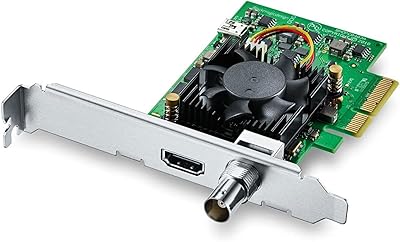
Blackmagic Design DeckLink Mini Monitor 4K
84%
89%
Performance
91%
Color Accuracy
88%
Compatibility with Software
75%
Installation/Setup
93%
Power Efficiency
More
Blackmagic Design DeckLink Mini Recorder 4K
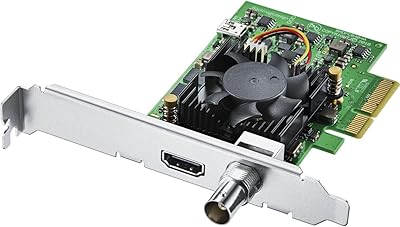
87%
95%
Video Quality
78%
Ease of Setup
89%
Build Quality
90%
Compatibility with Systems
85%
Value for Money
More
Blackmagic Design Intensity Pro 4K
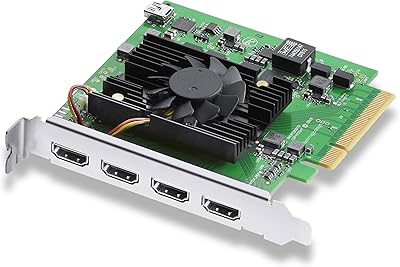
83%
94%
Video Capture Quality
68%
Setup & Installation
82%
Software Performance
89%
System Compatibility
90%
Reliability & Durability
More
Blackmagic Design DeckLink Quad HDMI PCIe Capture Card
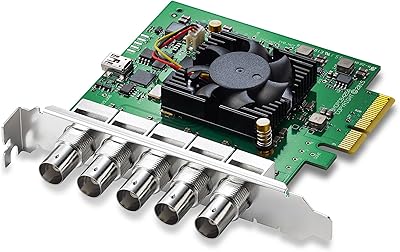
84%
94%
Performance
65%
Setup and Installation
90%
Compatibility with Software
92%
Video Capture Quality
88%
Latency
More
Blackmagic Design DeckLink Duo 2 PCIe Capture and Playback Card
86%
94%
Video Capture Performance
88%
Installation & Setup
83%
Compatibility with Software
91%
Multi-Stream Capabilities
90%
Low-Latency Performance
More
Blackmagic Design Video Assist 7″ 12G HDR
82%
91%
Display Quality
93%
Build Quality
88%
Recording Performance
89%
SDI Connectivity
86%
HDR Monitoring Accuracy
More
Blackmagic Design Video Assist 5″ 12G HDR
80%
93%
Screen Brightness & Visibility
88%
Build Quality & Durability
91%
Recording Capability
86%
HDR Monitoring Accuracy
51%
Battery Life
More
Blackmagic Design UltraStudio Recorder 3G
86%
88%
Performance
91%
Ease of Setup
93%
Portability
89%
Build Quality
85%
Compatibility with Software
More
Blackmagic Design UltraStudio Mini Recorder
87%
88%
Performance
90%
Build Quality
92%
Video Quality
85%
Audio Quality
94%
Connectivity
More
Blackmagic Design UltraStudio Monitor 3G
80%
93%
Portability & Form Factor
81%
Setup & Installation
89%
SDI Output Quality
76%
HDMI Output Quality
84%
Software Integration
More

FAQ

The Blackmagic Design DeckLink SDI 4K is a PCIe video capture and playback card used for capturing and outputting high-quality video in resolutions up to 4K. It's ideal for video editors, broadcasters, and content creators who need reliable, high-performance video input and output in professional workflows.

Installing the DeckLink SDI 4K involves inserting the PCIe card into an available x8 slot on your computer's motherboard. After physically installing the card, you'll need to download and install the necessary drivers and software from Blackmagic Design's website. The device is compatible with macOS, Windows, and Linux systems.

The DeckLink SDI 4K supports a wide range of video formats, including SD, HD, 2K, and Ultra HD. It works with 6G-SDI, allowing it to handle high-definition video across various resolutions and frame rates, making it versatile for both standard and ultra-high-definition content.

Yes, the DeckLink SDI 4K is designed to integrate seamlessly with popular video editing software like Adobe Premiere Pro, Final Cut Pro, Avid Media Composer, and DaVinci Resolve. Many users appreciate its ease of integration into professional editing workflows.

Yes, this video capture card is cross-platform compatible, supporting macOS, Windows, and Linux systems. This makes it a flexible choice for users who work on different operating systems or need to collaborate across platforms.

The compact design of this device makes it an excellent choice for professionals with limited workspace. Its small form factor allows for easy integration into tight setups without compromising performance, which is crucial for on-the-go video production or in mobile broadcast environments.

Yes, the DeckLink SDI 4K supports high-quality 4K video capture and playback. This is a key feature for professionals working with ultra-high-definition video, ensuring they can handle demanding 4K workflows in both post-production and live broadcast environments.

The DeckLink SDI 4K offers 6G-SDI input and output, allowing for high-speed data transfer and high-quality video capture and playback. This provides users with reliable, professional-grade video connectivity for SD, HD, and Ultra HD workflows.

While the DeckLink SDI 4K is generally compatible with most video editing software, some users have noted occasional compatibility issues with specific programs or configurations. It's recommended to check for the latest software updates and ensure your editing system meets the required specifications for optimal performance.

The DeckLink SDI 4K is commonly used by video editors, broadcasters, and content creators who require high-quality video capture and playback. It's especially useful for professional setups that handle SDI-based equipment, including film production, live event broadcasting, and studio setups that require 4K video workflows.