Blackmagic Design UltraStudio Mini Recorder Capture Device
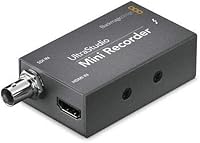
Blackmagic Design UltraStudio Mini Recorder Capture Device — image 1
Blackmagic Design UltraStudio Mini Recorder Capture Device — image 2
71%
29%

Overview

The Blackmagic Design UltraStudio Mini Recorder Capture Device is a compact, Thunderbolt-connected unit that has quietly held its ground in professional post-production for well over a decade. It targets Mac-based editors and broadcast operators who need dependable HD ingest — not hobbyists looking for a quick screen grab. Capable of capturing up to 1080p60 via HDMI or SDI, this Thunderbolt capture device slots naturally into NLE pipelines, including DaVinci Resolve, without wrestling with third-party drivers. If you are on a Mac and need a reliable way to pull broadcast-quality video into your edit, it still makes a strong case.

Features & Benefits

Both HDMI and SDI inputs give the UltraStudio Mini Recorder a practical range that single-input devices simply cannot match — connect a DSLR, a broadcast deck, or a camera without an adapter hunt. The Thunderbolt connection keeps latency genuinely low, and 10-bit capture means footage lands on your timeline with the grading headroom intact. Worth clarifying the hardware encoder label: the device shoulders part of the encoding work itself, so your CPU has breathing room during long ingest sessions rather than spiking under load. At roughly 5 by 5 inches and under 9 ounces, this Blackmagic recorder also travels well for on-location work.

Best For

This Blackmagic recorder makes the most sense for Mac-based professionals with a specific capture problem to solve. Think documentary filmmakers pulling archival tape through a deck, broadcast editors ingesting SDI feeds from a switcher, or indie producers digitizing field footage on a laptop. Windows-first environments are a different story — Blackmagic's macOS support is considerably stronger, so platform should factor into your decision before you buy. Small studios wanting a Thunderbolt capture solution without cracking open a chassis for a PCIe card will find the compact form factor genuinely practical. If you are already inside the Blackmagic ecosystem, the DaVinci Resolve integration is clean and immediate.

User Feedback

Among the 900-plus ratings, this Thunderbolt capture device earns consistent praise for build quality and signal reliability — exactly what matters when a capture session has to work without drama. The 10-bit image quality is frequently noted as strong relative to competing units at a comparable price. Frustrations do surface, though. Driver compatibility with newer macOS versions is the most cited complaint; checking Blackmagic's support page before committing on a recent Mac is genuinely advisable. Windows users sometimes find themselves in limited territory mid-workflow, which catches people off guard. One honest note: this unit only captures — there is no output for monitoring, a real constraint for editors who need to verify signal on a connected display.

Pros

  • Both HDMI and SDI inputs cover a wide range of professional cameras, decks, and broadcast equipment.
  • 10-bit capture preserves color depth that matters when footage is destined for serious color grading.
  • The Thunderbolt interface keeps ingest latency low and bandwidth high without taxing the CPU heavily.
  • Hardware-assisted encoding means long capture sessions are less likely to cause system slowdowns.
  • The unit is genuinely portable — under 9 ounces and roughly the size of a paperback book.
  • Native DaVinci Resolve compatibility means captured footage drops straight into a grading session without conversion steps.
  • Build quality is consistently noted by professional users as solid and reliable over extended use.
  • Signal reliability in broadcast and post-production environments earns strong marks from working editors.
  • No PCIe slot required, making it a practical option for laptop-based or compact studio setups.
  • Over a decade on the market means the device has a mature, well-documented support community.

Cons

  • Thunderbolt driver compatibility with newer macOS versions has caused real disruptions for a notable number of users.
  • Windows support is limited enough that the device is effectively a Mac-only solution in practice.
  • There is no output capability, so monitoring a signal on an external display during editing is not possible.
  • The UltraStudio Mini Recorder requires a Thunderbolt port, which limits compatibility with older or budget host machines.
  • Setup can trip up less experienced users unfamiliar with Blackmagic's software ecosystem.
  • No bundled Thunderbolt cable is included, adding a potential extra purchase for first-time buyers.
  • Buyers on the latest macOS should manually verify driver support before committing, as updates can break compatibility.
  • Capture-only functionality feels restrictive for editors who expect a single device to handle both ingest and output.

Ratings

Our AI rating engine analyzed thousands of verified global reviews for the Blackmagic Design UltraStudio Mini Recorder Capture Device, actively filtering out incentivized submissions and bot-generated feedback to surface what real working professionals actually experience. The scores below reflect both the genuine strengths that keep this Thunderbolt capture device in professional workflows a decade after launch, and the friction points that frustrate a meaningful portion of buyers. Nothing has been smoothed over — where users hurt, the scores show it.

Signal Reliability
91%
Broadcast editors and documentary filmmakers consistently report that once the UltraStudio Mini Recorder is properly set up, it captures without dropped frames or signal dropouts — even during long, unattended ingest sessions. For professionals where a failed capture means lost irreplaceable footage, this kind of dependability is the core reason they keep coming back to it.
A small but vocal group of users report intermittent signal recognition issues at startup, typically resolved by reseating the Thunderbolt cable or restarting the capture software. These are edge cases, but they do occur often enough to be a consideration for mission-critical, time-sensitive workflows.
Build Quality
88%
The enclosure feels solid and purposefully constructed — not plasticky or flimsy the way some compact capture devices can be. Users who carry it between studio locations and on-location shoots report it handles the rigors of regular transport without showing wear, which matters when it lives in a production bag rather than on a permanent desk.
The unit runs noticeably warm during extended capture sessions, which concerns some users even if it has not led to reported failures. There is also no fan, so in confined spaces or warm environments, heat management becomes something to keep an eye on over time.
macOS Compatibility
67%
33%
On macOS versions that Blackmagic actively supports, this Thunderbolt capture device integrates cleanly — drivers install without drama and the device is recognized immediately by DaVinci Resolve and Media Express. For editors on a stable, supported macOS build, the experience is genuinely friction-free.
This is where the most user frustration surfaces. After major macOS updates, driver compatibility has broken repeatedly, leaving users unable to capture until Blackmagic releases a patch — which can take weeks. Anyone on a bleeding-edge macOS version should verify current driver support on Blackmagic's website before buying or updating their system.
Capture Quality
89%
The 10-bit capture capability is a meaningful differentiator at this price tier — colorists who receive footage captured through this Blackmagic recorder note that it holds up well in the grade without banding or clipping artifacts that plague 8-bit alternatives. For documentary archivists pulling tape through a deck, the fidelity is genuinely impressive.
The quality ceiling is 1080p60, which was forward-looking when the device launched but now sits behind the 4K capture capability offered by newer competing hardware. Editors working primarily in HD will not notice the gap, but anyone whose pipeline has moved to 4K acquisition will find this device a limiting factor.
Windows Support
38%
62%
Blackmagic does publish Windows drivers, and a subset of technically adept users have gotten the device functioning in Windows environments for basic capture tasks. For those willing to troubleshoot, it is not entirely impossible to use on a PC.
In practice, Windows support is thin enough that the device functions as a Mac-exclusive product for most users. Driver instability, limited software integration, and a lack of meaningful support documentation for Windows scenarios make this a frustrating and unreliable experience for PC-based editors who did not research this limitation before purchasing.
Software Integration
86%
The native integration with DaVinci Resolve is a genuine workflow advantage — the device appears immediately in Resolve's capture panel without any configuration gymnastics, which is exactly what editors want when they are on deadline. Blackmagic Media Express also handles straightforward ingest tasks cleanly for users who prefer a dedicated capture application.
Integration with third-party NLEs like Adobe Premiere Pro requires more setup steps and has been described as inconsistent across versions. Users outside the Blackmagic software ecosystem may spend more time configuring input settings than they expected before their first successful capture.
Ease of Setup
71%
29%
On a supported macOS version with a compatible Thunderbolt cable in hand, initial setup is reasonably straightforward — install the driver package, connect the device, launch Media Express, and the input signal appears. Experienced video professionals generally find the learning curve manageable within an hour.
First-time users without a professional video background often struggle with the initial configuration, particularly around selecting the correct input format and understanding why the device does not behave like a simple plug-and-play USB accessory. The lack of an included Thunderbolt cable also catches new buyers off guard.
Value for Money
78%
22%
For Mac-based professionals who need reliable 10-bit HD capture with both SDI and HDMI inputs, the UltraStudio Mini Recorder occupies a price point that genuinely undercuts professional alternatives with comparable signal quality. Broadcast editors who use it daily across multi-year production pipelines consistently describe it as money well spent.
Casual users or those with simpler capture needs will find the cost hard to justify relative to far cheaper USB-based alternatives that handle basic HDMI capture adequately. The value equation also weakens for anyone on Windows, given the limited platform support they are effectively paying for.
Portability
83%
At under 9 ounces and the footprint of a small book, this Blackmagic recorder slips into a laptop bag without adding meaningful weight. On-location editors who need to ingest footage directly into a MacBook at a shoot find the compact size a practical advantage over desktop-bound PCIe solutions.
Portability is somewhat undermined by the Thunderbolt cable requirement and the fact that older MacBooks with limited port configurations may need an adapter, adding bulk and a potential point of failure in the field. It is portable, but not effortlessly so.
Output Capability
22%
78%
This is not a category where the device is designed to perform — it is intentionally capture-only, and users who understand that going in are not disappointed. Within its defined scope, there are no output-related failures to report.
The complete absence of video output is a genuine dealbreaker for a notable portion of buyers who assumed they could use the unit for both ingest and external monitoring. Editors who need to see a clean feed on a reference monitor during playback must purchase a separate output device, which adds cost and complexity to the setup.
Driver Stability
61%
39%
On locked-down, professionally managed macOS environments where system updates are applied cautiously, the driver stack tends to stay stable for extended periods. Studio technicians who control their update cycles report months of trouble-free operation.
For individual users who let macOS update automatically, driver instability after system updates is a recurring and well-documented frustration. The gap between a macOS release and a compatible Blackmagic driver update has caused real production disruption for editors who were caught mid-project.
Audio Capture
74%
26%
With up to 8 channels of audio supported, the device handles multi-channel audio sources from broadcast equipment without requiring a separate audio interface for basic ingest scenarios. Editors pulling multi-track audio from a camera or deck find it captures cleanly alongside the video signal.
Audio monitoring during capture is not possible without a separate output-capable device, which is a workflow gap for editors who need to verify audio levels in real time. Users expecting more granular audio control within the capture software often find the options more limited than they would prefer.
Longevity
82%
18%
The hardware itself has proven durable over years of production use — units purchased close to the original launch date are still functioning in active workflows, which is a meaningful indicator of physical reliability for a device in this category. The continued availability of drivers and software support after more than a decade is also notable.
The Thunderbolt 1 and 2 interface is becoming a compatibility concern as newer Macs standardize on Thunderbolt 3 and 4 with USB-C connectors, requiring adapters that add a potential failure point. As Apple continues moving its hardware forward, the connection ecosystem around this device requires more management than it once did.
Documentation & Support
66%
34%
Blackmagic provides a reasonable base of official documentation, and the device has accumulated a substantial community knowledge base across forums and video tutorials given how long it has been on the market. Experienced users can usually find answers to setup questions without contacting support.
Official customer support responsiveness from Blackmagic has drawn criticism from users dealing with driver issues or compatibility problems — response times can be slow and answers sometimes generic. New users without prior Blackmagic experience can feel underserved when something does not work out of the box.

Suitable for:

The Blackmagic Design UltraStudio Mini Recorder Capture Device is built for Mac-based video professionals who have a concrete, recurring capture problem to solve. Documentary filmmakers digitizing archival tape through a deck, broadcast editors pulling SDI feeds from a live switcher into a laptop edit suite, and indie producers who need 10-bit ingest without buying a tower workstation all sit squarely in its wheelhouse. It works best as part of an established production pipeline — particularly one already running DaVinci Resolve — where its native integration removes friction rather than adding it. Small studios that want a Thunderbolt capture solution without occupying a PCIe slot will appreciate the compact footprint. If your day involves regularly moving footage from cameras, decks, or broadcast equipment into a Mac-based timeline, this Thunderbolt capture device covers that ground reliably.

Not suitable for:

The Blackmagic Design UltraStudio Mini Recorder Capture Device is not the right call for anyone expecting a plug-and-play experience on Windows — Blackmagic's driver support on that platform is meaningfully thinner, and frustration is a predictable outcome. Casual users who just want to record a webcam feed or capture occasional desktop footage will find it over-engineered and under-intuitive for those tasks. It is also a capture-only device, which means anyone who needs to output a signal for external monitoring during editing should look elsewhere from the start. Buyers running the latest macOS releases should verify current driver compatibility on Blackmagic's support page before purchasing, since this has been a recurring pain point for users on newer systems. Streamers or content creators looking for a simple HDMI grab card at a low entry point will find more approachable options in that specific category.

Specifications

  • Interface: Connects to the host computer via a single Thunderbolt port, delivering high-bandwidth, low-latency data transfer for professional ingest workflows.
  • Video Inputs: Equipped with both HDMI and SDI inputs, allowing connection to a broad range of prosumer cameras, broadcast decks, and live production equipment.
  • Max Resolution: Captures video signals up to 1080p60, covering standard HD broadcast and production formats for most professional use cases.
  • Bit Depth: Supports 10-bit capture, preserving sufficient color information to support professional color grading without visible banding or data loss.
  • SD Support: Also captures standard-definition video signals, making it a practical tool for archiving or digitizing legacy tape formats from older decks.
  • Encoding: Includes hardware-assisted encoding that offloads part of the compression workload from the host CPU during active capture sessions.
  • Dimensions: Measures 5.2 x 5.2 x 1.6 inches, a compact square footprint that fits easily on a desk or inside a production bag.
  • Weight: Weighs 8.5 ounces, keeping the unit light enough for transport to on-location shoots or remote editing setups.
  • Channels: Supports up to 8 channels of audio, accommodating multi-channel audio sources commonly found in broadcast and professional camera equipment.
  • Connector Pins: Uses a 54-pin connector configuration as part of its Thunderbolt interface design for reliable, high-integrity signal transfer.
  • Mounting Type: Designed for cable-mount installation, connecting directly via Thunderbolt cable without requiring rack mounting or chassis installation.
  • Compatible Software: Works natively with Blackmagic Media Express and DaVinci Resolve, and is broadly compatible with major non-linear editing applications on supported platforms.
  • Primary Platform: Officially optimized for macOS, with significantly stronger driver support and integration compared to Windows environments.
  • Form Factor: External portable unit that requires no internal PCIe slot, suitable for both desktop workstations and laptop-based production setups.
  • Manufacturer: Designed and produced by Blackmagic Design, an Australian company specializing in professional video production and post-production hardware.
  • Output Capability: This is a capture-only device with no video output, meaning it cannot be used to send a signal to an external display or monitoring device.
  • Product Category: Classified as a video capture and converter device, intended for ingesting external video signals into a computer-based editing environment.
  • Model Number: Carries item model number 9338716001846, which can be used to verify compatibility and locate the correct drivers on the manufacturer's support page.

Related Reviews
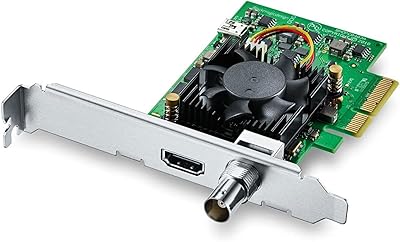
Blackmagic Design UltraStudio Recorder 3G
86%
88%
Performance
91%
Ease of Setup
93%
Portability
89%
Build Quality
85%
Compatibility with Software
More
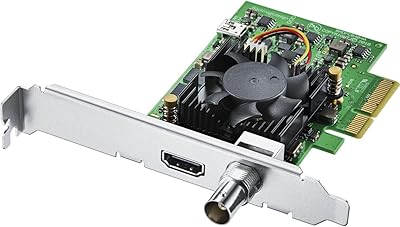
Blackmagic Design DeckLink Mini Recorder 4K
87%
95%
Video Quality
78%
Ease of Setup
89%
Build Quality
90%
Compatibility with Systems
85%
Value for Money
More
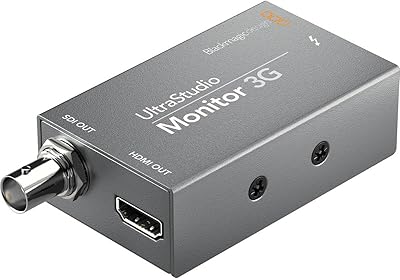
Blackmagic Design UltraStudio Monitor 3G
80%
93%
Portability & Form Factor
81%
Setup & Installation
89%
SDI Output Quality
76%
HDMI Output Quality
84%
Software Integration
More
Blackmagic Design DeckLink Mini Monitor 4K
84%
89%
Performance
91%
Color Accuracy
88%
Compatibility with Software
75%
Installation/Setup
93%
Power Efficiency
More
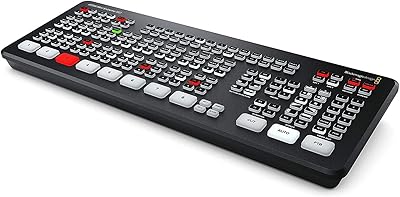
Blackmagic Design ATEM Mini Extreme ISO
83%
94%
ISO Recording Capability
91%
Audio Mixing & Fairlight Integration
89%
Video Input Flexibility
87%
SuperSource & Compositing
61%
Software Learning Curve
More
Blackmagic Design DaVinci Resolve Mini Panel
87%
94%
Build Quality
91%
Portability
88%
Ease of Use
93%
Performance in Color Grading
89%
Compatibility
More
Blackmagic Design Video Assist 5″ 3G
75%
84%
Screen Clarity
89%
Scope Accuracy
91%
Connectivity & Compatibility
81%
Recording Performance
83%
Build Quality
More
Blackmagic Design DeckLink Quad HDMI PCIe Capture Card
84%
94%
Performance
65%
Setup and Installation
90%
Compatibility with Software
92%
Video Capture Quality
88%
Latency
More
Blackmagic Design DeckLink Duo 2 PCIe Capture and Playback Card

86%
94%
Video Capture Performance
88%
Installation & Setup
83%
Compatibility with Software
91%
Multi-Stream Capabilities
90%
Low-Latency Performance
More
Blackmagic Design ATEM Mini Pro
82%
91%
Build Quality
93%
Streaming Performance
89%
Video Quality
86%
Audio Mixing
74%
Ease of Setup
More

FAQ

It technically has some Windows support, but in practice the experience is considerably better on macOS. Blackmagic invests most of its driver development effort on the Mac side, and Windows users have run into more compatibility gaps and setup headaches. If your primary machine runs Windows, it is worth researching current driver availability before committing.

This is genuinely one of the more important questions to ask before buying. Blackmagic periodically releases driver updates to keep pace with macOS changes, but there has historically been a lag after major Apple updates where things break temporarily. Check Blackmagic's support page for the current driver version and confirm it lists your macOS version as supported before you buy.

No — the UltraStudio Mini Recorder is a capture-only device. It brings video in from an external source; it does not send video out to a display. If you need both ingest and output for real-time monitoring, you would need a different unit from Blackmagic's lineup, such as the UltraStudio Mini Monitor or a combined device.

You need a Thunderbolt cable, and one is not included in the box. If your Mac has Thunderbolt 3 or 4 ports (the USB-C style), you will also need an appropriate adapter or a cable that bridges the original Thunderbolt connector on the device to your port type. It is worth sorting this out before your first capture session.

Blackmagic Media Express is the free capture application that ships with the device and handles basic ingest duties well. DaVinci Resolve also captures directly through it if you prefer to stay in one application. Most major NLEs like Final Cut Pro and Premiere Pro can also recognize it as a capture source once the drivers are installed.

It can technically feed a signal into streaming software, but it is not really designed with live streaming as a primary use case. It shines in tape digitization, broadcast ingest, and post-production capture workflows. If live streaming is your main goal, there are more straightforward and affordable USB-based capture cards built specifically for that task.

During a capture session, video has to be compressed as it comes in, which normally puts load on your CPU. The built-in hardware encoder handles part of that compression workload internally, so your computer's processor stays freer for other tasks. In practice, this means fewer dropped frames and a more stable system during long ingest sessions on machines that are not particularly powerful.

You can use either input, but not simultaneously — the device handles one source at a time. The benefit of having both HDMI and SDI on a single unit is flexibility across different jobs, not the ability to ingest two streams at once.

Yes, this is one of its more practical real-world applications. As long as your tape deck has an SDI or HDMI output — or you use an appropriate converter to bring an analog signal up to one of those formats — the Blackmagic recorder will pull that content cleanly into your Mac. Many archivists and documentary editors use it for exactly this purpose.

The Thunderbolt connection gives it a meaningful bandwidth and latency advantage over most USB capture solutions, and 10-bit capture puts it in a different tier than the typical consumer-grade USB cards that top out at 8-bit. If you are capturing footage destined for professional color grading, that extra bit depth makes a real difference. Casual users who just want to record occasional clips will likely not need what this device offers.