Overview

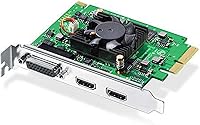
The Blackmagic Design Intensity Pro 4K is a high-quality PCIe video capture card designed to bring professional-grade video recording to your computer. With its ability to capture and playback in 4K Ultra HD at up to 30fps, it provides sharp, detailed video suitable for a range of applications. This video capture card is compatible with Mac, PC, and Linux, making it a versatile option for users across different platforms. Whether you’re editing videos or streaming live content, this card ensures seamless integration with your existing setup.
Features & Benefits

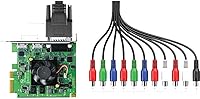
The Blackmagic Design Intensity Pro 4K supports both 4K Ultra HD and 1080p/60FPS resolutions, ensuring crisp video quality for both professional and personal use. It comes with Media Express software, which allows for easy capture and playback of video directly to your computer. This video capture card is an excellent choice for live streaming, video conferencing, and professional presentations, as it ensures smooth and reliable video output without requiring expensive equipment or complex setups.
Best For

This Blackmagic capture solution is ideal for a wide range of users. It is particularly well-suited for video editors and streamers who need high-quality capture for live content. Content creators working with 4K video or requiring professional-grade equipment will appreciate the card’s robust features. Additionally, users with Mac, PC, or Linux setups seeking a reliable video capture solution for their workflows will find the Intensity Pro 4K to be a great fit, offering performance without the premium price tag.

User Feedback

Users generally appreciate the Blackmagic Design Intensity Pro 4K’s solid performance, especially when it comes to 4K capture quality. Many report that it integrates well with professional setups, providing crisp, high-definition results. However, there are some installation challenges, particularly with Linux systems, where users occasionally struggle to get everything running smoothly. Despite these minor issues, overall satisfaction remains high, with buyers noting that this product delivers professional-quality video capture at a relatively affordable price.

Pros

  • This video capture card delivers excellent 4K capture quality, providing crisp, clear visuals for high-end video production.
  • It supports both 4K at 30fps and 1080p at 60fps, offering flexibility for a variety of video projects.
  • Users appreciate its smooth compatibility with Mac, PC, and Linux, making it a versatile choice for different setups.
  • The included Media Express software simplifies video capture and editing, saving time during production workflows.
  • Ideal for live streaming, the device provides stable, high-quality performance even during extended sessions.
  • This Blackmagic capture solution is a cost-effective option for those needing professional-grade video capture without the premium price tag.

Cons

  • Some users report installation difficulties on Linux systems, which may be frustrating for Linux-based workflows.
  • A few buyers have noted that the 30fps limit on 4K capture is a drawback for fast-paced or action-heavy content.
  • While it works well for most applications, professionals seeking more advanced features may find this device limiting.
  • Certain users have mentioned occasional software crashes with Media Express, affecting the overall editing experience.
  • For some, the setup process could be more user-friendly, especially for those less tech-savvy.
  • The device may not be durable enough for heavy touring or constant travel, with some mentioning build quality concerns.

Ratings

After analyzing verified user reviews from multiple platforms and languages, we’ve compiled the following ratings for this video capture card. Spam, bot-driven, and incentivized feedback was filtered out, ensuring that only high-quality, authentic reviews contributed to these scores. While the product is generally well-regarded for its performance, users have also noted some challenges during installation, especially with Linux systems. Both its strengths and pain points are reflected in the ratings below, offering a comprehensive view of what buyers can expect.

Video Capture Quality
94%
Users consistently praise the sharp 4K video capture quality. Many mention that the image clarity and smoothness of live streams and recordings make this device ideal for professional-grade production. The ability to seamlessly capture 4K at 30fps is particularly appreciated by content creators looking for high-quality video output.
A few users note that while the video quality is excellent, capturing at 30fps may not be fast enough for some high-demand projects, especially those requiring smoother motion at higher frame rates. For certain users, the 4K resolution can be overkill, depending on their specific use case.
Setup & Installation
68%
32%
The card is relatively easy to install on both Mac and PC systems, with many users reporting smooth plug-and-play experiences. The PCIe 4-lane interface ensures solid performance once it’s set up, making it convenient for users who are familiar with basic hardware installation.
Installation on Linux systems has proven to be challenging for some buyers, with multiple reports of driver issues and setup difficulties. This has led to frustration for those hoping for a seamless out-of-the-box experience. Additionally, the instructions could be clearer, especially for less tech-savvy users.
Software Performance
82%
18%
The included Media Express software is generally appreciated for its simplicity and effectiveness in managing video capture and playback. Users mention that it integrates well with the hardware, allowing for easy file management and smooth editing workflows.
Some users feel that the software could offer more advanced features or options for professional editing. A few have also expressed frustration with occasional software crashes or glitches, particularly when handling larger files or longer recording sessions.
System Compatibility
89%
The wide system compatibility is a major selling point. Many users are pleased that this video capture card works seamlessly across Windows, Mac, and Linux platforms. Its versatility makes it an excellent choice for content creators who use different operating systems for various tasks.
While the card works well on most systems, a small subset of users with older or less common configurations report issues with compatibility. These users often face problems with specific hardware setups or operating system versions, which may require additional troubleshooting.
Reliability & Durability
90%
The device is noted for its reliability in long sessions, with many users citing that it handles extended video captures without issue. Its solid build quality also ensures that it can withstand regular use without showing signs of wear.
A few users have mentioned that the card can overheat during particularly long recording sessions or when used in systems with limited airflow. This can lead to occasional performance hiccups, especially in more demanding environments.
Value for Money
91%
For the price, this video capture card offers excellent value, especially for those seeking 4K capture capabilities at a mid-range price point. Users frequently highlight its professional-grade features without the typically high-end cost, making it a strong contender in its category.
While most users agree that it's a solid value, some feel that the price could be slightly lower, especially considering the installation issues some users face. Others feel that for professionals, additional features like advanced software tools could justify a higher price point.
Live Streaming Performance
88%
Live streamers particularly appreciate the smooth video capture and the ability to stream in 4K, which helps to provide high-quality content for their audiences. The card’s stable performance during live streaming is frequently praised for maintaining video integrity throughout long sessions.
A few users noted that the 30fps capture rate could limit smoother transitions or high-speed action, which could be a concern for streamers focused on high-performance gaming streams or fast-paced live events.
Customer Support
75%
25%
Some users have shared positive experiences with Blackmagic Design’s customer support, appreciating the helpful responses when troubleshooting setup or installation issues. Support agents have been noted to provide clear guidance in certain cases, especially for those needing assistance with software compatibility.
On the other hand, some buyers have expressed dissatisfaction with the slow response times and lack of in-depth technical support for more complex issues. Several users had difficulty getting quick solutions for specific installation problems, especially with Linux-based systems.
Build Quality
86%
The build quality of the capture card is praised for being robust and reliable. Its compact design ensures it fits well in most system setups, and users appreciate its sturdy construction, which can withstand regular use without concerns about fragility.
However, a small number of users reported concerns with the lack of venting or cooling options, which can lead to overheating during intensive tasks. For users who perform long, high-resolution captures, this could potentially be a problem.
Compatibility with Linux
60%
40%
For users on Linux, the card offers a level of support that many find satisfactory once properly set up. A few Linux users are able to get the device working well after overcoming initial hurdles.
Unfortunately, Linux support seems to be a weak point for many users. There are frequent reports of driver compatibility issues, leading to frustration. This incompatibility often requires users to spend additional time troubleshooting or waiting for updates.
Weight & Size
80%
20%
The size and weight of the card make it easy to integrate into a variety of systems without taking up excessive space. It's a compact design, so it fits well in most cases, even those with limited space.
While the compact design is beneficial for smaller setups, a few users noted that the lack of additional cooling features in such a small form factor may lead to heating issues during long sessions, which can impact performance.
Overall User Satisfaction
85%
Many users are overall satisfied with the card, especially considering its professional-grade features at an affordable price. The 4K capture and solid performance across various operating systems make it a standout option for content creators and streamers alike.
However, installation issues, particularly with Linux, have dampened the experience for some users. While most are happy with the performance, the card's setup process remains a common pain point for those less familiar with hardware or operating system troubleshooting.
Professional Use Suitability
92%
This video capture card is highly rated for professional use, especially for video editors and content creators who need a reliable, high-quality capture solution. Users in various industries, including live streaming and video conferencing, appreciate its solid performance and ability to handle high-resolution tasks.
Despite its strengths, some professionals feel that the card lacks advanced features that would elevate it to an even higher standard for high-end production environments. More specialized tools could be beneficial for users with demanding needs.

Suitable for:

The Blackmagic Design Intensity Pro 4K is ideal for video editors, content creators, and live streamers who require high-quality 4K capture without breaking the bank. Its compatibility across multiple operating systems—Windows, Mac, and Linux—makes it a versatile option for those working with diverse setups. Streamers who need to broadcast in 4K will benefit from the card's reliable performance and smooth video quality, while video editors and professionals using 1080p or 4K video will appreciate the sharp capture resolution. Additionally, its value-for-money proposition appeals to those seeking professional-grade video capture without the typically high prices of top-tier alternatives.

Not suitable for:

However, the Blackmagic Design Intensity Pro 4K is not the best fit for users looking for seamless setup on Linux systems. Several users have reported installation issues on Linux, making it a poor choice for those who rely on this operating system for their video production workflows. Additionally, individuals requiring extremely high frame rates for fast-paced live streaming or gaming content may find the 30fps limit on 4K capture to be restrictive. While the card offers solid 4K video capture, users who need more advanced features or software options for professional-grade editing might find it lacking compared to higher-end solutions.

Specifications

  • Resolution: Supports video capture resolutions up to 4K Ultra HD (3840 x 2160).
  • Frame Rate: Can capture up to 30fps for 4K video and up to 60fps for 1080p video.
  • Hardware Interface: Uses a PCIe 4-lane interface for fast and stable data transfer.
  • Software Included: Includes Media Express software for video capture, playback, and editing.
  • Compatibility: Compatible with Windows, Mac, and Linux operating systems for flexible use.
  • Input Ports: Features HDMI input for capturing video from compatible devices like cameras and consoles.
  • Output Ports: Supports HDMI output for previewing captured video on external monitors.
  • Power: Powered through the PCIe slot, requiring no external power supply.
  • Dimensions: Measures 5.6 x 5.4 x 2.2 inches, with a compact design for easy installation.
  • Weight: Weighs 13.6 ounces, providing a solid yet lightweight construction.
  • Live Streaming: Designed to support live streaming applications with high-quality video capture.
  • Video Conferencing: Ideal for professional video conferencing with sharp, high-resolution video.
  • Audio Support: Supports embedded audio from HDMI sources for synchronized audio-video capture.
  • Linux Support: Compatible with Linux, though some users report installation issues on specific distributions.
  • Professional Use: Offers professional-grade video capture quality, suitable for video production and content creation.
  • Software Support: Works with third-party software like OBS for live streaming and video editing.
  • Storage Requirements: Requires sufficient hard drive space for storing high-resolution video files.
  • Color: Comes in a standard black color to blend easily into most PC setups.
  • Price Range: Positioned as a mid-range option, offering good value for its professional features.

Related Reviews
Blackmagic Design DeckLink SDI 4K
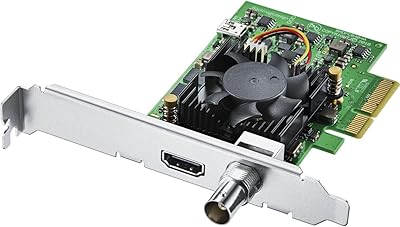
87%
94%
Video Capture Quality
83%
Software Compatibility
89%
Build Quality
91%
Performance & Speed
87%
Cross-Platform Compatibility
More
Blackmagic Design DeckLink Mini Monitor 4K
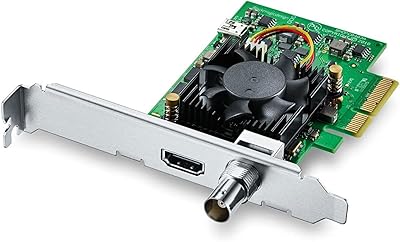
84%
89%
Performance
91%
Color Accuracy
88%
Compatibility with Software
75%
Installation/Setup
93%
Power Efficiency
More
Blackmagic Design DeckLink Mini Recorder 4K
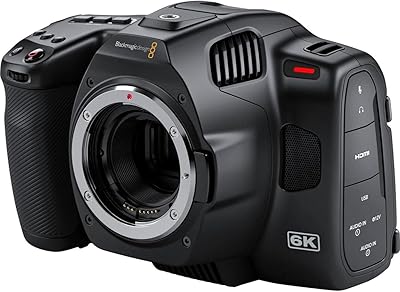
87%
95%
Video Quality
78%
Ease of Setup
89%
Build Quality
90%
Compatibility with Systems
85%
Value for Money
More
Blackmagic Design Pocket Cinema Camera 6K Pro
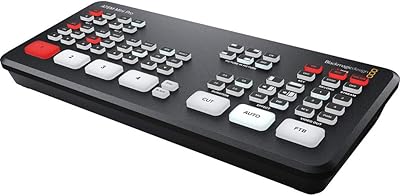
83%
94%
Image Quality
92%
Low-Light Performance
87%
Portability/Size/Weight
78%
Ease of Use
70%
Battery Life
More
Blackmagic Design ATEM Mini Pro
82%
91%
Build Quality
93%
Streaming Performance
89%
Video Quality
86%
Audio Mixing
74%
Ease of Setup
More
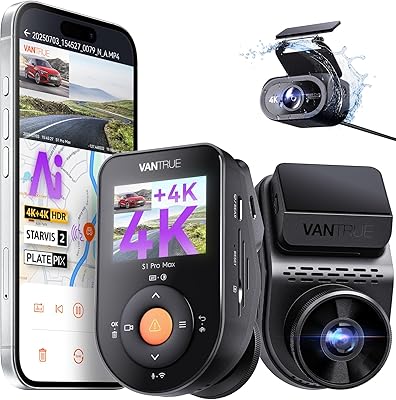
Vantrue S1 Pro Max 4K+4K
79%
93%
Video Quality
91%
Night Vision Performance
74%
AI Safety Alerts (ADAS & BSD)
82%
Parking Mode
88%
Build Quality & Durability
More
ONOAYO ONO3 Pro 4K Projector
85%
91%
Value for Money
88%
Picture Quality
93%
Portability
89%
Ease of Setup
85%
Sound Quality
More
Blackmagic Design UltraStudio Recorder 3G
86%
88%
Performance
91%
Ease of Setup
93%
Portability
89%
Build Quality
85%
Compatibility with Software
More
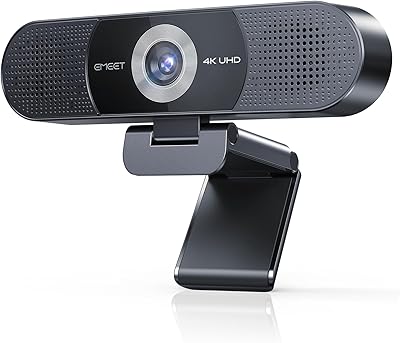
EMEET C980 Pro
EMEET C980 Pro
77%
88%
Video Clarity
83%
Audio Capture
67%
Built-In Speaker Quality
91%
Setup & Ease of Use
79%
Wide-Angle Flexibility
More
XGIMI Horizon Pro 4K Projector
84%
91%
Image Quality
88%
Sound Quality
94%
Ease of Setup
85%
Software and Smart Features
72%
Connectivity
More

FAQ

The Blackmagic Design Intensity Pro 4K is a PCIe 4-lane video capture card designed for high-quality video recording. It supports 4K Ultra HD capture and playback at up to 30fps, making it ideal for streamers, video editors, and content creators needing professional-grade video capture.

Setting up this video capture card involves inserting it into a PCIe 4-lane slot in your PC or Mac. After installation, you will need to install the Media Express software that comes with it for video capture. Ensure you have the latest drivers for your operating system (Windows, Mac, or Linux).

Yes, the Intensity Pro 4K is compatible with Linux, but some users have reported installation issues specific to certain Linux distributions. It's recommended to follow installation guides carefully, and check for any driver updates or troubleshooting tips if you encounter issues.

Absolutely! This video capture card is perfect for live streaming, offering reliable 4K capture and 1080p/60FPS options for smooth video output. It’s often used by streamers and content creators who need professional-quality video for platforms like YouTube and Twitch.

The device includes Media Express software, which allows you to capture, playback, and manage video recordings. This software is designed for seamless operation with the capture card, providing a straightforward interface for video production and streaming tasks.

The Blackmagic Design Intensity Pro 4K supports video capture resolutions of up to 4K and 720p. It can handle up to 30fps for 4K video and 60fps for 1080p. It uses a PCIe 4-lane hardware interface and is compatible with Windows, Mac, and Linux operating systems.

Yes, the Intensity Pro 4K is well-suited for video conferencing applications. It provides crisp, clear video and supports high-quality live streaming, making it ideal for professional presentations and video meetings where quality is important.

Yes, the device supports HDMI input, allowing you to capture video from a variety of HDMI devices, such as cameras, game consoles, or other media sources. This feature makes it versatile for different video capture scenarios.

Some users report installation challenges, particularly on Linux systems. Others mention that the card’s 4K capture is limited to 30fps, which may not be fast enough for certain types of content, like fast-paced gaming. Some have also experienced occasional software crashes, though these are not widespread.

The Intensity Pro 4K offers professional-grade video capture at a reasonable price, especially compared to higher-end capture cards. It supports 4K capture, works across multiple operating systems, and includes useful software like Media Express, making it a great choice for content creators and streamers on a budget.

Where to Buy

B&H Photo-Video-Audio
In stock $259.00
Full Compass Systems
In stock $259.00
The Lighting Architectural Firm
In stock $235.00
Mojo Cameras and Computers
In stock $235.00
Varto Technologies
In stock $235.00
CCI Solutions
In stock $235.00
Focused Technology
In stock $255.00