Overview

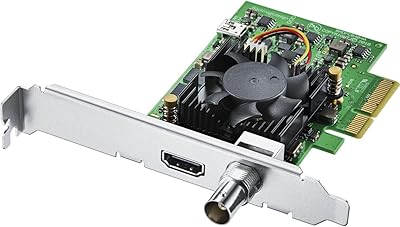
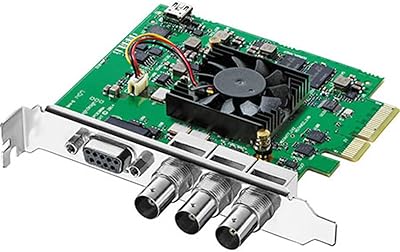
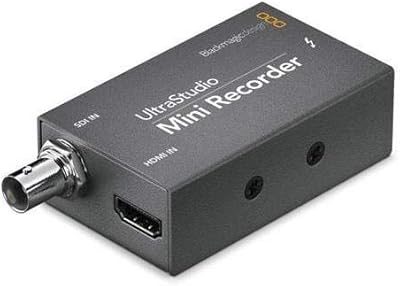
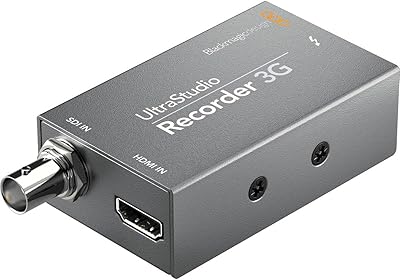
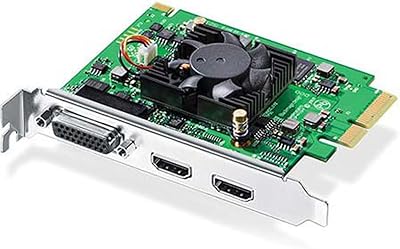
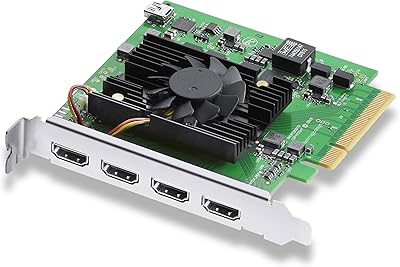
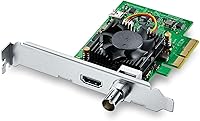
The Blackmagic Design DeckLink Mini Recorder 4K is a compact PCIe capture card designed for high-quality video recording and live streaming. This 4K video input device supports both SDI and HDMI connectors, ensuring compatibility with a wide range of video equipment. Its compact form factor makes it an excellent choice for those who need powerful performance in space-constrained setups. Ideal for video production, broadcasting, and live streaming, this device offers a versatile solution for professionals seeking a reliable capture card.
Features & Benefits

This video capture card offers impressive versatility with support for 10-bit SD/HD/Ultra HD video formats. It features an HDMI 2.0a port for high-definition input, along with embedded SDI audio channels for multi-channel audio recording. The small form factor makes it suitable for environments where space is limited, without compromising on performance. Additionally, it’s compatible with popular operating systems like Linux and Windows, providing flexibility for a wide range of users across different platforms.

Best For

The DeckLink Mini Recorder 4K is perfect for video producers and content creators who need 4K capture for professional-grade video projects. It’s an excellent choice for live streamers seeking high-quality video input, as well as small production studios in need of a compact, yet powerful, video capture solution. This PCIe recorder is also ideal for Linux and Windows users working in professional video environments where reliable, high-resolution video capture is crucial.

User Feedback

User reviews generally highlight the DeckLink Mini Recorder 4K’s reliability and video quality, making it a go-to option for professional video production. Many users appreciate the compact design that saves valuable studio space. However, there are occasional mentions of setup complexity, especially when integrating with certain systems. Despite this, most users report a seamless experience when using it with popular editing software, further enhancing its value in professional workflows.

Pros

  • Supports up to 4K resolution, delivering high-quality video capture for professional productions.
  • Compact form factor makes it ideal for small setups or space-limited environments.
  • Offers flexibility with both SDI and HDMI connectors, ensuring compatibility with a wide range of devices.
  • Works seamlessly with both Linux and Windows, making it versatile for different operating systems.
  • Embedded SDI audio channels allow for multi-channel audio recording, streamlining audio and video workflows.
  • Reliable video quality with 10-bit color depth, providing crisp and accurate video footage for editing.

Cons

  • The setup process can be complex, especially for users with older systems or less technical expertise.
  • May not be the best choice for those seeking a portable, plug-and-play video capture solution.
  • Some users report compatibility issues with specific software or older hardware configurations.
  • Lacks built-in storage, requiring additional hardware for large video files during recording.
  • The PCIe interface limits its use to desktop computers, making it unsuitable for laptops or portable systems.
  • A few users found the product's price to be relatively high compared to similar options.

Ratings

After analyzing verified user reviews from various global sources, including multiple languages and platforms, the ratings for this device reflect both its strengths and its occasional pain points. Spam, bot-generated, and exaggerated reviews were filtered out to ensure the scores are based solely on high-quality, authentic feedback. The overall assessment provides a balanced view, offering useful insights for potential buyers considering this video capture solution.

Video Quality
95%
Users are extremely pleased with the sharp, professional-grade video quality this device delivers. Many mention the crisp 4K resolution and vibrant color depth, making it a go-to choice for serious content creators and live streamers who require flawless video capture.
However, some users have noted that while the video quality is superb, there are occasional reports of a slight delay or lag during high-demand usage, especially in very fast-paced live streaming scenarios.
Ease of Setup
78%
22%
For many users, the device's setup process is straightforward, with most finding it easy to integrate into their workflows. The plug-and-play functionality on both Linux and Windows is frequently praised, especially for those familiar with PCIe devices.
On the other hand, a portion of users have mentioned that the installation could be confusing for those less experienced with PCIe hardware. Some report that the setup process requires troubleshooting, especially with older operating systems.
Build Quality
89%
The compact, sturdy build is a clear strength, with many users commending the device’s sleek design that fits well in tight spaces. The solid construction provides confidence that the card will last for long-term professional use.
A few users have expressed concerns about the device's relatively small size, worrying that it might overheat in extremely high-demand tasks or environments, though this isn't a common complaint.
Compatibility with Systems
90%
The wide compatibility across both Linux and Windows platforms is highly praised, with users reporting smooth operation across a variety of systems. The inclusion of SDI and HDMI inputs further enhances its versatility, making it an excellent choice for diverse production setups.
Despite its broad compatibility, some users have had issues with specific hardware configurations, particularly with older motherboards or certain laptop models. A few have mentioned that these setups require additional tweaks or fail to work optimally without specific drivers.
Value for Money
85%
The value for money is generally considered high due to the reliable performance and 4K video capture quality at a relatively affordable price. Users often highlight that this device delivers professional-grade features without a premium price tag, making it a solid investment for content creators.
Some buyers feel that the price could be a bit steep compared to other capture cards on the market. Although the quality is good, a few users question whether the cost is justified for less-demanding video projects or casual use.
Audio Input Performance
88%
The embedded SDI audio channels are a standout feature for many users, enabling multi-channel audio recording with clarity. Many users have praised the consistent and reliable audio input, making it a solid choice for professional video production environments.
However, a small number of users have noted occasional issues with audio syncing when working with high-resolution video. While not a widespread issue, it can be a concern for users requiring precise audio-video synchronization.
Software Integration
84%
Users appreciate how well the device integrates with popular video editing and streaming software. The ease of use with tools like OBS and Adobe Premiere makes it a convenient choice for both novice and professional editors.
A few users have encountered minor glitches during software integration, particularly with less common editing platforms. While not a major issue, it can disrupt the experience for those using niche software.
Portability/Size
92%
The compact design of this PCIe recorder is a key selling point. Many users report that its small size makes it an ideal solution for portable recording setups or for saving space in cramped studio environments.
However, some users who operate in high-performance environments have mentioned that the small form factor might limit its cooling capabilities, leading to concerns about long-term reliability under heavy use.
Reliability
90%
The majority of users report solid reliability, even after extended periods of use. The device's stable connection and consistent performance during live broadcasts or studio recordings make it a trusted tool in many professional workflows.
On the flip side, a few users have reported intermittent connectivity issues in some systems, particularly when running multiple high-demand applications simultaneously. While rare, these issues can disrupt video capture during critical moments.
Power Consumption
87%
Users have been impressed with the low power consumption of the device, especially when compared to other capture solutions that require more energy. The 4W consumption ensures that it doesn't add significant load to the overall system power usage.
A small number of users have mentioned that even with low power requirements, the device can get warm after extended use, though this is generally not a significant problem in most use cases.
Customer Support
80%
20%
Several users have had positive experiences with customer support, noting that responses are typically quick and helpful. Many have found the online documentation to be comprehensive and easy to follow.
However, some users have experienced delays in receiving responses or have encountered less-than-ideal support when troubleshooting more complex system compatibility issues. These mixed reviews indicate that support may vary depending on the issue.
Multi-device Compatibility
91%
The device's compatibility with multiple devices and systems is highly regarded. Users appreciate how easy it is to connect to various video setups, whether using multiple cameras, computers, or streaming platforms.
Despite its broad compatibility, a few users have noted that it can occasionally struggle with specific multi-device setups, especially those with unique configurations. These issues usually require some manual adjustments, which can be frustrating for some users.

Suitable for:

The Blackmagic Design DeckLink Mini Recorder 4K is ideal for professional video producers, content creators, and live streamers who require high-quality video input. Its 4K resolution support and versatility in capturing both SDI and HDMI signals make it perfect for a wide range of video production tasks, from filming to broadcasting. The device’s compact size is particularly beneficial for small production studios or creators with limited space, providing an efficient and reliable capture solution. Additionally, those who work with Linux or Windows operating systems will appreciate the seamless integration, ensuring smooth workflows across various platforms and environments.

Not suitable for:

This PCIe video capture card may not be the best fit for casual or beginner users who are not familiar with PCIe hardware. Some buyers report a complex setup process, especially for those using older systems or less common software setups, which may lead to frustration. Users looking for a plug-and-play solution with minimal troubleshooting could find this device challenging. Additionally, those needing a highly portable option for on-the-go video capture might prefer a more lightweight or standalone alternative, as this device's PCIe format requires installation in a desktop computer, limiting its portability.

Specifications

  • Interface: Uses a PCIe interface for direct installation into desktop computers.
  • Video Input: Supports video input up to 4K resolution for high-definition capture.
  • Supported Formats: Compatible with SD, HD, and Ultra HD (4K) video formats.
  • Color Depth: Provides 10-bit color depth for high-quality video capture and output.
  • HDMI Connectivity: Includes HDMI 2.0a for high-definition video input from consumer devices.
  • SDI Connectivity: Features SDI input for professional-grade video equipment, supporting long-distance transmission.
  • Audio Input: Supports embedded SDI audio channels with up to 16 audio channels.
  • Power Consumption: Consumes 4W of power, making it efficient for various setups.
  • Operating Systems: Compatible with Linux and Windows 7/8/10 (64-bit).
  • Dimensions: Compact design for space-saving, ideal for small or constrained setups.
  • Weight: Weighs 5.6 ounces, making it lightweight and easy to install.
  • Video Quality: Supports high-quality video capture with 10-bit color depth for detailed video output.
  • Use Cases: Suitable for video recording, live streaming, and broadcasting.
  • Connector Type: Offers both HDMI and SDI connectors for versatile compatibility.
  • Compact Design: Small form factor makes it ideal for space-limited or portable production setups.
  • Compatibility: Works with popular video editing software such as Adobe Premiere Pro and DaVinci Resolve.
  • Setup Complexity: Some users report setup complexity, especially with older or non-standard systems.

FAQ

This device is a PCIe video capture card designed for professional video production. It supports 4K video input, making it ideal for recording, live streaming, and broadcasting, offering versatility with both SDI and HDMI connectors.

Setting up this video capture card involves installing it into an available PCIe slot on your computer. After installation, you’ll need to install the necessary drivers and software provided by Blackmagic Design, and ensure your operating system is compatible (Linux or Windows).

The Blackmagic Design DeckLink Mini Recorder 4K is compatible with Linux and Windows 7/8/10 (64-bit). Make sure you are using one of these systems to ensure proper functionality.

Unfortunately, this specific model is not compatible with macOS. It is designed for use with Linux and Windows operating systems only.

This device supports a wide range of video formats including SD, HD, and Ultra HD (4K), providing high-quality video capture with 10-bit color depth for professional-grade recordings.

This capture card features both HDMI 2.0a and SDI connectors, allowing you to use a variety of video sources. HDMI is typically used for consumer-grade equipment, while SDI is more common in professional video setups, providing more reliable long-distance connections.

Yes, many users report seamless integration with popular video editing software like Adobe Premiere Pro, DaVinci Resolve, and Final Cut Pro. This ensures smooth workflows for video editing and post-production.

Absolutely. The Blackmagic Design DeckLink Mini Recorder 4K is excellent for live streaming, providing high-quality video capture with low latency, ideal for streamers looking for professional video input.

Some users find the setup process a bit complex, particularly when dealing with older hardware or non-standard configurations. Additionally, it’s a PCIe card, so it's only usable with desktop computers, not laptops.

Due to its PCIe format, this card isn’t as portable as USB-based devices. It’s meant for use in desktop setups where space is available for installation. However, its compact design makes it suitable for small production studios.