BEYIMEI 8-Port PCIe SATA Expansion Card
Overview
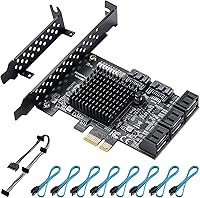
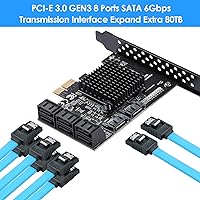
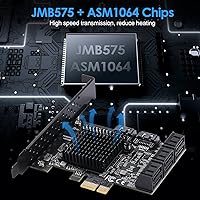
The BEYIMEI 8-Port PCIe SATA Expansion Card exists for one straightforward reason: motherboards run out of SATA ports, and replacing them just to add storage is overkill. This SATA expansion card slots into any available PCIe x1 lane and hands you eight additional SATA connections without touching your existing setup. What makes it slightly more interesting than the cheapest alternatives is the dual-chip design — the ASM1064 handles the primary controller duties while the JMB575 acts as a port multiplier. That combination tends to run more stably under sustained load than a single overworked chip. Cables and a power splitter are included in the box, which is a small but genuinely useful touch at this price point. Just go in knowing this is a practical, budget-friendly tool — not a performance powerhouse.
Features & Benefits
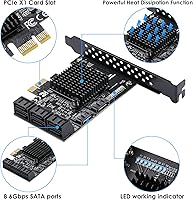
Each of the eight ports runs SATA 3.0, delivering up to 6Gbps per channel — perfectly adequate for spinning hard drives, SSDs used for secondary storage, or optical drives. The card fits into any PCIe x1 slot and also works in x4, x8, or x16 slots, so you won't struggle to find a home for it on most motherboards. One thing worth understanding upfront: the JMB575 is a port multiplier, which means those eight ports share a single PCIe lane's worth of bandwidth. For HDDs storing media or backups, that is a non-issue. For high-speed SSDs in performance roles, it is a real bottleneck. The included low-profile bracket is a genuinely handy addition for compact builds, and Windows 10 typically recognizes the card without any driver installation.
Best For
This 8-port PCIe card is a natural fit for anyone building a home NAS or media server where the priority is connecting lots of drives cheaply, not squeezing every last bit of sequential throughput. If you're running a video surveillance setup with multiple SATA drives, or accumulating a large backup array, this card covers those scenarios well. The low-profile bracket makes it workable in smaller cases that might otherwise rule out expansion cards entirely. It is less well-suited for booting your OS drive — some systems have complications with that — and not recommended if you need fast SSD performance for active workloads. Comfortable with a basic PCIe install on Windows or Linux? This card gets the job done without fuss.
User Feedback
Most buyers come away satisfied, particularly those using the BEYIMEI card to expand storage for media libraries or surveillance rigs. Drive detection on Windows 10 is consistently praised — pop it in, boot up, and all eight drives show up without drama. On the downside, the port multiplier architecture draws complaints from users who expected independent bandwidth per port; if you go in with that expectation, you will be disappointed. Linux users report mixed experiences — it works on Ubuntu fairly cleanly, but other distributions can require extra driver steps, so check compatibility for your specific distro first. The bundled cables are functional but nothing special. Overall, the consensus is clear: solid value for HDD-heavy storage expansion, as long as raw speed is not your priority.
Pros
- Eight SATA 3.0 ports in a single PCIe x1 slot — an efficient use of limited expansion space.
- The dual-chip ASM1064 + JMB575 design tends to run more stably under sustained load than cheaper single-chip alternatives.
- Works in PCIe x1, x4, x8, and x16 slots, so finding a compatible slot on almost any motherboard is rarely a problem.
- All eight SATA data cables and a 15-pin power splitter are included, saving an extra order.
- The low-profile bracket is a genuinely useful inclusion for compact and mini-tower case builds.
- Windows 10 plug-and-play recognition is consistently reliable — most users report all eight drives detected on first boot.
- Strong value for HDD-heavy storage builds like media servers, backup arrays, and surveillance rigs.
- Heat management is reasonable for the workloads this card is designed for, with no widespread overheating reports.
Cons
- The JMB575 port multiplier means all eight drives share bandwidth — a hard ceiling for performance-sensitive setups.
- Using this card as a boot drive host is unreliable on some systems and is best avoided entirely.
- Linux compatibility beyond Ubuntu can require manual driver installation, which trips up less experienced users.
- The included SATA cables are functional but thin and basic — power users may want to replace them.
- Simultaneous heavy read/write across multiple connected SSDs will expose the shared-bandwidth bottleneck quickly.
- No official support listed for Windows 11, which may cause hesitation for users on newer systems.
- The packaging and documentation are minimal, offering little guidance for first-time PCIe card installers.
- Brand support and warranty follow-up can be inconsistent, which is a fair concern for a lesser-known manufacturer.
Ratings
The scores below were generated by AI after analyzing thousands of verified global user reviews for the BEYIMEI 8-Port PCIe SATA Expansion Card, with spam, bot activity, and incentivized feedback actively filtered out. The resulting ratings honestly reflect where this card genuinely excels and where real buyers have run into friction — nothing is smoothed over to look better than it is.
Value for Money
Ease of Installation
Port Count & Connectivity
Throughput Performance
Driver & OS Compatibility
Build Quality
Included Accessories
Low-Profile Compatibility
Thermal Management
Boot Drive Support
Linux Support Depth
Slot Flexibility
Brand Reliability & Support
Suitable for:
The BEYIMEI 8-Port PCIe SATA Expansion Card is purpose-built for anyone whose motherboard has simply run out of SATA connections and who needs a practical, low-cost way to add more without replacing hardware. Home NAS builders stacking multiple large-capacity hard drives for media storage or personal cloud backups will find this card hits a sweet spot between port count and affordability. It also works well for DIY video surveillance systems where several drives record continuously — workloads where sustained sequential throughput matters far less than reliable connectivity. Small form factor builders get a bonus here too, since the included low-profile bracket means this card fits comfortably in compact cases that would otherwise reject a standard expansion card. If you're running Windows 10 and want something that shows up automatically without hunting for drivers, this 8-port PCIe card delivers exactly that kind of no-fuss experience.
Not suitable for:
The BEYIMEI 8-Port PCIe SATA Expansion Card is not the right tool if raw storage performance is on your checklist. Because the JMB575 chip acts as a port multiplier, all eight drives share a single PCIe lane's worth of bandwidth — a real constraint if you plan to run multiple SSDs handling active read/write workloads simultaneously. This SATA expansion card is also not reliably suitable as a boot drive host; some systems have known complications detecting an OS drive on port-multiplier-based controllers, so keeping your system drive on the motherboard's native ports is the safer call. Linux users outside of Ubuntu should do their homework before buying — while the card works on several distributions, some require manual driver steps that can catch less experienced users off guard. If you need truly independent bandwidth per port, enterprise-grade workloads, or guaranteed multi-distro Linux support out of the box, a more premium dedicated SATA controller card would be a better fit.
Specifications
- Brand: Manufactured by BEYIMEI, a budget-tier PC hardware brand offering storage expansion solutions.
- SATA Ports: Provides 8 SATA 3.0 ports, each capable of a theoretical maximum transfer rate of 6Gbps.
- PCIe Interface: Uses a PCIe x1 connector and is backward compatible with x4, x8, and x16 motherboard slots.
- PCIe Generation: Operates on PCIe Gen 3, delivering sufficient lane bandwidth for HDD-class storage workloads.
- Primary Chipset: The ASMedia ASM1064 serves as the primary SATA controller, managing communication between the PCIe bus and storage devices.
- Secondary Chipset: The JMB575 functions as a port multiplier, expanding the ASM1064's native ports to a total of eight SATA connections.
- Bandwidth Sharing: All eight SATA ports share the bandwidth of a single PCIe x1 lane due to the port multiplier architecture.
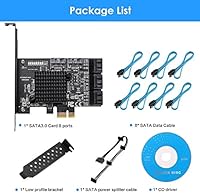
- Included Cables: Comes with 8 SATA data cables and one 15-pin SATA power splitter cable in the box.
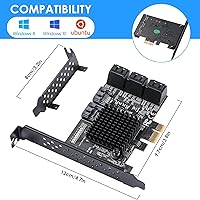
- Bracket Options: Ships with both a standard full-height bracket and a low-profile bracket for use in compact cases.
- Supported OS: Officially compatible with Windows 8, Windows 10, and Ubuntu Linux; other distributions may require additional driver configuration.
- Driver Install: Plug-and-play on supported operating systems — no driver disc or manual installation required under Windows 10 in most cases.
- Device Support: Compatible with SATA hard drives, SATA SSDs, and optical drives; not recommended as a host for OS boot drives.
- Form Factor: Designed as a half-height card compatible with both standard ATX towers and small form factor cases using the included low-profile bracket.
- Weight: The card weighs approximately 10.2 oz, which includes the card, brackets, and packaged cables.
- Thermal Design: The dual-chip layout distributes heat load across two chips, helping avoid the thermal stress common in single-chip, high-port-count controllers.
- Max Drive Count: Supports up to 8 simultaneously connected SATA storage devices across all available ports.
- Slot Flexibility: Can be installed in any available PCIe slot on the motherboard — x1, x4, x8, or x16 — without requiring a dedicated high-bandwidth slot.
Related Reviews
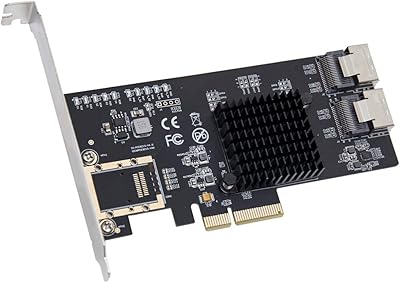
IO CREST SI-PEX40137 8-Port PCIe SATA Card
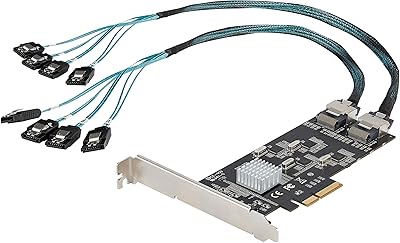
StarTech 8-Port SATA III PCIe Expansion Card
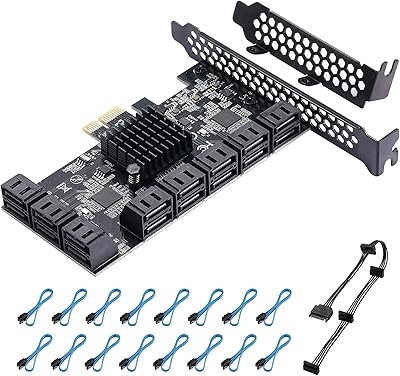
YBBOTT PCE 16SAT 16-Port SATA Expansion Card
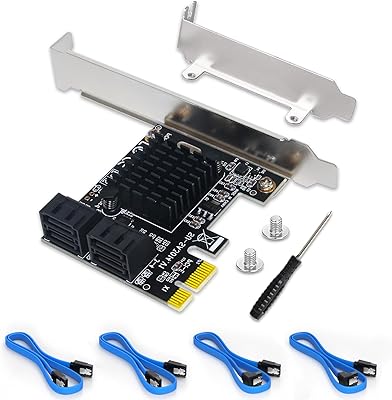
Moonqkuses 4-Port SATA 3.0 PCIe Expansion Card
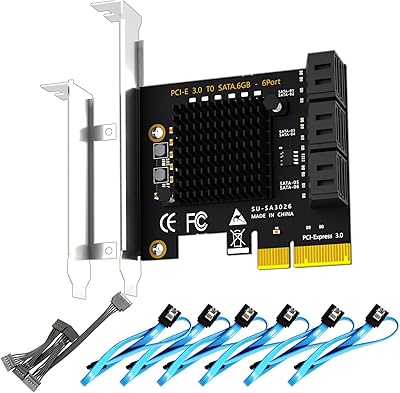
GLOTRENDS SA3026-C 6-Port PCIe SATA Card
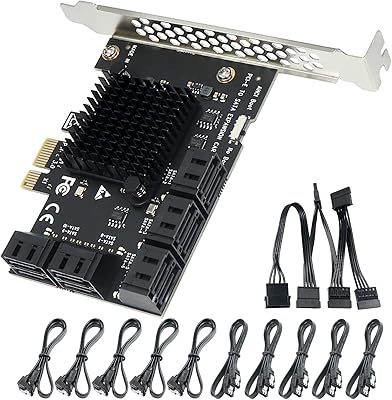
Trotwei Blue SSU-10P-SATA3 10-Port SATA PCIe Card
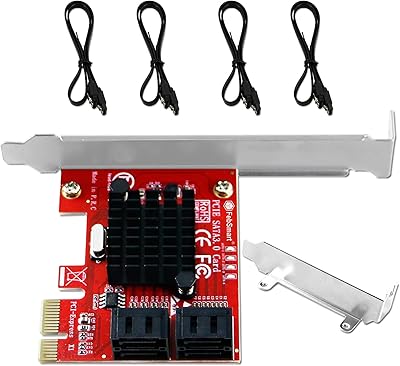
FebSmart FS-S4-Pro V2 PCIe SATA Expansion Card
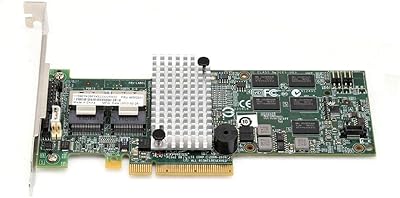
FOSA M5015 SAS SATA RAID Controller Card
StarTech PEX1394B3 3-Port FireWire PCIe Card