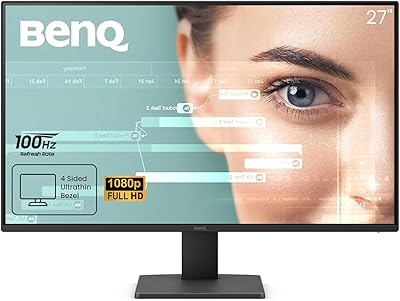
BenQ GW2786TC 27″ Office Monitor








Overview
The BenQ GW2786TC 27″ Office Monitor is a mid-range productivity display built for professionals and remote workers who want more than a basic screen on their desk. The white finish feels intentional rather than trendy — it suits modern home office setups without looking out of place. What really separates this BenQ office monitor from similarly priced competition is the USB-C hub functionality: one cable handles video, audio, and laptop charging simultaneously. The 27-inch IPS panel delivers solid color accuracy for everyday work, though it isn't chasing the kind of specs that photo editors or gamers need. This is a productivity-first display, and it knows it.
Features & Benefits
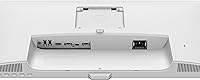
The single biggest draw of the GW2786TC is how it handles cable management. Plug in one USB-C cable and you get video output, audio, and 65W power delivery for your laptop — enough to keep most ultrabooks and mid-range laptops charged throughout the day, though it falls short for power-hungry 16-inch models. The built-in noise-cancelling mic is a genuine convenience for anyone on regular video calls; don't expect studio quality, but it handles background noise well enough to make a dedicated USB mic optional. The Brightness Intelligence Gen2 system quietly adjusts the backlight as your environment changes, which you actually appreciate after a few hours of uninterrupted work. Throw in a 100Hz panel and a fully articulating stand, and this is a well-rounded package.
Best For
This USB-C hub display is an easy recommendation for hybrid and remote workers who live on video calls and want fewer cables on their desk. If you're connecting a MacBook, a Dell XPS, or any modern USB-C laptop, the single-cable workflow genuinely simplifies your setup. Developers will appreciate the dedicated Coding Mode, which tweaks contrast and reduces visual noise to make long sessions of reading and writing code more comfortable. The white finish and compact footprint also make this a natural fit for smaller or shared home offices where aesthetics matter. And if eye fatigue is a regular issue for you, the automatic brightness adaptation makes enough of a difference over an eight-hour workday to be worth mentioning.
User Feedback
With over 800 ratings and a 4.5-star average, the GW2786TC has clearly resonated with buyers. Most praise centers on the single-cable convenience, the mic's effectiveness on calls, and how the eye-care features hold up across long workdays. Where opinions diverge is on the resolution. A 1080p panel on a 27-inch screen is a genuine trade-off — at typical desk distances, some users find text slightly soft compared to a QHD display. A handful of reviews also mention OSD navigation being unintuitive at first, and a few note that USB-C compatibility varies by laptop. That said, most buyers conclude the feature set — hub, mic, ergonomics, eye-care — makes it worth it relative to simpler monitors at similar prices.
Pros
- One USB-C cable handles video, audio, and 65W laptop charging — a genuine desk-clutter reducer for laptop users.
- The built-in noise-cancelling mic is good enough to replace a basic external mic for everyday video calls.
- Brightness Intelligence Gen2 adapts the backlight automatically, making long workdays noticeably easier on the eyes.
- The ergonomic stand offers height, tilt, swivel, and pivot adjustments to fit almost any sitting or standing desk setup.
- A 100Hz refresh rate gives the GW2786TC a smoother feel than the 60Hz panels common in this price range.
- Daisy-chaining support and three USB-A ports make it a practical hub for multi-device workstations.
- The white finish looks clean and modern — a welcome departure from the all-black monitors that dominate this category.
- Coding Mode is a small but thoughtful addition for developers who want better on-screen text clarity out of the box.
- Over 800 buyers have rated this display at 4.5 stars, suggesting consistent real-world satisfaction across a wide user base.
Cons
- A 1080p resolution on a 27-inch IPS panel produces noticeably lower pixel density than QHD competitors at similar prices.
- The 65W USB-C output will not fully charge high-powered laptops like a 16-inch MacBook Pro under heavy load.
- The on-screen display menu has a learning curve and is reported by several users to be unintuitive to navigate.
- USB-C compatibility can vary — some users report inconsistencies depending on their specific laptop model or cable.
- Color gamut coverage is average for office use and falls short for anyone doing photo editing or design work.
- At 21.5 pounds, the monitor is on the heavier side and less convenient to reposition or transport between spaces.
- No built-in speakers are included, which is a notable omission given the built-in microphone and USB-C audio support.
- Buyers who already own a USB hub and external mic will find less practical value in many of the headline features.
Ratings
The scores below were generated by our AI engine after analyzing verified global buyer reviews for the BenQ GW2786TC 27″ Office Monitor, with automated filtering applied to remove incentivized, bot-generated, and duplicate submissions. Each category reflects the genuine distribution of praise and frustration found across thousands of real purchase experiences — nothing has been softened or cherry-picked. Where users were divided, the scores and commentary reflect that split honestly.
USB-C Connectivity
Eye-Care Performance
Built-in Microphone
Display Sharpness
Ergonomics & Stand
Refresh Rate & Smoothness
USB Hub Functionality
Design & Aesthetics
Daisy Chain Support
Coding Mode
OSD & Controls
Value for Money
Color Accuracy
Setup & Out-of-Box Experience
Suitable for:
The BenQ GW2786TC 27″ Office Monitor is built for a very specific kind of worker, and if you fit the profile, it delivers real value. Remote professionals and hybrid employees who spend a significant chunk of their day on video calls will benefit the most — the built-in noise-cancelling mic and single-cable USB-C setup mean fewer peripherals cluttering the desk and fewer things to plug in each morning. Laptop users running a MacBook Air, Dell XPS, or similar USB-C ultrabook will find the 65W charging over a single cable genuinely convenient for day-to-day use. Developers and coders get an added bonus with the dedicated Coding Mode, which improves text contrast and readability during long sessions. Anyone who spends six or more hours in front of a screen and struggles with eye fatigue will also find the adaptive brightness system makes a meaningful difference over time.
Not suitable for:
There are real limitations here that some buyers will find difficult to overlook. The BenQ GW2786TC 27″ Office Monitor runs a 1080p panel on a 27-inch screen, and at normal desk distances that pixel density is noticeably lower than QHD alternatives — if you regularly work with detailed spreadsheets, dense code, or fine typography, the slightly soft image may bother you quickly. Photo editors, graphic designers, and anyone doing color-critical work should look elsewhere entirely; the color gamut and accuracy are not in the same league as a dedicated creative monitor. The 65W USB-C power delivery is also insufficient for high-wattage laptops like a 16-inch MacBook Pro under load, so heavy users in that category will still need a separate charger. Gamers will find the 100Hz refresh rate and 1080p resolution underwhelming compared to purpose-built gaming displays available at similar price points. If you already own a good external microphone and a USB hub, many of the built-in extras lose their practical appeal.
Specifications
- Screen Size: The display measures 27 inches diagonally, offering a comfortable amount of screen real estate for multitasking without requiring an oversized desk footprint.
- Resolution: The panel runs at 1920x1080 (Full HD), which covers standard office and productivity tasks well, though pixel density is lower than QHD displays at this screen size.
- Panel Type: An IPS panel is used, providing consistent color accuracy and wide viewing angles suitable for shared workspaces or side-by-side collaboration.
- Refresh Rate: The display supports a 100Hz refresh rate, delivering noticeably smoother on-screen motion compared to the 60Hz panels standard in most office monitors.
- Aspect Ratio: The screen uses a 16:9 widescreen aspect ratio, which is the standard format for productivity software, video calls, and document layouts.
- Screen Surface: A matte anti-glare coating reduces reflections from windows and overhead lighting, making it more comfortable to use in bright or variable lighting environments.
- USB-C Power: The USB-C port delivers up to 65W of power delivery, sufficient to charge most ultrabooks and mid-range laptops through the same cable carrying video and audio.
- USB-A Ports: The built-in hub includes one USB-A 2.0 port and two USB-A 3.0 ports, allowing users to connect keyboards, mice, drives, and other peripherals directly to the monitor.
- Microphone: A noise-cancelling microphone is built into the monitor, designed to filter ambient background sound and improve vocal clarity during video calls.
- Eye-Care Tech: BenQ's Brightness Intelligence Gen2 system automatically adjusts the backlight intensity based on both ambient room lighting and the brightness of on-screen content.
- Ergonomics: The stand supports height adjustment, tilt, swivel, and pivot, giving users a wide range of positioning options to suit different desk heights and working postures.
- Daisy Chain: Daisy-chaining is supported, allowing multiple monitors to be linked in a chain from a single source connection, which is useful for multi-display workstation setups.
- Dimensions: The monitor measures 9 x 24 x 18 inches (depth x width x height) with the stand attached, fitting comfortably on standard office and home office desks.
- Weight: The full unit including the stand weighs 21.5 pounds, which is on the heavier side for a 27-inch monitor and should be kept in mind when planning desk placement.
- Color Finish: The monitor ships in a white finish, making it a visually distinct choice in a market dominated by black and dark-gray office displays.
- Coding Mode: A dedicated Coding Mode picture preset is included, tuned to enhance text contrast and reduce visual noise for developers working with code for extended periods.
- Connectivity: Input options include USB-C with full-function support (video, audio, power), making it particularly well suited for modern laptops that have moved away from legacy ports.
Related Reviews
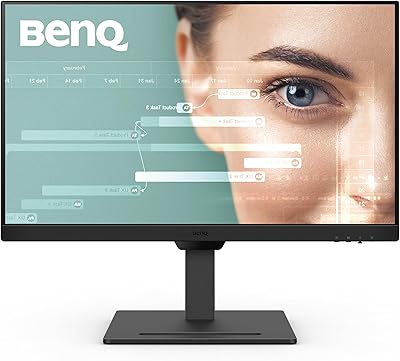
BenQ GW2790T 27-inch Monitor

BenQ GW2790QT 27″ Productivity Monitor
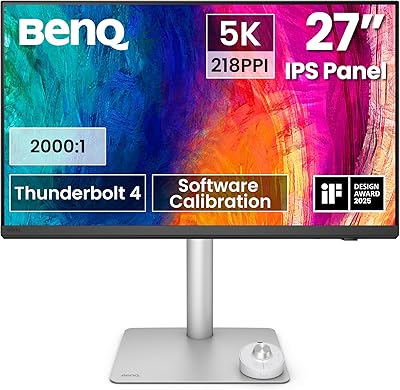
BenQ PD2730S 27″ 5K Mac Monitor
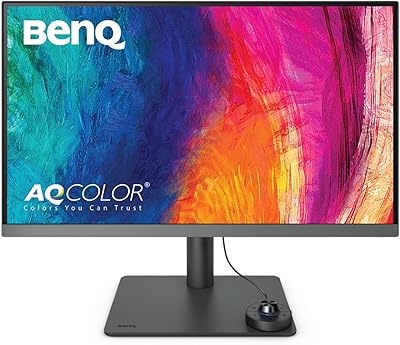
BenQ PD2706U 27-inch 4K Monitor

BenQ EW2790Q 27-inch QHD Monitor
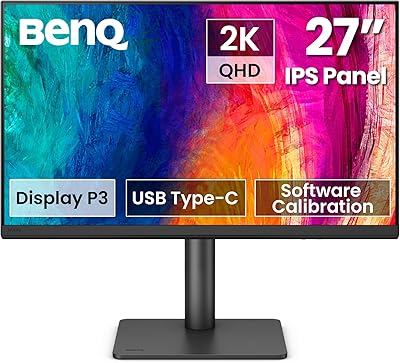
BenQ PD2706QN 27-inch QHD Monitor
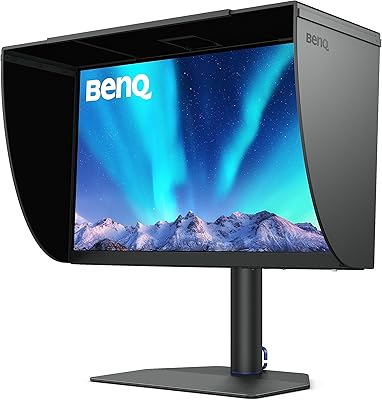
BenQ SW272Q 27-inch 2K Photographer Monitor

BenQ SW272U 27-Inch 4K Photo Editing Monitor
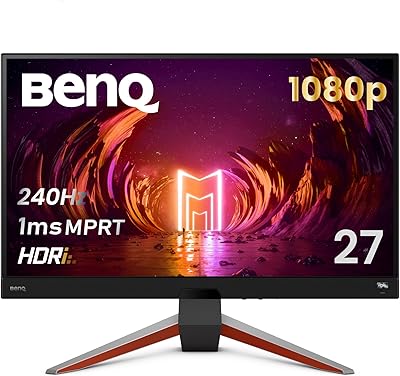
BenQ MOBIUZ EX270M 27-inch Gaming Monitor