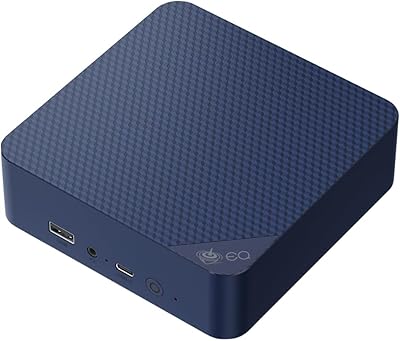
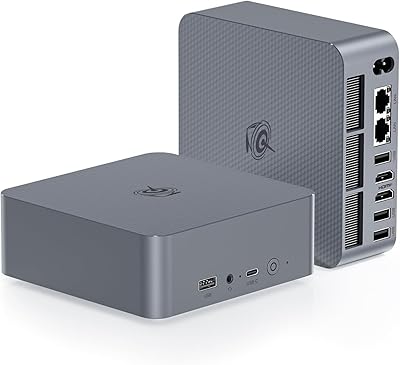
Overview

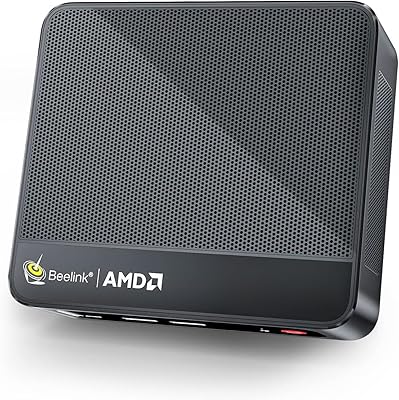
The Beelink SER5 Mini PC is Beelink's answer to a straightforward question: how much real computing power can fit in something smaller than a paperback book? Beelink has carved out a solid niche in this category, and the SER5 builds on that track record with AMD's Ryzen 5 5500U — a six-core mobile chip that performs well above what the chassis size suggests. Toss in Windows 11 Pro out of the box, and this compact desktop starts looking genuinely competitive against budget towers and refurbished office machines. Home users, remote workers, students, and HTPC enthusiasts all sit squarely in its wheelhouse.
Features & Benefits

The Ryzen 5 5500U's six cores and twelve threads give the SER5 enough headroom to handle browser-heavy workloads, video calls, and light content editing at the same time without the fan spinning up aggressively. It ships with 16GB of DDR4 RAM and a 500GB NVMe SSD, and critically, both are user-upgradeable — RAM can be pushed to 64GB if your workload demands it. Connectivity is where this mini PC genuinely stands out: dual 4K@60Hz outputs via HDMI and USB-C, WiFi 6, Bluetooth 5.2, and a 2.5G Ethernet port cover virtually every peripheral scenario a home office or media setup could throw at it.

Best For

The SER5 fits naturally into a few specific situations. Remote workers tired of laptop limitations but unwilling to give desk space to a tower will appreciate how little footprint this leaves. Students can run productivity apps, video conferencing, and light coding environments without hiccups. For living room builds, this compact desktop handles 4K media playback cleanly and stays quiet enough to sit inside a TV cabinet. Business users also benefit from Windows 11 Pro's Remote Desktop and BitLocker tools — features a home edition simply doesn't include. Just go in knowing this isn't the right fit for demanding 3D gaming at high settings.

User Feedback

Buyers generally land in one of two camps. Most are pleasantly surprised — fast boot times, quiet day-to-day operation, and a setup experience that gets them productive without drama. The upgradeable RAM and storage come up repeatedly as practical selling points that justify choosing this over sealed, non-expandable alternatives. That said, a handful of users flag thermal throttling under sustained processor loads, which is worth keeping in mind if you plan to run CPU-intensive tasks for long stretches. Gaming feedback is mixed — light titles run acceptably, but the integrated GPU has real limits. After-sales support and warranty responsiveness draw consistent praise, which is reassuring at this price tier.

Pros

  • The Ryzen 5 5500U delivers genuinely capable multitasking performance for an everyday desktop workload.
  • Windows 11 Pro comes pre-installed, a meaningful value add that many rival mini PCs skip.
  • Both RAM and SSD are user-upgradeable, giving this compact desktop real long-term flexibility.
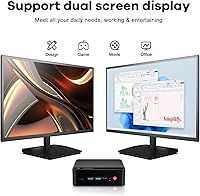
  • Dual 4K@60Hz output supports a proper two-monitor setup without any additional hardware.
  • WiFi 6 and a 2.5G Ethernet port cover both wireless and wired connectivity at a modern standard.
  • The machine runs near-silently during typical use, making it a comfortable fit for bedrooms and living rooms.
  • Boot times are fast, and the out-of-box experience is generally smooth for most users.
  • A one-year hardware warranty backed by lifetime technical support adds real post-purchase confidence.
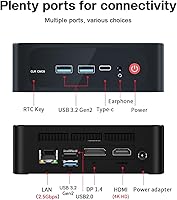
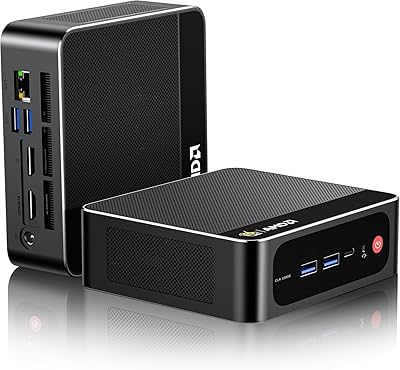
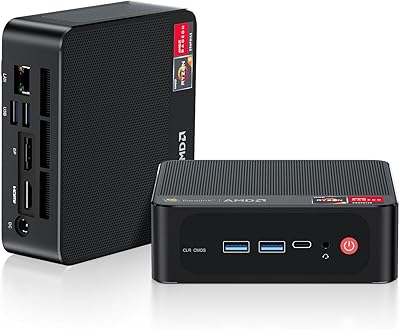
  • The port selection is practical and dense for its size, covering USB-A, USB-C, audio, and display needs.
  • The small physical footprint makes it easy to mount behind a monitor or tuck into an entertainment unit.

Cons

  • Sustained CPU-intensive tasks can trigger thermal throttling, reducing performance during long workloads.
  • The integrated GPU has firm limits — do not expect smooth framerates in modern or graphically demanding games.
  • First-boot network setup requires a specific sequence; skipping it can cause OS configuration headaches.
  • The product listing contains inconsistent spec claims, which can make it confusing to verify exactly what you are buying.
  • Only a single USB 2.0 port alongside three USB 3.2 ports — older peripherals may bottleneck on that one legacy connection.
  • No Thunderbolt support means external GPU docks or high-bandwidth storage enclosures are not an option.
  • 500GB of base storage fills up quickly for users with large media libraries or creative project files.
  • No included peripherals — keyboard, mouse, and monitor are all separate purchases on top of the unit price.

Ratings

The scores below were generated by our AI engine after analyzing thousands of verified global buyer reviews for the Beelink SER5 Mini PC, with spam, bot activity, and incentivized feedback actively filtered out. Each category reflects the honest consensus from real owners — remote workers, students, home theater builders, and everyday desktop users — capturing both what impressed them and what let them down. Strengths and pain points are weighted equally so you get a clear, unvarnished picture before you buy.

Everyday Performance
84%
For the typical daily workload — a dozen browser tabs, a video call, and a document or two open simultaneously — the Ryzen 5 5500U handles everything without hesitation. Buyers consistently report that the machine feels snappy and responsive during normal office and productivity use, with no frustrating pauses or slowdowns.
Push it into sustained heavy tasks like large file compression, batch exports, or extended code compilation, and the compact chassis starts to struggle with heat management. Thermal throttling under prolonged CPU load is a documented pattern, meaning real-world performance under stress falls short of what the spec sheet implies.
Multitasking Headroom
81%
19%
Having six cores and twelve threads in a machine this size is a genuine advantage for remote workers juggling multiple applications. Users who run virtual meetings while keeping productivity apps, a music player, and a browser all open report that the system distributes the load well without any single task grinding to a halt.
The 16GB base RAM, while sufficient for most users, can feel tight if you run memory-hungry applications or keep many browser tabs open alongside heavier software. Buyers who upgraded to 32GB or more reported a noticeably smoother experience, suggesting the base configuration has a lower ceiling than the processor itself.
Gaming Capability
52%
48%
Older and less graphically demanding titles — indie games, retro emulation, casual strategy games — run acceptably on the integrated Radeon GPU. Users who went in with realistic expectations found it a capable light gaming companion, especially for titles from several console generations ago.
Anything modern or graphically intensive is a poor fit, and buyers who expected more based on marketing language around gaming were frequently disappointed. The integrated GPU simply does not have the raw power to push recent titles at playable frame rates, even at lower resolutions, and no external GPU upgrade path exists.
Value for Money
83%
Getting a genuine Windows 11 Pro license bundled in — rather than the Home edition that many rivals default to — is a meaningful differentiator at this price point. Buyers replacing aging desktops found the performance jump significant enough to feel like a genuinely smart upgrade without needing to build a full system from scratch.
The value calculation shifts if you need to immediately add RAM or a larger SSD after purchase to make the machine comfortable for your workload. Factoring in those upgrade costs narrows the price gap against competing machines that arrive better configured out of the box.
Upgradeability
88%
User-accessible RAM slots and a standard M.2 2280 NVMe slot make expanding this compact desktop a realistic DIY project rather than a voided warranty situation. Many buyers upgraded to 32GB or swapped in a 1TB SSD shortly after purchase and found the process straightforward, extending the machine's useful life considerably.
Only two SO-DIMM slots are available, which means your upgrade ceiling is 64GB total — adequate for most, but not for memory-intensive professional workloads. Beyond RAM and storage, there is nothing else the end user can reasonably swap out, so CPU and GPU performance are fixed for the life of the unit.
Display & Output Quality
86%
Driving two 4K screens at 60Hz simultaneously is a standout capability for a machine at this size and price tier. Home theater users and dual-monitor office workers both praised the output quality, noting clean, sharp visuals with no signal instability during extended use.
The USB-C port's video output functionality depends on the cable and monitor both supporting DisplayPort Alt Mode, which trips up some buyers who assumed any USB-C connection would work. A minority of users also reported occasional HDMI handshake delays when waking the machine from sleep with certain monitors.
Connectivity & Ports
79%
21%
The combination of WiFi 6, Bluetooth 5.2, and a 2.5G Ethernet port puts this mini PC ahead of many rivals that still ship with older wireless standards. Buyers who use Bluetooth peripherals and a wired connection simultaneously found the setup reliable and interference-free in busy home network environments.
Having only one USB 2.0 port alongside the three USB 3.2 ports is a minor but real limitation for users with several older USB peripherals to connect. The absence of a card reader and the single audio combo jack — rather than separate headphone and microphone ports — also came up occasionally as quality-of-life shortcomings.
Noise & Thermal Management
74%
26%
Under everyday workloads, the fan remains impressively quiet — quiet enough for bedroom desks, living room setups, and shared office spaces where noise sensitivity matters. Media playback and general productivity tasks rarely trigger any audible fan response, which home theater builders specifically called out as a major plus.
The thermal design is sized for its class, and that has limits. Under sustained CPU load, the fan becomes clearly audible and the chassis gets warm to the touch — a direct consequence of fitting a 15W mobile processor into a very compact enclosure. This is not unusual for the category, but buyers expecting silence under all conditions will be caught off guard.
Build Quality & Design
76%
24%
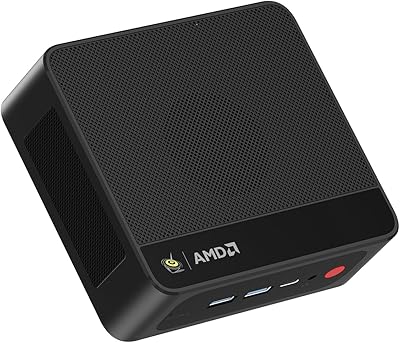
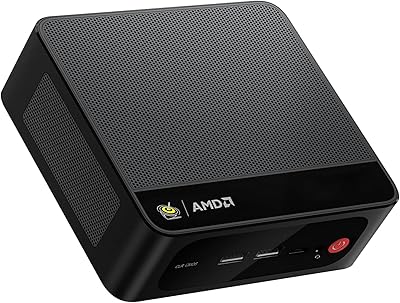
The chassis feels solid and well-finished for the price tier, with a clean matte black exterior that looks professional whether it sits on a desk or mounts behind a monitor. At under two pounds, it is easy to reposition or VESA-mount without any additional hardware support.
The plastic construction, while adequate, does not feel premium compared to machined metal competitors at higher price points. A few buyers noticed slight flex in the chassis when pressing the ports, and the overall impression is of a machine that is well-made for its category rather than exceptional by any absolute standard.
Setup Experience
67%
33%
For buyers who follow the recommended first-boot sequence — avoiding network connection and skipping the Microsoft account login during initial setup — the out-of-box experience is clean and relatively quick. Most users who read the included instructions were up and running within twenty minutes of unboxing.
The fact that there is a documented, specific setup sequence required at all is unusual and a genuine friction point. Buyers who connected to WiFi or entered account details before the OS finished initializing encountered login loops and configuration errors that required a reset to fix — a frustrating experience that should not happen on a consumer product.
Home Theater Suitability
85%
4K media playback via local files or streaming services runs without stuttering, and the near-silent operation during video playback makes it a natural fit inside an entertainment cabinet or beside a TV. The small physical size means it integrates into a living room setup without drawing attention.
Dolby Atmos and advanced audio passthrough support depends heavily on software configuration, which some buyers found less intuitive to set up than a dedicated media streamer. Users with demanding HDR tone-mapping or high-bitrate audio requirements may need to spend time tweaking settings before achieving optimal results.
After-Sales Support
82%
18%
Beelink's combination of a one-year hardware warranty and lifetime technical support is more generous than the category average, and buyers who reached out with issues generally reported responsive, helpful interactions. The brand's track record in the mini PC space means there is a meaningful community of existing owners who can also help troubleshoot.
Response times through official channels can vary, and a handful of buyers in different regions noted slower turnaround for physical warranty claims than for software support queries. Lifetime technical support is a strong promise on paper, but its practical value depends on whether the brand remains operational years down the line.
Software & OS Experience
78%
22%
Windows 11 Pro arrives as a clean, genuine OEM installation with no excessive bloatware cluttering the startup experience. The inclusion of Pro-tier features — Remote Desktop, BitLocker, Hyper-V — adds real utility for business users and power users who would otherwise need to pay for an upgrade license separately.
Some buyers found Windows 11's hardware requirements and background telemetry heavier than expected on a machine with 16GB of RAM, occasionally noticing reduced available memory after background system processes settled. A small number of users would have preferred the option of a Linux-ready or bare-metal configuration.
Portability & Footprint
89%
At under two pounds and smaller than most hardcover books, this compact desktop fits into carry bags, office drawers, or behind monitors without any planning required. Remote workers who move between locations — home office, a second property, a parent's house — appreciate being able to take their full desktop environment with them.
The included power brick adds bulk when transporting the unit, and there is no carrying case or protective sleeve in the box. The machine is portable relative to a desktop tower, but it is not the kind of device you would comfortably slip into a backpack alongside a laptop for daily commuting.

Suitable for:

The Beelink SER5 Mini PC is a strong fit for anyone who wants genuine desktop performance without dedicating a corner of the room to a tower. Remote workers who need to run video calls, a browser with twenty tabs open, and a spreadsheet simultaneously will find the six-core Ryzen 5 5500U handles that load without complaint. Students on a budget get a full Windows 11 Pro license included — that alone saves meaningful money compared to piecing together an equivalent setup. Home theater builders will appreciate the dual 4K output at 60Hz, which means you can drive a large TV and a secondary monitor from one quiet little box tucked behind the screen. Anyone stuck on an aging Core i5 machine from several years back will notice a real difference in day-to-day snappiness, and the fact that both RAM and storage are upgradeable means this compact desktop can grow with your needs rather than hitting a hard ceiling.
Not suitable for:

If your workload involves 3D rendering, video encoding at scale, or gaming at medium-to-high settings, the SER5 is not the right tool — the integrated AMD Radeon GPU is capable for media and light tasks, but it does not compete with even an entry-level discrete graphics card. Users who run sustained CPU-heavy workloads, such as large compilation jobs or long batch processing tasks, should also be cautious: thermal throttling under prolonged load has been reported, and a small chassis can only dissipate so much heat. Creative professionals working with RAW photo editing or multi-track audio production will likely find themselves bumping into performance ceilings more often than they would like. Anyone who expects plug-and-play simplicity without any setup nuance should know that the Beelink SER5 Mini PC ships with a documented first-boot network configuration quirk that, while minor, requires following a specific sequence to avoid OS setup issues. Finally, buyers who need a machine primarily for competitive or graphically demanding gaming should look elsewhere.
Specifications

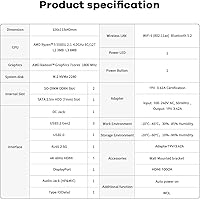
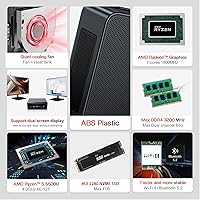
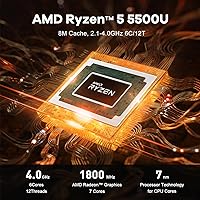
  • Processor: AMD Ryzen 5 5500U with 6 cores and 12 threads, running at a base clock of 2.1GHz and boosting up to 4.0GHz under load.
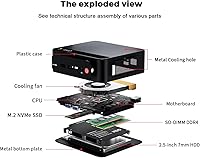
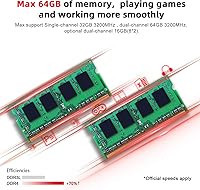
  • RAM: 16GB of DDR4 memory running at 3200MHz, installed across two SO-DIMM slots that support upgrades up to 64GB total.
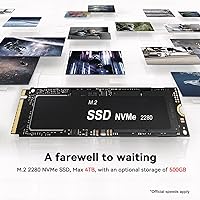
  • Storage: 500GB M.2 2280 NVMe SSD included, using a standard slot that allows straightforward replacement or upgrade by the user.
  • Graphics: AMD Radeon integrated GPU with 7 cores running at up to 1800MHz, capable of 4K video output but not designed for demanding 3D workloads.
  • Display Output: Supports two simultaneous 4K displays at 60Hz via one full-size HDMI port and one USB-C port that carries both data and video signal.
  • Wireless: WiFi 6 (802.11ax) with dual-band 2.4GHz and 5GHz support, paired with Bluetooth 5.2 for modern peripheral and audio connectivity.
  • Wired Network: A single 2.5G Ethernet port (RJ-45) provides high-speed wired LAN connectivity suitable for NAS access and fast local file transfers.
  • USB Ports: Three USB 3.2 Type-A ports and one USB 2.0 Type-A port are included, alongside one USB-C port that handles both data transfer and video output.
  • Audio: One 3.5mm combo jack supports both headphone output and microphone input simultaneously, usable with standard headsets.
  • Operating System: Windows 11 Pro comes pre-installed, including features such as BitLocker encryption, Remote Desktop, and Hyper-V virtualization support.
  • Dimensions: The unit measures 8.86 x 5.43 x 2.24 inches, keeping its physical footprint small enough to mount behind a monitor or sit inside a media cabinet.
  • Weight: The device weighs 1.83 pounds, making it easy to reposition or mount without requiring additional structural support.
  • Power Input: Accepts 100–120V AC at 50/60Hz via an included DC adapter, compatible with standard North American wall outlets.
  • Certifications: Holds FCC, RoHS, and CE certifications, confirming compliance with US electromagnetic, European safety, and restricted substances standards.
  • Warranty: Covered by a one-year hardware replacement warranty, with Beelink offering lifetime technical support via their customer service team.

Related Reviews

Beelink SEI Mini PC (Ryzen 5500U, 16GB/500GB)
81%
84%
Everyday Performance
61%
RAM Configuration
91%
Display & Multi-Monitor Support
73%
Cooling & Thermal Management
88%
Networking
More
Beelink SER5 Pro Mini PC (Ryzen 7 5825U, 32GB RAM, 1TB SSD)
80%
88%
Everyday Performance
61%
Thermal Management
91%
Value for Money
86%
Multi-Monitor Support
79%
Build Quality & Design
More
Beelink SER5 MAX Mini PC, AMD Ryzen 7 6800U, 24GB RAM, 500GB SSD
87%
91%
Performance
87%
Connectivity
89%
Value for Money
84%
Build Quality
88%
Cooling System
More
Beelink SER5 MAX (24GB / 500GB)
81%
91%
Everyday Performance
88%
RAM & Memory Headroom
74%
Storage Performance
93%
Multi-Monitor & Display Output
69%
Thermal Management
More
Beelink ME Mini PC
Beelink ME Mini PC
87%
88%
Performance
91%
Connectivity
85%
Storage Expansion
95%
Power Efficiency
90%
Noise Levels
More
Beelink Mini S12 Pro (N100, 16GB, 500GB)
83%
83%
Everyday Performance
91%
Value for Money
76%
Build Quality & Design
84%
Thermal Management & Noise
88%
Connectivity & Ports
More
Beelink Mini S12 Mini PC
78%
88%
Value for Money
82%
Performance for Daily Tasks
79%
Build Quality & Design
91%
Dual Monitor Support
84%
Thermal Management & Noise
More
Beelink EQi13 Pro (32GB/500GB)
83%
88%
Processing Performance
91%
Memory & Multitasking
86%
Storage Speed & Expandability
74%
Thermal Management & Noise
93%
Networking Capabilities
More
Beelink SER5 Pro (Ryzen 7 5825U, 16GB/500GB)
80%
88%
Everyday Performance
67%
Thermal Management
91%
Multi-Monitor Support
83%
Build Quality & Design
86%
Connectivity & Port Selection
More
Beelink EQ14 Mini PC (N150, 16GB, 1TB)
74%
74%
Everyday Performance
61%
RAM & Memory Configuration
83%
Storage & Expandability
91%
Connectivity & Networking
79%
Display Output
More
Beelink EQI Mini PC i5-1235U 32GB RAM 1TB SSD
87%
88%
Performance
85%
Build Quality
92%
Value for Money
90%
Design/Size
81%
Thermals
More

FAQ

Yes, both the RAM and the NVMe SSD are user-accessible and designed to be upgraded. The SER5 uses standard SO-DIMM slots and an M.2 2280 slot, so swapping in higher-capacity modules is a straightforward process. Beelink generally supports user upgrades, but it is worth confirming with their support team if warranty coverage is a concern before you open the unit.

That kind of workload is exactly what the Ryzen 5 5500U handles comfortably. Six cores and 12 threads give it enough headroom to run Zoom or Teams alongside a loaded browser and office applications without the system feeling sluggish. Most remote workers find this mini PC more than adequate for a full eight-hour day.

Yes. The unit supports dual display output — one screen through the full-size HDMI port and a second through the USB-C port, both at 4K resolution and 60Hz refresh rate. Just make sure your USB-C cable and monitor support DisplayPort Alt Mode over USB-C, as not all cables carry a video signal.

During typical use — browsing, streaming, light office work — the fan is barely noticeable, and many users describe it as near-silent. Under sustained heavy CPU load, the fan will spin up more audibly, and some thermal throttling can occur. For media playback and general productivity, noise is not an issue.

The integrated AMD Radeon GPU can handle older and less demanding titles reasonably well — think games from several years ago at lower settings, or lighter indie games. Do not expect smooth performance in modern AAA titles or graphically intensive games at any meaningful resolution. If gaming is a primary use case, a machine with a discrete GPU will serve you much better.

The Beelink SER5 Mini PC does ship with a specific first-boot instruction: avoid connecting to a network or entering a Microsoft account email during the initial Windows setup. If you follow the steps out of order, you may encounter a loop where the OS setup stalls. It sounds more alarming than it is — just follow the recommended sequence printed in the included guide and you should be up and running without any issues.
No, the unit ships without peripherals. You will need to supply your own keyboard, mouse, and monitor. Given that most buyers already have these or are replacing an existing desktop, that is fairly standard for this category of product.

It works well in that role. The HDMI port outputs 4K at 60Hz, so it can drive a large TV cleanly, and the unit runs quietly enough to sit inside an entertainment cabinet without being distracting. Streaming services, local media playback via Kodi or Plex, and light web browsing from the couch are all handled without trouble.

Yes, Windows 11 Pro comes pre-installed with a genuine OEM license tied to the hardware. You get full access to Pro-tier features including BitLocker drive encryption, Remote Desktop hosting, and Group Policy management — features that the Home edition does not include. This is one of the more practical advantages of this unit over similarly priced competitors that ship with Windows 11 Home.

Beelink covers the hardware with a one-year warranty and offers lifetime technical support, which is more generous than what many smaller brands provide. User feedback on after-sales responsiveness is generally positive, with most issues resolved through their support channel. If you encounter a defect within the warranty period, they will typically arrange a repair or replacement.