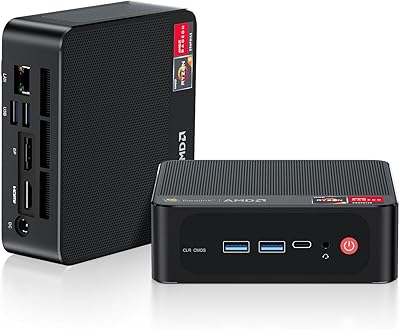
Beelink EQi13 Pro (32GB/500GB)

Overview
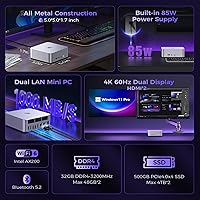
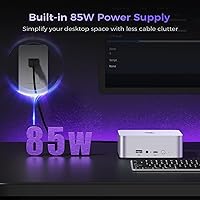
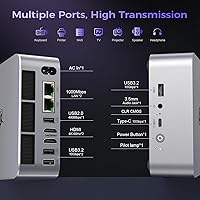
The Beelink EQi13 Pro (32GB/500GB) sits in an interesting spot — capable enough to handle real work, compact enough to disappear behind a monitor. What separates it from the typical budget mini PC crowd is the 13th-gen i7-13620H, a processor you'd normally find in a mid-range laptop, not a box smaller than a hardcover book. Integrated graphics mean you're not getting a gaming rig here, but for productivity, media, and light creative tasks, the chip has genuine headroom. The built-in power supply is a rare convenience in this category — no separate brick, just one cable from wall to machine. Dual LAN ports quietly signal that this is built for network-aware users, not just typical home desktops.
Features & Benefits
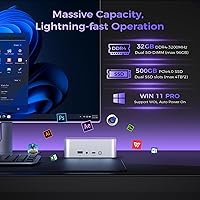
The processor at the core of this Beelink mini PC is a 10-core hybrid design that handles multitasking in a way most mini PCs simply can't — juggling a dozen browser tabs, a video call, and a background sync without breaking a sweat. Dual-channel 32GB RAM adds real breathing room for virtualization or running local AI assistants, and the PCIe 4.0 SSD makes file operations feel genuinely fast. A second M.2 slot means storage expansion later is straightforward. The dual Gigabit LAN is worth a closer look: plugged into two ports at once, it can combine bandwidth or isolate networks entirely — practical for home labs or anyone routing traffic between a NAS and the internet. WiFi 6 via the Intel AX200 rounds things out, a chipset with a solid reputation for reliability.
Best For
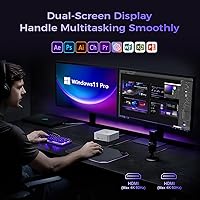
The EQi13 Pro punches well above its size for remote workers who want a tidy desk — one power cable, no external adapter, dual monitors up to 4K at 60Hz. It's a strong fit for IT enthusiasts building a home lab: the dual LAN and solid CPU make lightweight virtualization genuinely practical without spinning up a full tower. HTPC users will appreciate quiet playback and clean 4K output. Small businesses or schools looking for capable, low-footprint workstations running Windows 11 Pro out of the box will find little to complain about. If you're moving up from an older thin client or an entry-level mini PC, the performance jump is noticeable from the first boot. Just don't buy it expecting discrete GPU performance.
User Feedback
Early buyers of this compact desktop seem broadly satisfied, with fast boot times and quiet day-to-day operation coming up most often as positives. The clean Windows setup — no bloatware pileup — also earns consistent praise. On the critical side, a handful of users report thermal throttling during extended heavy workloads, which is worth knowing if you plan to push this machine hard for hours at a stretch. The all-HDMI display setup is another friction point: no DisplayPort, no USB4 video output, which limits flexibility for users with mixed monitor setups. The metal chassis feels solid, though some find port placement a bit tight. The BIOS is accessible and RAM upgrades are reportedly painless. Given the recent launch, long-term reliability data is still thin — worth keeping in mind.
Pros
- A genuine laptop-class i7 processor in a box smaller than most hardcover books delivers real multitasking muscle.
- The built-in power supply means a single cable from wall to machine — no brick, no clutter, no compromise.
- Dual Gigabit LAN lets you connect to a NAS, isolate networks, or run a soft router without any add-on hardware.
- Thirty-two gigabytes of dual-channel RAM handles virtualization, heavy browser workloads, and local AI tools with room to spare.
- A second M.2 slot makes storage expansion straightforward and affordable down the road.
- WiFi 6 via the Intel AX200 is a proven, well-supported chipset that stays stable without driver headaches.
- The metal chassis feels noticeably more solid than plastic rivals and looks neutral enough for any desk setup.
- Windows 11 Pro arrives clean — no bloatware, working Wake on LAN, and a painless first-boot experience.
- Near-silent operation under typical office loads makes it comfortable in quiet home office or living room environments.
- RAM and SSD upgrades are reported as genuinely accessible without specialist tools or complicated disassembly.
Cons
- Sustained heavy workloads can trigger thermal throttling, pulling CPU performance back after 30 to 40 minutes of full load.
- Display output is HDMI-only — users with DisplayPort monitors will need an active adapter that may introduce compatibility issues.
- No USB4 or Thunderbolt port limits connectivity options for users with modern docks or high-bandwidth peripherals.
- The 500GB starting capacity fills up quickly for anyone storing media libraries or multiple virtual machine disk images.
- Port placement on the rear panel feels cramped when several cables are connected at once.
- The integrated graphics cannot handle modern gaming or GPU-accelerated creative workloads in any meaningful way.
- A small subset of users report occasional WiFi instability after waking from sleep, requiring a manual driver update to resolve.
- The built-in PSU, while convenient, is not user-replaceable if it fails — unlike a standard external power brick.
- BIOS options are limited compared to desktop boards, with no meaningful thermal or memory tuning available.
- As a relatively recent release, long-term reliability data is still thin, so durability over multi-year use remains unproven.
Ratings
The scores below for the Beelink EQi13 Pro (32GB/500GB) were generated by AI after systematically analyzing verified buyer reviews from global markets, with spam, bot-submitted, and incentivized feedback actively filtered out. This compact desktop attracts a technically aware audience, so reviewers tend to be specific — and the ratings reflect both what genuinely impresses and what falls short in real daily use. Strengths and frustrations are weighted equally here; nothing is glossed over.
Processing Performance
Memory & Multitasking
Storage Speed & Expandability
Thermal Management & Noise
Networking Capabilities
Wireless Connectivity
Display Output
Graphics & Visual Output Quality
Power Supply Design
Build Quality & Design
Upgrade & Serviceability
Software & Out-of-Box Experience
Size & Portability
Value for Money
Suitable for:
The Beelink EQi13 Pro (32GB/500GB) is a strong fit for remote workers and home office professionals who want a capable, clutter-free workstation — one cable, no external adapter, two 4K monitors, and enough processing headroom to handle a full day of multitasking without complaint. IT enthusiasts and home lab builders will find the dual Gigabit LAN particularly compelling: it allows you to separate home and work traffic, connect directly to a NAS at full gigabit speeds, or even configure the machine as a lightweight soft router, which is genuinely rare at this form factor and price level. Small businesses and educational environments looking for dependable Windows 11 Pro workstations that take up almost no physical space will get solid value here. HTPC builders who want quiet, 4K-capable media playback in a living room setup without a bulky tower will also find this compact desktop well-suited to the job. If you are upgrading from an aging thin client, a fanless celeron box, or a first-generation mini PC, the performance difference is immediately noticeable in everyday use.
Not suitable for:
The Beelink EQi13 Pro (32GB/500GB) is the wrong machine if gaming or GPU-accelerated workloads are anywhere on your priority list — integrated graphics have a hard ceiling, and no amount of RAM or CPU speed changes that reality for titles released in the last several years. Video editors, 3D artists, or anyone running GPU-intensive rendering pipelines should look at machines with discrete graphics, full stop. Users with a mixed monitor setup that relies on DisplayPort will find the dual-HDMI-only output limiting, and there is no USB4 video option to bridge the gap cleanly. If you need to push the processor at full load for hours continuously — long compilation runs, overnight transcoding jobs — the thermal design may throttle performance in ways that undercut the value of the i7 chip inside. Finally, buyers who prioritize absolute long-term serviceability should note that the built-in power supply, while convenient day-to-day, is not a field-replaceable unit the way an external brick would be.
Specifications
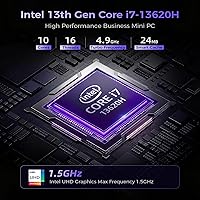
- Processor: Intel Core i7-13620H with 10 cores, 16 threads, and a boost frequency of up to 4.9GHz, paired with 24MB of Intel Smart Cache.
- Graphics: Intel UHD integrated graphics running at up to 1.5GHz, capable of 4K decode and dual-display output but without discrete GPU capability.
- RAM: 32GB DDR4 3200MHz in a dual-channel configuration using two 16GB SO-DIMM modules, expandable to a maximum of 96GB.
- Storage: 500GB PCIe 4.0 x4 M.2 2280 SSD installed, with one additional M.2 2280 PCIe 4.0 x4 slot available supporting drives up to 4TB.
- Display Output: Two HDMI ports, both supporting up to 4K resolution at 60Hz for simultaneous dual-monitor setups.
- USB Ports: Three USB 3.2 ports at 10Gbps, one USB-C port at 10Gbps, and one USB 2.0 port for a total of five USB connections.
- Networking: WiFi 6 via Intel AX200 module with speeds up to 2.4Gbps, Bluetooth 5.2, and two independent 1000Mbps Ethernet (RJ45) LAN ports.
- Power Supply: Built-in 85W power supply unit requiring only a single standard AC power cable, with no external adapter or brick needed.
- Audio: One 3.5mm combo audio jack supporting both headphone output and microphone input from a single port.
- Operating System: Windows 11 Pro pre-installed, with Wake on LAN and Auto Power On functionality supported out of the box.
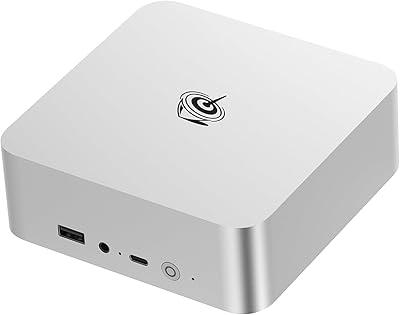
- Dimensions: 5.04 x 5.04 x 1.77 inches (approximately 128 x 128 x 45mm), designed for VESA mounting or desktop placement.
- Weight: 1.43 pounds (approximately 650g) including the chassis and built-in power supply components.
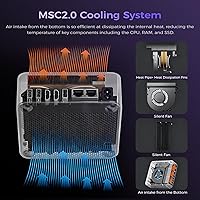
- Chassis Material: Metal construction in a silver frost finish, designed to passively assist heat dissipation alongside the active cooling system.
- Cooling System: Active cooling with bottom-intake airflow design, rated at approximately 32dB under typical load conditions.
- Noise Level: Approximately 32dB during standard operation, rising under sustained CPU-intensive workloads as fan speed increases.
- Special Functions: Supports link aggregation across both LAN ports, Wake on LAN, Auto Power On, and CMOS reset via a dedicated rear button.
- Package Contents: Includes the mini PC unit, one 100cm HDMI cable, one 150cm AC power cable, and a printed user manual.
Related Reviews
Beelink EQI13 Pro Mini PC
Beelink Mini S13 Pro N150 16GB/500GB
Beelink SER9 Pro (32GB/1TB)

Beelink Mini S12 Pro (N100, 16GB, 500GB)
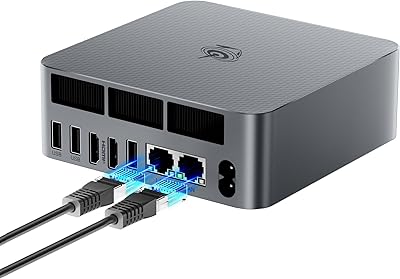
Beelink EQR6 32GB 500GB Mini PC
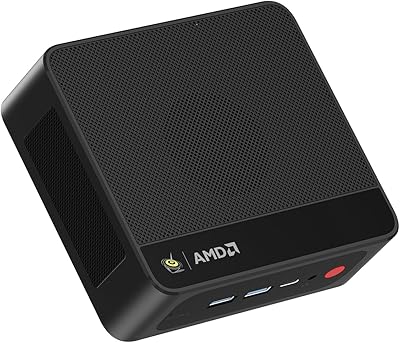
Beelink SER5 MAX (24GB / 500GB)
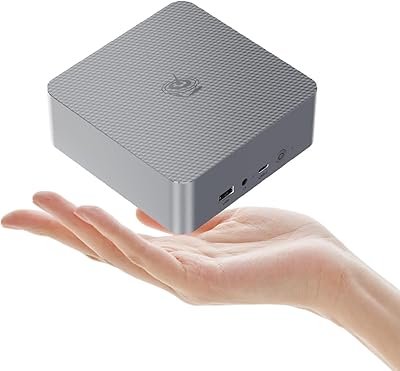
Beelink EQR6 6800H Mini PC
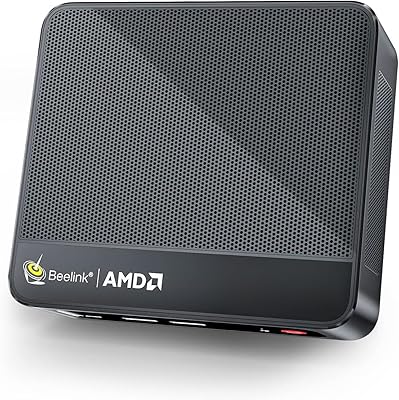
Beelink SER5 Pro Mini PC (Ryzen 7 5825U, 32GB RAM, 1TB SSD)

HP Pro Tower 290 G9 Desktop (i5-12500, 32GB RAM, 1TB SSD)
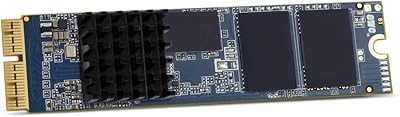
OWC 500GB Aura Pro X2 SSD