Overview

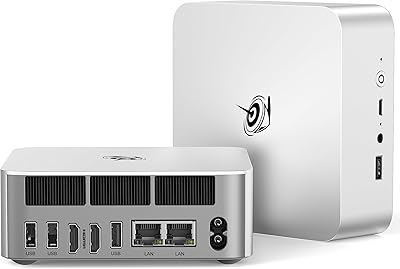
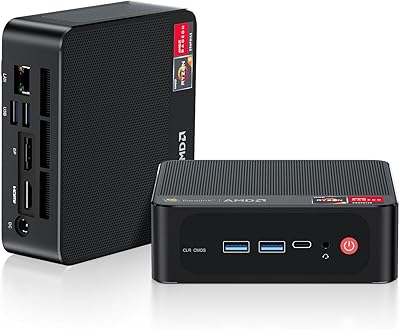
The Beelink SER5 MAX Mini PC makes a compelling case for ditching the tower altogether. Beelink built this around AMD's Ryzen 7 6800U, a laptop-class processor that handles real workloads without the bulk of a traditional desktop. It arrives with Windows 11 Pro already installed, so less technical users can be up and running within minutes. Compared to similarly specced machines from bigger-name brands, the price gap is hard to ignore. Just be clear about one thing: this compact desktop is a productivity workhorse, not a gaming rig. Set expectations right, and it delivers.

Features & Benefits

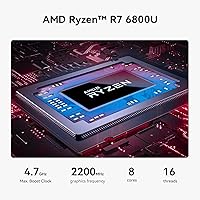
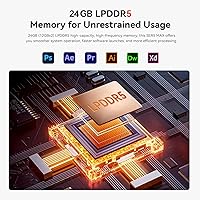
The Ryzen 7 6800U brings 8 cores and 16 threads to the table, which means juggling 30 browser tabs, a Lightroom catalog, and a Teams call at once stops being a problem. The 24GB of LPDDR5 RAM runs in dual-channel and, crucially, both slots are accessible if you ever want to push higher. Storage loads fast thanks to the PCIe 4.0 SSD, and the drive bay supports up to 8TB total if you need room to grow. Where the SER5 MAX genuinely stands out at this price is triple 4K display support via HDMI, DisplayPort, and USB-C simultaneously. Pair that with WiFi 6 and a 2.5G LAN port, and this compact desktop is well equipped for a modern desk setup.

Best For

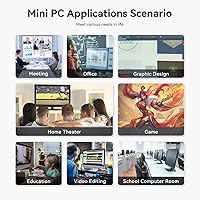
If you work from home and your screen count is climbing, the SER5 MAX was basically built for you. It handles video calls, document editing, and heavy browser sessions without breaking a sweat, and the multi-monitor output turns a cluttered desk into an organized workstation. Students and remote educators will appreciate how easy it is to carry between locations — under two pounds, roughly the size of a thick paperback. Small businesses get genuine value here too: Windows 11 Pro and the 2.5G LAN cover professional networking needs that cheaper machines skip. Casual gamers can run older titles comfortably, though anyone hoping to play recent releases at high settings should look elsewhere. Multitasking and productivity are this machine's real strengths.

User Feedback

Buyers consistently point to two things: how quickly this Beelink mini PC gets up and running, and how responsive it feels during normal daily use. The triple-display capability draws frequent praise from people who were skeptical a machine this small could pull it off. On the critical side, several users note that sustained heavy workloads — extended video exports, for instance — can trigger thermal throttling, so it isn't suited for hours of rendering. A handful of reviews mention minor BIOS quirks or driver hiccups out of the box. Most buyers, though, land in a good place on value. Beelink's lifetime technical support and one-year warranty give hesitant buyers a reasonable safety net, and that goodwill shows up across review patterns.

Pros

  • Eight-core Ryzen 7 6800U handles multitasking, coding, and light editing without hesitation.
  • Triple 4K display output via HDMI, DisplayPort, and USB-C is rare at this price tier.
  • Both RAM slots are user-accessible, making future memory upgrades straightforward and affordable.
  • The PCIe 4.0 SSD delivers fast boot times and snappy application loading from day one.
  • WiFi 6 and a 2.5G LAN port future-proof network connectivity for demanding home office setups.
  • Windows 11 Pro comes pre-installed, so non-technical users can get productive immediately out of the box.
  • Weighing under two pounds, this compact desktop mounts behind a monitor or slips into a bag with ease.
  • Lifetime technical support and a one-year warranty meaningfully reduce the risk for first-time Beelink buyers.
  • The Beelink SER5 MAX Mini PC delivers a competitive spec sheet for the price compared to name-brand rivals.

Cons

  • Sustained heavy workloads can trigger thermal throttling, capping performance during long rendering or export sessions.
  • The integrated GPU cannot handle modern AAA titles or GPU-accelerated professional applications at usable settings.
  • Fan noise becomes noticeable under load, undermining quiet-office appeal when the machine is pushed hard.
  • The 500GB base SSD fills quickly for users managing large media libraries or multiple active project folders.
  • Several buyers report BIOS quirks and occasional driver hiccups that require troubleshooting shortly after setup.
  • Expanding internal storage requires physically opening the unit, which may deter less confident users.
  • The 6800U is not a current-generation chip, meaning its raw performance ceiling will show its age sooner.
  • Only two USB 2.0 ports accompany the faster USB 3.2 options, which can limit connections for legacy peripherals.

Ratings

The scores below are generated by our AI engine after analyzing thousands of verified buyer reviews for the Beelink SER5 MAX Mini PC from global markets, with bot activity, incentivized submissions, and statistically anomalous one-off complaints actively filtered out. The resulting scorecard reflects real ownership patterns — not marketing copy — drawing from both consistent praise and the friction points that surface repeatedly across independent accounts. Every category is calibrated to surface the trade-offs that genuinely matter when deciding whether this compact desktop fits your specific needs.

Performance
83%
The Ryzen 7 6800U handles browser-heavy sessions, Lightroom catalogs, video calls, and light coding with genuine ease. Multitasking across a dozen open applications stays responsive, which is the real test for a machine serving as a daily desktop replacement. Most users describe the day-to-day experience as noticeably snappier than their previous budget desktops.
The 6800U is not a current-generation chip, and users running heavier workloads — sustained video exports or large data sets — hit performance ceilings that a newer processor would push further back. It is proven and efficient, but buyers expecting cutting-edge single-core throughput may find the headroom lower than anticipated over time.
Value for Money
88%
Stacking 24GB LPDDR5 RAM, a PCIe 4.0 SSD, triple 4K output, WiFi 6, and a 2.5G LAN port into a package this size at this price is difficult to argue against. Reviewers repeatedly note that matching these specs with a brand-name machine would cost significantly more, making the price-to-spec ratio the SER5 MAX's most consistently praised attribute.
Value satisfaction drops for buyers who discover that the included accessories are fairly basic — no wireless peripherals, and only a single HDMI cable in the box — meaning storage and peripheral costs add up quickly. A portion of buyers also feel that minor out-of-box software quirks slightly undercut what the spec sheet promises on paper.
Display Versatility
91%
Triple 4K output through HDMI, DisplayPort, and USB-C simultaneously is rare at this price tier, and buyers building multi-monitor productivity setups consistently cite it as the deciding factor. Home office workers running a three-screen layout report that all outputs handle 4K resolution cleanly without lag, signal drops, or resolution compromise under normal workloads.
The third display output requires a USB-C compatible monitor or an adapter, which catches buyers off guard when their existing setup uses only HDMI or DisplayPort. A handful of users also report intermittent display detection failures after sleep or restart that require a cable reseat or driver update to clear — a minor but recurring annoyance.
Thermal Management
62%
38%
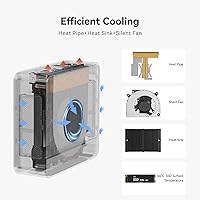
Under the light-to-moderate workloads the machine is designed for — documents, video calls, photo browsing, casual streaming — the MSC2.0 system keeps thermals controlled and the chassis stays comfortable to touch. The fan ramps gradually rather than spiking abruptly, which most users in shared office environments find less disruptive than competing designs.
Sustained heavy workloads expose the compact cooling system's real limits, with multiple reviewers reporting CPU throttling during extended encoding or large batch export sessions that noticeably drags performance. The small chassis simply cannot dissipate heat the way a larger desktop can, and this is the single most consistent source of performance-related criticism across buyer reviews.
RAM & Upgradeability
86%
Shipping with 24GB LPDDR5 in a dual-channel configuration is genuinely generous at this price point, and both slots being user-accessible makes future upgrades a standard screwdriver job rather than a specialist task. Buyers who plan long-term appreciate not being locked into the stock configuration and having a clear, affordable path to more memory.
The officially supported maximum RAM capacity is not clearly documented, creating uncertainty for buyers planning to push well beyond the stock 24GB. A small but notable number of users also report compatibility hiccups with certain third-party memory modules, requiring a BIOS update before the system would reliably recognize the new sticks.
Build Quality
74%
26%
The metal shell resists flex and the overall fit and finish is tighter than what earlier generations of this brand delivered, giving the unit a solid feel for its price class. For a machine that sits on a desk or mounts behind a monitor, most buyers find the construction inspires enough day-to-day confidence.
Some buyers note that the plastic bottom panel feels noticeably cheaper than the rest of the enclosure, and a portion of reviews flag minor cosmetic inconsistencies in surface finishing. A few users also encountered port fits — particularly around the USB-C connector — that felt slightly loose and raised durability questions over extended daily use.
Connectivity
87%
WiFi 6, Bluetooth 5.4, and a 2.5G ethernet port give this compact desktop a networking package that most rivals at this price simply do not offer. Home office users particularly value the 2.5G LAN as a reliable alternative to WiFi for large file transfers and VoIP-heavy workflows where consistent low latency genuinely matters.
The USB port mix — two USB 3.2 Gen2 and two USB 2.0 — is adequate for most users but the legacy 2.0 ports feel limiting for buyers connecting multiple high-speed peripherals simultaneously. The absence of Thunderbolt support also rules out external GPU enclosures or ultra-fast external storage options that more premium mini PCs can accommodate.
Storage Speed
84%
The PCIe 4.0 x4 SSD delivers read speeds that make boot times and large application launches noticeably quicker than older SATA-based machines in the same price bracket. Users migrating from traditional hard drives consistently describe the improvement in day-to-day responsiveness — file transfers, application installs, and wake-from-sleep — as one of the most immediately felt upgrades.
The 500GB base capacity fills faster than expected for users managing large media libraries or multiple active project folders, and expanding storage means physically opening the chassis rather than plugging in an external drive. Under sustained sequential write workloads over extended sessions, some users also observe a modest performance taper as the drive warms up.
Gaming Capability
47%
53%
The Radeon 680M integrated graphics handle older and less-demanding titles — League of Legends, CS:GO, and similar esports games — at playable frame rates without any additional hardware investment. For buyers whose gaming consists primarily of casual or retro titles, the integrated GPU covers the use case without requiring a separate graphics card.
Modern AAA titles released in the last two years are largely unplayable at acceptable settings, and there is no upgrade path for discrete graphics in this form factor — a hard ceiling that cannot be worked around. Buyers who underestimate this limitation consistently leave the most dissatisfied reviews, making it the most common source of genuine post-purchase regret.
Noise Level
69%
31%
During typical daily use — web browsing, documents, video calls, light media playback — the fan stays quiet enough that users working in shared offices or bedrooms report no meaningful complaints. The gradual fan curve avoids the jarring sudden-spin behavior common in cheaper mini PCs, which most users find less intrusive over long work sessions.
Push the processor into sustained heavy tasks and fan noise climbs to a level that is hard to ignore in a quiet room — users doing extended video exports describe it as genuinely distracting after a while. For buyers who assumed the compact size implied near-silent operation at all times, the noise under load is a recurring and honest disappointment.
Setup & Software
82%
18%
Windows 11 Pro arrives pre-installed, licensed, and ready to use within minutes of first boot, which is a meaningful advantage for non-technical buyers who do not want to manage OS activation or driver hunting themselves. Most users describe the initial experience as uncomplicated and report feeling productive within the first hour of unboxing.
A subset of buyers encounter minor BIOS quirks or outdated drivers out of the box that require a firmware update before the system behaves fully as expected. While Beelink's support team can walk users through these fixes, the additional troubleshooting step adds friction that buyers expecting a completely seamless out-of-box experience find frustrating.
Portability
89%
Weighing under two pounds and roughly the footprint of a thick paperback, this compact desktop travels far more easily than any tower or large all-in-one — students and professionals who move between home and office regularly treat it as a genuine portable workstation. The included VESA bracket also lets it disappear behind a monitor entirely when a fixed setup is preferred.
The power brick adds meaningful bulk to what you need to carry, and the unit requires all peripherals to be reconnected at each new location since there is no docking-station style connector. Users who move frequently note that the power adapter is bulkier than expected relative to the machine itself, partially undermining the portability story.
Support & Warranty
78%
22%
Lifetime technical support is an unusual and genuinely reassuring commitment at this price tier, covering BIOS help, software troubleshooting, and setup guidance long after the one-year hardware warranty lapses. Buyers who have contacted Beelink's support team generally report competent, helpful responses within a reasonable timeframe for a smaller brand.
The one-year hardware warranty is shorter than the two-year coverage some competing brands offer at similar prices, and the support model relies entirely on email with no live chat or phone option. Users dealing with hardware failures also note that the return and exchange process can take longer than expected when shipping internationally.

Suitable for:

The Beelink SER5 MAX Mini PC is a strong match for anyone who needs a capable, low-footprint desktop without paying tower prices. Home office workers who juggle multiple monitors, browser-heavy workflows, and frequent video calls will find the 8-core Ryzen 7 6800U handles all of it without complaint. The triple 4K display output is genuinely rare at this price point, making this compact desktop especially appealing to anyone building a multi-screen productivity setup on a budget. Students and educators who need a machine that travels easily will appreciate the balance of portability and real processing power, given it weighs under two pounds and fits in a bag. Small business owners benefit from Windows 11 Pro out of the box alongside WiFi 6 and a 2.5G LAN port that most cheaper machines simply skip. Light creatives doing photo work or casual video editing will find the integrated Radeon 680M adequate for their needs without adding the cost of a discrete GPU.

Not suitable for:

The Beelink SER5 MAX Mini PC draws a clear line when workloads get genuinely demanding. Anyone who needs to run sustained rendering jobs, train machine learning models, or edit long-form 4K footage for hours at a stretch will likely hit thermal throttling limits that the compact chassis cannot escape. The integrated Radeon 680M graphics fall well short for modern AAA gaming or GPU-accelerated professional software like DaVinci Resolve at full resolution, so dedicated creatives and serious gamers should look at machines with discrete graphics. Buyers expecting near-silent operation under all conditions should also know the fan becomes audible during sustained loads. If a large local storage library is critical from day one, the included 500GB SSD may feel tight, and expanding it requires physically opening the unit. Anyone already deeply invested in NVIDIA-powered or Intel-centric software ecosystems may find driver compatibility less predictable on this AMD-only platform.

Specifications

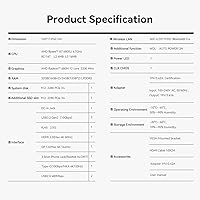
  • Processor: AMD Ryzen 7 6800U with 8 cores, 16 threads, and a boost clock reaching up to 4.7 GHz.
  • RAM: 24GB LPDDR5 dual-channel memory installed as two 12GB modules across two user-accessible slots.
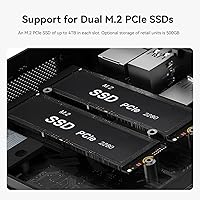
  • Storage: 500GB M.2 2280 PCIe 4.0 x4 SSD included, with a second M.2 slot supporting drives up to 4TB for a total capacity of 8TB.
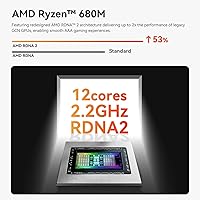
  • Graphics: AMD Radeon 680M integrated GPU with 12 compute cores running at 2200 MHz, sharing system memory.
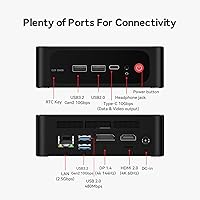
  • Display Output: Three simultaneous video outputs: one HDMI port at up to 4K 60Hz, one DisplayPort 1.4, and one USB-C video output.
  • Max Resolution: Each display output supports up to 3840 × 2160 (4K UHD) across all three connected monitors.
  • Networking: WiFi 6 (802.11ax) wireless, Bluetooth 5.4, and a dedicated 2.5 Gbps RJ45 ethernet port.
  • USB Ports: Two USB 3.2 Gen2 ports at 10 Gbps, two USB 2.0 ports, and one USB-C port supporting both data transfer and video output.
  • Audio: Single 3.5mm combo audio jack driven by a Realtek ALC897 codec, supporting both headphones and microphone input.
  • Cooling: MSC2.0 active cooling system with a rated noise level of approximately 32dB under typical operating conditions.
  • Dimensions: 4.96 × 4.45 × 1.65 inches (length × width × height), with a VESA mounting bracket included in the box.
  • Weight: 1.94 pounds without peripherals, power adapter, or mounting hardware.
  • Operating System: Windows 11 Pro comes pre-installed at the factory, activated and ready to use out of the box.
  • Certifications: Holds FCC, CE, and RoHS certifications for use in North America, Europe, and regulated markets.
  • Warranty: Covered by a 1-year limited hardware warranty alongside lifetime technical support provided directly by Beelink.

Related Reviews
Beelink SER5 MAX (24GB / 500GB)
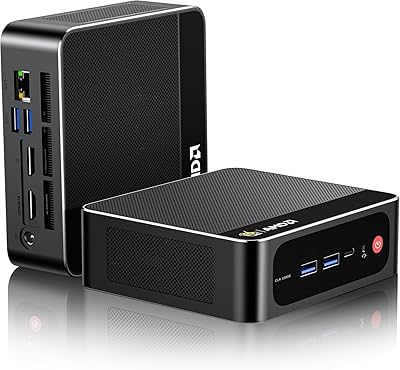
81%
91%
Everyday Performance
88%
RAM & Memory Headroom
74%
Storage Performance
93%
Multi-Monitor & Display Output
69%
Thermal Management
More
Beelink SEI Mini PC (Ryzen 5500U, 16GB/500GB)
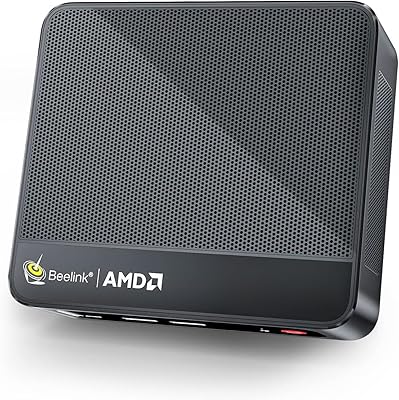
81%
84%
Everyday Performance
61%
RAM Configuration
91%
Display & Multi-Monitor Support
73%
Cooling & Thermal Management
88%
Networking
More
Beelink SER5 Pro Mini PC (Ryzen 7 5825U, 32GB RAM, 1TB SSD)
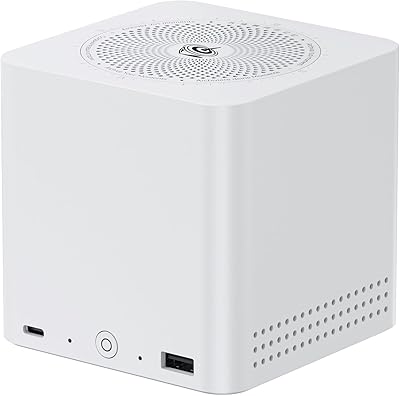

80%
88%
Everyday Performance
61%
Thermal Management
91%
Value for Money
86%
Multi-Monitor Support
79%
Build Quality & Design
More
Beelink ME Mini PC
Beelink ME Mini PC
87%
88%
Performance
91%
Connectivity
85%
Storage Expansion
95%
Power Efficiency
90%
Noise Levels
More
Beelink Mini S12 Pro (N100, 16GB, 500GB)

83%
83%
Everyday Performance
91%
Value for Money
76%
Build Quality & Design
84%
Thermal Management & Noise
88%
Connectivity & Ports
More
Beelink Mini S12 Mini PC
78%
88%
Value for Money
82%
Performance for Daily Tasks
79%
Build Quality & Design
91%
Dual Monitor Support
84%
Thermal Management & Noise
More
Beelink EQi13 Pro (32GB/500GB)
83%
88%
Processing Performance
91%
Memory & Multitasking
86%
Storage Speed & Expandability
74%
Thermal Management & Noise
93%
Networking Capabilities
More
Beelink SER5 Pro (Ryzen 7 5825U, 16GB/500GB)
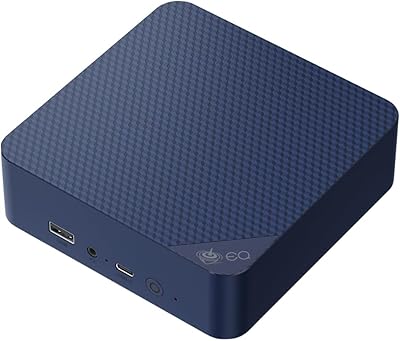
80%
88%
Everyday Performance
67%
Thermal Management
91%
Multi-Monitor Support
83%
Build Quality & Design
86%
Connectivity & Port Selection
More
Beelink EQ14 Mini PC (N150, 16GB, 1TB)
74%
74%
Everyday Performance
61%
RAM & Memory Configuration
83%
Storage & Expandability
91%
Connectivity & Networking
79%
Display Output
More
Beelink SER9 Pro (32GB/1TB)
84%
93%
Processing Performance
91%
Multitasking & Responsiveness
84%
Build Quality & Design
67%
Thermal Management & Fan Noise
72%
Graphics & Display Output
More

FAQ

Yes, and it works well. The SER5 MAX has three independent video outputs — HDMI, DisplayPort 1.4, and USB-C — that can all run simultaneously at 4K resolution. That kind of triple-display support is genuinely uncommon at this price point. Just note that the third display requires a USB-C monitor or a USB-C to HDMI or DP adapter if your screen does not have a native USB-C input.

Both memory slots are user-accessible, and the machine ships with two 12GB LPDDR5 sticks installed. If you need more headroom later, you can swap in higher-capacity modules — the slot configuration supports standard SO-DIMM LPDDR5. Opening the chassis requires a small screwdriver, and the process is straightforward enough for anyone comfortable doing basic PC maintenance.

Under light workloads — browsing, documents, video calls — the cooling system stays quiet and fades into the background easily. Push the processor harder with sustained encoding or large file operations, and the fan does spin up noticeably. The rated noise level is around 32dB at typical loads, which is on par with a quiet desktop fan, but it is not fanless and not entirely inaudible when the machine is under real pressure.

Casual and older titles run genuinely well. Games like League of Legends, CS:GO, and older indie titles are comfortable on the AMD Radeon 680M integrated graphics. Modern AAA releases are a different story — this compact desktop was not built for that, and expecting playable frame rates on titles from the last year or two at decent settings will likely disappoint. If gaming is a primary use case, a machine with a discrete GPU is a smarter investment.

No peripherals are included. The box contains the mini PC unit, a power adapter, an HDMI cable, and a VESA mounting bracket. You supply your own monitor, keyboard, and mouse. The included VESA bracket is a practical addition if you want to mount the unit behind your display and keep the desk tidy.

For most remote workers, the Beelink SER5 MAX Mini PC is genuinely well-suited to the job. It handles video conferencing, cloud applications, email, document editing, and multi-tab browser sessions without breaking a sweat. The triple-monitor output is a real advantage if your workflow benefits from keeping several windows visible at once. The one honest caveat is sustained heavy processing — if your work involves running demanding local software all day without breaks, the compact cooling system can limit how long it maintains peak performance.

The WiFi 6 radio handles typical home and office connections well, and most users will not need a wired connection for daily tasks. That said, the 2.5G ethernet port is there for a reason — large file transfers, VoIP-heavy environments, or anyone who simply wants the most stable possible connection will get noticeably better results with a cable. Having both options in a machine this small is a genuine practical benefit.

There is a second M.2 2280 slot available for an additional PCIe SSD, supporting drives up to 4TB, which brings total internal storage to 8TB. Installing a second drive requires opening the chassis and is a straightforward process — no special tools beyond a small screwdriver. If you know from the start that 500GB will not be enough, factoring in the cost of a second drive at purchase makes sense.

The hardware warranty covers manufacturing defects and component failures under normal use for one year. Beyond that, Beelink offers lifetime technical support via email, which covers software setup, BIOS configuration, driver issues, and general troubleshooting with no expiry date. Their support team has a reasonable reputation for responsiveness among buyers, though as a smaller brand, significant hardware failures typically result in a return or unit exchange rather than on-site repair.

It competes well. The Ryzen 7 6800U paired with the Radeon 680M integrated graphics outperforms Intel's older integrated options found in comparably priced machines, and the 2.5G LAN alongside triple 4K display output give it a connectivity edge over many rivals at this tier. The mini PC market has evolved significantly since Intel stepped back from the NUC line, and brands like Beelink, Minisforum, and GMKtec now dominate this segment with strong value propositions. At this price point, the SER5 MAX is among the better-rounded options available.