Overview

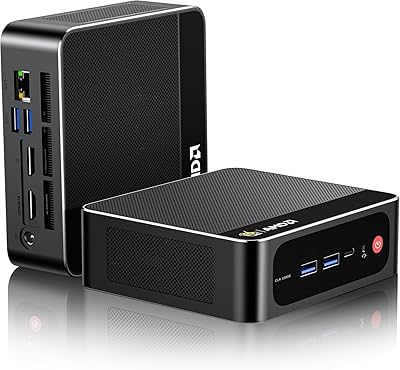
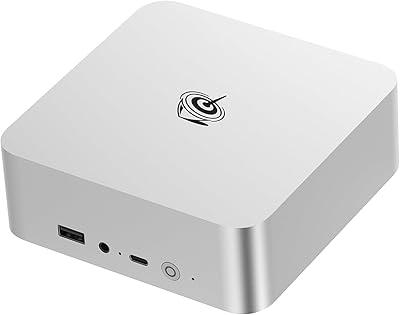
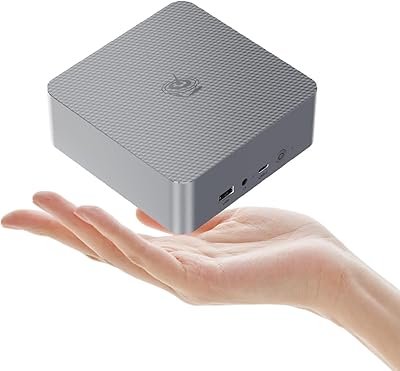
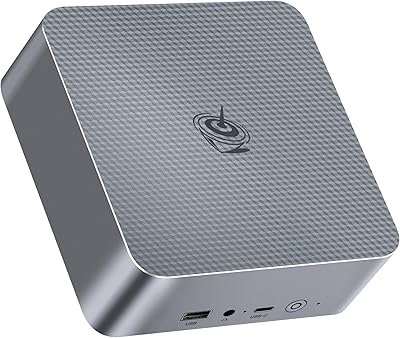
The Beelink SER5 MAX (24GB / 500GB) arrived in late 2024 as one of the more serious entries in Beelink's SER lineup — not a throwaway budget box, but a genuine desktop replacement built around AMD's capable Ryzen 7 6800U. It's surprisingly small, roughly the size of a thick paperback, yet it ships with Windows 11 pre-installed and absolutely nothing in the way of bloatware, which is rarer than it should be at this price point. The connectivity story is equally strong: WiFi 6, Bluetooth 5.4, 2.5G LAN, and a triple-display setup that most similarly priced rivals simply can't match.
Features & Benefits

The Ryzen 7 6800U is the heart of this mini PC, and it earns its place. Eight cores and sixteen threads with a boost clock up to 4.7 GHz means you can run a dozen browser tabs, a video call, and a background export simultaneously without watching a spinner. The 24 GB of LPDDR5 RAM is what really separates this from cheaper alternatives — it gives virtual machines actual breathing room and keeps memory-hungry workflows like Lightroom or Excel pivot tables from slowing you down. Triple 4K output across Type-C, HDMI, and DisplayPort is genuinely useful for multi-monitor desks, and a second M.2 slot means storage is expandable without hassle.

Best For

Beelink's compact desktop makes a lot of sense for home office workers who want two or three monitors without a tower eating up floor space — the VESA mount option alone is worth something. It's also a natural fit for students and educators who need a reliable, quiet machine for calls, research, and Office apps. Light creative work at 1080p — trimming clips in DaVinci Resolve, culling photos in Lightroom — is well within reach. Homelab enthusiasts running a couple of VMs will appreciate the headroom that 24 GB provides. As an HTPC or media center, it handles 4K playback quietly and without fuss.

User Feedback

Buyers consistently highlight how fast the SER5 MAX boots and how responsive it feels day-to-day — the clean Windows install gets credit here repeatedly. On the critical side, a notable number of users report that the included SSD doesn't always match the advertised spec tier, so running a quick benchmark after setup is worthwhile. Thermal performance under sustained loads gets mixed reviews; light tasks stay cool and quiet, but extended rendering or gaming sessions can push the fan audibly. One consistent surprise: the power brick is noticeably large given how tiny the chassis is. Most negative reviews trace back to inflated gaming expectations rather than any real product defect.

Pros

  • Triple 4K display output across three independent ports is genuinely rare at this price point.
  • The Ryzen 7 6800U handles heavy multitasking — video calls, exports, and browser tabs simultaneously — without complaint.
  • 24 GB of LPDDR5 RAM gives virtual machines real breathing room that cheaper rivals cannot match.
  • Windows 11 ships clean with zero bloatware, so the machine is productive within minutes of first boot.
  • Near-silent operation at idle makes this mini PC a natural fit for bedrooms, living rooms, and shared spaces.
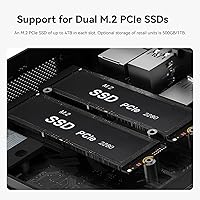
  • A second M.2 PCIe 4.0 slot lets you expand storage up to several terabytes without replacing the machine.
  • WiFi 6 and 2.5G LAN together make this one of the better-connected compact desktops in its class.
  • VESA mount compatibility lets you hide the unit behind a monitor and reclaim your entire desk surface.
  • The Radeon 680M handles 4K media playback and casual 1080p gaming better than most integrated graphics solutions.

Cons

  • Some units ship with SSD drives that benchmark below advertised PCIe 4.0 speeds — always verify after setup.
  • Sustained CPU-heavy workloads trigger audible fan ramp-up and measurable thermal throttling over time.
  • The included power brick is surprisingly large and bulky relative to the compact chassis it powers.
  • RAM is soldered with no upgrade path, so 24 GB is your permanent ceiling regardless of future needs.
  • Two of the four USB ports are USB 2.0, which feels out of place on an otherwise modern spec sheet.
  • No display cables are included in the box despite triple-display support being a headline selling point.
  • International buyers report slower and less consistent warranty resolution compared to domestic customers.
  • The plastic chassis picks up scratches and fingerprints easily and lacks the premium feel of metal-bodied rivals.

Ratings

The Beelink SER5 MAX (24GB / 500GB) scores here reflect AI-driven analysis of verified global buyer reviews, with spam, incentivized posts, and bot activity actively filtered out before any score was calculated. The ratings cover everything from daily performance to long-term reliability, giving you an honest picture of where this mini PC genuinely delivers and where a few rough edges remain. Both the strengths that make buyers recommend it and the frustrations that show up in follow-up reviews are transparently reflected in every category below.
Everyday Performance
91%
Users consistently describe the machine as snappy and responsive for typical daily workloads — browser-heavy sessions with 20-plus tabs, video calls running alongside spreadsheets, and background downloads barely register. The Ryzen 7 6800U's boost headroom means most tasks feel instantaneous rather than merely adequate.
A small segment of users pushing sustained multithreaded workloads, like compiling large codebases or batch-converting video files, report noticeable throttling after extended periods. It is a capable processor, but it is not a workstation chip and should not be treated as one.
RAM & Memory Headroom
88%
Twenty-four gigabytes of dual-channel LPDDR5 is a practical advantage that buyers notice quickly. Running two virtual machines alongside a browser and a communication app is genuinely comfortable, and power users report that memory pressure rarely becomes a bottleneck during typical homelab or office workflows.
The RAM is soldered, so there is no upgrade path if your needs grow beyond 24 GB down the road. For most buyers that ceiling is fine, but anyone planning heavy database work or memory-intensive development pipelines should factor that in before purchasing.
Storage Performance
74%
26%
The 500 GB NVMe SSD delivers fast boot times and snappy application launches that buyers frequently praise in early reviews. Windows loads in under fifteen seconds on a fresh install, and everyday file operations feel noticeably quicker than SATA-based alternatives in this price range.
A recurring complaint across verified purchases is that some units ship with SSD drives that benchmark noticeably below advertised PCIe 4.0 speeds. Buyers are advised to run a quick CrystalDiskMark check after setup — the variance between units is real enough that it warrants mention in nearly every detailed review.
Multi-Monitor & Display Output
93%
Triple 4K output across three independent ports is the feature buyers cite most often as the reason they chose this over competing mini PCs. Running a productivity monitor at 1440p, a reference display at 4K, and a secondary screen simultaneously works without compromise, and the 144 Hz cap on the DisplayPort output is a bonus few rivals offer.
A handful of users report that the Type-C display output requires a quality cable and a compatible monitor to reach its full 120 Hz potential — cheap adapters cause signal drops. HDMI is capped at 60 Hz, which limits its usefulness for fast-paced gaming on a secondary screen.
Thermal Management
69%
31%
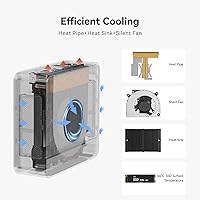
During light to moderate workloads — browsing, Office apps, video playback — the SER5 MAX runs near-silently, and several buyers mention forgetting the machine is even on. The SSD cooler is a thoughtful addition that keeps storage temperatures stable during large file transfers.
Extended gaming sessions or sustained CPU-heavy rendering tasks push the fan to audible levels and trigger thermal throttling on some units. Users running hour-long video exports report clock speeds dropping to maintain safe temperatures, which is a real limitation if sustained peak performance is important to your workflow.
Build Quality & Form Factor
86%
The chassis feels solid and purposeful for its size — not premium in the way a machined aluminum laptop feels, but sturdy enough that buyers express confidence placing it out in the open or mounting it behind a monitor. At under two pounds, it is genuinely portable between rooms or offices.
The plastic exterior picks up scratches and fingerprints more readily than some competing units with brushed metal finishes. A few buyers note that the bottom rubber feet are not particularly aggressive, and the unit can shift slightly on smooth desks when cables are plugged in or unplugged.
Connectivity & Ports
89%
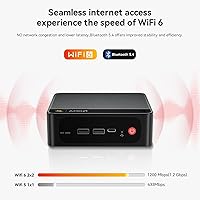
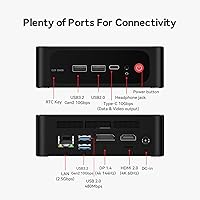
WiFi 6 and Bluetooth 5.4 provide a reliable wireless experience that buyers appreciate in dense home environments where older standards struggle. The 2.5G LAN port is a genuine differentiator for users who move large files across a local network or run a NAS alongside this machine.
Two USB 2.0 ports feel dated given the otherwise modern spec sheet, and users with multiple peripherals frequently report needing a hub. The single audio jack serves double duty for headphones and microphones, which is inconvenient for anyone running a desk setup without a dedicated audio interface.
Integrated Graphics
72%
28%
The Radeon 680M handles 4K media playback without breaking a sweat and manages casual 1080p gaming in older or less demanding titles better than most integrated solutions in this class. Users running titles like Rocket League or older Call of Duty entries at medium settings report playable frame rates.
Buyers who expected the SER5 MAX to replace a dedicated gaming PC are consistently disappointed, and that expectation mismatch drives most of the low-star reviews. Newer AAA titles at anything above low settings are a struggle, and anyone serious about gaming should factor a discrete GPU solution into their plans instead.
Software & Out-of-Box Experience
92%
A clean Windows 11 installation with no manufacturer bloatware is something buyers genuinely appreciate and mention unprompted. The machine is ready to use almost immediately after the first boot, which contrasts sharply with branded OEM desktops that require a cleanup session before productive use.
A small number of users report that driver updates post-setup occasionally require manual intervention, particularly for the AMD graphics stack. Nothing catastrophic, but buyers who are not comfortable with basic Windows troubleshooting may find the initial driver situation mildly frustrating.
Storage Expandability
87%
The second M.2 PCIe 4.0 slot is user-accessible and well-documented, and buyers who have added a second drive report the process is straightforward. Knowing you can scale up to several terabytes of fast storage without buying a new machine is a meaningful long-term value factor.
The expansion slot is PCIe 4.0 x4 on paper, but some users note that sustained write speeds on added drives are capped by thermal headroom inside the chassis. Running two high-performance NVMe drives simultaneously under load can push internal temperatures higher than ideal.
Noise Level
81%
19%
At idle and during light tasks, the fan is essentially inaudible from normal desk distance, which matters a great deal for buyers using this in a shared living space or bedroom. HTPC and media center buyers in particular rate noise performance highly for this reason.
The fan ramps noticeably under sustained CPU load, and while it never reaches the whine of a gaming laptop, it is present enough to be distracting in a quiet room. A few users note the fan curve could benefit from a BIOS adjustment to smooth out the transition between speed steps.
Value for Money
84%
Buyers frequently note that the combination of a current-generation AMD processor, 24 GB of fast RAM, and triple 4K display support at this price point is difficult to replicate with competing mini PCs or even budget tower builds. The included Windows 11 license adds tangible value that is easy to overlook.
The SSD inconsistency issue chips away at the perceived value for buyers who receive a slower-than-spec unit. When the hardware delivers exactly as advertised, the value proposition is strong; when it does not, buyers understandably feel the price is harder to justify.
Power Supply & Accessories
58%
42%
The included power adapter is functional and provides stable power delivery under load. Buyers doing clean desk setups can tuck the brick behind furniture, and the cable length is adequate for most standard desk arrangements.
The power brick is disproportionately large relative to the tiny chassis, and this surprises a notable number of buyers who expected a compact adapter to match the compact PC. No monitor cable is included in the box, which feels like an oversight given that the triple-display capability is a headline feature.
Customer Support & Warranty
67%
33%
Beelink's stated one-year warranty and lifetime technical support have satisfied a reasonable share of buyers who reached out with setup questions. Response times for email inquiries are generally described as acceptable, and replacement units for DOA cases are usually processed without significant friction.
Escalated hardware issues beyond the initial setup phase receive more inconsistent support experiences according to buyer reports. International buyers in particular note longer resolution times and occasional communication gaps that make the warranty feel less reassuring than it reads on paper.

Suitable for:

The Beelink SER5 MAX (24GB / 500GB) is a strong match for home office workers who want to run two or three monitors without a tower taking over their desk — the VESA mount option alone makes it a natural fit for clean, space-conscious setups. Students and educators will find it more than capable for research, video calls, and productivity apps, and the clean Windows 11 install means it is ready to work from the first boot without any setup headaches. People doing light creative work — culling photos in Lightroom, trimming clips in DaVinci Resolve at 1080p — will get genuine mileage out of the Ryzen 7 6800U without hitting a wall. Homelab enthusiasts who want to run a couple of virtual machines without dedicated server hardware will appreciate the 24 GB RAM headroom that most competing mini PCs at this tier simply cannot offer. It also works well as a living-room media center, handling 4K playback quietly at idle and connecting cleanly to a large display over HDMI.
Not suitable for:

The Beelink SER5 MAX (24GB / 500GB) is the wrong tool for anyone whose primary goal is gaming at modern graphics settings — the Radeon 680M integrated GPU handles older and less demanding titles reasonably well, but current AAA releases at medium-to-high settings will disappoint, and no amount of expectation management changes that hardware ceiling. Buyers who need sustained CPU performance for hours at a stretch, such as professionals rendering long-form 3D animations or compiling large software projects repeatedly throughout the day, will run into thermal throttling that interrupts that kind of workload. The RAM is soldered, so anyone who anticipates needing more than 24 GB in the next few years has no upgrade path and should plan accordingly. Power users who rely on multiple USB peripherals simultaneously may find the port selection limiting without adding a hub, and the oversized power brick is a real inconvenience for minimalist or travel-oriented setups. If you need rock-solid warranty support with fast international turnaround, the after-sales experience is inconsistent enough that buyers in remote regions should weigh that risk carefully.
Specifications

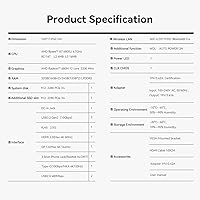
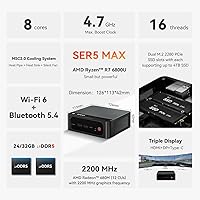
  • Processor: AMD Ryzen 7 6800U with 8 cores and 16 threads, running at a base clock of 2.7 GHz and boosting up to 4.7 GHz under load.
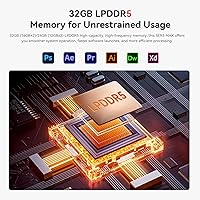
  • RAM: 24 GB of dual-channel LPDDR5 memory configured as two 12 GB modules, soldered to the board with no upgrade slots.
  • Primary Storage: 500 GB M.2 PCIe NVMe SSD (2280 form factor) pre-installed as the primary drive.
  • Storage Expansion: A second M.2 slot supporting PCIe 4.0 x4 NVMe drives up to 4 TB is available and user-accessible without voiding the warranty.
  • Integrated GPU: AMD Radeon 680M with 12 compute units running at up to 2200 MHz, sharing system memory with no dedicated VRAM pool.
  • Display Output: Triple independent display output via one DisplayPort (max 4K at 144 Hz), one HDMI (max 4K at 60 Hz), and one Type-C (max 4K at 120 Hz).
  • Wireless: WiFi 6 (802.11ax) and Bluetooth 5.4 are built in for fast, stable wireless connectivity across both data and peripherals.
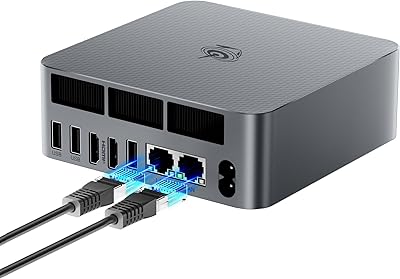
  • Wired Network: One 2.5G Gigabit Ethernet LAN port provides high-speed wired connectivity suitable for NAS access and large local file transfers.
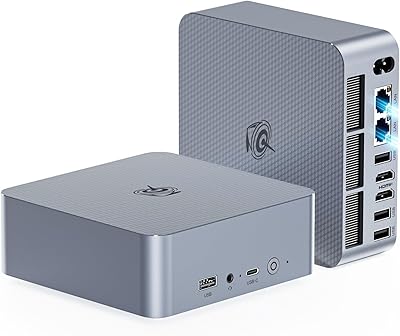
  • USB Ports: Six USB ports in total: two USB 3.2 Gen 2, two USB 2.0, and one Type-C port rated at 10 Gbps that also handles display output.
  • Audio: One 3.5 mm combo audio jack supports both headphone output and microphone input simultaneously via a TRRS connector.
  • Operating System: Windows 11 Home is pre-installed with no third-party bloatware, ready to use immediately after the initial Microsoft setup wizard.
  • Dimensions: The chassis measures 8.9 × 5.39 × 2.32 inches, making it roughly the footprint of a thick paperback book.
  • Weight: The unit weighs approximately 1.94 pounds without the power adapter, making it light enough to carry between locations easily.
  • Mounting: VESA mount compatibility allows the unit to be attached directly to the back of a compatible monitor to free up desk space entirely.
  • Cooling: An active CPU fan combined with a passive SSD heatsink manages thermals, with the fan remaining near-silent during idle and light workloads.
  • Warranty: Beelink provides a one-year hardware warranty and claims lifetime technical support via email and customer service channels.

Related Reviews
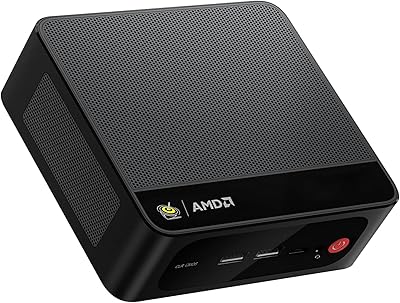
Beelink SER5 MAX Mini PC, AMD Ryzen 7 6800U, 24GB RAM, 500GB SSD
87%
91%
Performance
87%
Connectivity
89%
Value for Money
84%
Build Quality
88%
Cooling System
More
Beelink SEI Mini PC (Ryzen 5500U, 16GB/500GB)
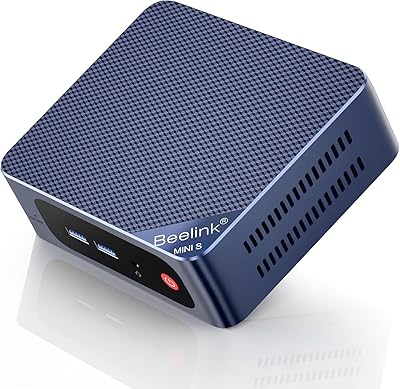
81%
84%
Everyday Performance
61%
RAM Configuration
91%
Display & Multi-Monitor Support
73%
Cooling & Thermal Management
88%
Networking
More
Beelink Mini S13 Pro N150 16GB/500GB
82%
83%
Everyday Performance
78%
Build Quality & Design
61%
Thermal Management
86%
RAM & Multitasking
74%
Storage Speed & Expandability
More
Beelink Mini S12 Pro (N100, 16GB, 500GB)
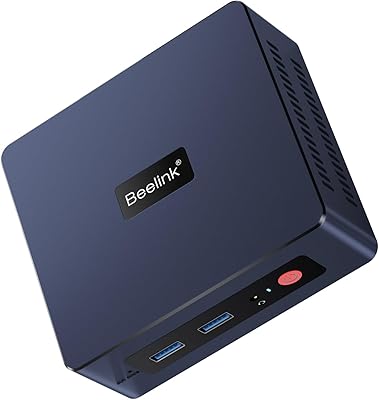
83%
83%
Everyday Performance
91%
Value for Money
76%
Build Quality & Design
84%
Thermal Management & Noise
88%
Connectivity & Ports
More
Beelink EQR6 Mini PC, AMD Ryzen 5 6600U, 32GB RAM, 500GB SSD
85%
88%
Performance
91%
Build Quality
92%
Value for Money
85%
Connectivity
73%
Ease of Setup
More
Beelink EQi12 Mini PC (i5-1235U, 16GB, 500GB)
80%
83%
Processing Performance
67%
Thermal Management
79%
RAM & Expandability
86%
Storage Speed & Flexibility
88%
Display Output
More
Beelink SER3 Mini PC, AMD Ryzen 3 3200U, 16GB RAM, 500GB SSD
84%
85%
Performance
92%
Value for Money
88%
Build Quality
94%
Compact Design
90%
Ease of Setup
More
Beelink EQI12 Mini PC (i3-1220P, 16GB/500GB)
81%
84%
Everyday Performance
89%
Boot & Load Speed
71%
Thermal Management & Cooling
86%
Display & Dual Monitor Support
82%
Build Quality & Design
More
Beelink EQI13 PRO Mini PC, Intel Core i7-13620H, 32GB RAM, 500GB SSD
87%
88%
Performance
91%
Multitasking
84%
Build Quality
93%
Connectivity
89%
Display Quality
More
Beelink EQR6 Ai Mini PC, AMD Ryzen 7 6800H, 32GB RAM, 500GB SSD
86%
91%
Performance
89%
Value for Money
94%
Multitasking Capability
78%
Cooling System
96%
Compactness/Size
More

FAQ

It genuinely supports three independent displays simultaneously — one through the DisplayPort, one through HDMI, and one through the Type-C port. Each output runs at its own resolution and refresh rate, so you can have a 4K primary monitor, a 1440p secondary, and a third screen all active at once. Just make sure you are using quality cables, especially on the Type-C connection, as cheap adapters can cause signal instability.

Unfortunately, no. The memory is soldered directly to the motherboard, so 24 GB is the permanent ceiling for this machine. For most home office and productivity workflows that is plenty of headroom, but if you anticipate needing more — for heavy database work or memory-intensive development — you should factor that limitation into your decision before buying.

During typical workloads like browsing, video calls, and Office applications, the fan is essentially inaudible from normal desk distance. It does spin up audibly when the processor is under sustained load — long rendering jobs or extended gaming sessions — but it never reaches the kind of whine you would hear from a gaming laptop. For media center or bedroom use, idle noise is not a concern.

This is a real and documented pattern in buyer reviews. Some units arrive with drives that benchmark noticeably below PCIe 4.0 speeds despite the spec sheet listing PCIe 4.0. It is worth running a free tool like CrystalDiskMark shortly after setup to verify your drive is performing as expected. If it falls significantly short, contact Beelink support — buyers who pushed back on this have generally had the issue addressed.

The Radeon 680M is one of the better integrated GPUs available, but it still has limits. Older titles and less demanding games — think Rocket League, older Call of Duty entries, or indie games — run at playable frame rates at 1080p on medium settings. Current AAA releases at anything above low settings will struggle. If gaming is your primary reason for buying, this machine will disappoint; if it is a secondary use case alongside productivity work, you will find it serviceable.

The second M.2 slot is intended to be user-accessible and adding a drive does not void the warranty. The process involves removing a few screws to access the internals, and the slot accepts standard 2280 form factor PCIe 4.0 NVMe drives. Several buyers have documented the upgrade process and describe it as straightforward even without technical experience.

It is actually quite well-suited for that role. The HDMI port outputs up to 4K at 60 Hz, which covers everything from streaming services to local media files without any hiccups. At idle and during video playback the fan stays quiet enough that it will not disturb your viewing experience. The small chassis is easy to tuck behind a TV or into an entertainment unit.

The power brick is one of the more commonly cited surprises among buyers — it is noticeably larger than you might expect given how compact the PC itself is. Everything you need to power the machine and complete the Windows setup is included, but no display cables come in the box. Given that triple-display support is a key feature, it would have been a thoughtful inclusion, so budget for at least one or two cables depending on your monitor setup.

In real-world use, WiFi 6 makes a tangible difference in dense environments — apartment buildings, shared offices, or homes with many connected devices. You will see more consistent speeds and lower latency compared to WiFi 5 devices, particularly when multiple devices are competing for bandwidth simultaneously. For users on a modern WiFi 6 router, the connection stability is one of the quiet highlights of this machine.

Buyer experiences are mixed. For initial setup questions and straightforward issues like a unit arriving non-functional, most users report getting a timely response and a resolution without too much friction. For more complex hardware problems that develop after extended use, support quality becomes less consistent — particularly for buyers outside the United States or Europe. The one-year warranty is legitimate, but if you rely heavily on fast support turnaround, that inconsistency is worth knowing about in advance.