Overview

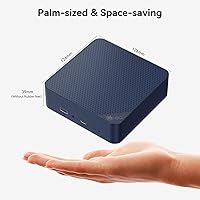
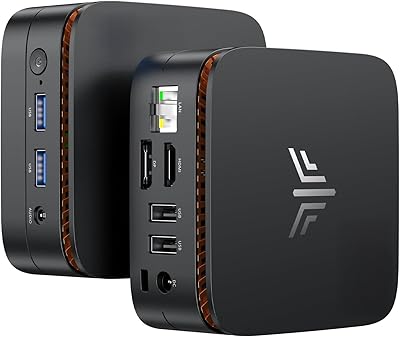
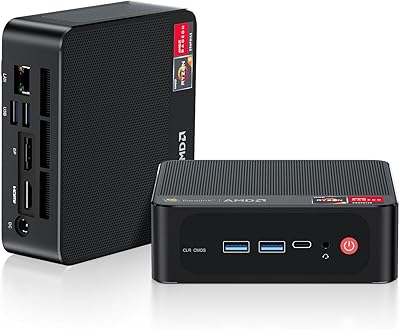
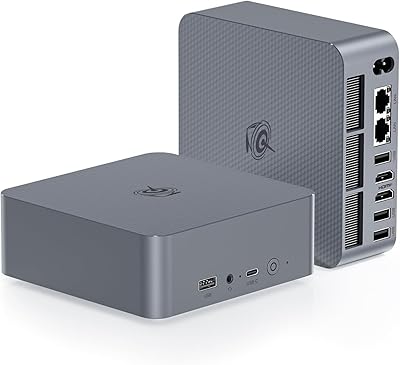
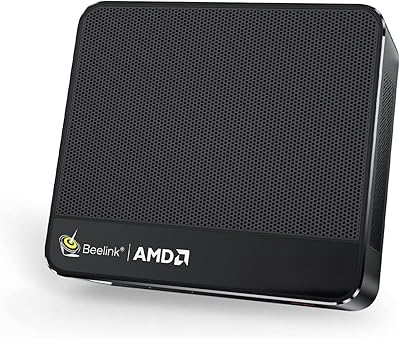
The Beelink EQ14 Mini PC (N150, 16GB, 1TB) is a compact little box aimed squarely at everyday productivity — and, to its credit, it doesn't oversell itself. Built around Intel's efficiency-focused N150 chip, it targets home office users and light workers who want a reliable Windows machine without a bulky tower on their desk. It ships with Windows 11 Home pre-loaded and a full 1TB SSD, both above-average inclusions at this price tier. The physical footprint is impressively small — mount it behind a monitor, tuck it on a shelf, or slide it into a cabinet. Just be clear-eyed going in: video editing and gaming are not what this machine was built for.
Features & Benefits

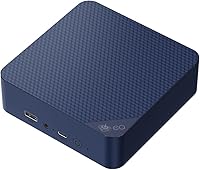
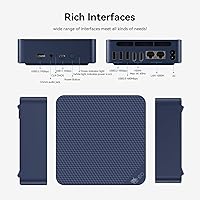
The N150's quad-core design handles browser sessions, Office documents, and video calls without complaint, and 16GB of RAM gives this mini PC a real edge over budget rivals still shipping half that amount. Storage lands at a full 1TB SATA SSD — plenty for most users. Connectivity is where the EQ14 actually pulls ahead: dual Gigabit LAN ports are uncommon at this price and open up network bridging, NAS connections, or a dedicated wired link for a second device. Dual HDMI outputs let you run two monitors without any dongles. WiFi 6 and Bluetooth 5.2 handle the wireless side, and two M.2 slots leave room for future storage upgrades whenever you need them.

Best For

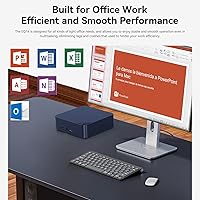
This compact desktop is best suited for home office workers who spend most of their day in a browser, on video calls, and in Office apps — tasks the N150 handles comfortably. It also fits well in digital signage or kiosk deployments where dual-screen output in a small, quiet enclosure matters more than raw processing speed. Network-savvy users — IT staff, home lab enthusiasts — will immediately appreciate those two Ethernet ports in a way casual buyers might not. It also works as a capable secondary or guest PC, replacing an aging desktop without eating up desk space. 4K media playback over HDMI to a television rounds out the practical use cases nicely.

User Feedback

Buyers consistently highlight the dual LAN setup as a standout reason to choose this machine over similarly priced alternatives — it's the kind of feature that makes a tangible difference in specific workflows. The 1TB storage and 16GB RAM also draw regular appreciation. On the critical side, a notable share of users flag the single-channel memory as a hidden limitation: despite the solid spec count, single-channel DDR4 creates a bandwidth ceiling that surfaces during heavier multitasking. Thermal behavior is a mixed bag — the fan stays quiet under light use but becomes audible under sustained load. A handful of buyers also found the included HDMI cable too short for real-world desk setups.

Pros

  • 16GB of RAM pre-installed puts this mini PC ahead of most rivals shipping 8GB at a comparable price.
  • Dual Gigabit LAN ports are genuinely rare at this price tier and unlock real networking flexibility.
  • Ships with a legitimate Windows 11 Home license — no extra OS cost hiding in the fine print.
  • Dual HDMI outputs support two monitors out of the box without adapters or workarounds.
  • Two M.2 expansion slots leave room to add faster or higher-capacity storage down the road.
  • WiFi 6 delivers noticeably better wireless performance than older mini PCs in the same category.
  • The compact chassis is light enough to VESA-mount behind a monitor or tuck into tight spaces.
  • 1TB of storage pre-installed is a practical starting point that covers most everyday use cases comfortably.
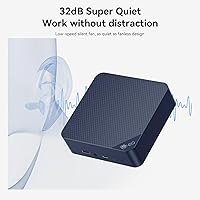
  • Fan noise stays low during light workloads, keeping the machine unobtrusive in quiet environments.

Cons

  • Single-channel DDR4 configuration creates a real memory bandwidth ceiling that the spec sheet glosses over.
  • The N150 throttles noticeably under sustained loads, with fan ramp-up audible in quiet rooms.
  • USB-C port is data-only — no video output and no Power Delivery, limiting desk setup flexibility.
  • The included HDMI cable at 100cm is too short for most real-world monitor arrangements.
  • Base storage uses SATA3 rather than NVMe, so transfer speeds lag behind faster drives at similar price points.
  • Driver issues with LAN or audio have been reported by a subset of buyers after first boot.
  • Port placement on the rear panel makes cable management awkward when the unit is mounted behind a display.
  • Customer support quality is inconsistent — response times and resolution depth vary significantly by case.

Ratings

The scores below were generated by AI after analyzing thousands of verified buyer reviews worldwide — filtering out incentivized submissions, bot activity, and outlier noise — to give you a realistic picture of what the Beelink EQ14 Mini PC (N150, 16GB, 1TB) actually delivers in daily use. Both the genuine strengths and the recurring frustrations are reflected here without sugarcoating. Whether this compact desktop fits your workflow or falls short depends heavily on the right use case, and these ratings are designed to help you figure that out.
Everyday Performance
74%
26%
For browser-heavy workdays, video calls, and Office tasks running simultaneously, this mini PC holds its own without constant lag or hesitation. Users report that switching between a dozen browser tabs and a Zoom call feels manageable, which is exactly the workload it was designed for.
Push it into anything more demanding — large spreadsheets with complex formulas, light photo editing, or multiple apps competing for resources — and the N150 starts showing its ceiling. It is an efficiency chip, not a speed chip, and the performance gap becomes tangible fast.
RAM & Memory Configuration
61%
39%
Having 16GB installed out of the box is a genuine advantage over rivals shipping 8GB at a similar price. For most home office users, it means the machine rarely feels starved for memory during normal multitasking sessions.
The single-channel DDR4 configuration is a real limitation that the spec sheet does not advertise prominently. Bandwidth-sensitive tasks — including anything GPU-adjacent since the integrated graphics shares that memory bus — suffer noticeably compared to what dual-channel would deliver with the same RAM amount.
Storage & Expandability
83%
A 1TB SATA SSD pre-installed is a strong starting point, and the two M.2 slots mean you are not locked in. Users who need to add a faster NVMe drive or a second storage volume can do so without replacing anything already installed.
The base SSD is SATA3, not NVMe, so sequential read and write speeds are respectable but not class-leading. Power users migrating from a fast NVMe system will notice the step down in file transfer and boot responsiveness.
Connectivity & Networking
91%
Dual Gigabit LAN ports at this price tier is genuinely rare, and buyers who need them — for NAS access, network bridging, or running a wired connection to two devices simultaneously — consistently call it the single best reason to choose this machine over alternatives. WiFi 6 and Bluetooth 5.2 cover the wireless side competently.
The USB-C port is data-only with no video output or Power Delivery, which frustrates users hoping to drive a third display or charge accessories from it. Port placement on the chassis also draws complaints from users with constrained desk setups.
Display Output
79%
21%
Dual HDMI outputs that actually work out of the box — no adapters, no configuration headaches — make the EQ14 a practical pick for anyone running a two-monitor productivity setup. Both ports support 4K resolution, which works well for media playback on a large TV.
There is no DisplayPort output, and the USB-C cannot carry video, so you are limited to exactly two displays with no upgrade path beyond that. The included HDMI cable at 100cm is too short for most real desk arrangements, according to a recurring complaint in buyer feedback.
Build Quality & Design
72%
28%
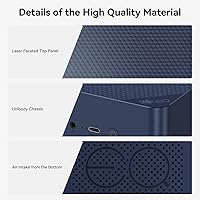
The chassis feels solid for the price bracket — not premium, but not flimsy either. Its compact dimensions make it easy to VESA-mount behind a monitor or tuck into a media cabinet without looking like an afterthought.
The plastic finish attracts dust and minor scratches more than aluminum-bodied competitors. A few buyers noted that the unit feels lighter than expected, which reads as cost-cutting to some, though it does make repositioning easier.
Thermal Management & Noise
67%
33%
Under light workloads — web browsing, document editing, video streaming — the fan is barely audible and the chassis stays cool to the touch. For a quiet home office or bedroom setup, that is a meaningful quality-of-life detail.
Sustained CPU loads, like extended video encoding or large file compression, cause the fan to ramp up noticeably and some users report thermal throttling during prolonged sessions. It is not a silent machine under pressure, and a handful of reviews mention the fan becoming the loudest thing in a quiet room.
Out-of-Box Setup Experience
77%
23%
Windows 11 Home comes genuinely pre-installed and most buyers report reaching a usable desktop within minutes of first boot. Basic drivers for networking and display output load without manual intervention in the majority of cases.
A segment of users encountered driver issues, particularly with the LAN ports or audio, requiring manual downloads and a bit of troubleshooting. The setup experience is not universally smooth, and Beelink's documentation is thin on recovery steps when things go sideways.
Value for Money
82%
18%
When you price out the combination of 16GB RAM, 1TB storage, dual LAN, and WiFi 6 against comparable mini PCs, the EQ14 stacks up well. For buyers who need those specific features, the math works in its favor without much debate.
If your use case does not specifically benefit from dual LAN or dual HDMI, there are competing machines at similar prices with faster CPUs or NVMe storage that may serve you better. The value proposition is strong but narrow — it rewards the right buyer specifically.
Software & OS Inclusion
75%
25%
Shipping with a legitimate Windows 11 Home license removes a meaningful upfront cost that some barebones competitors push back onto the buyer. For non-technical users, having a ready-to-use OS is a practical convenience they genuinely appreciate.
Some buyers report Windows bloat and pre-installed utilities that feel unnecessary on a machine with modest resources. A clean Windows install is recommended by more technically experienced users to recover a noticeable chunk of baseline performance.
Port Variety & Layout
68%
32%
Three USB 3.2 ports handle most peripheral needs — keyboard, mouse, and an external drive can all connect simultaneously without a hub. The 3.5mm combo audio jack is a small but appreciated detail for headset users.
The single USB 2.0 port feels like a leftover from an older design rather than a deliberate choice. Port placement on the rear panel makes cable management awkward when the unit is mounted behind a monitor, a friction point that surfaces repeatedly in critical reviews.
Graphics & Media Playback
63%
37%
Intel UHD Graphics with 24 execution units handles 4K video playback over HDMI cleanly, which is all most buyers at this tier actually need from the GPU. Streaming services, YouTube at full resolution, and basic photo browsing all run without issue.
The integrated graphics shares bandwidth with the single-channel RAM, creating a notable bottleneck for anything beyond passive playback. Light gaming at low settings is technically possible on some older titles but the experience is inconsistent and not a reliable use case for this machine.
Wireless Performance
78%
22%
WiFi 6 delivers noticeably snappier wireless throughput compared to older WiFi 5 mini PCs in the same bracket, particularly in congested home networks with multiple devices competing for bandwidth. Bluetooth 5.2 pairs peripherals quickly and holds connections reliably.
A small but vocal subset of buyers report inconsistent WiFi signal strength in larger homes or through multiple walls, suggesting the antenna design is functional but not exceptional. Wired LAN is the recommended path for reliability-critical tasks.
Customer Support & Warranty
71%
29%
Beelink offers a one-year warranty and promotes lifetime technical support, and several buyers confirm that email responses are reasonably prompt for a small brand. For users who run into early hardware faults, the returns process has been described as straightforward.
Support quality appears inconsistent — some buyers report helpful, fast resolutions while others describe slow follow-ups and templated replies that do not address specific technical issues. The lifetime technical support claim should be treated with calibrated expectations rather than full confidence.

Suitable for:

The Beelink EQ14 Mini PC (N150, 16GB, 1TB) is a strong fit for home office workers whose daily routine revolves around browser tabs, video conferencing, email, and Office documents — people who need a reliable, always-on machine rather than a fast one. IT-adjacent users and home lab enthusiasts will find genuine value in the dual Gigabit LAN ports, a feature that enables network bridging, NAS connectivity, or a dedicated wired link to two separate devices simultaneously — something you rarely see at this price point. It also makes a compelling case for digital signage or kiosk deployments where dual-screen output in a compact, low-power enclosure matters more than processing headroom. Households looking to retire an aging desktop tower without sacrificing desk space, or anyone setting up a secondary PC for a guest room or shared workspace, will find the EQ14 more than adequate. The 4K HDMI output and quiet fan behavior under light loads also make it a reasonable living room media PC for users who want a full Windows machine connected to their television.
Not suitable for:

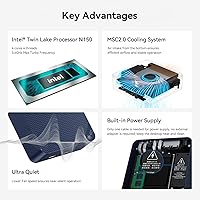
If your workload extends beyond productivity basics, this compact desktop will frustrate you fairly quickly. The N150 is an efficiency-oriented chip — not a performance chip — and users expecting snappy responsiveness in photo editing software, video transcoding, large data processing, or even moderately demanding games will hit its ceiling faster than the spec sheet implies. The single-channel DDR4 RAM configuration compounds this: despite the 16GB total, the limited memory bandwidth creates a tangible bottleneck in GPU-adjacent tasks and heavier multitasking, something Beelink does not advertise prominently. Developers running local environments, designers working in Adobe Creative Cloud, or anyone who routinely switches between resource-intensive applications should look at machines with higher-tier processors and dual-channel memory. The USB-C port carries data only — no video output, no Power Delivery — so users hoping to drive a third monitor or build a cleaner single-cable desk setup will also come away disappointed.

Specifications

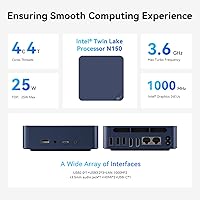
  • Processor: Intel N150 (Twin Lake) quad-core CPU running up to 3.6GHz, built on an efficiency-focused architecture suited for everyday productivity workloads.
  • RAM: 16GB DDR4 3200MHz SO-DIMM installed in a single-channel configuration, using one of the available memory slots.
  • Storage: 1TB M.2 SATA3 SSD pre-installed, delivering reliable everyday read/write speeds for system files, documents, and media.
  • Operating System: Windows 11 Home comes pre-installed with a legitimate license, ready to use immediately after first-boot setup.
  • Graphics: Intel UHD Graphics with 24 execution units running at 1000MHz, sharing system memory bandwidth with the CPU.
  • Display Output: Two HDMI ports support dual-monitor setups simultaneously, with maximum resolution output of 3840x2160 (4K) per display.
  • Networking: WiFi 6 (AX101) and Bluetooth 5.2 handle wireless connectivity, complemented by two independent RJ45 Gigabit Ethernet ports for wired networking.
  • USB Ports: Three USB 3.2 ports and one USB 2.0 port are provided alongside one USB-C port rated for data transfer only, with no video or charging support.
  • Audio: A single 3.5mm combo jack supports both headphone output and microphone input simultaneously.
  • Expansion Slots: Two M.2 slots are available for storage expansion: one PCIe 3.0 x4 slot supporting NVMe or SATA, and one PCIe 3.0 x1 slot supporting NVMe.
  • Dimensions: The chassis measures approximately 6.02 x 5.98 x 3.86 inches, compact enough for VESA mounting or placement in tight desk environments.
  • Weight: The unit weighs 1.87 pounds, making it easy to reposition or mount behind a monitor without significant load concerns.
  • Power: Power is supplied via a DC jack using the included external adapter; no USB-C power delivery is supported.
  • Processor Cores: The N150 features 4 cores and 4 threads with 6MB of L3 cache, with no hyperthreading on this efficiency-tier architecture.
  • Memory Slots: One SO-DIMM DDR4 slot is occupied by the pre-installed 16GB module; the single-slot design means memory cannot be run in dual-channel mode.
  • Package Contents: The box includes the mini PC unit, one 100cm HDMI cable, and one power adapter; no keyboard, mouse, or monitor is included.
  • Warranty: Beelink provides a one-year worry-free hardware warranty alongside a stated lifetime technical support policy.
  • Max Storage: With both M.2 slots populated, total internal storage can be expanded well beyond the factory 1TB depending on installed drive capacities.

Related Reviews

KAMRUI Essenx E1 Mini PC, N150 Processor, 16GB RAM, 1TB SSD
86%
89%
Value for Money
91%
Performance for Office Tasks
94%
Ease of Setup
88%
Multitasking Capabilities
90%
4K Display Support
More
Beelink Mini S12 Pro (N100, 16GB, 500GB)
83%
83%
Everyday Performance
91%
Value for Money
76%
Build Quality & Design
84%
Thermal Management & Noise
88%
Connectivity & Ports
More
Beelink SER5 Pro (Ryzen 7 5825U, 16GB/500GB)
80%
88%
Everyday Performance
67%
Thermal Management
91%
Multi-Monitor Support
83%
Build Quality & Design
86%
Connectivity & Port Selection
More
Blackview MP60 Mini PC 16GB RAM 1TB SSD
84%
88%
Performance
92%
Value for Money
85%
Multitasking Ability
90%
Energy Efficiency
80%
Connectivity
More
Beelink Mini S13 Pro N150 16GB/500GB
82%
83%
Everyday Performance
78%
Build Quality & Design
61%
Thermal Management
86%
RAM & Multitasking
74%
Storage Speed & Expandability
More
Beelink EQI Mini PC i5-1235U 32GB RAM 1TB SSD
87%
88%
Performance
85%
Build Quality
92%
Value for Money
90%
Design/Size
81%
Thermals
More
Beelink SER9 Pro (32GB/1TB)
84%
93%
Processing Performance
91%
Multitasking & Responsiveness
84%
Build Quality & Design
67%
Thermal Management & Fan Noise
72%
Graphics & Display Output
More
BOSGAME Mini PC E3 (N150, 16GB/512GB)
79%
88%
Value for Money
74%
Processing Performance
91%
Multi-Display Support
89%
Connectivity & Ports
76%
Build Quality & Design
More
KAMRUI Essenx E2 N150 Mini PC, 16GB RAM, 512GB SSD
86%
88%
Performance
92%
Value for Money
90%
Cooling and Noise Level
85%
Dual Display Support
80%
Build Quality
More
Beelink EQR7 Mini PC, Ryzen 7 7735U, 32GB RAM, 1TB SSD
87%
94%
Performance
88%
Build Quality
91%
Setup and Installation
89%
Display Quality
85%
Wireless Connectivity
More

FAQ

Yes, and it does so without any adapters or splitters. Both HDMI ports are independent outputs, so you can connect two separate displays and run them as an extended desktop or duplicate them — whichever suits your workflow. Both ports support up to 4K resolution.

There is only one SO-DIMM slot, and it comes pre-populated with the 16GB module. You can swap it out for a higher-capacity DDR4 SO-DIMM if you want more RAM, but you cannot add a second stick — the single-slot design means dual-channel operation is not possible on this machine.

Most home users will not need both ports, but the people who do find it invaluable. Common use cases include connecting to a NAS drive on one port while staying on your main network on the other, bridging two network segments, or simply keeping one wired connection per device. IT professionals and home lab enthusiasts in particular tend to call it the best feature on the box.

If your workday is built around a browser, video calls, email, and Office apps, the Beelink EQ14 Mini PC (N150, 16GB, 1TB) handles that reliably. The 16GB of RAM helps when you have a lot of tabs and applications open simultaneously. Where it starts to struggle is anything more resource-intensive — large Excel models, editing high-resolution images, or running local development environments for extended periods.
Under light to moderate workloads, it is genuinely quiet — you will likely forget it is running. The fan does ramp up under sustained CPU load, like extended video processing or large file operations, and becomes noticeable in a quiet room. For typical office or productivity use, noise is rarely a complaint.

Yes. The M.2 PCIe 3.0 x4 slot supports NVMe drives, so you can swap in a faster drive if the SATA3 speeds feel limiting. The second M.2 slot (PCIe x1) also supports NVMe, so you could run two drives — useful if you want to keep the original drive and add faster storage alongside it.

No on both counts — it is a data-only USB-C port. You cannot drive a monitor from it or use it to power peripherals. This is one of the more common points of frustration among buyers who assumed USB-C would carry video or act as a power delivery port.

Windows 11 Home comes genuinely pre-installed with a valid license — you do not need to purchase anything separately. First boot takes you through Microsoft's standard setup wizard. Most users are at a working desktop within 10 to 15 minutes, though a small number of buyers have reported needing to hunt down a driver or two for LAN or audio after setup.

It works well for that purpose. Both HDMI outputs can connect to a television, and the machine handles 4K video playback smoothly through streaming services or local files. It is quiet enough under light loads to sit in a living room without being intrusive, and the compact size makes it easy to tuck behind or beneath a TV stand.

The EQ14 stands out primarily because of the dual LAN ports and the 16GB RAM configuration — both are uncommon at this price tier. Most N150 competitors ship with 8GB and a single Ethernet port. The trade-off is that this machine uses single-channel memory and SATA3 storage, so if raw performance is the priority over connectivity, a competing machine with dual-channel RAM or NVMe storage might suit you better.