Overview

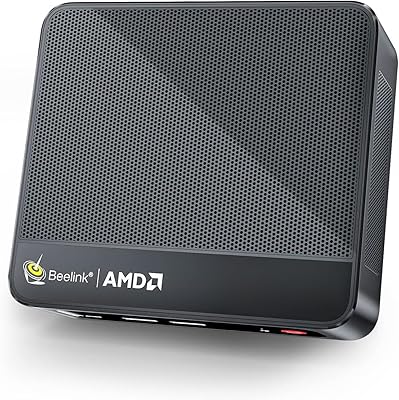
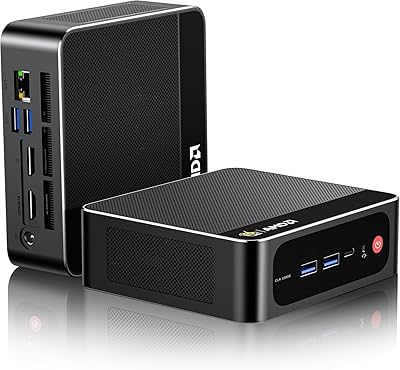
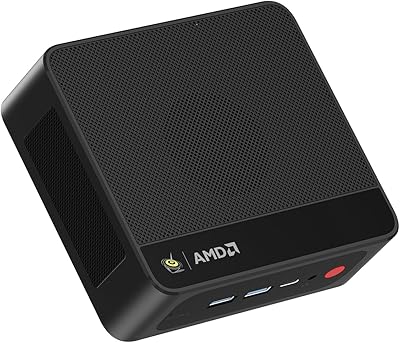
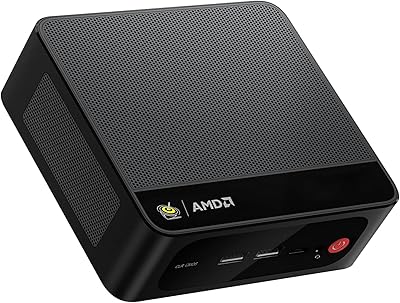
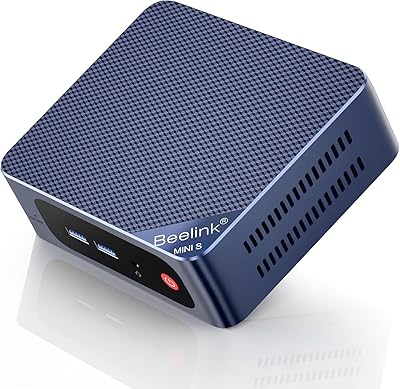
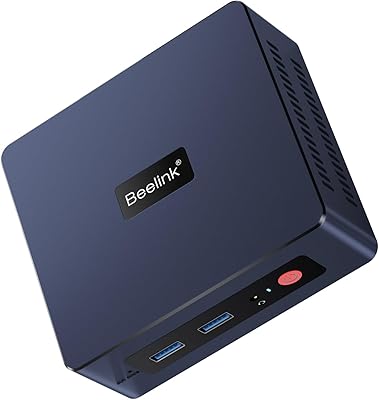
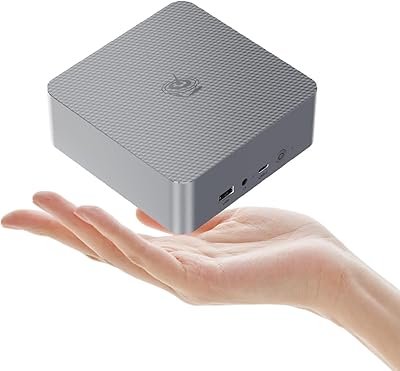
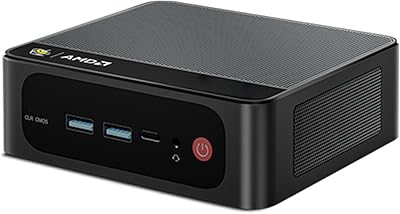
The Beelink SER5 Pro (Ryzen 7 5825U, 16GB/500GB) enters a crowded mini PC market — competing directly with offerings from MinisForum and Intel NUC-style systems — and holds its ground by pairing a genuinely capable processor with a palm-sized footprint. At roughly 5 × 4.5 × 1.6 inches, it disappears behind a monitor or tucks into a bag without complaint. The box includes the unit, a power adapter, an HDMI cable, and a VESA mount bracket — a thoughtful inclusion. One heads-up: Beelink lists the OS as bare, so expect to install Windows yourself before anything else. Think of it as a capable daily driver for most tasks, not a machine built to replace a dedicated gaming or workstation tower.
Features & Benefits

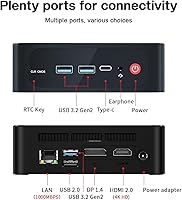
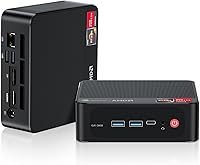
The 8-core, 16-thread Ryzen 7 5825U is the real reason to consider this compact desktop over cheaper alternatives. Day-to-day, it handles spreadsheets, video calls, browser tabs, and light Lightroom or Premiere work without breaking a sweat. The triple 4K display output — via HDMI 2.0, DisplayPort 1.4, and Type-C simultaneously — is a standout for multi-monitor setups that most similarly priced mini PCs simply cannot match. The 500GB NVMe SSD loads apps fast, and both RAM slots are accessible for future upgrades up to 64GB. WiFi 6 keeps wireless connections stable in congested environments, while the port selection — three USB 3.2 Gen2 ports, Gigabit Ethernet, and a combo audio jack — means you will rarely reach for a hub.

Best For

The SER5 Pro is a natural fit for home office setups where desk space is precious and multi-monitor productivity is the priority. Content consumers who want reliable 4K playback without the noise and bulk of a tower will appreciate what this compact desktop offers. It also works well as an HTPC connected to a living room TV, or as a dedicated kiosk or signage machine — the VESA mount makes both scenarios clean and practical. That said, anyone hoping to run demanding 3D games should look elsewhere; the integrated Radeon GPU handles older or less intensive titles, but it has a hard ceiling. Buyers upgrading from aging NUC-style systems or entry-level mini PCs will likely feel the jump in responsiveness most.

User Feedback

Buyers consistently praise quiet everyday operation and the snappy feel of the SER5 Pro under typical workloads — it rarely draws attention to itself acoustically during office use. Build quality for the price tier also gets frequent positive mentions. On the flip side, some users report noticeable thermal throttling during extended CPU-heavy tasks like video encoding, where the compact chassis reaches its limits. A handful of reviews flag units arriving with loose internal connections, though this appears isolated rather than a widespread defect. Users who upgraded the RAM or swapped in a larger SSD generally reported smooth, straightforward experiences. Overall sentiment lands in solidly positive territory — a reliable workhorse for most buyers, with a few thermal caveats worth keeping in mind.

Pros

  • The 8-core Ryzen 7 5825U punches well above its weight for everyday multitasking in a palm-sized unit.
  • Triple 4K@60Hz output across three simultaneous displays is genuinely rare at this size and price tier.
  • Both RAM slots are user-accessible, with a ceiling of 64GB — an unusually long upgrade runway for a mini PC.
  • WiFi 6 delivers noticeably more stable wireless performance in congested home or office environments.
  • The VESA mount bracket is included in the box, making monitor-back installation clean and cost-free.
  • NVMe SSD storage keeps boot times and app launches fast, with straightforward DIY replacement when more space is needed.
  • Three USB 3.2 Gen2 ports mean most users will never need to reach for an external hub.
  • Fan noise under typical workloads is low enough that most users in home office settings simply stop noticing it.
  • The compact form factor makes it genuinely portable between workspaces without needing a dedicated bag or case.
  • Gigabit Ethernet provides a reliable wired fallback for users who prefer a stable connection for calls or large transfers.

Cons

  • No operating system is pre-installed, so budget-conscious buyers must factor in a Windows license cost separately.
  • Sustained heavy CPU workloads trigger thermal throttling, limiting performance during long encoding or compilation tasks.
  • The integrated GPU cannot handle modern 3D games at playable settings, even at reduced resolutions.
  • Some units have arrived with loose internal connectors or inconsistent thermal paste, pointing to occasional QC variance.
  • The single USB 2.0 port becomes a frustration point for users with multiple older peripherals.
  • Warranty service can be slow and logistically complicated for buyers outside major markets.
  • The Type-C video output requires a quality cable to carry 4K reliably — not all Type-C cables will work.
  • At full retail pricing, the value proposition weakens whenever competing units appear at lower promotional prices.
  • RAM runs below its rated speed out of the box without a manual BIOS adjustment most casual users will not know to make.
  • The ABS plastic chassis, while solid enough, feels noticeably less premium than aluminum-bodied alternatives in a similar range.

Ratings

The Beelink SER5 Pro (Ryzen 7 5825U, 16GB/500GB) has been scored by our AI system after analyzing thousands of verified global user reviews, with spam, bot activity, and incentivized feedback actively filtered out. Ratings reflect the full spectrum of real buyer experiences — from the aspects users consistently applaud to the friction points that surface repeatedly across different use cases. Both strengths and honest shortcomings are transparently baked into every score below.

Everyday Performance
88%
Users running multi-tab browsers, video calls, and Office applications simultaneously report the SER5 Pro handles it without hesitation. The 8-core Ryzen 7 5825U gives it noticeably more headroom than typical dual-core or quad-core mini PCs in the same price bracket, and most buyers feel the difference immediately after switching.
Under sustained CPU workloads — long video encodes or running multiple virtual machines — a portion of users notice performance taper off as thermal limits kick in. It is a capable chip in a small box, and that physical constraint does catch up with it during prolonged heavy tasks.
Thermal Management
67%
33%
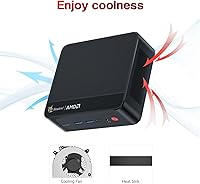
For typical office workloads and media playback, the dual copper heat pipe design keeps the SER5 Pro running quietly and comfortably. Many users report the fan is barely audible during day-to-day use, which is a meaningful improvement over earlier-generation Beelink units.
Extended CPU-intensive tasks push the chassis to its thermal ceiling, and throttling becomes noticeable during sustained encoding or compilation sessions. A minority of users report the unit runs warmer than expected even at idle, suggesting some unit-to-unit variance in thermal paste application or fan calibration.
Multi-Monitor Support
91%
Triple 4K output at 60Hz is genuinely rare at this size and price point, and users setting up three-screen office arrangements consistently call it a standout feature. The combination of HDMI 2.0, DisplayPort 1.4, and a functional Type-C video output means no adapters or compromises for most monitor configurations.
A small number of users report the Type-C port requires a specific cable or adapter to reliably carry video, and not all Type-C cables work out of the box. Driving three high-resolution displays simultaneously does increase GPU load, which can slightly affect performance on graphically active tasks.
Build Quality & Design
83%
The ABS chassis feels denser and more substantial than the pricing might suggest, and the compact dimensions make it easy to VESA-mount behind a monitor for a genuinely clean desk. Users frequently mention the fit and finish looks more polished than competing units from lesser-known brands.
It is still plastic, and buyers accustomed to aluminum mini PCs will notice the difference when handling it. A handful of reviewers flag that the chassis shows fingerprints easily and a small number received units with slightly misaligned port cutouts — cosmetic, but worth noting.
Connectivity & Port Selection
86%
Three USB 3.2 Gen2 ports on a machine this small is genuinely practical — users running external drives, a webcam, and a USB hub simultaneously rarely feel starved for connections. Gigabit Ethernet and the 3.5mm combo jack round out a port layout that covers most home office and small business scenarios without needing a dock.
There is only one USB 2.0 port, which becomes a minor annoyance for users with older peripherals like older wireless receivers. Thunderbolt is absent entirely, so users needing high-bandwidth external GPU docks or ultra-fast external storage over a single cable will need to look elsewhere.
Wireless Performance
84%
WiFi 6 delivers a tangible real-world improvement for users in apartment buildings or offices with congested networks, where older 802.11ac mini PCs would drop speed or connectivity. Bluetooth 5.2 pairs reliably with keyboards, mice, and headsets, and several users note the connection stability is better than previous Beelink generations.
In environments without a WiFi 6 router, the wireless upgrade offers no practical benefit over the previous standard. A small number of users report intermittent Bluetooth disconnections with certain headsets, though this appears tied to specific device pairing rather than a systemic firmware issue.
Storage Speed & Capacity
82%
18%
The NVMe SSD delivers fast boot times and responsive app launches that buyers upgrading from SATA-based mini PCs find noticeably improved. The 500GB baseline is workable for a productivity machine, and the M.2 2280 slot makes swapping to a larger drive a straightforward process most users complete without issues.
500GB fills up faster than expected for users storing media files or large project folders, and it is not a huge amount of headroom for the long term. The included drive is not a premium NVMe unit, and real-world sequential reads occasionally fall short of the advertised ceiling in third-party benchmarks.
RAM & Upgrade Potential
89%
Dual accessible SO-DIMM slots with a ceiling of 64GB give this compact desktop an unusually long upgrade runway compared to soldered-RAM competitors. Users who have upgraded to 32GB report smooth, confident performance in heavier multitasking and light virtualization scenarios that the stock 16GB occasionally struggles with.
The preinstalled RAM runs at 3200MHz, but some users note the system defaults to a lower effective speed until XMP-equivalent settings are manually enabled in the BIOS. Buyers who want the full potential out of the box may need to do a bit of configuration work before seeing peak memory performance.
GPU & Graphics Capability
61%
39%
For 4K video playback, light photo editing, and driving multiple displays, the integrated Radeon GPU performs well above what its entry-level classification implies. Users using this compact desktop as an HTPC or a multi-monitor productivity station report smooth, artifact-free output at full 4K resolution.
Demanding 3D games expose the GPU ceiling quickly — titles like Cyberpunk 2077 or Microsoft Flight Simulator are essentially out of scope. Even some moderately demanding games from the past few years require significant quality reductions to stay playable, so buyers with any serious gaming intent should set expectations carefully.
Out-of-Box Experience
69%
31%
The box includes a VESA mount bracket and HDMI cable alongside the unit, which is a genuinely useful inclusion that reduces the immediate shopping list. The hardware itself powers on and is recognized correctly by standard OS installers without driver headaches for most users.
The absence of a pre-installed operating system catches some buyers off guard, particularly those who did not read the listing carefully. The setup process requires users to source and install Windows independently, adding a step — and potentially a cost — that budget-oriented buyers may not have anticipated.
Fan Noise
76%
24%
Under typical workloads — browsing, documents, video streaming — the SER5 Pro sits quietly in the background and most users in home office environments report they forget the fan exists. The upgraded fan design compared to older Beelink models is a genuine improvement acknowledged across multiple user reviews.
When CPU load climbs, so does fan speed, and the acoustic profile under stress is more noticeable than users might expect from such a small machine. In quiet rooms or at night, sustained loads produce a mid-pitched fan whine that a minority of users find distracting.
Value for Money
81%
19%
For what the SER5 Pro offers — a real 8-core CPU, dual-channel RAM, NVMe storage, triple 4K output, and WiFi 6 in a palm-sized unit — the price-to-capability ratio is strong relative to comparable configurations from larger brands. Buyers replacing aging laptops or bloated tower PCs for home office use consistently express satisfaction with the trade.
At its full asking price, the value calculus tightens, particularly when competitor units occasionally appear at lower promotional prices. Buyers who also need a Windows license should factor that additional expense into the total cost, which can shift the perceived value depending on individual circumstances.
Portability & Form Factor
87%
Weighing under two pounds and fitting in most laptop bags, the SER5 Pro is genuinely portable in a way that no tower or even a compact ATX build can match. Users who move between workspaces — office and home, or classroom and dorm — find the VESA mount and small footprint make setup and teardown fast.
The power brick, while not enormous, adds to the carry load and is not as pocket-friendly as the unit itself. Unlike a laptop, there is no battery, so portability is only meaningful between locations with power outlets rather than truly on-the-go use.
Reliability & Longevity
74%
26%
The majority of users report stable, problem-free operation over extended ownership, and the hardware platform — a proven AMD mobile chip — inspires confidence from a longevity standpoint. Beelink's support response, while slower than major OEMs, has resolved issues for most buyers who pursued it.
A recurring thread in user reviews involves isolated units arriving with loose internal connections or inconsistent thermal paste coverage, suggesting quality control is not perfectly consistent across batches. Users outside major markets also note that warranty service logistics can be slow and frustrating if hardware issues emerge post-purchase.

Suitable for:

The Beelink SER5 Pro (Ryzen 7 5825U, 16GB/500GB) is an excellent match for home office professionals who need a clutter-free desk without sacrificing real computing muscle — particularly those who rely on multi-monitor setups for productivity. If you spend your days juggling spreadsheets, video conferencing, browser-heavy research, and the occasional Lightroom or Premiere project, this compact desktop handles that workload comfortably and quietly. It is also a strong pick for anyone building a clean HTPC setup, where 4K playback and triple display output matter far more than raw 3D graphics power. Small businesses deploying kiosk terminals or point-of-sale stations will appreciate the VESA mount compatibility and the minimal footprint. Buyers upgrading from older Intel NUC-style systems or entry-level quad-core mini PCs will feel a meaningful step up in day-to-day responsiveness, and the accessible RAM and SSD slots mean the machine can grow with your needs over time.
Not suitable for:

The Beelink SER5 Pro (Ryzen 7 5825U, 16GB/500GB) is the wrong tool for anyone whose primary goal is gaming beyond older or less demanding titles — the integrated Radeon GPU has a hard performance ceiling, and no amount of setting adjustments will make modern AAA titles run well on it. Creative professionals who regularly push through long video rendering queues, 3D modeling sessions, or heavy compilation workloads should also think twice, as sustained CPU-intensive tasks will eventually hit the thermal limits of this small chassis and cause noticeable throttling. Buyers expecting a ready-to-go Windows experience out of the box may be caught off guard — the unit ships without a pre-installed OS, so you will need to source and install one yourself before getting started. Anyone who needs Thunderbolt connectivity for high-bandwidth peripherals, external GPU enclosures, or ultra-fast storage solutions will find that support is simply absent here. Finally, buyers with limited technical confidence who are not comfortable handling a basic OS install or internal upgrade may find the out-of-box experience more involved than anticipated.
Specifications

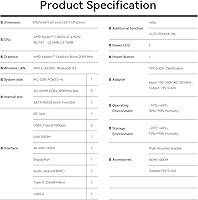
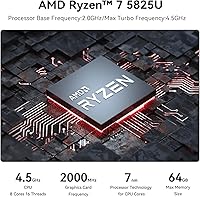
  • Processor: AMD Ryzen 7 5825U with 8 cores and 16 threads, base clock at 3.2GHz and boost up to 4.5GHz.
  • CPU Cache: 4MB L2 cache and 16MB L3 cache for improved multi-threaded task responsiveness.
  • Graphics: Integrated AMD Radeon GPU with 8 cores running at 2000MHz, capable of 4K output across three displays.
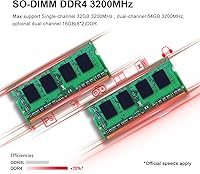
  • RAM: 16GB DDR4 SO-DIMM running at 3200MHz in dual-channel configuration across two accessible slots.
  • Max RAM: Both SO-DIMM slots support up to 32GB each, for a maximum total of 64GB.
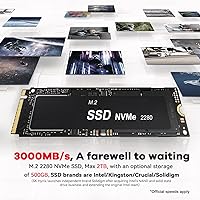
  • Storage: 500GB M.2 2280 NVMe SSD with sequential read speeds reaching up to 3000MB/s.
  • Display Output: Triple simultaneous 4K output at 60Hz via one HDMI 2.0 port, one DisplayPort 1.4, and one Type-C video port.
  • Wireless: WiFi 6 (802.11ax) and Bluetooth 5.2 are built in for fast, low-congestion wireless connectivity.
  • Wired Network: One RJ45 Gigabit Ethernet port (1000Mbps) for stable wired network connections.
  • USB Ports: Three USB 3.2 Gen2 Type-A ports and one USB 2.0 Type-A port are available on the chassis.
  • Type-C Port: One USB Type-C port supporting both data transfer and video output simultaneously.
  • Audio: One 3.5mm combo headphone and microphone jack for direct audio peripheral connection.
  • Dimensions: The unit measures 5 × 4.5 × 1.6 inches, making it genuinely palm-sized for desk or monitor mounting.
  • Weight: The unit weighs approximately 1.96 pounds without the power adapter.
  • VESA Mount: A VESA mount bracket is included in the box, allowing the unit to attach directly to the back of a compatible monitor.
  • External Storage: Supports up to a 2TB external 2.5-inch 7mm HDD via the expansion bay, with a setup guide included in the box.
  • Cooling System: Active cooling uses dual copper heat pipes, an upgraded aluminum spreader plate, and a variable-speed fan.
  • Operating System: No operating system is pre-installed; buyers must source and install Windows or a compatible OS independently.
  • Chassis Material: ABS plastic outer shell finished in a dark color with compact, rounded edges designed for minimal desk footprint.
  • Power Input: Powered via a DC jack with an included external power adapter sized for the unit's TDP requirements.

Related Reviews

Beelink SER5 Pro Mini PC (Ryzen 7 5825U, 32GB RAM, 1TB SSD)
80%
88%
Everyday Performance
61%
Thermal Management
91%
Value for Money
86%
Multi-Monitor Support
79%
Build Quality & Design
More
Beelink SEI Mini PC (Ryzen 5500U, 16GB/500GB)
81%
84%
Everyday Performance
61%
RAM Configuration
91%
Display & Multi-Monitor Support
73%
Cooling & Thermal Management
88%
Networking
More
Beelink SER5 MAX Mini PC, AMD Ryzen 7 6800U, 24GB RAM, 500GB SSD
87%
91%
Performance
87%
Connectivity
89%
Value for Money
84%
Build Quality
88%
Cooling System
More
Beelink SER5 MAX (24GB / 500GB)
81%
91%
Everyday Performance
88%
RAM & Memory Headroom
74%
Storage Performance
93%
Multi-Monitor & Display Output
69%
Thermal Management
More
Beelink Mini S13 Pro N150 16GB/500GB
82%
83%
Everyday Performance
78%
Build Quality & Design
61%
Thermal Management
86%
RAM & Multitasking
74%
Storage Speed & Expandability
More
Beelink Mini S12 Pro (N100, 16GB, 500GB)
83%
83%
Everyday Performance
91%
Value for Money
76%
Build Quality & Design
84%
Thermal Management & Noise
88%
Connectivity & Ports
More
Beelink SER3 Mini PC, AMD Ryzen 3 3200U, 16GB RAM, 500GB SSD
84%
85%
Performance
92%
Value for Money
88%
Build Quality
94%
Compact Design
90%
Ease of Setup
More
KAIGERR TX16PRO 2025 Gaming Laptop, AMD Ryzen 7 5825U, 16GB RAM, 512GB SSD
86%
89%
Performance for Gaming
92%
Value for Money
86%
Portability
91%
Display Quality
88%
Multitasking Capability
More
Beelink EQR6 Ai Mini PC, AMD Ryzen 7 6800H, 32GB RAM, 500GB SSD
86%
91%
Performance
89%
Value for Money
94%
Multitasking Capability
78%
Cooling System
96%
Compactness/Size
More
Acer Aspire Go 15 AI Ready Laptop, Ryzen 7 5825U, 16GB RAM, 512GB SSD
85%
89%
Overall Performance
92%
Battery Life
85%
Display Quality
88%
Portability
87%
Multitasking Performance
More
Beelink EQR7 Mini PC, Ryzen 7 7735U, 32GB RAM, 1TB SSD
87%
94%
Performance
88%
Build Quality
91%
Setup and Installation
89%
Display Quality
85%
Wireless Connectivity
More

FAQ

No, the Beelink SER5 Pro (Ryzen 7 5825U, 16GB/500GB) ships without a pre-installed operating system. You will need to purchase a Windows license separately and perform a clean install yourself using a USB drive. The hardware is fully compatible with Windows 10 and Windows 11, and most users complete the setup without driver issues.
Yes, the SER5 Pro supports three simultaneous displays at 4K resolution and 60Hz refresh rate using the HDMI 2.0, DisplayPort 1.4, and Type-C ports together. Keep in mind that the Type-C port needs to support DisplayPort Alternate Mode to carry video, so make sure your cable or adapter is rated for that. Most standard USB-C to DisplayPort cables work correctly.

During typical office tasks — browsing, documents, video calls — the fan is very quiet and most users simply stop noticing it. Under heavier sustained loads like video encoding, the fan does spin up and becomes audible, though it is not aggressively loud. If you plan to run CPU-intensive tasks for long stretches, expect some fan noise.

Yes, and it is one of the SER5 Pro's genuine strengths. Both SO-DIMM RAM slots are accessible after removing a few screws from the bottom panel, and the M.2 2280 NVMe slot is easy to reach. Many users have upgraded to 32GB or 64GB of RAM and swapped in larger SSDs without any issues. Just make sure to buy DDR4 SO-DIMM modules, not DDR5.

It depends entirely on what you want to play. Older titles and less demanding games — think games from 2015 and earlier, or lighter indie titles — run fine at modest settings. Modern AAA games are a different story; the integrated Radeon GPU simply does not have the horsepower for demanding 3D titles at playable frame rates. Do not buy this compact desktop expecting a gaming machine.

Yes, Beelink includes a VESA mount bracket in the box, so you can attach the unit directly to any VESA-compatible monitor stand or arm. It is a thoughtful inclusion that makes for a very clean, wire-managed setup. Just confirm your monitor has an exposed VESA pattern before assuming it will work.

This is actually one of the strongest use cases for the SER5 Pro. Video calls, shared screens, and background applications running simultaneously are well within its comfort zone. The Ryzen 7 5825U has enough cores to handle a video call while you edit a document and run a browser with multiple tabs open, all without any noticeable slowdown.

No, the SER5 Pro does not include Thunderbolt connectivity. The Type-C port supports data and video output, but it is not a Thunderbolt port. If you need Thunderbolt for an external GPU dock, ultra-fast storage, or daisy-chaining displays at very high bandwidth, you will need to look at a different machine.

Inside the box you will find the mini PC unit itself, a power adapter, an HDMI cable, a VESA mount bracket with screws, and a brief setup guide. It is a reasonably complete package for getting started — the HDMI cable and VESA bracket being included is a nice touch that other brands often skip.

Under typical workloads, thermal management is not a concern — the dual copper heat pipe design keeps temperatures in a comfortable range during office use. The issue arises with sustained, heavy CPU loads, where a portion of users have reported throttling as the chassis reaches its thermal limit. For 24/7 kiosk or light server use, most buyers report stable long-term operation without problems.