Overview

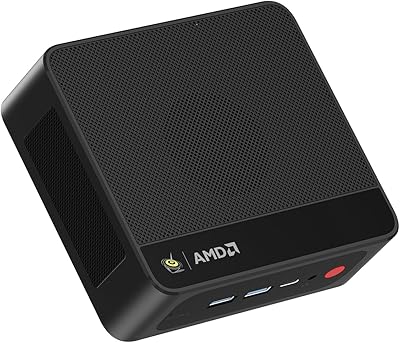
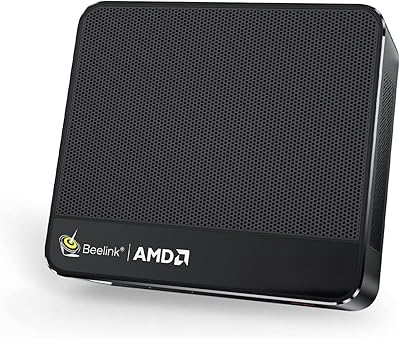
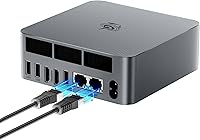
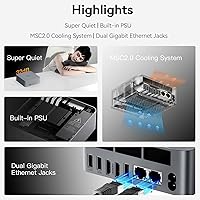
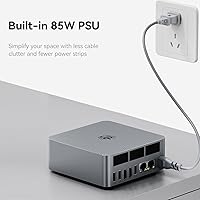
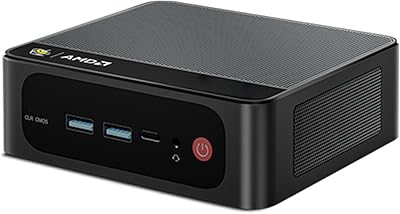
The Beelink EQR6 32GB 500GB Mini PC has been on the market since late 2022, and in a category crowded with underpowered options, it distinguishes itself with an AMD Ryzen 5 6600U — a real six-core, twelve-thread processor that competes on merit, not just spec sheet marketing. Beelink has been building mini PCs long enough to iron out the rough edges, and that experience shows in the details. This compact desktop skips the external power brick entirely, housing an 85W PSU internally, which cuts down on desk clutter noticeably. It is a strong everyday machine, though anyone hoping for serious gaming performance will need to look at a dedicated GPU system instead.

Features & Benefits

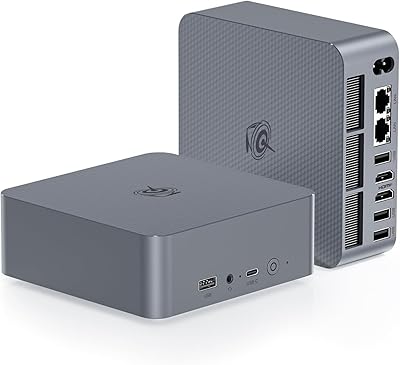
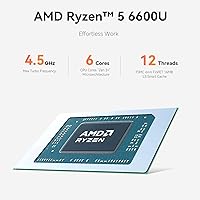
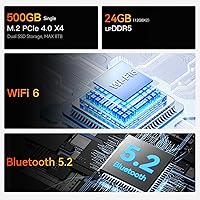
The EQR6 runs the Ryzen 5 6600U at a base of 2.9GHz, boosting up to 4.5GHz when tasks demand it, which in practice means smooth multitasking, snappy app launches, and no noticeable lag when juggling a full workday worth of open windows. The 32GB of LPDDR5 RAM is a genuine advantage — most users will never feel constrained by memory limits here. Storage is a fast Gen 4 NVMe drive and boot times reflect that. Dual HDMI ports push 4K resolution at 60Hz to two monitors simultaneously, a setup that suits split-screen productivity well. The Radeon 660M GPU handles video playback and light creative tasks but is not built for gaming. Connectivity covers WiFi 6, dual Gigabit Ethernet, Bluetooth 5.2, and a generous mix of USB ports.

Best For

This Beelink mini PC is well matched to home office workers who want to reclaim desk space without giving up processing headroom. It also works well as an HTPC solution — hook it up to a 4K television and it handles streaming apps, local media playback, and Plex without breaking a sweat. Remote workers and small business users running productivity suites, video conferencing, and cloud-based tools will find it more than adequate for daily use. Light content creators who do casual photo editing or basic video cuts on a budget will get usable results from the Radeon 660M, as long as expectations stay grounded. Students or anyone setting up a second workspace will also appreciate how little physical room this machine demands.

User Feedback

Owners of the EQR6 tend to come away satisfied overall, with the most consistent praise landing on quiet fan operation during routine tasks — the machine stays audibly unobtrusive through a normal workday. Fast boot times and the included Windows 11 Pro license also draw steady positive comments. On the less favorable side, a number of users report the unit runs warm during extended CPU-heavy workloads, and some describe performance dips under sustained stress. There is also a recurring mention of first-boot setup trouble when the machine connects to a network before Windows finishes its initial configuration — an avoidable issue, but one that catches buyers off guard. Value for money sentiment remains broadly positive compared to similarly specced alternatives at this tier.

Pros

  • The six-core, twelve-thread Ryzen 5 6600U delivers real multitasking headroom that budget mini PCs simply cannot match.
  • 32GB of LPDDR5 RAM means memory pressure is rarely, if ever, a bottleneck during everyday use.
  • A built-in 85W power supply eliminates the external brick, keeping cables and desk clutter to a minimum.
  • Dual HDMI outputs support two 4K monitors at 60Hz simultaneously, a setup that genuinely boosts productivity.
  • WiFi 6 and dual Gigabit Ethernet provide flexible, fast networking for both home and office environments.
  • Windows 11 Pro comes preinstalled and activated, saving the hassle and added cost of a separate license.
  • The Gen 4 NVMe SSD makes boot times and app launches feel noticeably snappier than older SATA-based systems.
  • At roughly 2 pounds and palm-sized, the EQR6 tucks behind a monitor or inside a media cabinet without fuss.
  • Fan noise stays impressively subdued during everyday workloads, making it a non-issue in shared or open-plan spaces.
  • Buyers consistently report strong value relative to similarly specced alternatives, making it a competitive option at this tier.

Cons

  • The integrated Radeon 660M GPU cannot run modern games at acceptable frame rates — this is not a gaming machine.
  • Sustained CPU-intensive workloads can trigger thermal throttling, reducing performance during long encoding or compilation sessions.
  • 500GB of storage fills up quickly if you work with large video files, raw photos, or local media libraries.
  • The first-time Windows setup requires specific steps — connecting to a network too early can cause configuration errors that confuse new owners.
  • Only one USB 2.0 port is included; users with several older peripherals will likely need a hub.
  • Display output is limited to two HDMI ports with no DisplayPort option, which reduces flexibility for users with existing monitor hardware.
  • The 1-year hardware warranty is shorter than what several competing brands offer at this price tier.
  • There is no Thunderbolt support, ruling out external GPU enclosures, Thunderbolt docks, or high-bandwidth peripheral chains.
  • The single combo audio jack handles headphones and a microphone, but it cannot adequately drive high-impedance headphones or studio monitors.

Ratings

Our scores for the Beelink EQR6 32GB 500GB Mini PC are generated by AI after analyzing thousands of verified buyer reviews from global markets, with spam, incentivized, and bot-driven feedback actively filtered out. The resulting ratings reflect both where this compact desktop genuinely excels and the friction points that real owners encounter — no cherry-picking, just an honest synthesis of what buyers consistently report. Whether you are deciding if it suits your home office or evaluating it as an HTPC, the scores below give you a transparent, data-grounded starting point.

CPU Performance
86%
The six-core Ryzen 5 6600U makes a noticeable difference over the Celeron or Pentium chips found in cheaper mini PCs. Home office users routinely report running full video calls, multiple browser sessions, and background syncing simultaneously without any slowdown — a level of responsiveness that makes the workday feel genuinely frictionless.
Under prolonged CPU-heavy tasks like batch video exports or large software compilations, the processor throttles back as thermals climb. Users who push the chip hard for extended periods will see performance dip below the headline boost clock, which can stretch out time-sensitive workflows in ways that frustrate productivity-focused buyers.
Value for Money
83%
For what amounts to a six-core Windows 11 Pro machine with 32GB of RAM and a fast NVMe drive, most buyers feel the price is fair — especially when the included OS license is factored in, which some competitors omit entirely. The spec-to-cost ratio consistently earns positive mentions across buyer feedback threads.
At this price point buyers are not getting the cheapest option in the mini PC category, and a small number feel the value proposition softens when accounting for the short 1-year warranty and the thermal limitations that surface under demanding use.
Thermal Management
62%
38%
During light to moderate workloads — everyday office tasks, media playback, casual browsing — the cooling system does its job without drama. The heat fin and heat pipe design keeps temperatures stable enough that the machine never feels worryingly hot during a standard working day.
Extended CPU-intensive sessions reveal the limits of the compact thermal design, with several users reporting temperature-triggered throttling that visibly reduces performance. The chassis can get noticeably warm to the touch under sustained load, which is a genuine concern for anyone planning to push the machine hard for hours at a time.
Setup Experience
58%
42%
Once past the initial configuration, the out-of-box Windows 11 Pro experience is clean and straightforward. Most users are fully operational in under fifteen minutes, and the preactivated license removes one of the most common post-purchase headaches associated with bare-bones mini PCs.
The first-time boot process has a well-documented pitfall: connecting to a network before Windows finishes its initial setup can trigger configuration errors or update loops that are frustrating to diagnose. This issue appears consistently enough in owner feedback that it is the kind of friction quality control should have eliminated by now.
Memory Capacity
91%
32GB of LPDDR5 RAM is a genuine differentiator at this tier — most demanding multi-app users will never hit a memory ceiling during everyday use. Creative professionals running Lightroom or keeping dozens of browser tabs open all day consistently cite the generous RAM as a key reason they chose this machine over similarly priced alternatives.
Because the memory is soldered and non-upgradeable, the 32GB ceiling is permanent — there is no path to 64GB if your needs grow over time. This is a trade-off inherent to the LPDDR5 platform on mini PCs of this size, but it is worth understanding clearly before you commit to the purchase.
Build Quality
77%
23%
The chassis feels solid for a machine at this size and price tier — no flex, no cheap-feeling panels, and a finish that sits above what you would expect from a budget compact desktop. The overall construction inspires enough confidence that this is a device built to handle several years of daily desk use.
The all-plastic exterior does not deliver the premium feel of metal-bodied alternatives, and a number of users note the casing accumulates fingerprints and minor scuffs more readily than they would like. For a machine that lives permanently on a desk, aesthetics do matter to a meaningful share of buyers.
Connectivity
88%
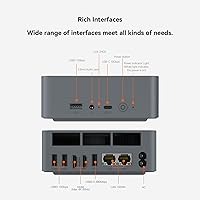
Dual Gigabit Ethernet is a standout feature that most mini PCs in this class skip entirely, proving genuinely useful for home server setups or environments running split wired-wireless networks. Three fast USB 3.2 ports, a 10Gbps USB-C, and WiFi 6 mean this compact desktop covers nearly every connection scenario a home office or small business user would face.
There is no Thunderbolt support, which rules out external GPU enclosures and high-bandwidth Thunderbolt docks for users who planned to expand the system down the line. The single USB 2.0 port also feels like a token inclusion — anyone with several legacy peripherals will likely reach for a hub within the first week.
Display Output
84%
Dual HDMI ports that each support 4K at 60Hz simultaneously is a practical feature that genuinely transforms a productivity workflow — running two full-resolution monitors side by side with no lag or resolution compromise is something buyers across home office and creative use cases consistently praise.
The absence of a DisplayPort output limits flexibility for users who have existing monitors with DP connections, requiring adapters that can introduce their own compatibility quirks. There is also no USB-C display output, which increasingly matters as monitors with USB-C connectivity become more common in home and office setups.
Noise Level
81%
19%
Under typical workloads, the single fan runs quietly enough that users working in bedrooms, shared offices, or living rooms rarely notice it. Multiple buyers specifically mention that the EQR6 is noticeably quieter than the desktop towers or aging laptops it replaced, which matters when others are in the same room.
During sustained CPU-heavy tasks, the fan spins up to a level that becomes distracting in otherwise quiet environments. It never reaches laptop-under-stress territory, but users who need near-silent operation during intensive work sessions may find it intrusive enough to be a genuine annoyance.
Storage Speed
87%
The PCIe Gen 4 NVMe SSD delivers the kind of boot times and application launch speeds that make switching from an older HDD-based or SATA SSD machine feel like a meaningful leap. Users frequently comment on how fast Windows loads and how snappily large files move between drives.
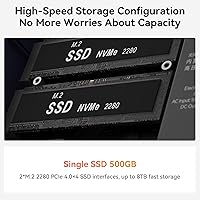
The 500GB capacity fills up faster than most buyers anticipate, particularly those who store local media libraries, raw photo archives, or game installations. While a second M.2 slot allows for expansion, the additional cost of a compatible Gen 4 drive is something buyers should plan and budget for upfront.
Wireless Performance
79%
21%
WiFi 6 delivers reliable throughput in busy network environments, and most users report stable connections for video calls, cloud sync, and streaming without meaningful drops. The dual-band support handles both congested 2.4GHz and faster 5GHz frequencies competently for a machine at this price point.
A subset of users have reported weaker-than-expected signal strength in larger homes or when the unit is positioned behind obstacles, suggesting the internal antenna placement is not optimized for challenging RF environments. For latency-sensitive or high-throughput use cases, the dual Ethernet ports are the more dependable option.
Software & OS
85%
Windows 11 Pro arriving preinstalled and fully activated is a meaningful inclusion — it removes the licensing cost and setup effort that buyers of bare-bones mini PCs have to absorb separately. The OS runs cleanly, with no intrusive bloatware reported by owners, which is more than can be said for some branded consumer alternatives.
Windows 11's occasional forced updates can feel intrusive for users who prefer a lower-maintenance setup, though this is a Microsoft issue rather than a Beelink one. A small number of owners have also flagged driver instability following major Windows Update cycles, requiring manual intervention to resolve.
Port Variety
82%
18%
The combination of three USB 3.2 Gen 2 ports, a 10Gbps USB-C, dual Gigabit Ethernet, dual HDMI, and a combo audio jack covers the practical needs of the vast majority of home office and productivity users without requiring an external dock. That breadth of connections on a machine this small is a genuine convenience.
Only one USB 2.0 port is available, which limits legacy peripheral support for users with older keyboards, mice, or other devices. The lack of a built-in card reader is also a minor but recurring complaint from photographers and content creators who regularly pull SD cards from cameras.
Power Efficiency
76%
24%
The built-in 85W PSU is a thoughtful design choice that removes the external brick entirely, resulting in a cleaner desk setup and one fewer cable to manage. At idle and during light tasks, the machine draws modest power compared to a traditional desktop, suiting always-on use cases like media servers well.
Under full load the 85W power draw is not especially frugal for a machine that markets itself partly on its compact, efficient form factor. Users replacing a low-wattage NUC or ARM-based mini PC and expecting similar energy bills may find the consumption noticeably higher during sustained workloads.
Warranty & Support
67%
33%
Beelink's lifetime technical support commitment means assistance is available well beyond the hardware warranty window, and users generally report responsive customer service when issues arise. The FCC, RoHS, and CE certifications also signal a manufacturer that takes product compliance and long-term reliability seriously.
The 1-year hardware warranty is shorter than the 2- to 3-year coverage that several competing brands offer at a similar price, which is a reasonable concern for a machine intended to serve as a primary desktop for years. Buyers who prioritize long-term peace of mind should weigh this gap carefully before deciding.

Suitable for:

The Beelink EQR6 32GB 500GB Mini PC is a strong fit for anyone who wants a genuinely capable Windows machine without dedicating half a desk to it. Home office workers running Microsoft 365, video calls, and a browser loaded with tabs will find the six-core Ryzen 5 6600U handles the daily grind without complaint, and 32GB of RAM means you can pile on the workload without things grinding to a halt. HTPC users will find it a reliable companion for a 4K television setup, handling Plex, streaming services, and local media playback without issue. Remote employees, students setting up secondary workstations, and small business owners who need a clean, quiet, low-maintenance desktop will all find this compact machine punches well above what its footprint suggests. If your workflow lives in productivity software and browser-based tools, this is a well-rounded option that does not ask you to make major compromises.

Not suitable for:

The Beelink EQR6 32GB 500GB Mini PC is not the right call if gaming sits anywhere near the top of your priority list — the Radeon 660M is an integrated GPU capable of light media and some older titles at modest settings, but it will not run modern games at meaningful frame rates. Serious content creators who regularly work with 4K video timelines, 3D rendering, or heavy visual effects pipelines will hit the GPU ceiling quickly and should look at a desktop with a discrete graphics card instead. The 500GB NVMe drive, while fast, fills up faster than most people expect when storing large media libraries or raw photo archives, so buyers with significant storage needs should budget for an expansion drive from the start. Users who frequently run sustained CPU-intensive jobs — batch encoding, large software compilations, or similar prolonged workloads — should be aware that some owners report thermal throttling under those conditions, which dents sustained throughput. Finally, this is not a plug-in-and-go machine on day one; the initial Windows setup requires following a specific sequence to avoid network-related configuration errors that can catch first-time owners off guard.

Specifications

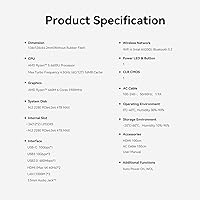
  • Processor: The AMD Ryzen 5 6600U features 6 cores and 12 threads with a base clock of 2.9GHz and a maximum boost of 4.5GHz, built on AMD's 6nm process node.
  • RAM: The system ships with 32GB of LPDDR5 memory in a dual-channel 2x16GB configuration that is soldered directly to the motherboard.
  • Storage: Primary storage is a 500GB M.2 NVMe SSD running on a PCIe Gen 4 interface, with a second M.2 slot available for capacity expansion.
  • GPU: Integrated AMD Radeon 660M graphics include 6 compute units clocked at 1900MHz and handle display output alongside light graphical workloads.
  • Display Output: Two HDMI ports support simultaneous output to two displays at up to 4K resolution and a 60Hz refresh rate.
  • Wireless: Built-in WiFi 6 (802.11ax) and Bluetooth 5.2 are included for wireless network and peripheral connectivity.
  • Wired Networking: Dual RJ-45 Gigabit Ethernet ports each support wired network connections at up to 1000Mbps bandwidth.
  • USB Ports: The unit provides three USB 3.2 Gen 2 ports at 10Gbps, one USB-C port at 10Gbps, and one USB 2.0 port at 480Mbps.
  • Audio: A single 3.5mm combo jack supporting both headphone output and microphone input is powered by a Realtek ALC897 codec.
  • Power Supply: An 85W power supply is integrated directly into the chassis, eliminating the need for an external power brick or adapter.
  • Operating System: Windows 11 Pro is preinstalled and activated, ready for use from the first boot without requiring a separate license purchase.
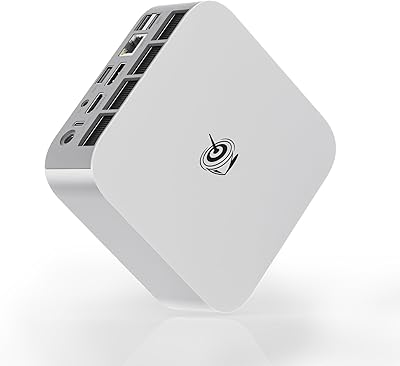
  • Dimensions: The chassis measures approximately 6.14 x 5.98 x 4.25 inches, making it small enough to mount behind a monitor or sit discreetly on a desk.
  • Weight: The unit weighs approximately 2.05 pounds without cables or peripherals attached.
  • Certifications: The unit carries FCC, RoHS, and CE certifications for use in North America and Europe.
  • Warranty: Beelink provides a 1-year hardware warranty alongside a lifetime technical support commitment for all registered owners.

Related Reviews
Beelink EQR6 6800H Mini PC
78%
88%
Processing Performance
84%
Value for Money
47%
RAM Flexibility
91%
Display & Output
61%
Gaming Capability
More
Beelink SER5 MAX (24GB / 500GB)
81%
91%
Everyday Performance
88%
RAM & Memory Headroom
74%
Storage Performance
93%
Multi-Monitor & Display Output
69%
Thermal Management
More
Beelink EQI13 Pro Mini PC
78%
91%
CPU Performance
83%
Value for Money
74%
Thermal Management
89%
RAM & Multitasking
88%
Port Selection
More
Beelink Mini S12 Pro (N100, 16GB, 500GB)
83%
83%
Everyday Performance
91%
Value for Money
76%
Build Quality & Design
84%
Thermal Management & Noise
88%
Connectivity & Ports
More
Beelink SER5 Pro (Ryzen 7 5825U, 16GB/500GB)
80%
88%
Everyday Performance
67%
Thermal Management
91%
Multi-Monitor Support
83%
Build Quality & Design
86%
Connectivity & Port Selection
More
Beelink EQI Mini PC i5-1235U 32GB RAM 1TB SSD
87%
88%
Performance
85%
Build Quality
92%
Value for Money
90%
Design/Size
81%
Thermals
More
Beelink SER9 Pro (32GB/1TB)
84%
93%
Processing Performance
91%
Multitasking & Responsiveness
84%
Build Quality & Design
67%
Thermal Management & Fan Noise
72%
Graphics & Display Output
More
Beelink SER5 Mini PC
79%
84%
Everyday Performance
81%
Multitasking Headroom
52%
Gaming Capability
83%
Value for Money
88%
Upgradeability
More
Beelink SER5 MAX 32GB 500GB Mini PC
81%
88%
Everyday Performance
63%
Thermal Management
93%
Display Output
79%
RAM & Memory Speed
84%
Storage Performance
More
Beelink EQI12 Mini PC (i3-1220P, 16GB/500GB)
81%
84%
Everyday Performance
89%
Boot & Load Speed
71%
Thermal Management & Cooling
86%
Display & Dual Monitor Support
82%
Build Quality & Design
More

FAQ

Yes, both HDMI ports are active simultaneously and each one supports 4K output at 60Hz. You do not need any adapter or splitter — just plug in two HDMI cables and both displays work independently. It is a genuinely useful setup for anyone who relies on side-by-side monitors for productivity.

Windows 11 Pro comes preinstalled and fully activated straight out of the box. You do not need to purchase anything extra. That is worth noting because some competing machines at this tier ship with Windows 11 Home or no operating system at all, so getting Pro included is a meaningful advantage.

There is a known quirk that catches some first-time owners off guard: do not connect to a network — wired or wireless — until Windows has fully finished its initial setup sequence. If you go online too early during the out-of-box experience, the machine can get stuck in an update loop or fail to configure correctly. Beelink flags this in their own documentation. Get through the first boot offline, reach the desktop, and then connect to your network. It is an easy step to miss but an even easier one to follow once you know about it.

Older titles, indie games, and less demanding releases will run at modest settings. The Radeon 660M is integrated graphics rather than a dedicated GPU, so do not expect it to handle modern AAA games at playable frame rates. If gaming is a priority for you, a machine with a discrete graphics card is going to serve you significantly better.

The RAM is LPDDR5 and soldered to the motherboard, so it cannot be upgraded — 32GB is what you have for the life of the machine. Storage is more flexible: there are dual M.2 slots, which means you can add a second NVMe drive without removing the existing one, giving you a straightforward path to more capacity if 500GB starts feeling tight.

During routine workloads like browsing, video calls, and office applications, the fan is quiet enough that most people would not notice it in a normal room environment. It does spin up more audibly under sustained heavy load, but that is true of virtually any active-cooled mini PC. For everyday tasks, noise is not a practical concern.

The Beelink EQR6 32GB 500GB Mini PC is actually one of the more capable options in this category for HTPC use. It handles 4K video playback, streaming services, and Plex media server duties reliably, and its compact size means it disappears neatly behind a television or inside a media cabinet. The dual HDMI outputs also give you the option of running a second display alongside your TV if your setup calls for it.

Yes, WiFi 6 (802.11ax) is built in, which performs better than WiFi 5 in environments with a lot of competing wireless devices and offers improved throughput in general. If you want the most stable connection possible — for network-attached storage access or latency-sensitive tasks — the dual Gigabit Ethernet ports are there to use instead.

Beelink typically includes the mini PC itself, a power cable, an HDMI cable, and a VESA mounting bracket so you can attach it to the back of a compatible monitor or television. A keyboard, mouse, and display are sold separately, so factor those costs in if you are building a complete setup from scratch.

It holds up well for most student workloads — research, writing, coding, light media editing, and video calls are all handled comfortably by the Ryzen 5 6600U, and Windows 11 Pro is already included. The small footprint is a bonus for dorm rooms or shared spaces. One practical tip: the 500GB drive fills up faster than people expect, so keeping a cloud storage subscription or an external drive handy is worth planning for from the start.

Where to Buy

Newegg.com
In stock $1,125.20