BAIHUAFRU Wireless Backlit Keyboard and Mouse Combo


Overview
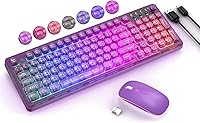
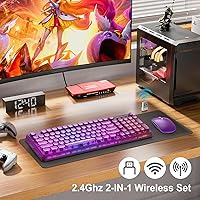
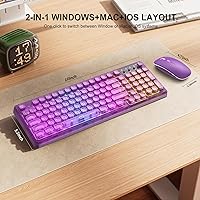
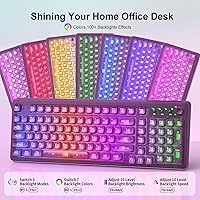
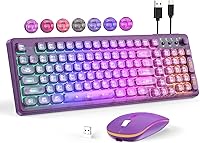
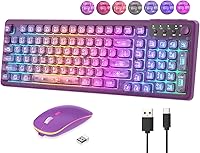
The BAIHUAFRU Wireless Backlit Keyboard and Mouse Combo is aimed squarely at people who want their desk to look good without a significant investment. The transparent ABS keycaps are genuinely eye-catching — light passes through them in a way that standard keyboards simply cannot match. Setup takes seconds: plug in the single USB dongle and both devices connect immediately, no drivers needed. Both charge via USB-C, so no hunting for disposable batteries. There is also a one-touch toggle between Mac and Windows layouts, which is a small but genuinely useful detail for anyone who works across both systems regularly.
Features & Benefits
The lighting system is more flexible than you might expect at this price. You get 15 different backlight effects, five brightness levels, and five animation speed settings — enough variety to match any mood or time of day. The transparent keycaps amplify the glow rather than muting it, giving the whole setup a more vivid look than opaque alternatives. There is a physical volume knob on the top right, which is far more convenient than fumbling with function keys. One honest caveat: with the backlight running at full brightness, expect roughly 17 hours per charge. Turn the lights off entirely and that figure jumps to over 600 hours.
Best For
This wireless combo is a strong pick for students or home office workers who want a more interesting desk without a major outlay. It suits first-time wireless buyers particularly well — the single-dongle setup removes any guesswork around pairing. The Mac/Windows toggle is a genuine plus for anyone who bounces between operating systems at home. Night owls will appreciate the backlit keys, and the set makes a thoughtful gift for teenagers or young adults who care about aesthetics. Just keep expectations grounded: this is designed for casual daily use, not intensive typing sessions or competitive gaming.
User Feedback
Across more than 500 ratings, this RGB keyboard and mouse holds a solid 4-star average, with most praise pointing to the lighting quality relative to the asking price. Buyers consistently note it looks better in person than expected. That said, a few recurring concerns are worth knowing upfront: the mouse RGB cannot be turned off at all, which some users find distracting in darker environments. Battery life with the lights running all day tends to fall short of expectations. Mac owners have also flagged that certain multimedia shortcuts do not function as advertised. Typing feel is adequate for everyday tasks but will not satisfy anyone who prefers a more tactile response.
Pros
- Transparent keycaps create a genuinely striking RGB effect that looks far more expensive than the price suggests.
- Single USB dongle connects both devices instantly — no software, no setup steps, no pairing headaches.
- USB-C charging on both devices means one cable type handles everything on your desk.
- Physical volume knob makes audio adjustments fast and intuitive without touching a keyboard shortcut.
- One-touch Mac/Windows toggle is a practical daily convenience for mixed-OS households.
- With backlighting off, keyboard battery life stretches to an exceptional 600 hours between charges.
- 15 backlight effects with adjustable brightness and speed offer more lighting control than most combos in this range.
- Anti-slip pads and foldable tilt legs keep the backlit keyboard set stable and comfortable during long sessions.
- Wireless range of up to 33 feet works reliably across a typical room without signal issues.
- At its price point, this RGB keyboard and mouse bundles features that competitors typically charge significantly more for.
Cons
- The mouse RGB light cannot be turned off, which is a fixed limitation with no settings workaround.
- Battery life drops to roughly 17 hours when the backlight runs at full brightness — daily charging becomes necessary.
- Key feedback feels shallow and slightly mushy, which frustrates users coming from mechanical keyboards.
- Several multimedia shortcut keys fail to register correctly on macOS, undermining the Mac compatibility claim.
- The mouse DPI maxes out at 1600, making precise work in design or editing software noticeably awkward.
- The single shared dongle means losing it disables both devices with no Bluetooth fallback available.
- Mouse shell feels noticeably lighter and less solid than the keyboard, creating an uneven build impression.
- Some units arrive with minor cosmetic scuffs on keycaps, suggesting packaging protection could be more robust.
- The included charging cable is short and thin, limiting where you can position the keyboard during charging.
Ratings
The BAIHUAFRU Wireless Backlit Keyboard and Mouse Combo has been evaluated by our AI rating system after analyzing hundreds of verified global user reviews, with spam, bot activity, and incentivized feedback actively filtered out. The scores below reflect what real buyers consistently praised and where they hit friction — nothing is softened to protect a rating. Both the genuine strengths and the honest shortcomings are factored into every number you see here.
Visual Design & Aesthetics
Lighting Customization
Wireless Connectivity & Range
Battery Life (Keyboard)
Battery Life (Mouse)
Typing Experience
Mouse Precision & Comfort
Mac Compatibility
Volume Knob Usability
Build Quality & Materials
Setup & Ease of Use
Value for Money
Packaging & Gift Presentation
Charging & Cable Inclusion
Suitable for:
The BAIHUAFRU Wireless Backlit Keyboard and Mouse Combo is a natural fit for students, remote workers, and anyone setting up a home workspace who wants something that looks noticeably better than a generic office peripheral without spending a lot. If you are making your first jump from a wired combo to a wireless one, the single-dongle plug-and-play setup removes all the usual friction — there is nothing to configure, no software to install, and no pairing process to fumble through. People who regularly switch between a Mac and a Windows machine will find the one-touch layout toggle genuinely useful rather than a gimmick. Night owls and low-light workers will get real value from the backlit transparent keys, which glow more vividly than standard backlit designs. It also makes a strong gift choice for teenagers or young adults who care about desk aesthetics, particularly given the polished retail packaging and the visual impact of the purple colorway.
Not suitable for:
Anyone who types heavily throughout the workday — writers, coders, data entry professionals — will likely find this wireless combo underwhelming in the feedback department, as the key travel and tactile response are designed for casual use rather than sustained, high-volume typing. The mouse tops out at 1600 DPI, which makes it a poor match for graphic designers, photo editors, or anyone who needs fine cursor control across a large or high-resolution display. Mac power users should be aware that several multimedia shortcut keys do not function correctly under macOS, which chips away at the convenience the layout toggle promises. The mouse RGB cannot be disabled under any circumstances, so if you share a sleeping space with someone or simply find persistent ambient light distracting, that is a fixed limitation with no workaround. Competitive or even casual gamers will also want to look elsewhere — this is an office and lifestyle peripheral, and it does not pretend to be anything more than that.
Specifications
- Connectivity: Both keyboard and mouse connect via a single 2.4GHz USB dongle with plug-and-play compatibility — no drivers or software installation required.
- Key Count: The keyboard features 99 keys with transparent ABS keycaps designed to diffuse RGB backlighting more vividly than standard opaque keycaps.
- Backlight Effects: 15 distinct lighting effects are available, with 5 adjustable brightness levels and 5 animation speed settings controllable directly from the keyboard.
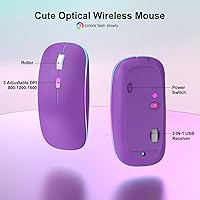
- Mouse DPI: The wireless mouse offers three selectable DPI levels — 800, 1200, and 1600 — switchable on the fly to suit different navigation needs.
- Keyboard Battery: The keyboard battery supports up to 600 hours of continuous use with backlighting off, or approximately 17.5 hours at maximum backlight brightness.
- Mouse Battery: The mouse provides up to 24 hours of continuous use per full charge under typical operating conditions.
- Charging Interface: Both the keyboard and mouse recharge via USB-C, with a USB-C cable included in the box.
- Auto-Sleep: The keyboard enters sleep mode after 5 minutes of inactivity, while the mouse sleeps after 10 minutes, both to conserve battery during idle periods.
- Wireless Range: The 2.4GHz signal maintains a stable connection at distances of up to 33 feet (10 meters) between the dongle and devices.
- OS Compatibility: The keyboard supports Windows, macOS, Linux, and Chrome OS, with a dedicated physical toggle to switch between Mac and Windows key layouts.
- Volume Knob: A physical volume knob on the keyboard allows quick audio level adjustments by rotation, with a press-down function to mute or unmute audio output.
- Indicator Lights: Four LED indicator lights on the keyboard surface display real-time status for caps lock, num lock, scroll lock, and wireless connectivity.
- Tilt & Stability: The keyboard includes two foldable rear tilt legs and four anti-slip rubber pads on the underside for stable, ergonomically angled positioning.
- Package Dimensions: The full retail package measures 17.01 x 8.7 x 1.85 inches and weighs 2.35 pounds including both devices, dongle, and cable.
- Mouse RGB: The mouse features an automatic 7-color cycling RGB light that cannot be manually turned off or adjusted independently of device power.
- Key Layout: The 99-key layout includes 12 multimedia shortcut keys accessible via the Fn key combination, covering media playback, volume, and web navigation functions.
- Material: The keyboard housing and keycaps are constructed from ABS plastic, with the transparent keycap design achieved through a specialized ABS molding process.
- Receiver Type: One 2-in-1 USB-A nano receiver connects both the keyboard and mouse simultaneously, eliminating the need for two separate USB ports.
Related Reviews
POWZAN RF425-Backlit Wireless Keyboard Mouse Combo
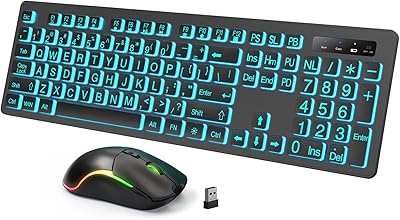
Luzarriba Large Print Backlit Wireless Keyboard and Mouse Combo

Arteck HW192 Wireless Keyboard and Mouse Combo
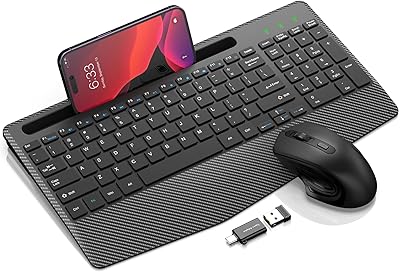
Hayyiesh KG659-01 Wireless Keyboard and Mouse Combo
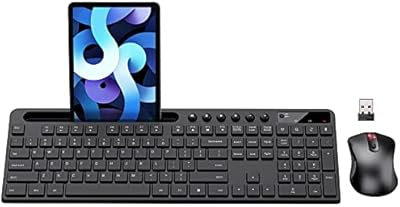
MARVO Wireless Keyboard and Mouse Combo
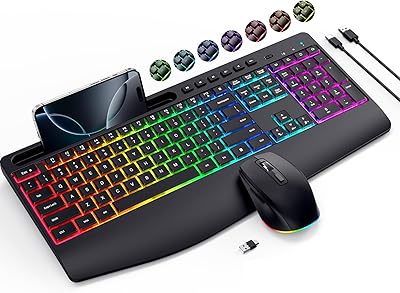
VEILZOR UK418 Wireless Keyboard and Mouse Combo
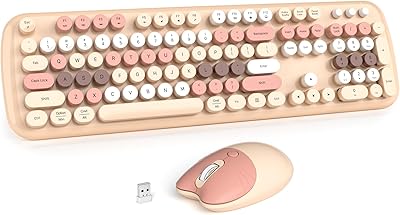
MOWUX Wireless Keyboard and Mouse Combo
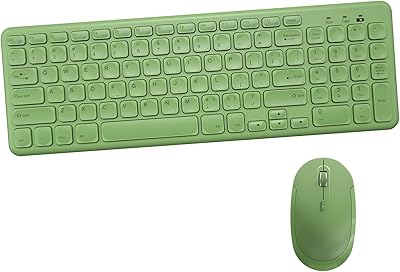
Arcwares Wireless Keyboard and Mouse Combo
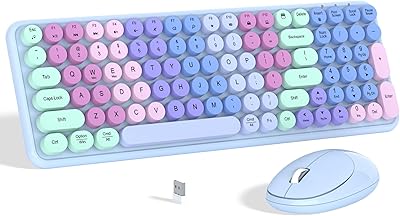
Links9+ Rainbow Wireless Keyboard Mouse Combo
