Overview

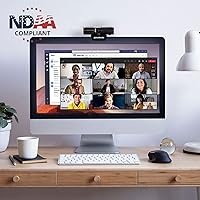
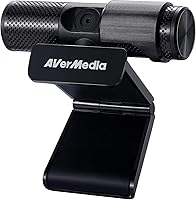
The AVerMedia Live Streamer Cam 313 (PW313) is a plug-and-play webcam from a brand with real credibility in the streaming hardware space — not a white-label knockoff, but a purpose-built camera from a company that knows content creators. Launched in 2019, it delivers 1080p at 30fps, which was competitive at launch and still holds up for most everyday use. It won't outpace newer 60fps rivals, but for video calls and casual streaming it does the job without fuss. One genuinely notable credential: it's NDAA compliant, meaning it meets federal procurement standards — a meaningful distinction for government agencies, schools, and regulated workplaces.
Features & Benefits

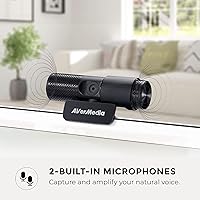
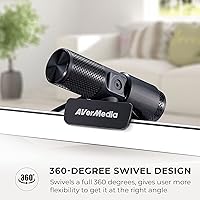
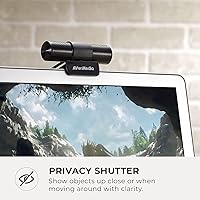
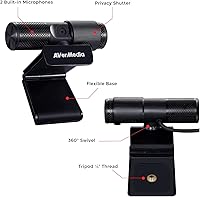
The PW313 covers the practical bases well. Video at 1080p30 looks clean and detailed enough for Zoom meetings, Teams calls, or a casual Twitch stream — faces appear sharp and lighting holds reasonably in well-lit rooms. The 360-degree swivel base is a genuinely useful touch; you can angle the camera without wrestling with your entire monitor setup. The physical privacy shutter — an actual sliding cover over the lens — offers real peace of mind that no software toggle can match. Built-in dual microphones handle voice pickup adequately, though don't expect podcast-level richness. The optional AVerMedia software adds AI facial tracking and filters, but the camera works fine without installing anything.

Best For

This AVerMedia webcam fits a fairly specific sweet spot. Remote workers and students who need a dependable daily driver for video calls will find it more than capable. It's also a solid entry point for beginner streamers who want something from a recognized brand without committing to a higher price tier. In regulated settings — government offices, public schools, higher education — NDAA compliance alone can make this the sensible choice on a shortlist. For anyone running a clean, minimal desk setup, having a built-in mic means one fewer cable to manage. If you're still on your laptop's built-in camera, the jump in image quality will feel immediate.

User Feedback

Buyers who picked up this streaming cam tend to agree on a few things: setup is quick, and picture quality surprises people who've been stuck on an aging laptop camera. The privacy shutter draws consistent praise — it's a simple feature, but people genuinely appreciate a physical cover over software-only alternatives. On the critical side, the 30fps ceiling comes up regularly among users who later compared it to 60fps competitors, and the microphone audio, while usable, gets described as flat or thin. A handful of users reported inconsistencies with the AI effects software on certain systems. Build quality reads as lightweight — perfectly fine for a desk, but not particularly rugged.

Pros

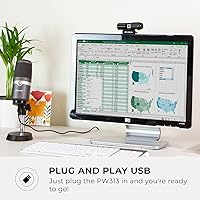
  • Truly plug-and-play — no drivers, no software installation required to get a clean 1080p feed.
  • The physical privacy shutter is a real mechanical cover, not a software toggle anyone can accidentally override.
  • NDAA compliance makes this AVerMedia webcam a rare viable option for government and institutional procurement lists.
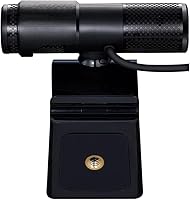
  • The 360-degree swivel base adds genuine positioning flexibility without touching your monitor or desk layout.
  • Lightweight enough that even lighter monitor bezels handle the clip mount without strain.
  • Works reliably across Windows, macOS, and most Linux systems without compatibility headaches.
  • Tripod mount support opens up desk and shelf positioning beyond the standard monitor clip.
  • Image quality is a clear and noticeable step up from the average built-in laptop camera.
  • AVerMedia is a credible streaming brand — this is not an anonymous import with no support behind it.
  • The optional AI effects software adds fun filters without forcing users to install anything they do not want.

Cons

  • The 30fps cap is increasingly hard to justify when competing cameras at similar prices now offer 60fps.
  • Built-in microphone audio is flat and mono — not suitable for streaming or recording without a separate mic.
  • Low-light performance is weak; poor room lighting will quickly expose the sensor's limitations.
  • The all-plastic build feels lightweight in a way that inspires little confidence over long-term daily use.
  • AI effects software has been reported as unstable on certain Windows builds and unsupported on Linux entirely.
  • The fixed focus lens cannot be adjusted, which creates real problems for non-standard desk distances or angles.
  • The USB-A cable is hardwired — a damaged cable means replacing the entire unit, not just a cord.
  • USB-C-only laptop users will need a separate adapter that is not included in the box.
  • The swivel joint has no tension adjustment, so the angle can drift if the USB cable pulls on the base.
  • First launched in 2019, the PW313 is showing its age against a webcam market that has moved on significantly.

Ratings

The AVerMedia Live Streamer Cam 313 (PW313) has been put through its paces by buyers across home offices, college dorms, government desks, and beginner streaming setups worldwide. Our AI-generated scores are drawn from verified purchase reviews globally, with spam, bot activity, and incentivized feedback actively filtered out. The result is an honest, balanced picture — real strengths and genuine frustrations included.
Video Quality
74%
26%
For daily video calls and casual streaming, the 1080p output looks clean and detailed enough to make a strong impression on screen. Users upgrading from built-in laptop cameras consistently report a noticeable improvement in sharpness and color accuracy under decent lighting.
The 30fps cap is where this camera starts to show its age — motion during fast-paced streams or screen-sharing can look slightly choppy compared to newer 60fps competitors at a similar price. Low-light performance is serviceable but not impressive.
Ease of Setup
91%
Plug it in and it works — no driver downloads, no software hoops to jump through. Users across Windows and Mac report being fully operational within a minute, which makes it a reliable pick for people who just need a camera that works without a technical headache.
A small number of users encountered compatibility hiccups on older operating systems or specific USB hub configurations. These cases appear to be edge situations, but they do come up often enough to be worth noting if your setup is non-standard.
Privacy Shutter
88%
The physical sliding cover over the lens is one of the most consistently praised features among buyers. Remote workers and parents especially appreciate having a tangible, mechanical layer of privacy that no software glitch or accidental setting can override.
The shutter mechanism feels lightweight and slightly flimsy on some units — a few users mentioned it felt loose after several months of regular use. It functions fine, but it does not inspire the same confidence as a more robust, spring-loaded design would.
Microphone Quality
58%
42%
The dual built-in mics handle basic voice pickup well enough for a video call where the goal is simply being heard clearly. For remote workers who do not want to add a USB mic to their desk, it covers the minimum requirement without complaint.
Anyone expecting rich, broadcast-style audio will be disappointed quickly. The output is mono, the pickup range is modest, and background noise handling is weak. Serious streamers and podcasters will want a dedicated microphone from day one — this is not a replacement for one.
Build Quality
61%
39%
The PW313 is lightweight at under two ounces, which makes it easy to position and reposition without stressing your monitor's bezel clip. For a stationary desk camera that rarely gets moved, it holds its shape and stays in place without issue.
The all-plastic construction feels budget-tier in hand, and users who travel or frequently pack up their setup have noted that the clip and swivel joint feel vulnerable to wear. It is fine for a permanent desk setup but not built for a nomadic workflow.
360-Degree Swivel
79%
21%
The rotating base is a practical feature that lets users angle the camera toward a secondary monitor or adjust for an unconventional desk layout without moving anything else. It adds real flexibility for shared workspaces or multi-screen setups.
The swivel action feels slightly stiff on some units and slightly too loose on others — there is no adjustable tension. Users who want a precise, locked angle sometimes find it drifts over time, especially if the USB cable applies any sideways tension.
Software & AI Features
55%
45%
The optional AVerMedia software adds facial tracking and a handful of camera effects that are a fun bonus for streamers who want light customization without a third-party app. When it works, users find it responsive and easy to toggle on or off.
Reported software instability is a recurring theme — particularly on certain Windows builds and macOS versions where the AI effects either fail to launch or cause the camera feed to stutter. Since the software is optional, most users simply skip it, but it undermines the feature's value proposition.
Fixed Focus Performance
69%
31%
For a standard seated desk position, the fixed focus lens stays sharp without the hunting or pulsing that autofocus cameras sometimes exhibit during calls. Users who sit at a consistent distance from their monitor tend to have zero complaints about focus.
Fixed focus becomes a liability when the camera is used in non-standard ways — closer to the face, angled upward from a lower position, or in a room where the user moves around. There is no way to adjust, so if the focal zone does not suit your setup, you are stuck.
Value for Money
72%
28%
At its price point, this AVerMedia webcam offers a credible brand name, a physical privacy shutter, and functional 1080p video in a single package — a combination that undercuts many lesser-known alternatives. For buyers who prioritize trust and reliability over raw specs, it lands reasonably well.
The webcam market has moved quickly since 2019, and several newer competitors now offer autofocus and 60fps at comparable prices. Buyers who do a side-by-side comparison before purchasing sometimes feel the PW313 is slightly behind the curve for what you get per dollar today.
NDAA Compliance
83%
For buyers in government agencies, public schools, or federally funded institutions, NDAA compliance is a genuine procurement requirement — not a marketing gimmick. This streaming cam is one of relatively few options at this price that clears that bar, making it a go-to on approved vendor lists.
For the majority of everyday consumers, NDAA compliance carries no practical benefit, meaning they are partly paying for a certification that does not affect their experience at all. It narrows the value proposition for buyers outside regulated environments.
Tripod Compatibility
76%
24%
The standard tripod mount opens up positioning options beyond the monitor clip — users have placed it on a bookshelf, a standing desk riser, or a dedicated camera stand for a more flattering angle. It is a small addition that adds meaningful flexibility.
The tripod thread is functional but not reinforced, and heavier tripod heads can stress the plastic housing over time. A few users also noted that the swivel base can interfere with certain tripod plate designs, requiring some trial and error to get a stable fit.
Compatibility & OS Support
81%
19%
Being a true plug-and-play device, the PW313 works across Windows, macOS, and most Linux distributions without any additional setup. It also plays well with popular platforms like Zoom, Google Meet, OBS, and Streamlabs right out of the box.
Chrome OS support has been inconsistent for some users, and the companion software does not officially support Linux — meaning AI features are effectively unavailable on that platform. For core camera use this is a minor issue, but it is worth flagging for users on non-standard systems.
Low-Light Performance
52%
48%
In a properly lit environment — even just a desk lamp pointed at the face — the image holds up well and colors look accurate. Users who control their lighting setup report consistent, predictable results without much tinkering.
Without adequate lighting, the image degrades noticeably: colors wash out, grain appears, and the fixed focus can struggle. There is no hardware or software light correction of note, so this camera really does rely on the user to bring good lighting to the equation.
Cable & Connectivity
77%
23%
The USB-A connection is universally compatible with virtually any desktop or laptop, and the cable length is adequate for most standard desk arrangements. There are no dongles, adapters, or proprietary connectors to worry about.
Users with newer laptops that have only USB-C ports will need an adapter — something the package does not include. The cable is also not detachable, so if it frays or gets damaged, the entire unit needs replacing rather than just swapping a cable.

Suitable for:

The AVerMedia Live Streamer Cam 313 (PW313) is a strong fit for anyone who needs a dependable, no-drama webcam without a steep learning curve or a steep price. Remote workers and students will appreciate how quickly it gets them camera-ready — plug it in, open your meeting app, and you are on. Beginner streamers who want a recognizable brand name behind their first dedicated webcam will find it a reassuring starting point, especially compared to anonymous budget alternatives. In regulated environments like government offices or public schools, its NDAA compliance — a federal procurement certification ensuring the hardware meets national security standards — can make it the only practical choice on an approved equipment list. Minimalist desk setups also benefit from the built-in microphones, which reduce cable clutter even if they are not audiophile-grade. And for anyone still relying on a laptop's built-in camera, the jump to 1080p video with a physical privacy shutter will feel like a meaningful upgrade.
Not suitable for:

The AVerMedia Live Streamer Cam 313 (PW313) is not the right call for buyers who have outgrown the basics or who are comparing it against a more current field of competitors. Content creators who stream fast-paced games or run motion-heavy video will quickly feel the ceiling of 30fps — newer cameras at comparable prices now offer 60fps, and the difference is visible. Anyone serious about audio quality should know upfront that the built-in microphones are a convenience feature, not a recording solution; a USB condenser mic is a near-essential companion for professional-sounding streams or podcasts. Users who work in dim rooms or rely on low-light performance will also find this streaming cam frustrating, as it has no hardware compensation and depends heavily on the user providing adequate lighting. If autofocus is important — for a setup where you move around, lean in, or shift positions during calls — the fixed focus lens is a genuine limitation with no workaround. Finally, buyers on USB-C-only laptops should factor in the cost and inconvenience of an adapter, as the cable is hardwired and non-removable.
Specifications

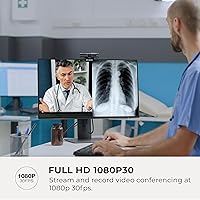
  • Video Resolution: Records and streams at 1080p (1920x1080) at up to 30 frames per second.
  • Focus Method: Uses a fixed focus lens, optimized for standard seated desk distances without any motorized autofocus.
  • Microphone: Dual built-in microphones output mono audio using PCM format, suitable for voice pickup during calls and streams.
  • Privacy Shutter: A physical sliding lens cover is built directly into the camera housing, blocking the lens mechanically when not in use.
  • Swivel Range: The rotating base supports 360-degree horizontal swivel, allowing flexible angle adjustment without repositioning the mount.
  • Connection: Connects via a hardwired USB-A cable and operates as a plug-and-play device requiring no driver installation.
  • Tripod Mount: Includes a standard tripod thread on the base, compatible with most consumer tripods and camera mounts.
  • Weight: The unit weighs approximately 1.76 ounces, making it light enough for monitor bezel clips without added strain.
  • NDAA Compliance: Certified as compliant with the National Defense Authorization Act, meeting federal hardware procurement standards for U.S. government use.
  • AI Features: Optional AVerMedia companion software enables AI-powered facial tracking and real-time camera effects when installed on compatible systems.
  • Color: Available in matte black, designed to blend into most monitor and desk setups without drawing attention.
  • Model Number: Official model designation is PW313, sold under the AVerMedia Live Streamer CAM product line.
  • Brand: Manufactured by AVerMedia, a Taiwan-based company with an established presence in streaming capture and video hardware.
  • OS Compatibility: Compatible with Windows, macOS, and most Linux distributions as a standard UVC (USB Video Class) device.
  • Software Requirement: The camera functions fully without any software; the AVerMedia companion app is optional and required only for AI effects.
  • Video Format: Outputs video in MP4 format when used with compatible recording software or the AVerMedia application.
  • Audio Format: Captures audio in PCM (Pulse Code Modulation) format, which is broadly compatible with video conferencing and streaming platforms.
  • Aperture: The lens operates at an aperture of f/2, allowing a moderate amount of light in standard desk environments.
  • Mount Type: Ships with a monitor clip mount designed to sit on top of flat-panel displays with standard bezel thickness.
  • Release Date: First made available in July 2019, making it one of AVerMedia's longer-running webcam models still in active distribution.

Related Reviews
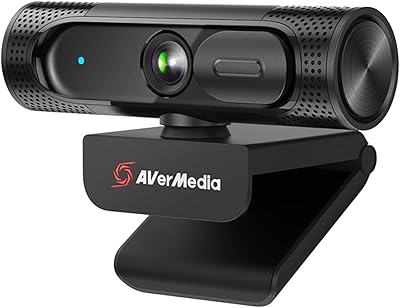
AVerMedia Live Streamer CAM 315
76%
83%
Video Quality
88%
Field of View
51%
Focus Performance
62%
Built-in Microphone
91%
Privacy Shutter
More
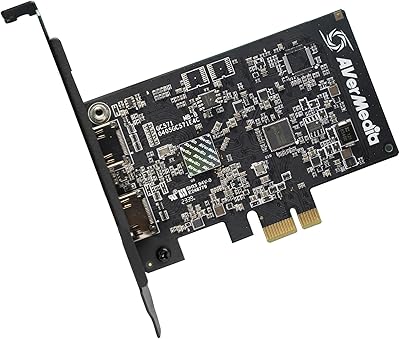
AVerMedia Live Streamer ULTRA HD GC571
88%
93%
Ease of Installation
91%
Pass-Through Visuals
94%
VRR Implementation
78%
Capture Performance
96%
System Latency
More
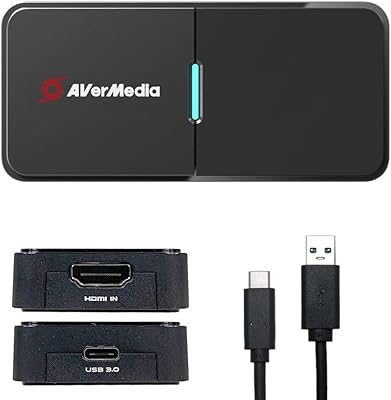
AVerMedia BU113 Live Streamer Cap 4K
87%
94%
Video Fidelity
91%
Build Quality
87%
Plug-and-Play Stability
92%
Latency Performance
78%
Software Utility
More
Garmin Dash Cam Live
83%
89%
Real-Time Streaming Quality
91%
Video Quality (Day and Night)
77%
Ease of Setup
85%
Voice Control Functionality
80%
Parking Mode Effectiveness
More
AVerMedia Live Gamer Bolt GC555
82%
91%
Video Quality
88%
Latency
75%
Compatibility with Devices
87%
Ease of Setup
89%
Streaming Software Compatibility
More
AVerMedia Live Gamer 4K GC573
85%
93%
4K Video Fidelity
91%
High Frame Rate Support
88%
System Latency
86%
Build & Form Factor
72%
Setup & Installation
More
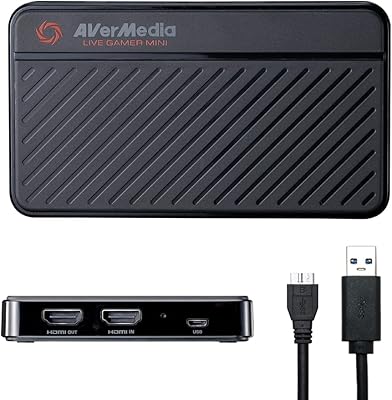
AVerMedia Live Gamer Mini GC311
84%
91%
Video Quality (1080p60)
94%
Ease of Setup
89%
Portability/Size
90%
Latency (Pass-Through)
85%
Compatibility (Consoles & PCs)
More
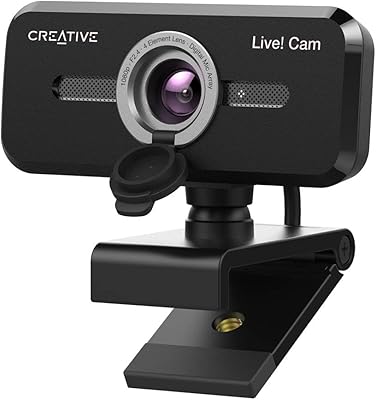
Creative Live! Cam Sync 1080p V2
79%
78%
Video Quality
74%
Microphone Performance
94%
Ease of Setup
61%
SmartComms Kit Features
52%
Low-Light Performance
More
AVerMedia Live Gamer Ultra S (GC553Pro)
86%
91%
Capture Quality
94%
Ease of Setup
89%
Low Latency Performance
88%
Compatibility with Platforms
85%
Build Quality
More
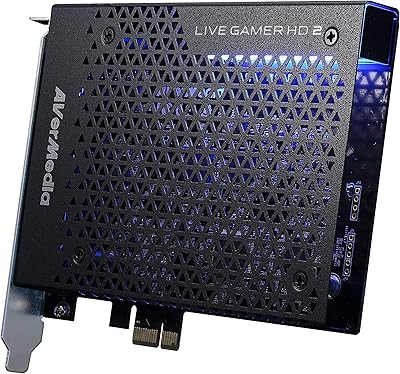
AVerMedia Live Gamer HD 2 GC570
84%
91%
Video Capture Quality
93%
Latency
89%
Ease of Setup
75%
Software Compatibility
82%
Audio Input Flexibility
More

FAQ

No, you do not. The PW313 is a true plug-and-play device — your computer recognizes it automatically as a standard USB camera. You can open Zoom, Google Meet, OBS, or any other app and select it immediately. The AVerMedia software is completely optional and only needed if you want the AI facial tracking and effects features.

For casual video calls and the occasional stream, the built-in mics are functional — your voice will come through clearly enough to be understood. That said, if audio quality matters to you at all, a separate USB microphone is worth the investment. The built-in pickup is mono, has limited background noise rejection, and does not produce the kind of warm, full sound that streaming audiences tend to expect.

NDAA compliance means the camera meets federal procurement rules set by the U.S. National Defense Authorization Act, which restricts the use of hardware from certain foreign manufacturers in government settings. In practical terms, it means federal agencies, public schools, and other government-funded institutions can purchase and deploy this camera without violating acquisition regulations. If you are a regular consumer, it simply signals that the hardware has cleared a credible security review — though it has no direct impact on your day-to-day use.

It works on both without any setup. macOS recognizes this AVerMedia webcam as a standard USB camera the moment you plug it in. The one thing to note is that the AI effects companion software is primarily designed for Windows, so Mac users will not have access to those features — but the core camera and microphone work perfectly fine on any modern Mac.

The cable is USB-A, so you will need a USB-A to USB-C adapter or a USB hub with a USB-A port. This adapter is not included in the box, so factor that in. Once connected through an adapter, the camera functions normally — it is just an extra step that newer-laptop users should plan for.

It is completely physical. There is a sliding cover built into the camera housing that you push manually to block the lens. When it is closed, the lens is covered with an opaque panel — no software, no settings, no risk of it being toggled remotely. Many users specifically choose this streaming cam for that reason, since a physical cover offers a level of certainty that software privacy modes simply cannot match.

Yes, it works with both out of the box. OBS and Streamlabs both detect it automatically as a video capture device. You can add it as a video source in seconds and start streaming or recording in 1080p without any additional configuration. The AI effects software is separate from OBS integration and is not required.

The lens is fixed focus, meaning it is set at the factory for a standard seated distance from a desk or monitor — roughly 50 to 80 centimeters. It does not hunt or adjust the way an autofocus camera would, which actually works in its favor during stable, stationary video calls. If you plan to position it very close to your face or use it at unusual angles, you may find the fixed focal point does not suit your setup.

Honestly, it struggles. The camera has no built-in light correction or low-light boost, and the image gets noticeably grainy and washed out in dim environments. This is a consistent pain point mentioned by buyers. If your workspace does not have a good desk lamp or window light pointed toward your face, you will want to add a ring light or LED panel to get a clean image — the camera really does need you to bring adequate lighting to the table.

It is all plastic, and it does feel lightweight in hand — that is the honest answer. For a permanently mounted desk camera that you set once and leave, it holds up well and stays in position without issue. If you travel frequently, pack and unpack it often, or put mechanical stress on the clip or swivel joint, you may find the construction less reassuring over time. It is built for stationary desk life, not a mobile kit.