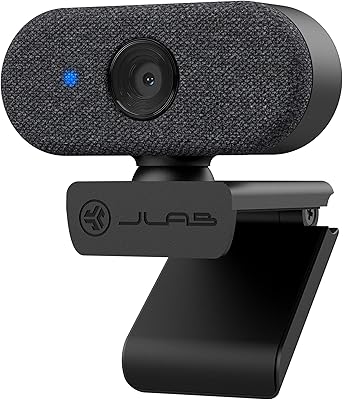
Overview
The Creative Live! Cam Sync 1080p V2 is Creative's second take on a budget-friendly 1080p webcam, and the improvements over the original are genuinely worth noting. Creative has been building PC peripherals for decades, so there's real pedigree here — not just a generic camera with a logo slapped on. It's compact, plug-and-play straight out of the box, and bundles in a SmartComms Kit software suite that adds smart communication features for Windows 10 users. The included privacy lens cap and universal tripod mount are small but practical touches that quietly punch above the price tier.
Features & Benefits
At its core, this webcam delivers 1080p video at 30fps with a 77° wide-angle lens — wide enough to fit two people in frame without needing to push the camera back awkwardly. The dual built-in microphones are a real step up from the first generation; voices come through clearly at a normal speaking volume, though they are not a substitute for a dedicated external mic. On Windows 10, the Creative app unlocks VoiceDetect, which automatically unmutes you when you start speaking — genuinely handy during long meetings. The 1.8m cable is noticeably longer than before, and UVC compliance means it just works, no driver hunting required.
Best For
This webcam makes the most sense for remote workers and students who need a meaningful upgrade from a laptop's built-in camera without spending a lot. If you're joining daily video calls on Zoom or Teams and your current setup makes you look like a pixelated ghost, the Cam Sync V2 is a sensible fix. It also works well for small home offices where the wide field of view helps capture a fuller background. One real caveat: Mac users won't have access to the SmartComms software features at all, so if those smart audio tools are your main draw, Windows 10 is required.
User Feedback
With a 4.3-star rating across over a thousand reviews, Creative's budget webcam earns its score with a few genuine standouts. Most buyers highlight easy, instant setup — plug it in and it works — and several who owned the original note that the microphone improvement is real and clearly audible. On the flip side, the lack of autofocus comes up regularly, and users in dim or poorly lit rooms frequently report that image quality drops off noticeably. Some also mention mild edge distortion from the wide-angle lens. Not a deal-breaker for most, but worth knowing before committing.
Pros
- Instant plug-and-play setup — no drivers, no software required to get started
- 1080p video at 30fps looks sharp and well-balanced in a normally lit room
- Dual microphones pick up voice clearly at a relaxed speaking volume
- Physical privacy lens cap offers genuine peace of mind, not just a software toggle
- 77° wide-angle lens easily fits two people or a full desk background in frame
- 1.8m cable gives real flexibility for routing around a cluttered workspace
- Works natively with Zoom, Teams, Google Meet, Webex, and virtually every major platform
- VoiceDetect auto-unmute is a practical timesaver for Windows 10 users in busy meetings
- Compact and light enough to toss in a bag for coworking or travel days
- Strong value for the price tier — hard to match this feature set at this cost
Cons
- SmartComms Kit is Windows 10 only — Mac users and Windows 11 users lose access entirely
- Low-light image quality degrades noticeably, introducing grain and soft focus in dim rooms
- No autofocus means close-up or slightly off-center shots can look blurry
- USB-A only cable requires an adapter on modern laptops with no USB-A ports
- Mild barrel distortion is visible at the edges of the wide-angle frame
- No hardware mute button — muting requires going through your conferencing app
- Audio, while improved, will disappoint anyone with higher production quality expectations
- The mounting clip can feel less secure on curved or very thin-bezel monitors
Ratings
The Creative Live! Cam Sync 1080p V2 earns a well-deserved place among the top budget webcams on the market, and the scores below reflect exactly that — strengths and shortcomings alike. Our AI has analyzed thousands of verified global purchases, actively filtering out incentivized, bot-generated, and outlier reviews to surface what real everyday users consistently report. The result is an honest picture: strong value and genuine usability improvements, with a few real limitations that buyers should weigh before purchasing.
Video Quality
Microphone Performance
Ease of Setup
SmartComms Kit Features
Low-Light Performance
Build Quality
Wide-Angle Lens
Cable Length & Connectivity
Privacy Cover
Compatibility
Tripod Mount & Placement Flexibility
Value for Money
Compact Design
Suitable for:
The Creative Live! Cam Sync 1080p V2 is a strong fit for remote workers, hybrid employees, and students who spend several hours a week on video calls and want a meaningful upgrade from their laptop's built-in camera without a significant outlay. If your daily routine involves back-to-back Zoom or Teams meetings and you are tired of looking washed out or pixelated on screen, this webcam delivers a noticeable improvement in both video clarity and audio quality at a price that is easy to justify. It is especially well-suited to Windows 10 users who want to take advantage of the SmartComms Kit features — the auto-unmute function alone is a genuine time-saver during busy meeting days. Small home offices or shared desks benefit from the 77° wide-angle lens, which captures more of the room without needing to reposition the camera constantly. Anyone who values privacy and hates fussing with software toggles will appreciate the physical lens cap, and the plug-and-play setup makes it a realistic option even for users who are not particularly tech-savvy.
Not suitable for:
Buyers who work primarily on a Mac or on Windows 11 should go in with clear expectations: the hardware works fine cross-platform, but the SmartComms Kit software features — including noise suppression and auto-unmute — are locked to the Windows 10 Creative app, meaning a significant part of the value proposition simply will not be available to them. The Creative Live! Cam Sync 1080p V2 is also not the right choice for anyone who needs to record in a dimly lit room, as low-light performance is one of its most frequently cited weaknesses, and no amount of software adjustment fully compensates for it. Content creators, streamers, or anyone who needs autofocus for close-up work will quickly find its fixed-focus lens a frustrating limitation. If pristine audio is a priority — for podcasting, voiceover work, or any kind of recording outside of casual calls — the built-in microphones, while improved, are not a substitute for a dedicated microphone. Users on newer ultrabooks with only USB-C ports will also need to factor in the cost and inconvenience of an adapter, since the cable is USB-A only.
Specifications
- Resolution: Captures video at Full HD 1080p (1920×1080) at 30 frames per second for smooth, clear video calls.
- Sensor: Uses a CMOS image sensor with a 2-megapixel effective resolution for standard video conferencing use.
- Field of View: Features a 77° wide-angle lens that captures a broad frame with minimal optical distortion at the edges.
- Aperture: Fixed aperture of f/2.8 allows a moderate amount of light into the sensor under normal indoor conditions.
- Focus: Fixed-focus lens with no autofocus capability; optimized for standard desk-to-monitor distances.
- Microphones: Dual built-in microphones with improved pickup accuracy over the previous generation for clearer voice reproduction during calls.
- Dimensions: Measures 83 × 58 × 60 mm (3.26 × 2.28 × 2.36 inches), making it notably compact relative to competing models.
- Weight: Weighs 3.52 oz (approximately 100g), light enough to mount on a laptop screen without stressing the hinge.
- Cable Length: Comes with a fixed, non-detachable USB-A cable measuring 1.8m (5.9ft) end-to-end.
- Connectivity: USB-A interface with UVC (USB Video Class) compliance, requiring no additional driver installation on supported platforms.
- Platform Support: Compatible with Windows PC and macOS for core camera functionality; SmartComms Kit software requires Windows 10.
- Rotation & Tilt: Supports 360° horizontal rotation and up to 30° vertical tilt for flexible positioning on a monitor or tripod.
- Privacy Cover: Integrated sliding lens cap physically blocks the camera sensor when closed and protects the lens from dust accumulation.
- Tripod Mount: Includes a universal mounting clip compatible with standard tripod threads for placement beyond monitor tops.
- SmartComms Kit: Optional software suite for Windows 10 includes VoiceDetect auto-unmute and NoiseClean-out background noise suppression via the Creative app.
- Video Format: Outputs standard UVC-compliant video stream compatible with MP4 capture and all major conferencing applications.
- Audio Format: Supports AAC and MP3 audio formats for recorded content when used with compatible capture software.
- Color: Available in a single matte black finish consistent across all retail configurations of this model.
- Model Number: Identified by Creative model number VF0880 and Amazon ASIN B0919XGLXH for reference when verifying purchase listings.
- Release Date: First made available for purchase on March 29, 2021 as the second generation of the Cam Sync 1080p line.
Related Reviews
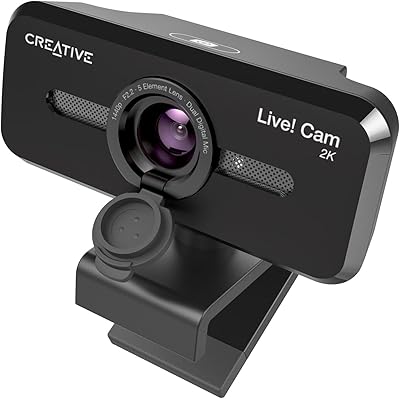
Creative Live! Cam Sync V3 2K QHD Webcam
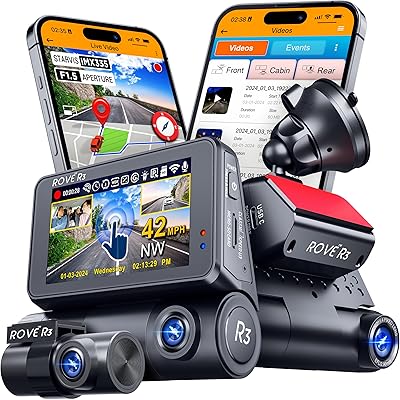
ROVE R3 3-Channel Dash Cam
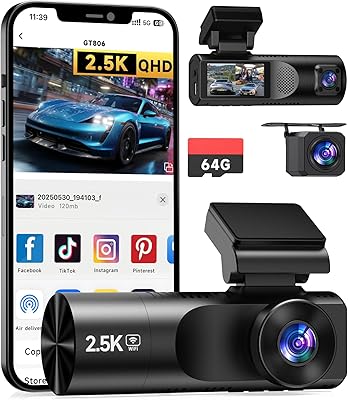
TUIFAC GT806 3-Channel Dash Cam
Wyze Cam Outdoor v2 Add-On Security Camera
Wyze Cam Pan v2
Garmin Dash Cam Live 1440p LTE Camera
AVerMedia Live Streamer CAM 315
Fire Cam 1080p Helmet Camera
AVerMedia Live Streamer Cam 313 (PW313)