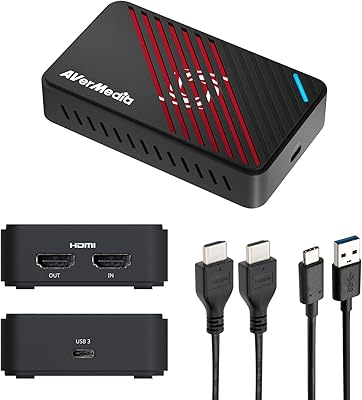
Overview

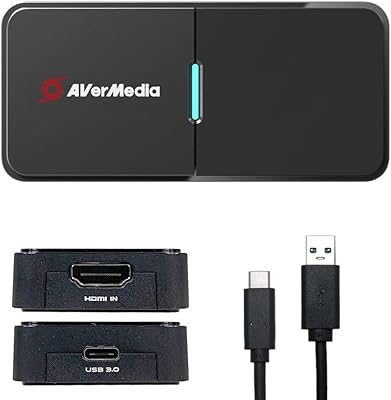
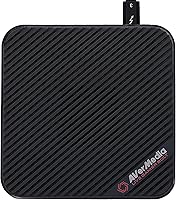
The AVerMedia Live Gamer Bolt GC555 Capture Card arrived in 2020 as an external solution for console streamers who wanted 4K HDR capture without cracking open their PC case. It connects via Thunderbolt 3 — and that's a hard requirement, not a suggestion. A USB-C port, even a fast one, simply won't work. The compact square chassis (about 4.7 inches on each side) makes it portable enough for a travel kit, but the interface dependency keeps your setup options narrow. It competes against alternatives like the Elgato 4K60 Pro, and the mid-range price puts real pressure on it to deliver. One blocker worth knowing upfront: Apple Silicon Macs — M1 and M2 alike — are not supported at all.
Features & Benefits

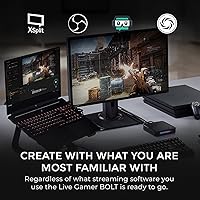
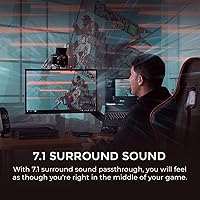
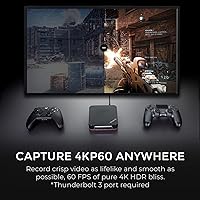
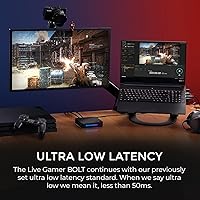
The Live Gamer Bolt's headline capability is uncompressed 4K60 HDR10 recording — or 1080p at up to 240fps if you're capturing fast-paced competitive gameplay. That Thunderbolt 3 connection provides bandwidth that USB-based capture cards genuinely can't replicate, so the quality ceiling here is notably high. Passthrough latency stays under 50ms, meaning your display feels responsive while the card handles capture in the background. Audio is covered too, with 7.1 surround sound passthrough built in. On the software side, it works with OBS, Streamlabs, and XSplit without much friction. The catch is macOS support: only Catalina (10.15) is officially confirmed, and there's no clear guarantee things stay stable on newer macOS versions.

Best For

This Thunderbolt capture card makes the most sense for PC or Intel Mac users who have already confirmed they have a native Thunderbolt 3 port — not just any USB-C connector. Console players running a PS5, Xbox Series X/S, or PS4 Pro who want to push toward 4K streaming quality will find the hardware fully capable. It's also a reasonable pick for creators who prefer an external unit over installing an internal card. If your workflow centers on OBS or Streamlabs, setup is relatively straightforward on a compatible machine. And for anyone chasing 240fps at 1080p for competitive content, this AVerMedia external capture card has the bandwidth to handle it without cutting corners.

User Feedback

A 3.3 out of 5 rating across 85 reviews isn't something to brush aside, and the pattern in the feedback is telling. When the Live Gamer Bolt works — meaning the user has a genuine native Thunderbolt 3 setup on Windows 10 or 11 — the image quality earns real praise. But a significant portion of negative reviews trace back to one frustration: buyers who assumed any USB-C port would do. Driver instability and RECentral 4 software issues also show up repeatedly in lower-rated reviews. Mac users have had a rougher experience overall, with several reporting problems after updating past Catalina. Compatibility research before purchasing is genuinely non-negotiable with this one.

Pros

  • Captures uncompressed 4K60 HDR10 footage with noticeably rich color and detail when setup is correct.
  • Thunderbolt 3 bandwidth gives this capture card a clear quality edge over USB-based alternatives.
  • Passthrough latency under 50ms keeps your gameplay display responsive during live sessions.
  • 7.1 surround sound passthrough is a genuinely useful inclusion that saves you from extra hardware.
  • Compatible with OBS, Streamlabs, and XSplit — no need to learn new software from scratch.
  • Supports 1080p at up to 240fps, making it a capable tool for competitive gameplay recording.
  • The compact form factor is easy to pack for travel or move between setups.
  • Works reliably with PS5, Xbox Series X/S, and PS4 Pro without additional configuration headaches on Windows.

Cons

  • Requires a native Thunderbolt 3 port — any USB-C-only machine will leave you with a non-functional device.
  • Apple M1 and M2 Macs are fully unsupported, cutting out a large portion of the Mac user base entirely.
  • macOS support is officially confirmed only for Catalina; newer macOS versions carry real compatibility risk.
  • RECentral 4 software has a documented history of driver instability that shows up repeatedly in buyer complaints.
  • A 3.3 out of 5 average rating across 85 reviews points to a meaningful number of frustrated buyers.
  • No USB fallback means one wrong port assumption results in a return, not a workaround.
  • Thunderbolt 3 ports are still far from universal, limiting who can actually use this card without hardware upgrades.
  • Negative experiences tend to cluster around software and compatibility issues rather than image quality itself, making troubleshooting harder to predict.

Ratings

Our AI scoring for the AVerMedia Live Gamer Bolt GC555 Capture Card was built by analyzing verified global buyer reviews, actively filtering out incentivized, bot-generated, and outlier feedback to surface what real streamers and content creators actually experienced. Scores reflect both the genuine strengths this card delivers when conditions are right and the recurring pain points that drove its 3.3 out of 5 average down from what the hardware itself is capable of. Nothing is glossed over — the ratings below are designed to help you make a clear-eyed purchase decision.
Capture Image Quality
83%
When the Live Gamer Bolt is running on a compatible setup, the uncompressed 4K60 HDR10 output is genuinely impressive — colors are rich, motion holds up, and the footage looks broadcast-ready rather than compressed and muddy. Buyers who got the configuration right frequently called the image quality the card's clear standout trait.
The quality ceiling is only accessible under specific conditions, meaning many buyers never experienced it before returning the card. Those who ran into driver or software issues reported that RECentral 4 could introduce artifacts or capture instability that undercut the otherwise strong hardware output.
Software & Driver Reliability
44%
56%
The Live Gamer Bolt integrates reasonably well with third-party tools like OBS and Streamlabs on Windows 10 and 11 — experienced streamers who skipped RECentral 4 and went straight to OBS reported far fewer headaches and a cleaner overall workflow.
RECentral 4, AVerMedia's proprietary software, collected a disproportionate share of complaints across reviews — users cited random crashes, failure to recognize the device after system updates, and generally unpredictable behavior. Driver instability on macOS was even more pronounced, particularly after updating past Catalina.
Compatibility & Port Requirements
38%
62%
For users who confirmed in advance that their machine has a genuine native Thunderbolt 3 port — not just a USB-C port — setup is physically straightforward. The bandwidth headroom Thunderbolt 3 provides is real and measurable, and it does give this card an edge over USB-based competitors in raw throughput.
The strict Thunderbolt 3 requirement is the single biggest source of buyer frustration in the review pool. USB-C and Thunderbolt 3 use identical port shapes, and a significant number of buyers only discovered the incompatibility after purchase. There is no adapter solution, no fallback mode — it either works or it doesn't.
macOS Compatibility
31%
69%
Under macOS 10.15 (Catalina) on an Intel Mac with a native Thunderbolt 3 port, the card functions as advertised. A subset of macOS users in the review pool reported stable capture sessions and appreciated having an external option that didn't require opening their machine.
macOS support effectively stops at Catalina, and AVerMedia has not confirmed support for any newer version of macOS — a serious problem for a card that's been on the market since 2020. Apple Silicon Mac owners are completely locked out, and Intel Mac users who updated past Catalina have reported broken functionality with no clear resolution path.
Passthrough Latency
79%
21%
Sub-50ms passthrough latency is noticeable in practice — playing through the card's HDMI output feels natural for most gaming sessions, and the delay doesn't introduce the kind of input feel that pulls you out of the game. PS5 and Xbox Series X users in particular reported that the passthrough felt smooth during extended play.
Highly latency-sensitive competitive players noted that even at under 50ms, there's a perceptible difference compared to a direct console-to-display connection. For tournament-level or reflex-dependent gameplay, the recommendation in the community is to run your display direct and use the capture card output for recording only.
High Frame Rate Recording
81%
19%
The 240fps capture at 1080p is a genuinely useful spec for competitive gaming content — fast-paced shooters and fighting games look dramatically smoother in post-production, and the Thunderbolt 3 interface provides the bandwidth to make this feasible without dropped frames on a capable machine.
The 240fps mode is locked to 1080p, which means 4K users don't get access to it. Buyers who assumed they could get both maximum resolution and maximum frame rate simultaneously were disappointed — it's one or the other, depending on your priority.
Build Quality & Design
74%
26%
The square metal chassis feels solid and purposeful — it doesn't flex or creak, and the port placement is sensible for desktop use. At 1.45 pounds, it's light enough to toss in a bag without second-guessing, and the compact footprint means it doesn't dominate a desk setup.
The exterior design is plain to the point of feeling utilitarian, which won't bother most buyers but stands out against more visually polished competitors. Some users also noted that the card runs warm during extended capture sessions, though no heat-related failures were reported in the review pool.
Audio Performance
77%
23%
7.1 surround sound passthrough is a legitimately welcome inclusion — it means you don't need a separate audio interface to preserve spatial audio from your console to your display. Buyers who tested this with surround-capable speaker systems or headsets noticed the difference compared to stereo-only capture cards.
The 7.1 passthrough is only as good as your display and audio setup can interpret — users with basic stereo setups reported no audible benefit. A few reviewers also noted that audio sync could drift slightly under certain RECentral 4 configurations, though this issue appeared less frequently in OBS-based setups.
Setup & Ease of Use
47%
53%
For a technically confident user who has done their homework — confirmed the Thunderbolt 3 port, installed the right drivers, and opted for OBS over RECentral 4 — initial setup is manageable and the card is recognized quickly on Windows 10 and 11.
For anyone outside that narrow profile, setup is a frustrating experience. The combination of strict port requirements, inconsistent driver behavior, and macOS uncertainty means the out-of-box experience falls well below what buyers at this price point reasonably expect. Multiple reviewers described spending hours troubleshooting before giving up entirely.
Console Integration
78%
22%
Capturing from PS5, Xbox Series X/S, and PS4 Pro works reliably once the card is up and running — HDCP handling is straightforward on supported consoles, and the HDR10 signal passes through cleanly to the display while the card records simultaneously.
Console setup requires HDCP to be disabled on PlayStation consoles for recording to work, which is a step that first-time capture card users frequently miss. The card itself doesn't warn or guide users through this — it simply fails to capture until the setting is changed on the console side.
Value for Money
52%
48%
When the Live Gamer Bolt performs as intended, the 4K60 HDR capture quality competes meaningfully with pricier internal alternatives, and the external form factor adds genuine utility. For the right buyer, the price-to-performance ratio is defensible.
For a significant portion of buyers, this card delivered no usable value at all — either because of port incompatibility, macOS issues, or software failures. A card that works brilliantly for 40% of buyers and fails for the rest is a value problem regardless of the hardware's ceiling, and the review pool reflects exactly that dynamic.
Software Ecosystem
49%
51%
Third-party software compatibility is a genuine bright spot — OBS, Streamlabs, and XSplit all work with the card on Windows, and experienced streamers who use those tools can skip RECentral 4 entirely and have a much smoother experience.
AVerMedia's native RECentral 4 software is underdeveloped relative to the hardware it's supposed to support. Crash reports, device recognition failures, and a cluttered interface made it a recurring point of complaint — and for newer users who rely on bundled software rather than OBS, it's a significant friction point.
Portability
72%
28%
The small square footprint and modest weight make this one of the more portable 4K capture options available in the external category. Content creators who move between locations — a home studio and a friend's setup, for instance — will appreciate not having to lug around a desktop PC to use it.
Portability is partially undermined by the Thunderbolt 3 requirement — you need to ensure every machine you plan to use it with has the right port, which isn't always guaranteed on older or budget laptops. The portability argument collapses entirely if your travel machine turns out to be incompatible.

Suitable for:

The AVerMedia Live Gamer Bolt GC555 Capture Card is a strong fit for console content creators who have already confirmed they own a machine with a native Thunderbolt 3 port — not just a USB-C connector that looks identical. If you're running a PS5, Xbox Series X/S, or PS4 Pro and want to push 4K60 HDR footage to your PC without gutting your setup for an internal card, this external unit delivers the bandwidth to handle it cleanly. It works well for Windows 10/11 users in particular, where driver support is most reliable and the OBS or Streamlabs workflow tends to click into place without much hassle. Creators focused on competitive gameplay who need 1080p at up to 240fps will find the hardware more than capable. It's also a decent portable option — the compact chassis travels well, and the Thunderbolt 3 connection means you're not sacrificing quality for convenience.
Not suitable for:

The AVerMedia Live Gamer Bolt GC555 Capture Card is a hard pass for anyone using an Apple Silicon Mac — M1 and M2 chips are explicitly unsupported, and there's no workaround currently available. Even Intel Mac users should proceed carefully: official macOS support stops at Catalina (10.15), and multiple buyers have reported instability after updating beyond that, so if you're on a newer macOS version, compatibility is genuinely uncertain. Anyone without a confirmed native Thunderbolt 3 port should stop right there — USB-C ports, including fast USB 3.1 and 3.2 ports, will not work regardless of adapter or cable. If you're a casual streamer or beginner who just wants a plug-and-play experience without researching port specs, the setup friction here is likely to frustrate. And if you're looking for a set-and-forget solution on macOS long term, the murky software support roadmap makes it a risky investment.
Specifications

  • Brand: Manufactured by AVerMedia Technologies, Inc., a brand with a long history in video capture hardware.
  • Model: The specific model number for this capture card is GC555, part of AVerMedia's Live Gamer Bolt series.
  • Interface: Connects exclusively via a native Thunderbolt 3 port; USB-C, USB 3.1, USB 3.0, and USB 2.0 ports are not supported.
  • Max Resolution: Captures gameplay footage at up to 4K (3840 x 2160) at 60 frames per second in uncompressed format.
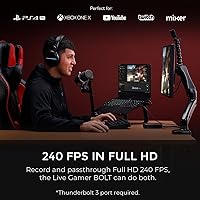
  • Max Frame Rate: Supports up to 240fps capture when recording at 1080p resolution for high-motion and competitive gameplay content.
  • HDR Support: Records and passes through HDR10 signal, preserving high dynamic range color data from compatible consoles.
  • Passthrough Latency: Display passthrough latency is rated at under 50ms, keeping on-screen gameplay responsive during simultaneous capture.
  • Audio: Supports 7.1 surround sound passthrough, allowing full spatial audio to reach the connected display without extra hardware.
  • Compatible OS: Officially supported on Windows 10, Windows 11, and macOS 10.15 (Catalina); compatibility with newer macOS versions is not confirmed.
  • Incompatible Platforms: Not compatible with Apple Silicon (M1 or M2) Macs; this is a hard hardware limitation with no current workaround.
  • Compatible Consoles: Works with PlayStation 4 Pro, PlayStation 5, Xbox Series X, and Xbox Series S as input sources.
  • Software Support: Compatible with RECentral 4, OBS Studio, Streamlabs, and XSplit for live streaming and video recording workflows.
  • Dimensions: The unit measures 4.72 x 4.72 x 1.15 inches, giving it a compact, nearly square footprint suitable for portable use.
  • Weight: The device weighs 1.45 pounds, making it light enough to include in a travel or portable streaming kit.
  • ASIN: The Amazon Standard Identification Number for this product is B085SZNB75.
  • Release Date: This capture card was first made available in April 2020, placing it in its fifth year on the market.
  • User Rating: It holds an average customer rating of 3.3 out of 5 stars based on 85 ratings on Amazon.
  • Sales Rank: Ranked number 359 in the Internal TV Tuner and Video Capture Cards category on Amazon at time of evaluation.

Related Reviews

AVerMedia Live Gamer Ultra 2.1 GC553G2
83%
97%
Video Passthrough Quality
88%
Capture Resolution & Framerate
84%
Setup & Software Integration
82%
Audio Routing & Party Chat
86%
Mac Compatibility
More
AVerMedia Live Gamer Extreme 3 GC551G2
84%
94%
Ease of Setup
91%
Pass-Through Quality
72%
Capture Resolution & Quality
93%
Input Lag (Pass-Through)
88%
Build Quality & Portability
More
AVerMedia BU113 Live Streamer Cap 4K
87%
94%
Video Fidelity
91%
Build Quality
87%
Plug-and-Play Stability
92%
Latency Performance
78%
Software Utility
More
AVerMedia Live Gamer 4K GC573
85%
93%
4K Video Fidelity
91%
High Frame Rate Support
88%
System Latency
86%
Build & Form Factor
72%
Setup & Installation
More
AVerMedia Live Gamer Mini GC311
84%
91%
Video Quality (1080p60)
94%
Ease of Setup
89%
Portability/Size
90%
Latency (Pass-Through)
85%
Compatibility (Consoles & PCs)
More
AVerMedia Live Gamer Ultra S (GC553Pro)
86%
91%
Capture Quality
94%
Ease of Setup
89%
Low Latency Performance
88%
Compatibility with Platforms
85%
Build Quality
More
AVerMedia Live Gamer HD 2 Capture Card
77%
88%
Installation Experience
91%
Capture Quality
86%
HDMI Passthrough
83%
Software Compatibility
67%
Motherboard Compatibility
More
AVerMedia EZMaker 7 USB Video Capture Card
81%
88%
Ease of Use
91%
Value for Money
75%
Video Quality
90%
Setup & Installation
82%
Software Experience
More
XIIXMASK MS2131 Video Capture Card
85%
92%
Chassis Build Quality
88%
Thermal Management
87%
1080p Stream Stability
93%
Value for Money
84%
Plug-and-Play Simplicity
More
Bytebridges 4K HDMI Capture Card (affd05f3)
88%
94%
Ease of Setup
88%
Build Quality
91%
Video Fluidity
87%
Input Latency
83%
Audio Versatility
More

FAQ

No, and this is the most common source of buyer frustration. The Live Gamer Bolt requires a native Thunderbolt 3 port specifically — not just any USB-C shaped connector. Thunderbolt 3 and USB-C use the same physical port shape, but they are not the same standard. If your laptop or desktop only has USB 3.1 or USB 3.2 ports with a USB-C connector, this card will not function.

Unfortunately, no. Apple Silicon Macs — including every M1 and M2 model — are explicitly not supported. This is a hardware and driver-level incompatibility, not something that can be fixed with a software update. If you're on an Apple Silicon Mac, you'll need to look at other capture card options entirely.

It depends on your macOS version. The AVerMedia Live Gamer Bolt GC555 Capture Card officially supports macOS 10.15 (Catalina). If you're still running Catalina, you should be in reasonable shape. If you've updated to Big Sur, Monterey, Ventura, or beyond, there's meaningful risk — several users have reported compatibility problems after macOS updates past Catalina, and AVerMedia hasn't confirmed support for those versions.
You can absolutely use OBS, and most experienced streamers do. The Live Gamer Bolt also works with Streamlabs and XSplit. AVerMedia's RECentral 4 is included and functional for basic use, but the driver stability complaints in user reviews tend to be linked to RECentral rather than the third-party software options.

It works with PlayStation 5, PlayStation 4 Pro, Xbox Series X, and Xbox Series S. You connect the console to the capture card via HDMI, and the card handles passthrough to your display while simultaneously capturing the signal to your PC or Mac.

It's genuinely useful if you're capturing competitive gameplay at 1080p — think fast-paced shooters or fighting games where motion clarity matters. The 240fps mode only operates at 1080p resolution, not 4K. If your goal is 4K content, you're capped at 60fps, which is still excellent for most streaming and YouTube use cases.

At under 50ms, most players won't find it distracting during casual or even competitive play. That said, if you're an extremely latency-sensitive player, you may want to connect your display directly to your console and use the capture card output for recording only rather than as your primary gaming display.

The pattern in the reviews is pretty consistent: buyers who had the right setup — a genuine Thunderbolt 3 port on a Windows 10 or 11 machine — generally reported excellent image quality and were satisfied. The lower ratings tend to cluster around two issues: buyers who didn't realize their USB-C port wasn't Thunderbolt 3, and users who ran into RECentral 4 software instability. The hardware itself isn't fundamentally broken; the compatibility requirements just trip people up.

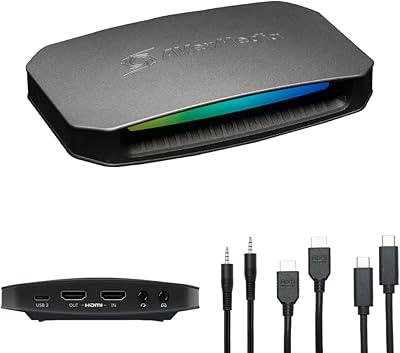
You'll need a standard Thunderbolt 3 cable to connect the card to your PC, and an HDMI cable to run your console output into the card. A second HDMI cable connects the card's passthrough output to your display. No exotic adapters are needed as long as your machine has a real Thunderbolt 3 port to begin with.

The Elgato 4K60 Pro is an internal PCIe card, which means it doesn't need Thunderbolt 3 at all — making it more universally compatible with desktop PCs. The Live Gamer Bolt's advantage is that it's external and portable, and doesn't require you to open your PC case. For a desktop user who wants the simplest install, the Elgato internal card may involve fewer compatibility headaches. For laptop users with confirmed Thunderbolt 3, the Live Gamer Bolt becomes a much more compelling choice.

Where to Buy