Overview

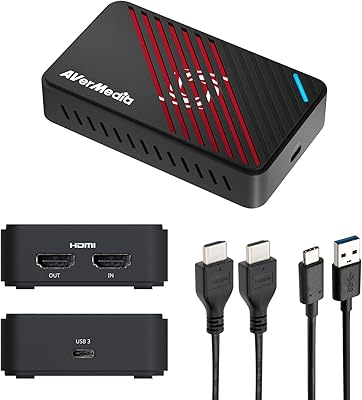
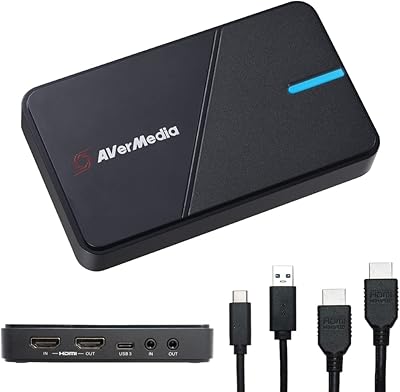
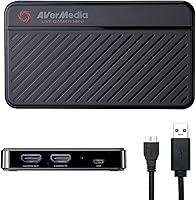
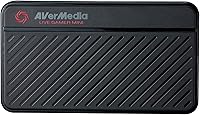
The AVerMedia Live Gamer Mini GC311 is a compact and portable 1080p60 capture card designed for seamless streaming and recording. This capture device offers a reliable solution for users looking to record their gameplay in Full HD without sacrificing performance. It also supports HDMI pass-through, ensuring lag-free gaming during capture. Whether you're streaming on platforms like Twitch or YouTube or recording gameplay for personal projects, this game recorder works effortlessly with a variety of devices, including Windows and macOS computers, as well as consoles like PS5, Xbox Series X/S, and Nintendo Switch.
Features & Benefits

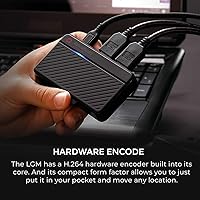
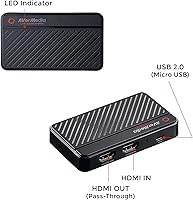
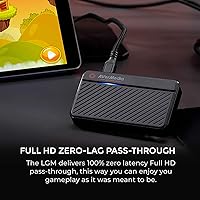
One of the standout features of this streaming device is its built-in H.264 hardware encoder, which minimizes the load on your PC’s CPU while streaming or recording. This allows for smooth operation even during intense gaming sessions. With zero-latency HDMI pass-through, you can enjoy lag-free gameplay on your monitor while simultaneously capturing high-quality video. Additionally, the plug-and-play functionality, thanks to UVC technology, ensures that the setup is as easy as connecting the device to a USB 2.0 port. This makes it a solid choice for anyone looking to start streaming with minimal effort.

Best For

The AVerMedia Live Gamer Mini GC311 is ideal for streamers and gamers who need a compact, easy-to-use capture card for live streaming or video recording. It’s especially suited for those using popular streaming software like OBS or Streamlabs, as it offers full compatibility with both. Gamers who use consoles like the PS5, Xbox Series X/S, or Nintendo Switch will also find this device a perfect fit. If you're looking for a simple, yet reliable way to capture and share your gameplay in high-quality 1080p60, this capture card should be at the top of your list.
User Feedback

Overall, user feedback for this game recorder is largely positive. Many appreciate its compact size and portability, making it easy to carry for on-the-go streaming. The setup is consistently described as straightforward, with minimal software installation required. In terms of performance, most users are pleased with the solid video quality at 1080p60, making it great for both gaming and content creation. However, some macOS users have reported occasional driver compatibility issues, which could pose a problem for those on that platform. Despite this, the device is still widely regarded as an excellent option for gamers and streamers.

Pros

  • The compact design makes it easy to carry and set up anywhere.
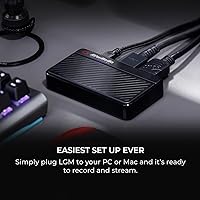
  • Plug-and-play setup with UVC technology simplifies installation for beginners.
  • Solid 1080p60 video quality delivers smooth and clear streams.
  • Zero-latency pass-through allows gamers to enjoy lag-free gaming.
  • Compatible with a wide range of devices, including PS5, Xbox Series X/S, and Nintendo Switch.
  • Ideal for streamers who need a portable and reliable capture solution.
  • Low CPU usage thanks to the H.264 hardware encoder, which is great for extended streaming sessions.

Cons

  • Occasional driver compatibility issues on macOS can cause setup frustrations.
  • The plastic build feels lightweight, which may not appeal to those seeking a more durable device.
  • Not suitable for users looking for 4K capture capabilities or advanced features.
  • Some users report that the USB 2.0 interface may not offer the fastest data transfer speeds for heavy-duty use.
  • The HDMI cable provided is relatively short, which may be limiting for users with certain setups.
  • It can be problematic for users who need frequent driver updates or support on macOS.

Ratings

After analyzing verified user reviews worldwide, across multiple platforms and languages, the ratings for the AVerMedia Live Gamer Mini GC311 reflect a balanced mix of strengths and areas for improvement. We have filtered out spam, incentivized, duplicated, and off-topic reviews to ensure that only authentic, high-quality feedback informs the results. Both positive and negative aspects have been considered to provide an honest representation of this device’s performance across different use cases and environments.
Video Quality (1080p60)
91%
Users rave about the solid 1080p60 video quality provided by this device. Many have highlighted that it delivers smooth, sharp visuals during live streaming and gaming sessions, making it an excellent choice for content creators and gamers who require clear, high-definition output.
A few users have noted that while the quality is impressive, occasional flickers or glitches can appear when running certain games or higher frame-rate content. These issues seem to occur sporadically, though they can detract from the overall experience for some.
Ease of Setup
94%
Many buyers praise how easy it is to set up this capture card. The plug-and-play setup is a huge plus, with most users being able to install it in minutes without needing to wrestle with complicated software or configurations. This makes it a great option for those new to live streaming or recording.
A small number of users have encountered problems with drivers or configuration on specific operating systems. These issues typically affect older versions of macOS or less common Windows setups, causing occasional frustration during setup or requiring extra troubleshooting steps.
Portability/Size
89%
The compact and lightweight design of this capture card is frequently highlighted by users who value portability. At just 2.63 ounces and small enough to fit in a pocket or bag, it's a convenient option for streamers and gamers on the go, allowing for easy transport between locations.
Some users wish the device had a more rugged build to withstand frequent travel or heavy use. While the size is perfect for portability, a sturdier housing could have made it more durable in certain professional or long-term use cases.
Latency (Pass-Through)
90%
Buyers are pleased with the zero-latency pass-through, which ensures a smooth gaming experience even while capturing footage. Gamers particularly appreciate this feature, as it helps avoid any lag or stuttering while they continue to play, even as the card records or streams.
A few users have mentioned that while latency is generally very low, there are rare instances of slight delays when running high-demand games or connecting to specific devices. These isolated issues can impact the experience for those seeking perfection in every session.
Compatibility (Consoles & PCs)
85%
This device's broad compatibility with PS5, Xbox Series X/S, and Nintendo Switch makes it a versatile tool for content creators across various platforms. Users appreciate the seamless connection and the ability to easily integrate it with both Windows and macOS systems for all types of streaming setups.
Some buyers report issues with connecting the capture card to certain consoles or older PCs, requiring additional software or troubleshooting. While the device works well with most systems, it can occasionally struggle with less common setups or outdated hardware.
Build Quality
80%
20%
Despite being lightweight and compact, users find the build quality of this capture card adequate for its purpose. It's designed with portability in mind, and most users don't mind the plastic construction given its price point and compact design.
A few users have mentioned concerns over the card’s plastic housing, feeling it’s a bit too flimsy for long-term durability, especially with frequent use or transport. Some have reported that minor dents or scratches appeared after regular handling.
Software & Driver Performance
78%
22%
The software that comes with this device, including RECentral 4, is generally easy to use and offers solid functionality. Many users appreciate the intuitive interface and the built-in options for streaming, recording, and managing video settings.
However, several buyers have experienced issues with software crashes or driver conflicts, particularly on macOS. The installation process can also be hit-or-miss, with some users needing to manually install drivers or troubleshoot conflicts with other software.
Streaming Performance (OBS, Streamlabs)
88%
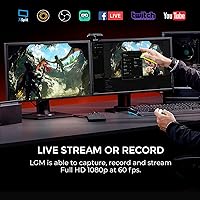
Streamers using OBS or Streamlabs have found this capture card to be an effective tool for live broadcasting. It performs well in both streaming and recording modes, offering high-quality footage with minimal effort on the user’s part.
While the card generally performs well, a few users have complained about occasional performance dips during extended streams. Some experience frame drops or stuttering when streaming for long periods, which can interfere with content quality for more professional use cases.
MacOS Compatibility
65%
35%
When it works as intended, this capture card offers smooth and reliable performance on macOS. Users have reported that the video quality remains excellent, and setup is straightforward once the software is correctly installed.
However, macOS users tend to have the most issues with this device, particularly related to driver compatibility. Users often report that macOS updates or certain versions of the OS may cause connectivity issues or software errors, making it more difficult to set up and use without additional troubleshooting.
Value for Money
92%
At its price point, this capture card provides excellent value for those seeking a reliable and portable streaming solution. Many buyers feel they’re getting a solid device with impressive features without breaking the bank, especially for casual gamers and streamers.
Some users feel that while it offers great value, it’s still missing a few premium features that higher-end models offer, such as 4K support or more advanced video editing options. For those looking for professional-grade equipment, it may fall short in terms of long-term growth potential.
Customer Support
75%
25%
When users need help, customer support is available and responsive. Many buyers have had their issues resolved with prompt responses, and support staff are generally helpful when troubleshooting common problems.
However, a few buyers have expressed dissatisfaction with delayed response times or the inability to resolve more complex issues quickly. This can be frustrating, especially for users experiencing software or driver issues.
Long-Term Durability
82%
18%
This device holds up well for most users over time. With proper care, it maintains consistent performance, offering a reliable solution for casual streaming and gaming needs. Many find it a durable tool for short-term use and travel.
On the other hand, some users have noted signs of wear and tear after extended use, especially around the ports. Frequent plugging and unplugging or accidental drops can cause cosmetic damage or even functional issues in some cases.

Suitable for:

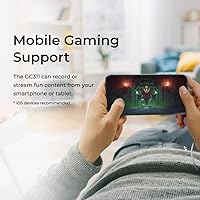
The AVerMedia Live Gamer Mini GC311 is a great option for streamers and gamers who need a compact, portable solution for live streaming or game recording. Its 1080p60 capture resolution and zero-latency pass-through make it ideal for content creators using platforms like OBS or Streamlabs, ensuring smooth, high-quality broadcasts. Gamers using consoles such as PS5, Xbox Series X/S, or Nintendo Switch will benefit from its plug-and-play setup, which works seamlessly with both Windows and macOS systems. The device is also an excellent choice for those who value portability, weighing just 2.63 ounces and taking up minimal space, making it easy to transport for mobile streamers or on-the-go content creators.
Not suitable for:

While the AVerMedia Live Gamer Mini GC311 excels in many areas, it may not be the best choice for users who need higher-end features or have more complex setups. Its compatibility with macOS is occasionally unreliable, particularly with newer updates or specific configurations, which can cause setup issues for macOS users. Additionally, those looking for 4K capture or more professional-grade features may find this device lacking, as it is limited to 1080p60 resolution. Frequent travelers who need a rugged, more durable device might also be dissatisfied with its plastic build, which may not withstand constant use or rough handling as well as some premium models.
Specifications

  • Capture Resolution: Supports a maximum capture resolution of 1080p at 60 frames per second (1080p60).
  • Pass-through Resolution: Allows zero-latency HDMI pass-through with a resolution of 1080p60.
  • Interface: Connects to your system via a USB 2.0 interface for fast and reliable data transfer.
  • Encoder: Utilizes an H.264 hardware encoder to offload encoding tasks from your CPU during streaming.
  • Compatibility: Works with Windows 10/11, macOS 12, PS5, Xbox Series X/S, and Nintendo Switch.
  • Plug-and-play: Features a plug-and-play setup, requiring no additional drivers or software installation.
  • Streaming Software: Compatible with popular streaming software such as OBS, Streamlabs OBS, and RECentral 4.
  • Dimensions: Compact and portable design with dimensions of 3.93 x 2.24 x 0.74 inches.
  • Weight: Lightweight at only 2.63 ounces, making it easy to transport and set up.
  • HDMI Input/Output: Supports HDMI 2.0 input and output for high-quality video capture and pass-through.
  • Video Format: Records and streams video in the H.264 format, which is widely supported by streaming platforms.
  • Latency: Offers zero-latency pass-through for a seamless gaming experience while streaming or recording.
  • UVC Technology: Uses UVC (USB Video Class) technology for easy installation without the need for additional drivers.
  • Supported Devices: Compatible with a wide range of devices, including gaming consoles, PCs, and Macs.
  • Power Supply: Powered via USB connection, no external power supply is required.
  • Streaming Quality: Delivers high-quality 1080p video at 60 fps for smooth and professional-level streaming.
  • Driver Compatibility: Driver support is available for both Windows and macOS, although some macOS users report occasional issues.
  • Device Build: Compact and durable design, ideal for both stationary setups and on-the-go use.

Related Reviews

AVerMedia Live Gamer Bolt GC555
82%
91%
Video Quality
88%
Latency
75%
Compatibility with Devices
87%
Ease of Setup
89%
Streaming Software Compatibility
More
AVerMedia Live Gamer 4K GC573
85%
93%
4K Video Fidelity
91%
High Frame Rate Support
88%
System Latency
86%
Build & Form Factor
72%
Setup & Installation
More
AVerMedia Live Gamer Ultra S (GC553Pro)
86%
91%
Capture Quality
94%
Ease of Setup
89%
Low Latency Performance
88%
Compatibility with Platforms
85%
Build Quality
More
AVerMedia Live Gamer HD 2 GC570
84%
91%
Video Capture Quality
93%
Latency
89%
Ease of Setup
75%
Software Compatibility
82%
Audio Input Flexibility
More
AVerMedia Live Gamer Ultra 2.1 GC553G2
83%
97%
Video Passthrough Quality
88%
Capture Resolution & Framerate
84%
Setup & Software Integration
82%
Audio Routing & Party Chat
86%
Mac Compatibility
More
AVerMedia Live Gamer Extreme 3 GC551G2
84%
94%
Ease of Setup
91%
Pass-Through Quality
72%
Capture Resolution & Quality
93%
Input Lag (Pass-Through)
88%
Build Quality & Portability
More
AVerMedia Live Streamer Cam 313 (PW313)
73%
74%
Video Quality
91%
Ease of Setup
88%
Privacy Shutter
58%
Microphone Quality
61%
Build Quality
More
AVerMedia Live Streamer CAM 315
76%
83%
Video Quality
88%
Field of View
51%
Focus Performance
62%
Built-in Microphone
91%
Privacy Shutter
More
AVerMedia Live Streamer ULTRA HD GC571
88%
93%
Ease of Installation
91%
Pass-Through Visuals
94%
VRR Implementation
78%
Capture Performance
96%
System Latency
More
Blackmagic Design ATEM Mini Pro
82%
91%
Build Quality
93%
Streaming Performance
89%
Video Quality
86%
Audio Mixing
74%
Ease of Setup
More

FAQ

Setting up this capture card is straightforward with its plug-and-play design. Simply connect the card to your PC or console using the USB 2.0 interface, then plug the HDMI input from your gaming device and the HDMI output to your display. The device will be automatically recognized by your system, and you can start streaming using compatible software like OBS or Streamlabs.

This device supports a maximum capture resolution of 1080p at 60 frames per second (1080p60), providing smooth, high-quality video for streaming and recording. It's a great option for gamers who want clear, fluid video without the need for more expensive, higher-resolution solutions.

Yes, the AVerMedia Live Gamer Mini GC311 is fully compatible with PlayStation 5, Xbox Series X/S, and other HDMI-enabled devices. Simply connect it via HDMI to start streaming or recording your gameplay at 1080p60 with zero-latency pass-through.
Yes, to stream with this capture card, you'll need compatible software like OBS, Streamlabs OBS, or RECentral 4. These programs allow you to customize your stream and provide an optimal experience with features like overlays and scene switching.

The AVerMedia Live Gamer Mini GC311 is compatible with macOS 12, but some users have reported occasional driver compatibility issues. If you're using macOS, ensure your system is up-to-date and check the manufacturer's website for any specific driver updates.
The zero-latency HDMI pass-through allows you to play games on your display without any delay while streaming or recording. This feature ensures that you can experience real-time gameplay while also capturing high-quality video without interference.

The AVerMedia Live Gamer Mini GC311 works with a wide range of devices, including Windows PCs, macOS, PlayStation, Xbox Series X/S, and Nintendo Switch. It’s versatile and compatible with most gaming setups, making it ideal for both casual streamers and professional gamers.
Yes, this device is designed with ease of use in mind. The plug-and-play setup means you don’t need to install complicated drivers or software, making it a great choice for beginner streamers or anyone looking to set up quickly without hassle.

No, this capture card supports 1080p resolution at 60 frames per second, which is great for most streamers and gamers. If you’re looking for 4K recording or streaming, you’ll need to explore higher-end capture devices.

If you run into issues, make sure that all connections are secure and that your software is updated. For macOS users, check for any driver updates on the manufacturer's website. If problems persist, you may want to consult the troubleshooting guide or contact AVerMedia’s support team for assistance.