

Overview

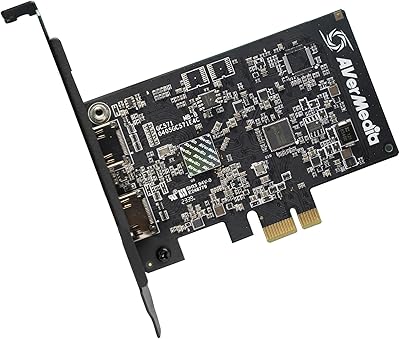
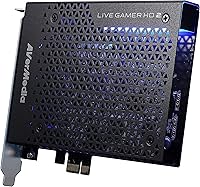
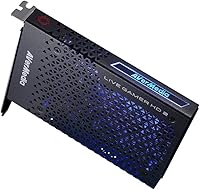
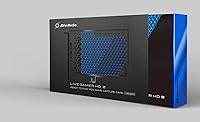
The AVerMedia Live Gamer HD 2 Capture Card sits squarely in the mid-range of the internal capture card market, offering a compelling alternative to the external USB options that dominate most beginner setups. Unlike those plug-and-play dongles, this internal capture card slots directly into a PCIe slot inside your desktop PC — a step that requires opening your case but pays off in connection stability. Installation is completely driver-free, which removes a common headache for newcomers. It handles a wide range of sources, including PS4, Xbox One, Xbox 360, Wii U, Nintendo Switch, and HD cameras. The customizable LED lighting is a small touch, but it adds a bit of personality to an otherwise purely functional piece of hardware.

Features & Benefits

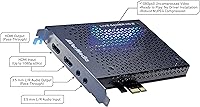
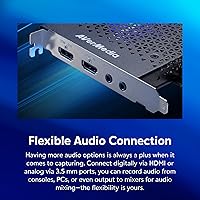
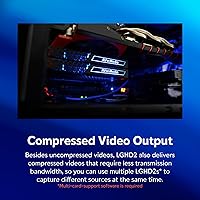
The PCIe interface is what sets the Live Gamer HD 2 apart from most of its USB-based competitors — the internal connection means you get a stable, low-latency signal that does not compete for bandwidth on a shared USB hub. Recording in full 1080p at 60 frames per second in uncompressed mode delivers footage that holds up well in post-production or during live streams. If storage or upload speed is a concern, a compressed recording mode is also available. The 3.5mm stereo audio input is a thoughtful addition, letting you bring in a headset or mixer independently. HDMI passthrough keeps your gaming display lag-free while the card captures in the background, and multiple cards can even be installed simultaneously for more complex rigs.

Best For

This PCIe capture card makes the most sense for console streamers on PS4 or Xbox who are tired of dealing with flimsy external USB adapters. It is also a natural fit for PC builders who do not mind opening their case and want to keep cables tidier. OBS and XSplit users will appreciate the plug-and-play UVC/UAC compatibility — no hunting for drivers or tweaking obscure settings. Content creators who work with raw footage will especially benefit from the uncompressed mode, while those on tighter pipelines can lean on the compressed option. One important caveat: because this is an internal PCIe card, it is strictly a desktop-only solution. Laptop users need to look elsewhere.

User Feedback

Across roughly 300 ratings, the Live Gamer HD 2 holds a 3.9-star average — respectable, though not without rough edges. The most consistent praise centers on easy installation and reliable HDMI passthrough, with many buyers noting how cleanly it integrates into OBS right out of the box. On the downside, some users have run into motherboard compatibility issues, particularly with older or budget boards. The bundled software also draws criticism for feeling limited compared to third-party alternatives. A small number of users report driver conflicts on specific Windows configurations, though this appears to be a minority experience. The LED lighting divides opinion neatly — some appreciate the flair, others consider it entirely unnecessary.

Pros

  • Driver-free installation means you can go from unboxing to recording in under 30 minutes on most systems.
  • The uncompressed 1080p60 recording mode delivers noticeably cleaner footage compared to most USB capture cards in this price range.
  • HDMI passthrough works reliably, so your gaming session is never interrupted or degraded by the capture process.
  • The 3.5mm stereo audio input is a practical addition that lets you fold in a headset or external mixer without extra adapters.
  • Compatible with OBS and XSplit out of the box via UVC/UAC support, with no special plugin required.
  • Multiple cards can be installed simultaneously, which is a real advantage for streamers running multi-source or multi-camera rigs.
  • The compressed recording mode gives you a useful fallback when storage space or upload bandwidth is limited.
  • Broad console support covers PS4, Xbox One, Xbox 360, Wii U, and Nintendo Switch without needing separate adapters.
  • The internal PCIe connection is inherently more stable than USB, reducing the risk of dropped frames or signal interruptions during long sessions.
  • At its price point, the Live Gamer HD 2 offers a compelling balance of recording quality and installation simplicity.

Cons

  • Strictly limited to desktop PCs with an open PCIe slot — no support for laptops or compact form-factor builds.
  • Some users have reported compatibility problems with certain budget or older generation motherboards.
  • The bundled software feels underwhelming and most users will need to rely on OBS or XSplit to get the most out of it.
  • A small but notable number of buyers have encountered driver conflicts on specific Windows configurations, requiring additional troubleshooting.
  • No 4K capture support, which is an increasingly noticeable ceiling as gaming content trends toward higher resolutions.
  • The customizable LED lighting, while harmless, adds no functional value and may feel like wasted engineering effort to purists.
  • Installation requires opening your PC case, which is a real barrier for less technically confident buyers.
  • Long-term firmware and software support from AVerMedia has been inconsistent according to a portion of long-term owners.
  • HDR passthrough and capture are not supported, limiting the card for users with HDR-enabled gaming setups.

Ratings

Our AI-driven scoring for the AVerMedia Live Gamer HD 2 Capture Card was built by analyzing hundreds of verified global buyer reviews, with spam, incentivized, and bot-generated submissions actively filtered out before any scoring was applied. The result is a transparent picture of where this internal capture card genuinely excels and where real users have run into frustration. Both the highlights and the rough edges are reflected honestly in the scores below.

Installation Experience
88%
The driver-free setup is one of the most consistently praised aspects across buyer feedback. Most users report that after seating the card in a PCIe slot and booting up, it is recognized immediately — with OBS detecting it as a capture source within minutes of first power-on.
The process assumes you are comfortable opening a desktop PC case, and buyers who are not hardware-confident occasionally find the initial step daunting. A small number of users with tightly packed mid-tower builds also reported awkward physical access to their PCIe slots.
Capture Quality
91%
The uncompressed 1080p60 recording mode is where this PCIe capture card earns its strongest praise. Streamers and editors repeatedly note that the footage holds up well in post-production, with fine detail in fast-moving scenes that compressed capture simply cannot match at this price tier.
The 1080p ceiling is increasingly limiting as more games run at 4K, and buyers who assumed the card would grow with their setup are often disappointed. There is also a slight learning curve in managing the larger file sizes that uncompressed recording inevitably produces.
HDMI Passthrough
86%
Real-time HDMI passthrough works reliably in the experience of most buyers — they game on their TV or monitor with no added latency while the card silently captures in the background. This is particularly valued by PS4 and Xbox One users who do not want a degraded gaming experience during recording sessions.
A minority of users have reported occasional signal flickering on the passthrough output when switching console inputs or waking from sleep mode. It is not a widespread issue, but it surfaces enough in feedback to be worth noting if rock-solid passthrough consistency is critical to your workflow.
Software Compatibility
83%
Broad UVC and UAC compliance means the Live Gamer HD 2 slots into OBS or XSplit without any configuration headache. Buyers who stream regularly to Twitch or YouTube appreciate not having to wrestle with proprietary capture software just to get a functional signal.
The bundled AVerMedia software draws consistent criticism for feeling underpowered compared to what OBS offers for free. Users who expected the included tools to handle their full production workflow came away underwhelmed, and the software appears to receive infrequent updates.
Motherboard Compatibility
67%
33%
For buyers running modern mid-range or high-end motherboards, the card installs without incident the vast majority of the time. Users with recent Intel and AMD platforms consistently report smooth detection and stable operation across extended streaming sessions.
Compatibility with older or budget motherboards is a genuine pain point and surfaces regularly in negative reviews. Some buyers have needed to experiment with different PCIe slots or update their board BIOS before the card is correctly detected — a frustrating experience that can take hours to diagnose.
Audio Flexibility
78%
22%
The 3.5mm L/R stereo audio input is a thoughtful inclusion that lets users route a headset or external mixer directly into the capture stream without relying on software audio routing alone. Streamers who do commentary over console gameplay find this particularly useful for keeping audio channels clean and separated.
The audio input is functional but basic — there is no onboard gain control or monitoring capability, so users who need more granular audio management will still need an external interface. A handful of buyers also noted that the stereo input can introduce minor ground hum in certain cable configurations.
Build Quality
74%
26%
The card feels solid for its weight class, with a metal bracket and a PCB that does not feel flimsy during installation. At 5.1 ounces, it sits securely in the PCIe slot without any wobble, and the contact fingers on the PCIe edge are cleanly finished.
The overall construction feels functional rather than premium, which is appropriate for the price tier but noticeable next to higher-end capture cards. A few long-term users report that the card's PCIe bracket shows paint wear after extended installation and removal cycles.
Multi-Card Support
81%
19%
Support for multiple simultaneous card installations is a genuinely useful feature for advanced streamers running multi-console or multi-camera production setups. Users who have tested two cards in parallel report that both are detected and function independently without conflict under OBS.
The multi-card functionality is largely uncharted territory for casual buyers, and documentation from AVerMedia on optimal configuration is sparse. Users who attempted dual-card setups without prior PCIe experience occasionally encountered resource allocation issues that required manual BIOS adjustments.
Value for Money
77%
23%
At its price point, this internal capture card delivers a level of capture quality and connection stability that USB alternatives in the same bracket struggle to match. Buyers who made the switch from an entry-level USB card frequently describe the image quality difference as immediately obvious.
The lack of 4K support and the underwhelming bundled software make the overall value proposition feel slightly dated as the capture card market has moved forward. Buyers who need HDR or higher resolution capture may find that spending marginally more opens up significantly better options.
LED Lighting
58%
42%
For users with windowed PC cases and RGB setups, the customizable logo LED adds a cohesive visual touch that a few buyers genuinely appreciate. It is a minor detail, but in the context of a styled gaming rig it can feel like a considered inclusion rather than an afterthought.
The overwhelming consensus is that the LED is unnecessary and has no bearing on performance whatsoever. Buyers with closed cases will never see it, and those who dislike RGB aesthetics have no straightforward way to disable it without third-party software workarounds.
Long-Term Reliability
72%
28%
The majority of buyers who have owned this PCIe capture card for a year or more report that it continues to function without issues, which is a reassuring data point for anyone investing in internal hardware they expect to keep for several streaming seasons.
A meaningful minority of long-term owners have reported driver conflicts emerging after Windows updates, sometimes requiring a full reinstall of the capture software stack to restore functionality. This is not the norm, but it represents a real maintenance overhead that periodic-use buyers may not anticipate.
Latency Performance
84%
Ultra-low latency capture is one of the card's clearest technical strengths, and it shows in practice during live streaming sessions where real-time preview lag can disrupt a streamer's workflow. Most users note that the preview delay in OBS is minimal enough to use as a secondary monitor feed.
A small number of users have reported that latency performance degrades slightly when running the card alongside multiple USB peripherals that are competing for system resources, particularly on older platforms with limited PCIe lanes available to the chipset.
Packaging and Documentation
61%
39%
The physical packaging is clean and protective, and the card arrives without damage in virtually all reported cases. A basic quick-start guide is included that covers the physical installation steps adequately for most desktop builds.
The documentation falls short when it comes to software configuration and troubleshooting guidance. Buyers who encounter motherboard compatibility issues or audio routing problems have to rely on community forums and YouTube tutorials rather than any official support material that ships with the card.

Suitable for:

The AVerMedia Live Gamer HD 2 Capture Card is a strong fit for console gamers and PC-based content creators who are ready to move beyond entry-level USB capture solutions and want a more stable, internally-mounted setup. If you are running a desktop PC and are comfortable opening the case to install a PCIe card, the step up in connection reliability is genuinely worth it. Console streamers on PS4, Xbox One, or Nintendo Switch will benefit from the HDMI passthrough, which keeps gameplay smooth on the display while the card handles recording in the background. Creators who work with raw footage — whether for YouTube, Twitch, or post-production editing — will find the uncompressed 1080p60 mode gives them noticeably cleaner files to work with. OBS and XSplit users in particular get a straightforward plug-and-play experience with no driver hunting required, which makes initial setup far less frustrating than some competing internal cards.

Not suitable for:

The AVerMedia Live Gamer HD 2 Capture Card is simply not the right tool for everyone, and a few limitations are worth being direct about before you buy. Because it is a PCIe internal card, it requires a desktop PC with an available slot — laptop users or anyone on an all-in-one machine cannot use it at all. Buyers who are not comfortable opening a PC case and seating hardware should probably start with an external USB capture card instead, as this one demands at least basic hardware familiarity. If your motherboard is older or on the budget end of the spectrum, there is a real chance of compatibility issues that could require troubleshooting. Users who want 4K capture or HDR support will also need to look at higher-end options, since this card tops out at 1080p60. Finally, if you were hoping the included software suite would carry your production workflow, you may end up disappointed — most buyers end up relying on third-party tools anyway.

Specifications

  • Interface: The card connects to the host PC via a PCIe internal slot, providing a stable and dedicated bandwidth channel separate from USB.
  • Capture Resolution: Maximum video capture resolution is 1080p at 60 frames per second in both uncompressed and compressed recording modes.
  • Recording Modes: Supports two recording modes: uncompressed for maximum image fidelity and compressed for reduced file size and lower bandwidth demands.
  • Video Input: Accepts video signal via a single HDMI input port, compatible with standard HDMI output from consoles and HD cameras.
  • Passthrough: HDMI passthrough allows the source signal to be sent to a display simultaneously with zero added latency during capture.
  • Audio Input: Includes a 3.5mm L/R stereo audio input for connecting external audio sources such as headsets, mixers, or microphones.
  • Console Support: Compatible with PS4, Xbox One, Xbox 360, Wii U, and Nintendo Switch when connected via HDMI.
  • Software Support: Works with any UVC/UAC compliant software including OBS Studio and XSplit without requiring proprietary drivers.
  • Driver Requirement: No driver installation is required; the card is recognized automatically by Windows upon installation in the PCIe slot.
  • Multi-Card Support: Multiple units can be installed in a single system simultaneously, enabling multi-source capture for advanced production setups.
  • LED Lighting: Features a customizable RGB logo LED light on the card bracket that can be adjusted for color and effect.
  • Dimensions: The card measures 5.94 x 0.85 x 4.92 inches, making it a compact single-slot PCIe form factor.
  • Weight: The card weighs 5.1 ounces, which is typical for a lightweight internal PCIe capture card of this size.
  • Color: The card ships in a Black and Blue colorway that matches common gaming-oriented PC aesthetics.
  • Voltage: The card operates at 5 volts, drawing power directly from the PCIe slot with no external power connector required.
  • Manufacturer: Designed and manufactured by AVerMedia, a brand with a long history of producing professional and consumer-grade video capture hardware.
  • Model Series: Part of the Live Gamer HD 2 product line, which sits in AVerMedia's mid-range internal capture card lineup.
  • Platform: Compatible with Windows-based desktop PCs; not designed for use with laptops, Macs, or all-in-one systems.

Related Reviews
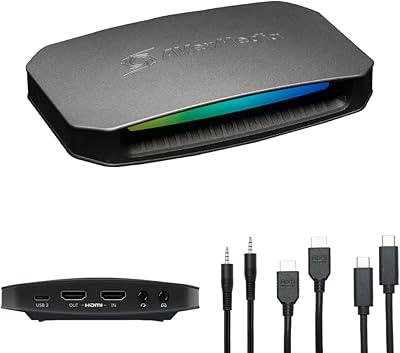
AVerMedia Live Gamer Ultra 2.1 GC553G2
83%
97%
Video Passthrough Quality
88%
Capture Resolution & Framerate
84%
Setup & Software Integration
82%
Audio Routing & Party Chat
86%
Mac Compatibility
More
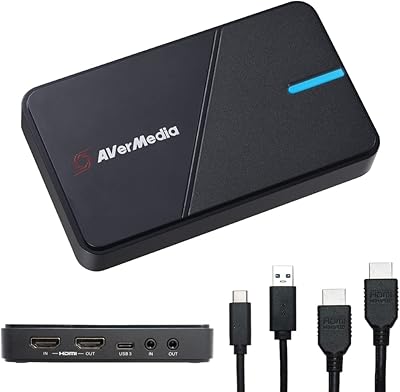
AVerMedia Live Gamer Extreme 3 GC551G2
84%
94%
Ease of Setup
91%
Pass-Through Quality
72%
Capture Resolution & Quality
93%
Input Lag (Pass-Through)
88%
Build Quality & Portability
More
AVerMedia BU113 Live Streamer Cap 4K
87%
94%
Video Fidelity
91%
Build Quality
87%
Plug-and-Play Stability
92%
Latency Performance
78%
Software Utility
More
AVerMedia Live Gamer 4K GC573
85%
93%
4K Video Fidelity
91%
High Frame Rate Support
88%
System Latency
86%
Build & Form Factor
72%
Setup & Installation
More
AVerMedia Live Gamer Mini GC311
84%
91%
Video Quality (1080p60)
94%
Ease of Setup
89%
Portability/Size
90%
Latency (Pass-Through)
85%
Compatibility (Consoles & PCs)
More
AVerMedia Live Gamer Bolt GC555
82%
91%
Video Quality
88%
Latency
75%
Compatibility with Devices
87%
Ease of Setup
89%
Streaming Software Compatibility
More
AVerMedia Live Gamer Ultra S (GC553Pro)
86%
91%
Capture Quality
94%
Ease of Setup
89%
Low Latency Performance
88%
Compatibility with Platforms
85%
Build Quality
More
AVerMedia Live Streamer ULTRA HD GC571
88%
93%
Ease of Installation
91%
Pass-Through Visuals
94%
VRR Implementation
78%
Capture Performance
96%
System Latency
More
Razer Ripsaw HD Game Streaming Capture Card
84%
88%
Performance
92%
Setup & Installation
89%
Latency
91%
Video Quality
77%
Audio Mixing Features
More
AVerMedia EZMaker 7 USB Video Capture Card
81%
88%
Ease of Use
91%
Value for Money
75%
Video Quality
90%
Setup & Installation
82%
Software Experience
More

FAQ

No, you do not. The Live Gamer HD 2 is fully driver-free, meaning Windows will recognize it automatically once it is seated in a PCIe slot. You can open OBS or XSplit shortly after booting up and it should appear as a capture source right away.

Yes, both consoles connect directly via HDMI and the card handles them without any additional hardware. Just run an HDMI cable from your console into the card's input, and another from the passthrough output to your TV or monitor. The passthrough keeps your display lag-free while the card records in the background.

Unfortunately, no. Because this is an internal PCIe card, it requires a desktop PC with a free PCIe slot. Laptop users will need to look at external USB capture cards instead, as there is no way to install this in a portable machine.

OBS Studio is the most popular free option and works extremely well with this card out of the box. XSplit is another solid choice if you prefer a more guided interface. Because the card is UVC and UAC compliant, it is also compatible with a wide range of other recording and streaming applications without any special setup.

The passthrough is genuinely low-latency in practice, and the vast majority of users report no perceptible delay during normal gameplay. The signal goes directly to your display while the card handles the capture independently, so you are not gaming through a software preview.

Uncompressed mode captures the raw video signal without any encoding on the fly, resulting in much larger file sizes but noticeably cleaner, sharper footage — ideal for post-production editing. Compressed mode encodes the footage in real time to produce smaller files that are easier to manage if you have limited storage or a slower upload connection. Most streamers toggle between the two depending on their workflow.

It does come up occasionally, particularly with older motherboards or budget boards that have limited PCIe lane configurations. It is not the majority experience, but it is worth checking that your board has a free and fully functional PCIe x1 or x4 slot before purchasing. If you run into issues, updating your motherboard BIOS is often the first troubleshooting step that resolves them.

Yes, the AVerMedia Live Gamer HD 2 Capture Card explicitly supports multi-card installations, which is useful if you want to capture from multiple sources simultaneously — for example, two separate consoles or a console and a camera feed at the same time. You will just need enough available PCIe slots on your motherboard.

No, this PCIe capture card tops out at 1080p60 and does not support 4K capture or HDR signal processing. If you need either of those features, you will need to step up to a higher-end card. For standard HD streaming and recording, 1080p60 covers the vast majority of use cases on Twitch and YouTube.

The RGB LED is purely cosmetic — it illuminates the AVerMedia logo on the card's bracket and has no effect on performance. Whether it is charming or unnecessary largely depends on your preference. If your PC case does not have a side panel window, you likely will not even see it. Some users do enjoy the added flair inside a windowed case, but it is entirely a personal call.

Where to Buy