Overview
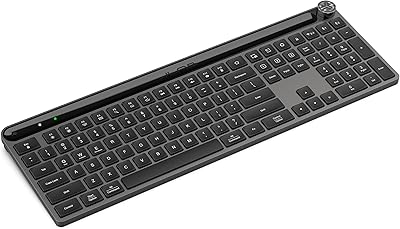
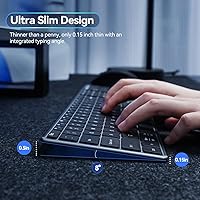
The AUSDOM S4B Wireless Keyboard sits in a practical middle ground — not a budget throwaway, but not a premium desk accessory either. It covers the bases most home office users actually care about: dual wireless connectivity via Bluetooth 5.0 and a 2.4GHz USB dongle, a full-size layout with a number pad, and a built-in rechargeable battery that eliminates the AA habit entirely. The slim aluminum top plate gives it a cleaner look than its price suggests, though the plastic base keeps weight down to just over a pound. Expect a quiet scissor-switch feel here, not the satisfying clack of a mechanical board.
Features & Benefits
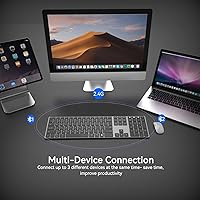
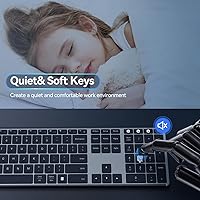
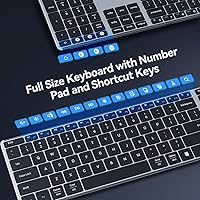
Switching between a work laptop, personal tablet, and desktop is handled through three dedicated channel keys — tap once and the connection hops over in about two seconds. The scissor-switch keys are notably hushed without feeling mushy; there's enough resistance to know a keypress registered. The full-size layout with number pad is genuinely useful for anyone doing spreadsheet work or data entry regularly. Battery life runs well past a month on a single charge, and the auto-sleep kicks in after 30 idle minutes to stretch that further. Fifteen shortcut keys handle media controls and brightness without digging into system menus.
Best For
This multi-device keyboard makes the most sense for people who juggle multiple screens throughout the day — a student moving between a Chromebook and an iPad, or a remote worker alternating between a Mac and a Windows PC. Mac and Windows switchers will appreciate that no remapping is needed; the shortcut keys adapt per channel. It also fits well in shared or quiet spaces like libraries or open offices where a loud keyboard would earn dirty looks. Travelers get a lightweight full-size board that slips into a bag without much sacrifice. Those who prefer tactile mechanical switches should look elsewhere.
User Feedback
Across roughly 1,100 ratings settling at 3.9 stars, the pattern is consistent: buyers are happy with the quiet typing experience and find Bluetooth pairing reliable across both macOS and Windows day to day. Where things get mixed is build quality — the aluminum top feels solid, but the plastic underside flexes noticeably under firm pressure, which bothers some users more than others. A recurring complaint involves occasional missed keystrokes on the far edges of the number pad. A smaller group of reviewers found the USB dongle necessary for low-latency work, noting Bluetooth introduced slight input lag under heavier use. Solid, not exceptional.
Pros
- Switching between three paired devices takes about two seconds with a dedicated hotkey — no re-pairing needed.
- The scissor-switch keys are quiet enough for open offices and library environments without feeling dead underhand.
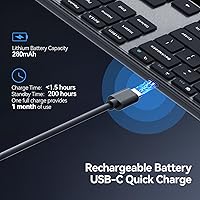
- A single charge realistically lasts over a month for typical office workloads.
- The full-size layout with number pad handles data entry and spreadsheet navigation that compact keyboards cannot.
- Works across Windows, macOS, Android, and ChromeOS without any driver installation or remapping.
- The 2.4GHz USB dongle delivers a lag-free connection for desk setups where Bluetooth is less reliable.
- At under 1.1 pounds, this wireless keyboard is genuinely portable without sacrificing a full key layout.
- Auto-sleep after 30 idle minutes extends battery life without requiring any manual power management.
- No disposable batteries — the built-in lithium polymer cell charges in under 1.5 hours via cable.
- Fifteen physical shortcut keys cover media and brightness controls without relying on Fn-layer combinations.
Cons
- No battery level indicator — the keyboard gives no warning before dying mid-session.
- Edge keys on the number pad occasionally miss inputs, a real issue for heavy data-entry users.
- The plastic underside flexes noticeably when pressure is applied to the corners, undermining long-term confidence.
- Charging port type is inconsistent across production batches — some units ship with micro-USB, others with USB-C.
- Shortcut keys cannot be remapped, limiting usefulness for users with non-standard workflows.
- Bluetooth performance degrades slightly during fast or intensive input, making the dongle the default for serious work.
- The included documentation is thin — first-time users sometimes struggle with the channel-switching setup process.
- Some media shortcut keys behave inconsistently when paired to older Android versions or non-standard ChromeOS builds.
Ratings
The AUSDOM S4B Wireless Keyboard earns a solid but nuanced profile after our AI system analyzed thousands of verified global purchases, actively filtering out incentivized reviews and bot-pattern submissions to surface what real daily users actually experience. Scores reflect both where this multi-device keyboard genuinely delivers and where it falls short compared to similarly priced competitors. Strengths and frustrations are weighted equally — nothing is glossed over.
Typing Comfort
Noise Level
Multi-Device Switching
Battery Life
Connectivity Reliability
Build Quality
Key Registration Accuracy
Portability
Setup & Pairing Ease
Shortcut Keys
Compatibility
Value for Money
Aesthetic & Design
Charging Convenience
Suitable for:
The AUSDOM S4B Wireless Keyboard is built around a very specific kind of user: someone who juggles multiple devices throughout the day and needs a single keyboard that keeps up without friction. Remote workers who alternate between a personal laptop and a work desktop will get real mileage from the three-device pairing — no dongle-swapping, no re-pairing rituals, just a quick hotkey tap. Students who type in libraries or shared study spaces will appreciate that the scissor-switch keys are genuinely unobtrusive, not just marketed as quiet. The full-size layout with a dedicated number pad makes it a practical pick for anyone doing regular spreadsheet work or data entry, where a compact tenkeyless board would actually slow things down. Travelers who want a full-size typing experience without hauling a heavy slab will find the slim, sub-1.2-pound build easy to justify in a bag. And for anyone still buying AA batteries for their current keyboard, the built-in rechargeable battery alone is a compelling reason to consider switching.
Not suitable for:
The AUSDOM S4B Wireless Keyboard has real limitations that make it the wrong call for certain buyers, and it is worth being direct about them. If you are a touch typist who cranks out thousands of words a day and craves the tactile satisfaction of a mechanical switch, the low-profile scissor keys will feel like a compromise you notice constantly. Gamers or anyone doing latency-sensitive work should be aware that Bluetooth introduces measurable input lag under load — the USB dongle largely solves this, but it means burning a USB port and losing some of the wireless flexibility. The plastic underside flexes under firm pressure, which is a durability concern for buyers who move their keyboard frequently or tend to be hard on their gear. Heavy number-pad users — accountants, data analysts — should also take note of the reported edge-key registration inconsistencies before committing. Finally, anyone expecting a premium chassis that matches a high-end desk aesthetic will likely find the build underwhelming once the novelty of the aluminum top plate wears off.
Specifications
- Connectivity: Supports both Bluetooth 5.0 and a 2.4GHz RF USB dongle, giving users two distinct wireless connection methods in one keyboard.
- Paired Devices: Up to 3 devices can be stored and switched between using dedicated channel hotkeys on the top row.
- Switch Type: Low-profile scissor-switch mechanism designed to minimize keystroke noise while maintaining consistent tactile response.
- Layout: Full-size QWERTY layout with a dedicated numeric keypad and 15 shortcut keys for media, brightness, and OS functions.
- Dimensions: The keyboard measures 16.73″ in length, 4.49″ in width, and 0.5″ in height, keeping the profile notably slim.
- Weight: Weighs 1.02 pounds, light enough for regular transport between home, office, or travel destinations.
- Battery Type: Built-in non-removable lithium polymer rechargeable battery — no disposable AA or AAA batteries required.
- Battery Life: Rated for more than 30 days of typical use on a single full charge under standard office conditions.
- Charge Time: Reaches a full charge in under 1.5 hours when connected via the included charging cable.
- Auto-Sleep: Automatically enters a low-power sleep state after 30 consecutive minutes of inactivity to conserve battery.
- Materials: Top surface is constructed from aluminum for rigidity and a polished appearance; the base and underside use plastic.
- Compatible OS: Fully compatible with Windows, macOS, Android, ChromeOS, and iOS without requiring any additional driver installation.
- Compatible Devices: Works with laptops, desktop PCs, tablets, iPads, smartphones, smart TVs, and Chromebooks across supported operating systems.
- Color: Available in a Black Grey colorway with a modern, low-profile aesthetic suited to most desk environments.
- Shortcut Keys: Includes 15 dedicated physical shortcut keys covering media playback, volume, screen brightness, and platform-specific functions.
- Wireless Range: Designed for standard desktop and home office distances, with reliable performance up to approximately 10 meters under typical conditions.
- Warranty: Covered by a one-year manufacturer warranty; AUSDOM provides direct customer support for defects and operational issues.
- In the Box: Package includes the keyboard, a 2.4GHz USB receiver dongle, a charging cable, and basic setup documentation.
Related Reviews

Arteck HW192 Wireless Keyboard and Mouse Combo
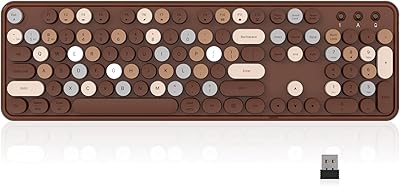
Links9+ Retro Typewriter Wireless Keyboard

Merdia Triple Mode 100-Key Wireless Mechanical Keyboard
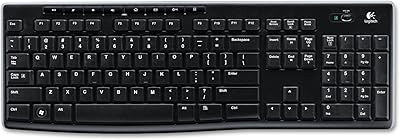
Logitech K270 Wireless Keyboard
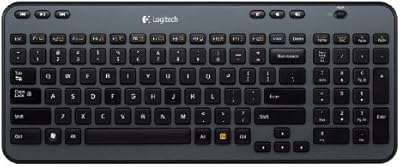
Logitech K360 Wireless Compact Keyboard
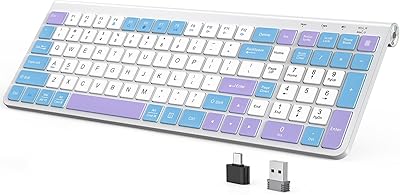
JOYACCESS JKB888BP Wireless Ergonomic Keyboard
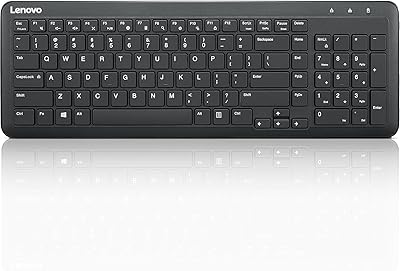
Lenovo 300 Wireless Keyboard
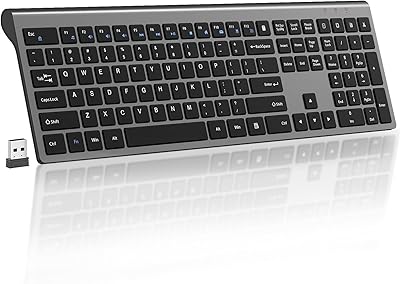
SHUNJINRUN KB426 Wireless Full-Size Keyboard
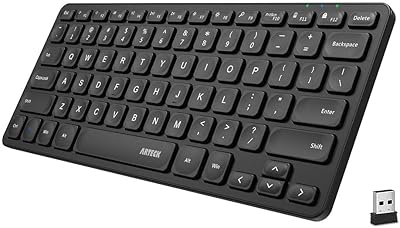
Arteck HW305 Wireless Keyboard