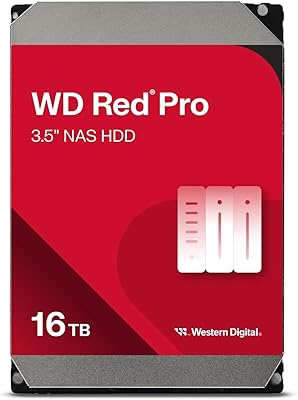
WD My Cloud Pro PR2100 20TB NAS
Overview
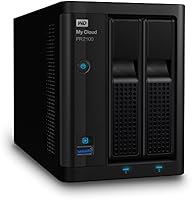
The WD My Cloud Pro PR2100 20TB NAS is built squarely for small creative teams and media professionals — not casual home users looking to back up a photo library. This 2-bay enclosure arrives pre-loaded with two 10TB drives, giving you serious working storage right out of the box. Under the hood, an Intel Pentium N3710 quad-core processor paired with 4GB DDR3L RAM handles concurrent users and heavy file transfers without constant bottlenecking. Both Mac and PC are fully supported, which matters when your team runs mixed hardware. The price is significant, and that is worth stating plainly — this drive earns its cost only if your workflow genuinely demands it.
Features & Benefits
The PR2100 supports six RAID configurations, including mirroring, striping, and spanning options. In practical terms, RAID 1 duplicates your data across both drives for redundancy — a sensible choice for anyone storing irreplaceable client work — while RAID 0 combines capacity for raw throughput speed. Built-in hardware transcoding means the device converts video for streaming on its own, sparing your laptop or TV from doing that processing. Plex runs natively on this 2-bay network drive, turning it into a capable media server without extra hardware. The WD OS 5 platform also handles user accounts, scheduled backups, and a growing library of third-party app integrations.
Best For
This WD Pro NAS is a strong fit for small video production outfits or creative agencies where multiple people need to access and edit large files from a shared central location. Photographers and videographers handling RAW stills or 4K footage will appreciate having 20TB of pooled capacity that sidesteps monthly cloud subscription costs. Home power users running a Plex library alongside automated backups will also find this a solid setup. That said, this is a narrow-audience device — anyone who does not actively need centralized, team-accessible storage will struggle to justify the investment. Remote access to a large archive while traveling is another genuine use case it handles reliably.
User Feedback
Across 166 ratings averaging 4.2 stars, the PR2100 earns genuine praise for its straightforward initial setup and consistent long-term reliability, with build quality frequently cited as solid for a desktop NAS at this tier. On the downside, the WD My Cloud mobile app draws recurring criticism for inconsistent behavior and occasional connectivity drops — a real frustration for anyone depending on remote access day-to-day. Firmware updates have caused headaches for a subset of buyers. Noise and heat under sustained heavy workloads come up occasionally, though most users find levels acceptable in an office setting. Plex integration is generally well-regarded, though first-time configuration can require some patience to get right.
Pros
- Arrives pre-loaded with 20TB of storage — no separate drive purchases needed out of the box.
- Six RAID configurations give you real control over the speed-versus-redundancy trade-off.
- Hardware transcoding handles on-the-fly video conversion without straining your TV or laptop.
- Plex Media Server runs natively, turning the PR2100 into a capable media hub without extra hardware.
- Mac and Windows are both fully supported, making mixed-OS creative teams a non-issue.
- Tool-free drive bays make swapping or upgrading drives straightforward as storage needs grow.
- Scheduled backups and user account management are handled directly through the WD OS 5 dashboard.
- USB 3.0 port lets you attach external drives for quick local transfers or overflow storage.
- Long-term reliability is strong when running on a stable firmware version, per experienced users.
- Browser-based remote access works reliably for pulling files from the road without a VPN.
Cons
- The WD My Cloud mobile app suffers from recurring disconnections and login failures across iOS and Android.
- Firmware updates have a documented history of breaking Plex setups and app configurations.
- Gigabit Ethernet caps throughput in ways that users editing high-bitrate 4K footage will feel quickly.
- Three or more simultaneous Plex transcoding streams push the quad-core processor to its limits.
- The WD OS 5 app library is noticeably thinner than what Synology DSM or QNAP QTS offer.
- No 10GbE support, which is a real gap for studios already running faster network infrastructure.
- Fan noise and enclosure heat increase noticeably during sustained heavy backup or transfer jobs.
- Restricted to two bays, meaning there is a hard ceiling on capacity and RAID configuration options.
- Plex initial configuration requires steps that WD's own documentation does not fully walk you through.
- The price tier is high relative to competing NAS units that offer a more capable software platform.
Ratings
The WD My Cloud Pro PR2100 20TB NAS was evaluated by our AI system after analyzing verified buyer reviews from multiple global sources, with spam, incentivized, and bot-generated feedback actively filtered out. The scores below reflect a balanced picture of where this 2-bay network drive genuinely delivers for professional users — and where it falls short. Both the strengths that keep creative teams loyal to it and the friction points that frustrate buyers at this price tier are represented transparently.
Setup & Initial Configuration
Build Quality & Hardware Design
Storage Performance & Throughput
RAID Flexibility & Data Redundancy
Media Streaming & Transcoding
Plex Media Server Integration
Remote Access & Mobile App
Software Ecosystem (WD OS 5)
Firmware Stability & Update Experience
Noise & Thermal Management
Cross-Platform Compatibility
Connectivity Options
Value for Money
Expandability & Upgrade Path
Suitable for:
The WD My Cloud Pro PR2100 20TB NAS is built for small creative teams and media professionals who need a dependable, high-capacity central storage hub that multiple people can access simultaneously. A three-person video production agency sharing project files across mixed Mac and Windows workstations is essentially the target buyer — this device was designed around that exact scenario. Photographers managing sprawling RAW libraries who are tired of juggling external drives will find the 20TB of pooled, RAID-protected storage a practical solution that scales with their archive. Home power users running a Plex media server alongside automated household backups will also get genuine value here, provided they are comfortable spending time on initial configuration. If your work involves storing irreplaceable client deliverables and you want drive-failure redundancy without racking up a monthly cloud bill, the PR2100 makes a compelling case.
Not suitable for:
If you are a casual home user looking for a simple place to back up a personal photo library, the WD My Cloud Pro PR2100 20TB NAS is significantly more device than you need, both in capacity and cost. Buyers expecting a polished, worry-free experience driven by a reliable mobile app will likely be disappointed — the WD My Cloud app has a documented track record of connectivity issues that have frustrated users across multiple firmware generations. Anyone running a workflow that demands multi-stream 4K RAW editing directly off the NAS will hit the ceiling of Gigabit Ethernet and the mechanical hard drives faster than expected. Teams that have already invested in 10GbE networking infrastructure will find the PR2100 is the weakest link in their pipeline. And if you are considering this device primarily because of software flexibility or a deep third-party app ecosystem, competing platforms from Synology or QNAP offer meaningfully richer options at a comparable price.
Specifications
- Total Capacity: Comes pre-installed with two 10TB mechanical hard drives, providing 20TB of raw storage across both bays.
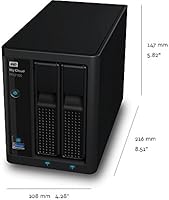
- Form Factor: Desktop 2-bay NAS enclosure measuring 8.51 x 4.28 x 5.82 inches and weighing 7.7 pounds.
- Processor: Powered by an Intel Pentium N3710 quad-core CPU running at 1.6GHz for handling concurrent access and transcoding workloads.
- RAM: Equipped with 4GB DDR3L memory to support multi-user file sharing and background application processes simultaneously.
- RAID Support: Supports RAID 0, 1, 5, 10, JBOD, and spanning configurations, giving users flexible control over redundancy and performance.
- Network Interface: Dual Gigabit Ethernet ports enable link aggregation or failover for more reliable and faster local network connectivity.
- USB Connectivity: Two USB 3.0 ports allow direct attachment of external drives for local backups or capacity expansion without going through the network.
- Transcoding: Built-in hardware transcoding engine prepares media files for streaming in compatible formats and resolutions without relying on client device processing power.
- OS Compatibility: Fully compatible with both macOS and Windows, supporting mixed-platform teams without requiring additional configuration or third-party software.
- Software Platform: Runs WD OS 5, which provides a web-based dashboard for user management, share permissions, backup scheduling, and third-party app installation.
- Remote Access: Remote file access is available through the WD My Cloud web portal and companion mobile app for iOS and Android devices.
- Plex Support: Plex Media Server can be installed directly from the WD app ecosystem, enabling library management and multi-device streaming from a single interface.
- Drive Type: Both pre-installed drives are mechanical hard disk drives (HDD), optimized for high-capacity sequential storage rather than low-latency random access.
- Color & Finish: Ships in a matte black finish that suits a professional desk or studio environment but is prone to visible dust and fingerprints.
- Power Supply: Includes an internal power supply with region-appropriate AC adapter, eliminating the need for a separate external power brick.
- Warranty: Western Digital provides a 3-year limited hardware warranty covering manufacturing defects under standard use conditions.
- Drive Compatibility: Both bays accept standard 3.5-inch SATA HDDs, allowing users to upgrade to higher-capacity drives as storage requirements grow over time.
- Graphics: Intel HD Graphics are integrated into the N3710 processor and are used internally by the transcoding engine rather than for any display output.
- Market Ranking: Holds the #909 position in the Amazon Network Attached Storage category, reflecting a specialized professional audience rather than mass-market volume.
- Release Date: First made available in June 2017 and remains an active product in the Western Digital My Cloud Pro lineup as of the device listing.
Related Reviews
WD Red Pro 20TB NAS Hard Drive
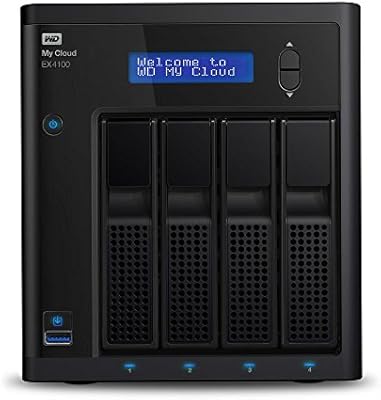
Western Digital My Cloud EX4100 8TB NAS
WD Red Pro 3TB NAS Hard Drive
WD Red Pro 10TB NAS Hard Drive
Western Digital WD Red Pro 14TB NAS Hard Drive
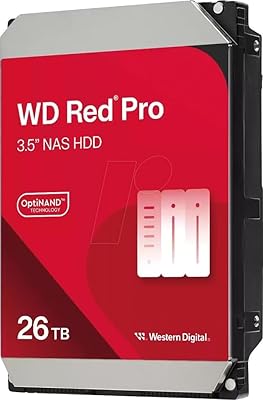
Western Digital 26TB WD Red Pro NAS HDD (WD260KFGX)
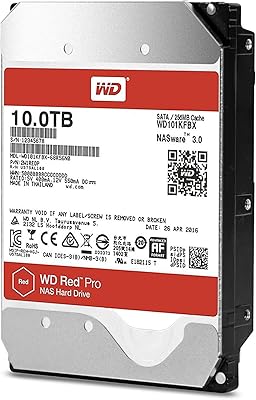
Western Digital WD Red Pro 10TB NAS Hard Drive
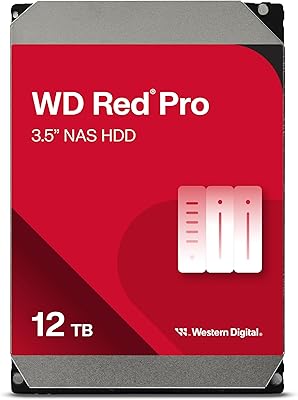
Western Digital 12TB WD Red Pro NAS Hard Drive
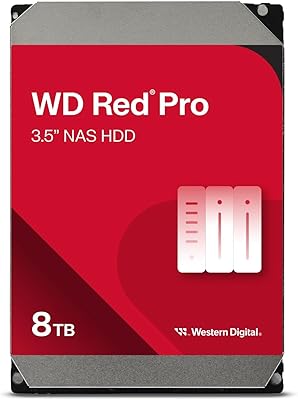
WD Red Pro 8TB NAS Internal Hard Drive