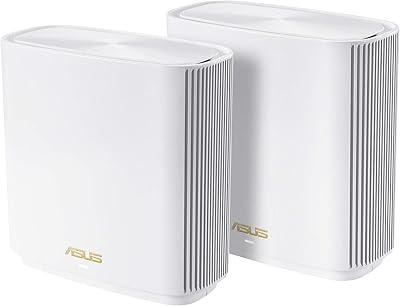
ASUS ZenWiFi XD6 2-Pack Mesh WiFi System




Overview
The ASUS ZenWiFi XD6 2-Pack Mesh WiFi System is a dual-band WiFi 6 mesh kit built for homes where a single router just can't reach every corner. Two compact white nodes work together to cover up to 5,400 square feet, which on paper handles a decent-sized house with a few dead zones to spare. They're small enough to tuck onto a bookshelf or media console without looking like networking gear bolted to your wall. Since this mesh system belongs to ASUS's AiMesh lineup, you're not locked into buying matching nodes forever - you can fold in other AiMesh-compatible routers later if your needs grow. It's less about chasing gaming-router bragging rights and more about quietly killing dead zones.
Features & Benefits
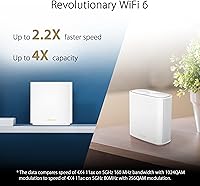
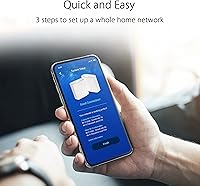
What stands out with these ZenWiFi units is how much they bundle in without nickel-and-diming you afterward. AiMesh support means you're not stuck if you outgrow the two-node setup - additional compatible routers can join the same network later. Security comes courtesy of Trend Micro, and it's included for the life of the product, not a one-year trial that quietly expires. Parental controls are built in too, with URL filtering and scheduling that let you set boundaries without installing a separate app. The ASUS Router App handles setup and day-to-day tweaks, and WiFi 6 support means a house full of phones, tablets, and smart TVs won't choke the connection the way older standards would. There are Ethernet ports as well, handy for consoles that prefer a wired connection.
Best For
This WiFi setup makes the most sense for bigger or multi-floor homes where one room always seems to lag behind the rest in signal strength. If you've got kids and want some say over what they're accessing online without juggling a third-party app, the built-in scheduling and URL filtering do a lot of that work for you. It also suits households with a pile of connected devices - game consoles, streaming boxes, smart TVs, the usual modern clutter - since WiFi 6 spreads bandwidth more evenly across all of them. Anyone tired of paying yearly fees for router-level security software will appreciate that this is baked in already. And if you just want solid coverage without diving into enterprise networking menus, this fits that simpler, set-it-and-forget-it mindset well.
User Feedback
Reviews land at roughly 3.8 out of 5 from a few thousand buyers, which tells a believable story rather than a glowing one. Most people report a real, noticeable improvement in coverage once they get the nodes placed correctly, and the setup process via the app tends to get praised for being quick rather than fiddly. On the other side, a noticeable chunk of feedback points to occasional hiccups when a device hands off between nodes, plus the usual grumbling about firmware updates needing a restart at an inconvenient time. None of that is unusual for mesh systems in this price range, but it's worth going in with realistic expectations rather than assuming flawless performance. The split between very happy owners and frustrated ones is real, not just noise.
Pros
- Genuinely improves coverage in larger homes with stubborn dead zones
- Security protection runs for the life of the product with no subscription fee
- Parental controls handle scheduling and content filtering without a separate app
- WiFi 6 keeps a house full of devices running smoothly at once
- AiMesh compatibility means the network can grow with extra routers later
- Setup through the ASUS app is straightforward even for non-technical users
- Compact, understated design blends into a shelf instead of standing out
- Wired Ethernet ports add a reliable option for consoles and TVs
Cons
- Some owners report occasional hiccups when devices hand off between nodes
- Dual-band setup may feel limiting for heavy gaming or high-bandwidth tasks
- Firmware updates occasionally require a restart at an inconvenient moment
- Overall rating hovers around 3.8, reflecting a mixed range of experiences
- Two nodes are more coverage than a small apartment realistically needs
- Advanced users may find the app's settings a bit too simplified
- Real-world coverage can fall short of the advertised square footage indoors
- Not built with the tri-band horsepower some larger households may want
Ratings
These scores for the ASUS ZenWiFi XD6 2-Pack Mesh WiFi System were generated by AI after analyzing thousands of verified buyer reviews from across the globe, with spam, bot activity, and incentivized feedback filtered out before scoring. The goal is an honest snapshot of how this mesh setup performs in real homes, not a marketing summary. Both the strengths people consistently praise and the recurring frustrations are reflected below, so you can weigh the trade-offs for yourself.
Coverage & Range
WiFi 6 Performance
Setup & App Experience
AiMesh Expandability
Built-in Security
Parental Controls
Connection Stability & Mesh Handoff
Multi-Device Handling
Build Quality & Design
Wired Connectivity
Value for Money
Firmware & Updates
Overall Reliability
Suitable for:
The ASUS ZenWiFi XD6 2-Pack Mesh WiFi System makes the most sense for families in a larger or multi-story home where one or two rooms always seem to lose signal. It's a good fit for parents who want scheduling and URL filtering built into the network itself rather than relying on a separate app on every device. Households with a long list of connected gadgets - smart TVs, consoles, tablets, laptops, a few smart speakers - benefit from WiFi 6 spreading bandwidth more evenly instead of everything competing for scraps. Anyone burned by router security subscriptions that quietly expire after a year will appreciate that protection here doesn't come with a recurring bill. It also suits buyers who want decent whole-home coverage without learning enterprise networking jargon, since the app-guided setup keeps things approachable. If your current router leaves a home office or upstairs bedroom with weak bars, this is built to fix exactly that problem.
Not suitable for:
This isn't the right pick for renters or apartment dwellers with a small, single-level space, since two nodes is overkill when one decent router would do the job. Competitive gamers chasing the lowest possible latency or households running bandwidth-heavy tasks like 4K editing over WiFi may find a dual-band system limiting compared to tri-band alternatives built for that kind of load. Buyers who've read through feedback on the ASUS ZenWiFi XD6 2-Pack Mesh WiFi System and want flawless mesh handoff every single time should know that occasional connectivity hiccups do show up for a portion of owners. If you already own a tri-band or more advanced mesh system, upgrading to this would likely feel like a step sideways rather than forward. And anyone wanting deep, granular control over network settings might find the app-first approach a bit too simplified for their taste.
Specifications
- Brand & Model: This is the ASUS ZenWiFi XD6, model number XD6 (W-2-PK), manufactured by ASUS.
- Pack Size: The system ships as a 2-pack, giving you two identical mesh nodes in the box.
- Wireless Standard: It supports 802.11ax (WiFi 6) along with backward compatibility for 802.11a, ac, g, and n devices.
- Band Type: The XD6 operates on a dual-band frequency setup rather than tri-band.
- Combined Wireless Speed: Total rated wireless speed across both bands is 5400 Mbps, placing it in the AX5400 class.
- Coverage Area: ASUS rates the 2-node kit for coverage of up to 5,400 square feet across 4 or more rooms.
- Mesh Technology: The nodes use ASUS AiMesh technology and can be combined with other AiMesh-compatible routers.
- Security Software: Network security is powered by Trend Micro and is included free for the lifetime of the product.
- Parental Controls: Built-in parental controls include URL filtering and scheduled internet access by device or user.
- App Management: Setup and ongoing management are handled through the ASUS Router App on a phone or tablet.
- Connectivity: Each node connects via WiFi or Ethernet, supporting wired devices alongside wireless ones.
- Color: The units are finished in white to blend into most home decor.
- Unit Dimensions: Each individual node measures 4.96 x 2.32 x 5.08 inches.
- Unit Weight: Each node weighs 15.4 ounces.
- Included Accessories: The box includes a power adapter, an RJ-45 Ethernet cable, a quick start guide, and a warranty card.
- Recommended Use: ASUS markets this system for both home and small business networking needs.
- Compatible Devices: It's designed to work with gaming consoles, computers, smart TVs, smartphones, and tablets.
Related Reviews
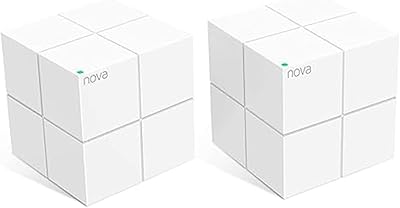
Tenda Nova MW6 2-Pack Mesh WiFi System
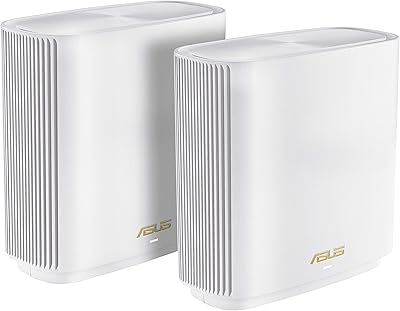
ASUS ZenWiFi ET9 2-Pack Mesh WiFi System

TP-Link Deco S4 2-Pack Mesh WiFi System
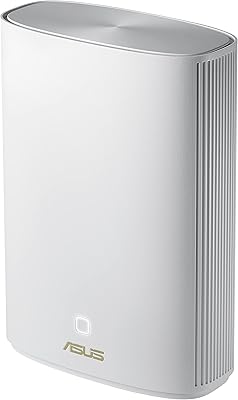
ASUS ZenWiFi XP4 Mesh WiFi 6 System

TP-Link Deco BE95 Wi-Fi 7 Mesh System 2-Pack
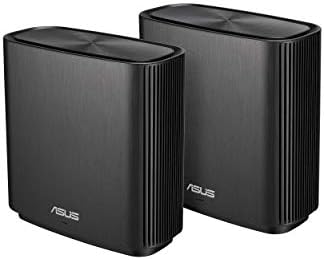
ASUS ZenWiFi AC CT8 2-Pack Mesh System
ASUS ZenWiFi BD5 Outdoor WiFi 7 Router
ASUS ZenWiFi BD4 Dual-Band WiFi 7 Mesh Router
ASUS ZenWiFi BT6 WiFi 7 Mesh Router