Overview

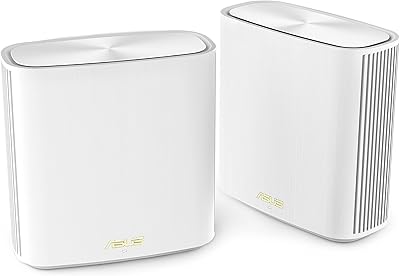
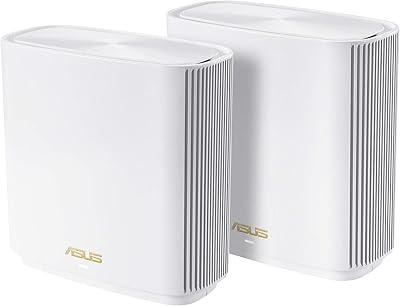
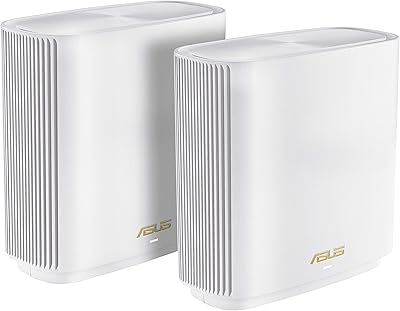
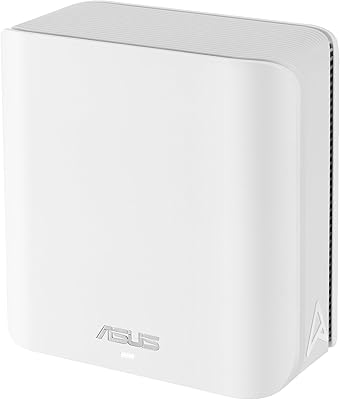
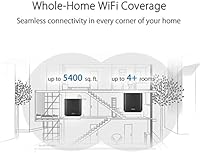
The ASUS ZenWiFi AC CT8 2-Pack Mesh System entered the market as a serious answer to the dead-zone problem that plagues larger homes. Two nodes together cover up to 5,400 square feet — enough for a sprawling two-story house or a thick-walled older build where a single router gives up halfway down the hall. Unlike budget dual-band mesh kits that choke on backhaul traffic, the AC3000 tri-band architecture dedicates an entire 5 GHz band to node-to-node communication. ASUS has decades of credibility in networking hardware, and that shows here. Just know this is a Wi-Fi 5 product; newer Wi-Fi 6 systems now compete at similar prices, so weigh that honestly before buying.
Features & Benefits

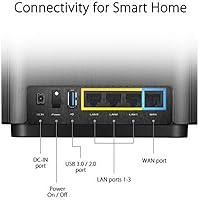
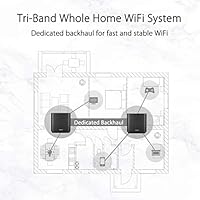
The standout engineering choice here is the dedicated backhaul band. Most budget mesh systems share a single 5 GHz band between client devices and node-to-node traffic, which quietly throttles real-world speeds. The ZenWiFi CT8 duo reserves its second 5 GHz band exclusively for inter-node communication, so your laptop or TV never competes with the network’s own overhead. Each node also packs four Gigabit Ethernet ports, handy for gaming consoles or smart TVs that benefit from a wired connection. The built-in Trend Micro security scans every connected device for threats — for life, no subscription required. Parental controls let you filter URLs and set usage schedules, all managed through the straightforward ASUS Router app.

Best For

This ASUS mesh kit makes the most sense for homeowners dealing with a floor plan somewhere between 2,500 and 5,000 square feet, especially those with multiple floors, concrete walls, or sprawling open-plan layouts. If your household regularly has 20 or more devices online simultaneously — phones, tablets, smart speakers, streaming sticks, security cameras — the tri-band architecture handles that load far better than a single router or a basic two-band mesh. Parents who want content filtering and screen-time limits without a recurring monthly charge will also find real value here. And if you already own an AiMesh-compatible ASUS router, expanding the existing network with this kit is a natural, cost-effective move.

User Feedback

Across roughly 384 ratings, this tri-band mesh system lands at 3.9 stars — a score that tells a fairly balanced story. Buyers consistently praise the noticeable dead-zone elimination and the clean, approachable app experience; many report stable speeds even in the far corners of large homes. On the downside, a recurring theme in critical reviews involves firmware update hiccups and, for some users, inconsistent device hand-off when walking between nodes. A handful of long-term owners also mention the units run warm under sustained load. That said, several one- and two-star reviews cite firmware behavior that has since been addressed in updates, so they may no longer reflect current performance. The free lifetime security suite earns consistent appreciation as a genuine long-term benefit.

Pros

  • Covers up to 5,400 sq.ft with two nodes, effectively eliminating dead zones in large homes.
  • The dedicated backhaul band keeps client speeds stable even when many devices stream simultaneously.
  • Lifetime Trend Micro security protects every connected device without a recurring subscription fee.
  • Four Gigabit Ethernet ports per node support wired backhaul or direct device connections.
  • Built-in parental controls include URL filtering and time scheduling at no additional monthly cost.
  • The ASUS Router app makes initial setup quick and ongoing network management easy from a smartphone.
  • AiMesh support lets existing ASUS router owners integrate this kit into a larger unified network.
  • The ZenWiFi CT8 duo handles 20-plus simultaneous connections without significant speed degradation.
  • Long-term owners consistently highlight the free lifetime security suite as a standout ownership benefit.

Cons

  • This is a Wi-Fi 5 product; newer Wi-Fi 6 mesh systems now compete at similar price points.
  • Some users report inconsistent device roaming, with connections not always switching nodes smoothly.
  • Occasional firmware updates have triggered connectivity disruptions for a documented subset of buyers.
  • Both nodes run noticeably warm under sustained load, which may concern buyers in poorly ventilated spaces.
  • Two nodes is overkill for apartments or homes under 1,500 sq.ft, making it poor value at that scale.
  • AiMesh expansion benefits are irrelevant unless you already own a compatible ASUS router.
  • Buyers prioritizing peak throughput for gaming or large transfers will find current Wi-Fi 6 kits more capable.
  • Launched in 2020, so hardware longevity and future firmware support timelines are worth factoring into the decision.

Ratings

Our AI-generated scores for the ASUS ZenWiFi AC CT8 2-Pack Mesh System are built from analysis of hundreds of verified buyer reviews collected globally, with automated filtering applied to remove suspected bot activity, incentivized submissions, and outlier feedback that does not reflect a typical ownership experience. Each category score reflects the genuine consensus of real users — where this tri-band mesh kit earns consistent praise, the scores reflect that, and where frustrations are recurring, those are surfaced transparently rather than buried. The result is a rating profile that honestly captures both what makes this system worth considering and what should give prospective buyers pause.
Coverage & Range
88%
The two-node kit consistently delivers on its 5,400 sq.ft coverage claim in typical two-story homes, with users frequently noting that bedroom dead zones and basement corners their previous single router could not reach were resolved after a single node placement adjustment. Strategic positioning between floors is where this system earns its reputation.
Homes with unusual layouts — L-shapes, detached rooms, or properties over 4,500 sq.ft — can expose coverage gaps that two nodes alone cannot bridge. Some buyers at the far edges of the rated range reported noticeably weaker signal strength, suggesting a third node would be necessary for complete coverage.
WiFi Speed & Performance
74%
26%
Under typical household load — simultaneous 4K streaming, video calls, and smart-home device chatter — the dedicated backhaul band keeps client speeds remarkably stable. Users with 20 to 30 connected devices rarely reported the speed degradation that plagues cheaper dual-band mesh kits operating under similar conditions.
As a Wi-Fi 5 product, raw peak throughput lags behind current Wi-Fi 6 systems available at comparable prices, and buyers with newer laptops or phones may not achieve the device-level speeds their hardware is capable of. Heavy single-client workloads like very large file transfers highlight this ceiling quickly.
Setup & Installation
81%
19%
The app-guided three-step process impressed many first-time mesh router buyers, with most reporting a working whole-home network within 15 to 20 minutes of unboxing. The second node pairs to the primary without manual configuration, and the app language avoids overwhelming technical jargon.
A recurring frustration involves the app occasionally failing to detect the second node on the first attempt, requiring a power cycle before the pairing process succeeds. Users who bypassed the app in favor of the web-based admin panel encountered a noticeably steeper configuration learning curve.
App & Management
83%
The ASUS Router app handles everyday tasks — monitoring connected devices, adjusting parental control schedules, running speed tests, and applying firmware updates — with enough clarity that non-technical users navigate it with confidence. The interface has improved meaningfully through iterative updates since the hardware originally launched.
Advanced configuration options are inconsistently organized within the app, and some settings still require accessing the full web-based admin panel to configure properly. Occasional sync delays between the app and the router hardware have been noted when managing a large number of connected devices simultaneously.
Network Security
91%
The lifetime Trend Micro AiProtection suite actively scans connected devices for malware, blocks malicious domains, and surfaces a network vulnerability report — all without ever requiring a subscription fee. Long-term owners repeatedly cite this as a feature that continues delivering tangible value years after the initial purchase, unlike security tiers on rival systems that expire.
The in-app security dashboard presents summary-level information rather than granular logs, which more advanced users may find limiting when trying to understand the specifics of what traffic was blocked. Those accustomed to enterprise-grade network security reporting will find the visibility here fairly surface-level by comparison.
Parental Controls
84%
Content filtering by category and per-device internet scheduling work reliably for everyday family use — parents can restrict gaming or social media sites on a teenager's laptop without affecting the household smart TV setup. The absence of a recurring monthly charge makes this one of the more practical no-cost parental control implementations found in consumer mesh systems.
Filtering operates at the domain level only, with no application-level blocking available, and there is no built-in dashboard showing a history of what sites a child actually attempted to visit. Families requiring granular app-level restrictions or detailed usage reporting may still find a dedicated third-party parental control service necessary.
Hardware Build Quality
78%
22%
The casing feels solid and does not flex under handling, and the compact footprint allows nodes to sit unobtrusively on a shelf or entertainment unit without dominating the space. The build inspires reasonable confidence for hardware designed to run continuously around the clock.
The chassis design prioritizes compactness over ventilation, which contributes directly to the heat-retention issues flagged by a subset of reviewers during sustained use. There are no external status indicators beyond a single small LED, making it difficult to gauge node health at a glance without opening the app.
Node Design & Aesthetics
71%
29%
The low-profile charcoal finish blends into most living room, home office, or hallway settings more naturally than the antenna-covered routers this system replaces. Neither oversized nor visually disruptive, it works acceptably in visible spots without demanding attention.
Compared to more recent mesh systems with refined minimalist or architectural designs, the CT8 nodes look noticeably dated and utilitarian. Buyers placing nodes in prominent living areas may find the industrial-box aesthetic less considered than what current-generation competitors offer at similar price points.
Wired Connectivity
86%
Four Gigabit Ethernet ports on every node is a genuinely useful advantage — a desktop, smart TV, and games console can all be wired directly to a node without an external switch, and a port remains available for wired backhaul. Very few mesh systems in this class match that per-node port count.
There is no multi-gigabit port option (2.5G or 10G), which becomes a modest limitation as multi-gig broadband plans grow more accessible. Buyers on symmetrical gigabit-plus fiber connections will eventually encounter the Gigabit-only ceiling, though this remains a secondary concern for the majority of current residential speeds.
Roaming & Handoff
62%
38%
In stationary use, devices connected to their nearest node maintain stable throughput with consistent latency. Users who primarily work from a fixed location — a home office desk or a living room couch — rarely reported connectivity drops or node-selection confusion.
Device handoff between nodes is a documented weak point — users carrying a phone or laptop between rooms often experienced a brief reconnection pause rather than a transparent transition. This is among the most consistently cited frustrations in the review pool and disproportionately affects people who move around the home frequently during calls or streaming sessions.
Heat Management
63%
37%
Under light to moderate load — typical browsing, music streaming, and background smart-home traffic — the nodes operate at an acceptable temperature without causing concern. Buyers who place units in open, ventilated locations generally report no operational issues directly attributable to heat.
Under sustained heavy load, both nodes run noticeably warm, and a visible portion of the review pool specifically flagged this as a concern. Placing units inside enclosed media cabinets or shelving without airflow significantly worsens the problem, and several long-term users raised questions about whether chronic heat could shorten hardware lifespan over a multi-year ownership period.
Value for Money
69%
31%
When weighed against the feature set at launch — tri-band backhaul, lifetime security, four Gigabit ports per node, parental controls, and broad coverage — the package offered a competitive bundle of included software benefits that represent real ongoing cost savings compared to subscription-dependent rivals.
The value case has eroded as Wi-Fi 6 mesh systems have landed at comparable price points, offering faster hardware with longer protocol relevance windows. Buyers evaluating this system today are essentially committing to a 2020-era platform, which requires an honest side-by-side comparison against current-generation alternatives rather than treating this kit as the default choice.
Firmware Reliability
64%
36%
When running stable firmware, the system operates quietly in the background for extended periods without requiring attention. ASUS has continued pushing updates to this platform since launch, and several instability issues that affected early buyers have been resolved in more recent firmware revisions.
Firmware update reliability is one of the more visible pain points in the review pool, with a recurring pattern of updates causing temporary connectivity loss or requiring a full restart to restabilize. Some users also reported configuration settings being unexpectedly wiped after a firmware push, which is particularly disruptive for households with carefully arranged parental control rules.
AiMesh Compatibility
82%
18%
For households that already own a compatible ASUS router, AiMesh integration is a practical way to extend coverage without discarding functional hardware. The unified management experience within the app treats all nodes consistently, making an expanded multi-device setup feel cohesive rather than cobbled together.
The AiMesh advantage applies exclusively to owners of qualifying ASUS hardware, making it a niche benefit for a specific slice of buyers. Those without existing ASUS routers receive no incremental value from this feature, and the ecosystem dependency means any future expansion will always require additional ASUS hardware purchases.
Long-term Reliability
76%
24%
The majority of long-term owners in the review pool report stable day-to-day operation over one to three years of continuous use, with the hardware maintaining its core function without reported unit failures. The ongoing free security updates provide sustained value that keeps the ZenWiFi CT8 duo relevant beyond the first year of ownership.
As a Wi-Fi 5 product now several years into its lifecycle, the hardware is gradually falling behind in protocol support as more client devices ship with Wi-Fi 6 capability built in. There is also a reasonable open question about how long ASUS will maintain active firmware development for this platform before support is formally wound down.

Suitable for:

The ASUS ZenWiFi AC CT8 2-Pack Mesh System is built for households where a single router simply cannot reach every room — think two-story homes, older builds with thick plaster or concrete walls, or open floor plans stretching well beyond 2,500 square feet. If your family routinely has 20 or more devices active at once — streaming in one room, running smart-home gadgets throughout, and handling video calls from a home office — the tri-band architecture keeps each device from starving for bandwidth. Parents will find the built-in URL filtering and time-scheduling controls genuinely useful, especially since there is no monthly fee attached to them. Anyone who already owns a compatible ASUS router will appreciate the AiMesh support, which allows an existing device to extend this network rather than become hardware to replace. Those who want wired backhaul between nodes for rock-solid inter-node reliability will also find the four Gigabit ports per node a practical advantage over mesh kits that rely entirely on wireless links.
Not suitable for:

Shoppers who are actively comparing current-generation options should think carefully before committing, because the ASUS ZenWiFi AC CT8 2-Pack Mesh System is a Wi-Fi 5 product released in 2020, and newer Wi-Fi 6 alternatives at comparable price points now offer meaningfully faster peak speeds and better performance in dense device environments. Anyone living in an apartment or a smaller home under 1,500 square feet will likely find two nodes excessive — a single capable router would cover that space without added complexity or cost. Buyers who are sensitive to firmware reliability issues should research the current software state before purchasing, as inconsistent update behavior has been a documented friction point for some owners. If absolute peak throughput for competitive gaming or large file transfers is the priority, newer Wi-Fi 6 or Wi-Fi 6E mesh kits have a clear technical edge. Finally, those expecting completely hands-off simplicity should be aware that occasional firmware attention is part of the realistic ownership experience here.

Specifications

  • WiFi Standard: Operates on 802.11a/b/g/n/ac, commonly known as Wi-Fi 5, the AC wireless protocol generation.
  • Frequency Bands: Tri-band configuration includes one 2.4 GHz band and two separate 5 GHz bands per node.
  • Max Combined Speed: AC3000 rating reflects a combined ceiling of 400 Mbps on 2.4 GHz, 867 Mbps on the client 5 GHz band, and 1,733 Mbps on the dedicated backhaul 5 GHz band.
  • Coverage Area: The two-node kit is rated by ASUS to cover up to 5,400 sq.ft of living space under typical conditions.
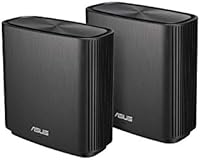
  • Nodes Included: Each retail package contains two identical mesh nodes, both equal in hardware capability and role.
  • LAN Ports: Each node provides four Gigabit Ethernet ports, usable for wired device connections or a wired backhaul link between nodes.
  • Security Suite: Trend Micro AiProtection scans all network traffic and connected devices for threats with no subscription fee required, for the lifetime of the hardware.
  • Parental Controls: Includes URL-based content filtering by site category and per-device internet scheduling to restrict access during set time windows.
  • Mobile App: The ASUS Router app, available for iOS and Android, covers initial setup and ongoing network monitoring and management.
  • AiMesh Support: Fully compatible with the ASUS AiMesh ecosystem, enabling integration with other AiMesh-certified ASUS routers to extend the network.
  • WPS: WPS (Wi-Fi Protected Setup) is supported for simplified pairing of compatible wireless devices.
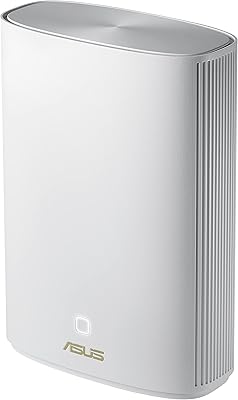
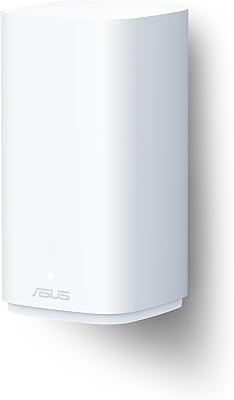
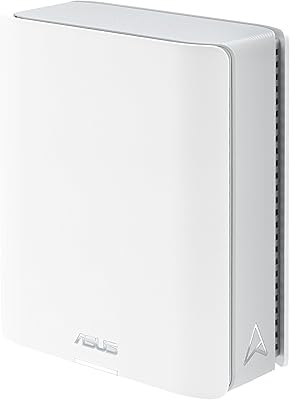
  • Node Dimensions: Each individual node measures 6.3 x 2.95 x 6.36 inches (approximately 16 x 7.5 x 16.2 cm).
  • Kit Weight: The complete two-node kit weighs approximately 6.42 pounds (2.92 kg) inclusive of all hardware.
  • Connectivity Types: Supports Ethernet (wired), standard Wi-Fi (wireless), and WPS connections across all compatible client devices.
  • Color: Ships in a Charcoal finish designed to sit unobtrusively in typical home or office environments.
  • Manufacturer: Designed and produced by ASUS, a Taiwanese multinational company with extensive experience in consumer and enterprise networking hardware.
  • Release Date: First made available to consumers in January 2020.

Related Reviews

ASUS ZenWiFi XD6 Mesh WiFi 6 System
86%
93%
Wi-Fi Coverage
85%
Ease of Setup
89%
Performance and Speed
80%
App Experience
91%
Parental Controls
More
Tenda Nova MW6 2-Pack Mesh WiFi System
76%
93%
Ease of Setup
78%
Coverage & Dead Zone Elimination
72%
Network Stability
69%
Wi-Fi Speed Performance
88%
Value for Money
More
ASUS ZenWiFi XT9 2-Pack Mesh WiFi System
76%
78%
WiFi Coverage
84%
Network Speed
63%
Setup Experience
81%
App & Management
59%
Firmware Stability
More
ASUS ZenWiFi ET9 2-Pack Mesh WiFi System
77%
83%
WiFi Coverage
86%
Network Speed
57%
Setup Experience
72%
App & Management
91%
Network Security
More
TP-Link Deco S4 2-Pack Mesh WiFi System
75%
91%
Setup & Installation
74%
Coverage & Range
83%
Connection Stability
88%
Value for Money
72%
App Experience
More
ASUS ZenWiFi XP4 Mesh WiFi 6 System
77%
88%
Dead-Zone Elimination
74%
Powerline Backhaul Performance
79%
Setup & Installation
91%
Network Security & Parental Controls
82%
WiFi 6 Client Performance
More
TP-Link Deco BE95 Wi-Fi 7 Mesh System 2-Pack
78%
88%
Wireless Performance
83%
Coverage & Range
93%
Wired Connectivity
86%
Setup & Installation
79%
App & Management Experience
More
ASUS ZenWiFi BD5 Outdoor WiFi 7 Router
83%
88%
Wireless Performance
91%
Build Quality & Durability
93%
Weather Resistance
89%
Temperature Range & Climate Versatility
86%
Installation & Mounting
More
ASUS ZenWiFi BT6 WiFi 7 Mesh Router
78%
83%
Wireless Performance
79%
Coverage & Range
74%
Setup & Ease of Use
81%
Build Quality & Design
86%
Security Features
More
ASUS ZenWiFi BD4 Dual-Band WiFi 7 Mesh Router
86%
93%
Wi-Fi Performance
89%
Setup & Installation
91%
Security Features
88%
Gaming & Streaming Performance
84%
Value for Money
More

FAQ

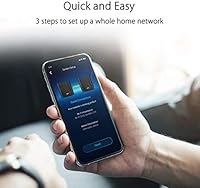
Most people find it quite manageable. The ASUS Router app guides you through a three-step process: plug the primary node into your modem, power it on, and follow the on-screen prompts. The second node syncs automatically once it is powered on nearby. The majority of users have a working network within 15 to 20 minutes without ever opening a browser-based admin panel.

Yes, this ASUS mesh kit supports the AiMesh platform, which allows you to fold in additional compatible ASUS routers to extend coverage. Just be aware that expansion works specifically with AiMesh-certified ASUS hardware — it is not an open system that accepts nodes from other brands. If you already own a qualifying ASUS router, that device can join the mesh at no extra hardware cost.

Nothing at all. The security feature is genuinely free for the life of the hardware — there is no trial period that converts to a paid plan, and no renewal reminder will ever show up in your inbox. What is included at purchase is what you keep indefinitely.

The ZenWiFi CT8 duo was designed with exactly this kind of challenging layout in mind, and placing one node per floor covers the vast majority of two-story homes in its target range. Thick plaster, brick, and concrete walls that a single router struggles with are generally handled well when you position nodes strategically at each level. That said, very large or unusually shaped layouts beyond 5,000 sq.ft may still benefit from a third node added later.

Absolutely, and it is one of the more useful features of this system. Running a cable between a Gigabit port on each node creates a wired backhaul, which is faster and more consistent than a wireless node-to-node link. If you have Ethernet already run between floors or rooms in your home, using it here is always the better option.

They work on a per-device basis, so you can assign different schedules or restrictions to a child’s tablet versus a family laptop. You can block content by category or enter specific URLs to restrict, and you can set time windows during which a device has no internet access at all. It is not as granular as a dedicated parental control subscription service, but for keeping kids off certain content and enforcing screen-time limits, it covers the everyday essentials without costing extra.

In almost every case, yes. This tri-band mesh system connects to your existing modem or gateway via Ethernet on the primary node, exactly as any third-party router would. It is compatible with cable, fiber, and DSL services. If your ISP equipment is a combined modem-router, you may need to enable bridge mode on that device to prevent double-NAT issues, which is standard practice when adding any external router to that type of setup.

It is worth being upfront about this: the ASUS ZenWiFi AC CT8 2-Pack Mesh System is a Wi-Fi 5 product from 2020, and the mesh router market has moved significantly since then. Wi-Fi 6 systems at a comparable price now offer faster peak speeds, improved performance under heavy multi-device load, and better long-term compatibility with newer devices. If you are buying new hardware today and future-proofing matters to you, it is worth comparing what Wi-Fi 6 kits are available at a similar price before deciding.
Some warmth is entirely normal for mesh nodes that run around the clock. A portion of owners of the ZenWiFi CT8 duo have noted these run on the warmer side compared to some competitors, which is worth keeping in mind during placement. The main thing to avoid is enclosing them in tight, closed-off spaces like cabinets or shelves without airflow. Set them in open areas with room to breathe and the heat should remain within normal operating range.

Start with a standard power cycle — unplug the node for 30 seconds and plug it back in. If the problem persists, check whether a firmware update is pending in the ASUS Router app, since some instability issues reported by users have been resolved by keeping firmware current. As a last resort, each node has a physical reset pinhole; holding it for roughly 10 seconds restores the node to factory defaults, after which you can re-add it to the network through the app. A clean reset after a firmware reinstall has resolved persistent issues for several users who had trouble with in-place updates.