


Overview

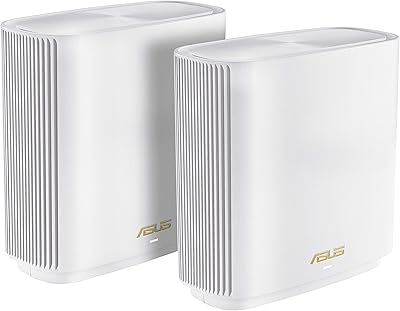
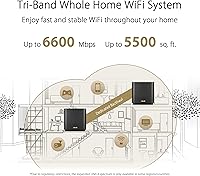
The ASUS ZenWiFi AX XT8 Mesh WiFi System is a single-node WiFi 6 unit built to anchor or expand a whole-home mesh network in medium-sized homes. If your household juggles multiple streaming devices, video calls, and smart gadgets — or if certain rooms just never get a reliable signal — this is a router category worth considering. WiFi 6 (802.11ax) isn't just a marketing bump; it handles more devices talking at once without the usual slowdowns. That said, this is the single-pack variant, covering up to around 2750 square feet. Larger homes or sprawling layouts may need a second node to fill every corner.

Features & Benefits

The ZenWiFi XT8's tri-band architecture is what separates it from basic dual-band routers. One band is reserved exclusively for node-to-node communication, meaning your devices aren't competing with the mesh backhaul for bandwidth. In practical terms, that translates to steadier speeds whether you're gaming, streaming 4K, or on a video call. OFDMA and MU-MIMO allow the router to serve multiple devices simultaneously rather than taking turns, which matters when a household runs ten or more gadgets. The lifetime Trend Micro security screens traffic at the network level for threats with no ongoing subscription required — a genuine differentiator. Parental controls and three separate SSIDs round things out for families managing IoT devices or guest access.

Best For

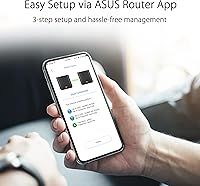
This WiFi 6 system hits a sweet spot for a fairly broad set of buyers. If you're replacing a router that's several years old and want a real performance jump without spending an afternoon reading setup guides, the three-step app setup makes onboarding genuinely straightforward. Families benefit from built-in parental controls and the ability to keep IoT devices on an isolated network. Home-office workers will appreciate a security layer that runs without extra fees. Existing ASUS AiMesh users can drop this mesh node in as an expansion rather than starting over. It's also a solid fit for apartments and townhomes with multiple floors where a single traditional router leaves dead zones near the edges.

User Feedback

Among verified buyers, the ZenWiFi XT8 holds a strong 4.2-star average, and the feedback pattern tells a fairly consistent story. People are happy with coverage consistency and how devices stay connected while moving room to room. Setup gets frequent praise, particularly from buyers who describe themselves as non-technical. On the critical side, a recurring complaint is that the app can be slow to reflect firmware updates, occasionally requiring a manual refresh. The single pack's range also draws mixed reactions from buyers in larger homes who expected more reach. Long-term reliability appears solid for most users, though ASUS customer support receives uneven reviews — responsive in some cases, harder to reach in others.

Pros

  • Reliable whole-home coverage with noticeably fewer dead zones, even across multiple floors.
  • The three-step setup via the ASUS Router App is genuinely straightforward for non-technical users.
  • Lifetime network security powered by Trend Micro comes included with no recurring fees.
  • The dedicated backhaul band keeps device speeds stable even when the mesh is actively syncing.
  • AiMesh compatibility lets you mix and match with other ASUS routers rather than replacing everything.
  • Three separate SSIDs make it easy to isolate smart home devices, guests, and your main network.
  • WiFi 6 handles congestion well when a dozen or more devices are connected simultaneously.
  • Alexa integration adds basic voice control for households already in the Amazon ecosystem.
  • Connection handoff between nodes is smooth enough that most users never notice the transition.
  • Compact, understated design sits on a shelf without looking like networking gear from a server room.

Cons

  • A single node may fall short in homes over 2,500 square feet or those with thick walls and awkward layouts.
  • The ASUS Router App can feel slow to reflect firmware updates, sometimes requiring a manual refresh.
  • ASUS customer support receives inconsistent reviews — response times and resolution quality vary noticeably.
  • Buying a second node to cover a larger home adds meaningful cost that should be factored in before purchasing.
  • Advanced users wanting granular manual controls may find the app-centric interface somewhat limiting.
  • The Trend Micro security layer covers network threats only and is not a substitute for device-level antivirus.
  • Occasional reports of the app requiring a full reinstall after major firmware updates to reconnect properly.
  • No built-in modem, so this still requires a separate ISP-provided modem or gateway to function.

Ratings

The scores below for the ASUS ZenWiFi AX XT8 Mesh WiFi System were generated by our AI after analyzing thousands of verified global buyer reviews, with spam, bot submissions, and incentivized feedback actively filtered out. The results reflect a balanced picture — including both the aspects users consistently praised and the friction points that came up repeatedly across different household types and use cases.

WiFi Coverage
83%
For homes in the 1,500 to 2,500 square foot range — think three-bedroom houses, split-level apartments, or townhomes with thick interior walls — users consistently report that dead zones they had lived with for years simply disappeared. The coverage is notably even rather than strong near the router and weak at the edges.
Buyers in homes pushing past 2,500 square feet, or those with garages and outbuildings they wanted covered, found the single node genuinely fell short. A handful of users in older homes with plaster walls or concrete floors reported weaker-than-expected penetration even within the rated range.
Connection Stability
86%
Day-to-day stability is one of the most praised aspects, with users running video calls, 4K streams, and online gaming simultaneously without the kind of mid-session drops they experienced with older routers. The dedicated backhaul band clearly does its job, keeping device traffic isolated from mesh communication.
A smaller but consistent group of users reported occasional disconnects after firmware updates, requiring a router reboot to restore stability. These incidents appear to be tied to specific firmware versions rather than a persistent hardware issue, but they were disruptive enough to stand out in the feedback.
Setup Experience
91%
The ASUS Router App genuinely delivers on its promise of a painless setup. Non-technical users — including those who described themselves as barely comfortable with technology — frequently mentioned being online within ten to fifteen minutes of opening the box, with no need to touch a browser-based admin panel.
A minority of users ran into hiccups when setting this mesh node up as an AiMesh addition to an existing network rather than as a standalone router. The app's guidance for that specific configuration is less intuitive, and a few users needed to consult online forums to complete it correctly.
Multi-Device Performance
84%
Households running fifteen or more simultaneous connections — smart TVs, phones, tablets, game consoles, and smart home devices all at once — report that the ZenWiFi XT8 handles the load noticeably better than the WiFi 5 routers it replaced. Video calls no longer stuttered when someone else started streaming in another room.
At very high device counts above twenty-five or thirty, some power users noticed throughput per device beginning to drop during peak evening hours. This is less a hardware flaw and more a realistic ceiling for a single-node setup in a densely connected home.
Network Security
78%
22%
Having lifetime Trend Micro protection included without a subscription is a genuine differentiator that resonates with buyers, especially home-office users and parents. It handles network-level threat filtering — blocking malicious domains and flagging compromised devices — without requiring any manual configuration after setup.
Some technically informed users noted that the security features do not extend to endpoint protection, meaning a device-level threat would not necessarily be caught. A few users also found the security alert notifications overly aggressive, flagging benign traffic in ways that eroded trust in the system's accuracy over time.
Parental Controls
76%
24%
Parents managing screen time for younger kids found the scheduling and content filtering tools accessible through the app without needing any technical background. The ability to pause internet access per device on demand was cited as a practical, frequently used feature rather than something that just looked good on the spec sheet.
More experienced parents looking for granular controls — custom filtering categories, per-app restrictions, or detailed usage reports — found the built-in tools fairly basic compared to dedicated parental control platforms. The controls work well for straightforward use cases but have a relatively low ceiling for customization.
App & Management
69%
31%
For basic day-to-day management — checking connected devices, adjusting guest network settings, or reviewing security alerts — the ASUS Router App covers the essentials cleanly. Most users doing routine tasks find it gets the job done without requiring them to dig into complex menus.
The app's sluggishness following firmware updates is a recurring complaint that appears across review cohorts from different countries and time periods. Some users also flagged that the app occasionally loses connection to the router and requires a full reinstall, which is frustrating for a management tool that should be reliable by design.
AiMesh Compatibility
82%
18%
Existing ASUS router owners who added this node to an AiMesh network consistently praised the flexibility of being able to keep their current hardware rather than replacing it entirely. The ability to mix router models within the same mesh ecosystem is a practical advantage that saves meaningful money for buyers already invested in the ASUS ecosystem.
The AiMesh pairing process, while workable, is not as polished as the standalone setup experience. A portion of users encountered connectivity issues when mixing older ASUS router models, and resolving them required firmware updates on both devices — something the app does not clearly prompt users to do upfront.
Build Quality
77%
23%
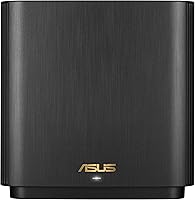
The charcoal finish and angular design look reasonably premium for networking hardware, and the physical construction feels solid rather than hollow. Users who placed it on a shelf or media console noted it does not look out of place the way some routers with large external antennas tend to.
A small number of long-term users reported the unit running noticeably warm during sustained heavy use, which raised durability concerns. The lack of visible ventilation on certain panels was flagged as a potential long-term heat management issue, though hardware failures attributed directly to overheating were rare in the feedback reviewed.
Value for Money
74%
26%
When buyers factor in the lifetime security subscription savings and the quality of the tri-band hardware, the overall cost-to-performance ratio is viewed favorably by the majority of reviewers. Buyers coming from budget routers found the real-world improvement significant enough to feel the purchase was justified.
Buyers who purchased the single pack hoping it would cover a larger home and then needed to buy a second node expressed frustration that the total investment was higher than expected. At that combined price point, some users noted they could have bought a competing two-pack mesh system and achieved the same result.
Speed Performance
81%
19%
Users upgrading from WiFi 5 routers consistently reported noticeable improvements in download speeds, particularly on devices positioned farther from the router. Gamers and remote workers in particular highlighted reduced latency as a meaningful real-world benefit rather than just a benchmark improvement.
Speed test results in user reviews vary considerably depending on ISP plan, home layout, and the WiFi standard of the client device. Users with older WiFi 4 or WiFi 5 devices do not see any WiFi 6 benefit, and a few noted that real-world speeds felt lower than marketing materials suggested for their specific setup.
Customer Support
57%
43%
Some users reported positive resolution experiences when reaching ASUS support through the official channels, particularly for warranty-related hardware replacements. The online community forums and documentation available through the ASUS website were cited as genuinely useful by more technically inclined buyers who preferred self-service.
Support responsiveness is one of the weakest areas reflected in the feedback, with a significant portion of users describing long wait times, inconsistent advice, and in some cases being directed to generic troubleshooting steps that did not address their specific issue. The experience appears inconsistent rather than uniformly poor, but it comes up frequently enough to be a real concern.
Network Segmentation
79%
21%
The ability to run three separate SSIDs — one for primary devices, one for guests, and one for IoT hardware — is a feature that privacy-conscious users and home automation enthusiasts genuinely appreciated. Keeping smart plugs and cameras on a separate network from laptops and phones is a meaningful security practice, and this WiFi 6 system makes it accessible without advanced networking knowledge.
Managing the three SSIDs through the app is functional but not particularly intuitive when it comes to assigning devices or adjusting bandwidth priorities per network. Users who wanted to set data limits or quality-of-service rules on specific SSIDs found the available controls somewhat limited compared to what dedicated prosumer routers offer.
Long-Term Reliability
72%
28%
The majority of users who had owned the device for one to two years reported continued stable operation without hardware degradation. Buyers who kept firmware updated and placed the unit in a well-ventilated area generally experienced trouble-free performance over extended periods.
A recurring pattern in longer-term reviews involved the unit requiring reboots more frequently over time — not constantly, but enough to be noticed in homes that rely on always-on connectivity. Some users also flagged that certain firmware updates introduced new bugs that were not present in earlier versions, suggesting the software lifecycle management could be more carefully handled.

Suitable for:

The ASUS ZenWiFi AX XT8 Mesh WiFi System is a strong fit for households that have outgrown a single router but don't want the complexity of a fully managed network setup. Families with multiple kids streaming, gaming, or attending school online simultaneously will find the combination of reliable whole-home coverage and built-in parental controls genuinely useful day-to-day. Home-office workers who handle sensitive work traffic will appreciate the network-level security that runs without any ongoing subscription cost — it won't replace a full endpoint security suite, but it adds a meaningful layer of protection at the router itself. Renters in multi-floor apartments or townhomes under roughly 2,750 square feet are a particularly good match, since one node typically handles that footprint well. Existing ASUS router owners can also slot this mesh node into their current AiMesh setup without starting over, which makes it a practical upgrade path rather than a full replacement.

Not suitable for:

Buyers with larger homes — think anything over 2,500 square feet with multiple wings, thick concrete walls, or complex floor plans — should think twice before assuming a single node will cover everything. The ZenWiFi XT8 is sold as a one-pack here, and while a second node is easy to add, that adds to the overall cost and should factor into your budget calculation upfront. Power users who want deep manual configuration, advanced QoS controls, or enterprise-grade traffic management may find the app-first approach somewhat limiting compared to router platforms aimed at enthusiasts. If your current router is already a recent WiFi 5 model and your home is small and open-plan, the real-world difference may not justify the investment. Finally, anyone expecting this to function as a full home cybersecurity solution should know the Trend Micro integration addresses network-level threats only — it does not provide device-by-device antivirus or endpoint protection.

Specifications

  • WiFi Standard: The ZenWiFi XT8 uses the 802.11ax (WiFi 6) standard, which improves efficiency and throughput compared to the previous WiFi 5 generation.
  • Band Config: Tri-band design with two client-facing bands and one dedicated wireless backhaul band to keep mesh communication separate from device traffic.
  • Max Speed: Combined theoretical wireless throughput across all three bands reaches AX6600, though real-world speeds will vary based on environment and connected devices.
  • Coverage Area: Rated for up to 2,750 square feet per node, which suits most medium-sized homes, apartments, and multi-floor townhomes.
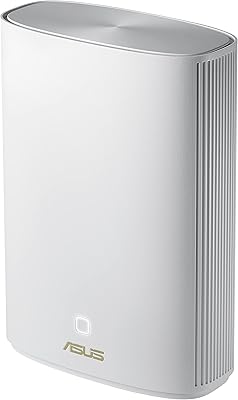
  • Dimensions: Each node measures 6.3 x 2.95 x 6.36 inches and weighs 1.61 pounds, making it compact enough for a shelf or entertainment unit.
  • Security: Lifetime Trend Micro network security is included at no extra cost, providing network-level threat filtering without any subscription requirement.
  • Mesh Protocol: AiMesh compatible, allowing the XT8 to pair with other ASUS AiMesh-supported routers to form or expand a larger whole-home mesh network.
  • SSIDs: Supports up to three separate wireless network names (SSIDs), enabling independent networks for primary devices, guests, and IoT equipment.
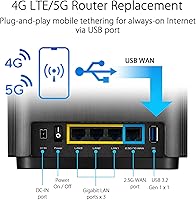
  • Connectivity: Physical connectivity includes Ethernet ports, a USB port, and standard Wi-Fi, providing flexible wired and wireless connection options for various devices.
  • Setup Method: Initial configuration is handled through the ASUS Router App in three steps, designed to be approachable for users without technical networking experience.
  • Voice Control: Alexa integration is supported, allowing basic router management commands through Amazon Echo devices already in the home.
  • Compatible Devices: Works with gaming consoles, personal computers, smart televisions, smartphones, and tablets across both WiFi 6 and older WiFi-standard devices.
  • Power Supply: AC input accepts 110V to 240V at 50-60Hz, making the unit compatible with both North American and international power standards.
  • DC Output: The included power adapter delivers dual DC outputs at 19V and 12V to power the node's internal components and associated hardware.
  • Parental Controls: Built-in parental controls allow parents to filter content, set schedules, and manage internet access on a per-device basis through the ASUS Router App.
  • In-Box Contents: Each single-pack unit ships with the ZenWiFi XT8 node, a power adapter, an RJ-45 Ethernet cable, a quick start guide, and a warranty card.
  • Color: Available in Charcoal (Black), with a clean, angular design that blends into most home environments without drawing attention.
  • Manufacturer: Designed and manufactured by ASUS, a Taiwan-based technology company with an established presence in consumer and commercial networking hardware.

Related Reviews
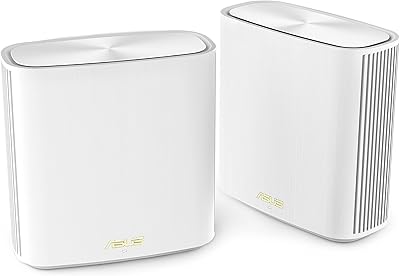
ASUS ZenWiFi XP4 Mesh WiFi 6 System
77%
88%
Dead-Zone Elimination
74%
Powerline Backhaul Performance
79%
Setup & Installation
91%
Network Security & Parental Controls
82%
WiFi 6 Client Performance
More
ASUS ZenWiFi XD6 Mesh WiFi 6 System
86%
93%
Wi-Fi Coverage
85%
Ease of Setup
89%
Performance and Speed
80%
App Experience
91%
Parental Controls
More
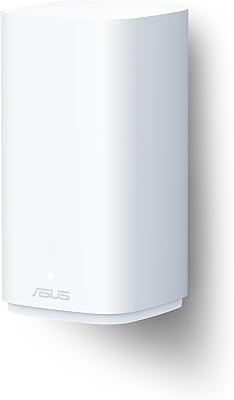
ASUS ZenWiFi ET9 2-Pack Mesh WiFi System
77%
83%
WiFi Coverage
86%
Network Speed
57%
Setup Experience
72%
App & Management
91%
Network Security
More
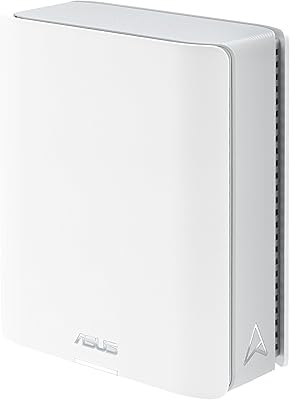
ASUS ZenWiFi BD5 Outdoor WiFi 7 Router
83%
88%
Wireless Performance
91%
Build Quality & Durability
93%
Weather Resistance
89%
Temperature Range & Climate Versatility
86%
Installation & Mounting
More
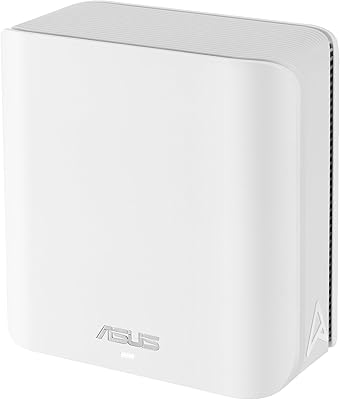
ASUS ZenWiFi BT6 WiFi 7 Mesh Router
78%
83%
Wireless Performance
79%
Coverage & Range
74%
Setup & Ease of Use
81%
Build Quality & Design
86%
Security Features
More
ASUS ZenWiFi XT9 2-Pack Mesh WiFi System
76%
78%
WiFi Coverage
84%
Network Speed
63%
Setup Experience
81%
App & Management
59%
Firmware Stability
More
ASUS ZenWiFi BD4 Dual-Band WiFi 7 Mesh Router
86%
93%
Wi-Fi Performance
89%
Setup & Installation
91%
Security Features
88%
Gaming & Streaming Performance
84%
Value for Money
More
ASUS ZenWiFi BT8 WiFi 7 Mesh Router
77%
83%
Wireless Performance
71%
Coverage & Range
54%
Firmware Reliability
88%
Setup Experience
67%
App & Management
More
ASUS ZenWiFi BQ16 Pro WiFi 7 Mesh Router
77%
91%
Wireless Performance
78%
Coverage & Range
86%
Setup & App Experience
63%
Firmware Stability
88%
10G Port Utility
More
Google Nest Wifi Router 1-Pack
79%
93%
Setup & Onboarding
84%
Signal Consistency & Stability
88%
App & Network Management
79%
Parental Controls
74%
Wireless Performance (Speed)
More

FAQ

It works perfectly fine as a standalone router for homes up to around 2,750 square feet. If your home is larger or has a complex layout with thick walls, adding a second node will give you much better coverage — but for most apartments and mid-sized houses, one node is enough.

Not really. The ASUS Router App walks you through the process in three steps, and most users are up and running in under fifteen minutes. As long as you can plug in an Ethernet cable from your modem and follow on-screen prompts, you should be fine.

It monitors traffic at the network level, blocking known malicious sites, intrusion attempts, and infected devices from communicating outside your network. It is not a replacement for antivirus software on individual devices — think of it as a filter at your front door rather than protection inside each room.

Yes, as long as your current ASUS router supports AiMesh, the ZenWiFi XT8 can join that network as an additional node. You can mix different AiMesh-compatible models, so you do not have to replace your entire setup just to expand coverage.

Absolutely. WiFi 6 is fully backward compatible, so your older laptops, phones, and smart home gadgets will connect without any issues. They just won't take advantage of the WiFi 6 speed improvements unless they also support the newer standard.

No. The Trend Micro network security and the parental control features are both included for the lifetime of the device at no extra cost. That is one of the more practical advantages of the ASUS ZenWiFi AX XT8 Mesh WiFi System compared to competitors that put these features behind a subscription.

The third band acts as a dedicated highway between nodes, so node-to-node communication does not compete with the traffic from your phones, TVs, and laptops. In a single-node setup, that third band is still useful because it can offload certain device traffic, keeping the network less congested overall.

Yes, the system supports three separate SSIDs, so you can run one network for your primary devices, one for guests, and one specifically for smart home gadgets like cameras, bulbs, and thermostats. Keeping IoT devices on their own network is a good security practice, and this mesh node makes it straightforward to configure.

The system handles it automatically — your device roams between nodes in the background without you needing to manually switch networks. Most users report the handoff is smooth enough that calls and streams stay uninterrupted while moving around the house.

This is a known complaint from a portion of users. The most reliable fix is to fully close and restart the ASUS Router App, and in some cases a full reinstall of the app resolves persistent sync issues. If the router itself is behaving oddly after a firmware update, a soft reboot through the app or a brief manual power cycle usually clears it up.

Where to Buy