Overview

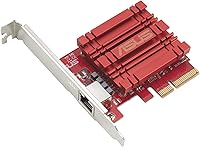
The ASUS XG-C100C 10G PCIe Network Adapter is one of the more practical ways to bring genuine 10-gigabit wired connectivity to a desktop without a complicated installation or enterprise-level spending. 10GbE has steadily moved from data centers into home labs and NAS setups, driven by storage appliances that can now saturate standard gigabit links with ease. ASUS has kept this card in active production since 2017, which says something about its staying power in a competitive segment. It sits at a mid-range price point where you get real 10GbE capability without paying for features most users will never touch.
Features & Benefits

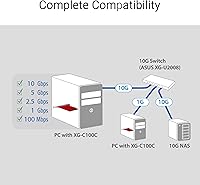
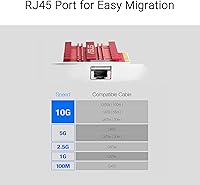
This 10-gigabit card uses a standard PCIe x4 slot and a single RJ-45 port, which means you can run Cat6a or Cat7 copper cable rather than dealing with fiber transceivers or specialized hardware. It supports speeds all the way down to 100Mbps, so plugging it into an existing gigabit switch while you plan a broader network upgrade is a perfectly valid approach. Built-in QoS lets you prioritize certain traffic types — handy if you are mixing heavy file transfers with video calls on the same link. Driver support spans Windows 7 through 10 and several Linux kernels, making it a workable option for mixed-OS environments and home servers.

Best For

This network upgrade card makes the most sense for people who already have a 10GbE-capable NAS — think QNAP or Synology units that can push well beyond gigabit — and want their desktop to keep pace. Video editors and photographers regularly moving multi-gigabyte project files between machines will notice the difference immediately. IT professionals building a small high-speed lab or office network on a realistic budget will find it fits that use case neatly. Linux home server builders running one of the supported kernels get a reliable, low-friction option. It is not a card for casual users; it is for people who have already outgrown gigabit and know it.

User Feedback

Across several hundred reviews, the picture is fairly consistent: installation on Windows is quick, drivers load without drama, and sustained throughput holds up well in real use. Where things get murkier is on Linux — users running the officially listed kernels generally report no issues, but anyone on a more recent or less common distribution may need to hunt for community-maintained drivers. Heat is worth flagging; the card runs noticeably warm under sustained load, and a few users in tight or poorly ventilated cases mentioned it specifically. Long-term reliability in always-on scenarios drew some mixed comments. The overall four-star rating reflects a card that performs well within its intended scope, with frustrations mostly appearing at the edges.

Pros

  • Real-world 10Gbps throughput over standard copper cable makes it a practical NAS companion without exotic infrastructure.
  • Backward compatibility down to 100Mbps means you can install it today and upgrade the rest of your network incrementally.
  • Windows installation is consistently described as quick and trouble-free, with drivers loading without manual intervention.
  • Built-in QoS lets you manage traffic priorities intelligently on a mixed-use network.
  • The PCIe x4 slot requirement is modest enough to fit most modern desktop motherboards without compatibility headaches.
  • Cat6a or Cat7 copper cabling keeps total infrastructure costs far lower than fiber-based 10GbE alternatives.
  • ASUS has maintained the card in active production for several years, which signals reasonable long-term parts and driver support.
  • Reviewers pairing it with QNAP and Synology NAS devices consistently report solid, reliable performance in that specific use case.

Cons

  • The card runs noticeably warm under sustained load, which can be a concern in compact or poorly ventilated cases.
  • Linux support is limited to specific older kernel versions; users on newer or less common distros may face driver hurdles.
  • Long-term reliability in always-on, 24/7 operation has drawn mixed feedback from a portion of reviewers.
  • A single RJ-45 port means there is no redundancy or multi-port flexibility for more demanding network setups.
  • You need 10GbE infrastructure on both ends of the link to see any benefit, raising the total cost of the upgrade significantly.
  • Some users on edge-case hardware configurations have reported stability issues that were difficult to diagnose and resolve.
  • No macOS support is listed, which is a hard stop for Mac Pro users who might otherwise consider it.

Ratings

The scores below reflect an AI-driven analysis of verified global user reviews for the ASUS XG-C100C 10G PCIe Network Adapter, with spam, bot-generated, and incentivized feedback actively filtered out before scoring. Each category is weighted against real-world usage patterns reported by home lab builders, content creators, and IT professionals who have lived with this card day to day. Both the genuine strengths and the recurring frustrations are transparently baked into every number you see here.

Throughput Performance
88%
Users consistently report hitting close to theoretical maximums when transferring large files between a 10GbE NAS and a desktop, with sustained speeds that make multi-gigabyte transfers feel almost instant. Video editors working with 4K project files noted a dramatic reduction in wait times compared to their previous gigabit setups.
Performance headroom is naturally capped by the rest of the network infrastructure, and a handful of users reported that throughput dipped under certain congestion conditions that QoS did not fully resolve. Results on older or underpowered systems were occasionally below expectations.
Installation Ease
91%
On Windows, the installation experience is about as smooth as it gets for a network card — most users reported the card being recognized automatically or with a quick driver download from the ASUS support page. Several reviewers specifically called out how refreshingly uncomplicated the physical installation was in a standard mid-tower.
A small but vocal group encountered conflicts during initial setup on systems with older BIOS versions or unusual PCIe configurations. These were edge cases, but they required some troubleshooting time that first-time builders may not have anticipated.
Windows Driver Quality
86%
Driver stability on Windows 10 drew consistent praise, with users reporting clean installs and no recurring crashes or disconnects during normal workloads including long file transfers and streaming sessions. ASUS has kept drivers reasonably up to date over the card's lifespan, which matters for long-term usability.
A few users on Windows 7 and 8.1 reported needing to manually locate older driver packages, as the newer installers occasionally threw compatibility warnings. Nothing insurmountable, but slightly more friction than the Windows 10 experience.
Linux Compatibility
63%
37%
Users running one of the officially listed kernel versions — particularly 4.4 — generally found the card functional without heroic effort, and it has earned a reasonable reputation in home server circles for those specific environments. Some community-maintained driver packages have extended usability to newer kernels as well.
Outside the four officially supported kernels, compatibility becomes a lottery. Users on Ubuntu 22.04, Fedora, or other distributions with modern kernels frequently had to hunt down community drivers or compile from source, and results were inconsistent enough that this card is a genuine gamble for Linux users on anything recent.
Thermal Management
58%
42%
In well-ventilated mid-tower cases with decent airflow, most users reported the card running warm but stable, without triggering system instability or thermal throttling during typical home lab workloads. The compact heatsink does its job adequately under intermittent loads.
Under sustained high-throughput transfers — the exact scenario this card is designed for — several users noted it gets uncomfortably hot, and a few in tighter cases or small form factor builds reported system instability they traced back to thermal issues. It is a real concern for always-on or enclosed deployments.
NAS Compatibility
89%
Pairing this card with QNAP and Synology NAS units is one of its most documented and praised use cases, with reviewers reporting plug-and-play compatibility and rock-solid throughput in that specific configuration. For the NAS-to-desktop workflow, it is hard to find a more straightforward copper 10GbE solution at this price tier.
Compatibility is not universal across all NAS firmware versions, and a small number of users noted that certain QNAP models required firmware updates before the connection negotiated correctly at 10Gbps rather than falling back to 1Gbps.
Build Quality
74%
26%
The card feels solid in hand for a PCIe adapter in this segment, with a PCB that does not flex excessively during installation and a bracket that seats cleanly in standard desktop cases. ASUS component quality here is respectable for the price tier.
The heatsink design is functional but minimal, and a few users felt the overall construction lacks the robustness of more expensive enterprise cards. There are no active cooling components, which contributes directly to the thermal concerns noted by heavy users.
Value for Money
79%
21%
For buyers who specifically need 10GbE over copper and want a card that works reliably in a Windows-plus-NAS environment, the price-to-performance ratio is genuinely reasonable compared to enterprise alternatives that cost significantly more for similar throughput in a home context.
The value calculation gets murkier for Linux users or anyone planning 24/7 deployment, where the compatibility limitations and thermal behavior make it a harder sell at its price point versus competing options that handle those scenarios more confidently.
Long-term Reliability
61%
39%
Many users have run this card trouble-free for a year or more in standard desktop use, and the fact that ASUS has kept it in production and supported since 2017 suggests it is not a throw-away product. Casual and intermittent-use buyers report high satisfaction over extended ownership periods.
The picture changes noticeably for always-on scenarios. A meaningful portion of reviews flagged reliability concerns after extended continuous operation, including intermittent disconnects and one-off failures that did not appear in the early months of use. It is not a pattern universal enough to condemn the card, but it is consistent enough to take seriously.
QoS Effectiveness
72%
28%
The built-in QoS functionality works as advertised for users managing mixed traffic — for example, prioritizing a video call or a backup job running simultaneously on the same link. Home office users with varied network demands found it useful for smoothing out congestion during peak activity.
Advanced QoS configuration options are limited compared to what you would find on enterprise-tier cards, and a few technically experienced users felt the implementation was too coarse for fine-grained traffic shaping. For basic prioritization it is adequate; for complex network management it falls short.
Backward Compatibility
84%
The multi-speed support — covering 10Gbps all the way down to 100Mbps — is genuinely useful in practice, letting buyers install the card immediately and let the rest of the network upgrade happen over time without any wasted hardware. Several reviewers explicitly called this out as a smart purchasing consideration.
Negotiation to lower speeds occasionally behaved unexpectedly on a small number of older switches, requiring a manual speed setting rather than relying on auto-negotiation. Not a common issue, but worth knowing if you are connecting to aging infrastructure.
Documentation & Support
66%
34%
ASUS provides a functional support page with driver downloads and a basic setup guide that covers the Windows installation process adequately. For the target audience of technically capable users, the available documentation is sufficient to get up and running without much friction.
Linux documentation is sparse and does not meaningfully address what to do on kernels beyond the officially listed versions. Community forums end up filling the gap, which is fine if you know where to look but frustrating if you expected manufacturer guidance.
Physical Fit & Form Factor
83%
The card's compact footprint makes it a straightforward installation in virtually any mid-tower desktop with an available PCIe x4 or larger slot, and users appreciated that it does not obstruct adjacent slots in most standard ATX board layouts. No tools beyond a standard screwdriver are needed.
The lack of a low-profile bracket option rules it out for small form factor builds, which is a real limitation for users who run compact home server cases. There is no official workaround from ASUS for this use case.

Suitable for:

The ASUS XG-C100C 10G PCIe Network Adapter is a strong fit for technically minded users who have a clear, specific reason to move beyond gigabit networking. Home lab builders connecting a desktop to a 10GbE-capable NAS — particularly popular units from QNAP or Synology — will get immediate, tangible throughput gains that make backup jobs and large media transfers dramatically faster. Content creators and video editors who regularly push multi-gigabyte files across a local network are the kind of users this card was genuinely built for. IT professionals putting together a small high-speed office or lab network on a realistic budget will find it covers the essentials without unnecessary complexity. It also works well for Linux users running one of the supported kernels who want a 10GbE option that does not require extensive manual configuration to get running.

Not suitable for:

The ASUS XG-C100C 10G PCIe Network Adapter is not the right purchase for buyers who do not already have 10GbE infrastructure — or a concrete plan to build it — on the other end of the cable. Dropping this card into a system that still connects to a standard gigabit switch will cap your speeds at 1Gbps regardless, making the upgrade pointless until the rest of the network catches up. Users running Linux distributions outside the officially supported kernel versions should go in with realistic expectations; driver support beyond those listed is not guaranteed, and troubleshooting may require community resources. Anyone relying on this card in a 24/7 always-on environment should note that some long-term users have raised reliability questions under sustained load conditions. If your workflow does not genuinely saturate a gigabit connection today, this is a purchase that will not deliver a noticeable return.

Specifications

  • Interface: The card connects via a PCIe x4 slot, which is widely available on modern desktop motherboards and does not require a full x16 slot to function.
  • Max Speed: It supports a maximum data transfer rate of 10Gbps under optimal conditions with a compatible 10GbE switch or NAS.
  • Port Type: A single RJ-45 port handles all wired connections, accepting standard copper network cables without any adapters.
  • Speed Compatibility: The card is backward compatible with 10Gbps, 5Gbps, 2.5Gbps, 1Gbps, and 100Mbps network speeds for flexible integration into existing infrastructure.
  • Cable Requirement: Cat6a or Cat7 copper cable is recommended to reliably achieve 10Gbps speeds over typical installation distances.
  • Windows Support: Driver support is provided for Windows 10, 8.1, 8, and 7, covering the vast majority of actively used Windows desktop environments.
  • Linux Support: Officially supported Linux kernel versions include 4.4, 4.2, 3.6, and 3.2; compatibility with newer kernels may require community-sourced drivers.
  • QoS: Built-in Quality of Service technology allows users to prioritize specific traffic types and data packets at the hardware level.
  • Dimensions: The card measures 4.73″ in length, 3.33″ in width, and 0.81″ in height, fitting comfortably in standard mid-tower desktop cases.
  • Weight: The card weighs 3.2 ounces, making it a lightweight addition that places no meaningful stress on the motherboard slot.
  • Compatible Devices: Designed exclusively for desktop PCs; it is not compatible with laptops, small form factor systems lacking a PCIe x4 slot, or servers without appropriate slot availability.
  • Manufacturer: Produced by ASUS Computer International, a brand with an established track record in networking and PC component hardware.
  • Model Number: The official model identifier is XG-C100C, which should be referenced when searching for drivers, firmware updates, or support documentation.
  • MacOS Support: MacOS is not listed as a supported operating system, and no official driver is provided for Apple desktop platforms.
  • Market Availability: The card has been commercially available since June 2017 and is not listed as discontinued by the manufacturer as of the most recent product data.

Related Reviews
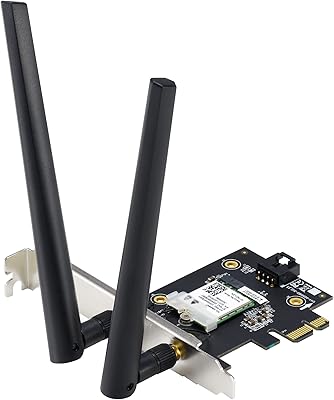
ASUS PCE-AX1800 WiFi 6 PCIe Adapter
80%
91%
Value for Money
78%
Wireless Performance
93%
Installation Ease
82%
Bluetooth Performance
76%
Signal Stability
More
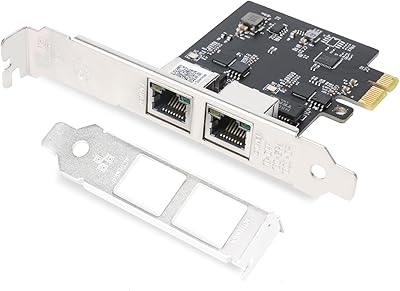
QINIYEK RTL8125B Dual-Port 2.5G PCIe NIC
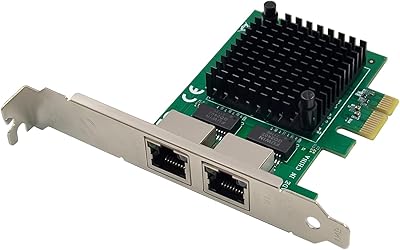
77%
88%
Ease of Installation
91%
Windows Driver Compatibility
63%
Linux Driver Compatibility
78%
Dual-Port Utility
83%
Throughput Performance
More
ULANSeN Dual I226-V 2.5GbE PCIe Network Card
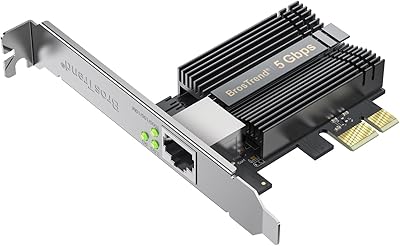
82%
88%
Chipset Reliability
91%
Installation Ease
86%
OS & Platform Compatibility
71%
Thermal Performance
89%
Value for Money
More
BrosTrend 5Gbps PCIe Network Card
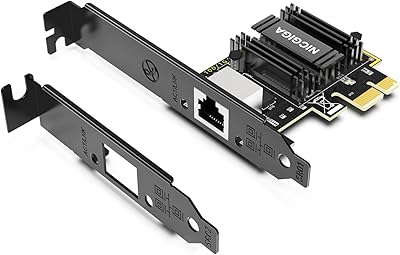
79%
91%
Installation Ease
83%
Real-World Speed Gains
58%
OS & Platform Compatibility
84%
Build & Component Quality
88%
Value for Money
More
WAVLINK 5GB PCIe Network Card
87%
89%
Installation Ease
91%
Performance (Speed)
90%
Value for Money
88%
Compatibility with OS
85%
Build Quality
More
FebSmart X540T2 10GbE Network Adapter
85%
91%
Performance
88%
Installation Ease
92%
Compatibility with Systems
85%
Build Quality
90%
Data Transfer Speed
More
Intel I210-T1 Gigabit Ethernet Network Adapter
83%
96%
Driver Stability & OS Compatibility
94%
Network Reliability & Stability
93%
Virtualization Performance
61%
Value for Money
89%
Installation Experience
More
NICGIGA NIC-5G 5Gbps PCIe Network Card
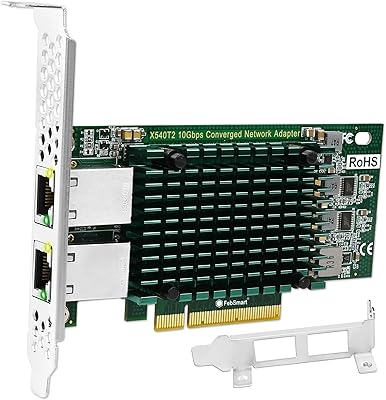
77%
88%
Windows Driver Installation
67%
Linux Compatibility
91%
Sustained Transfer Speed
93%
PCIe Slot Compatibility
74%
Build Quality & PCB Construction
More
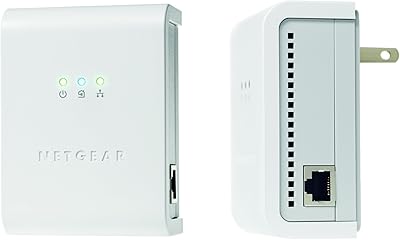
Netgear XAVB5001 Powerline Network Adapter Kit
70%
88%
Ease of Setup
51%
Real-World Speed Performance
73%
Connection Stability
58%
Electrical Outlet Compatibility
67%
Value for Money
More
Netgear XETB1001 Powerline Network Adapter Kit
68%
88%
Ease of Setup
51%
Real-World Speed
67%
Connection Stability
58%
Value for Money
74%
Compatibility
More

FAQ

You do need a 10GbE-capable device on the other end of the cable to actually run at 10Gbps. If you plug this into a standard gigabit router or switch, the connection will negotiate down to 1Gbps. Most people pair it directly with a 10GbE NAS or use a dedicated 10GbE switch in their home lab setup.

The card needs a PCIe x4 or larger slot. The good news is that a physical x16 slot will work fine — the card will simply use four of those lanes. A physical x1 slot, however, will not accommodate it. Check your motherboard manual for available slot types before purchasing.

Cat6a is the standard recommendation for 10GbE over copper at typical indoor cable runs. Cat7 also works well. Standard Cat5e or Cat6 may work at shorter distances, but for reliable 10Gbps performance without signal issues, Cat6a is the practical minimum.

The officially listed kernel versions are 4.4, 4.2, 3.6, and 3.2, which are considerably older than what ships with Ubuntu 22.04. That said, many users have reported getting it working on newer kernels with drivers sourced from the community or directly from the Aquantia chipset manufacturer. It is not guaranteed out of the box on modern distros, so expect some driver research if you are not on one of the listed kernel versions.

Running warm is a known characteristic of this card, and several users have flagged it in reviews. For most desktop setups with reasonable case airflow, this is not a problem in practice. If your case is particularly cramped or has poor ventilation, it is worth making sure there is some airflow near the card, especially if you plan to run sustained high-throughput transfers for extended periods.

Yes, you can use a direct crossover connection between two desktops, each fitted with a 10GbE adapter, using a standard Cat6a cable. Most modern network adapters handle auto-MDI/MDIX, so a crossover cable is not strictly necessary. This is actually a popular setup for fast peer-to-peer file transfers between workstations.

Many users have paired this card with QNAP and Synology NAS devices that have 10GbE ports, and it is one of the more commonly referenced use cases in user reviews. As long as your NAS has a 10GbE port — either built-in or via an expansion card — the connection should work reliably over Cat6a copper.

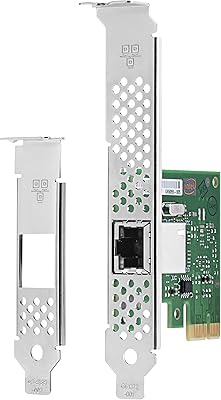
ASUS does not officially document a low-profile bracket as included in the box, and the card is sized for standard desktop cases. If you are working with a small form factor or HTPC case that requires a low-profile card, this one is unlikely to fit without modification.

Most users describe it as straightforward — plug the card in, let Windows search for drivers, and it is usually recognized without requiring a manual download. For the cleanest experience, grabbing the latest driver from the ASUS support page is worth the extra few minutes and can prevent occasional quirks on older driver versions.

It is technically possible, but worth approaching with realistic expectations. Some users who have run this card continuously in always-on scenarios have noted reliability concerns over time, and it is not a server-grade component with enterprise support or warranty terms to match. For a light-duty home server or NAS companion it is generally fine, but for production always-on environments, an enterprise-class card with a longer warranty and proven uptime track record is a safer investment.

Where to Buy