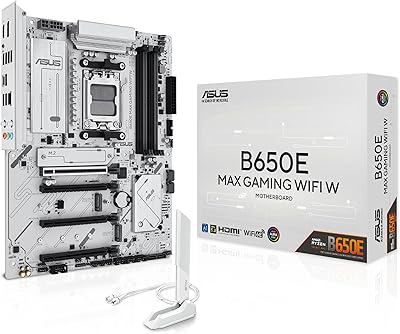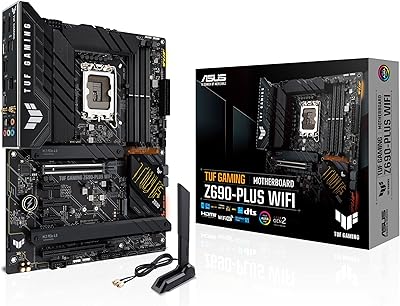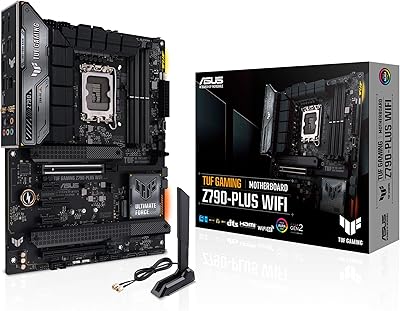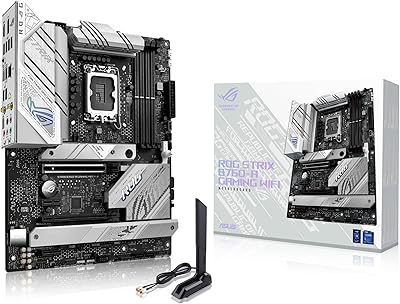
Overview

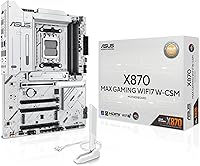
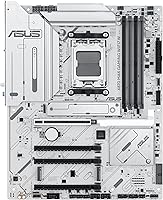
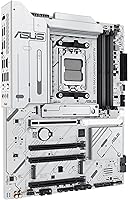
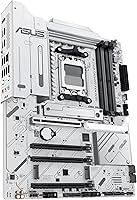
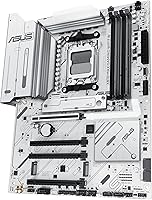
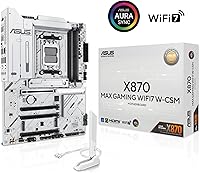
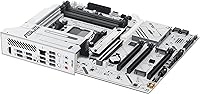
The ASUS X870 MAX GAMING ATX Motherboard occupies an interesting spot in the AM5 lineup — capable enough to satisfy demanding users, but positioned just below the flagship X870E tier where extreme overclocking headroom becomes the priority. What immediately sets it apart visually is the white 8-layer PCB, a genuine rarity in a category where black boards dominate almost entirely. Released alongside AMD's Ryzen 9000 wave, this white X870 board lands as a compelling mid-to-high-end option with strong power delivery and modern connectivity baked in. It currently sits at number 7 in Computer Motherboards on Amazon, which reflects real buyer confidence. Expect solid all-around performance — just don't expect it to trade blows with pricier X870E flagships on raw overclocking margins.

Features & Benefits

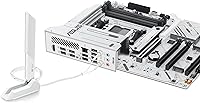
The 12+2+1 power stage design, with each stage rated at 80A, gives this AM5 motherboard meaningful headroom when running Ryzen 9000 chips under sustained load — you're not going to hit a wall during extended rendering or gaming sessions. Wi-Fi 7 is a real upgrade over Wi-Fi 6E in congested environments, and the Q-Antenna design makes cable routing far less fiddly than typical antenna setups. The PCIe 5.0 x16 slot with tool-free Q-Release is a genuinely useful convenience when swapping GPUs, and three M.2 slots — one PCIe 5.0 — keep fast storage options open for years ahead. USB4 Type-C at 40Gbps rounds out a connectivity suite that is hard to fault at this price tier.

Best For

This white X870 board was practically built for builders who care about aesthetics without compromising on specs — if you are planning an all-white build around a Ryzen 9000 or 7000 series CPU, it is one of the few genuinely capable options in the space. Content creators will appreciate the USB4 and Wi-Fi 7 combination for fast external storage transfers and dependable wireless. Gamers who want PCIe 5.0 GPU support without spending up to flagship territory will find this AM5 motherboard hits a practical sweet spot. The builder-friendly extras — pre-mounted I/O shield, BIOS FlashBack, Q-Release — also make it a smart pick for those assembling their first high-end rig.

User Feedback

Across more than 800 ratings, the ASUS X870 MAX GAMING lands at a 4.4-star average — broad satisfaction, but not a perfect sweep. Buyers consistently highlight the build quality of the white PCB, how approachable the BIOS is for new builders, and strong real-world wireless performance. On the critical side, some users report occasional DDR5 compatibility friction requiring BIOS updates before certain memory kits POST reliably, and a few find the bundled software suite heavier than preferred. VRM and M.2 heatsink temperatures appear well-managed under normal workloads according to most accounts. The Q-Release mechanism earns genuine appreciation rather than being dismissed as a gimmick — most builders found it useful on their very first GPU swap.

Pros

  • The white 8-layer PCB is a rare and genuine option for builders committed to an all-white aesthetic without downgrading specs.
  • Wi-Fi 7 delivers a meaningful real-world wireless upgrade over Wi-Fi 6E, especially in congested home network environments.
  • Three M.2 slots, including one PCIe 5.0, give strong current performance and meaningful room for future storage upgrades.
  • USB4 Type-C at 40Gbps is a practical asset for creators moving large files to and from fast external drives.
  • BIOS FlashBack lets you update firmware without a compatible CPU installed — a genuine convenience for platform upgraders.
  • The Q-Release mechanism on the primary PCIe slot makes GPU swaps tool-free and noticeably less stressful.
  • VRM heatsinks manage temperatures well under sustained workloads according to consistent user reports.
  • The pre-mounted I/O shield reduces one common source of frustration during first-time builds.
  • Three ARGB Gen 2 headers provide solid RGB ecosystem integration for builders already invested in Aura Sync.
  • A 4.4-star average across more than 800 ratings reflects broad real-world satisfaction from a large buyer base.

Cons

  • Certain DDR5 memory kits may require a BIOS update before they POST reliably, which can catch new builders off guard.
  • ASUS bundled software, particularly Armoury Crate, is widely considered bloated and hard to avoid entirely.
  • This AM5 motherboard does not compete with X870E boards on raw overclocking ceiling or extreme VRM capacity.
  • No black color variant exists, making it a poor fit for any build with a dark or neutral theme.
  • Wi-Fi 7 and USB4 add real value but also add cost that budget-focused builds may not justify.
  • Only two full-size PCIe slots are available, which could limit multi-card or high-expansion workstation setups.
  • Some users report that initial BIOS versions shipped with stability quirks that required early firmware updates to resolve.
  • The software ecosystem lock-in to Aura Sync may frustrate builders using RGB gear from other vendors.

Ratings

The ASUS X870 MAX GAMING ATX Motherboard scores below are generated by our AI after analyzing verified buyer reviews from multiple global markets, with spam, bot activity, and incentivized feedback actively filtered out. This white X870 board earned a strong overall reception, but the scores honestly reflect both the areas where it impresses and the friction points that real builders actually encountered. Nothing here is rounded up to look good — if a category has a genuine weakness, it shows.

Build Quality
91%
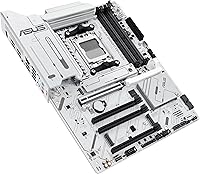
The white 8-layer PCB draws consistent praise from builders who have handled multiple boards — it feels dense and substantial, not hollow or cheap. Heatsink contact and component seating quality are frequently described as tight and precise, with very few reports of cosmetic defects out of the box.
A small number of buyers noted that the white finish on secondary heatsink sections is slightly less uniform than the main PCB area, which is only noticeable under direct light in an open case. It is a minor gripe, but perfectionists building showcase rigs may notice it.
Power Delivery
88%
The 12+2+1 stage layout with 80A DrMOS handles Ryzen 9000 chips running sustained workloads without throttling or instability, according to the majority of users who tested it under prolonged gaming and rendering loads. Builders running mid-range to upper-mid CPUs are especially well served here.
Builders pushing very high-TDP Ryzen 9000X3D chips at aggressive voltages over extended periods have noted that the VRM runs warmer than on flagship X870E boards. It does not throttle in normal use, but it sits closer to its ceiling than some competing designs at this tier.
Connectivity & I/O
93%
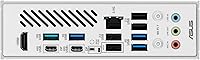
USB4 Type-C at 40Gbps is a standout feature that content creators specifically call out — transferring large video project files to a fast external SSD is noticeably quicker compared to older USB 3.2 Gen 2 ports. The front-panel 20Gbps Type-C header is also a practical bonus for modern cases.
A few users pointed out that the rear I/O panel, while feature-rich, does not include a legacy PS/2 port or a full complement of USB-A ports for users with many wired peripherals, requiring a hub in some setups. The 2.5Gb LAN, while above standard, falls short of the 10Gb LAN found on some competing premium boards.
Wireless Performance
89%
Wi-Fi 7 throughput consistently impresses users coming from Wi-Fi 6E setups, particularly in apartments and offices with dense wireless environments where older standards degrade noticeably. The Q-Antenna design also draws specific praise for making antenna installation and positioning straightforward compared to traditional screw-on connectors.
A handful of users on older Wi-Fi 7 router firmware versions experienced initial connection instability that resolved after router updates, which creates a frustrating first impression for buyers who expect plug-and-play wireless from day one. Performance is only fully realized if your router also supports Wi-Fi 7.
BIOS Experience
84%
First-time high-end PC builders repeatedly highlight how approachable the ASUS UEFI BIOS feels compared to competitors — the layout is logical, fan curves are easy to configure visually, and XMP/EXPO memory profile activation is a single toggle. BIOS FlashBack is called out as a standout feature by upgraders moving from older AM5 CPUs.
Early units shipped with BIOS versions that had DDR5 memory compatibility gaps requiring an update before certain kits would POST, which is a known friction point for buyers who did not realize a flash was needed. BIOS update frequency, while a sign of active support, can also feel overwhelming for users who prefer set-and-forget stability.
DDR5 Compatibility
74%
26%
With an updated BIOS, compatibility with popular DDR5 kits from major brands like G.Skill, Corsair, and Kingston is generally solid, and XMP and EXPO profiles load without issue for most standard-speed kits up to around DDR5-6000. The QVL list is reasonably broad for the platform.
Niche or ultra-high-frequency DDR5 kits above 6400MHz have caused POST failures for some users until specific BIOS versions addressed the issue, which is more disruptive than typical memory compatibility friction. Buyers planning to push memory frequency aggressively should verify their specific kit is on the QVL before purchasing.
Thermal Management
83%
M.2 heatsinks across all three slots are effective during typical mixed workloads — sustained sequential reads and writes during game installs or video exports do not push drive temperatures into throttling territory for most users. The VRM heatsink coverage is generous relative to other boards at this tier.
In cases with poor airflow or panel-closed configurations, the M.2 drive under the primary PCIe 5.0 slot can climb to warmer-than-ideal temperatures during prolonged heavy writes. Users with dense, closed-panel cases are advised to ensure active airflow across the board rather than relying solely on passive heatsink cooling.
Builder Friendliness
92%
The combination of a pre-mounted I/O shield, Q-Release GPU slot, and BIOS FlashBack makes this one of the more genuinely DIY-friendly boards in this segment — builders consistently report that assembly felt faster and less frustrating than previous builds on other brands. Q-Release in particular earns enthusiastic feedback from anyone who has fumbled with a standard PCIe latch under a large GPU cooler.
The sheer number of headers, slots, and RGB connectors can feel visually overwhelming to a first-time builder during the cabling phase, even if each individual element is well-documented. The manual, while comprehensive, is not always well-suited for absolute beginners without supplemental video guidance.
Software & Ecosystem
63%
37%
Aura Sync delivers reliable RGB synchronization across ASUS-ecosystem components — users with full ASUS setups including monitors, headsets, and RAM find the lighting control centralized and functional. Fan Xpert 4 with AI Cooling II is appreciated by users who want automated thermal tuning without manual curve configuration.
Armoury Crate remains the most common complaint in user reviews, with many describing it as slow to load, difficult to fully uninstall, and prone to reinstalling itself after Windows updates. Users who prefer minimal background software consistently recommend avoiding it entirely and using third-party alternatives where possible.
Aesthetic Design
88%
The white PCB genuinely stands out in a category where virtually every competing board defaults to black, and builders report that it reads as clean and premium in finished builds rather than feeling like a budget compromise. Under ARGB lighting with a white case and cooler, the overall effect is cohesive and deliberate.
The aesthetic is inherently polarizing — builders with dark or neutral-themed systems have no color variant option for this specific model. A small number of reviewers also noted that the white finish on certain connector housings can discolor slightly over time if exposed to excessive heat near high-airflow zones.
PCIe & Storage Expandability
86%
Three M.2 slots including one PCIe 5.0 provide strong current-day storage options and genuine future-proofing as PCIe 5.0 NVMe drives become more mainstream and affordable. Builders running multiple fast drives for video editing or game libraries appreciate having all three slots populated without sacrificing the primary GPU slot.
The board offers limited full-length PCIe expansion beyond the primary x16 slot, which matters for workstation users who need multiple full-bandwidth cards for GPU compute or capture cards. Users needing more than one high-bandwidth add-in card may find this board restrictive.
Value for Money
79%
21%
Against the specific combination of Wi-Fi 7, USB4, PCIe 5.0 storage, strong power delivery, and a white PCB, the price sits at a point where comparable competing boards either drop a connectivity feature or charge significantly more. For the target buyer, the feature-to-cost ratio reads as fair.
Budget-conscious builders who do not need Wi-Fi 7 or USB4 will find they are paying for features they may never fully utilize, and a less expensive X870 board could serve their actual needs just as well. The premium for the white aesthetic also implicitly adds cost compared to equivalent black-PCB options at the same chipset tier.
Long-term Software Support
77%
23%
ASUS has a reasonable track record of issuing BIOS updates for AM5 boards over multiple product generations, and early adopters of this white X870 board have already seen several firmware revisions addressing DDR5 compatibility and stability improvements. The platform has active community support across major PC building forums.
BIOS update cadence, while positive in intent, has introduced occasional regressions reported by a minority of users — some updates that fixed memory compatibility temporarily affected fan curve behavior. Buyers who prioritize stability over cutting-edge firmware often wait a few weeks after each release before flashing.

Suitable for:

The ASUS X870 MAX GAMING ATX Motherboard is a strong fit for PC builders who want a genuinely capable AM5 platform without stretching the budget all the way to flagship X870E territory. It makes particular sense if you are planning an all-white build around a Ryzen 9000, 8000, or 7000 series processor — this white X870 board is one of the very few options in the market that delivers both aesthetic coherence and a serious feature set simultaneously. Content creators who rely on fast external storage will appreciate the USB4 Type-C port running at 40Gbps, while the inclusion of Wi-Fi 7 makes it a practical choice for anyone who cannot run a wired Ethernet cable to their desk. Gamers who want PCIe 5.0 GPU support now and fast NVMe storage expansion later will find the three M.2 slots — including one PCIe 5.0 — a worthwhile long-term investment. DIY enthusiasts and first-time high-end builders also benefit from thoughtful touches like BIOS FlashBack, the pre-mounted I/O shield, and the tool-free Q-Release GPU slot, which collectively reduce friction during assembly and future upgrades.

Not suitable for:

Buyers who push CPUs hard through extreme overclocking should look past the ASUS X870 MAX GAMING ATX Motherboard toward a flagship X870E board, which typically offers higher VRM headroom, more robust cooling infrastructure, and additional tuning options that serious overclockers actually use. If you are building around a budget Ryzen chip and do not need Wi-Fi 7, USB4, or PCIe 5.0 storage, you will be paying for features that never get touched — an entry-level X870 board would serve you better. Buyers who are sensitive to software overhead should also be aware that ASUS ecosystem software, including Armoury Crate, draws consistent criticism for being heavier than most users want. Anyone relying on very new or niche DDR5 memory kits should budget time for potential BIOS updates before achieving a stable POST, as compatibility friction with certain memory configurations has been a recurring theme in user reports. Finally, if your build aesthetic is dark or neutral, the white PCB is a design decision you cannot reverse — there is no black variant of this specific model.

Specifications

  • CPU Socket: Supports AMD AM5 socket, compatible with Ryzen 7000, 8000, and 9000 series desktop processors.
  • Chipset: Built on the AMD X870 chipset, positioning it in the mid-to-high-end tier of the current AM5 platform.
  • Form Factor: Standard ATX form factor, fitting the vast majority of mid-tower and full-tower PC cases.
  • Power Delivery: Features a 12+2+1 power stage layout with each stage rated at 80A DrMOS for stable CPU power under sustained load.
  • PCB Design: 8-layer white PCB construction, providing both signal integrity advantages and a distinctive aesthetic for white-themed builds.
  • Memory Support: Supports DDR5 RAM with speeds up to 6GHz, with no DDR4 compatibility as AM5 is a DDR5-exclusive platform.
  • M.2 Storage: Includes three M.2 slots, with at least one operating at PCIe 5.0 speeds for next-generation NVMe drives.
  • Primary PCIe Slot: One PCIe 5.0 x16 slot with Q-Release, a tool-free latch mechanism for GPU installation and removal.
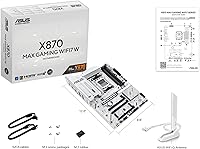
  • Wireless: Wi-Fi 7 with a Q-Antenna connector system that simplifies antenna cable routing during installation.
  • Wired LAN: Realtek 2.5 Gigabit Ethernet port for faster-than-standard wired network throughput.
  • USB Rear Panel: Includes USB4 Type-C ports running at 40Gbps, suitable for high-speed external storage and display output.
  • Front Panel USB: Provides a front-panel USB header supporting 20Gbps Type-C connections for compatible cases.
  • RGB Headers: Three Addressable RGB Gen 2 headers onboard, all compatible with ASUS Aura Sync lighting software.
  • BIOS Features: Supports BIOS FlashBack, allowing firmware updates using only a USB drive and power connection, with no CPU or RAM required.
  • I/O Shield: Pre-mounted I/O shield is factory-installed on the board itself, eliminating a common assembly step.
  • Cooling Headers: Multiple hybrid fan and pump headers are present, managed through Fan Xpert 4 software with AI Cooling II functionality.
  • Dimensions: Package measures 14.02 x 10.83 x 2.91 inches, with the board itself conforming to standard ATX sizing.
  • Weight: The unit weighs 4.29 pounds, which is typical for a fully-featured ATX motherboard with large heatsink assemblies.

Related Reviews
MSI B450 Gaming Plus Max ATX Motherboard
83%
88%
Performance
91%
Value for Money
80%
Compatibility with Ryzen CPUs
85%
Ease of Installation
86%
Overclocking Support
More
ASUS B650E MAX Gaming WiFi W
80%
91%
Aesthetic Design & PCB Quality
88%
Connectivity & I/O
84%
Wi-Fi Performance
76%
BIOS Experience & FlashBack
73%
VRM & Power Delivery
More
ASUS TUF Gaming Z790-Plus WiFi
89%
93%
Build Quality
91%
VRM Thermal Performance
88%
Installation Experience
94%
BIOS User Interface
86%
Storage Expandability
More
ASUS TUF Gaming Z690-Plus WiFi ATX Motherboard
86%
88%
Overall Performance
92%
Value for Money
90%
Build Quality
78%
Ease of Setup
91%
Networking Performance
More
ASUS ROG Strix B760-A ATX Motherboard
82%
88%
VRM & Power Delivery
83%
DDR5 Compatibility
91%
Build & Installation Experience
86%
BIOS & Firmware
89%
Networking Performance
More
ASUS TUF Gaming B550-PLUS WiFi II ATX Motherboard
86%
88%
Overall Performance
91%
Gaming Performance
90%
WiFi & LAN Connectivity
86%
Thermal Management
89%
Build Quality & Durability
More
ASRock Phantom Gaming X870 Riptide WiFi 7 ATX Motherboard
88%
92%
Performance
89%
Overclocking Support
94%
WiFi Performance
90%
Build Quality
93%
Power Delivery
More
ASUS ROG Crosshair X870E Extreme AMD X870E AM5 E-ATX Gaming Motherboard
88%
94%
Performance
90%
Thermal Performance
88%
Ease of Setup
92%
AI Overclocking
89%
Connectivity
More
ASUS TUF Gaming X670E-PLUS ATX Motherboard
81%
91%
Build Quality
88%
BIOS & Software Experience
83%
VRM Performance
67%
DDR5 Compatibility
93%
Storage Expandability
More
NZXT N9 Z890 ATX Gaming Motherboard
87%
92%
Performance under Load
89%
Overclocking Stability
88%
Cooling Efficiency
85%
Ease of Installation
90%
Aesthetic Design
More

FAQ

It works with Ryzen 7000, 8000, and 9000 series processors — all on the AM5 socket. You may need to update the BIOS first if you are using an older Ryzen 7000 chip, and BIOS FlashBack makes that possible even before you have a compatible CPU to boot with.

The PCB is genuinely white, not cream or silver-tinted. The heatsinks and shrouds follow the same white color scheme, so it integrates well with white cases, RAM, and GPU coolers. It is one of the more convincing all-white boards currently available at this chipset level.

Potentially yes, depending on which BIOS version ships on the unit you receive. The BIOS FlashBack feature lets you flash an updated version using just a USB drive and a power cable — no CPU or RAM needed — which removes a lot of the risk from this process.

In most homes, the practical difference shows up most in congested environments with many wireless devices competing for bandwidth. Wi-Fi 7 handles that traffic more efficiently and supports higher theoretical throughput. For gaming and large file transfers, it is a meaningful step forward, especially if your router also supports Wi-Fi 7.

Yes, one of the three M.2 slots supports PCIe 5.0, so you can install a current-gen PCIe 5.0 NVMe drive today. The other two slots run at PCIe 4.0, which is still fast enough for most workloads.

It handles everyday overclocking and memory frequency tuning well, and the power delivery is robust enough for most Ryzen 9000 overclocking scenarios. That said, if you are planning extreme overclocking with a high-TDP CPU pushed to its limits, a flagship X870E board with beefier VRM infrastructure would be a safer long-term choice.

The board officially supports DDR5 speeds up to 6GHz. Some users have reported that certain less common DDR5 kits required a BIOS update before posting reliably, so it is worth checking the ASUS QVL (qualified vendor list) if you are using a niche or very high-frequency kit.

The board itself does not have active fans on the VRM or chipset heatsinks, so noise from the board directly is not a concern. User reports generally indicate the VRM and M.2 heatsinks do a competent job under sustained workloads, though in very poorly ventilated cases, M.2 temperatures under continuous heavy writes can climb.

The three ARGB Gen 2 headers will power and control any ARGB strip or device electrically, but full software synchronization works best with Aura Sync compatible products. Mixing brands for RGB sync can sometimes work through third-party apps, but it is not always reliable and may require extra setup effort.

Based on user feedback, most builders genuinely appreciated it the first time they needed to remove their GPU. Standard PCIe latches sit right beneath the GPU, are often blocked by the card itself, and require awkward finger positioning. The Q-Release side-button mechanism makes the process noticeably easier, particularly in tighter cases.

Where to Buy