Overview

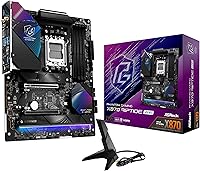
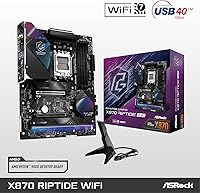
The ASRock X870 Riptide WiFi ATX Motherboard launched in September 2024 as one of the more accessible ways to step onto the AM5 platform with an X870 chipset — a generation that meaningfully improves on X670 with native USB4 support and refined power delivery architecture. ASRock slotted it into the Phantom Gaming lineup, which has historically aimed at builders who want solid engineering without the premium tax of top-shelf boards. With over 540 buyer ratings averaging 4.2 stars, it carries genuine credibility. This X870 board earns its place by keeping costs reasonable while still delivering chipset-level features that actually matter to builders.

Features & Benefits

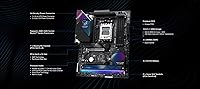
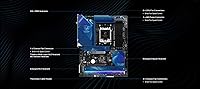
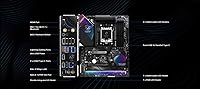
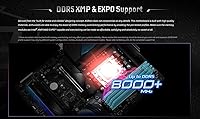
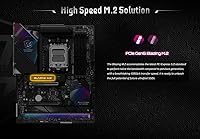
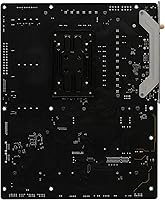
The Riptide WiFi is built around a 14+2+1 phase power design using 80A Dr.MOS components — enough headroom for most Ryzen 9000 and 7000 processors under sustained load, though builders pairing it with a top-tier chip like the 9950X should monitor thermals and keep expectations realistic. Four DDR5 slots support up to 256GB and can push memory to 8000MHz with overclocking, which matters for latency-sensitive workloads. WiFi 7 and USB4 are genuinely rare at this price point, adding long-term connection headroom most competing boards skip. The toolless M.2 heatsink makes swapping NVMe drives straightforward, and Nahimic Audio covers users who are skipping a discrete sound card.

Best For

ASRock's mid-range AM5 offering makes the most sense for builders stepping into the AM5 ecosystem without wanting to stretch their budget into flagship territory. If you're running a Ryzen 7000, 8000, or 9000 series chip and plan to pair it with fast DDR5 memory for gaming or content work, the Riptide WiFi covers that use case well. It also suits anyone who values future-proof connectivity — WiFi 7 and USB4 are not standard at this tier. First-time AM5 builders will appreciate the approachable BIOS and solid brand support. It is not the right pick for extreme overclockers or anyone pushing a flagship CPU without a proper power and cooling setup.

User Feedback

Buyer sentiment around this X870 board tends to cluster around a few consistent themes. Most users highlight smooth BIOS navigation, a straightforward installation process, and strong perceived value for an X870-tier product. The board's sustained ranking near the top of its category suggests genuine repeat satisfaction rather than a short-lived spike of early interest. That said, not all feedback is positive — some buyers report memory compatibility quirks with aggressive XMP or EXPO profiles, and a handful mention that BIOS updates occasionally require patience to apply correctly. A small number of DOA reports appear, as is typical in this segment, though nothing that stands out as a systemic concern.

Pros

  • WiFi 7 and USB4 are included at a price point where most competitors quietly omit them.
  • The toolless M.2 heatsink system makes drive installation and swapping faster and less frustrating.
  • Four DDR5 slots with 8000MHz OC support give plenty of memory flexibility for gaming and productivity builds.
  • The X870 chipset brings native USB4 routing improvements over X670, making this a meaningful platform upgrade.
  • BIOS navigation is consistently praised by buyers as intuitive, even for less experienced builders.
  • ATX form factor means broad compatibility with mid-tower and full-tower cases without any sizing headaches.
  • Nahimic Audio processing adds real value for users who prefer not to invest in a discrete sound card.
  • ASRock's firmware update history on AM5 boards suggests reliable long-term software support.
  • Sustained top-25 ranking in its category reflects genuine buyer satisfaction, not just launch-window hype.
  • Compatible with three Ryzen generations, giving the board solid longevity within the AM5 ecosystem.

Cons

  • Power delivery may struggle under sustained all-core loads on top-tier Ryzen 9 processors.
  • Some users report XMP and EXPO memory profiles require manual BIOS tweaking to run stably at rated speeds.
  • BIOS updates have occasionally been reported as finicky to apply, requiring extra steps on some systems.
  • Onboard RGB implementation is limited and lacks tight integration with popular third-party lighting software.
  • A small but notable number of buyers have reported DOA units, so purchasing from a retailer with easy returns is advisable.
  • The board offers less overclocking headroom than similarly priced options from competing brands targeting enthusiasts.
  • Packaging protection has been flagged in a handful of reviews as insufficient for the product inside.
  • No bundled accessories beyond the essentials, which may require additional purchases for specific build setups.

Ratings

The scores below reflect AI-driven analysis of verified global buyer reviews for the ASRock X870 Riptide WiFi ATX Motherboard, with spam, bot-generated, and incentivized feedback actively filtered out before scoring. Each category is evaluated on patterns across hundreds of real-world build experiences, capturing both the genuine strengths and the recurring friction points buyers encounter. Nothing is sugar-coated — where the board underdelivers, the scores reflect it.

Value for Money
91%
This is consistently the most praised aspect of the Riptide WiFi. Buyers repeatedly note that getting WiFi 7, USB4, and a proper X870 chipset at this price tier feels like a genuine win — features they expected to pay significantly more for elsewhere. For mid-range AM5 builds, the value proposition is hard to argue with.
A small portion of buyers who experienced BIOS or memory compatibility issues felt the savings came at a hidden cost in troubleshooting time. If your first build takes hours of debugging to stabilize, the perceived value takes a hit regardless of the sticker price.
Build Quality
76%
24%
The board feels solid in hand, and the multi-layer M.2 heatsink assembly in particular is praised for feeling more premium than expected at this price point. Most buyers report no flex, warping, or component concerns after months of daily use in mid-tower builds.
A recurring complaint involves packaging — some units arrived with visible handling damage, raising concerns about how well ASRock protects the board during transit. A small but notable number of buyers also reported DOA units, which, while not unusual for electronics, is worth factoring in when choosing a retailer with a clear return policy.
Power Delivery
68%
32%
For the vast majority of Ryzen 7000 and 9000 series builds running mainstream processors — a Ryzen 7 9700X, for example — the 14+2+1 phase design handles sustained workloads without complaint. Gaming and everyday productivity workloads stay stable, and most users never encounter a VRM-related issue.
Builders pairing this board with high-TDP processors like the Ryzen 9 9950X under prolonged all-core loads have flagged thermal concerns with the power stages. The 80A Dr.MOS phases are adequate for mid-range use but were not engineered for extended extreme overclocking or workstation-level compute sessions.
BIOS Usability
83%
First-time AM5 builders consistently call out the BIOS as one of the more approachable they have used, with a clean EZ Mode layout and logical menu structure in advanced mode. Updates to enable new Ryzen generations have been pushed reliably, and the interface does not punish users who are not overclock-savvy.
A subset of buyers reported that certain BIOS updates introduced new quirks or required multiple flashing attempts to apply correctly. Memory training on high-speed DDR5 kits can also extend boot times significantly after a CMOS reset, which catches some users off guard.
Memory Compatibility
67%
33%
DDR5 kits in the 6000MHz to 7200MHz range tend to work well with EXPO or XMP profiles enabled, and buyers using popular Samsung or Hynix-based kits generally report clean out-of-the-box experiences. The 256GB ceiling also provides plenty of headroom for workstation-oriented memory configurations.
Pushing beyond 7200MHz reliably is where the experience gets inconsistent. Several buyers report needing manual voltage and timing adjustments to stabilize aggressive memory profiles, and a few note that certain kit and module combinations simply refuse to train at rated speed without significant trial and error.
WiFi Performance
86%
Buyers with WiFi 7 routers praise the onboard wireless for its noticeably lower latency and more consistent throughput compared to the WiFi 6E adapters found on competing boards. For gaming builds where running ethernet is not practical, this level of onboard wireless removes the need for a separate PCIe adapter entirely.
Users without a WiFi 7 router naturally see no benefit over WiFi 6E in real-world throughput. A small number of buyers also reported antenna placement being awkward in certain case layouts, leading to slightly reduced signal quality at longer distances from the router.
USB4 Functionality
81%
19%
Having USB4 natively on an X870 board at this price is the kind of feature builders appreciate more over time than at purchase. Users connecting high-speed external SSDs or Thunderbolt 4 docks report the ports perform reliably at full rated bandwidth, which removes the need for an add-in card down the road.
Buyers who do not yet own USB4 peripherals gain no immediate benefit and may view it as a feature they are paying for in advance. A small number of users also noted that USB4 device recognition was occasionally inconsistent after sleep-wake cycles, requiring a firmware check to resolve.
M.2 Storage Experience
88%
The toolless heatsink design earns genuine praise from builders who have gone through multiple NVMe installations. Removing and reseating drives during builds or upgrades is faster and less stressful than on boards that use traditional screw-mounted covers, and the heatsink contact quality keeps drives running at reasonable temperatures.
A few buyers note that the toolless mechanism requires a firm, specific motion to disengage cleanly, which can feel counterintuitive the first time. There are also occasional reports of the heatsink contact pad alignment being slightly off on lower slots, leading to inconsistent thermal performance on secondary drives.
Audio Quality
72%
28%
The Realtek ALC4082 codec performs well above what budget boards typically offer, and Nahimic's spatial audio processing adds real value for headset users in games with directional audio. For casual listeners and streamers who are not ready to invest in a dedicated sound card, onboard audio is genuinely usable here.
Audiophiles and anyone using high-impedance headphones directly from the rear I/O will find the output lacking in dynamic range and power compared to even an entry-level external DAC. Nahimic's software has also received mixed feedback — some buyers find it adds noticeable processing artifacts on certain audio formats.
Installation Experience
84%
ASRock's included documentation is clear enough for most builders, and the physical layout of the board avoids the awkward connector placements that plague some competing boards at this tier. Power connectors, fan headers, and front-panel pins are all positioned logically for standard ATX cases.
A handful of buyers noted that the included I/O shield required more force than expected to seat properly, and a few mentioned that certain ATX cases with tighter top clearance made installing the EPS CPU power connector more difficult than it should be. Nothing that experienced builders would find alarming, but worth flagging for newcomers.
Thermal Management
74%
26%
Under typical gaming and productivity workloads, the VRM heatsink keeps power delivery components at safe operating temperatures without requiring active airflow in most mid-tower builds. Buyers running Ryzen 7 and Ryzen 9 mid-range SKUs report stable temps across extended sessions.
When the board is pushed with a high-TDP processor under sustained all-core loads in a poorly ventilated case, VRM temperatures climb into ranges that should give builders pause. The heatsink coverage is adequate for the intended use case but does not leave much thermal margin for demanding edge scenarios.
Software & Ecosystem
61%
39%
ASRock's Polychrome RGB software and system monitoring utilities cover the basics, and for builders who only want to set a static color and forget it, the experience is functional enough. Firmware update notifications through ASRock's tools are a convenient touch that helps non-technical users stay current.
RGB software integration with third-party ecosystems like ASUS Aura or Corsair iCUE is limited, which frustrates builders with mixed lighting setups. Several buyers also report that the monitoring software feels dated compared to competitors and can behave inconsistently after Windows updates.
Long-Term Reliability
78%
22%
The board's sustained ranking near the top of its sales category — well past its initial launch window — suggests that buyers are not experiencing widespread failures after months of ownership. ASRock's track record for continued BIOS support on AM5 boards also reassures buyers that the platform will remain functional as new Ryzen generations arrive.
The DOA rate, while not dramatically higher than industry norms, is present enough in reviews to recommend purchasing only from retailers with a clean return and replacement process. Long-term data beyond 12 months of ownership is still limited given the board's September 2024 launch date.

Suitable for:

The ASRock X870 Riptide WiFi ATX Motherboard is a strong fit for builders who want a genuine X870 platform experience without stretching into premium pricing territory. It makes particular sense for anyone pairing a Ryzen 7000, 8000, or 9000 series processor with a fast DDR5 kit, whether the goal is gaming, everyday productivity, or light content creation workloads. Builders who care about long-term connectivity will appreciate having WiFi 7 and USB4 baked in at this tier — those features are easy to take for granted until you try to find them on competing boards at similar prices and come up short. First-time AM5 builders also land well here, since the BIOS is approachable and ASRock has a reliable track record for firmware support over a product's lifespan. If your priority is a capable, well-rounded foundation for a mid-range AM5 system, this X870 board delivers that without unnecessary compromise.

Not suitable for:

Builders planning to run a flagship-tier processor like the Ryzen 9 9950X at sustained all-core loads should think carefully before committing to the Riptide WiFi. The 80A Dr.MOS power stages are competent for mainstream use cases, but they are not engineered with extreme overclocking headroom or prolonged heavy compute workloads in mind — thermal throttling under worst-case conditions is a realistic concern. Enthusiasts who expect aggressive memory overclocking to work straight out of the box may also run into friction, as some users report that pushing XMP or EXPO profiles at the upper range requires BIOS tuning and patience. Anyone who depends heavily on onboard RGB ecosystems or expects tight software integration with third-party lighting controllers may find the experience underwhelming compared to higher-end ASRock or competitor boards. The ASRock X870 Riptide WiFi ATX Motherboard is not the right pick for builders who prioritize maximum headroom over value efficiency.

Specifications

  • Chipset: The board uses the AMD X870 chipset, which offers native USB4 routing and improved I/O flexibility over the previous X670 generation.
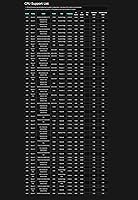
  • CPU Socket: Socket AM5 (LGA1718) supports AMD Ryzen 7000, 8000, and 9000 series processors.
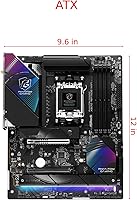
  • Form Factor: Standard ATX dimensions (13.62 x 11.06 inches) ensure broad compatibility with mid-tower and full-tower cases.
  • Memory Slots: Four DDR5 DIMM slots support dual-channel configurations with a maximum capacity of 256GB.
  • Memory Speed: Native DDR5 speeds are supported alongside overclocked profiles up to 8000MHz via XMP and EXPO.
  • Power Design: A 14+2+1 phase power design uses 80A Dr.MOS components to deliver stable VCore and SOC voltage for mainstream to upper-mid Ryzen SKUs.
  • Wireless: Onboard WiFi 7 provides multi-link operation support and significantly higher theoretical throughput than the WiFi 6E found on competing boards at this tier.
  • USB Connectivity: USB4 ports are included, enabling up to 40Gbps data transfer and compatibility with Thunderbolt 4 peripherals and high-speed external storage.
  • Storage Interface: Multiple M.2 slots with a toolless multi-layer heatsink system are provided alongside SATA3 ports running at 6.0 Gb/s for traditional drives.
  • Audio: The Realtek ALC4082 codec delivers 7.1-channel HD audio output, enhanced by Nahimic Audio software processing for spatial sound and voice clarity.
  • Dimensions: The board measures 13.62 x 11.06 x 2.95 inches, conforming to standard ATX layout specifications.
  • Weight: The board weighs 4.62 pounds, consistent with ATX motherboards featuring multi-layer heatsink assemblies.
  • CMOS Battery: A CR2032 coin cell battery is required for CMOS retention and is included with the board.
  • OS Support: The board is officially supported on Windows 10 and Windows 11, with Linux compatibility dependent on driver availability from AMD and ASRock.
  • Launch Date: The board became available in September 2024 as part of ASRock's Phantom Gaming product lineup.
  • Ratings: As of available data, the board holds a 4.2-star average across more than 540 customer ratings on major retail platforms.

Related Reviews
ASRock B550 Phantom Gaming 4 ATX Motherboard
79%
93%
Value for Money
91%
CPU Compatibility
84%
Storage Flexibility
89%
BIOS Experience
78%
Power Delivery
More
ASRock X870 Pro RS WiFi Motherboard
84%
91%
Performance
95%
Connectivity Options
88%
Stability and Overclocking
70%
Ease of Setup
94%
DDR5 Compatibility
More
ASRock B650M PG Riptide WiFi AM5 Motherboard
79%
88%
Value for Money
79%
Build Quality
91%
CPU Compatibility
71%
VRM & Power Delivery
84%
BIOS Experience
More
ASRock Z890 LiveMixer WiFi ATX Motherboard
75%
91%
Connectivity & I/O
88%
WiFi 7 Performance
54%
BIOS Experience
83%
CPU Power Delivery
78%
DDR5 Memory Support
More
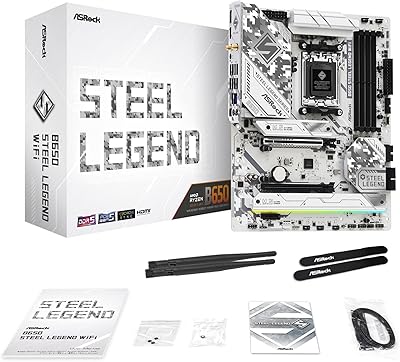
ASRock B650 Steel Legend WiFi 6E ATX Motherboard
87%
91%
Performance
89%
Stability
88%
Overclocking Capability
92%
WiFi 6E Connectivity
85%
Ease of Installation
More
ASRock B760 Pro RS ATX Motherboard
80%
83%
Value for Money
88%
Feature Set
91%
CPU Compatibility
74%
Memory Performance
76%
VRM & Power Delivery
More
ASRock A520M Pro4 Micro ATX Motherboard
83%
92%
Value for Money
89%
Processor Compatibility
86%
Performance Stability
84%
Build Quality
88%
Ease of Setup
More
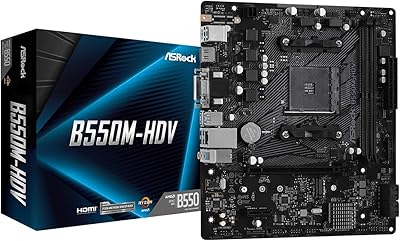
ASRock B550M-HDV Micro-ATX Motherboard
76%
91%
Value for Money
88%
CPU Compatibility
86%
Ease of Setup
89%
Stability & Reliability
58%
VRM & Power Delivery
More
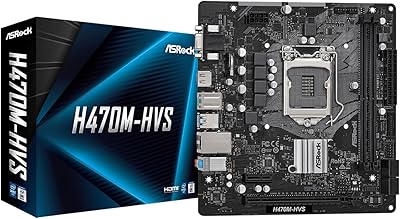
ASRock H470M-HVS Micro-ATX Motherboard
69%
83%
Value for Money
91%
CPU Compatibility
78%
BIOS Experience
47%
Storage Options
53%
Connectivity & USB
More
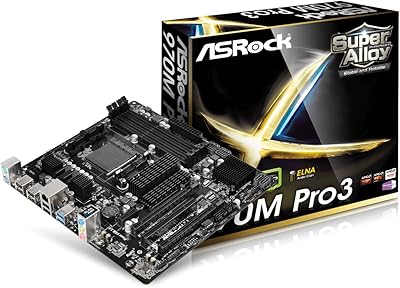
ASRock 970M Pro3 Micro ATX Motherboard
74%
88%
Value for Money
91%
Compatibility & CPU Support
86%
Ease of Installation
61%
BIOS Usability
54%
Overclocking Headroom
More

FAQ

Yes, the Riptide WiFi supports Ryzen 7000 series processors natively on the AM5 socket. You should not need a BIOS update to boot with a 7600X, but it is always worth checking ASRock's support page for the latest firmware before your first build.

Most DDR5 kits with XMP or EXPO profiles will require you to enable that profile in the BIOS manually — this is standard across virtually all motherboards and not specific to this one. Some users report that very aggressive profiles above 7200MHz may need additional voltage or timing tuning to run stably, so budget time for that if you are pushing the upper range.

WiFi 7 is genuinely useful if you have a compatible router, primarily because of Multi-Link Operation, which allows the adapter to use multiple frequency bands simultaneously for lower latency and more consistent throughput. If your current router only supports WiFi 6 or 6E, you will still get reliable connectivity — you just will not see WiFi 7 peak performance until you upgrade your networking hardware.

The board includes multiple M.2 slots, though not all run at the same bandwidth — primary slots connected directly to the CPU typically run at PCIe 5.0 speeds on X870, while chipset-connected slots operate at PCIe 4.0. Check ASRock's official specification sheet for the exact slot configuration and bandwidth allocation before purchasing NVMe drives.

Technically the board will run a 9950X, but it is not the ideal pairing. The 80A Dr.MOS stages are designed for mainstream to upper-mid processors, and a 9950X pulling full power under sustained all-core workloads like 3D rendering or video encoding could stress the VRMs over time. For a 9950X, a board with a more robust power delivery is a safer long-term investment.

Yes, the primary PCIe slot supports PCIe 5.0 x16 for graphics cards, which is standard on X870 platform boards. This means you will not be bottlenecked by slot bandwidth even with next-generation GPUs.

It means you can remove and reinstall the M.2 heatsink cover without a screwdriver, which is a small but genuinely appreciated quality-of-life feature when swapping drives or building in tight spaces. It reduces the risk of stripped screws and makes the process faster for builders who regularly change their storage configuration.

Nahimic is a legitimate software audio suite that adds spatial sound processing, microphone noise reduction, and equalizer presets. For casual listeners and gamers using headsets, it can meaningfully improve the experience from onboard audio. Audiophiles or anyone using studio monitors will likely prefer to bypass it and use a dedicated DAC or sound card instead.

The general consensus from buyers is that ASRock's BIOS on this board is approachable, with a clear EZ Mode for beginners and an advanced mode for manual tuning. The interface is not dramatically different from other modern UEFI setups, so if you have used any recent motherboard BIOS, you will find your way around quickly.

Start by reseating your CPU, RAM, and power connectors, and try booting with a single stick of memory in the primary slot. If the board still does not POST, check whether a BIOS update is needed for your specific CPU — ASRock's website lists CPU support by BIOS version. If troubleshooting does not resolve it, contact the retailer promptly, as a small number of buyers have reported DOA units and a straightforward return or exchange is usually the fastest resolution.

Where to Buy