Overview

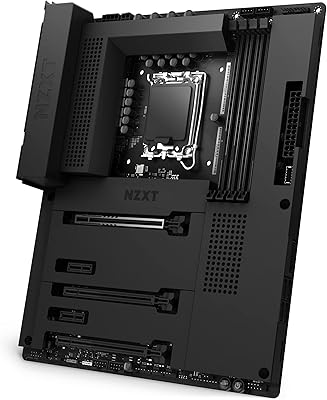
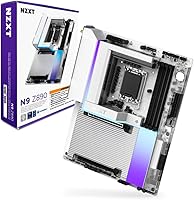
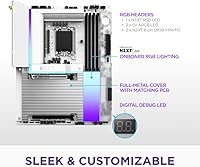
The NZXT N9 Z890 ATX Motherboard enters a crowded Intel Z890 field with a clear identity: it's built for builders who care as much about how their rig looks as how it performs. NZXT has always leaned into aesthetics, and this board makes that philosophy concrete with a full-metal shroud, a white PCB, and onboard RGB that complements a build rather than overwhelming it. Sitting in the mid-to-high tier of the Z890 stack, it targets Arrow Lake-S (Core Ultra Series 2) builds where looks and solid specs aren't mutually exclusive. With a 4.2-star average across over 360 user ratings and a top-150 ranking in Computer Motherboards, early reception is genuinely encouraging for a board that only launched in late 2024.

Features & Benefits

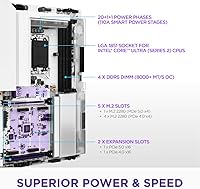
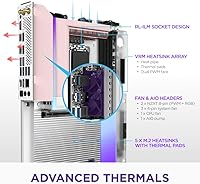
The NZXT N9's power delivery is where it earns real respect. A 20+1+1 phase design backed by 110A Smart Power Stages on an 8-layer, 2-ounce copper PCB means the board handles sustained loads without voltage instability — important for anyone pushing a Core Ultra 9 chip hard. The VRM cooling goes further than most boards at this price: a fin-stack heatsink with a heat pipe and dual PWM fans actively manages thermals. Storage options are generous — one PCIe 5.0 M.2 slot for a cutting-edge drive and four PCIe 4.0 slots for everything else. Wi-Fi 7 and Thunderbolt 4 are genuinely useful for content creators transferring large files, while 5GbE wired networking handles low-latency gaming without a separate card.

Best For

This Z890 board makes the most sense for builders going all-in on an Arrow Lake-S system who also want a cohesive, polished look — particularly those using an NZXT case where the white PCB and shroud will be fully visible. It's a strong pick for enthusiasts who want real overclocking headroom without jumping to a flagship-priced board; the power delivery handles most Core Ultra 200S chips capably. Content creators who want Thunderbolt 4 and Wi-Fi 7 built in rather than bolted on will appreciate skipping extra cards. That said, this Intel motherboard isn't the right call for extreme memory overclockers, workstation ECC requirements, or anyone who needs multi-GPU support.

User Feedback

With 363 ratings after a late 2024 launch, the NZXT N9 has a reasonably sized sample for a niche product on a brand-new platform. Build quality and finish are the most consistently praised aspects — buyers regularly note how sharp the metal shroud looks inside glass-panel cases, and installation in NZXT's own enclosures is reported as straightforward. On the critical side, some users flag early BIOS immaturity, which isn't unusual for a recently debuted chipset, along with a reliance on NZXT CAM software that not everyone welcomes. A handful of reviews mention compatibility quirks with specific DDR5 kits. Importantly, negative feedback doesn't cluster around hardware failures at scale, which offers meaningful reassurance for prospective buyers.

Pros

  • Robust 20+1+1 power delivery handles sustained CPU loads without throttling or instability.
  • Five M.2 slots give you real storage flexibility — one PCIe 5.0 for a flagship NVMe drive and four PCIe 4.0 for everything else.
  • Onboard Wi-Fi 7 and 5GbE eliminate the need for any network add-in cards.
  • Thunderbolt 4 support is a genuine asset for creators moving large video files or daisy-chaining displays.
  • The full-metal shroud and white PCB deliver a premium, finished look that holds up in open or glass-panel builds.
  • VRM cooling with a heat pipe and active fans is an unusual and appreciated feature at this price tier.
  • DDR5 support up to 8600 MHz gives the board headroom well beyond what most buyers will initially need.
  • PCIe 5.0 x16 slot ensures the board is ready for next-generation GPU bandwidth without a future upgrade.
  • Early user ratings skew positive on build quality and installation ease, especially inside NZXT cases.
  • The Z890 chipset and LGA 1851 socket keep this Intel motherboard relevant for at least the near-term CPU roadmap.

Cons

  • BIOS maturity is still catching up — early firmware updates are expected and may require patience at first boot.
  • CAM software dependency is unavoidable for full RGB and fan control, which not all builders welcome.
  • Some DDR5 kit compatibility quirks have been flagged by early users, particularly at higher XMP speeds.
  • The aesthetic premium built into the shroud and white PCB adds cost that doesn't benefit performance-only buyers.
  • Review volume of around 360 ratings is relatively modest for a motherboard, limiting the depth of long-term reliability data.
  • No ECC memory support rules this board out for any professional or workstation-adjacent workload.
  • Limited multi-GPU capability makes it a poor foundation for niche GPU compute or rendering setups.
  • Thunderbolt 4 and Wi-Fi 7 add real value only if you actively use those interfaces — pure gamers may not recoup that premium.
  • Arrow Lake-S platform optimization is still maturing across the industry, meaning some performance gains depend on future software and BIOS updates.

Ratings

The NZXT N9 Z890 ATX Motherboard has been evaluated by our AI rating system after analyzing verified global user reviews, actively filtering out incentivized, spam, and bot-generated feedback to surface what real builders actually experience. Scores reflect both the genuine strengths that make this Z890 board stand out and the friction points that prospective buyers should weigh carefully. The result is a transparent, balanced breakdown across every dimension that matters when choosing a high-investment motherboard platform.

Build Quality
88%
Buyers consistently single out the physical construction as a highlight — the metal shroud feels solid and precisely fitted, not hollow or rattling like cheaper plastic covers. The white PCB underneath maintains its clean appearance even after extended use, and the overall heft of the board inspires confidence during installation.
A small number of users reported minor finish inconsistencies on the shroud edges out of the box, suggesting quality control is good but not perfectly uniform across every unit. At this price tier, some buyers expected tighter tolerances throughout.
VRM & Power Delivery
91%
The 20+1+1 phase design with 110A Smart Power Stages is genuinely capable hardware for Arrow Lake-S builds, and builders running Core Ultra 200S chips under sustained all-core loads report stable voltages without thermal throttling. The active VRM cooling — rare at this tier — adds meaningful headroom for those who push beyond stock settings.
Real-world overclocking headroom still depends heavily on the specific CPU silicon and cooling setup, so results vary. Extreme overclockers hunting maximum frequency records may find that flagship-tier boards with more phases offer a slight edge in sustained stability.
Thermal Management
84%
The fin-stack heatsink paired with a heat pipe and dual PWM fans keeps VRM temperatures well-controlled during extended gaming or rendering sessions. Users with high-TDP CPU configurations report that temperatures remain manageable without needing to manually intervene with fan curves.
The VRM fans do produce audible noise under heavy sustained load, which can be noticeable in quieter open-air or near-silent builds. PWM tuning through the BIOS helps, but it requires a bit of manual configuration to find the right balance between noise and thermal performance.
BIOS Experience
67%
33%
The BIOS interface is reasonably organized for a new platform, and most standard options — XMP enablement, fan control, boot priority — are accessible without digging through multiple nested menus. Updates since the November 2024 launch have gradually improved stability and memory compatibility.
Early adopters encountered firmware immaturity common to new chipset launches, including occasional XMP instability and boot issues with certain DDR5 kits. The BIOS still lacks the depth and polish of more established Z-series implementations from competitors with longer platform histories.
Memory Compatibility
72%
28%
Common DDR5 kits in the 6000 to 7200 MHz range enable cleanly via XMP, and most reputable brand modules from the qualified vendor list run without issues. Users building with mainstream DDR5 speeds report no compatibility headaches once XMP is toggled on.
Higher-speed kits above 7600 MHz have generated mixed reports, with some users needing to manually adjust sub-timings to achieve stability. The platform is still maturing, and memory compatibility at extreme frequencies remains a known limitation across the Z890 ecosystem broadly.
Storage Expandability
93%
Five M.2 slots is a standout feature — the single PCIe 5.0 slot handles a flagship NVMe drive at full bandwidth, while four PCIe 4.0 slots cover secondary drives, game libraries, and backup volumes without ever reaching for a PCIe adapter card. Content creators and heavy multitaskers praised this as one of the board's most practical advantages.
Accessing some of the lower M.2 slots requires removing a heatsink cover, which adds a small friction point during initial build assembly or later drive additions. The PCIe 5.0 slot also generates notable heat from a fast Gen 5 SSD, so thermal management of that drive specifically should be factored in.
Connectivity Suite
89%
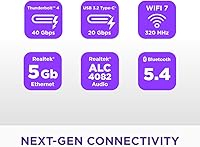
Wi-Fi 7, Thunderbolt 4, and 5GbE all onboard means buyers don't need to budget for or install separate cards — a real convenience for creators moving large files externally or competitive gamers wanting the lowest-latency wired connection available. Thunderbolt 4 in particular was flagged as a differentiator by users running external docks or high-speed storage arrays.
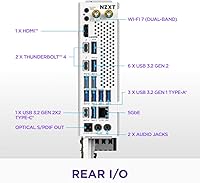
Wi-Fi 7 benefits are only realized when paired with a compatible router, which not all buyers currently own. A small number of users also noted that rear I/O port count, while solid, is slightly less generous than some competing Z890 boards at comparable pricing.
Aesthetic Design
92%
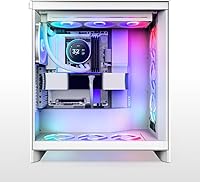
The white PCB and full-metal shroud combination is genuinely striking in tempered glass builds, and unlike some competitors where aesthetics feel stuck-on, here the design integrates cohesively with the board's layout. Builders pairing the NZXT N9 with white cases and components consistently describe the finished result as one of the cleanest-looking systems they've built.
The aesthetic premium is real — buyers indifferent to looks are partly paying for the shroud and white PCB, which don't improve raw performance. Those building inside opaque cases or on tight budgets may feel the visual investment doesn't translate to practical value.
RGB Implementation
78%
22%
The onboard addressable RGB produces even, well-diffused lighting that complements the white PCB rather than overwhelming it. Users building themed rigs found the lighting zones easy to configure and visually consistent with NZXT's broader ecosystem of products.
Full RGB customization requires NZXT CAM software, which some builders find intrusive or resource-consuming as a background process. There is no native support for cross-brand sync platforms like Corsair iCUE or ASUS Aura Sync, which limits integration flexibility in mixed-brand builds.
Software (CAM)
63%
37%
For builders already within the NZXT ecosystem — using an NZXT case, AIO cooler, or other CAM-compatible peripherals — the software provides a unified dashboard for fan curves, RGB, and basic system monitoring that is genuinely convenient to set up initially.
CAM has a history of being polarizing: it runs as a background service, has been criticized for sluggish updates, and is essentially mandatory for full control of the board's lighting and fan features. Users preferring lightweight or open-source alternatives have no viable substitute for this board.
Installation Experience
82%
18%
The board's layout is well thought out, with clear labeling on headers and enough spacing around the DIMM slots and primary PCIe slot to avoid frustration during assembly. Builders using NZXT cases specifically reported a notably smooth installation process with cable routing that aligned naturally with the board's connector placement.
The full-metal shroud adds bulk, which can make routing some front-panel cables slightly more awkward in compact ATX cases with limited internal clearance. A few users also noted that the M.2 screw standoffs, while included, required closer attention than expected during first assembly.
Value for Money
71%
29%
The hardware specification — five M.2 slots, active VRM cooling, Wi-Fi 7, and Thunderbolt 4 — justifies a meaningful portion of the asking price when compared to similarly priced Z890 alternatives that lack one or more of these features. Buyers who value the aesthetic package alongside the specs find the overall offering competitive.
Purely performance-focused builders can find Z890 boards with comparable electrical specs for less by foregoing the shroud and white PCB. The aesthetic premium is real, and buyers who don't care about how their build looks may feel they are overpaying relative to the raw hardware delivered.
Platform Maturity
66%
34%
The Z890 and Arrow Lake-S platform has received steady firmware and driver improvements since its late 2024 debut, and the trajectory is positive. Users who purchased at launch and stayed current with BIOS updates report a noticeably smoother experience compared to day-one impressions.
As a late 2024 platform, Z890 still lacks the deep community knowledge base, extensive compatibility testing, and optimized chipset drivers that mature platforms benefit from. Early buyers accepted more risk than those who wait for the ecosystem to stabilize further into 2025.
Overclocking Capability
76%
24%
The combination of robust power delivery, active VRM cooling, and a capable BIOS gives experienced overclockers a solid foundation for pushing Core Ultra 200S chips beyond stock settings. Users running manual all-core overclocks report respectable headroom without hitting power delivery limits under typical cooling setups.
Overclocking results on Arrow Lake-S are still maturing at the platform level, and the gains from manual tuning are narrower than on previous Intel generations. Buyers expecting dramatic frequency headroom should temper expectations — this board supports the practice well, but the CPU architecture itself limits the ceiling.

Suitable for:

The NZXT N9 Z890 ATX Motherboard is purpose-built for builders who want a high-performing Intel platform without sacrificing visual coherence inside their case. It's the right call for anyone pairing a Core Ultra 200S processor with a white or neutral-themed build — the white PCB and full-metal shroud look genuinely polished behind a glass panel, not like an afterthought. Enthusiasts who want meaningful overclocking headroom without spending flagship money will find the robust power delivery more than adequate for most chips. Content creators running large file transfers or connecting external drives and displays will get real daily utility from the onboard Thunderbolt 4 and Wi-Fi 7, no add-in cards required. The NZXT ecosystem angle is also worth noting: builders already using an NZXT case and CAM software will find the integration straightforward and the aesthetic consistent.

Not suitable for:

The NZXT N9 Z890 ATX Motherboard is not the right fit for everyone entering the Z890 space. Hardcore memory overclockers chasing extreme DDR5 frequencies may find that competing boards at similar or higher price points offer more granular tuning controls and better out-of-box kit compatibility. Workstation users requiring ECC memory support should look elsewhere entirely, as this board is designed for consumer use cases, not professional reliability workloads. The reliance on NZXT CAM software for RGB and fan control is a friction point for builders who prefer open or third-party solutions. Anyone planning a multi-GPU configuration will also be disappointed, as the layout does not accommodate that use case. Finally, buyers who are cost-sensitive and indifferent to aesthetics may find they are paying a premium for the shroud and branding that doesn't translate into raw performance gains over cheaper Z890 alternatives.

Specifications

  • CPU Socket: The board uses the LGA 1851 socket, compatible exclusively with Intel Core Ultra Series 2 (Arrow Lake-S) processors.
  • Chipset: Built on the Intel Z890 chipset, which enables full overclocking support and high-bandwidth device connectivity.
  • Form Factor: Standard ATX form factor, fitting the vast majority of mid-tower and full-tower PC cases.
  • Power Delivery: Features a 20+1+1 power phase design using 110A Smart Power Stages for stable, sustained CPU power under load.
  • PCB Construction: The PCB is an 8-layer design using 2-ounce copper traces, improving thermal conductivity and signal integrity under high-frequency operation.
  • Memory Slots: Four DDR5 DIMM slots support dual-channel configurations with rated speeds up to 8600 MHz via XMP profiles.
  • M.2 Storage: Five M.2 slots are included: one operating at PCIe 5.0 speeds for top-tier NVMe drives, and four at PCIe 4.0 for additional high-speed storage.
  • PCIe Expansion: One PCIe 5.0 x16 primary slot handles next-generation discrete GPUs, while a secondary PCIe 4.0 slot supports add-in cards such as capture cards.
  • Wired Networking: A 5GbE Ethernet port delivers low-latency, high-throughput wired connectivity without requiring a separate network card.
  • Wireless: Integrated Wi-Fi 7 with 320 MHz channel support provides the fastest available consumer wireless standard at launch.
  • Thunderbolt: One Thunderbolt 4 port enables high-speed external device connections, including fast storage, displays, and docking stations at up to 40 Gbps.
  • VRM Cooling: The VRM heatsink uses a fin-stack array with a heat pipe, thermal pads, and two active PWM fans to manage power delivery temperatures under sustained load.
  • RGB Lighting: Onboard addressable RGB lighting is built into the board and controllable through NZXT CAM software.
  • Shroud Design: A full-metal cover conceals the PCB surface and internal components, giving the board a clean industrial finish inside glass-panel cases.
  • PCB Color: The PCB is white, designed to complement white or neutral-themed system builds without requiring additional modding.
  • Weight: The board weighs 4.93 pounds, which is typical for a fully shrouded ATX motherboard with active VRM cooling hardware.
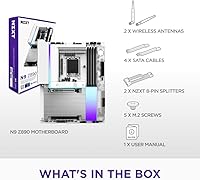
  • Package Size: The retail package measures 13.82 x 11.34 x 3.15 inches, accommodating the board and all included accessories.
  • Launch Date: The board was made commercially available in November 2024, coinciding with the broader Intel Z890 and Arrow Lake-S platform release.

Related Reviews
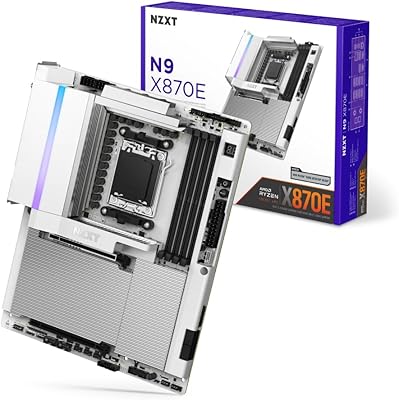
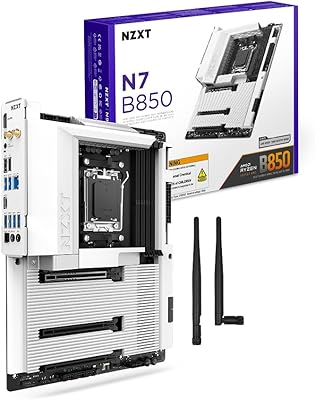
NZXT N9 X870E AMD AM5 ATX Motherboard
83%
91%
Build Quality
67%
Value for Money
93%
Aesthetic Design
72%
BIOS Experience
88%
Power Delivery
More
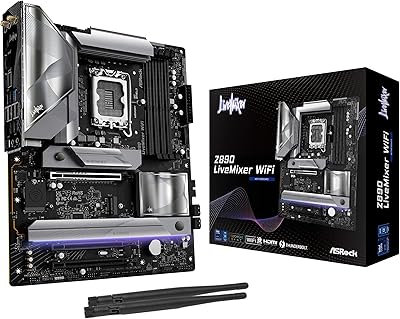
ASRock Z890 LiveMixer WiFi ATX Motherboard
75%
91%
Connectivity & I/O
88%
WiFi 7 Performance
54%
BIOS Experience
83%
CPU Power Delivery
78%
DDR5 Memory Support
More
NZXT N7 B850 AMD B850 ATX Gaming Motherboard
85%
91%
Performance
89%
Build Quality
85%
Ease of Installation
78%
Value for Money
92%
Connectivity & Networking
More
NZXT N7 Z690 ATX Motherboard
76%
91%
Build Quality & Aesthetics
88%
Ease of Installation
67%
Value for Money
63%
Software Experience
54%
BIOS Depth & Overclocking
More
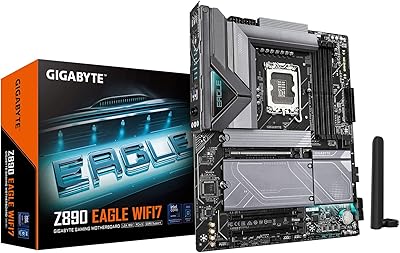
GIGABYTE Z890 Eagle WIFI7 Motherboard
81%
88%
Value for Money
84%
Build Quality
91%
Ease of Installation
83%
BIOS Experience
77%
Power Delivery
More
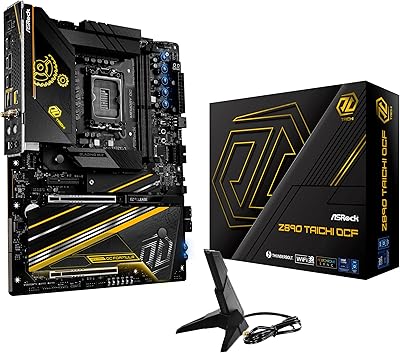
ASRock Z890 Taichi OCF ATX Motherboard
83%
94%
Overclocking Capability
91%
VRM Thermal Performance
78%
DDR5 Compatibility
74%
Thunderbolt 4 Functionality
86%
BIOS Usability
More
ASUS Prime Z490-P ATX Motherboard
83%
92%
Stability and Reliability
88%
Cooling Performance
85%
Ease of Installation
90%
Compatibility with Intel 10th Gen CPUs
87%
Value for Money
More
ASRock B550 Phantom Gaming 4 ATX Motherboard
79%
93%
Value for Money
91%
CPU Compatibility
84%
Storage Flexibility
89%
BIOS Experience
78%
Power Delivery
More
ASRock B760 Pro RS ATX Motherboard
80%
83%
Value for Money
88%
Feature Set
91%
CPU Compatibility
74%
Memory Performance
76%
VRM & Power Delivery
More
ASRock A520M Pro4 Micro ATX Motherboard

83%
92%
Value for Money
89%
Processor Compatibility
86%
Performance Stability
84%
Build Quality
88%
Ease of Setup
More

FAQ

No — the LGA 1851 socket is only compatible with Intel Core Ultra Series 2 (Arrow Lake-S) processors. Older CPUs using LGA 1700 or LGA 1200 are not physically or electrically compatible, so you will need a new processor if you are upgrading from a prior Intel platform.

Likely not, since the board ships configured for Arrow Lake-S. However, checking for a BIOS update early in your build is always a good habit on a newer platform. Z890 boards launched in late 2024, and firmware updates since then have improved stability and memory compatibility, so flashing the latest version before first boot is a reasonable precaution.

Most reputable DDR5 kits rated at 6000 to 7200 MHz will enable and run stably through XMP profiles. Higher-speed kits pushing past 8000 MHz can work, but compatibility at extreme frequencies is more kit-dependent, so checking NZXT's QVL (qualified vendor list) before buying high-speed memory is worth the effort.

It fits any standard ATX case — you are not locked into NZXT's own enclosures. That said, the white PCB and metal shroud are particularly well-suited to NZXT's H-series cases, and the CAM software integration works most smoothly within that ecosystem. In a third-party case, the board works perfectly fine; you just manage fan and RGB settings independently.

Under typical gaming or productivity workloads they are largely inaudible, especially inside a closed case. During heavy sustained overclocking sessions the fans do spin up noticeably, but they generally don't produce disruptive noise. If silence is a priority, the PWM fan curve can be adjusted through the BIOS.

The most practical uses are connecting a fast external SSD for backup or media work, attaching a Thunderbolt dock to expand ports without cable clutter, or driving a high-resolution external display from a single cable. Video editors and photographers moving large files between drives will notice the real-world speed difference compared to standard USB.

The board will fall back to Wi-Fi 6E or Wi-Fi 6 on older routers, so there is no compatibility issue. You just won't see Wi-Fi 7 speeds until you pair it with a compatible router. Given that Wi-Fi 7 routers are becoming increasingly common and this board is a long-term investment, having the hardware ready for when you do upgrade makes sense.

For standard builds it doesn't cause meaningful complications. The shroud is designed around the board's own layout, so M.2 slots, DIMM slots, and PCIe slots remain accessible. Installing M.2 drives beneath dedicated heatsinks requires removing a cover panel, which is straightforward. In very compact ATX cases with tight clearances, double-check that the shroud edges don't conflict with your case's internal structure before buying.

Not fully. CAM is the primary software interface for managing the onboard lighting and fan behavior. Some basic RGB modes can be set and saved directly in the BIOS, but for full customization and integration with other lighting zones, CAM is required. If you strongly prefer an open ecosystem like Corsair iCUE or ASUS Aura, this board's software approach may feel limiting.

It's actually one of the more approachable options at this level, partly because NZXT's documentation and CAM onboarding are designed with less experienced builders in mind. The clear labeling on the board, included accessories, and relatively clean layout make first-time assembly manageable. Just budget time for a BIOS update and memory XMP configuration before expecting peak performance.

Where to Buy

Microless.com
In stock $525.75
Grooves-Inc.com
In stock $480.15