ASUS ROG Crosshair X870E Extreme Motherboard
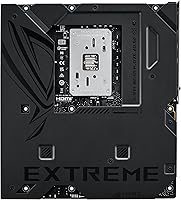
ASUS ROG Crosshair X870E Extreme Motherboard — image 1
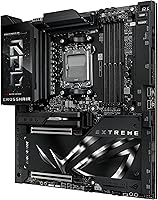
ASUS ROG Crosshair X870E Extreme Motherboard — image 2
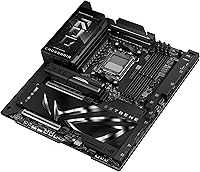
ASUS ROG Crosshair X870E Extreme Motherboard — image 3
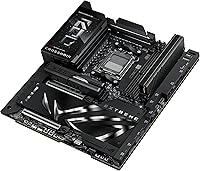
ASUS ROG Crosshair X870E Extreme Motherboard — image 4
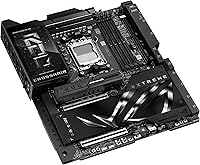
ASUS ROG Crosshair X870E Extreme Motherboard — image 5
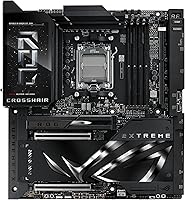
ASUS ROG Crosshair X870E Extreme Motherboard — image 6
ASUS ROG Crosshair X870E Extreme Motherboard — image 7
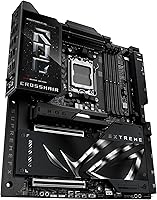
ASUS ROG Crosshair X870E Extreme Motherboard — image 8
ASUS ROG Crosshair X870E Extreme Motherboard — image 9
ASUS ROG Crosshair X870E Extreme Motherboard — image 10
ASUS ROG Crosshair X870E Extreme Motherboard — image 11
ASUS ROG Crosshair X870E Extreme Motherboard — image 12
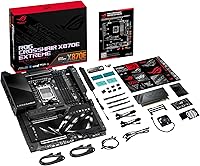
ASUS ROG Crosshair X870E Extreme Motherboard — image 13
ASUS ROG Crosshair X870E Extreme Motherboard — image 14
84%

Overview

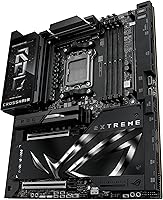
The ASUS ROG Crosshair X870E Extreme Motherboard sits at the very top of ASUS's AM5 lineup, and it shows the moment you pull it out of the box. This is a board built for AMD's Ryzen 7000, 8000, and 9000 series chips, designed for people who want headroom rather than just enough. It runs on the X870E chipset, which brings a sturdier power delivery setup and thermal architecture than the boards beneath it. Connectivity is where it really separates itself, with Wi-Fi 7 and dual USB4 ports giving it a forward-looking edge most rivals lack. If you consider yourself a serious overclocker, this is clearly aimed at you.

Features & Benefits

Under the hood, the Crosshair X870E board uses a 20+2+2 power stage design paired with ProCool II connectors, which in practice means it stays composed under sustained heavy loads rather than throttling or getting twitchy. Storage is generous too, with five M.2 slots and three of them running PCIe 5.0, so multi-drive setups with fast scratch disks are easy to build out. ASUS's AI-driven tools for overclocking, cooling, and networking take a lot of the guesswork out of tuning, which helps less experienced builders get stable results faster. Add dual high-speed LAN, Wi-Fi 7, a front-panel 5-inch LCD for diagnostics, and a generous spread of USB4 ports, and you get a board that feels genuinely future-proofed rather than just spec-padded.

Best For

This board makes the most sense for builders who refuse to compromise on their AM5 platform, whether that means heavy gaming, content creation, or both at once. Overclockers in particular will appreciate the fine-grained control, since this is clearly tuned for people who like to tinker rather than just accept default settings. Anyone juggling multiple NVMe drives for video editing or large game libraries will benefit from the sheer storage bandwidth on offer. It's also a strong pick for home lab enthusiasts or streamers who need dual high-speed networking running at the same time without bottlenecks, something a lot of mainstream boards simply can't handle gracefully.

User Feedback

Most owners who've actually lived with this ROG flagship board for a while tend to highlight the build quality first, pointing to the component selection and overall fit and finish as genuinely premium rather than just marketed that way. The BIOS and AI-assisted tools also get consistent praise for making setup less intimidating than the spec sheet might suggest. On the flip side, the price tag comes up often, and fairly so, since this sits well above typical AM5 boards and isn't an easy purchase to justify casually. A handful of buyers also mention a real learning curve with some of the more advanced features, so it rewards patience more than it rewards rushing in.

Pros

  • Power delivery feels rock solid even under sustained heavy loads.
  • Five M.2 slots, three on PCIe 5.0, make fast multi-drive storage setups painless.
  • AI-assisted tuning tools genuinely simplify overclocking for less experienced builders.
  • Wi-Fi 7 plus dual high-speed LAN cover both wired and wireless networking needs.
  • Build quality and component selection feel noticeably premium in hand.
  • Front-panel LCD display adds a useful diagnostic touch most boards skip.
  • Dual USB4 ports future-proof connectivity for upcoming peripherals.
  • BIOS navigation is more approachable than the spec sheet suggests.

Cons

  • Price puts it firmly out of reach for casual or budget builds.
  • E-ATX sizing requires a larger case than many builders already own.
  • Some advanced features carry a real learning curve for newer users.
  • Overkill for anyone not pushing serious overclocking or heavy storage demands.
  • Premium components add weight, making installation slightly more cumbersome.
  • Cost may be hard to justify without a high-end CPU to match it.
  • Networking features go unused if your setup only needs basic wired internet.

Ratings

Our scores for the ASUS ROG Crosshair X870E Extreme Motherboard are generated by AI after analyzing verified user reviews from buyers worldwide, with spam, bot activity, and incentivized feedback actively filtered out. What's left is a clearer picture of how this board actually performs once it's installed and running in real systems. Both the strengths and the genuine pain points are reflected here, not just the highlights.

Build Quality
91%
Owners consistently describe the board as feeling overbuilt in the best way, with heavy heatsinks and a sturdy backplate that inspire confidence during installation. The component selection feels genuinely premium rather than just marketed that way, especially around the VRM area.
The added weight and bulk from the cooling hardware can make it slightly trickier to mount, particularly in cases with tight clearance. A few users also note the size makes cable routing more cumbersome than on standard ATX boards.
Power Delivery
89%
The 20+2+2 power stage setup keeps voltages stable even during extended gaming sessions or rendering workloads, which overclockers especially appreciate. Several buyers report noticeably cooler VRM temperatures compared to their previous boards.
This level of power delivery is genuinely unnecessary for anyone running a lower-tier Ryzen chip without overclocking ambitions. A small number of users feel the extra capacity goes largely unused in their day-to-day setup.
Storage Options
88%
Five M.2 slots with three on PCIe 5.0 give creators and gamers plenty of room to spread out fast drives without resorting to add-in cards. Buyers running multiple NVMe drives for editing workflows mention real, noticeable speed benefits.
Populating all five slots can get expensive quickly given current PCIe 5.0 drive prices. A few users also mention that heatsink covers on certain slots make drive swaps more time-consuming than expected.
Wireless & LAN
86%
Wi-Fi 7 paired with dual high-speed LAN ports gives streamers and home lab users the flexibility to run wired and wireless connections simultaneously without lag. Several reviewers specifically call out smoother large file transfers across their network.
Taking full advantage of Wi-Fi 7 still requires compatible routers that many households haven't upgraded to yet. A handful of users mention initial driver setup for the networking hardware needed a manual update.
AI Tools & BIOS
83%
The AI-assisted overclocking and cooling tools get repeated praise for making tuning approachable, even for buyers who'd normally avoid manual BIOS adjustments. Several reviewers mention noticeably faster initial setup compared to older boards.
Some advanced settings still carry a real learning curve once users move past the automated presets. A subset of feedback mentions the BIOS menu structure takes a bit of hunting to fully navigate.
Connectivity (USB)
85%
The generous USB lineup, including dual USB4 ports, means buyers rarely run out of room for peripherals, external drives, or docking setups. Several reviewers specifically mention future-proofing as a reason they chose this motherboard.
A few users note that distinguishing between the different USB port speeds on the rear panel isn't always intuitive without checking the manual. Front panel header compatibility also trips up some older case owners.
Thermal Design
87%
The integrated heatsinks and heatpipe layout keep VRM and chipset temperatures in check even during sustained overclocked workloads. Buyers running demanding multi-hour sessions report stable thermals without throttling.
The dense heatsink coverage adds noticeable weight and can slightly complicate access to certain M.2 slots during maintenance. A small number of users mention needing extra airflow in smaller cases to keep results consistent.
Display & Diagnostics
79%
21%
The onboard 5-inch LCD is genuinely functional, giving quick visual feedback on boot status and system stats without needing a monitor connected. Builders troubleshooting POST issues find it especially handy.
A portion of users see it as a nice-to-have rather than essential, noting they rarely check it after initial setup. Customization options, while present, aren't as deep as some expected.
Value for Money
64%
36%
Buyers who max out the board's capabilities, particularly overclockers and creators with heavy storage needs, generally feel the price matches the performance and feature set delivered. The component quality reinforces that sense of value for this group.
For more casual builders, the price tag is consistently flagged as hard to justify, since several core features go unused in typical gaming setups. This pulls the overall value perception down across a meaningful share of reviews.
Ease of Setup
81%
19%
First-time AM5 builders mention the labeled headers, clear manual, and AI tuning assistance made initial assembly smoother than expected. Memory and CPU installation in particular get praised for tight, secure fitment.
The E-ATX size demands extra planning around case selection and cable management that newer builders sometimes overlook. A few reviewers mention wishing the quick-start guide covered the AI tools in more depth.
Overclocking Headroom
90%
Enthusiasts consistently praise the fine-grained voltage and clock controls, reporting stable high-end overclocks that held up over extended stress testing. The combination of power delivery and BIOS flexibility earns specific mention.
This level of headroom is largely wasted on anyone not actively tuning their system, which a portion of more casual reviewers point out directly. Reaching the board's full potential also requires a compatible high-end CPU.

Suitable for:

The ASUS ROG Crosshair X870E Extreme Motherboard is built for AM5 enthusiasts who want a platform with genuine long-term headroom rather than just enough power for today's chips. It makes the most sense for builders running a Ryzen 7000, 8000, or 9000 series processor in a high-end gaming or content-creation rig where bottlenecks simply aren't acceptable. Overclockers who enjoy fine-tuning voltage and clock behavior will appreciate the level of control on offer here. Creators and video editors juggling multiple fast NVMe drives benefit directly from the five M.2 slots, three of which run PCIe 5.0. It's also a smart pick for home lab tinkerers or streamers who need fast wired and wireless networking running simultaneously without compromise.

Not suitable for:

This board is not a good fit for anyone building a budget or mid-range AM5 system, since the ASUS ROG Crosshair X870E Extreme Motherboard sits well above typical pricing for the platform. Casual users who just want a reliable system for browsing, office work, or light gaming will be paying for far more capability than they'll ever touch. Builders working with smaller cases should also pause, since the E-ATX form factor demands a roomy chassis to fit properly. Anyone intimidated by advanced BIOS settings or overclocking terminology may find the learning curve more frustrating than rewarding. If multi-GPU setups or extreme storage bandwidth aren't part of your plans, a simpler X870 or B850 board will likely serve you better for less money.

Specifications

  • Chipset: The board is built around the AMD X870E chipset for the AM5 platform.
  • CPU Socket: It uses a Socket AM5 design compatible with Ryzen 7000, 8000, and 9000 series processors.
  • Form Factor: The motherboard follows the larger E-ATX form factor, so it needs a roomy case.
  • Power Delivery: Power is handled by a 20+2+2 power stage VRM design paired with ProCool II connectors.
  • Memory Support: It supports DDR5 memory at speeds up to 8000MHz across four DIMM slots.
  • Storage (M.2): There are five M.2 slots total, with three of them running on PCIe 5.0.
  • Expansion Slots: Two PCIe 5.0 x16 slots are available for graphics cards and other expansion hardware.
  • Wireless Networking: Wi-Fi 7 is built in for fast, low-latency wireless connectivity.
  • Wired Networking: Onboard 5G and 10G LAN support gives the board dual high-speed wired networking.
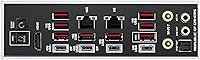
  • USB Connectivity: The board includes dual USB4 Type-C ports along with multiple additional high-speed USB ports.
  • Onboard Display: A 5-inch LCD screen on the board provides live diagnostics and customization options.
  • Smart Features: AI Overclocking and AI Cooling II tools assist with tuning performance and thermal behavior.
  • Intended Use: It is designed for high-end gaming rigs, content creation workstations, and serious overclocking setups.

Related Reviews
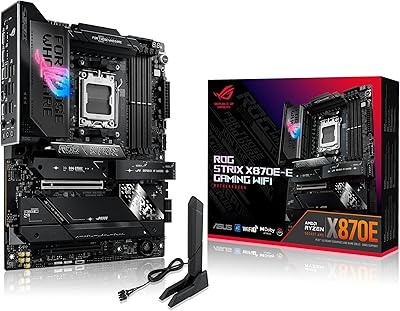
ASUS ROG Strix X870E-E Gaming WiFi
88%
93%
Physical Build Quality
96%
Power Delivery Efficiency
94%
Storage Expansion Options
91%
Next-Gen Wireless Speed
92%
Tool-Free DIY Features
More
ASUS ProArt X870E-CREATOR WIFI Motherboard
87%
94%
Performance
92%
Compatibility with Ryzen Processors
91%
PCIe 5.0 and DDR5 Support
88%
Cooling Efficiency
90%
Expandability (M.2 slots, PCIe lanes)
More
ASUS ROG Maximus Z890 Hero ATX Motherboard
83%
93%
Build Quality
96%
VRM & Power Delivery
88%
BIOS Experience
79%
AI Overclocking
91%
Storage Versatility
More
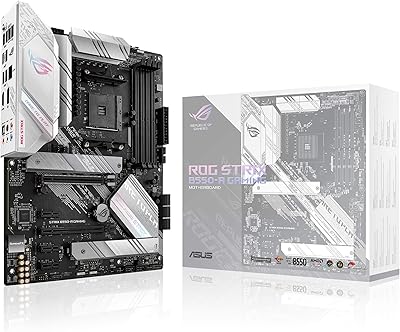
ASUS ROG Strix B850-A ATX Motherboard
83%
93%
Power Delivery
88%
BIOS Experience
86%
Storage Throughput
91%
Wireless Connectivity
89%
Build & Aesthetics
More
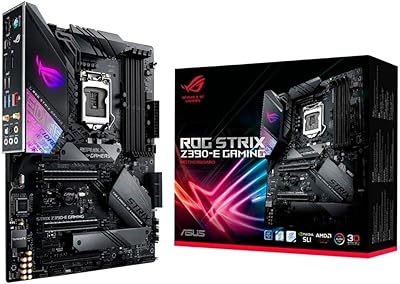
ASUS ROG Strix Z390-E Gaming Motherboard
81%
93%
Build Quality
91%
BIOS Maturity
87%
Overclocking Performance
88%
Connectivity & I/O
82%
Wi-Fi Reliability
More
ASUS ROG Strix B550-A Gaming ATX Motherboard

82%
91%
Build Quality
93%
Power Delivery & Stability
88%
BIOS Experience
89%
PCIe 4.0 & NVMe Performance
86%
Onboard Audio Quality
More
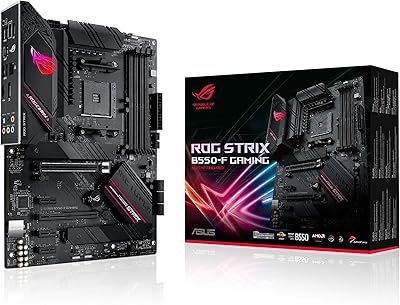
ASUS ROG Strix B550-F AMD AM4 Motherboard
81%
91%
VRM & Power Delivery
88%
Build Quality
89%
BIOS Usability
84%
Ryzen Compatibility
86%
PCIe 4.0 & M.2 Performance
More
ASUS ROG Strix B650E-I Mini-ITX Motherboard
81%
91%
VRM & Power Delivery
94%
Feature Set for Form Factor
83%
BIOS & Software Experience
74%
DDR5 Memory Compatibility
88%
Wireless Connectivity
More
ASUS ROG Maximus Z690 Formula ATX Motherboard
79%
93%
Build Quality
91%
VRM Performance
89%
Cooling Integration
88%
Overclocking Capability
67%
BIOS Experience
More
ASUS ROG Strix B850-I Mini-ITX Motherboard
82%
91%
Build Quality
88%
BIOS Usability
93%
Power Delivery
74%
Thermal Management
89%
Connectivity & I/O
More

FAQ

Yes, as long as your processor is from the Ryzen 7000, 8000, or 9000 series, it will fit right into the AM5 socket. Just double check your specific chip against AMD's official compatibility list before buying, since model numbers can vary.

Honestly, for most everyday gaming setups, yes, this is more board than you actually need. It really shines for overclockers, content creators, or anyone running multiple fast NVMe drives, so if that's not you, a simpler AM5 board will likely serve you just as well.

That depends on your case size, since this uses the larger E-ATX form factor rather than standard ATX. Make sure your case explicitly supports E-ATX boards before ordering, as it won't fit in most mid-tower cases.

You get five M.2 slots in total, with three of them running on the faster PCIe 5.0 standard. That's enough room for a primary OS drive, a fast scratch disk, and additional storage without needing add-in cards.

Not necessarily, since ASUS's AI-assisted overclocking tools are designed to simplify the process for less experienced users. That said, the more advanced manual controls do have a learning curve if you want to push things further.

Yes, you get Wi-Fi 7 alongside dual high-speed LAN ports, so you can run both wired and wireless connections simultaneously if needed. This is particularly useful for home labs or streaming setups.

That's the onboard 5-inch LCD, and it's genuinely useful rather than just decorative. It shows real-time diagnostics during boot and can be customized for monitoring stats once you're up and running.

It depends on what you need from your build. If you're pairing it with a high-end CPU and pushing serious overclocking or storage demands, the ASUS ROG Crosshair X870E Extreme Motherboard earns its premium price tag, but casual builders will likely be paying for capability they won't use.

Yes, there are dual USB4 Type-C ports onboard, which helps keep the system ready for newer high-speed accessories and displays as they become more common.

Based on consistent owner feedback, build quality and component selection feel genuinely premium rather than just marketed that way. The power delivery in particular holds up well under sustained heavy use.